
Overview

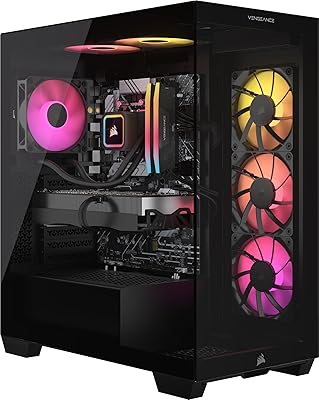
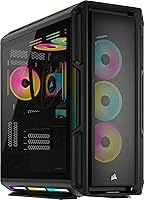
The Corsair Vengeance i8200 Gaming Desktop PC is one of the most capable pre-built systems available right now, built squarely for enthusiasts who want flagship-tier hardware without the headache of sourcing parts. The RTX 5080 and Intel Core i9-14900KF pairing targets serious 4K gaming and then some. What separates this Corsair pre-built from most boxed competitors is the cooling — a proper iCUE H150i ELITE liquid radiator rather than the underpowered air solutions that typically ship in pre-builts at any price point. Windows 11 Pro comes included, which matters if professional workloads share time with your gaming sessions. This is a significant investment, and it is priced to match that reality.

Features & Benefits

The headline component is the NVIDIA GeForce RTX 5080, built on Blackwell architecture, where DLSS 4 delivers real-world frame rate gains in supported titles and GPU-accelerated rendering makes this rig genuinely useful for video editors and 3D artists — not just gamers. The i9-14900KF, liquid-cooled aggressively, maintains sustained boost clocks under prolonged load rather than throttling the way passively cooled pre-builts tend to. The 64GB of DDR5 memory is overkill for most games today, but invaluable when streaming, rendering, and a game are all running simultaneously. Dual 2TB M.2 SSDs give you 4TB of fast storage with no mechanical drive bottleneck anywhere in the chain. The iCUE software ties lighting and monitoring together across all compatible components in one place.

Best For

This flagship gaming rig makes the most sense for a specific kind of buyer. If you are gaming at 4K and chasing high refresh rates in demanding titles, the RTX 5080 gives you the headroom to do it properly. Content creators and streamers will appreciate the CPU and memory combination — you can run a game, encode a stream, and have editing software open without hitting a ceiling. It is also a reasonable pick for buyers who have priced out components individually and want to avoid compatibility headaches or a prolonged GPU hunt. Windows 11 Pro adds remote desktop and advanced security features that matter to professionals treating this as a dual-purpose workstation.

User Feedback

Buyer sentiment around the Vengeance i8200 trends largely positive on the performance side — out-of-box thermals and frame rates draw consistent praise, and the liquid cooling appears to handle extended gaming sessions without the temperature spikes that trouble cheaper pre-builts. On the flip side, the iCUE software comes up repeatedly as having a steeper learning curve than expected, particularly for buyers configuring custom RGB profiles from scratch. A number of owners noted the price demands serious justification against a comparable DIY build, though many acknowledged the convenience factor. Shipping and build quality observations have been mostly favorable. Case upgrade accessibility for future GPU or storage swaps remains a practical question worth investigating before committing.

Pros

  • The RTX 5080 delivers credible 4K gaming performance with room to spare, even in the most demanding current titles.
  • Liquid cooling on a pre-built is rare at any tier — the H150i ELITE keeps the i9-14900KF running at sustained clocks rather than throttling under pressure.
  • 64GB of DDR5 memory future-proofs this rig well beyond what most gaming titles currently demand.
  • Dual 2TB M.2 NVMe drives mean 4TB of fast storage with no mechanical bottleneck slowing anything down.
  • Windows 11 Pro is a genuine bonus for professionals who need enterprise features without a separate license purchase.
  • The iCUE software unifies lighting and system monitoring across all compatible components in one dashboard.
  • Out-of-box experience is strong — plug in, power on, and play without driver hunting or compatibility headaches.
  • For buyers who have priced a comparable DIY build recently, the convenience premium may be smaller than expected given current GPU availability.

Cons

  • The price point is very steep, and buyers who enjoy building will likely find a DIY route more cost-efficient for comparable specs.
  • The iCUE software has a noticeable learning curve, particularly for users new to the Corsair ecosystem who want custom RGB profiles.
  • The i9-14900KF is a 14th Gen Intel chip — competitive but not the absolute latest architecture, which may affect longevity for some buyers.
  • At over 32 pounds, this is a heavy machine that is not easy to transport or reposition once set up.
  • Case accessibility for future GPU or storage upgrades has not been widely praised, which is a concern for anyone planning iterative upgrades.
  • RGB lighting, while polished, requires ongoing software management — buyers who want a set-and-forget experience may find it fiddly.
  • The product listing incorrectly tags this as an all-in-one, which can create confusion — it is a standard tower and should be evaluated as such.

Ratings

The Corsair Vengeance i8200 Gaming Desktop PC has been scored by our AI system after analyzing verified buyer reviews from global markets, with spam, bot activity, and incentivized feedback actively filtered out before scoring. Ratings reflect the full picture — what owners genuinely love and where real frustrations surface — so you can make an informed decision without sifting through noise. Strengths and pain points are weighted equally and transparently reflected in every category below.

Gaming Performance
94%
Owners consistently report that the RTX 5080 handles 4K gaming at high refresh rates without breaking a sweat, with DLSS 4 pushing frame rates well beyond what native rendering alone achieves. Titles that previously required settings compromises run maxed out, and the margin of headroom for future releases is a recurring point of satisfaction.
A small segment of buyers note that the CPU, while powerful, is 14th Gen Intel rather than the latest architecture, which raises mild concerns about long-term gaming relevance relative to the GPU's lifespan. For strictly esports-focused titles, the performance gap over cheaper systems is real but rarely perceptible in practice.
Thermal Management
91%
The H150i ELITE 360mm liquid cooler earns consistent praise for keeping the i9-14900KF running at sustained boost clocks during extended gaming and rendering sessions — a meaningful contrast to the air-cooled solutions found in most pre-builts at any price. Users running overnight render jobs report impressively stable temperatures throughout.
A handful of owners mention that the radiator placement and fan orientation inside the chassis can make initial cable management and airflow optimization confusing if you open the case. There are occasional reports of the pump producing an audible hum that is noticeable in quiet environments, though this appears to be unit-specific rather than universal.
Value for Money
67%
33%
Buyers who have priced comparable component lists individually — particularly with RTX 5080 cards carrying their own steep market premium — often acknowledge that the gap between this pre-built and a DIY equivalent is narrower than expected. The included Windows 11 Pro license and full-system warranty add tangible value that gets overlooked in straight hardware cost comparisons.
The price point is still a significant hurdle for the majority of buyers, and experienced builders who are patient with sourcing will consistently come out ahead financially. The value proposition weakens considerably for users who do not regularly push the hardware — paying flagship prices for a system used on mid-range workloads is difficult to justify.
Build Quality
88%
Shipping and physical build quality receive broadly positive feedback, with most buyers reporting that the system arrives well-packaged and structurally solid, with no loose components or rattling. The Corsair chassis feels premium and the internal component layout reflects professional assembly rather than the rushed feel of some competing pre-builts.
A minority of buyers note that the case, while well-constructed, does not feel as distinctive or premium on the outside as the internal hardware might suggest. A few users flagged minor cosmetic imperfections on delivery, though functional defects appear rare based on available feedback.
Out-of-Box Experience
89%
Most owners are up and gaming within minutes of unboxing, with Windows 11 Pro pre-activated, drivers installed, and iCUE pre-loaded. The absence of the usual pre-built bloatware that plagues less premium brands is frequently mentioned as a positive surprise.
Some buyers find the initial iCUE configuration more time-consuming than expected — particularly syncing RGB profiles across all components and setting up fan curves to personal preference. A couple of users noted that Windows required immediate large updates before the system felt fully operational, which delayed their first session.
Software Experience
72%
28%
iCUE genuinely delivers on system-wide RGB synchronization and performance monitoring, and users who invest time in learning it report that the control it provides over fan speeds, lighting effects, and hardware temps is well worth the effort. Integration across Corsair peripherals is particularly appreciated by buyers already in the ecosystem.
The learning curve for iCUE is one of the most consistently cited friction points — new users frequently describe the interface as unintuitive compared to simpler RGB utilities. Occasional reports of iCUE crashing or reverting RGB profiles after updates add a layer of frustration that feels out of place on a system at this price tier.
Storage Configuration
92%
Having two separate 2TB NVMe SSDs rather than a single large drive or a mixed SSD-HDD setup is a practical choice that users appreciate — game libraries, creative project files, and OS installations each get their own fast drive without any mechanical bottleneck. Load times across all installed titles are consistently reported as excellent.
A small number of users note that 4TB fills up faster than expected when storing large video production projects alongside an extensive game library, and the case may limit easy addition of further drives depending on available bays. There is no included mechanical drive for cold archival storage, which some content creators would have welcomed.
Noise Levels
79%
21%
For a system with this much thermal output, the Vengeance i8200 is notably quiet at idle and during light workloads, with the liquid cooling setup contributing to a lower overall noise floor compared to air-cooled pre-builts pushing similar hardware. Casual gaming sessions are generally described as unobtrusive from a noise standpoint.
Under sustained GPU and CPU load — such as during 4K gaming with ray tracing enabled — the system fans ramp up audibly, and users in quieter rooms notice the change clearly. The pump on the H150i occasionally produces a low-frequency hum that some owners find distracting during late-night sessions.
Upgrade Potential
63%
37%
The DDR5 memory slots leave room for future capacity increases if professional workloads ever demand it, and the M.2 slots should accommodate additional storage without requiring hardware removal. The GPU itself is so capable that most buyers will not feel the urge to upgrade for a considerable number of years.
Case accessibility for major hardware swaps has been a recurring concern — the internal layout is functional but not optimized for regular tinkering, and some owners report that reaching certain components requires more effort than in enthusiast-focused cases. Buyers planning iterative upgrades should verify chassis dimensions and clearance specifics before committing.
RGB & Aesthetics
83%
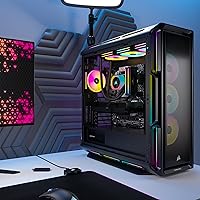
The addressable RGB across the RAM modules, chassis fans, and case lighting creates a cohesive and visually striking system that photographs well and looks impressive on a desk. Pre-installed lighting profiles provide an immediately polished look without any configuration required at launch.
RGB enthusiasts who want highly granular per-LED control will find the iCUE learning curve gets in the way before achieving advanced effects. Users who prefer a clean, minimal aesthetic have limited options for disabling all lighting at the hardware level without going through the software.
CPU Performance
87%
The i9-14900KF handles simultaneous gaming, streaming encoding, and background productivity tasks without any perceptible slowdown, which is the real-world test that matters most for its target audience. Content creators report responsive performance in CPU-heavy workloads like timeline scrubbing and audio mixing alongside active renders.
As a 14th Gen chip, the i9-14900KF sits one full generation behind Intel's current lineup, which is a valid concern for buyers expecting to keep this system for a decade. Power draw under full load is substantial, and users in warmer climates or less ventilated rooms may find ambient room temperature rises noticeably during heavy sessions.
Memory Capacity
93%
64GB of DDR5 is genuinely transformative for users who multitask heavily — streaming, gaming, video editing, and virtual machines can all coexist without memory pressure, and the headroom for future software demands is considerable. The Dominator Titanium modules also run at competitive speeds that keep up with the RTX 5080 and i9 pairing.
For buyers who exclusively game, 64GB is more memory than any current title can use, meaning a portion of the investment is effectively idle most of the time. DDR5 compatibility should be verified if owners ever plan to move these modules to a future motherboard, as not all platforms support the same speeds.
Warranty & Support
77%
23%
Corsair's full-system warranty provides a meaningful safety net compared to building your own and managing individual component warranties separately. Users who have contacted Corsair support generally report responsive service and straightforward RMA processes for hardware defects.
Warranty terms and duration can vary by region and purchase channel, and some buyers report confusion about what is and is not covered when issues arise. Onsite repair is not typically part of the coverage, meaning faulty units may need to be shipped, which is inconvenient given the system's 32-pound weight.

Suitable for:

The Corsair Vengeance i8200 Gaming Desktop PC is purpose-built for buyers who want the absolute top tier of pre-built performance and have the budget to match. If your primary use case is 4K gaming at high refresh rates — or you are already eyeing titles that will push toward 8K territory — the RTX 5080 gives you genuine headroom rather than a system that is already straining at launch. Content creators who split their time between heavy rendering jobs and gaming sessions will find the 64GB of DDR5 memory and dual-SSD storage setup genuinely transformative for multitasking without compromise. Streamers who need the CPU to handle simultaneous encoding without tanking in-game frame rates will appreciate the i9-14900KF's headroom, especially paired with serious liquid cooling that keeps it performing at sustained boost levels. Professionals who want Windows 11 Pro out of the box — for remote desktop, BitLocker, or enterprise-grade security — also get real added value here without paying separately for an OS upgrade.

Not suitable for:

The Corsair Vengeance i8200 Gaming Desktop PC is not the right call for a wide range of buyers, and it is worth being direct about that. If you primarily play esports titles or older games that do not stress modern GPU architectures, this level of hardware is overkill, and you would likely never feel the difference in daily use. Budget-conscious buyers or those who are willing to invest time in sourcing parts will almost certainly be able to assemble a comparable or faster system independently — the premium here is largely for convenience, warranty coverage, and the avoidance of supply chain frustration. Casual users or anyone who does not game regularly and just needs a capable home PC should look several tiers down; the cost-to-benefit ratio drops sharply when the machine spends most of its time on productivity tasks. If case modding, major internal upgrades, or complete component swaps are part of your long-term plan, you should verify chassis accessibility before committing, as pre-builts can sometimes constrain that flexibility.

Specifications

  • GPU: The system ships with an NVIDIA GeForce RTX 5080 based on the Blackwell architecture, supporting DLSS 4 and hardware-accelerated ray tracing.
  • CPU: An Intel Core i9-14900KF running at a 3.2GHz base clock with 36MB of cache handles processing duties across all workloads.
  • CPU Cooler: A CORSAIR iCUE H150i ELITE 360mm liquid cooler manages CPU thermals, allowing the i9-14900KF to sustain boost clocks under extended load.
  • Memory: 64GB of Corsair Dominator Titanium RGB DDR5 RAM is installed, featuring 11 individually addressable LEDs per module.
  • Storage: Two 2TB M.2 NVMe SSDs are configured for a combined 4TB of fast storage with no mechanical drives in the system.
  • Operating System: Windows 11 Pro comes pre-installed, providing access to enterprise features including BitLocker encryption and Remote Desktop.
  • Form Factor: The machine is a full tower desktop measuring 25.63 x 24.25 x 13.86 inches — not a true all-in-one despite some listing metadata.
  • Weight: The unit weighs 32.03 pounds, reflecting the substantial cooling hardware and full-size components housed inside.
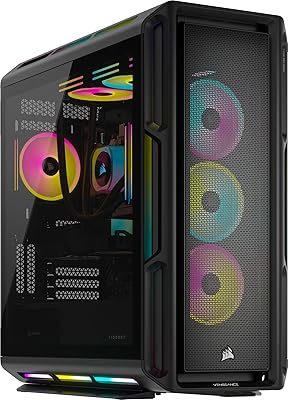
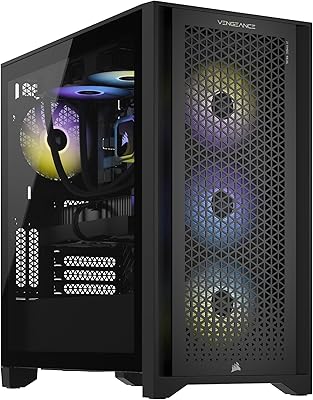
  • RGB Lighting: System-wide addressable RGB lighting spans the RAM, case fans, and chassis, all managed through the CORSAIR iCUE software platform.
  • Software: CORSAIR iCUE software provides unified control over RGB profiles, fan curves, and real-time system performance monitoring.
  • CPU Cache: The i9-14900KF includes 36MB of Intel Smart Cache, supporting responsive multitasking across gaming and productivity workloads.
  • CPU Speed: The processor operates at a 3.2GHz base frequency with boost clocks managed dynamically by the liquid cooling solution.
  • Model Number: The official Corsair model designation for this configuration is CS-9060025-NA.
  • Brand: This system is designed, assembled, and warranted directly by Corsair, a US-based PC hardware manufacturer.
  • GPU Architecture: The RTX 5080 uses NVIDIA Blackwell architecture, which underpins DLSS 4 multi-frame generation and AI-accelerated rendering features.

Related Reviews
Corsair Vengeance a7500 Gaming PC
85%
94%
Gaming Performance at 1440p and 4K
91%
Build Quality & Durability
89%
Cooling System Effectiveness
86%
RGB Lighting Customization
84%
Overall Value for Money
More
Corsair Vengeance i7600 Gaming PC
82%
93%
Gaming Performance
91%
Out-of-Box Experience
88%
Build Quality
84%
Thermal Management
71%
Noise Levels
More
Skytech Gaming Azure GTX 1650 Gaming Desktop
75%
67%
Gaming Performance
73%
Value for Money
91%
Setup & Out-of-Box Experience
78%
Build Quality
49%
Storage Capacity
More
Empowered PC Panorama Gaming Desktop (RTX 5080, i9-14900KF, 96GB DDR5, 4TB)
83%
94%
Gaming Performance
91%
Out-of-Box Experience
67%
Value for Money
72%
Thermal Management
88%
Build & Component Quality
More
Corsair Vengeance a8200 Gaming Desktop PC
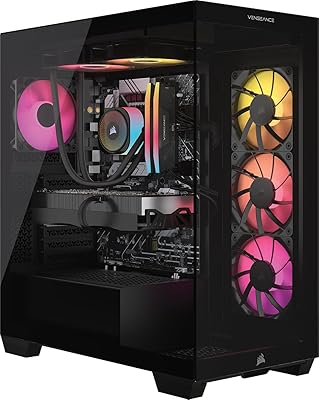
80%
94%
Gaming Performance
88%
Build Quality
86%
Thermal Management
77%
Noise Levels
67%
Value for Money
More
Corsair Vengeance i7500 Gaming PC
81%
94%
Gaming Performance
83%
Thermal Management
91%
Build Quality
92%
Out-of-Box Experience
71%
Value for Money
More
Corsair Vengeance a7500 Gaming Desktop
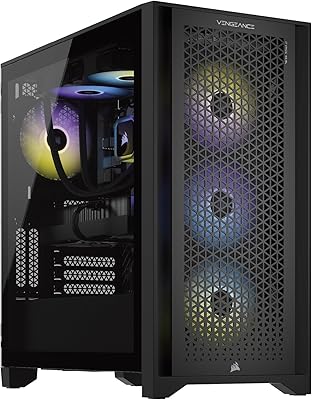
80%
84%
Gaming Performance
66%
Value for Money
89%
Build Quality
92%
Out-of-Box Experience
71%
GPU Capability
More
Corsair Vengeance i7400 Gaming PC - Intel Core i7-13700K, NVIDIA GeForce RTX 4070 Ti, 32GB DDR5, 1TB SSD
87%
94%
Overall Performance
96%
Gaming Performance
89%
Multitasking and Productivity
92%
Thermal Management
85%
Build Quality
More
Corsair Vengeance a7400 Gaming Desktop PC
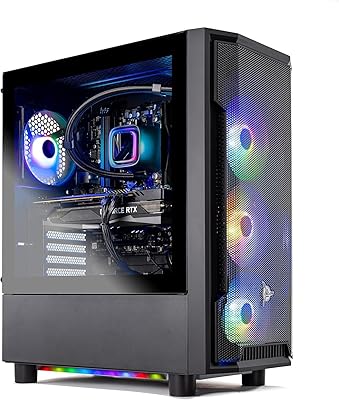
79%
91%
Gaming Performance
88%
Build Quality
74%
Value for Money
86%
Thermal Management
93%
Out-of-Box Experience
More
Skytech Gaming Shadow Gaming Desktop PC
80%
88%
Gaming Performance
91%
Out-of-Box Experience
84%
Thermal Management
74%
Value for Money
77%
Build Quality
More

FAQ

For the most part, yes — the Corsair Vengeance i8200 Gaming Desktop PC arrives with Windows 11 Pro pre-installed and drivers configured. You will still need to connect your monitor, keyboard, mouse, and peripherals, and you should expect to run Windows Update and install your games before playing. The iCUE software is pre-loaded, though initial RGB and fan profile setup does take a bit of time to personalize.

Technically yes, though the ease of doing so depends on the case layout and what Corsair ships internally. The RAM slots should support additional DDR5 modules if you ever need more than 64GB, which is unlikely for gaming but plausible for professional workloads. GPU upgrades are possible in principle, but given the RTX 5080 is already a top-tier card, you are unlikely to need one for several years.

The H150i ELITE is a closed-loop all-in-one liquid cooler, which is a well-proven design from Corsair with a strong reliability track record. Leaks are very rare with modern AIO coolers of this type, and Corsair backs their cooling hardware with a dedicated warranty. The main maintenance you might do is checking that the radiator fans are clear of dust over time.

Liquid-cooled systems like the Vengeance i8200 tend to run quieter than air-cooled pre-builts because the large 360mm radiator can dissipate heat efficiently without spinning fans to their limits. Under a sustained gaming load you will hear the system working, but it should not be distractingly loud in a typical room. Idle noise is generally very low.

Yes — the RTX 5080 has multiple display outputs and can comfortably drive a multi-monitor setup, including high-refresh-rate 4K panels. Exact port configuration on the GPU depends on the specific card variant Corsair installs, so it is worth confirming the output types match your monitors before buying.

It is genuinely strong for both. The RTX 5080 accelerates GPU rendering in applications like DaVinci Resolve, Blender, and Adobe Premiere, and 64GB of DDR5 memory gives you the headroom to work with large project files without constantly swapping to disk. The dual-SSD configuration also means read and write speeds stay fast regardless of which drive your assets are on.

At this hardware tier, the price gap between a pre-built and a comparable DIY build has narrowed compared to previous years, especially when RTX 5080 cards carry their own significant price premium. What you are paying for here is convenience, a warranty that covers the full system rather than individual parts, and avoiding the time and risk of sourcing and assembling top-end components. If you enjoy building and have the time, DIY will likely still offer more flexibility — but the difference in cost may be smaller than you expect.

Corsair typically covers their pre-built systems with a two-year limited warranty that includes parts and labor. For specific warranty terms applicable to your region and purchase channel, it is worth confirming directly with Corsair or the retailer before you buy, as coverage can vary slightly.

iCUE is a relatively well-optimized background application, and it is unlikely to meaningfully impact gaming frame rates on a system this powerful. That said, it does run in the background and consumes a small amount of CPU and memory resources. Users who prefer a minimal software footprint can disable RGB sync features without affecting core system performance.

Absolutely — the RTX 5080 is one of the few GPUs capable of driving ultrawide displays at high resolutions and refresh rates simultaneously. Whether you are running a 3440x1440 ultrawide at 144Hz or a 4K panel at 240Hz, the Vengeance i8200 has the raw GPU headroom to handle it without compromise in most current titles.