Overview

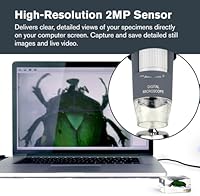
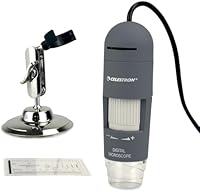
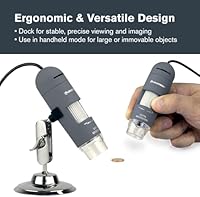
The Celestron Deluxe Handheld Digital Microscope sits in an interesting spot — capable enough for serious hobbyists, approachable enough for students, yet honest in its specs rather than overpromising. Celestron has been crafting optics since 1960, and that track record carries genuine weight when you're picking a brand for precision work. Worth flagging upfront: this USB microscope has no built-in screen — it connects to a Windows or Mac computer and relies entirely on bundled software to display and capture images. The design works in two modes, handheld for quick scans or docked to the included stand for more stable, careful work. The 2MP sensor handles casual inspection well; scientific-grade imaging, this is not.
Features & Benefits

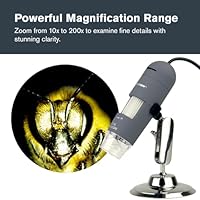
The magnification range runs from 10x up to 200x, which covers a broad set of everyday inspection tasks. At the lower end — somewhere between 10x and 50x — images are crisp and detailed. Push past 150x and clarity starts to soften, which is worth knowing before you buy. Lighting comes from an 8-LED ring illuminator that wraps around the lens; its adjustable brightness does a solid job cutting glare on reflective surfaces like coins or circuit boards. Power runs entirely through USB, so no batteries or extra adapters are needed. The included stand is height-adjustable, and a calibration ruler in the kit lets you put real-world measurements to what you're seeing on screen.

Best For

This handheld digital microscope is genuinely well-suited to hobbyists who inspect things up close as part of their routine — coin collectors checking surface wear, electronics tinkerers tracing PCB layouts or verifying solder joints, and anyone who studies insects or natural specimens with curiosity rather than clinical precision. Homeschool families and classroom teachers will find it easy to share among students, since setup is plug-and-play. It is not the right call for anyone needing professional-grade resolution or who wants to work independently of a computer. Within its intended audience, though, this USB microscope gets people looking closely at the world around them without requiring a complicated or expensive setup.

User Feedback

Across more than a thousand reviews, the Celestron unit lands at 3.8 out of 5 — a middling score that reflects a genuinely split experience. Buyers consistently praise the plug-and-play setup: connect via USB, install the software, and you're viewing specimens within minutes. The stand gets good marks for stability, and Celestron's two-year warranty with US-based support earns trust that cheaper competitors simply can't match. On the other side, a recurring complaint is that image sharpness falls off at higher magnification, and some users have run into friction getting the software working on newer operating systems. Handheld steadiness also takes real practice — without the stand, shake is a genuine factor.

Pros

  • Plug-and-play USB setup gets most users viewing specimens within minutes of opening the box.
  • Image quality between 10x and 100x is genuinely clear and useful for everyday inspection tasks.
  • The 8-LED ring light does a solid job controlling glare on reflective surfaces like coins and metal components.
  • Dual-mode design lets you switch between handheld scanning and stable stand-mounted imaging without any tools.
  • Celestron's two-year US warranty and domestic support team are rare and reassuring in this product category.
  • No batteries or wall adapters required — USB power keeps the workspace clean and the setup simple.
  • The included calibration ruler lets users assign real measurements to what they see on screen.
  • Compact and light enough to carry between rooms or share across a classroom without any hassle.
  • The adjustable stand holds the unit firmly, freeing both hands for positioning specimens or triggering captures.

Cons

  • Image sharpness degrades noticeably above 150x, making the advertised 200x ceiling misleading for many buyers.
  • The bundled software has documented compatibility issues on newer versions of Windows and macOS.
  • No built-in screen means the microscope is completely dependent on a nearby computer to function at all.
  • Handheld steadiness above 50x magnification requires practiced technique most casual users do not expect to need.
  • Saved still images often look softer than what the live view suggests, which catches first-time users off guard.
  • The focus collar and some plastic components show wear faster than the price point implies they should.
  • Video capture can feel choppy on older or lower-spec computers due to USB 2.0 bandwidth constraints.
  • Support hours are limited to US business times, creating friction for international buyers needing assistance.
  • No color temperature control on the LED ring means organic specimens can take on an artificial cast in photos.

Ratings

Our scores for the Celestron Deluxe Handheld Digital Microscope were generated by AI after systematically analyzing thousands of verified global buyer reviews, with spam, bot-generated, and incentivized feedback actively filtered out. The result is an honest snapshot that reflects both what this USB microscope genuinely gets right and where real users have run into frustration. Nothing is glossed over — the ratings below capture the full picture, from standout strengths to legitimate drawbacks.

Image Quality at Low Magnification
81%
19%
Between 10x and roughly 100x, the 2MP sensor produces images that are clear and detailed enough for practical tasks — a coin collector can easily read mint marks and spot surface wear, while an electronics hobbyist can trace PCB paths without squinting. Buyers consistently note that on-screen viewing feels immediate and satisfying at these ranges.
The 2MP ceiling does show its limits even in the mid-range when lighting conditions are not ideal, resulting in slightly washed-out or soft images. Users accustomed to smartphone camera quality sometimes find the output underwhelming for still photos they want to save and share.
Image Quality at High Magnification
51%
49%
Reaching toward 150x to 200x is genuinely useful for spotting fine details like hairline cracks in solder joints or tiny insect anatomical features that the naked eye simply cannot resolve. For quick identification tasks rather than archival documentation, this magnification range still serves its purpose.
This is where a significant number of buyers express disappointment — image sharpness degrades noticeably above 150x, with softening edges and reduced contrast making fine details harder, not easier, to distinguish. The 2MP sensor is simply not built to carry the load that high-end magnification demands, and expectations set by the 200x headline figure can feel misleading.
Ease of Setup
88%
Most users report that getting this USB microscope up and running takes only a few minutes — plug into a USB port, install the bundled software, and live viewing begins almost immediately. This plug-and-play experience is a recurring highlight among beginners, parents setting it up for kids, and classroom teachers who cannot afford lengthy configuration time.
The process assumes the bundled software installs without friction, and that is not always the case. A meaningful share of users on newer Windows 11 or recent macOS versions report driver hiccups or software crashes that require extra troubleshooting steps before anything appears on screen.
Software Compatibility
54%
46%
When the software cooperates, it covers the basics well — live view, image capture, video recording, and measurement overlays are all accessible from a single interface without needing any third-party tools. Users who got it running smoothly on older operating systems tend to report a reliable, stable experience over time.
Compatibility with modern operating systems is the single most cited frustration across the review pool. Buyers on macOS Ventura or later, and those running Windows 11, frequently report that the bundled software either fails to install cleanly or behaves erratically, requiring workarounds or third-party alternatives to get live view functioning at all.
Build Quality & Durability
74%
26%
The body combines metal and plastic in a way that feels solid for the price tier — it is not flimsy, and the lens assembly does not wobble or shift during use. Users who have owned the Celestron unit for a year or more generally report no mechanical degradation in the lens or body.
The plastic components, particularly around the USB cable entry point, show wear sooner than the metal sections. A handful of buyers note that the focus wheel, while functional, feels slightly loose compared to more expensive competitors in this category.
LED Illumination
79%
21%
The 8-LED ring light is a practical strength — it wraps evenly around the lens and throws balanced light onto specimens without creating harsh hot spots. Being adjustable means users can dial brightness down for reflective subjects like polished coins or metallic circuit board surfaces, which makes a real difference in usable image contrast.
At maximum brightness, the LEDs can occasionally over-illuminate pale or white specimens, washing out fine surface texture. There is no color temperature control, so the light quality is fixed, which can give organic specimens like insect wings a slightly artificial cast in photographs.
Stand Stability & Usability
82%
18%
The adjustable stand is a genuine asset — it holds the microscope firmly over a specimen at a range of heights, freeing both hands for positioning the subject or operating the keyboard to trigger captures. Buyers doing repeated inspections, such as checking multiple coins in sequence, particularly appreciate not having to re-stabilize the unit between shots.
The stand's height adjustment range, while adequate for flat specimens on a desk, becomes limiting when trying to image taller or three-dimensional objects. A few users also note that the locking mechanism requires a deliberate tightening step that is easy to forget, leading to slow drift mid-session.
Handheld Usability
63%
37%
For quick, informal scanning — flipping through a stamp collection, checking a suspect component on a board, or scanning a feather — the handheld mode genuinely works and is convenient. The compact size and light weight make it easy to pick up and move around without fatigue.
Holding the unit steady enough to capture a useful image at anything above 50x without the stand requires practiced technique that many buyers do not anticipate needing. Blur from minor hand tremor is a common complaint, and without image stabilization of any kind, handheld high-magnification shots are hit-or-miss for most people.
Value for Money
71%
29%
For hobbyists who need a capable, low-commitment entry into digital microscopy without spending heavily on lab-grade equipment, this handheld digital microscope lands in a reasonable price-to-capability ratio. The inclusion of a stand, calibration ruler, and a two-year warranty adds tangible value that competitors at similar price points do not always offer.
Buyers who push the unit to its limits — especially those chasing high-magnification clarity — sometimes feel the price does not fully justify the image quality ceiling. A small step up in budget opens access to units with better sensors or HDMI output that remove the PC dependency entirely, making the value case harder to argue for demanding users.
Warranty & Customer Support
86%
Celestron's two-year US warranty and domestic support team stand out sharply in a category crowded with no-name brands offering little to no post-purchase recourse. Multiple reviewers specifically mention positive support interactions when dealing with software issues or hardware questions, which adds meaningful peace of mind.
Support is limited to US business hours, which creates friction for international buyers or those in significantly different time zones. A few users report that warranty replacement processes, while ultimately resolved, involved more back-and-forth correspondence than expected for a relatively simple product.
Magnification Range Versatility
76%
24%
The span from 10x to 200x genuinely covers a wide variety of casual use cases within a single device — switching between low power for an overview and higher power for detail inspection requires only a twist of the focus collar, with no lens swapping or reconfiguration needed. This flexibility is what makes it practical across different hobbies.
The practical usable range is narrower than the spec implies — the top end of the range is compromised in quality, so users effectively have a reliable window closer to 10x–120x for consistently sharp results. Advertising 200x without that caveat sets expectations that the optics and sensor cannot reliably meet.
Portability & Form Factor
83%
Weighing under 10 ounces and shaped to fit comfortably in one hand, this USB microscope is easy to carry between rooms, pack for a classroom, or store without dedicating shelf space to a bulky instrument. The compact cylindrical body feels intentionally designed around real-world handling rather than just desk use.
Portability has one significant asterisk: the unit is only useful near a computer, since it has no independent display. True on-the-go use — inspecting something outdoors, at a market, or away from a desk — is not possible without a laptop in tow, which limits how portable the experience actually is in practice.
Photo & Video Capture Quality
66%
34%
For documentation purposes at moderate magnification, saved images at up to 1920×1080 are clear enough to share in hobby communities, include in reports, or use as reference images for comparison over time. Video capture works reliably for demonstrating specimens in motion, which educators find useful.
Still image output via the bundled software can look noticeably softer than what the live view suggests, which catches some users off guard. Video recorded at higher magnification suffers from the same optical limitations as still images and can feel choppy on slower computers due to the USB 2.0 bandwidth constraints.
Suitability for Educational Use
84%
In a classroom or homeschool context, this handheld digital microscope genuinely earns its place — setup is fast, the projection onto a shared monitor is a natural fit for group learning, and the variety of magnification levels keeps different age groups engaged. Teachers appreciate that there are no slides to prepare for casual specimen exploration.
The reliance on installed software is a friction point in managed school IT environments where students or teachers cannot freely install applications on shared computers. Additionally, durability under student handling — particularly the focus collar — may be a concern over the course of a full academic year.

Suitable for:

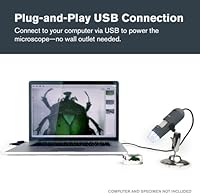
The Celestron Deluxe Handheld Digital Microscope is a strong fit for anyone who wants to look more closely at the world around them without committing to a complex or expensive laboratory setup. Coin collectors will find it particularly useful for reading fine mint marks, spotting surface wear, and comparing grade-level details without sending items out for inspection. Electronics hobbyists who do their own soldering can use it to verify joint quality and read small component markings that are invisible to the naked eye. Homeschool parents and classroom teachers will appreciate how quickly it gets students engaged — plug it into a laptop, project the live view on a shared screen, and a lesson on insect anatomy or plant cells becomes immediately visual. It also suits patient beginners who are genuinely curious about microscopy and want a reputable starting point from a brand with a real track record in optics.
Not suitable for:

Anyone expecting the Celestron Deluxe Handheld Digital Microscope to function as a standalone device will be disappointed from the moment they open the box — it requires a connected Windows or Mac computer to display anything at all, which is a hard dealbreaker for users who want to inspect specimens away from a desk. Buyers chasing sharp, archival-quality images at 150x magnification or higher should look elsewhere, as the 2MP sensor genuinely cannot deliver clinical clarity at the top of its range, and the advertised 200x ceiling is more theoretical than practical. Professional researchers, repair technicians who need precise measurement and documentation, or anyone running a modern operating system who cannot tolerate potential software compatibility headaches should weigh those risks carefully before purchasing. If your use case demands HDMI output, an independent screen, or a higher-resolution sensor, this unit's limitations will frustrate rather than serve you.
Specifications

  • Magnification Range: Covers 10x to 200x magnification, allowing users to move from broad surface overviews down to fine detail inspection in a single device.
  • Image Sensor: Features a 2-megapixel digital sensor that captures still images and video directly to a connected computer.
  • Max Resolution: Outputs photos and video at up to 1920×1080 pixels, suitable for on-screen review and basic digital sharing.
  • Illumination: An 8-LED adjustable ring light encircles the lens, providing even, controllable brightness across a range of specimen surfaces.
  • Connectivity: Connects to host computers via USB 2.0, which also supplies all power needed to operate the device.
  • Power Source: Entirely USB-powered with no requirement for batteries, wall adapters, or any external power supply.
  • Compatibility: Works with both Windows and Mac computers using the bundled software; no standalone or HDMI display output is supported.
  • Included Stand: Ships with a height-adjustable stand that holds the microscope steady over flat specimens for hands-free imaging and video.
  • Body Materials: Constructed from a combination of metal and plastic, with the optical housing and structural components primarily in metal.
  • Dimensions: Measures 4.33″ long by 1.38″ wide by 4.33″ tall, making it compact enough to hold comfortably in one hand.
  • Weight: Weighs 9.6 oz (approximately 0.6 lb), light enough for extended handheld use without fatigue.
  • Kit Contents: Package includes the microscope unit, adjustable stand, calibration ruler, and a quick-start setup guide.
  • Warranty: Backed by a 2-year US warranty with access to unlimited support from Celestron's US-based customer service team.
  • Brand Origin: Manufactured by Celestron, a California-based optics company with a history in precision instruments dating back to 1960.
  • HDMI Output: This model does not include HDMI output; live viewing and image capture require a connected Windows or Mac computer.
  • Model Number: Identified by model number 44302-C-CGL and listed under ASIN B07K2174VF on major retail platforms.

Related Reviews
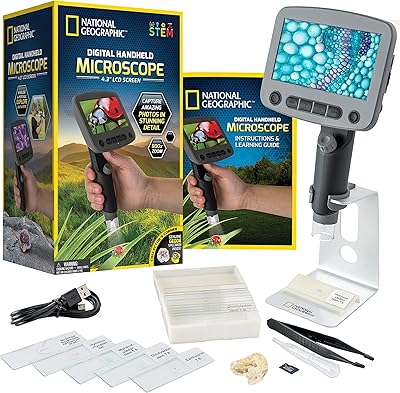
National Geographic Kids Digital Handheld Microscope
81%
88%
Ease of Use for Kids
83%
Image & Screen Quality
71%
Magnification Performance
79%
Battery Life
91%
Kit Completeness & Value
More
Andonstar AD203 Handheld Digital Microscope
83%
89%
Value for Money
93%
Portability & Ease of Use
82%
Magnification Quality
85%
Image & Video Quality
80%
Battery Life
More
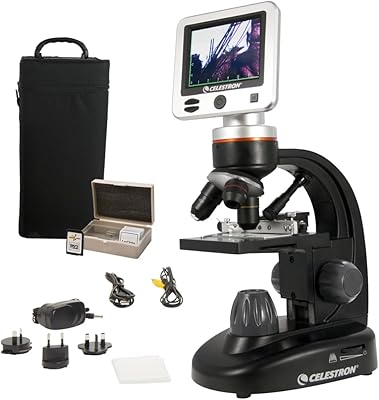
Celestron LCD Digital Microscope II
75%
88%
Ease of Use
74%
Screen Quality
71%
Optical Magnification Quality
66%
Camera & Image Capture
63%
Build Quality & Durability
More
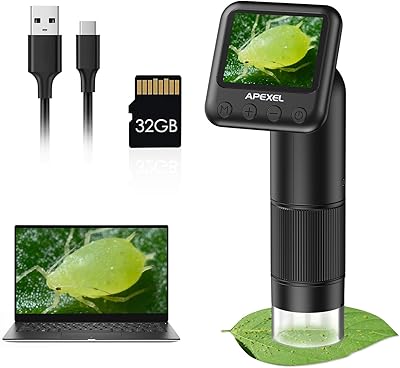
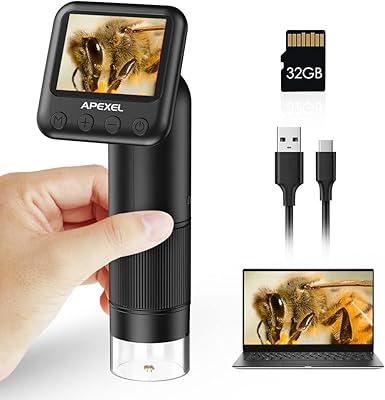
APEXEL MS008 Handheld Digital Microscope
77%
91%
Ease of Use
68%
Image Quality
62%
Build Quality
93%
Portability
74%
Battery Life
More
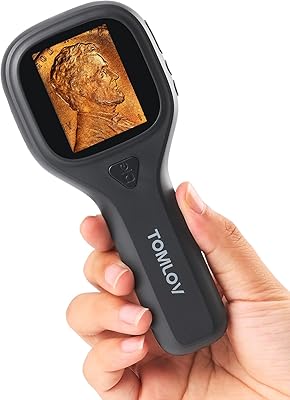
TOMLOV P10 Evo Handheld Digital Microscope
78%
93%
Portability
91%
Ease of Use
74%
Optical Clarity
82%
Display Quality
54%
Battery Life
More
BEAVERLAB Darwin M2B Handheld Digital Microscope
76%
88%
Display Quality
84%
Portability & Form Factor
63%
Magnification Performance
79%
RGB Lighting System
81%
LED Illumination Control
More
Evil Eye 800X Handheld Digital Microscope
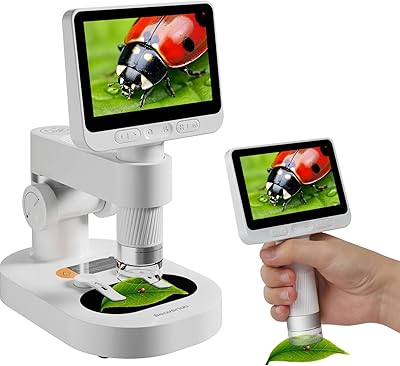
78%
91%
Ease of Use
68%
Image Quality
94%
Portability
61%
Build Quality
76%
Battery Life
More
LINKMICRO LM112 500X Handheld Digital Microscope for Kids and Adults
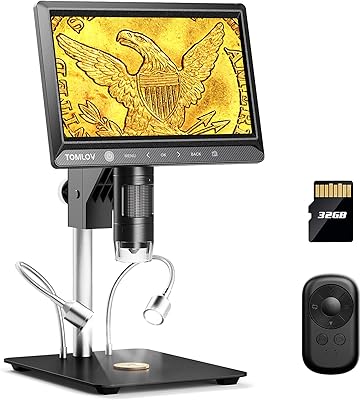
82%
86%
Magnification Performance
92%
Portability & Design
78%
Battery Life
72%
Display Quality
88%
Ease of Use
More
TOMLOV DM702 Digital Coin Microscope 10-inch
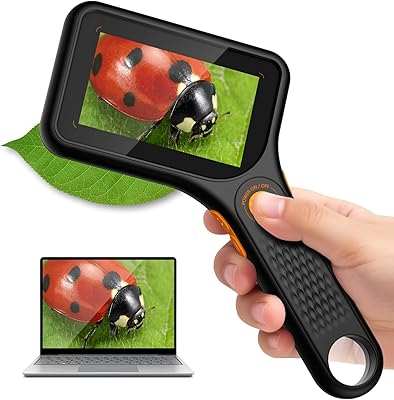
78%
88%
Display Quality
74%
Magnification Performance
83%
Build Quality & Durability
86%
Lighting System
84%
Stand & Working Space
More
MAXLAPTER Pocket 100X Digital Microscope
74%
91%
Portability & Form Factor
88%
Ease of Use
63%
Image & Optical Quality
71%
Screen Quality
74%
UV Light Performance
More

FAQ

It needs to be connected to a computer — there is no built-in display. You plug it into a Windows or Mac machine via USB, install the included software, and the live view appears on your computer screen. If you need something that works independently without a laptop or desktop nearby, you would want to look at a different model with HDMI output.

This is genuinely one of the weaker points of the Celestron Deluxe Handheld Digital Microscope. The bundled software was designed for older operating system versions, and a noticeable number of users on Windows 11 or recent macOS releases have reported installation issues or unstable behavior. That said, some users work around this by using free third-party camera software like AmScope or even OBS, which can detect the device as a standard USB camera.

Honestly, image quality at 200x is where this unit struggles most. The 2MP sensor and the optics are well-matched up to around 100x to 120x, but above 150x you will notice softening, reduced contrast, and some blurring around edges. It is fine for identifying broad features, but if you need crisp archival-quality images at the highest magnification, the hardware simply cannot deliver that.

Yes, and for quick scans at lower magnifications it works reasonably well handheld. The challenge is that any hand tremor gets amplified significantly as you increase magnification, so capturing a sharp image above 50x or 60x without the stand takes real practice. For most users, the stand quickly becomes the default setup for anything beyond casual glancing.

It is a solid entry point for curious students, especially in a supervised home or classroom setting. Setup is quick, the live view on a computer screen is immediately engaging, and the range of things you can examine — insects, coins, fabric, plant material — keeps younger users interested. Just be aware that a child will need a computer available to use it, and adult help may be needed for initial software installation.

The package includes the microscope itself, the height-adjustable stand, a calibration ruler for taking measurements in your images, and a quick-start guide. There is no carrying case, slide kit, or prepared specimens included, so you are working with whatever subjects you gather yourself from day one.

Yes, and this is actually one of the more practical use cases for this handheld digital microscope. At lower to mid-range magnification, it clearly shows solder joint quality, component orientations, and PCB trace routing well enough for hobbyist and DIY electronics work. The adjustable LED ring light helps manage reflections from shiny solder surfaces. It is not a replacement for a professional inspection microscope, but for home workshop use it is capable.

The adjustable brightness is a real practical advantage here. Turning the LEDs down when examining polished coins, metallic surfaces, or shiny circuit boards significantly reduces the hot-spot glare that plagues fixed-brightness alternatives. It is not perfect — very highly polished surfaces still produce some reflection — but the control gives you a meaningful way to manage it.

Based on user feedback, Celestron's warranty and support team are genuinely responsive compared to many competitors in this category. Most buyers who reached out with software issues or hardware questions report getting helpful replies. The support is US-based and US business hours only, which is a limitation if you are outside that time zone, but the warranty itself covers a full two years, which is notably longer than many no-name alternatives offer.

Both are supported through the included software — you can capture still images and record video directly to your computer. Video output is capped at 1920×1080 on paper, though the practical quality depends on your computer's processing speed and how smoothly the software is running. On slower machines, video can feel slightly choppy, particularly at higher magnification settings where the USB 2.0 connection is working harder.

Where to Buy

B&H Photo-Video-Audio
In stock $94.95
Woodland Hills Camera & Telescopes
In stock $94.95
Camera Concepts & Telescope Solutions
In stock $94.95