Overview

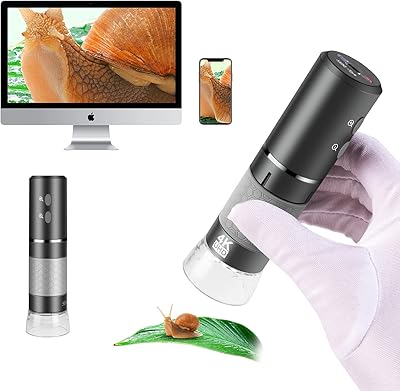
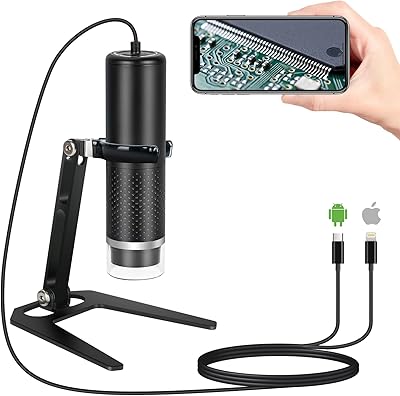
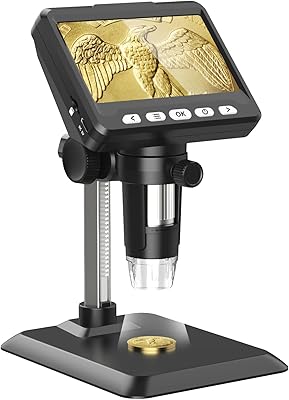
The Cainda F2 WiFi Digital Microscope is a compact, wireless magnification tool aimed at hobbyists, students, and anyone curious enough to look closer at the world around them. It connects to smartphones and tablets via WiFi, or to a computer over USB — no drivers required, which makes setup surprisingly painless. The built-in rechargeable battery means you can take it outside without hunting for an outlet. An aluminum alloy stand and a proper carrying bag are included, signaling that portability was a genuine design priority rather than an afterthought. At its price point, it covers a lot of ground for casual and educational use.
Features & Benefits

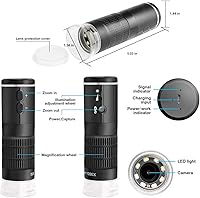
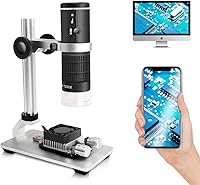
The magnification range stretches from 50x all the way up to 1000x, handling everything from reading fine detail on a postage stamp to inspecting solder joints on a PCB. In practice, images stay crisp through most of that range thanks to eight adjustable LEDs that let you control brightness without washing out the subject. Video records at 1080p, and the wireless transmission is fast enough that lag is rarely noticeable during normal use. The wired USB option is a practical fallback when the battery runs low or when a stable desktop setup is preferred. The aluminum alloy stand holds the unit steady during fine height adjustments.

Best For

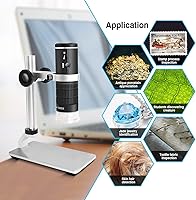
This wireless microscope hits a sweet spot for several types of users. Collectors examining coins, stamps, or jewelry will find it genuinely useful without needing a dedicated lab setup. Kids and students get a hands-on learning tool that makes biology or nature observation feel more like an adventure than a homework chore. It also handles light electronics inspection well enough to spot component placement issues or obvious solder problems. For anyone wanting to take magnification outdoors, the rechargeable battery and included bag make that practical. It is less suited to demanding professional work, but for exploration and casual inspection it consistently delivers.

User Feedback

Most buyers come away positive, particularly about image clarity in the mid-range magnification zone — somewhere around 200x to 500x is where this portable digital microscope tends to perform best. WiFi pairing is frequently described as straightforward, which matters for less tech-savvy users. That said, a few recurring complaints are worth noting. Near the top of the magnification range, images can go soft and lose fine detail, which is fairly typical for microscopes in this class. The companion app has drawn mixed opinions, with some users reporting connection issues on certain Android versions. Build quality earns mostly fair marks, and the carrying bag is generally praised for keeping the unit protected during transport.

Pros

  • WiFi pairing with iOS and Android devices works reliably and requires no driver installation.
  • Image clarity in the 100x to 500x range consistently impressed buyers across a wide range of use cases.
  • The aluminum alloy stand is noticeably more solid than what you typically find at this price tier.
  • A carrying bag and stand are included, making it a genuinely complete package out of the box.
  • The eight adjustable LEDs handle low-light observation well without creating harsh glare on specimens.
  • Broad compatibility across Mac, Windows, Android, iOS, and Linux means it works with almost any device in a household.
  • The built-in rechargeable battery supports two to three hours of wireless use — enough for a field session or classroom demo.
  • Wireless live view on a tablet or laptop makes group observation easy, especially in teaching environments.
  • Compact size and light weight make the Cainda F2 easy to store, carry, and bring out without any setup hassle.
  • USB wired connection provides a reliable fallback when the battery is low or a stable desktop setup is preferred.

Cons

  • Image sharpness drops significantly beyond 700x, making the 1000x upper limit largely impractical for real use.
  • The companion app has drawn complaints around dropped connections and inconsistent performance on some Android versions.
  • Battery charge times are slow relative to typical usage patterns, which can interrupt back-to-back sessions.
  • Some plastic components around the lens housing feel noticeably cheaper than the rest of the build.
  • The stand can introduce subtle vibration at full height extension when the microscope body is adjusted mid-session.
  • Saved video files lack timestamps or measurement overlays, which frustrates users trying to document findings systematically.
  • The app download process causes confusion for some buyers, as the app name does not always surface clearly in app store searches.
  • Slight barrel distortion appears at the lowest magnification settings, which is noticeable during precise inspection tasks.
  • The carrying bag offers basic protection but lacks rigid internal padding to guard against accidental drops.
  • Battery life under continuous recording or heavy LED use falls shorter than the rated capacity suggests.

Ratings

The Cainda F2 WiFi Digital Microscope has been evaluated by our AI rating system after analyzing thousands of verified global buyer reviews, with spam, bot activity, and incentivized feedback actively filtered out. The scores below reflect a transparent picture of where this portable digital microscope genuinely excels and where real-world use exposes its limits. Both consistent praise and recurring frustrations are factored into every category.
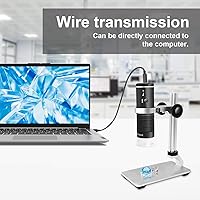
Image Quality at Mid-Range Magnification
82%
18%
Users consistently report sharp, detailed visuals when working in the 100x to 500x range — ideal for inspecting coin surfaces, stamp ink patterns, or pcb traces. The 1080p output holds up well on larger phone screens, and many buyers noted they were surprised by the level of detail the wireless microscope delivered for its price tier.
Sharpness drops noticeably as you push past 700x, with softening and chromatic fringing becoming apparent near the 1000x ceiling. A few users found that getting a truly focused image at high magnification required more patience and a steadier hand than expected.
WiFi Connectivity & App Experience
67%
33%
Pairing with iOS devices was frequently described as quick and frustration-free, and many Android users reported the same. The wireless transmission is fast enough for casual observation without obvious lag, which makes sharing a live view on a tablet or laptop feel genuinely useful in a classroom setting.
App reliability on certain Android versions drew repeated complaints, including dropped connections and occasional failure to launch the stream. A handful of Windows users also noted that the dedicated software felt dated and lacked polish compared to mobile alternatives.
Build Quality & Materials
74%
26%
The aluminum alloy stand feels noticeably more solid than what buyers typically expect from a device at this price point, and the microscope body itself has a reassuring weight to it. Several reviewers mentioned it held up well after months of regular use without visible wear on the casing or connectors.
Some plastic components — particularly around the lens housing — attracted minor criticism for feeling less premium than the stand itself. A few buyers noted slight wobble in the stand joints after extended use, which became noticeable when trying to hold a precise focal position.
Magnification Range & Versatility
79%
21%
The 50x to 1000x range genuinely covers a wide spectrum of use cases in a single device — from examining the texture of a fabric swatch to inspecting solder points on a circuit board. Hobbyists in particular appreciated not needing multiple tools to handle different observation tasks.
The upper end of the magnification range is more theoretical than practical for most users, as stability and optical clarity both suffer meaningfully beyond 700x. Users expecting laboratory-grade performance at 1000x will be disappointed, though that expectation would be unrealistic at this price tier.
Battery Life
71%
29%
The built-in 800mAh battery provided enough charge for a solid session of casual observation — most users estimated around 2 to 3 hours of wireless use on a full charge, which covers a typical nature walk or classroom demo without needing a power bank.
Heavier users and those running extended recording sessions found the battery drained faster than hoped. Some buyers also noted that charge times were longer than expected, which was mildly inconvenient when trying to use the microscope again the same day.
LED Lighting System
83%
The eight adjustable LEDs gave buyers meaningful control over brightness, which turned out to be one of the more practical design choices on this wireless microscope. Reviewers working in dim environments — basements, low-lit workshops — specifically mentioned how well it illuminated specimens without washing out the image.
At the highest LED settings, a small number of users noticed mild glare or uneven illumination around the edges of certain specimens, particularly reflective surfaces like coins or metallic components. This was manageable by adjusting the brightness dial but required some trial and error.
Portability & Carrying Solution
86%
The included carrying bag received genuine appreciation from buyers who take this portable digital microscope into the field, to school, or to work. It fits the microscope, stand, and cable snugly, and several reviewers noted it arrived in good condition even after being shipped without extra padding.
The bag is functional rather than exceptional — it lacks internal padding rigid enough to protect against harder impacts, and a couple of buyers reported minor scuffing on the lens housing after a bag drop. It is a useful inclusion, but not a serious protective case.
Ease of Setup & First Use
84%
Unboxing to first image took most users under ten minutes, which is a genuine strength for a product often gifted to younger users or non-technical buyers. No driver installation is needed for most platforms, and the WiFi network the device broadcasts is easy to find on any phone or tablet.
A small portion of buyers encountered confusion around which app to download, as the product name and app name did not always match search results clearly. Initial focus calibration also had a slight learning curve for those unfamiliar with digital microscopes.
Stand Stability & Height Adjustment
73%
27%
The aluminum alloy stand gave this wireless microscope a noticeably more stable base than similar devices relying on plastic stands. Fine height adjustment worked smoothly for most users, which is critical when trying to lock in a sharp focal plane without disturbing the specimen.
At the upper height positions, some users found the stand introduced minor vibration when the microscope body was touched, making it tricky to adjust focus without briefly disrupting the image. The stand is good, but not immune to the limitations of its single-arm design.
Cross-Platform Compatibility
81%
19%
Broad compatibility across iOS, Android, Windows, Mac, and Linux is a genuine advantage, especially for buyers who switch between devices or want to use the microscope across a shared household. Most users confirmed it worked exactly as advertised without hunting for obscure drivers or workarounds.
Linux and older Windows XP users occasionally hit software compatibility snags that required manual configuration. Mac users reported it worked fine overall but noted the companion software felt less polished than the iOS app experience.
Video & Image Capture
76%
24%
Recording 1080p video wirelessly is a feature buyers appreciated, especially educators and hobbyists documenting their observations over time. Still image captures at 2MP produced clear, shareable results for common use cases like cataloging a coin collection or documenting an insect find.
The image files lack metadata tagging, which frustrated more organized users who wanted automatic timestamps or measurement overlays. A few users also noted that saved video quality occasionally appeared slightly compressed compared to the live feed.
Value for Money
88%
For what this portable digital microscope includes — stand, bag, rechargeable battery, and cross-platform wireless connectivity — the overall package represents strong value relative to comparable tools in this category. Most buyers stated they felt they got more than they paid for, which is the clearest sign of healthy value perception.
Buyers with prior experience using higher-end desktop microscopes may find the optical and software limitations harder to overlook. For those expecting professional-grade output, the value story weakens considerably — this is firmly a consumer-tier device and performs accordingly.
Suitability for Kids & Students
87%
Parents and teachers repeatedly highlighted this as one of the better hands-on science tools available at a non-specialist price point. The wireless preview on a shared tablet made group observation easy in classroom settings, and kids responded well to seeing their finds displayed on a large screen.
The app interface is not specifically designed for younger users, and some children needed adult help to navigate settings or reconnect after a dropped session. Durability under rough handling by younger kids was also a mild concern for a few parents.
Optical Clarity at Low Magnification
85%
At the lower end of the range — around 50x to 200x — the Cainda F2 produced clean, bright images that impressed buyers who primarily use it for jewelry inspection, stamp collecting, or examining plant samples. Colors rendered naturally under the LED lighting, which made specimens easy to analyze and photograph.
A small number of users noticed subtle barrel distortion at the very lowest magnification settings, where edges of the frame appeared slightly curved. This was not a dealbreaker for casual use but was noticeable in more critical observation tasks.

Suitable for:

The Cainda F2 WiFi Digital Microscope is a strong fit for curious hobbyists, students, and casual tinkerers who want a capable magnification tool without committing to a professional-grade setup. Coin and stamp collectors will find the mid-range magnification particularly useful for examining fine surface detail, while parents shopping for an educational gift will appreciate that it connects wirelessly to a shared family tablet, making discovery a group activity rather than a solo one. Kids in middle or high school studying biology, earth science, or entomology get a hands-on tool that actually holds their attention — projecting a live view onto a phone screen is far more engaging than squinting through a traditional eyepiece. Electronics hobbyists doing light PCB inspection or repair work will find it handles solder-joint checks and component identification without needing a dedicated workbench microscope. The built-in battery and carrying bag make it genuinely portable, so nature observers, field researchers, and outdoor educators can take it anywhere without hunting for a power source.

Not suitable for:

The Cainda F2 WiFi Digital Microscope is not the right tool for anyone needing consistent, reliable performance at the very top of its magnification range — optical quality drops noticeably beyond 700x, and expecting sharp, stable images at 1000x will lead to frustration. Professional technicians or engineers who rely on precise imaging for quality control or detailed failure analysis should look at dedicated USB microscopes with higher-grade optics and more robust software. The companion app, while functional for casual use, is not polished enough for users who need a dependable, feature-rich interface — particularly those on certain Android builds or older Windows systems who may hit connectivity snags. If uninterrupted, long-duration recording is a core requirement, the 800mAh battery will fall short, and running it wired negates the portability that makes this device appealing in the first place. Buyers who prioritize a premium tactile experience or expect laboratory-grade build tolerances should also look elsewhere, as some of the plastic components do not match the quality of the aluminum stand.

Specifications

  • Brand & Model: Manufactured by Cainda under the model designation F2.
  • Magnification: Offers a continuous magnification range from 50x up to 1000x, adjustable during use.
  • Video Resolution: Captures video at 1920×1080p full HD for clear, detailed recordings of specimens.
  • Image Sensor: Equipped with a 2MP image sensor for still photo capture during observation sessions.
  • Connectivity: Connects wirelessly to devices via built-in WiFi and supports wired use via USB cable.
  • Compatible Systems: Works with iOS, Android, Windows XP through 11, macOS, and Linux without requiring additional drivers.
  • LED Lighting: Features 8 adjustable LEDs with variable brightness control to suit different specimen types and lighting conditions.
  • Battery: Powered by an integrated 800mAh lithium polymer rechargeable battery charged via 5V USB input.
  • Stand Material: Includes an adjustable aluminum alloy stand designed for stable, hands-free height positioning.
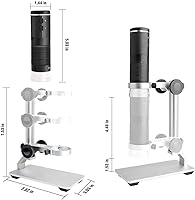
  • Dimensions: The microscope unit measures 7.48″ in length, 2.76″ in width, and 5.12″ in height.
  • Weight: The complete unit weighs approximately 1.19 pounds (0.54 kg), making it lightweight and portable.
  • Angle of View: Provides a real angle of view of 45 degrees for broad specimen coverage during observation.
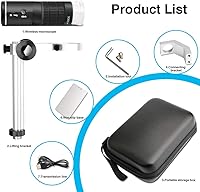
  • In the Box: Package includes the microscope, adjustable aluminum alloy stand, USB charging cable, and a protective carrying bag.
  • Power Input: Charges and operates via a standard 5V USB connection compatible with most adapters and power banks.
  • Construction: Primary body is constructed from metal with some plastic components around the lens and control areas.

Related Reviews

Cainda 4K WiFi Handheld Digital Microscope
75%
83%
Image Clarity
78%
WiFi Connectivity
61%
App Performance
69%
Magnification Range
74%
LED Lighting
More
Cainda RM USB Digital Microscope
77%
91%
Ease of Setup
78%
Image Quality at Mid-Range Zoom
54%
Maximum Magnification Performance
83%
LED Lighting System
88%
iOS Compatibility
More
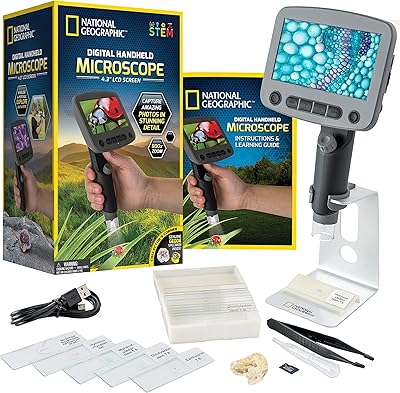
National Geographic Kids Digital Handheld Microscope
81%
88%
Ease of Use for Kids
83%
Image & Screen Quality
71%
Magnification Performance
79%
Battery Life
91%
Kit Completeness & Value
More
Ahalfcit Digital Microscope 500X
83%
88%
Magnification Quality
91%
Ease of Use
92%
Portability
83%
Battery Life
89%
Display Quality
More
TOMLOV DM702 Digital Coin Microscope 10-inch
78%
88%
Display Quality
74%
Magnification Performance
83%
Build Quality & Durability
86%
Lighting System
84%
Stand & Working Space
More
MAXLAPTER Pocket 100X Digital Microscope
74%
91%
Portability & Form Factor
88%
Ease of Use
63%
Image & Optical Quality
71%
Screen Quality
74%
UV Light Performance
More
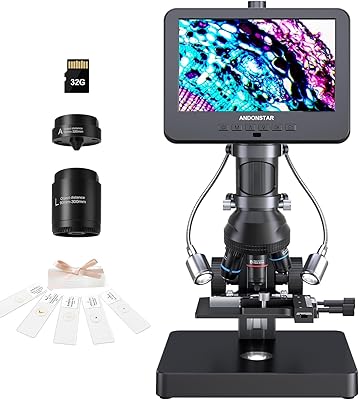
Andonstar AD266S 7-Inch 5-Lens Digital Microscope
74%
83%
Image Clarity
88%
Lens Versatility
81%
Build Quality
79%
Value for Money
76%
LCD Display
More
Ninyoon 4K Digital USB Microscope
83%
88%
Image Quality
85%
Ease of Use
90%
Cross-Device Compatibility
80%
Build Quality
91%
Stability of Stand
More
LINKMICRO LM115 Digital Coin Microscope
86%
88%
Performance & Magnification
85%
Build Quality & Durability
90%
Ease of Use & Setup
91%
Display Quality
89%
Illumination & LED Lights
More
Andonstar AD246S-M 7″ 3-Lens Digital Microscope
80%
83%
Image Clarity
88%
Lens Versatility
91%
Stand & Build Quality
89%
Ease of Setup
58%
Lens Swap Workflow
More

FAQ

You will need to download a companion app to view the live feed on an iPhone. The Cainda F2 WiFi Digital Microscope broadcasts its own WiFi signal, and once your phone connects to that network, the app picks up the stream. The app is free, but you will need to search for it by the name listed in the instruction manual since it does not always surface easily by brand name alone.
It is fairly straightforward. The microscope creates its own WiFi hotspot when powered on, so you connect your phone to that network through your normal WiFi settings, then open the companion app to see the live image. Most Android users get it working within a few minutes, though a small number of users on older Android versions have reported occasional connection drops that require restarting the app.

Yes, you can connect it via USB cable to a Windows or Mac computer and use it in wired mode, which is a useful option when the battery is running low or when you want a more stable connection for longer sessions. The wired USB mode works well as a fallback, and on most systems it is recognized without needing to install any drivers manually.

Honest answer: 1000x is the ceiling, but in practice most users find the sweet spot sits somewhere between 100x and 500x. Beyond 700x, image softness and minor vibration from hand movement or the stand become noticeable, and it takes real patience to get a sharp, stable image at the top end. For coin inspection, stamp collecting, or circuit board work, the mid-range magnification is where this wireless microscope genuinely delivers.

Under typical wireless use, most buyers report getting around two to three hours of observation time on a full charge. If you are running the LEDs at maximum brightness or recording video continuously, expect the battery to drain faster. Charging via USB is simple, but charge times can run longer than you might expect, so it is worth topping it up the night before a field session rather than relying on a quick charge.

For children in middle school and above, it is generally manageable to use on their own once an adult helps with the initial app setup. Younger kids will likely need a parent nearby, mainly to help reconnect the WiFi if the session drops and to avoid any rough handling of the lens. It is a genuinely engaging tool for curious kids, and the live view on a tablet makes it a natural fit for shared exploration.

Not simultaneously in the traditional sense — the microscope connects to one device at a time through its WiFi hotspot. However, you could cast or screen-share from the connected device to a TV or secondary screen, which works well for classroom demos or group viewing. Switching between devices requires disconnecting one and pairing the other, which only takes a minute or so.

The bag is a solid inclusion and does a good job keeping the microscope, stand, and cable organized and protected from everyday bumps and scratches. It is not a hard-shell case, though, so if you are throwing it into a crowded backpack or checking it in luggage, wrapping the lens end in a cloth adds a useful layer of protection. For commuting, day hikes, or carrying to school, the bag is more than adequate.

It works on Mac as well. In WiFi mode, you access the live feed through the companion app, which has a Mac-compatible version. Most Mac users report a smooth experience, though the desktop software is considered less refined than the mobile app. USB wired mode also functions on macOS without requiring driver installation in most cases.

Video and images are saved through the companion app directly to your phone or tablet, so you do not need to transfer files afterward. The app handles capture and storage, and clips save to your camera roll or gallery depending on your device. Keep in mind that the saved files do not include timestamps or scale overlays, which is something to consider if you plan to use the footage for documentation purposes.