Overview

The Cable Matters 48-Port 2U Keystone Patch Panel is a blank keystone solution built for network closets, home labs, and small office structured cabling setups. It slots into standard 19-inch racks or wall-mount brackets at 2U height, fitting most existing infrastructure without surprises. Cable Matters has earned a solid reputation in networking accessories, and this blank patch panel reflects that — practical design choices, accessible pricing, and flexibility to handle a wide range of installations. One thing worth clarifying upfront: the panel ships without keystone jacks. You source those separately based on your specific cabling requirements, so budget and plan accordingly before ordering.
Features & Benefits

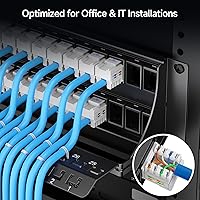
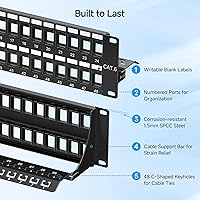
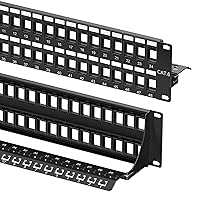
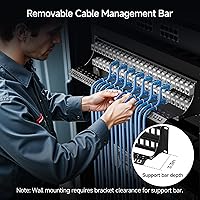
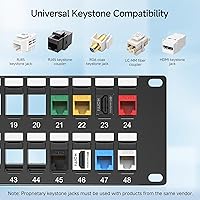
What sets this keystone patch panel apart is how many connection types it accommodates in one unit. All 48 slots accept standard keystone inserts — RJ45, HDMI, USB, coaxial, fiber, 3.5mm audio, or banana binding posts — so you can build a mixed-media patch point without stacking multiple panels. The rear support bar runs the full width with 48 evenly spaced C-shaped keyholes, letting you zip-tie cables neatly and relieving strain on each jack. The 1.5mm steel frame has real weight to it, finished with a flame-retardant coating. Each port includes stamped numbering and a writable label area, and the panel carries UL Listing for professional environments.

Best For

This blank patch panel suits home lab enthusiasts who want a single termination point for ethernet, HDMI, audio, and other connection types without running separate panels for each. Small business IT teams with tight rack budgets will appreciate getting 48 ports into just 2U. AV integrators handling audio, video, and data simultaneously will find the mixed-jack flexibility genuinely useful. It also makes a clean upgrade for anyone outgrowing a 24-port setup. If you prefer mapping out port assignments before populating jacks — labeling everything first, then inserting — the writable slots and numbered ports support that workflow without any workarounds.

User Feedback

The overall reception is strongly positive, with build quality and fit consistently cited as the high points — buyers note the frame feels substantial for the price tier, which isn't always the case with blank panels. The rear cable management bar gets called out specifically as a meaningful feature, not just a checkbox addition. Two practical notes come up regularly enough to mention: mounting screws are not included, so have your rack hardware on hand before you start. When fully populated, the panel gets noticeably heavier, which affects wall-mount planning more than rack installation. Neither is a dealbreaker, but both are worth knowing before you commit to a mounting approach.

Pros

  • Supports RJ45, HDMI, USB, coaxial, fiber, 3.5mm, and banana posts — all in one panel row.
  • Rear support bar with 48 individual keyholes keeps every cable anchored and strain-free.
  • 1.5mm steel frame feels durable and holds up well in permanent rack installations.
  • Doubles the port count of a 24-port panel without consuming extra rack width.
  • Stamped port numbers and writable label slots make long-term cable documentation practical.
  • UL Listed, which satisfies safety documentation requirements for commercial environments.
  • Flame-retardant powder coat finish looks professional and resists wear in warm server closets.
  • The blank keystone format gives you full control over which jack types go where.
  • Widely compatible with standard 19-inch racks, open-frame setups, and wall-mount brackets.
  • Pricing sits at an accessible tier for the build quality and port density on offer.

Cons

  • Keystone jacks are not included — a cost that catches many first-time buyers off guard.
  • Mounting screws are also absent, which can stall installation if you are not already stocked.
  • Fully populated, the panel gets heavy enough to stress lighter wall-mount bracket hardware.
  • Pre-loaded all-ethernet panels often cost less per port for straightforward single-type deployments.
  • Rear cable management relies entirely on zip ties, making frequent cable moves more tedious.
  • The writable label area is compact and can be difficult to read from a distance in dim closets.
  • No tool or jack insertion guide is included, which may slow down less experienced installers.
  • Long-term feedback is thinner than first-impression reviews, leaving durability somewhat unverified.

Ratings

The Cable Matters 48-Port 2U Keystone Patch Panel scores here reflect AI analysis of verified global buyer reviews, with spam, bot activity, and incentivized feedback actively filtered out before scoring. Across hundreds of real installations — home labs, small business server closets, and AV integration projects — both the standout strengths and the genuine friction points are captured below. Nothing is glossed over.
Build Quality
91%
The 1.5mm steel frame consistently draws praise from installers who have handled cheaper panels that flex or warp under load. Buyers setting up permanent rack installations note that the flame-retardant powder coat holds up well over time without chipping or discoloring, even in warm server closets.
A handful of users building wall-mount setups found the panel heavier than expected once fully populated with 48 jacks, which put more stress on lighter wall-bracket hardware. It is not a flaw in the panel itself, but worth factoring into your mounting hardware budget.
Value for Money
87%
At its price point, getting 48 keystone slots with a rear support bar and UL Listing is genuinely competitive. Home lab builders and small IT teams consistently say it delivers more than expected for the cost, especially compared to pre-loaded patch panels that lock you into a single jack type.
The value calculation shifts if you factor in separately purchased keystone jacks, which are required but not included. Buyers who did not realize this upfront felt the total project cost ran higher than anticipated, which colored their perception of the panel's price.
Port Density & Rack Efficiency
93%
Fitting 48 ports into 2U is the core selling point, and installers upgrading from 24-port panels consistently note how much breathing room it frees up in tight racks. AV integrators especially appreciate consolidating ethernet, HDMI, and audio runs into a single panel row.
The high density does mean cables converge in a tighter space at the rear, and without careful zip-tie management from the start, the back of the panel can get congested quickly. The support bar helps, but disciplined cable routing is still required from day one.
Cable Management
88%
The rear support bar with 48 individual C-shaped keyholes is not just cosmetic — users managing 30 or more active cables note it meaningfully reduces sag and strain on individual jacks. In densely cabled closets, having a dedicated anchor point for every port makes maintenance runs noticeably faster.
The zip-tie approach works well but requires you to supply your own ties, and repositioning cables after the initial dress takes more effort than on panels with adjustable ring managers. For environments where cable moves are frequent, this system rewards planning ahead rather than improvising.
Port Labeling & Documentation
84%
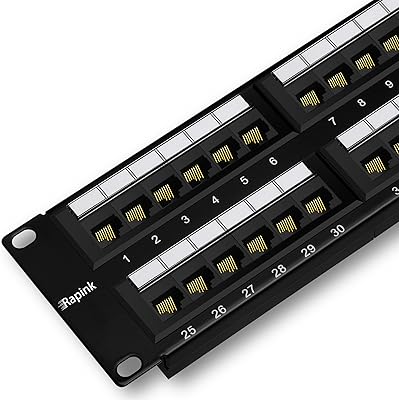
Stamped port numbers paired with writable label slots are a practical combination for anyone managing a panel long-term. Network techs who pre-label ports before inserting jacks find the workflow smooth, and the numbering stays legible without fading even after months of use.
The writable label area is functional but compact, which makes handwritten labels harder to read at a distance in dimly lit closets. Some users opted for printed label strips instead, adding a minor extra step to the install process.
Jack Compatibility & Flexibility
92%
Supporting RJ45, HDMI, USB, coaxial, fiber, 3.5mm, and banana binding posts in the same panel is a real advantage for mixed-use installations. AV integrators and home lab builders alike say this eliminates the need for multiple single-purpose panels on the same rack.
Because the panel is entirely blank, users with simpler all-ethernet setups may find the flexibility unnecessary and might be better served by a pre-loaded RJ45 panel that costs less per port. The value of versatility only materializes when you actually need multiple jack types.
Ease of Installation
82%
18%
Most buyers report a straightforward rack or wall-mount installation process, and the standard 19-inch form factor fits without modification in common rack enclosures. Pre-planning port assignments using the label slots before inserting jacks significantly speeds up the overall process.
Mounting screws are not included, which has caught a meaningful number of buyers off guard mid-install. It is a minor inconvenience for experienced rack builders who keep hardware on hand, but a genuine friction point for first-time installers expecting a complete kit.
Mounting Versatility
79%
21%
The panel supports both standard rack mounting and wall-bracket mounting, giving installers options in spaces where a full rack cabinet is not practical. Buyers using 2-post open-frame racks and shallow wall brackets report clean, secure fitment.
The weight when fully populated — over two pounds of steel plus 48 loaded jacks — makes wall mounting with lighter brackets less reliable. Several users had to upgrade their wall-mount hardware after noticing flex, which added unplanned cost to the project.
UL Listing & Safety Compliance
89%
For commercial and small business deployments where safety documentation matters, UL Listing provides a meaningful assurance that panels bought for enterprise environments or leased spaces often require. Installers working in managed IT environments specifically cited this as a deciding factor.
For purely personal home lab use, UL compliance rarely affects the buying decision, so this feature adds value unevenly across the buyer base. It does not hurt, but it is not something every buyer is actively seeking.
Finish & Aesthetics
83%
The matte black powder coat gives the panel a clean, professional appearance that blends well in both open-frame racks and enclosed cabinets. Buyers who care about tidy rack aesthetics appreciate that it does not look out of place next to higher-end gear.
The coating can show fingerprints and smudges during installation, particularly around the port openings. This is cosmetic only and does not affect function, but installers handling the panel extensively during a complex build may want to keep a cloth nearby.
Rear Support Bar Design
86%
Having 48 dedicated keyhole anchors — one per port — rather than a few generic cable rings is a genuine design improvement that buyers coming from cheaper panels immediately notice. It enforces clean cable separation from the start rather than bunching everything at a shared ring.
The support bar is removable but its mounting position is fixed, which limits how far back cables can be dressed before they need to redirect. In very deep racks with long patch cords, the bar placement occasionally feels slightly shallow.
Long-Term Durability
88%
Multiple buyers revisiting the product after a year or more of continuous use report no degradation in the frame, keyhole integrity, or label readability. The steel construction holds up particularly well in always-on environments like home server rooms where the panel is never touched after initial setup.
Long-term durability feedback is naturally thinner than first-impression reviews, so this score carries some uncertainty. In high-vibration environments or locations with frequent hardware swaps, the panel has not been stress-tested as extensively by community feedback.
Packaging & Out-of-Box Experience
74%
26%
The panel arrives well-protected and without cosmetic damage in the vast majority of reported cases. Most buyers find it ready to rack immediately, with no alignment adjustments or factory defects to address.
The absence of mounting screws is the most cited out-of-box frustration, and it is not flagged anywhere prominent on the packaging. Buyers expecting a complete installation kit are consistently disappointed by this omission, even if it is a common practice for rack hardware.

Suitable for:

The Cable Matters 48-Port 2U Keystone Patch Panel is a strong fit for anyone building or expanding a structured cabling setup who values flexibility over convenience. Home lab enthusiasts running a mix of ethernet, HDMI, USB, and audio connections will get the most out of it, since the blank keystone format lets you populate each slot exactly as your setup demands rather than working around a pre-loaded configuration. Small business IT teams with a tight rack budget but growing port needs will appreciate the density — 48 ports in 2U is hard to beat at this price. AV integrators consolidating voice, video, and data onto a single panel row will find it particularly practical. It also suits methodical installers who like to plan and label their entire port layout before inserting a single jack, since the numbered ports and writable label slots support that workflow naturally.
Not suitable for:

This blank patch panel is not the right choice if you want to plug in and go. Because keystone jacks are sold separately, buyers who need a ready-to-use ethernet patch panel should look at pre-loaded options instead — the total cost and setup time are both higher than they might initially appear. Anyone planning a straightforward all-RJ45 run with no interest in mixed media will likely overpay for flexibility they will never use. Wall-mount installations in spaces with lightweight bracket hardware may also run into trouble once the panel is fully loaded, as the combined weight of the steel frame and 48 populated jacks is more than basic wall-mount kits comfortably handle. Finally, buyers expecting a complete installation kit should know upfront that mounting screws are not included, which can stall a job if you are not already stocked with rack hardware.

Specifications

  • Port Count: The panel provides 48 individual keystone slots arranged across a single 2U faceplate.
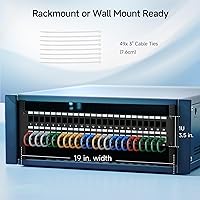
  • Rack Height: At 2U (3.5 inches tall), it fits any standard rack or cabinet that follows the EIA-310 rack unit specification.
  • Rack Width: The 19-inch standard width is compatible with virtually all server cabinets, open-frame racks, and wall-mount bracket systems.
  • Dimensions: Overall physical dimensions measure 19.1 × 4.3 × 3.5 inches, including the rear support bar assembly.
  • Weight: The panel weighs 2.14 pounds unloaded; total weight increases significantly when all 48 keystone slots are populated.
  • Frame Material: The chassis is constructed from 1.5mm cold-rolled steel, providing rigidity without the flex common in thinner budget panels.
  • Finish: An electrostatic black powder coat with flame-retardant properties covers all exterior surfaces.
  • Jack Compatibility: All 48 slots accept standard keystone inserts including RJ45, HDMI, USB-A, coaxial, fiber LC/SC, 3.5mm audio, and banana binding post types.
  • Cable Management: A removable rear support bar features 48 evenly spaced C-shaped keyholes designed for zip-tie cable anchoring, one per port.
  • Port Labeling: Each port has a stamped numerical identifier plus an adjacent writable label slot for permanent cable documentation.
  • Mounting Options: The panel supports both 19-inch rack mounting and wall mounting via standard wall-bracket hardware (sold separately).
  • Mounting Screws: Rack mounting screws are not included and must be sourced separately before installation.
  • Safety Certification: The panel carries UL Listing, meeting verified safety standards suitable for commercial and professional deployment environments.
  • Model Number: The manufacturer part number is 180115-N, which can be used to confirm compatibility with Cable Matters accessories.
  • Brand: Cable Matters is a US-based networking accessories brand with an established catalog of structured cabling components.
  • Keystone Jacks: No keystone jacks are included; the panel ships as a blank frame and requires separately purchased jacks to become functional.
  • Color: The panel is finished in matte black, consistent across the faceplate, frame, and rear support bar.

Related Reviews
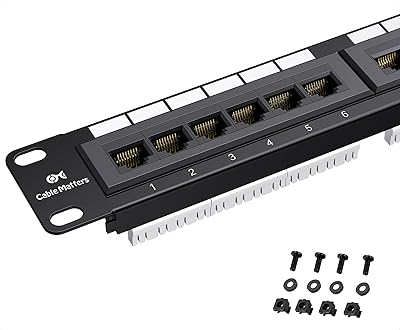
Cable Matters 24-Port Cat6 Patch Panel
87%
91%
Ease of Installation
87%
Build Quality
68%
Cable Management
94%
PoE Support
90%
Reliability
More
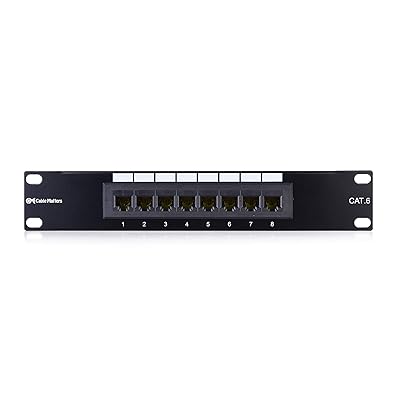
Cable Matters Mini 8-Port Patch Panel 180098-Cat6
89%
95%
Build Quality
88%
Installation Ease
92%
Connectivity Performance
90%
Port Labeling Clarity
94%
Space Efficiency
More
Rapink 48-Port Cat6 Patch Panel
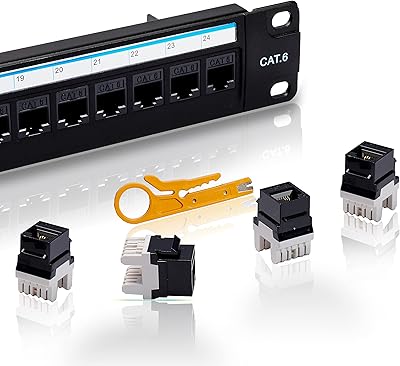
88%
91%
Installation Ease
93%
Performance (Speed)
88%
Build Quality
89%
Organization & Labeling
87%
Mounting Flexibility
More
Lysymixs Cat6 Patch Panel 24 Port with Keystone
86%
88%
Setup & Installation
85%
Build Quality & Durability
91%
Customization & Flexibility
90%
Data Transfer Speed
87%
Ease of Repair & Maintenance
More
Rapink 24-Port Cat6A Patch Panel with Inline Keystone
88%
94%
Setup & Installation
89%
Build Quality
91%
Performance (Network Speed)
85%
Ease of Use
87%
Compatibility with Ethernet Cables
More
TRENDnet TC-P48C5E 48-Port Cat5e Patch Panel
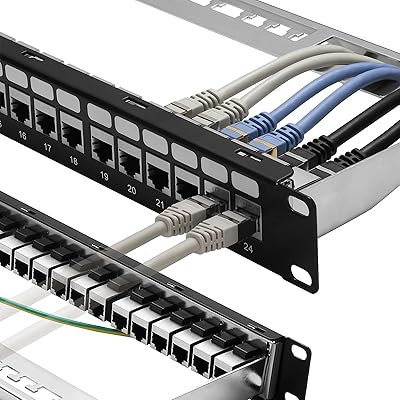
87%
94%
Build Quality
88%
Ease of Installation
91%
Cable Management
87%
Compatibility with Cat5e, Cat5, and Cat3 Cables
92%
Durability
More
Lysymixs 24 Port RJ45 Patch Panel Cat6 Feed Through
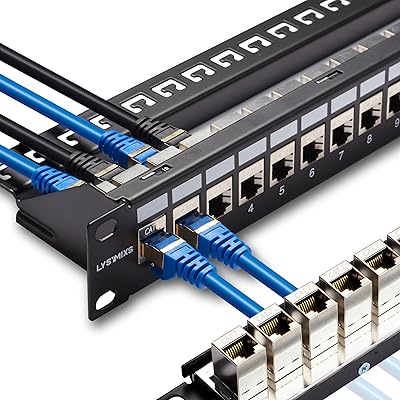
89%
91%
Ease of Installation
94%
Performance (Speed/Connectivity)
88%
Build Quality
82%
Cable Management
85%
Durability
More
Cable Matters 4 Port USB 3.0 Switch
85%
92%
Ease of Use
88%
Build Quality
90%
Data Transfer Speed
84%
Compatibility with Devices
85%
Setup and Installation
More
TRENDnet TC-P12C6AS 12-Port Cat6A Shielded Patch Panel
86%
89%
Build Quality
85%
Ease of Installation
91%
Shielded Design (EMI Reduction)
90%
Performance (10G Ethernet Support)
87%
Compatibility (Networking Standards)
More
Lysymixs 24 Port RJ45 Patch Panel Cat7 STP Feed Through
87%
92%
Ease of Installation
88%
Build Quality
89%
Performance & Speed
85%
Cable Management
91%
Value for Money
More

FAQ

No, they do not. The panel ships as a blank frame only, so you need to purchase keystone jacks separately based on what connection types your setup requires. This is probably the most important thing to know before ordering — factor the jack cost into your total project budget.

If your rack follows the standard 19-inch EIA-310 specification, it should fit without any modification. The panel is 2U tall (3.5 inches), which is a common rack unit size that works in open-frame racks, enclosed server cabinets, and most wall-mount bracket systems.

Yes, and that is actually one of the main reasons people choose a blank keystone panel over a pre-loaded one. You can install RJ45 jacks in some slots, HDMI in others, USB, coaxial, fiber, or audio jacks wherever you need them — all in a single panel row.

They are not. Cable Matters does not include rack mounting screws with this panel, which is fairly common practice for rack hardware but does catch people off guard. Make sure you have M6 or 10-32 rack screws on hand (depending on your rack type) before you start the install.

Technically yes, it supports wall mounting via standard bracket hardware. That said, once you populate all 48 slots with jacks and cables, the combined weight adds up. If you are wall-mounting it fully loaded, invest in a heavy-duty bracket rather than a basic lightweight one.

The removable rear bar has 48 C-shaped keyholes, one aligned behind each port. You route your cable through the keyhole and secure it with a zip tie. It keeps individual cables anchored at the source rather than bundling everything at a shared ring, which makes tracing and moving cables much cleaner.

Yes, it carries UL Listing. For home lab use this probably does not matter much, but if you are deploying it in a commercial space, leased office, or any environment where safety documentation is reviewed, having UL certification can save you a conversation.

Each port has a stamped number directly on the faceplate, so the basic identification is already there. Next to each number there is a small writable area where you can use a fine-tip permanent marker or insert a printed label strip. Many installers label everything before inserting the jacks to make the writing easier to do cleanly.

The panel accepts standard-format keystone jacks, which is an industry-wide form factor. Most reputable brands — including Leviton, Belden, Panduit, and Cable Matters own keystone line — should seat and lock correctly. If you have off-brand jacks, test one slot before committing to a full purchase.

A pre-loaded panel is faster to deploy if all your connections are the same type, typically ethernet. This blank panel costs more time and money upfront because you are sourcing and installing jacks yourself, but you get full control over connection types and the flexibility to reconfigure individual ports later without replacing the whole panel. For mixed-media setups or environments that evolve over time, the blank approach usually pays off.