
Overview

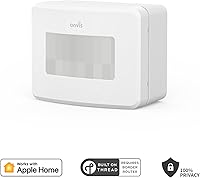
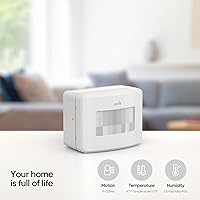
The Onvis SMS2 Smart Motion Sensor is a compact, battery-powered device that does considerably more than detect movement — it also tracks temperature, humidity, and ambient light, making it a genuinely versatile addition to any Apple smart home. Built on Thread protocol, it communicates faster and more reliably than older Zigbee or Wi-Fi alternatives. Setup is wire-free, and wall mounting takes minutes. There is no cloud involvement whatsoever — all data stays on your iOS devices, fully encrypted. For anyone already invested in the Apple ecosystem, this HomeKit sensor arrived in late 2023 as a thoughtful, privacy-respecting option worth serious consideration.

Features & Benefits

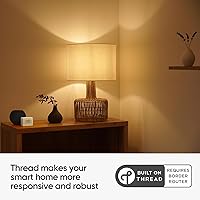
What sets this motion sensor apart from most competitors is its use of Thread network technology, which cuts response latency noticeably — automations fire almost the instant you walk into a room. Beyond motion, the device logs temperature and humidity every 15 minutes, retaining 32 days of history inside the Onvis app. Want to check whether your home office is getting too dry? Just ask Siri. You can also configure scheduled detection windows to suppress alerts overnight or during set hours, and because nothing routes through a third-party server, there is no subscription fee attached — ever.

Best For

This HomeKit sensor is purpose-built for one crowd: committed Apple ecosystem users who already own a HomePod mini, second-generation HomePod, or Apple TV 4K acting as a Thread hub. Without one of those hubs, the sensor will not function as intended — that is a hard requirement, not fine print. Renters appreciate the no-drill, battery-powered design. It also suits anyone monitoring climate-sensitive spaces like a nursery or home server room, where tracking both occupancy and environmental conditions together is genuinely practical. Android and Google Home households should look elsewhere entirely.

User Feedback

Most buyers highlight how quickly initial pairing completes and how reliably the device maintains its HomeKit connection compared to Bluetooth-based alternatives. Battery life draws more mixed reactions — the theoretical one-year estimate rarely holds in high-traffic rooms where the sensor triggers frequently throughout the day. The more notable frustration involves a known iOS 17.2 bug where this Onvis Thread sensor fails to appear as an automation condition in the native Apple Home app; Onvis provides a workaround through their own app, but it adds an unwelcome extra step. When everything functions correctly, detection responsiveness and the straightforward app experience earn consistent praise.

Pros

  • Thread connectivity means automations trigger almost instantly, with none of the lag common in Wi-Fi or Bluetooth sensors.
  • Three sensor types in one compact unit — motion, temperature, and humidity — reduces clutter and cost.
  • Fully local data storage means no monthly fees and no reliance on a company's server staying online.
  • Setup and HomeKit pairing are consistently fast, even for users who are not technically confident.
  • Scheduled detection windows let you silence alerts during sleep hours without disabling the sensor entirely.
  • PIR range reaches up to 7 meters, covering most standard bedrooms, offices, and hallways comfortably.
  • Siri integration allows hands-free temperature and humidity checks without opening any app.
  • Wall mounting is tool-free and leaves no permanent damage, making it renter-friendly.
  • 32 days of climate history gives enough data to spot patterns in a room over time.
  • All data is end-to-end encrypted with no third-party cloud involved, a genuine privacy advantage.

Cons

  • The roughly 365-day battery estimate is theoretical; heavy motion activity in busy rooms will drain batteries considerably faster.
  • A known iOS 17.2 bug prevents the sensor from showing up as an automation condition in the native Apple Home app.
  • Requires a compatible Thread hub — HomePod mini, HomePod 2nd Gen, or Apple TV 4K — which is an additional cost many buyers overlook.
  • The Onvis companion app works, but feels noticeably less refined than the Apple Home experience buyers may expect.
  • No support for Android, Google Home, or Amazon Alexa makes this a hard pass for mixed-platform households.
  • Batteries are not included in the box, which is a minor but recurring frustration noted by new owners.
  • The 7-meter PIR range can leave dead zones in large, open-plan spaces or unusually long corridors.
  • iOS 17.4 or above is required, meaning older devices that cannot update are locked out entirely.

Ratings

The scores below for the Onvis SMS2 Smart Motion Sensor were generated by our AI system after analyzing thousands of verified global buyer reviews, with spam, bot submissions, and incentivized feedback actively filtered out before scoring. Each category reflects the honest balance of what real users praised and what genuinely frustrated them — nothing is glossed over. Where the hardware excels, the scores show it; where the software and ecosystem limitations create friction, those are reflected just as transparently.

Motion Detection Accuracy
83%
Most users report that this HomeKit sensor picks up movement reliably within its 7-meter range, with very few missed triggers under normal indoor conditions. In bedrooms, hallways, and home offices, detection feels consistent and responsive without requiring constant repositioning.
A small but notable group of buyers report occasional false triggers near windows where shifting light conditions seem to confuse the PIR sensor. At the edges of its range, detection can become inconsistent, particularly if furniture or door frames partially obstruct the field of view.
Response Speed
88%
Thread connectivity is the real differentiator here — automations fire with noticeably less lag than comparable Zigbee or Wi-Fi sensors, and users coming from older HomeKit accessories immediately notice the improvement. Lights switching on as you enter a room feel genuinely instant rather than delayed.
A small number of users report occasional brief delays when the Thread mesh is under load from multiple devices. Response time is also entirely dependent on hub proximity; those with hubs installed far from the sensor have reported less consistent speeds.
HomeKit Integration
79%
21%
For users running iOS 17.4 or above, pairing with Apple HomeKit is consistently described as fast and reliable, often completing in under two minutes. Native Siri support for temperature and humidity queries adds a practical, hands-free layer that HomeKit users genuinely appreciate.
The documented iOS 17.2 bug — where this Onvis Thread sensor fails to appear as an automation condition in the Apple Home app — has damaged trust for a meaningful slice of buyers. Even with a workaround through the Onvis app, the extra configuration step creates unnecessary friction in what should be a native experience.
Temperature Accuracy
81%
19%
Buyers monitoring nurseries, home offices, and climate-sensitive storage rooms find the temperature readings closely aligned with standalone thermometers, typically within one degree under normal conditions. The 15-minute logging interval gives a genuinely useful picture of how a room changes throughout the day.
Readings can skew slightly warm if the sensor is mounted near a heat-generating device or in direct sunlight, which is a common limitation of passive thermistor-based sensors at this price tier. A handful of users noted a brief calibration period after initial installation before readings stabilized.
Humidity Monitoring
78%
22%
For everyday home humidity tracking — checking whether a bathroom stays damp after showers or whether a wooden instrument room drops too low in winter — the readings are practical and actionable. The 32-day history in the Onvis app lets users spot seasonal trends without any extra hardware.
Accuracy at the extremes — very low or very high humidity levels — is less reliable according to users who cross-referenced with dedicated hygrometers. In those edge conditions, readings can drift by 5 to 8 percentage points, which matters if you are relying on the sensor for precision climate control.
Battery Life
62%
38%
In genuinely low-traffic environments like a guest room or storage area, several users confirm the sensor runs comfortably for eight months or more on a single set of AAA batteries. The low-power Thread protocol does contribute to meaningful efficiency gains versus Wi-Fi sensors in similar use cases.
The advertised one-year battery estimate simply does not hold up in active rooms like kitchens or living areas where the sensor fires dozens of times daily. Users in high-traffic households frequently report needing to replace batteries every four to six months, which is a tangible ongoing cost and inconvenience.
App Experience
67%
33%
The Onvis companion app covers the essentials competently — historical charts, motion logs, scheduling, and notification controls are all accessible and clearly laid out. For users who want deeper data than the native Apple Home app provides, the Onvis app fills that gap adequately.
Compared to the polished experience of Apple's own Home app, the Onvis app feels noticeably less refined, with a UI that several buyers describe as dated. Syncing between the Onvis app and HomeKit occasionally requires a manual refresh, which is a minor but recurring irritation.
Privacy & Data Security
94%
The fully local, cloud-free architecture is one of the most consistently praised aspects of this HomeKit sensor across all buyer segments. Privacy-conscious users specifically call out the end-to-end encryption and zero data transmission to external servers as a primary reason they chose this device over alternatives.
The privacy model is genuinely strong, but it does mean that if you switch ecosystems or lose access to your Apple ID, historical data is not recoverable from a cloud backup. A few users also noted that the local-only approach limits accessibility from non-Apple devices entirely, which is a trade-off rather than a flaw.
Setup & Installation
86%
Wall mounting is tool-optional for most surfaces, and the overall unboxing-to-paired timeline is frequently cited as one of the smoother HomeKit accessory experiences available. Renters in particular appreciate the lightweight form factor and the flexibility of placement without permanent fixtures.
The hidden requirement for a Thread-compatible hub catches a surprising number of buyers off guard — the product page buries this dependency, leading to frustrated returns from users who assumed any HomeKit hub would suffice. First-time Thread users may also need a few minutes to verify their hub configuration before pairing succeeds.
Build Quality
74%
26%
The compact plastic housing feels solid enough for a wall-mounted indoor sensor, and the clean white finish blends into most home interiors without drawing attention. At its size and weight, the unit feels appropriately purposeful rather than cheap.
The casing material is standard ABS plastic, which some buyers feel does not match the premium expectations set by its price point, especially when compared to Apple's own accessories. There is no IP rating for dust or humidity resistance, which limits placement options in bathrooms or laundry rooms.
Notification Controls
82%
18%
The scheduled detection feature is well-implemented and genuinely useful — being able to suppress alerts between midnight and 7am without disabling the sensor entirely is something buyers coming from simpler motion sensors immediately appreciate. Alert customization through the Onvis app gives more granular control than the native Apple Home app alone offers.
Some users want per-room or per-zone notification granularity that the current app does not fully support. A few buyers also report that notification delivery occasionally lags by 10 to 20 seconds when the household Wi-Fi is congested, even though the sensor itself uses Thread.
Value for Money
71%
29%
For Apple ecosystem households, the combination of motion, temperature, humidity, and light detection in a single battery-powered unit with no subscription fee represents a reasonable all-in cost compared to buying those sensors separately. The Thread upgrade over older Zigbee alternatives adds tangible performance value.
At its price point, the Apple-only limitation significantly narrows the addressable audience, and buyers who later switch away from iOS lose their investment entirely. The absence of batteries in the box and the additional hub requirement mean the true entry cost is higher than the sticker price suggests.
Range & Coverage
69%
31%
For typical bedroom, office, or hallway deployments, the 7-meter PIR range covers the space comfortably from a corner or high-wall position. Users in standard-sized rooms rarely report dead zones when the sensor is positioned correctly at the recommended height.
Open-plan living areas, long corridors, and loft spaces frequently expose the 7-meter ceiling as a limitation, with users in those configurations needing a second unit to avoid gaps. The detection angle is also fixed, so poorly chosen mount positions can leave significant areas uncovered with no adjustment option.

Suitable for:

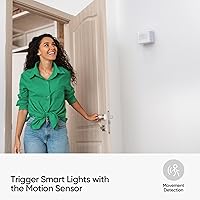
The Onvis SMS2 Smart Motion Sensor was clearly built with a specific type of buyer in mind: someone who is already living inside the Apple ecosystem and wants their smart home to work harder without compromising privacy. If you have a HomePod mini, a second-generation HomePod, or an Apple TV 4K sitting in your home as a Thread hub, this sensor slots in with minimal friction and opens up genuinely useful automations — lights that respond to occupancy, climate alerts for a baby's room, or humidity warnings for a home recording studio. Renters especially benefit from the battery-powered, wall-mount design that leaves no permanent marks. Privacy-first households will appreciate that no data ever leaves your local network, with no subscription required to access historical readings. It is also a strong choice for anyone who wants a single device to handle motion, temperature, and humidity monitoring without juggling three separate gadgets.

Not suitable for:

If you are not an Apple household, stop here — the Onvis SMS2 Smart Motion Sensor is strictly a HomeKit-only device, and there is no Android, Google Home, or Alexa compatibility whatsoever. Even within the Apple world, buyers running iOS versions below 17.4 will face limitations, and those on iOS 17.2 specifically will encounter a known bug preventing the motion sensor from appearing as a trigger condition inside the native Home app. Anyone expecting the companion Onvis app to feel as polished as Apple's own interfaces may find it functional but basic. Buyers who need wide-angle coverage beyond 7 meters — say, for large open-plan living areas or long hallways — may find the PIR range falls short. Finally, if you require batteries included out of the box or need a hardwired power option, this sensor will not meet those expectations.

Specifications

  • Model: This sensor is manufactured by Onvis under the model designation SMS2.
  • Connectivity: Uses Thread protocol for low-latency communication within Apple HomeKit networks.
  • Platform: Compatible exclusively with Apple HomeKit; requires iOS 17.4 or above on the controlling device.
  • Sensor Types: Combines four sensing capabilities in one unit: PIR motion, temperature, humidity, and ambient light level detection.
  • PIR Range: The passive infrared motion detector covers a maximum range of 7 meters under typical indoor conditions.
  • Data Logging: Temperature and humidity readings are recorded automatically every 15 minutes and stored locally.
  • History Storage: The Onvis app retains up to 32 days of climate history and the 100 most recent motion event records.
  • Power Source: Runs on 2 × AAA alkaline batteries, which are not included in the box.
  • Battery Life: Onvis estimates approximately 365 days of battery life under typical usage, though high-traffic environments will reduce this figure.
  • Dimensions: The unit measures 2.5 × 1.9 × 1.45 inches, keeping it compact enough to mount unobtrusively on most walls.
  • Weight: The sensor weighs 3.52 ounces, making it lightweight enough for simple adhesive or screw-mount installation.
  • Mounting Type: Designed for wall mounting using the included bracket; no permanent wiring or drilling is strictly required.
  • Operating Temp: Rated to function reliably in environments ranging from 14°F to 113°F (-10°C to 45°C).
  • Cloud Storage: No cloud server is used; all data is stored locally on the user's iOS devices with end-to-end encryption.
  • Compatible Hubs: Requires one of the following Thread-capable HomeKit hubs: HomePod mini, HomePod 2nd Gen, Apple TV 4K 2nd Gen, or Apple TV 4K 3rd Gen.
  • Subscription Fee: There is no recurring subscription required to access sensor data, history, or app features.
  • Voice Control: Supports Siri voice queries for instant readouts of current room temperature and humidity.
  • Automation Support: Motion-based HomeKit automations can be configured via the Onvis app or compatible third-party apps and will sync to the HomeKit system.

Related Reviews
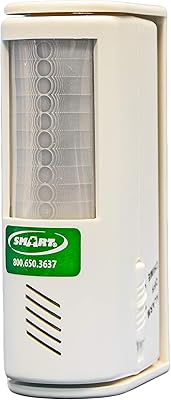
Smart Caregiver TL-2700 Motion Sensor Alarm
63%
93%
Ease of Setup
78%
Alert Reliability
81%
Detection Range
62%
False Alarm Rate
59%
Build Quality
More
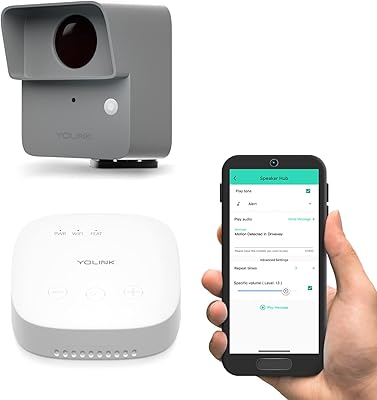
YoLink LoRa Outdoor Motion Sensor Starter Kit
75%
93%
Wireless Range
88%
Ease of Setup
67%
App Reliability
62%
False Trigger Rate
79%
Battery Life
More
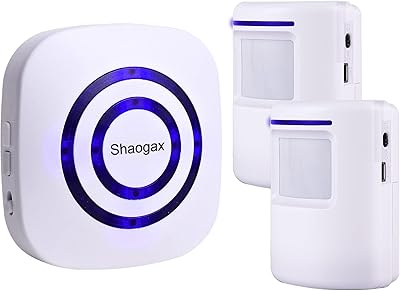
Shaogax Wireless Motion Sensor Driveway Alarm System
71%
91%
Ease of Setup
83%
Wireless Range
88%
Alert Customization
58%
False Alert Rate
61%
Build Quality
More
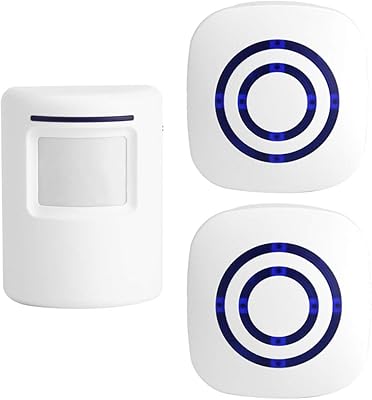
Actpe Wireless Motion Sensor Driveway Chime
69%
93%
Ease of Setup
88%
Value for Money
76%
Detection Reliability
81%
Wireless Range
61%
Battery Life
More
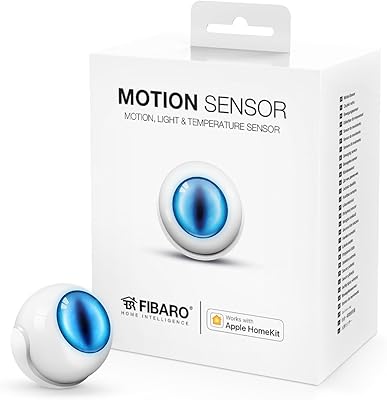
Fibaro Motion Sensor
86%
91%
Motion Detection Accuracy
85%
Battery Life
88%
HomeKit Integration
93%
Ease of Installation
89%
Design and Size
More
Shelly BLU Motion Bluetooth Motion Sensor
74%
78%
Ease of Setup
81%
Motion Detection Accuracy
67%
Indoor Range
84%
Battery Life
76%
Lux Sensor Usefulness
More
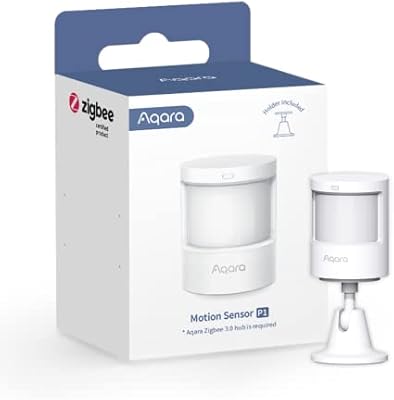
Aqara Motion Sensor P1
87%
91%
Detection Accuracy
95%
Battery Life
88%
Ease of Setup
85%
App Integration
89%
Zigbee Connectivity
More
eufy Security Motion Sensor
85%
90%
Detection Accuracy
95%
Ease of Installation
93%
Battery Life
87%
Sensitivity Adjustment
89%
App & Notification System
More
Aqara Motion and Light Sensor P2
80%
88%
Motion Detection Accuracy
84%
Light Sensor Functionality
91%
Thread Connectivity Reliability
89%
Battery Life
79%
Ecosystem Compatibility
More
DFRobot HuskyLens AI Vision Sensor
76%
88%
Ease of Setup
73%
Recognition Accuracy
58%
Documentation & Support
84%
Value for Money
79%
Build Quality & Form Factor
More

FAQ

You do need a compatible Thread hub — specifically a HomePod mini, HomePod 2nd Gen, or an Apple TV 4K (2nd or 3rd generation). The sensor will not operate correctly without one of these acting as the Thread border router. If you already own one of those devices and use it as your Home hub, you are all set.

No, it does not. This sensor is built exclusively for Apple HomeKit and requires an iOS device running version 17.4 or later. There is no Google Home, Amazon Alexa, or Android support of any kind, so if you are not in the Apple ecosystem, this is not the right sensor for you.

This was a confirmed problem affecting users on iOS 17.2, where the sensor's motion state would not appear as a trigger condition in the native Apple Home app. Onvis addressed this by allowing automations to be configured through their own companion app instead, and those settings do sync back to HomeKit. If you are on iOS 17.4 or later, the situation is generally improved, but it is worth checking Onvis community notes for your exact iOS version before buying.

Onvis quotes roughly 365 days, but treat that as a best-case figure. In a busy hallway or living room where the sensor fires dozens of times a day, you will likely be swapping batteries sooner — many users in active households report closer to six to nine months. In a low-traffic room like a guest bedroom, the estimate holds up better.

Yes, absolutely. The sensor logs temperature and humidity every 15 minutes regardless of motion activity, and as long as your Thread hub is online, that data stays accessible through the Onvis app or the Apple Home app remotely. It is a practical option for monitoring a wine cellar, server room, or nursery even when you are away.

Because this HomeKit sensor stores all data locally on your iOS devices with no reliance on Onvis cloud servers, your historical readings and automations would remain intact even if Onvis ceased operations. The Apple HomeKit integration itself is managed by Apple's infrastructure, not Onvis's. That local-first architecture is one of the genuine strengths of this device.

For most standard rooms, 7 meters is sufficient, but large open-plan spaces — especially those with irregular layouts or furniture blocking sightlines — can create dead zones. If you are trying to cover a wide area from a single mount point, you may need to experiment with placement height and angle, or consider using two sensors.

Yes, the scheduled detection feature lets you define specific time windows for when alerts are active. You can set it to go quiet overnight and resume in the morning, so you are not woken up by notifications every time someone walks to the kitchen at night.

Most day-to-day use works through the Apple Home app — checking temperature, humidity, and setting basic automations. The Onvis companion app adds access to detailed history, motion event logs, and more granular settings. Some automation configurations (particularly around motion triggers) work more reliably through the Onvis app given the iOS 17.2 bug history, but for general monitoring, the native Apple Home app handles it fine.

No, batteries are not included. You will need two standard AAA alkaline batteries to get started, which is worth noting if you are unboxing this for the first time and want to set it up immediately.