
Overview

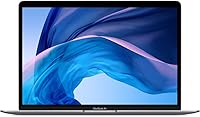
The Apple MacBook Air 13-inch Core i5 Laptop being sold here is a renewed 2020 model — meaning it has been inspected, tested, and reconditioned rather than sold as brand-new retail. For buyers who want into the Apple ecosystem without paying full price, that distinction matters. You get Apple's iconic thin-and-light design and a gorgeous 13.3-inch Retina display that genuinely holds up against much pricier competition. What you should know going in: this is Intel-generation hardware, and compared to newer Apple Silicon MacBooks, it trails in both raw performance and power efficiency. Still, its strong ranking among renewed laptops tells you buyers are finding real value here.

Features & Benefits

The quad-core Intel Core i5 handles the kind of work most people actually do — juggling a dozen browser tabs, writing documents, joining video calls — without breaking a sweat. With 16GB of LPDDR4X RAM, this renewed MacBook Air has more breathing room than many competing laptops at this price tier. The 256GB SSD is quick, but it fills up faster than you'd expect if you store photos, videos, or large project files locally; an external drive or cloud storage is worth budgeting for. The Retina display remains genuinely excellent — crisp, vibrant, and easy on the eyes in most lighting conditions. Touch ID logs you in instantly, and the Force Touch trackpad is among the best you'll find on any laptop.

Best For

This Intel MacBook Air is a strong fit for students, remote workers, and anyone who spends most of their day inside Google Docs, Notion, or video calls. Light creative work — Keynote presentations, casual photo editing in Lightroom — runs comfortably with 16GB of RAM backing things up. If you're already in the Apple ecosystem, macOS integration with iCloud, Handoff, and AirDrop makes daily workflows noticeably smoother. It's also a reasonable pick for anyone upgrading from a much older MacBook who wants a genuine step up without the cost of newer Silicon hardware. That said, if heavy video rendering or code compilation is part of your routine, the 2020 Core i5 Air will struggle under sustained load.

User Feedback

Buyers of this renewed MacBook Air consistently praise the slim build and display, with many noting the screen quality exceeded their expectations for a refurbished unit. The keyboard feel gets high marks too. On the downside, the two-port setup frustrates users who rely on USB-A peripherals or SD cards — a hub becomes a necessity. Thermal throttling shows up in reviews from people running sustained, demanding workloads, which is a real limitation of this Intel generation. Battery life in everyday use tends to run closer to seven or eight hours of mixed activity, short of the stated maximum. A portion of buyers also question whether it holds up in value against similarly priced Apple Silicon options.

Pros

  • The Retina display delivers sharp, vibrant visuals that punch well above what you'd expect at this price point.
  • 16GB of RAM gives this renewed MacBook Air a genuine edge over most budget laptops for multitasking.
  • macOS remains one of the most stable and user-friendly operating systems for everyday productivity.
  • Touch ID login is fast, reliable, and a small convenience that adds up over a full workday.
  • The Force Touch trackpad is precise and responsive — among the best built into any laptop at any price.
  • At roughly 4 pounds with a slim profile, it travels easily and fits comfortably in most bags.
  • The backlit Magic Keyboard offers a comfortable typing experience with good key travel.
  • Apple ecosystem integration with iPhone, iCloud, and AirDrop works immediately out of the box.
  • The 2020 Core i5 Air handles everyday workloads like video calls, writing, and light editing without hesitation.
  • Buying renewed rather than new offers meaningful savings while still getting core Apple build quality.

Cons

  • Intel thermal throttling under sustained load means performance can drop noticeably during longer intensive tasks.
  • Two USB-C only ports make peripheral users dependent on dongles or hubs, adding extra cost and clutter.
  • 256GB of storage fills up fast — not practical for users with large photo, video, or audio libraries.
  • Real-world battery life during mixed use typically runs closer to 7–8 hours, not the rated maximum.
  • Renewed units may arrive with cosmetic wear, reduced battery capacity, or minimal packaging.
  • No warranty parity with new retail units — coverage terms vary and are typically shorter or limited.
  • Apple Silicon models now offer dramatically better performance per watt, making this generation feel dated for demanding work.
  • Integrated Intel Iris Plus graphics cannot handle even casual gaming or GPU-accelerated creative software well.
  • At this price, the value proposition weakens if Apple Silicon alternatives can be found nearby in budget.
  • Renewed condition quality can be inconsistent across units — battery health in particular is a common concern in buyer reports.

Ratings

The scores below were generated by our AI after analyzing thousands of verified global buyer reviews for the Apple MacBook Air 13-inch Core i5 Laptop, with spam, bot activity, and incentivized feedback actively filtered out. Every category reflects the honest spread of real user experiences — not just the highlights — so both the genuine strengths and the recurring frustrations are weighted transparently into each number.

Display Quality
91%
The 13.3-inch Retina panel is consistently one of the most praised aspects across buyer reviews. Users working in coffee shops, classrooms, and home offices all note how sharp and color-rich the screen looks, especially for reading documents, watching video, and casual photo review. It genuinely outperforms what most people expect at this price tier.
A small number of users noticed slight brightness limitations in very harsh outdoor sunlight, and the lack of ProMotion or any adaptive refresh rate is increasingly obvious compared to newer MacBook Pro displays. For strict color-critical work, calibration is still recommended even on this otherwise capable panel.
Build & Design
88%
The all-aluminum unibody chassis continues to impress users who pick it up for the first time, particularly those upgrading from plastic Windows laptops. The slim wedge profile fits comfortably in most bags, and the Space Gray finish holds up well aesthetically over time.
Because these are renewed units, some buyers have received machines with hairline scratches on the lid or worn palm rest areas. The build is solid, but the condition variability that comes with refurbished stock means not every unit arrives looking the same.
Performance
72%
28%
For everyday tasks — browser sessions with 15-plus tabs open, Zoom calls, writing in Google Docs, and light work in Lightroom — the quad-core Intel Core i5 and 16GB of RAM handle things smoothly without any meaningful lag. The RAM headroom in particular gives this machine real staying power for office and student workflows.
Sustained workloads expose the Intel architecture's biggest weakness: thermal throttling. Users running video exports, compiling code, or keeping demanding apps open for extended periods report noticeable slowdowns as the chip heats up. Compared to current Apple Silicon models, this generation shows its age clearly under pressure.
Battery Life
67%
33%
For lighter sessions — a few hours of note-taking, reading, and occasional streaming — the battery holds up reasonably well and users report getting through a half-day on campus or a morning of remote work without reaching for the charger.
The 11-hour manufacturer claim rarely matches real-world results. Most buyers report 6 to 8 hours under genuine mixed-use conditions, and on older renewed units with degraded battery health, some users see considerably less. This is one of the most consistent complaints across global feedback, and battery cycle count on receipt varies significantly.
Keyboard & Trackpad
89%
The backlit Magic Keyboard draws consistent praise from writers, students, and professionals who type heavily throughout the day. Key travel feels confident without being mushy, and the Force Touch trackpad remains one of the most accurate and well-sized inputs available on any laptop in this class.
A small subset of buyers noted that some renewed units had keys that felt slightly inconsistent in actuation, likely due to prior wear. The trackpad itself rarely draws complaints, though users coming from Windows environments sometimes find the gesture learning curve takes a few days.
Port Selection
41%
59%
Thunderbolt 3 over USB-C supports fast data transfer and can drive an external 4K display, which power users who have already adapted their setups appreciate. Both ports sit conveniently on the left side for cable management at a desk.
Two USB-C only ports is the single most complained-about limitation in buyer reviews. Anyone with a USB-A flash drive, an SD card, a wired mouse, or an HDMI monitor is immediately dependent on a hub or dongle — an added expense and a daily inconvenience that catches many buyers off guard.
Storage Capacity
58%
42%
The 256GB SSD reads and writes quickly, which makes the system feel snappy for app launches and file operations. For users who stream media and store most of their files in iCloud or Google Drive, the drive capacity is functional for day-to-day needs.
256GB disappears faster than most buyers anticipate — macOS itself, system updates, and a modest photo library can consume 80 to 100GB without much effort. Users who work with video footage, large audio projects, or big local libraries consistently flag this as a real constraint that requires an external drive investment.
Renewed Condition Quality
63%
37%
Many buyers report receiving units that look and function nearly like new, which makes the renewed pricing feel like a genuine opportunity. When condition grading is accurate and the battery health is disclosed, satisfaction rates among this group are high.
The inconsistency is the core problem here. Buyers in the same review pool report everything from pristine units to machines with visible lid dents, worn keyboards, or batteries that hover around 70 to 80 percent health. The lack of standardized condition disclosure across sellers creates real uncertainty before purchase.
Value for Money
74%
26%
For buyers who specifically need macOS, want a Retina display, and cannot stretch to newer Apple Silicon models, this renewed MacBook Air offers a meaningful combination of brand, build, and screen quality at a substantially reduced price. Students on fixed budgets frequently cite it as the most Apple they could get for the money.
The value argument weakens as Apple Silicon options drop in price over time. Several buyers note — with some regret — that spending slightly more would have landed them an M-series chip with dramatically better efficiency and longevity. The Intel generation is functional today but has a visible ceiling.
Webcam Quality
47%
53%
The 720p FaceTime camera is adequate for standard video calls on Teams or Zoom in well-lit environments, and most casual users find it perfectly acceptable for daily communication needs.
In low light, the 720p camera produces noticeably grainy and washed-out footage, which users on evening calls or in dim home offices frequently flag as embarrassing compared to what modern laptop webcams now offer. It is one of the most dated elements of this 2020 design.
Thermal Management
54%
46%
Under light to moderate loads, the fanless cooling system keeps things quiet and the chassis stays comfortable to use on a lap or desk. The silent operation is appreciated during meetings, lectures, and late-night work sessions.
Push the processor hard — sustained video conversion, running multiple virtual machines, or intensive spreadsheet modeling — and thermal throttling becomes apparent. The chip slows itself down to manage heat, and the machine can get uncomfortably warm near the hinge area during those sessions.
macOS Ecosystem Integration
93%
Buyers already using iPhones, iPads, or AirPods consistently describe the integration experience as one of the strongest reasons they chose this laptop over Windows alternatives. Handoff, AirDrop, Universal Clipboard, and iMessage on desktop all work reliably and reduce friction across a typical Apple-household workflow.
Users switching from Windows occasionally report a steeper-than-expected adjustment period with macOS conventions and app availability. A handful of niche professional software tools still lack native Mac versions, which can be a dealbreaker for specific workflows.
Portability
86%
At just over four pounds with a profile thin enough to slide into most sleeves and backpack compartments, the 2020 Core i5 Air is a comfortable daily carry. Students and commuters repeatedly highlight how unobtrusive it feels in a bag compared to thicker Windows laptops.
The power brick adds meaningful bulk if you need to carry it, and given real-world battery life falling short of the spec, most users do end up bringing the charger. It remains portable, but not quite as untethered-from-the-outlet as the marketing suggests.
Software & Longevity
77%
23%
macOS continues to receive updates on this 2020 Intel model, and the operating system remains polished and reliable for daily use. Buyers who prioritize a stable, low-maintenance computing experience find macOS consistently delivers on that front.
The Intel architecture is now Apple's legacy platform, and each passing year narrows the gap between supported features and what Apple Silicon models receive. Optimized apps increasingly favor the M-series chips, which means over a three-to-five year ownership window, software performance advantages will tilt further away from this generation.

Suitable for:

The Apple MacBook Air 13-inch Core i5 Laptop makes the most sense for students, remote workers, and everyday users who want a reliable macOS experience without paying full retail price for newer hardware. If your daily computing involves web browsing, writing, spreadsheets, video calls, and light photo editing, this renewed machine handles all of it without complaint. The 16GB of RAM gives it more staying power than many budget laptops, and macOS itself tends to run efficiently even on older Intel silicon for routine workloads. People already embedded in the Apple ecosystem — using an iPhone, iPad, or AirPods — will appreciate how naturally everything connects. It also suits buyers who are upgrading from a much older MacBook and want a meaningful improvement in display quality and build without a significant financial commitment.

Not suitable for:

The Apple MacBook Air 13-inch Core i5 Laptop is a poor fit for anyone who needs sustained processing power — video editors, software developers compiling large codebases, or 3D rendering enthusiasts will find the Intel Core i5 throttles under prolonged load, causing noticeable slowdowns. Buyers expecting new-product condition or full manufacturer warranty coverage should also look elsewhere, since this is a renewed unit and cosmetic wear or reduced battery health is a genuine possibility. The 256GB SSD will feel cramped quickly for users who store large media libraries locally, and with only two USB-C ports, anyone relying on legacy peripherals like USB-A drives or HDMI cables will need to budget for a hub from day one. If newer Apple Silicon models are within reach of your budget, the performance and battery efficiency gap between this generation and current M-series hardware is wide enough to matter in real use.

Specifications

  • Processor: Powered by a 10th-generation Intel Core i5 quad-core chip running at 1.1GHz base clock, with Turbo Boost up to 3.5GHz for short bursts of heavier workloads.
  • RAM: Comes with 16GB of LPDDR4X unified memory, which is soldered to the board and cannot be upgraded after purchase.
  • Storage: Equipped with a 256GB PCIe SSD that offers fast read and write speeds but limited capacity for large media collections.
  • Display: Features a 13.3″ Retina IPS panel with a native resolution of 2560x1600 pixels, delivering sharp text and accurate color reproduction.
  • Graphics: Uses Intel Iris Plus integrated graphics, which shares system memory and is suited for light photo work and video playback rather than GPU-intensive tasks.
  • Ports: Includes two Thunderbolt 3 (USB-C) ports only, supporting charging, data transfer up to 40Gbps, and external display output.
  • Wireless: Supports Wi-Fi 802.11ac (Wi-Fi 5) and Bluetooth 5.0 for wireless connectivity to peripherals and networks.
  • Battery: Apple rates battery life at up to 11 hours; typical real-world use across web browsing and streaming tends to land between 7 and 9 hours.
  • Weight: Weighs 4.18 pounds (approximately 1.9kg), keeping it portable enough for daily commutes and travel use.
  • Dimensions: Measures 11.97″ x 8.36″ x 0.16–0.63″ in its wedge-shaped profile, fitting easily into most laptop sleeves and bags.
  • Security: Includes a Touch ID fingerprint sensor integrated into the power button for fast, secure login and Apple Pay authentication.
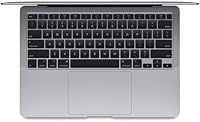
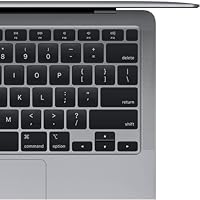
  • Keyboard: Uses Apple's backlit Magic Keyboard with scissor-switch mechanism, offering comfortable key travel and adjustable illumination for low-light use.
  • Trackpad: The Force Touch trackpad supports pressure-sensitive input and haptic feedback, providing precise cursor control across its large glass surface.
  • Operating System: Ships with macOS installed; the 2020 Intel model is compatible with macOS updates through at least macOS Sequoia as of the current release cycle.
  • Condition: Sold as a renewed (refurbished) unit, meaning it has been inspected and tested by a third party but may show minor cosmetic wear and is not retail-new.
  • Color: Available in Space Gray, Apple's darker aluminum finish that resists fingerprints somewhat better than the Silver variant.
  • Audio: Includes stereo speakers with support for wide stereo sound, plus a 3.5mm headphone jack for wired audio output.
  • Camera: Features a 720p FaceTime HD camera — functional for video calls but noticeably lower resolution than the cameras found on newer MacBook models.

Related Reviews
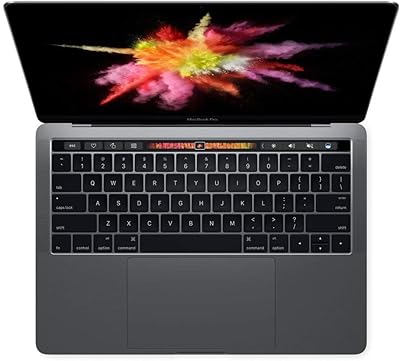
Apple MacBook Pro 13.3″ Laptop, 2.9GHz Intel Core i5, 16GB RAM, 256GB SSD
86%
91%
Performance
94%
Display Quality
88%
Build Quality
90%
Portability
80%
Battery Life
More
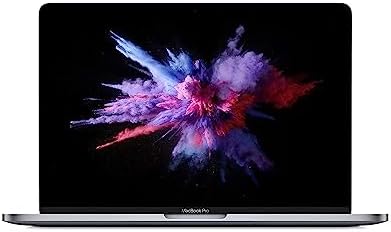
Apple MacBook Pro 13-inch (2019) 256GB
73%
91%
Display Quality
88%
Build Quality & Portability
79%
Performance for Everyday Tasks
53%
Storage Practicality
83%
Battery Life
More
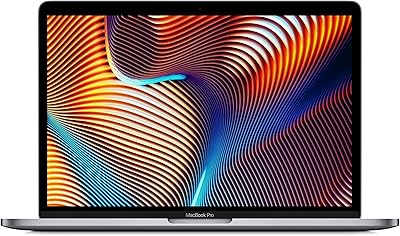
Apple 2019 MacBook Pro 13.3″ Core i5 2.4GHz 16GB RAM 512GB SSD
87%
91%
Performance
95%
Display Quality
88%
Portability
83%
Battery Life
92%
Build Quality
More
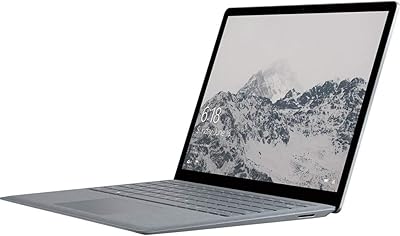
Microsoft Surface Laptop 1769 128GB
73%
91%
Build Quality
88%
Display Quality
74%
Battery Life
87%
Keyboard & Trackpad
76%
Performance
More
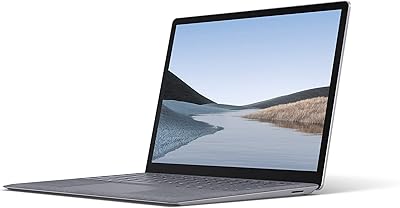
Microsoft Surface Laptop 3 13.5-inch, Intel Core i5, 8GB RAM, 256GB SSD
84%
88%
Performance
94%
Portability & Weight
82%
Battery Life
90%
Display Quality
85%
Build Quality & Durability
More
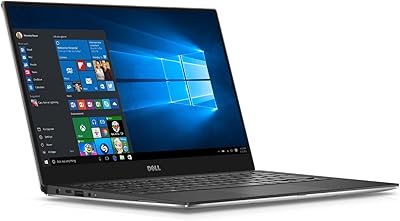
Dell XPS 13 9350 Laptop, Intel Core i5, 8GB RAM, 128GB SSD
84%
94%
Portability & Weight
92%
Battery Life
89%
Build Quality
87%
Display Quality
83%
Performance for Everyday Use
More
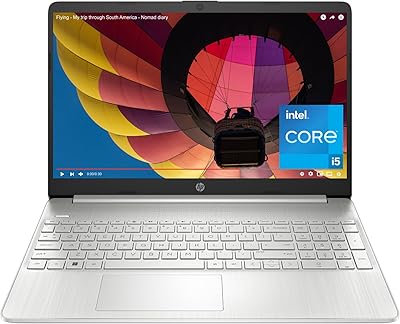
HP 15.6-inch Laptop, Intel Core i5-1334U, 8GB RAM, 512GB SSD
84%
86%
Performance for Everyday Tasks
91%
Battery Life
90%
Value for Money
88%
Display Quality
82%
Build Quality
More
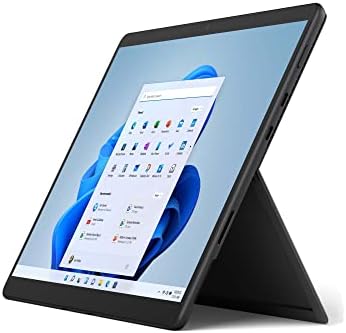
Microsoft Surface Pro 8 13-inch, Intel Core i5, 8GB RAM, 256GB SSD
82%
90%
Performance
88%
Display Quality
93%
Portability & Weight
70%
Battery Life
85%
Build Quality
More
Dell Inspiron 14 5440 Laptop, 14-inch, Intel Core i5, 8GB RAM, 512GB SSD
86%
88%
Performance
91%
Build Quality
94%
Portability
81%
Battery Life
75%
Display Quality
More
Apple MacBook Pro 15.4-inch 2015, Intel Core i7, 16GB RAM, 512GB SSD
82%
90%
Performance for Demanding Tasks
92%
Display Quality
75%
Battery Life
88%
Build Quality
79%
Portability
More

FAQ

It is a renewed (refurbished) unit, which means it has gone through inspection and testing — but it is not the same as a factory-sealed, retail-new laptop. Cosmetic imperfections like light scratches are possible, and the battery may not be at 100% original capacity. Always check the seller's condition grading and return policy before buying.

Apple quotes up to 11 hours, but in real-world mixed use — browsing, streaming, a few video calls — expect somewhere between 7 and 9 hours on a healthy battery. On a renewed unit, actual battery health will depend on how many charge cycles the previous owner put on it, so checking the cycle count in System Information after receiving it is a smart first step.

No. Both the RAM and SSD are soldered directly to the logic board on this model, so what you receive is what you get for the life of the machine. That makes the 16GB RAM configuration particularly appealing, since it gives you headroom that an 8GB model simply cannot offer down the road.

For most students and office users who rely on cloud storage and streaming, 256GB is workable. If you store large video files, raw photo libraries, or a big music collection locally, it will feel tight quickly. An external SSD or a subscription to iCloud Drive is worth factoring into your budget from the start.

Yes, as of the current macOS release cycle, the 2020 Intel MacBook Air is still supported for major macOS updates. Apple typically supports its hardware for around seven years, so you have a few more years of official software support remaining — though that window will eventually close as newer operating systems focus more on Apple Silicon.

Not out of the box. The Apple MacBook Air 13-inch Core i5 Laptop has two USB-C (Thunderbolt 3) ports and nothing else, so a USB-C hub or multiport adapter is essentially a required accessory if you use older peripherals or an HDMI display. Budget around 30 to 60 dollars for a decent hub.

The M-series MacBooks are considerably faster, more power-efficient, and run cooler under load. The 2020 Core i5 Air handles everyday tasks well, but sustained workloads — video exports, large compiles, long Zoom sessions — can cause it to throttle noticeably. If a newer Silicon model is within reach of your budget, the performance gap is wide enough to matter.

The Retina IPS panel on this Intel MacBook Air is genuinely good — accurate color rendering and high pixel density make it more than capable for casual photo editing and content review. For professional color grading with strict accuracy requirements, you would want to calibrate it with a hardware colorimeter, but for most light creative work it holds up well.

Renewed products typically come with a shorter or limited warranty compared to new retail purchases, and Apple's own one-year limited warranty generally does not apply to third-party refurbished units. Coverage terms vary by seller, so confirm what is included before completing your purchase. AppleCare+ is also not available for renewed products bought outside Apple's own certified refurbished program.

For most college students, the 2020 Core i5 Air is a genuinely solid choice — it handles writing, research, video calls, and presentations without any trouble, and macOS is stable and straightforward to maintain. The slim build makes it easy to carry between classes. Just keep cloud storage in mind given the modest local drive capacity, and grab a USB-C hub if your school or dorm relies on older cables or HDMI projectors.