Overview

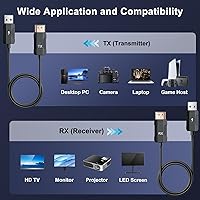
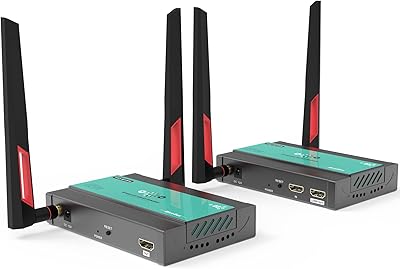
The Anytrox THT-020-8 Wireless HDMI Extender is a mid-range transmitter-receiver kit built to cut cable clutter between your source device and display. One thing worth clarifying upfront: it can decode 4K input, but the actual output is capped at 1080p at 60Hz — a distinction that catches some buyers off guard. For most real-world use cases, that resolution is perfectly adequate. The extender operates on both 2.4GHz and 5GHz bands, giving you flexibility depending on your environment. It is compact enough to toss in a bag, comes with a storage pouch, and requires no drivers or apps whatsoever — just plug it in and you are up and running in about ten seconds.

Features & Benefits

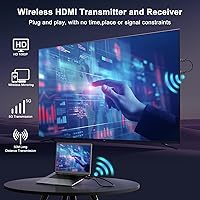
What makes this wireless HDMI kit genuinely convenient is how little it asks of you. Plug both units in and they find each other in roughly ten seconds — no network login, no pairing code, no app. The gold-plated connectors and molded strain relief are small details that add up over time, especially if you are plugging and unplugging regularly. Transmission is uncompressed full RGB, so colors stay accurate rather than washed out. Audio syncs cleanly with video, which matters in a presentation setting. Crucially, this transmitter-receiver set operates on its own dedicated wireless link, completely separate from your office or home Wi-Fi — no interference, no competing with other devices for bandwidth. Micro-HDMI and mini-HDMI adapters are included as well.

Best For

The clearest fit for the extender is anyone who presents regularly from a laptop in a conference room and is tired of hunting for the right cable. Teachers and trainers will appreciate being able to move around while mirroring their screen to a projector. It also works well in living rooms where cable-free convenience matters more than raw resolution — connecting a cable box or streaming device to a TV across the room, for instance. Frequent travelers and remote workers will value the compact size and included bag. Where it falls short: anyone with a 4K display expecting native 4K output will need to recalibrate, since the signal tops out at 1080p regardless of the source.

User Feedback

Buyers who use this wireless HDMI kit for work presentations tend to be the most satisfied — setup really is as quick as advertised, and the standalone link means no IT headaches. On the flip side, users in dense wireless environments have reported occasional dropouts on 2.4GHz; switching to 5GHz usually helps, though range can shrink indoors. The 1080p output ceiling draws criticism from owners of 4K monitors who expected more from the hardware. A few console users note the latency is tolerable for casual play but not for fast-paced competitive titles. On the warranty front, it is worth knowing that replacement coverage runs six months, while the broader warranty extends to a full year — two distinct protections that buyers sometimes conflate.

Pros

  • Pairs and transmits in about ten seconds with zero software, drivers, or network credentials required.
  • Operates on its own dedicated wireless link, leaving your home or office Wi-Fi network completely untouched.
  • Uncompressed full RGB transmission keeps colors accurate at 1080p without visible degradation.
  • Dual-band support lets you switch to 5GHz when the 2.4GHz channel is crowded.
  • Gold-plated connectors and strain-relief cable construction hold up better than bare-plastic alternatives.
  • Includes micro-HDMI and mini-HDMI adapters, so cameras and compact devices connect without extra purchases.
  • The full kit weighs just over four ounces and comes with a storage pouch — genuinely travel-friendly.
  • Audio syncs reliably with video, which matters when presenting to a quiet room.
  • Compatible with a wide range of source devices: laptops, set-top boxes, DVD players, cameras, and more.
  • A 1-year warranty backed by responsive customer support provides reasonable peace of mind at this price tier.

Cons

  • Output is capped at 1080p regardless of source quality — 4K passthrough is not available despite the decode claim.
  • Signal dropout in crowded wireless environments is a recurring complaint, especially on 2.4GHz.
  • Indoor effective range is noticeably shorter than advertised once walls and obstructions are factored in.
  • Latency makes the extender unsuitable for fast-paced or competitive gaming on consoles.
  • No USB power adapter is included in some configurations, requiring buyers to source one separately.
  • The 6-month replacement window is frequently confused with the full 1-year warranty — they cover different things.
  • Occasional failure to sync on first plug-in requires unplugging and reconnecting, which is a problem mid-presentation.
  • The plastic housing feels utilitarian and shows cosmetic wear with regular daily carry.
  • High-motion video content can exhibit subtle but perceptible lag in quiet, attentive viewing environments.
  • 5GHz band improves stability but reduces effective range indoors, forcing a trade-off with no perfect middle ground.

Ratings

The scores below for the Anytrox THT-020-8 Wireless HDMI Extender were generated by our AI system after analyzing verified purchase reviews from buyers worldwide, with spam, bot-submitted, and incentivized feedback actively filtered out. Ratings reflect the full spectrum of real user experiences — from the aspects that consistently impressed to the friction points that came up repeatedly across different use cases. Both sides are represented honestly.
Ease of Setup
93%
This is where the extender earns its strongest praise across the board. Buyers consistently report that plugging both units in and having a live signal within ten seconds is not an exaggeration — it genuinely works that fast, with no network credentials, pairing codes, or driver downloads involved.
A small number of users report that on rare occasions the transmitter and receiver fail to sync on the first attempt and require an unplug-replug cycle. It is infrequent, but worth noting for buyers who need reliability in a live presentation setting.
Video Quality
78%
22%
For 1080p content, most buyers describe the picture as crisp and color-accurate, which tracks with the uncompressed full RGB transmission approach. Office presentations, training videos, and streamed content all look sharp on monitors and projectors without visible degradation.
The 1080p output ceiling is a genuine frustration for users with 4K displays who assumed the kit would pass through native 4K. The hardware decodes 4K input but downscales the output — a technical distinction that is not prominently communicated in the product listing and has generated quite a few disappointed reviews.
Wireless Stability
71%
29%
In low-interference environments — a home office, a small meeting room, or a classroom — the signal holds steady without noticeable dropout. The 5GHz band option gives users a practical workaround when the 2.4GHz channel is congested, and switching bands is straightforward.
In dense wireless environments like open-plan offices or apartment buildings with many competing networks, 2.4GHz performance can degrade noticeably with brief freezes or signal drops. Even 5GHz has range limitations indoors, and several buyers report that walls and obstructions reduce effective distance more than expected.
Audio-Video Sync
82%
18%
For its intended use cases — slideshows, screen mirroring, video playback during meetings — the sync between audio and video is reliable and consistent. Buyers who use the transmitter-receiver set for corporate presentations specifically call out the lack of lip-sync issues as a real-world advantage.
Users who pushed the extender toward gaming or fast-motion content report that the latency, while low for a wireless solution, is still perceptible enough to be distracting in action-heavy titles. It is not marketed as a gaming device, but console connectivity is listed, which sets expectations some buyers discover are not fully met.
Wireless Range
67%
33%
For typical room-to-room distances in a home or a standard conference room, the range is adequate. Buyers who position the transmitter and receiver with clear line-of-sight report a stable connection across distances that comfortably cover most presentation and home theater scenarios.
Advertised range figures assume ideal conditions that rarely exist in real environments. Multiple buyers note the effective range drops considerably through walls or in multi-room setups, and a few report instability even within the same room when obstructions are present between the two units.
Build Quality
74%
26%
The gold-plated connectors and molded strain relief on the cables are practical details that hold up noticeably better than similarly priced kits with bare plastic connectors. For users who plug and unplug frequently during travel or hot-desking, these construction choices reduce wear over time.
The overall plastic housing feels utilitarian rather than premium, and a segment of buyers consider the construction just adequate for the price tier. A few users who carry the kit daily report minor cosmetic wear on the units, though functional failures tied to build quality appear to be uncommon.
Portability & Form Factor
88%
At just over four ounces for the full kit, this transmitter-receiver set barely registers in a laptop bag. The included storage pouch is a thoughtful addition that keeps both units and the adapter cables organized — something frequent travelers and consultants specifically appreciate in reviews.
The storage bag is functional but basic — it does not protect against compression in a packed bag particularly well. A couple of buyers who travel extensively noted the pouch material feels thin, though no one reported damage to the units themselves from carrying conditions.
Compatibility
81%
19%
The inclusion of both micro-HDMI and mini-HDMI adapters is a practical touch that broadens compatibility with cameras, camcorders, and compact devices without requiring buyers to source additional hardware. Compatibility with laptops, set-top boxes, DVD players, and projectors is broadly confirmed in buyer feedback.
A handful of users report compatibility hiccups with certain older monitors or non-standard HDMI implementations, where the display fails to recognize the signal on the first connection attempt. These cases appear device-specific rather than systemic, but they do exist.
Latency for Presentations
86%
For slide decks, document sharing, and general screen mirroring in a meeting context, the delay is imperceptible to most users. Presenters who move around the room while narrating slides consistently report that the transmission feels instantaneous in practice.
Users who display video content — particularly training videos or product demos with motion — occasionally notice a subtle lag that, while small, can feel slightly off when the room is quiet and the audience is attentive. It is minor but not invisible in all scenarios.
Value for Money
76%
24%
For buyers who genuinely need a cable-free presentation or screen-sharing solution and can work within the 1080p output constraint, the price-to-functionality ratio holds up well. The included adapters, storage bag, and dual-band capability add tangible value relative to bare-bones alternatives.
Buyers who purchase expecting 4K output — reasonable given the 4K decode claim in the title — often feel misled once they discover the 1080p ceiling. This mismatch between expectation and reality pulls satisfaction scores down among this subset of buyers, making the perceived value lower than it should be.
Interference with Existing Networks
89%
One of the more quietly appreciated aspects of this wireless HDMI kit is that it operates entirely independently of any existing Wi-Fi network. IT-conscious buyers and office managers flag this as a genuine benefit — there is no additional device on the network, no bandwidth consumption, and no security exposure.
While the unit does not join existing networks, it does still broadcast on shared 2.4GHz or 5GHz spectrum, which means it can itself become a source of mild interference to nearby devices — or be affected by them. In very congested wireless environments, this two-way relationship matters.
Warranty & After-Sales Support
69%
31%
The combination of a 6-month replacement option and a broader 1-year warranty gives buyers two layers of protection, and several reviewers mention that Anytrox responded to support queries within the promised 24-hour window. For a mid-range product, that responsiveness stands out positively.
The distinction between the 6-month replacement coverage and the 1-year warranty confuses a significant number of buyers, with some assuming full replacement is available for a year. Users outside the 6-month window who experience hardware failures describe a less satisfying support resolution, which pulls this score down.
Gaming Performance
48%
52%
For casual, low-stakes gaming — turn-based titles, slow-paced RPGs, or couch co-op games where split-second reaction time is irrelevant — the extender functions adequately and provides a cable-free convenience that some players appreciate for occasional sessions.
For anything requiring fast reflexes, the latency inherent in wireless HDMI transmission is a real obstacle. Multiple console users specifically call out noticeable input delay in action games, shooters, and rhythm titles. This use case is where the hardware's limitations are most apparent and most frustrating.
Unboxing & Included Accessories
83%
Buyers are generally pleased to find both micro-HDMI and mini-HDMI adapters in the box alongside the storage pouch and instruction manual — it signals that the manufacturer thought through real-world connectivity rather than shipping the bare minimum. The manual is straightforward and genuinely useful.
There is no USB power adapter included for the receiver unit in some configurations, which surprises buyers who expect everything needed for immediate use to be in the box. A few reviewers note they had to source a USB power supply separately before the kit was fully operational.

Suitable for:

The Anytrox THT-020-8 Wireless HDMI Extender is a practical pick for anyone whose primary frustration is cable management rather than cutting-edge resolution. Office workers and corporate presenters who move between meeting rooms will find the near-instant plug-and-play setup genuinely useful — no IT involvement, no borrowed dongles, no hunting for the right cable length. Teachers and trainers who want to walk the room while mirroring a laptop to a projector will appreciate the freedom of movement it affords. It also fits comfortably in a home theater context where routing a cable across a living room is either impractical or visually unacceptable — connecting a set-top box or streaming device to a distant TV wirelessly is a natural use case. Frequent travelers and remote workers who need a lightweight, self-contained screen-sharing tool that fits in a laptop bag without adding noticeable bulk will find this kit earns its place in their kit.

Not suitable for:

The Anytrox THT-020-8 Wireless HDMI Extender is not the right tool if native 4K output is a hard requirement — despite decoding 4K input, the signal is output at 1080p, and there is no configuration that changes this. Buyers with premium 4K monitors or 4K projectors who are expecting full-resolution passthrough will be disappointed, and no amount of source quality compensates for that hardware ceiling. Competitive or fast-paced gamers should also look elsewhere — the wireless transmission introduces enough latency to be genuinely disruptive in action games, shooters, and rhythm titles, even if casual gaming remains tolerable. Users in environments with heavily congested wireless spectrum — dense apartment buildings, large open-plan offices, or event venues — may struggle with signal stability, particularly on 2.4GHz. Anyone who needs truly long-range transmission, such as between separate floors of a building, will find the effective indoor range falls well short of their needs.
Specifications

  • Brand & Model: Manufactured by Anytrox under model number THT-020-8.
  • Output Resolution: Transmits video at up to 1080p at 60Hz to the connected display.
  • Decode Capability: Capable of decoding 4K input from the source device, though output is downscaled to 1080p.
  • Wireless Bands: Operates on both 2.4GHz and 5GHz bands, selectable depending on the wireless environment.
  • Color Gamut: Transmits full RGB color gamut without compression, preserving source color accuracy at the display end.
  • Setup Time: Transmitter and receiver self-pair and establish a live signal in approximately 10 seconds after power-on.
  • Connector Finish: HDMI connectors are gold-plated with molded strain relief to resist corrosion and reduce cable fatigue.
  • Included Adapters: Package includes one micro-HDMI adapter and one mini-HDMI adapter for use with cameras and compact devices.
  • Package Dimensions: The full kit measures 5.16 x 3.43 x 1.85 inches in its packaged form.
  • Weight: Complete kit weighs 4.16 oz, making it suitable for inclusion in a laptop bag or travel kit.
  • Network Dependency: Operates on a standalone dedicated wireless link and does not require connection to any existing Wi-Fi network.
  • Driver Requirement: No drivers, software applications, or Bluetooth pairing are required on any connected device.
  • Compatible Sources: Works with laptops, desktop PCs, cameras, DVD players, set-top boxes, Roku devices, Blu-ray players, and satellite receivers.
  • Compatible Displays: Supports output to HDTVs, monitors, and projectors that accept a standard HDMI input signal.
  • Connection Type: Uses standard HDMI for both the transmitter and receiver connections to source and display devices.
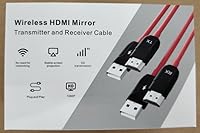
  • Accessories Included: Box contains one transmitter, one receiver, one micro-HDMI adapter, one mini-HDMI adapter, one storage bag, and one instruction manual.
  • Warranty: Covered by a 1-year manufacturer warranty, with a separate 6-month replacement or refund window.
  • Customer Support: Anytrox offers customer support with a stated response time of within 24 hours for product inquiries.

Related Reviews

Weeryyi Wireless HDMI Extender Receiver
83%
91%
Value for Money
88%
Ease of Setup
85%
Signal Stability
83%
Range Performance
70%
Latency
More
AIMIBO Wireless HDMI Receiver 1 TX to 8 RXs
82%
88%
Wireless Performance
91%
Ease of Setup
90%
Range (up to 656 feet)
85%
Multi-Device Management (KVM/Loop-Out)
65%
Signal Stability in Dense Environments
More
Mirabox Wireless HDMI Transmitter and Receiver Extender 1x4-1080P@60Hz
85%
88%
Signal Strength & Range
91%
Setup & Installation
85%
Latency & Performance
83%
Build Quality
89%
Multi-Screen Setup
More
J-Tech Digital Wireless HDMI Extender 1X2 (JTECH-WEX200V3)
85%
91%
Value for Money
95%
Setup & Installation
88%
Signal Strength
92%
Latency for Video Playback
80%
Range Performance
More
Mirabox HDMI Extender 400ft
85%
94%
Signal Quality
85%
Ease of Setup
90%
Build Quality
91%
Transmission Range
89%
Audio Performance
More
OREI EX-500IR HDMI Extender
88%
94%
Transmission Distance
92%
Signal Quality
89%
Ease of Installation
85%
Build Quality
88%
Power over Cable (PoC) Functionality
More
Eyoyo EM08B 8″ Monitor
75%
91%
Input Versatility
88%
BNC Connectivity
84%
Setup & Plug-and-Play Experience
82%
Mirror Flip Functionality
76%
Image Clarity for Surveillance Use
More
DxInvb Wireless HDMI Transmitter and Receiver Kit
75%
91%
Ease of Setup
58%
Device Compatibility
74%
Wireless Range & Stability
69%
Video Quality
83%
Build Quality & Portability
More
AGPTEK LKV373A 1080P HDMI Extender
86%
93%
Signal Reliability
88%
Installation Ease
89%
Compatibility with Devices
85%
Build Quality
91%
Value for Money
More
TESmart HDMI KVM Extender Receiver
85%
91%
Signal Stability
86%
Installation Ease
90%
Build Quality
88%
Heat Dissipation
93%
Compatibility
More

FAQ

Yes, completely. The extender creates its own dedicated wireless link between the transmitter and receiver — it never touches your home or office Wi-Fi network. This also means it will not slow down your internet or show up as a device on your router.

Not quite, and this trips up a lot of buyers. The Anytrox THT-020-8 Wireless HDMI Extender can accept and decode a 4K signal from your source device, but the output it sends to your display is capped at 1080p at 60Hz. If you have a 4K TV or monitor and need native 4K output, this kit will not deliver that.
In most cases, under 30 seconds total. Plug the transmitter into your source device, plug the receiver into your display, power both units, and they sync automatically — typically within about 10 seconds. There are no menus, no pairing buttons to hold, and nothing to install on your computer.

It can transmit through walls, but range does decrease when obstructions are present. In practice, users report reliable performance within a single room or across a thin interior wall. For multi-room or multi-floor setups, signal stability becomes less predictable, especially on the 5GHz band.

It depends on your environment. If you are in a space with lots of competing wireless devices, 5GHz is generally more stable because there is less channel congestion. However, 5GHz has a shorter effective range, so if your transmitter and receiver are far apart, 2.4GHz may hold a more consistent signal despite potential interference.

Technically yes — HDMI is HDMI, so the physical connection works. For casual games where timing is not critical, the experience is tolerable. For fast-paced or competitive games where input lag matters, the wireless transmission delay will likely be noticeable and frustrating. It is not a recommended pairing for serious gaming.

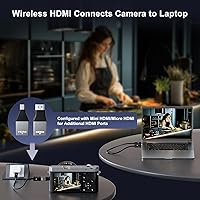
Yes, a micro-HDMI adapter is included in the box specifically for this. You plug the adapter onto the transmitter's HDMI connector, then plug that into your camera's micro-HDMI port. A mini-HDMI adapter is also included for devices that use that connector format.

These are two separate protections. Within the first 6 months, Anytrox offers a replacement or refund if the unit is defective or fails. The broader 1-year warranty covers the product beyond that window, but the resolution for issues arising between months 7 and 12 is handled differently — typically repair or support rather than outright replacement. It is worth keeping that distinction in mind when evaluating post-purchase protection.

Both audio and video transmit together over the HDMI link, just as they would with a physical cable. Buyers who use the kit for presentations and video playback generally report that audio stays in sync with the video without any noticeable delay.

This is not well-documented by the manufacturer, and user feedback on multi-unit same-room deployments is limited. In general, two wireless HDMI kits operating on the same channel in close proximity risk cross-interference and signal instability. If you need to run multiple wireless displays in one space, it is worth testing carefully or considering a different solution designed for multi-zone use.