Overview

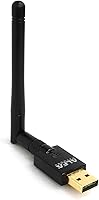
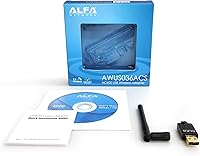
The Alfa Network AWUS036ACS AC600 USB Wi-Fi Adapter has built a solid reputation in networking circles since its release in 2017. Alfa isn't a flashy consumer brand — it's the kind of name that engineers and security researchers tend to trust. This USB adapter covers both 2.4GHz and 5GHz bands, making it useful whether you're dealing with a crowded apartment building or a cleaner network at home. It's compact enough to sit flush beside other USB peripherals without hogging space, and it works with desktops and laptops alike. If your machine lacks decent built-in Wi-Fi, this dongle is a practical fix.
Features & Benefits

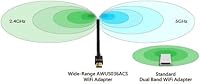
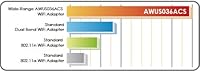
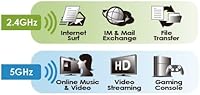
The AWUS036ACS runs on the Realtek RTL8811AU chipset, which is well-regarded in the Linux community for its solid driver support. On the 5GHz band, you get up to 433Mbps — enough for streaming HD video without stuttering. Think of the dual-band setup like having two lanes on a highway: the 2.4GHz band reaches farther through walls, while 5GHz delivers faster speeds when you're closer to the router. The high-sensitivity external antenna genuinely makes a difference in weaker signal environments. On Windows, setup is largely plug-and-play. Linux users may need to grab drivers depending on the distro, but the process is well-documented and manageable.

Best For

This Wi-Fi dongle is a go-to recommendation for penetration testers and security researchers — its chipset supports monitor mode and packet injection, which are requirements for many wireless auditing tools in Kali Linux. But it's not only a specialist's tool. Anyone with an aging desktop that never came with Wi-Fi, or a laptop where the internal adapter has degraded over time, will find it genuinely useful. It also travels well, slipping into a bag without taking up noticeable room. Home users looking to hop onto a 5GHz network without buying new hardware will find this dongle does the job quietly and reliably.

User Feedback

Owners of this USB adapter are generally positive, with particular praise for its reliability on Kali Linux — many note it works out of the box without wrestling with drivers. The external antenna draws consistent compliments for improving signal in spots where a laptop's built-in Wi-Fi struggles. On the downside, macOS compatibility is a genuine sticking point: support stops at macOS 10.12, and anyone on a newer Mac or an M1/M2 machine will be left unsupported. Some Linux users also mention needing to manually compile drivers on certain distros. Windows 11 support appears inconsistent based on recent reports — worth verifying before purchasing.

Pros

  • Reliable monitor mode and packet injection support make it a trusted tool for wireless security work on Kali Linux.
  • The external antenna provides noticeably better signal reach than most built-in laptop adapters in weak-coverage areas.
  • Dual-band support lets you escape the crowded 2.4GHz spectrum and connect to faster 5GHz networks.
  • Setup on Windows 7 through 10 is largely hassle-free, with drivers loading quickly on most machines.
  • The Realtek RTL8811AU chipset has extensive community documentation, making troubleshooting far easier than with obscure chipsets.
  • Compact enough to carry daily without adding bulk to a laptop bag or travel kit.
  • Solid build quality for the price — feels durable despite its small size.
  • Works across a wide range of operating systems, including several legacy platforms still in active use.
  • A cost-effective way to add modern dual-band Wi-Fi to an older machine without replacing internal hardware.

Cons

  • No driver support for macOS 10.15 or later, and completely incompatible with M1 and M2 Macs.
  • Windows 11 compatibility is inconsistent — some users face driver failures with no clean fix available.
  • Driver installation on certain Linux distributions requires manual compilation, which can trip up less experienced users.
  • Kernel updates on Linux can occasionally break functionality until community patches catch up.
  • The antenna connection point can loosen over time with frequent plugging and unplugging.
  • AC600 throughput limits real-world speeds noticeably on the 5GHz band compared to newer AC1200 or Wi-Fi 6 adapters.
  • Official manufacturer documentation is sparse and often out of date for newer OS environments.
  • The protruding antenna increases the risk of accidental damage when the adapter is left in a port during transport.

Ratings

The Alfa Network AWUS036ACS AC600 USB Wi-Fi Adapter scores here reflect AI-driven analysis of verified global buyer reviews, with spam, bot activity, and incentivized feedback actively filtered out. Ratings are calibrated across thousands of real-world use cases — from home networking upgrades to professional security research setups. Both standout strengths and recurring frustrations are factored in transparently, so you get an honest picture before you buy.
Linux Compatibility
93%
For Kali Linux users especially, this dongle is one of the most consistently reliable options available. The Realtek RTL8811AU chipset has broad community driver support, and many users report it working straight away without any manual configuration — a significant time-saver during lab or field setups.
On less common Linux distributions, a handful of users have encountered driver compilation steps that aren't immediately obvious to newcomers. The experience varies noticeably depending on the distro and kernel version in use.
Windows Compatibility
74%
26%
On Windows 7 through 10, setup is largely straightforward and driver installation tends to complete without drama. For users on those older systems who just need reliable wireless added to a desktop or aging laptop, it delivers consistently.
Windows 11 compatibility has drawn mixed reports, with some users experiencing dropped connections or failed driver installs. This is a notable concern for anyone who has already upgraded, and it hasn't been fully resolved at the time of writing.
macOS Compatibility
31%
69%
Users running macOS versions between 10.4 and 10.12 on older Intel Macs have found this adapter functional and relatively stable for day-to-day wireless use. For that narrow window of supported systems, it fills a real gap.
Support cuts off at macOS 10.12, and there is no driver available for macOS 10.15 or later — nor for any Mac running an M1 or M2 chip. This is a hard wall, not a workaround situation, and it makes the dongle essentially useless for anyone on a modern Mac.
Signal Strength & Range
84%
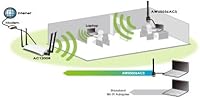
The external high-sensitivity antenna gives this adapter a meaningful edge over the built-in Wi-Fi found in most mid-range laptops. Users in apartments with thick walls or in offices with congested 2.4GHz channels have noted real improvements when switching to the 5GHz band through this dongle.
Range improvements are noticeable but not dramatic — this isn't a long-range outdoor adapter. In large homes or environments with significant interference, users still report occasional signal drops that a higher-gain antenna setup would handle better.
Ease of Setup
77%
23%
On Windows 10 and most mainstream Linux distros, getting up and running takes only a few minutes. Plug it in, let the system detect it, and in many cases you're connected before you've had time to find the manual.
The experience isn't universal. macOS users face a driver dead end, some Linux users need to compile manually, and Windows 11 setups can require troubleshooting. For less technically confident buyers, these edge cases can turn a simple install into a frustrating afternoon.
Dual-Band Performance
81%
19%
Having both 2.4GHz and 5GHz available in such a small package is genuinely useful. Switching to 5GHz reduces interference in dense Wi-Fi environments, and users streaming video or on video calls report noticeably more stable connections compared to relying on a crowded 2.4GHz channel.
The 433Mbps ceiling on 5GHz is adequate for everyday tasks but won't satisfy anyone expecting AC1200-class throughput. Heavy file transfers or demanding multi-device scenarios may reveal the speed limitations of this AC600-tier adapter.
Build Quality
79%
21%
The adapter feels solid for its size, with no flexing or loose antenna connection that would suggest it'll fail after a few months of travel use. The compact plastic shell holds up well in a bag pocket or laptop case.
It's not a rugged device, and the antenna connection point is the most vulnerable part with repeated plugging and unplugging. A few long-term users have mentioned the antenna becoming slightly loose over time, though outright failures appear uncommon.
Monitor Mode & Packet Injection
91%
For security professionals and students working in wireless auditing, monitor mode and packet injection support are the main reasons to choose this dongle over a generic adapter. It works reliably with widely-used tools in Kali Linux, saving significant setup time during assessments.
These capabilities are chipset-dependent, and while the RTL8811AU is well-supported, kernel updates occasionally break injection functionality until patches catch up. Users in active lab environments should keep an eye on driver version compatibility.
Portability
88%
At under 2.5 ounces and barely larger than a standard USB drive with its antenna folded down, this dongle slips into any bag without thought. Remote workers and frequent travelers appreciate having a reliable backup wireless option that takes up almost no space.
The protruding antenna, while useful for signal, does mean the adapter sticks out noticeably from a laptop's side. In tight spaces like airplane tray tables, this can be mildly awkward and increases the risk of accidental snapping if knocked.
Value for Money
83%
At its price point, the AWUS036ACS punches above its weight for the use cases it handles well — particularly Linux and Windows users who want dual-band support and a reputable chipset without spending significantly more on a higher-tier adapter.
The macOS and Windows 11 limitations mean a meaningful portion of potential buyers are essentially paying for something they can't fully use. For those users, the value equation looks considerably worse than the hardware quality alone would suggest.
Driver Support & Documentation
68%
32%
Alfa Network provides driver downloads for supported operating systems, and the broader community has filled in gaps with well-maintained GitHub repositories and forum guides. For a technically minded user, finding the right driver is rarely a dead end.
Official documentation is sparse and can feel outdated. Newer OS versions tend to expose gaps in manufacturer support, and users without prior experience navigating driver repos may find the process more involved than expected for a plug-and-play peripheral.
Antenna Quality
82%
18%
The detachable external antenna genuinely improves real-world performance over sealed designs. Users who previously struggled with weak signal from a laptop positioned away from the router report measurable improvement after switching to this adapter.
The antenna is a standard 5dBi unit — functional, but not exceptional. Users in particularly challenging RF environments, like multi-story concrete buildings, may find it still falls short of what a higher-gain replacement antenna would achieve.
Chipset Reputation
89%
The Realtek RTL8811AU has been around long enough to earn a trusted reputation in networking and security circles. Its widespread adoption means driver support, community troubleshooting resources, and compatibility guides are readily available across platforms.
Being a well-established chipset cuts both ways — it isn't the newest technology, and as operating systems evolve, maintaining up-to-date driver support relies increasingly on community effort rather than manufacturer-driven updates.

Suitable for:

The Alfa Network AWUS036ACS AC600 USB Wi-Fi Adapter is an excellent fit for cybersecurity students and penetration testers who need reliable monitor mode and packet injection support on Kali Linux — it works with the right tools without the usual chipset compatibility headaches. Beyond the security research crowd, it's equally practical for anyone with an older desktop or laptop that shipped without Wi-Fi, or whose built-in adapter has degraded to the point of being unreliable. Home users who want access to a less congested 5GHz network without buying new hardware will find this dongle a straightforward, low-cost solution. It also makes a sensible backup adapter for remote workers and frequent travelers who can't afford to be caught without connectivity when built-in hardware fails on the road. Anyone running Windows 7 through 10, a supported Linux distribution, or macOS up to version 10.12 on an older Intel Mac will find the compatibility solid and the setup manageable.
Not suitable for:

If you're on a modern Mac — anything running macOS 10.15 or later, or any machine with an M1 or M2 chip — the Alfa Network AWUS036ACS AC600 USB Wi-Fi Adapter is simply not a viable option; there are no drivers, and no workaround is currently available. Windows 11 users should also proceed cautiously, as compatibility reports are inconsistent and some users have faced driver failures that aren't easy to resolve without technical confidence. This adapter is also not the right choice for anyone expecting high-throughput performance for large file transfers or bandwidth-intensive multi-device setups — its AC600 rating puts a real ceiling on speeds that more demanding use cases will bump against quickly. If you want a truly plug-and-play experience with zero driver management, the experience on some Linux distros may test your patience. And if you're hoping for long-range outdoor coverage, the standard antenna on this unit isn't built for that job.
Specifications

  • Brand: Manufactured by Alfa Network, a company with a long-standing reputation in professional and enthusiast-grade wireless networking hardware.
  • Model: AWUS036ACS, part of Alfa's AWUS series of external USB wireless adapters.
  • Chipset: Powered by the Realtek RTL8811AU chipset, widely supported across Linux, Windows, and security research toolsets.
  • Wi-Fi Standard: Supports IEEE 802.11ac (Wi-Fi 5), with backward compatibility for 802.11a/b/g/n networks.
  • Frequency Bands: Dual-band operation covering both 2.4GHz and 5GHz simultaneously selectable frequency bands.
  • Max Data Rate: Delivers up to 433Mbps on the 5GHz band and up to 150Mbps on the 2.4GHz band.
  • Interface: Connects via USB, compatible with standard USB 2.0 and USB 3.0 ports on desktop and laptop computers.
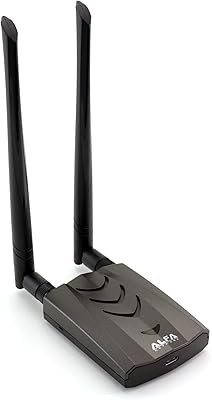
  • Antenna: Includes one external high-sensitivity dual-band antenna designed to improve signal reception in low-coverage environments.
  • Dimensions: Measures 2.17″ in length, 0.98″ in height, and 0.39″ in width, making it one of the more compact adapters in its class.
  • Weight: Weighs 2.39 ounces including the antenna, light enough for daily carry without adding noticeable bulk.
  • Color: Available in black with a matte plastic finish that resists minor surface scuffs during everyday handling.
  • OS Support: Officially supports Windows XP, Vista, 7, 8, 8.1, and 10, plus macOS versions 10.4 through 10.12, and a range of Linux distributions.
  • macOS Limitation: No driver support is available for macOS 10.15 (Catalina) or later, and the adapter is incompatible with Apple M1 and M2 chipsets.
  • Compatible Devices: Designed for use with desktop computers and laptops that lack built-in Wi-Fi or require an upgraded wireless connection.
  • Security Protocols: Supports WEP, WPA, and WPA2 encryption standards for secure network connections.
  • Monitor Mode: Supports monitor mode and packet injection via the RTL8811AU chipset, making it compatible with wireless auditing tools on Kali Linux.
  • First Available: Originally released on August 22, 2017, and has remained in active production without discontinuation.
  • Best Sellers Rank: Ranked number 101 in the USB Computer Network Adapters category on Amazon at the time of this review.

Related Reviews
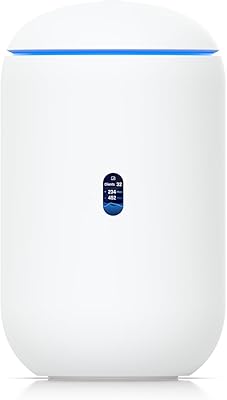
Ubiquiti Networks Dream Router Wi-Fi 7 (UDR7)
86%
94%
Wi-Fi Speed & Stability
65%
Ease of Setup
88%
Integration with UniFi Apps
91%
Build Quality
89%
Connectivity & Ports
More
ALFA AWUS036ACH Dual-Band AC1200 Wireless USB Adapter
82%
88%
Performance & Speed
91%
Range & Signal Stability
85%
Ease of Setup
80%
Build Quality
87%
Compatibility Across Devices
More
Ubiquiti Networks airCube ACB-ISP-US Wi-Fi Access Point
83%
91%
Ease of Installation
88%
Value for Money
82%
Wi-Fi Performance
85%
Compactness & Design
68%
Range Coverage
More
RIVA Arena
RIVA Arena
76%
84%
Sound Quality
68%
Bass Performance
89%
Multiroom & Ecosystem Integration
61%
Setup & App Experience
91%
Streaming Platform Support
More
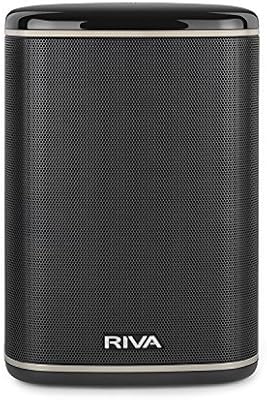
RIVA Concert Wi-Fi Bluetooth Smart Hi-Fi Speaker
85%
93%
Sound Quality
85%
Alexa Integration
88%
Connectivity Options
90%
Ease of Setup
87%
Multiroom Audio Compatibility
More
Synology RT2600ac Wi-Fi Router
85%
88%
Performance
91%
Wi-Fi Speed & Coverage
80%
Setup & Installation
90%
Security Features
84%
Ease of Use
More
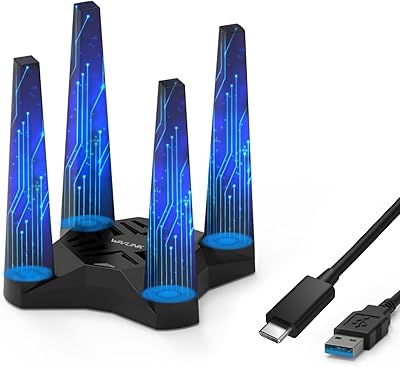
WAVLINK AX1800 USB WiFi Adapter
81%
88%
Performance
92%
Ease of Setup
85%
WiFi Speed & Stability
78%
Build Quality
82%
Compatibility
More
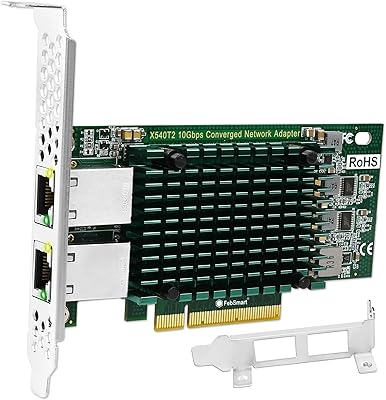
FebSmart X540T2 10GbE Network Adapter
85%
91%
Performance
88%
Installation Ease
92%
Compatibility with Systems
85%
Build Quality
90%
Data Transfer Speed
More
Intel I210-T1 Network Adapter
87%
92%
Performance and Reliability
85%
Ease of Installation
90%
Energy Efficiency
91%
Compatibility with Desktop PCs
87%
Build Quality
More
Linksys EA6900 AC1900 Wi-Fi Router
84%
87%
Performance
80%
Coverage for Large Homes
91%
Ease of Setup
85%
App Functionality
89%
Connection Stability
More

FAQ

In most cases, yes. The RTL8811AU chipset has strong community driver support, and many Kali Linux users report the adapter being recognized without manual intervention. That said, certain kernel versions or distro configurations may require you to install or compile drivers manually — it is worth checking the current driver status for your specific setup before assuming it will be fully automatic.

Only if your MacBook is running macOS 10.12 (Sierra) or earlier on an Intel processor. There are no drivers available for macOS 10.13 and above, and the adapter has no support at all for M1 or M2 Macs. If you are on a newer Mac, this dongle will not work regardless of what workarounds you try.

Yes, and this is one of the main reasons it is popular in security research circles. The Realtek RTL8811AU chipset supports both monitor mode and packet injection, which are required for tools like Aircrack-ng and similar wireless auditing utilities. Just note that kernel updates can occasionally disrupt this functionality until driver patches catch up.

Compatibility with Windows 11 is inconsistent based on user reports. Some people have it working fine, while others encounter driver issues that are not straightforward to resolve. If you are on Windows 11, it is worth checking recent community threads for your specific build before purchasing.

Usually not — on Windows 10, the adapter is largely plug-and-play and most users report the system handling driver installation automatically. In rare cases you may need to download drivers from Alfa's website, but the process is simple if that happens.

Most laptops have small internal antennas tucked inside the lid with limited sensitivity. The external antenna on this dongle sits outside the chassis and can be angled toward your router, which improves signal reception in rooms with thick walls or at greater distances. Real-world users consistently note better stability and fewer dropped connections compared to their laptop's native Wi-Fi.

It works perfectly well for everyday use. Connecting to a 5GHz network through this dongle provides a noticeably more stable experience for streaming video or video calls compared to a congested 2.4GHz connection. The security research reputation is simply a side effect of its chipset quality — it is a practical home networking tool for anyone who needs it.

No — the compact body is designed specifically to avoid overhanging adjacent ports. Unlike some bulkier adapters that physically block neighboring slots, this one sits close to the chassis and leaves room for other devices alongside it.

It has been tested and reported working on Kali Linux, Ubuntu, Debian, Fedora, Parrot OS, and several others. The experience does vary — on mainstream distros it tends to be smooth, while on more niche or hardened distributions you may need to compile drivers from source. Community resources for the RTL8811AU chipset are extensive, so help is usually easy to find.

Yes, the antenna uses a standard connector and can be detached. Some users replace it with a higher-gain antenna for improved range, though the stock antenna is adequate for typical indoor home or office environments. Just make sure any replacement antenna is rated for both 2.4GHz and 5GHz bands to maintain dual-band functionality.