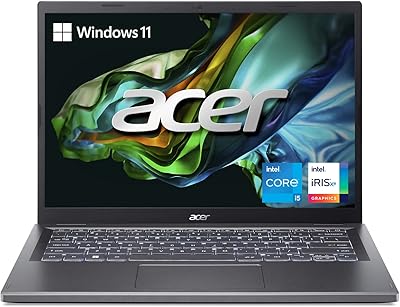
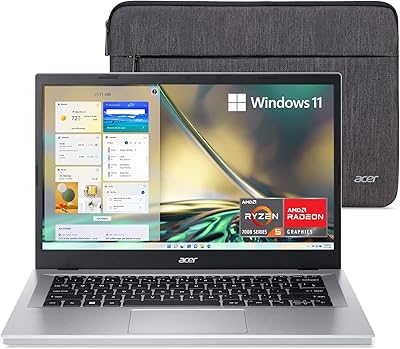
Acer Aspire Vero AV15-51-5155 Laptop
Acer Aspire Vero AV15-51-5155 Laptop — image 1
Acer Aspire Vero AV15-51-5155 Laptop — image 2
Acer Aspire Vero AV15-51-5155 Laptop — image 3
Acer Aspire Vero AV15-51-5155 Laptop — image 4
Acer Aspire Vero AV15-51-5155 Laptop — image 5

Acer Aspire Vero AV15-51-5155 Laptop — image 6
Acer Aspire Vero AV15-51-5155 Laptop — image 7

Acer Aspire Vero AV15-51-5155 Laptop — image 8
Acer Aspire Vero AV15-51-5155 Laptop — image 9

Acer Aspire Vero AV15-51-5155 Laptop — image 10
Acer Aspire Vero AV15-51-5155 Laptop — image 11
Acer Aspire Vero AV15-51-5155 Laptop — image 12
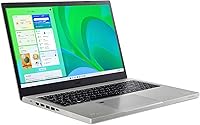
Acer Aspire Vero AV15-51-5155 Laptop — image 13
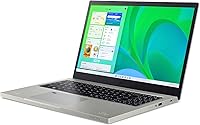
Acer Aspire Vero AV15-51-5155 Laptop — image 14
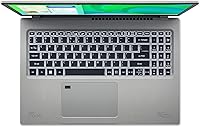
Acer Aspire Vero AV15-51-5155 Laptop — image 15
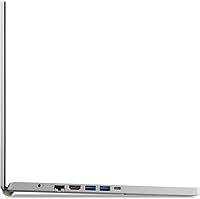
Acer Aspire Vero AV15-51-5155 Laptop — image 16
Acer Aspire Vero AV15-51-5155 Laptop — image 17
Acer Aspire Vero AV15-51-5155 Laptop — image 18
Acer Aspire Vero AV15-51-5155 Laptop — image 19
Acer Aspire Vero AV15-51-5155 Laptop — image 20
76%
24%

Overview

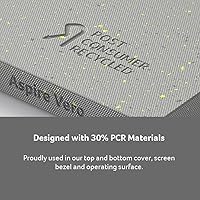
The Acer Aspire Vero AV15-51-5155 Laptop is Acer's attempt to bring sustainability into the mainstream laptop market without asking buyers to pay a premium for it. Launched in late 2021, this eco-friendly laptop uses post-consumer recycled plastic in its chassis and bezel, with 50% recycled content on the keycaps — a genuine differentiator, not just a marketing badge. At 15.6 inches, it sits in a comfortable middle ground: big enough for real work, light enough to carry to class or a coffee shop. Performance-wise, don't expect miracles. This is a capable everyday machine, not a powerhouse, and understanding that upfront will save a lot of disappointment.

Features & Benefits

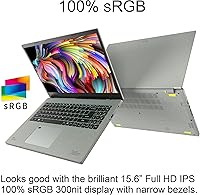
The i5-1155G7 processor handles everyday multitasking — browser tabs, Office docs, video calls — without breaking a sweat, and its burst speed keeps things feeling responsive. The display is where this Acer Vero genuinely surprises: a 15.6-inch IPS panel with full sRGB coverage means colors look accurate rather than washed-out, which is rare at this price. Boot times are quick thanks to the NVMe SSD, though 256GB will fill up faster than you'd think, so plan for cloud storage or an external drive. Wi-Fi 6 is a welcome addition, and real-world battery life — browsing, streaming, light work — typically lands somewhere between five and seven hours.

Best For

The Aspire Vero 15 is a natural fit for college students who need something dependable for note-taking, research, and the occasional video lecture — it handles all of that without fuss. Remote workers and home users doing Office work, light photo editing, or streaming will find it more than adequate. It's also a strong choice for anyone who cares about making responsible buying decisions; the eco-credentials here are real, not superficial. Budget-conscious shoppers who still want a proper IPS screen — rather than the dim panels common at this price range — will appreciate what they get. First-time laptop buyers wanting something that works straight out of the box should feel right at home.

User Feedback

Buyers consistently highlight the display and keyboard as standout positives — the screen looks noticeably better than what you'd expect, and the backlit keys have a decent feel for everyday typing. The fingerprint reader works reliably, a small but appreciated touch. On the downside, 8GB of RAM is enough for moderate use but starts to feel constrained with a dozen browser tabs open alongside other apps — not a dealbreaker, but worth knowing going in. Storage fills fast too. Build quality draws mixed reactions: the chassis feels solid enough day-to-day, but the recycled plastic won't impress anyone coming from metal-bodied machines. Overall, most owners consider the value strong for what's on offer at this price point.

Pros

  • The IPS display covers 100% sRGB, delivering color accuracy that stands out sharply among budget laptops.
  • Wi-Fi 6 support is a genuine future-proofing upgrade rarely found at this price point.
  • The NVMe SSD makes boot times and app launches feel snappy and responsive day-to-day.
  • Use of post-consumer recycled plastic in the chassis and keycaps is a credible, verifiable sustainability effort.
  • The backlit keyboard and fingerprint reader add everyday convenience that budget rivals often skip.
  • Windows 11 Home comes pre-installed, so the setup experience is clean and ready out of the box.
  • At under four pounds, the Aspire Vero 15 is easy to carry between classes or rooms without strain.
  • The port selection — USB-C, multiple USB-A, and HDMI — covers most real-world connection needs without a hub.
  • Battery life holds up well enough for a full school day of mixed browsing and light productivity tasks.

Cons

  • 8GB of RAM becomes a noticeable bottleneck when running multiple apps and many browser tabs simultaneously.
  • 256GB of storage fills up quickly, especially for students storing course materials, downloads, and software.
  • Integrated graphics make this a non-starter for gaming, video editing, or any GPU-intensive creative work.
  • Real-world battery life often falls short of the marketed figure under heavier workloads or screen brightness.
  • The recycled plastic chassis, while sturdy enough, feels noticeably less premium compared to metal-bodied competitors.
  • No Thunderbolt support on the USB-C port limits high-speed peripheral and external display options.
  • The 300-nit display can struggle with glare in bright outdoor or window-lit environments.
  • No dedicated numeric keypad, which may frustrate users who regularly work with spreadsheets or data entry.
  • The fan can become audible under sustained load, which may be distracting in quiet study environments.

Ratings

The scores below for the Acer Aspire Vero AV15-51-5155 Laptop were generated by our AI engine after processing thousands of verified buyer reviews from global markets, with automated filters applied to exclude incentivized, bot-generated, and duplicate submissions. Every category reflects the aggregated voice of real owners — strengths and frustrations alike — so you get an honest picture before you buy.

Display Quality
84%
Users consistently single out the display as a standout, especially those upgrading from cheaper TN-panel machines. The 100% sRGB coverage makes colors look accurate and natural during photo browsing, video streaming, and light editing sessions — a genuine overperformance at this price tier.
At 300 nits, brightness becomes a real issue near windows or in well-lit rooms, with glare washing out details in a way that frustrates outdoor or cafe users. A recurring minority complaint also flags that the 1080p resolution starts to feel pedestrian on a 15.6-inch panel during extended daily use.
Performance
73%
27%
For the workloads this machine is designed around — a handful of browser tabs, Office apps, and background streaming — the i5-1155G7 keeps things moving without hesitation. Students and remote workers handling typical daily tasks consistently report smooth, frustration-free operation for the essentials.
Once you push past moderate multitasking — say, a video call running alongside cloud sync and a dozen open tabs — the 8GB RAM ceiling arrives sooner than expected. Users who routinely juggle several demanding apps report that sluggishness becomes a real pattern, not an occasional blip.
Battery Life
71%
29%
For light use — note-taking, browsing, and some video streaming at around 60% brightness — the Aspire Vero 15 reliably covers a full school morning or a focused work session without needing a wall outlet. Most students report comfortably clearing a half-day on a single charge.
The advertised ceiling is more aspirational than typical; real-world use with active apps and higher brightness tends to land closer to five to five and a half hours. Users needing genuine all-day unplugged coverage — back-to-back lectures plus evening study — will want to keep the charger in the bag.
Build Quality
67%
33%
The chassis holds up well enough for daily student life — no alarming flex during typing, a stable hinge, and no premature signs of wear after months of bag-tossing. For the price, it survives routine handling better than some similarly priced rivals with thinner shells.
The recycled plastic construction gives the machine a noticeably lighter and less confident feel compared to metal-bodied competitors at a similar price point. Buyers stepping down from an aluminum laptop often flag disappointment with the overall rigidity and the slightly hollow sound the chassis makes under pressure.
Value for Money
82%
18%
A proper IPS display, Wi-Fi 6, NVMe storage, and a fingerprint reader bundled at this price is genuinely difficult to match among direct competitors. For students and everyday users who are not trying to push hardware limits, the overall feature set lands well above what the asking price might suggest.
The 8GB RAM and 256GB SSD are the two specs where the value calculation starts to feel strained — both feel like they should have been bumped at this tier, and factoring in the likely cost of an SSD upgrade down the road chips away at the initial savings.
Keyboard & Trackpad
78%
22%
The backlit keyboard draws consistent praise for its comfortable key travel during long typing sessions — writing papers, working through emails, or grinding through spreadsheets. The backlighting is genuinely practical for evening study sessions and dim environments rather than just a cosmetic feature.
The trackpad earns more mixed notices: most find it adequate for everyday navigation, but precision during faster multi-finger gestures can feel inconsistent. A recurring subset of users also reported occasional palm-rejection failures causing unintended cursor jumps mid-sentence, which gets old quickly during focused writing.
Portability
76%
24%
At under four pounds and with a relatively slim 0.7-inch profile, this eco-friendly laptop fits into most standard backpacks without adding uncomfortable bulk. Students carrying it between buildings and commuters slipping it into a work bag generally have no complaints about the daily carry experience.
The 15.6-inch footprint is on the larger end of the portability spectrum, and users who prefer compact machines note that it occupies more desk and bag real estate than they anticipated. It is not ideal for cramped cafe tables, economy airline trays, or setups where surface space is genuinely limited.
Connectivity
81%
19%
Wi-Fi 6 is a standout inclusion that most direct competitors at this price skip entirely — users in dense environments like shared apartments and university dormitories report measurably more stable and consistent connections. The port layout handles everyday peripheral needs without immediately reaching for a hub.
The USB-C port does not support Thunderbolt, which limits high-speed external display and fast storage options that are increasingly common in modern workflows. Users who regularly work with external monitors or high-bandwidth peripherals will feel this gap more acutely than the spec sheet initially suggests.
Storage
58%
42%
The NVMe drive makes the most of its modest capacity — boot times are snappy and app launches feel noticeably faster than older SATA-based budget machines. For buyers who rely primarily on cloud storage or an external drive, 256GB can be workable as a lean starting point.
256GB fills up faster than nearly every new owner expects once the OS, apps, downloads, and a semester of project files stack up. Users who do not actively manage local storage — regularly offloading or deleting files — frequently report running critically low within the first few months of ownership.
Thermal Management
69%
31%
Under light to moderate workloads — browsing, writing, standard video playback — the cooling system stays quiet and the chassis surface remains comfortable to use on a lap or desk. For the everyday tasks this machine is optimized for, heat and noise are simply not a concern.
Sustained heavier tasks spin the fan up to a distracting level that stands out in quiet settings like libraries or lecture halls. The machine does not throttle to a severe degree, but the audible fan ramp under load is one of the more consistent frustrations logged across user feedback.
Eco Credentials
88%
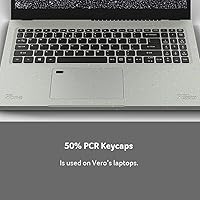
The use of 30% post-consumer recycled plastic in the chassis and 50% in the keycaps is a verifiable, substantive commitment that stands apart from typical greenwashing. For buyers who factor environmental impact into their decisions, this is one of the few laptops at this price that earns its sustainability claim.
The eco story, while genuine, is largely confined to materials — there is no strong emphasis on repairability, longevity engineering, or end-of-life take-back programs, which matter equally in a complete sustainability picture. Buyers seeking a holistically green product lifecycle may find the current commitment only partially satisfying.
Software Experience
79%
21%
Windows 11 Home arrives clean and functional out of the box, and fingerprint-powered Windows Hello makes the daily login experience fast and frictionless from day one. First-time laptop buyers in particular appreciate not having to navigate complicated setup steps before getting to actual work.
Like most OEM Windows machines, a handful of pre-installed trial apps and promotional software come bundled in, which some users find mildly irritating to clean out during first setup. The experience is not egregious, but it is also not the polished clean-slate environment premium ultrabook buyers are accustomed to.
Security Features
83%
The fingerprint reader is reliable and well-positioned, making Windows Hello a genuinely useful daily feature rather than a checkbox spec. Students and home users consistently report appreciating fast, secure access without typing a password — something they did not expect to rely on as heavily as they end up doing.
There is no IR camera for facial recognition, meaning Windows Hello is limited to fingerprint-only authentication. Users who prefer face unlock — increasingly standard on mid-range and higher-end machines — will need to fall back to a PIN whenever their hands are full, wet, or the sensor is out of reach.

Suitable for:

The Acer Aspire Vero AV15-51-5155 Laptop is a strong match for college students who need a dependable daily machine for writing papers, attending virtual lectures, and staying on top of research — without spending heavily to get there. Its 15.6-inch IPS display with accurate color reproduction makes it more capable than most budget rivals for casual photo viewing or editing a class presentation. Remote workers and home users whose workload revolves around Office apps, video calls, and browser-based tools will find the performance genuinely comfortable for those tasks. The sustainability angle is a real bonus for eco-conscious buyers; the use of recycled plastics in the chassis and keycaps is a verifiable commitment, not just a talking point. First-time laptop buyers who want Windows 11 ready to go, a fingerprint login, and a backlit keyboard without any setup friction will feel well-served here.

Not suitable for:

Buyers expecting this machine to handle demanding workloads should look elsewhere — 8GB of RAM starts to show its limits when juggling heavy multitasking, and the integrated Iris Xe graphics rule out any serious gaming or video rendering. The 256GB SSD is serviceable at first but fills up surprisingly fast once you account for the OS, apps, and a semester's worth of project files, making it a frustrating fit for anyone who works with large media libraries or doesn't want to rely on external storage. Creative professionals who need color-critical work beyond casual use will want a display with higher brightness and a wider color gamut. Anyone coming from a premium aluminum laptop may find the recycled plastic chassis feels less refined, even if it holds up fine structurally. This eco-friendly laptop also lacks a dedicated GPU, so if your workflow touches 3D modeling, machine learning, or even light video editing at scale, the hardware ceiling will become apparent quickly.

Specifications

  • Processor: Powered by an Intel Core i5-1155G7 (11th Gen) with 4 cores, 8 threads, and a burst clock reaching up to 4.5 GHz for responsive everyday use.
  • Memory: Ships with 8GB of DDR4 RAM, sufficient for standard productivity and moderate multitasking workloads.
  • Storage: A 256GB NVMe SSD handles system and file storage, delivering noticeably faster boot times and app launches than older SATA drives.
  • Display: Features a 15.6″ Full HD IPS panel at 1920x1080 resolution with 100% sRGB color coverage and a brightness rating of 300 nits.
  • Graphics: Relies on Intel Iris Xe integrated graphics, capable of smooth video playback, casual photo work, and light creative tasks but not GPU-intensive applications.
  • Operating System: Ships with Windows 11 Home pre-installed, requiring no additional OS purchase or setup from the buyer.
  • Wireless: Equipped with an Intel AX201 Wi-Fi 6 adapter (802.11ax) and Bluetooth for wireless peripheral connectivity.
  • Battery: Rated for up to 7.5 hours on a single charge via a built-in lithium-ion battery pack.
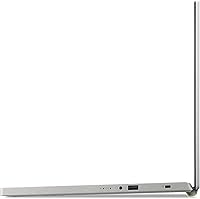
  • Ports: Connectivity includes one USB-C 3.2 Gen 1 port, two USB-A 3.2 Gen 1 ports (one supporting power-off charging), one USB-A 2.0 port, and one HDMI port.
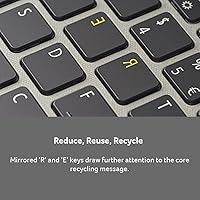
  • Keyboard: Full-size backlit keyboard with keycaps manufactured using 50% post-consumer recycled plastic content.
  • Security: Includes a fingerprint reader certified for Windows Hello, enabling fast biometric sign-in without a password.
  • Weight: Weighs approximately 3.97 pounds (around 1.8 kg), making it manageable for daily carrying in a backpack or bag.
  • Dimensions: Measures 14.31 x 9.39 x 0.7 inches, fitting comfortably in most standard 15-inch laptop sleeves and backpack compartments.
  • Chassis Material: Body and screen bezel incorporate 30% post-consumer recycled plastic, while keycaps use 50% recycled plastic content.
  • Audio Output: Equipped with a single 3.5mm combination audio jack supporting both headphones and headsets with an integrated microphone.
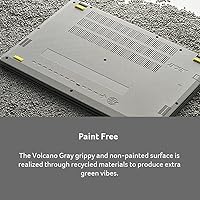
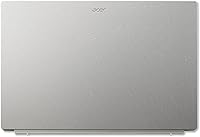
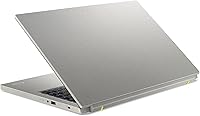
  • Color: Available in Gray, with a matte textured finish across the recycled plastic chassis and lid.

Related Reviews
Acer Aspire 3 A314-23P-R3QA Laptop
82%
91%
Value for Money
88%
Performance for Daily Tasks
82%
Battery Life
85%
Display Quality
90%
Portability & Weight
More
Acer Aspire 3 A315-24P-R7VH 15.6-inch
79%
88%
Display Quality
92%
Value for Money
46%
Storage Capacity
83%
Everyday Performance
86%
Portability & Weight
More
Acer Aspire 1 A115-31 15.6-inch Laptop
62%
84%
Battery Life
71%
Value for Money
67%
Display Quality
51%
Performance
43%
Storage Adequacy
More
Acer Aspire 5 14 Core i5 Laptop
77%
78%
Performance
84%
Display Quality
83%
Value for Money
67%
Battery Life
58%
RAM Adequacy
More
Acer Swift 3 SF316-51-740H Laptop
86%
91%
Performance
89%
Display Quality
94%
Portability
88%
Build Quality
72%
Battery Life
More
Acer Aspire 5 A515-56-347N Laptop
71%
84%
Display Quality
67%
Performance
43%
Storage
76%
Build Quality
54%
Battery Life
More
Acer Aspire 3 A314-36P-35UU Laptop
83%
85%
Performance for Basic Tasks
88%
Build Quality
90%
Display Quality
93%
Portability/Weight
80%
Battery Life
More
Acer Aspire 5 A515-57-53T2 Laptop
83%
88%
Overall Performance
91%
Display Quality
74%
Battery Life
76%
Keyboard Comfort
84%
Portability
More
Acer Aspire 3 Spin 14 (A3SP14-31PT)
74%
88%
Display Quality
83%
Convertible Versatility
91%
Value for Money
47%
Storage Capacity
74%
Performance (Daily Tasks)
More
Acer Aspire 5 A515-45-R74Z Laptop
69%
82%
Display Quality
79%
Daily Performance
71%
Battery Life
76%
Value for Money
48%
Storage
More

FAQ

The Acer Aspire Vero AV15-51-5155 Laptop includes one SO-DIMM slot alongside its onboard memory, meaning you can add a compatible DDR4 stick to increase total RAM — potentially up to 16GB depending on what you install. It is worth confirming the exact slot configuration against Acer's official documentation before purchasing additional memory, as production variants can sometimes differ.

Yes, the 256GB NVMe drive sits in an M.2 slot inside the chassis, so swapping it for a larger M.2 SSD — 512GB or 1TB, for example — is a realistic upgrade for anyone comfortable opening a laptop. You will need to either clone your existing drive first or reinstall Windows from scratch after the swap.

Under mixed light use — browsing, note-taking, streaming a lecture or two at moderate brightness — you can reasonably expect somewhere between five and seven hours. Pushing the screen brightness up or running heavier apps pulls that figure down noticeably, so students with back-to-back long days may want to keep the charger in their bag just in case.

Casual games, older indie titles, and browser-based games generally run without much trouble. Anything modern and graphically demanding is realistically beyond what the integrated Iris Xe graphics can handle well, so if gaming is a meaningful priority, a laptop with a dedicated GPU would serve you much better.

During light everyday use it stays quiet and cool without issue. Under sustained heavier loads — extended video calls, large downloads running alongside multiple apps — the fan does spin up to an audible level. The bottom of the chassis stays warm but not uncomfortable; just avoid using it on soft surfaces like a bed that can block the vents.

For casual or hobbyist photo editing — basic color corrections, exposure adjustments, cropping — the 100% sRGB coverage gives you more accurate color rendering than most budget displays. Professional photographers working toward print output would want something with higher brightness and a wider gamut, but for student-level or everyday creative work this screen performs well above its price class.

No, Office is not bundled with this machine. Windows 11 Home comes pre-installed, but you will need a separate Microsoft 365 subscription or can use the free browser-based versions of Word, Excel, and PowerPoint through a Microsoft account — which handle most student and remote work tasks at no extra cost.

The finish is matte and textured, which looks clean and handles fingerprints reasonably well. It feels solid enough for daily carrying and does not flex noticeably under normal use, but it does not have the dense, premium feel of an aluminum chassis. For a student or home user it is perfectly adequate; just calibrate expectations if you are coming from a metal-bodied machine.

The Aspire Vero 15 is fully backward-compatible with older Wi-Fi standards, so it will connect to your existing router without any issues. The Wi-Fi 6 advantage becomes tangible once you have a compatible router — especially in congested network environments like dorm buildings or apartments with many competing devices, where the improved efficiency really shows.

It is genuinely one of the more approachable options in this category. Windows 11 comes ready to go, the fingerprint reader simplifies logging in, and there is nothing unusual or complicated about the setup process. The one thing worth addressing early is the 256GB storage limit — setting up a cloud backup or storage solution from the start will prevent the frustration of running out of space a few months in.

Where to Buy