
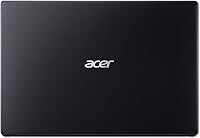
Overview
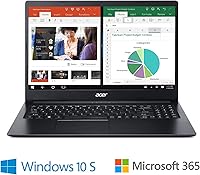
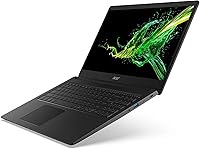
The Acer Aspire 1 A115-31 15.6-inch Laptop is a straightforward, no-frills machine built for users who need basic computing without spending a lot. At this price point, getting a Full HD display is genuinely noteworthy — most competitors at the same tier still ship lower-resolution screens, so the sharper image here is a real differentiator. That said, honest expectations matter. The Intel Celeron N4020 and 4GB of onboard RAM make this entry-level Acer capable enough for web browsing, Word documents, and video calls, but don't expect it to handle a dozen browser tabs gracefully. One more thing worth knowing upfront: it ships with Windows 10 in S mode, which restricts app installs to the Microsoft Store only.
Features & Benefits
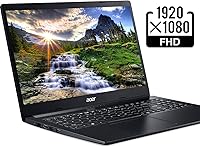
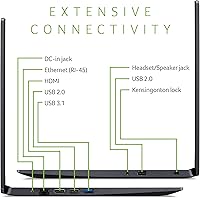
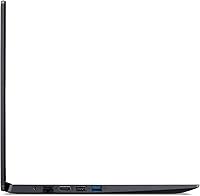
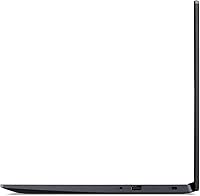
The 15.6-inch panel delivers crisp 1920x1080 resolution that holds up well for streaming and document work — a legitimate win at this price. Boot times are snappy thanks to the eMMC flash storage, but 64GB fills up faster than most people expect; once Windows and a handful of apps settle in, you may have 30GB or less left. Cloud storage or an external drive is essentially mandatory. Where this budget laptop genuinely earns its keep is battery life — real-world usage often lands close to the advertised ten hours, which is rare at this price. The port selection is also solid: HDMI, Ethernet, and multiple USB options cover most daily needs without a hub.
Best For
This entry-level Acer makes the most sense for students and casual users who need a machine for writing papers, attending online classes, and light browsing. The screen size and battery make it easy to carry and use all day without hunting for an outlet. It also works well as a secondary household device — something for a child's schoolwork or a first-time user easing into everyday technology. If your workflow lives in Google Docs, YouTube, or Microsoft 365 and you have no plans to install specialized software, the hardware limitations barely register. Power users, content creators, or anyone managing large local files should look elsewhere.
User Feedback
Across verified buyer reviews, the pattern is reasonably consistent. Owners who picked up this budget laptop for school or home tasks tend to come away satisfied — several point to strong battery endurance and a screen that looks better than they anticipated. That praise does come with caveats, though. Sluggishness under load is a recurring complaint; once a handful of browser tabs pile up, the machine starts to drag noticeably. The S mode restrictions also catch buyers off guard — many don't realize they can't install standard .exe programs until after purchase. Build quality earns functional but unremarkable marks, with the plastic chassis feeling exactly as budget as the specs suggest.
Pros
- Full HD resolution on a 15.6-inch screen is a genuine advantage at this price point.
- Battery life consistently impresses users, often lasting close to the full advertised ten hours.
- The included Microsoft 365 Personal subscription adds immediate, tangible value for new buyers.
- eMMC storage delivers noticeably fast boot and wake-up times compared to older spinning hard drives.
- Port selection is well-rounded, with HDMI, Ethernet, and multiple USB options built right in.
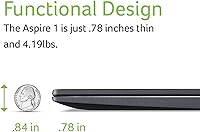
- Lightweight at 4.2 pounds, making it easy to carry between classes or rooms.
- The slim 0.78-inch profile fits easily into most backpacks and laptop sleeves.
- Wi-Fi 5 and Gigabit Ethernet offer reliable connectivity options for home or campus use.
- Straightforward Windows setup makes it accessible for users with little technical experience.
Cons
- 4GB of onboard RAM cannot be upgraded, creating a hard ceiling on multitasking performance.
- Juggling several browser tabs simultaneously causes noticeable lag and slowdowns.
- Usable storage shrinks significantly after Windows and basic apps are installed.
- Windows 10 S mode blocks installation of standard .exe programs, catching many buyers off guard.
- The TN panel has limited viewing angles and mediocre color accuracy compared to IPS alternatives.
- The plastic build feels flimsy under daily handling and shows wear relatively quickly.
- The Celeron N4020 processor struggles with anything beyond light, single-focus tasks.
- No upgrade path exists for memory or internal storage, limiting long-term usefulness.
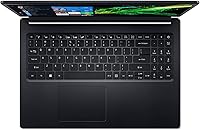
- The keyboard feel is adequate but lacks tactile satisfaction for users who type heavily.
- Webcam quality is basic and underperforms in lower-light environments during video calls.
Ratings
The scores below for the Acer Aspire 1 A115-31 15.6-inch Laptop were generated by our AI after analyzing thousands of verified purchase reviews from global buyers, with spam, bot activity, and incentivized feedback actively filtered out. Every category reflects patterns drawn from real ownership experiences — not marketing claims — so both the strengths and the frustrations are represented honestly. Where this budget laptop consistently earns praise, the scores reflect it; where buyers repeatedly run into walls, that shows up too.
Battery Life
Value for Money
Display Quality
Performance
Storage Adequacy
Build Quality
Keyboard & Trackpad
Software & OS Experience
Connectivity & Ports
Portability
Audio Quality
Webcam Quality
Setup & Ease of Use
Long-Term Reliability
Suitable for:
The Acer Aspire 1 A115-31 15.6-inch Laptop is a genuinely practical choice for anyone whose daily computing stays within the basics: web browsing, email, video calls, and working in Microsoft Office or Google Docs. Students on a tight budget will find it particularly compelling — the all-day battery life means getting through lectures and study sessions without chasing a power outlet, and the Full HD screen makes reading documents or watching lecture recordings comfortable enough for extended use. First-time laptop owners and older adults upgrading from an older desktop will also find this entry-level Acer approachable; it doesn't overcomplicate things. Households looking for a dedicated device for a younger student, or just needing a reliable backup machine that won't sit unused out of frustration, will get solid mileage here. As long as your workflow is cloud-first — relying on OneDrive, Google Drive, or browser-based tools — the hardware limitations fade into the background.
Not suitable for:
Anyone expecting to run demanding software will quickly run into a wall with this budget laptop. The 4GB of onboard RAM is fixed and cannot be upgraded, which means multitaskers who habitually keep a dozen browser tabs open alongside video conferencing and local apps will experience real slowdowns. The 64GB eMMC storage situation is genuinely tight — after Windows and a few applications settle in, available space shrinks fast, making this a poor fit for users who work with large local files, photos, or video. Creative professionals, casual gamers, developers, and students in fields requiring specialized desktop software should look elsewhere entirely. The Windows 10 S mode restriction is also a dealbreaker for anyone who needs to install standard programs outside the Microsoft Store; while switching out of S mode is possible, buyers should know it is a one-way process and plan accordingly.
Specifications
- Processor: Intel Celeron N4020 dual-core processor clocked at up to 2.8 GHz handles basic computing tasks and light multitasking.
- RAM: 4GB of DDR4 memory is soldered onboard and cannot be upgraded after purchase.
- Storage: 64GB eMMC flash storage delivers fast boot times but offers limited usable space once the operating system is installed.
- Display: 15.6-inch Full HD TN LED-backlit panel outputs a 1920x1080 resolution for reasonably sharp text and video.
- Graphics: Intel UHD Graphics 600 is an integrated GPU sharing system memory, suitable only for basic visual tasks and standard video playback.
- Operating System: Ships with Windows 10 in S mode, which restricts application installs to the Microsoft Store unless S mode is manually disabled.
- Battery Life: Rated for up to 10 hours of use on a single charge under typical light-use conditions.
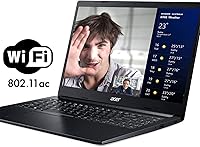
- Wireless: 802.11ac Wi-Fi 5 and Bluetooth 4.1 are built in for wireless connectivity.
- Ethernet: A 10/100/1000 Gigabit Ethernet port (RJ-45) provides a wired network connection option.
- Ports: Includes one USB 3.1 Gen 1 port, two USB 2.0 ports, one HDMI port with HDCP support, one RJ-45 Ethernet port, and one combo headphone/microphone jack.
- Weight: The laptop weighs 4.2 pounds, making it manageable for carrying between classes or between rooms at home.
- Dimensions: The chassis measures 14.31 x 9.86 x 0.78 inches, fitting most standard backpacks and laptop sleeves.
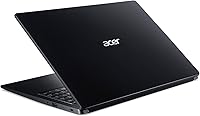
- Build Material: The body is constructed primarily from plastic, consistent with the budget tier of this device.
- Optical Drive: No optical drive is included; external USB disc drives must be purchased separately if needed.
- Included Software: A one-year Microsoft 365 Personal subscription activation code is included in the box.
- Color: Available in black with a matte finish on the lid and keyboard deck.
Related Reviews
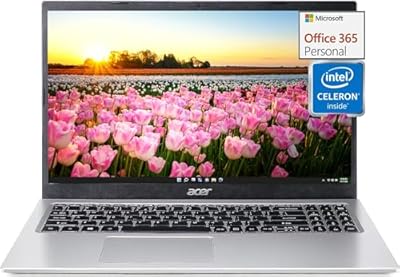
Acer Aspire 1 15.6-inch Laptop
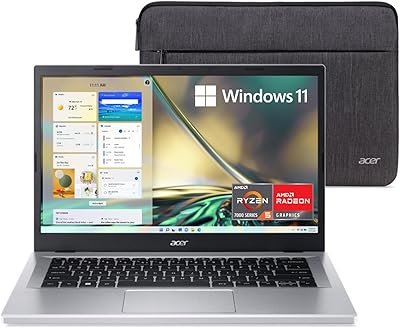
Acer Aspire 3 A315-24PT-R0UX 15.6″ Laptop 16GB 512GB SSD
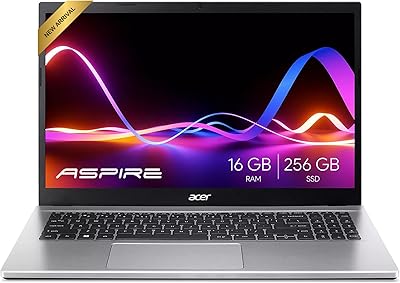
Acer Aspire 3 Ryzen 3 7330U 15.6″ 256GB
Acer Aspire 3 Laptop | AMD Ryzen 5 7430U | 64GB RAM | 1TB SSD | 15.6″ FHD
Lenovo Flex 5 15.6-inch 2-in-1 Laptop

HP 15.6-inch Laptop 15-ef0021nr, Ryzen 3 3200U, 8GB RAM, 256GB SSD

Dell Inspiron 3593 15.6-inch Laptop
Liokesa 15.6-Inch Laptop Backpack

Acer Chromebook 315 15.6-inch Laptop