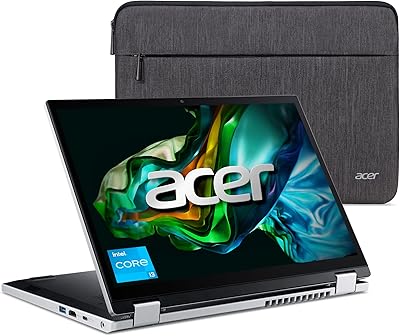
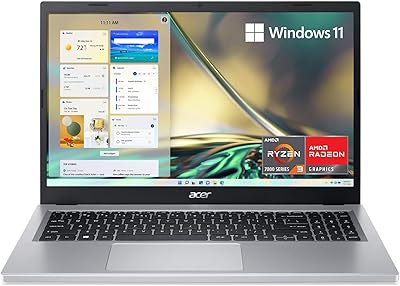
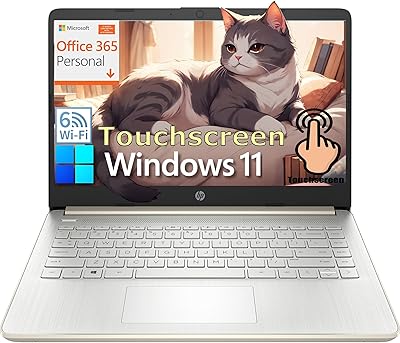
Acer Aspire 3 A314-36P-35UU 14-inch Laptop
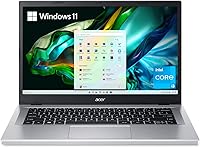
Acer Aspire 3 A314-36P-35UU 14-inch Laptop — image 1
Acer Aspire 3 A314-36P-35UU 14-inch Laptop — image 2
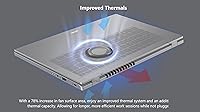
Acer Aspire 3 A314-36P-35UU 14-inch Laptop — image 3
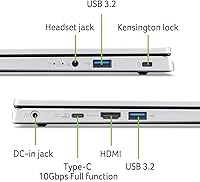
Acer Aspire 3 A314-36P-35UU 14-inch Laptop — image 4

Acer Aspire 3 A314-36P-35UU 14-inch Laptop — image 5
Acer Aspire 3 A314-36P-35UU 14-inch Laptop — image 6
Acer Aspire 3 A314-36P-35UU 14-inch Laptop — image 7
Acer Aspire 3 A314-36P-35UU 14-inch Laptop — image 8
Acer Aspire 3 A314-36P-35UU 14-inch Laptop — image 9
Acer Aspire 3 A314-36P-35UU 14-inch Laptop — image 10
Acer Aspire 3 A314-36P-35UU 14-inch Laptop — image 11
Acer Aspire 3 A314-36P-35UU 14-inch Laptop — image 12
Acer Aspire 3 A314-36P-35UU 14-inch Laptop — image 13
76%
24%

Overview

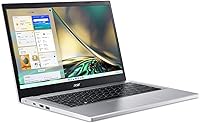
The Acer Aspire 3 A314-36P-35UU 14-inch Laptop is built for people who just want a reliable machine without fuss. It is thin, easy to carry, and doesn't draw attention to itself, which is exactly the point. Under the hood sits an Intel Core i3-N305 processor paired with integrated UHD graphics, enough muscle for browsing, documents, and streaming without much waiting around. The 14-inch Full HD IPS panel has slim bezels, so the screen feels a bit bigger than the chassis suggests. It ships running Windows 11 S Mode, a more locked-down setup worth knowing about before you unbox it. Overall, this laptop reads as a sensible, no-drama choice for everyday computing.

Features & Benefits

Spend a few minutes with this Aspire 3 model and the touchscreen is the first thing you notice. Colors look accurate, viewing angles hold up, and tapping the screen for scrolling feels genuinely useful rather than gimmicky. The 128GB NVMe SSD keeps boot times and file loading quick, even if the total space is modest. Eight gigs of LPDDR5 memory handles a handful of open tabs and apps fine, though you'll feel the limit if you push it hard. Wi-Fi 6 keeps the connection steady, especially on busier networks. Acer also reworked the internal cooling, giving it more breathing room during longer sessions, and the noise-reduction tech genuinely cleans up audio on video calls.

Best For

This budget notebook makes the most sense for students who need something light to carry between classes for typing notes, researching papers, or hopping on a quick video call. Casual users who mostly browse, check email, and stream shows will find it comfortable enough for daily use. It also works well as a backup or secondary machine, the kind you keep around for travel or quick tasks without risking your main computer. For light home-office work, like spreadsheets, email, and basic documents, it handles the job without complaint. Anyone expecting to edit video, run demanding software, or juggle dozens of tabs should look elsewhere, since that is not what this machine was designed for.

User Feedback

Reactions from people who have actually used this laptop tend to land in a similar place. Many buyers are pleasantly surprised by the screen, calling it sharper and more vibrant than they expected for the price. The Windows 11 S Mode setup gets mixed reviews, since some users dislike the restrictions on installing software outside the Microsoft Store, even though switching out of S Mode is possible. Storage is the other recurring gripe, with heavier users noting that 128GB fills up faster than they'd like once apps, updates, and files pile on. On the plus side, the light weight and slim build earn consistent praise, and most reviewers agree it delivers solid value for basic, everyday tasks.

Pros

  • Display quality consistently impresses buyers given the price point
  • Lightweight build makes it easy to carry around daily
  • NVMe storage keeps boot-up and file access feeling quick
  • Wi-Fi 6 support gives a noticeably steadier wireless connection
  • Touchscreen feels responsive rather than gimmicky during everyday use
  • Improved cooling helps it stay comfortable during longer sessions
  • Noise reduction noticeably cleans up audio on video calls
  • Solid overall value for buyers focused on basic daily tasks

Cons

  • 8GB of RAM limits comfortable multitasking beyond light app use
  • 128GB storage fills up quickly for users with large file libraries
  • Windows 11 S Mode restricts installing apps outside the Microsoft Store
  • Integrated graphics cannot handle demanding creative or gaming software
  • Not a good fit for users needing heavy video editing horsepower
  • Some buyers may need to switch out of S Mode manually
  • Performance ceiling becomes noticeable when running many programs simultaneously

Ratings

Before you decide on the Acer Aspire 3 A314-36P-35UU 14-inch Laptop, it helps to see how it performs in the hands of real owners rather than just on a spec sheet. These scores are generated by AI after analyzing verified user reviews from around the world, with spam, bots, and incentivized feedback filtered out. Both the genuine strengths and the recurring frustrations are reflected here, so you get an honest picture before buying.

Display Quality
88%
Owners consistently call the screen sharper and more vivid than expected for a budget machine. Colors hold up well for streaming shows or editing photos casually, and the narrow bezels make the display feel larger during everyday browsing sessions.
A few users mention reflections under bright lighting, and brightness can feel limited when working outdoors. It is solid for indoor use, but not the best fit for sunny patios or windows.
Performance
71%
29%
For everyday browsing, writing, and light schoolwork, the i3-N305 chip keeps things moving without frustrating lag, especially compared to older budget chips many users were upgrading from.
Several reviewers note slowdowns once they open many tabs alongside background apps. It is not built for heavier workloads, and users running demanding software notice the ceiling quickly.
Storage Capacity
58%
42%
The NVMe drive itself feels fast for boot-up and loading files, which surprises users coming from older spinning hard drives or slower budget laptops.
128GB fills up faster than expected once Windows updates, apps, and personal files accumulate. Heavier users frequently mention needing cloud storage or an external drive within months.
Battery Life
76%
24%
Many owners report getting through a school day or a few work sessions without constantly hunting for an outlet, which fits well with the laptop's lightweight, on-the-go design.
Battery life dips noticeably under heavier use like video calls or streaming for extended periods. Users expecting all-day endurance under load may be a bit disappointed.
Build & Portability
84%
At just over three pounds, this laptop slides easily into backpacks and bags, and reviewers frequently mention forgetting it's even in there during commutes or campus walks.
The slim chassis flexes slightly under pressure, and some users wish the body felt a bit sturdier given how often they toss it into bags without much padding.
Operating System Experience
64%
36%
Casual buyers appreciate that Windows 11 S Mode keeps the system locked down and less prone to clutter or accidental malware, which suits less tech-savvy household members.
More experienced users find the Microsoft Store restriction limiting and are sometimes unaware they can switch out of S Mode, leading to early frustration before they discover the workaround.
Audio & Webcam for Calls
79%
21%
The noise-reduction microphone and TNR camera technology genuinely help in video meetings, with several users specifically noting clearer audio during noisy household calls.
Speaker volume and depth are underwhelming for music or movies, pushing most users toward headphones for anything beyond basic calls.
Connectivity
81%
19%
Wi-Fi 6 support keeps connections steady even on busier home networks, and the three USB 3.0 ports cover typical accessory needs like mice, drives, or webcams.
There is no dedicated HDMI mention in user discussions, and some buyers wish for more port variety for docking or multi-monitor setups.
Value for Money
86%
Given the price tier, most reviewers feel they got more screen and build quality than expected, especially for students or families buying a secondary computer.
Buyers expecting workstation-level performance at this price end up disappointed, since the value holds mainly for light, everyday tasks rather than demanding use.
Thermal Management
75%
25%
The redesigned cooling system keeps the laptop comfortable during longer browsing or writing sessions, with fewer complaints about excessive heat compared to older Aspire models.
Fan noise becomes noticeable under sustained load, and a few users mention warmth on the underside during extended video calls or downloads.

Suitable for:

The Acer Aspire 3 A314-36P-35UU 14-inch Laptop fits best with students who need a portable machine for taking notes, writing papers, and joining video classes between lectures. It also suits casual users whose daily computing revolves around browsing, email, and streaming, rather than heavy multitasking or creative work. Families looking for a secondary computer for kids' homework or basic household tasks will find it more than capable. Budget-conscious shoppers who want a reliable backup laptop, one to keep around for travel or simple errands, get solid value here. Anyone whose workflow rarely strays beyond documents and spreadsheets should feel right at home with this machine.

Not suitable for:

Buyers who need serious multitasking power, video editing capability, or gaming performance should steer clear of the Acer Aspire 3 A314-36P-35UU 14-inch Laptop. The 8GB of memory and modest processor will struggle once you start juggling many browser tabs alongside heavier applications. Professionals who rely on large local file libraries or install a lot of desktop software may also find the 128GB drive and S Mode restrictions frustrating. Anyone expecting smooth performance with design, programming, or photo-editing tools will likely hit a wall fairly quickly. This laptop is not built for demanding workloads, and treating it as such will lead to disappointment.

Specifications

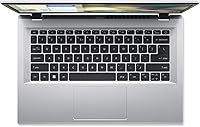
  • Display: The screen is a 14-inch Full HD IPS touchscreen with a 1920x1080 resolution and narrow bezels.
  • Processor: It runs on an Intel Core i3-N305 processor designed for efficient everyday computing.
  • Graphics: Graphics are handled by integrated Intel UHD Graphics rather than a dedicated GPU.
  • Memory: The laptop includes 8GB of LPDDR5 onboard memory running at 2400 MHz.
  • Storage: Storage comes from a 128GB NVMe solid-state drive for the operating system and files.
  • Operating System: It ships with Windows 11 Home in S Mode installed out of the box.
  • Wireless Connectivity: Wireless connectivity includes Wi-Fi 6 (802.11ax) and Bluetooth support.
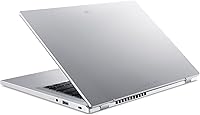
  • USB Ports: The chassis includes three USB 3.0 ports for peripherals and accessories.
  • Weight: The laptop weighs 3.09 pounds, making it easy to carry daily.
  • Dimensions: Physical dimensions measure 12.93 x 0.74 x 8.55 inches.
  • Audio Technology: Acer PurifiedVoice technology uses AI noise reduction to improve call clarity.
  • Camera: An HD front-facing camera uses TNR technology for clearer images in low light.
  • Thermal Design: The cooling system features increased fan surface area for better heat management.
  • Power Source: The laptop is battery powered and includes one lithium-ion battery.

Related Reviews
Acer Aspire 3 Spin 14 (A3SP14-31PT)
74%
88%
Display Quality
83%
Convertible Versatility
91%
Value for Money
47%
Storage Capacity
74%
Performance (Daily Tasks)
More
Acer Aspire 3 A314-23P-R3QA Laptop
82%
91%
Value for Money
88%
Performance for Daily Tasks
82%
Battery Life
85%
Display Quality
90%
Portability & Weight
More
Acer Aspire 3 A315-24P-R7VH 15.6-inch
79%
88%
Display Quality
92%
Value for Money
46%
Storage Capacity
83%
Everyday Performance
86%
Portability & Weight
More
Acer Aspire 3 A315-24PT-R0UX 15.6″ Laptop 16GB 512GB SSD
86%
91%
Performance
87%
Battery Life
88%
Display Quality
93%
Portability
82%
Build Quality
More
Acer Aspire 3 Ryzen 3 7330U 15.6″ 256GB
69%
88%
Value for Money
76%
Performance for Daily Tasks
83%
Display Quality
86%
RAM & Multitasking
51%
Storage Capacity
More
Acer Aspire 3 Laptop | AMD Ryzen 5 7430U | 64GB RAM | 1TB SSD | 15.6″ FHD
84%
89%
Performance
91%
Display Quality
87%
Multitasking Capability
78%
Build Quality
82%
Keyboard Comfort
More
Acer Chromebook Plus 514 CB514-4HT
79%
83%
Everyday Performance
86%
Display Quality
78%
Touchscreen Responsiveness
81%
Battery Life
77%
Build Quality & Design
More
HP 14-dq0020nr 14-Inch Laptop
69%
83%
Value for Money
58%
Performance
88%
Portability
71%
Battery Life
86%
Software & Value Bundle
More
HP 14 Celeron 14-inch Touchscreen Laptop
68%
74%
Value for Money
52%
Performance
43%
Storage Adequacy
91%
Portability
61%
Display Quality
More
Dell Inspiron 14 5440 Laptop
76%
88%
Display Quality
74%
Performance
61%
RAM & Multitasking
82%
Build Quality
67%
Battery Life
More

FAQ

Yes, for typical tasks like browsing, writing papers, and streaming video, this Aspire 3 model handles things smoothly. It is not built for heavy multitasking or demanding software, but for everyday computing it holds up well.

Out of the box it ships in Windows 11 S Mode, which limits installs to Microsoft Store apps. You can switch out of S Mode through Windows settings if you need access to traditional desktop software, and that switch is free and permanent.

It depends on your habits. If you mostly work in the cloud or stream content, 128GB is workable, but if you save lots of large files or install many programs, you will likely fill it up faster than you'd like.

Yes, the 14-inch Full HD IPS display is a touchscreen, so you can tap, scroll, and swipe directly on it in addition to using the keyboard and trackpad.

The HD camera uses Acer's TNR technology, which helps reduce graininess in lower light, and paired with the noise-reduction microphone setup, calls generally sound and look clearer than you'd expect at this price.

Generally, yes. The Acer Aspire 3 A314-36P-35UU 14-inch Laptop is light enough to carry between classes and capable enough for note-taking, research, and video calls, which covers most student needs.

Acer redesigned the internal cooling with more fan surface area, so it should stay reasonably comfortable during extended use, though like any thin laptop it will warm up under sustained heavier loads.

The 8GB of LPDDR5 memory is onboard, meaning it is soldered to the motherboard and not user-upgradeable, so it is worth considering your long-term needs before buying.

There are three USB 3.0 ports available, which should be enough for a mouse, external drive, or other common accessories.

It supports Wi-Fi 6, which generally provides a steadier, faster connection than older standards, especially helpful if your home network has several devices competing for bandwidth.