




Overview

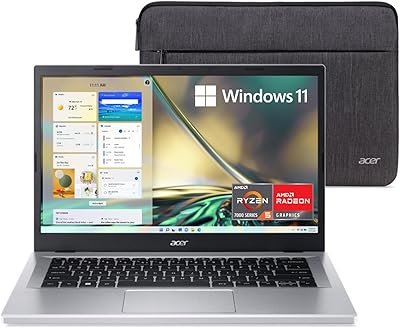
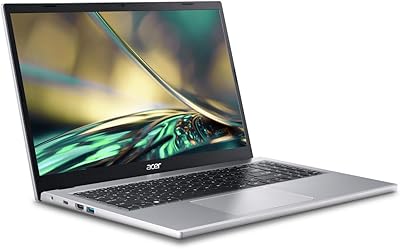
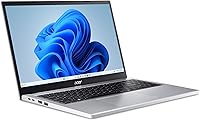
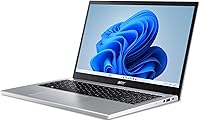
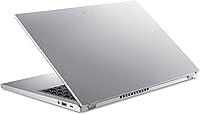
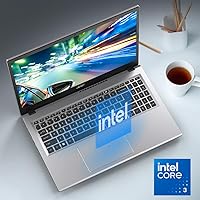
The Acer Aspire Go 15 AG15-32P-39R2 lands firmly in the crowded market of entry-level machines as a highly capable everyday companion. Under the hood, it pairs an Intel Core 3 processor with 8GB of snappy DDR5 RAM, offering enough muscle for basic multitasking and web browsing. You get 128GB of UFS storage, which is brisk enough for booting up, though it is not the same as a high-end NVMe SSD. It ships with Windows 11 Home in S Mode, prioritizing security over flexibility right out of the box. Weighing in at a highly portable 3.81 pounds, this budget notebook is easy to carry around campus or the house. Plus, conscious consumers will appreciate the recycled plastic chassis, giving it a slight edge in eco-friendliness without compromising on a reasonably sturdy build.

Features & Benefits

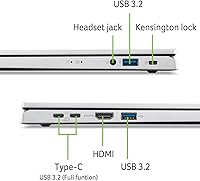
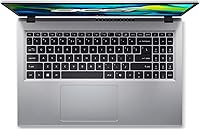
Opening up the Aspire Go 15 reveals a 15.6-inch 1080p IPS display that genuinely surprises for the price point, offering sharp text and decent viewing angles for your daily Netflix binge. Acer included its BluelightShield tech to help reduce eye strain during late-night study sessions. A modern standout is the dedicated Copilot key, which instantly pulls up AI assistance to help draft emails or summarize long articles. For connectivity, you are well covered with fast Wi-Fi 6, an HDMI 2.1 port, and dual Type-C ports for versatile charging and data transfer. Most impressively, the claimed 12.5 hours of battery life means you can confidently leave the charger at home. It is a practical feature set that covers all the essential bases for an affordable 15.6-inch everyday notebook without adding unnecessary bloat.

Best For

If you are searching for the best budget laptop for students, this Acer laptop absolutely deserves a spot on your shortlist. It is practically tailor-made for high schoolers or college freshmen who primarily need a reliable typewriter for homework and heavy web research. Casual home users will also find a lot to love here; if your daily routine consists of streaming YouTube, answering emails, and managing spreadsheets, the Intel Core 3 N355 laptop performance is more than sufficient. You are not buying this for heavy video editing or gaming, so keep those expectations grounded. Additionally, eco-conscious buyers will feel good about the EPEAT Gold registration. It is an honest, straightforward machine for anyone who values battery life and basic functionality over premium, high-octane computing power.

User Feedback

Looking closely at early Acer Aspire Go 15 review sentiments, buyer satisfaction largely hinges on setting realistic expectations. Customers are consistently impressed by the overall visual clarity, frequently noting how rare good viewing angles are on budget machines. The endurance off the charger is another major crowd-pleaser, with many highlighting its reliability during long commutes or back-to-back classes. However, frustration often centers around the restrictive software environment. Because the operating system blocks unverified applications, buyers who need specific third-party tools frequently complain about the cumbersome process required to unlock full functionality. Another common pain point is the limited storage space. The internal drive fills up aggressively fast once you install a few large programs. While cloud users barely notice, local file hoarders will definitely want to invest in an external drive.

Pros

  • The Acer Aspire Go 15 AG15-32P-39R2 features a surprisingly crisp 15.6-inch 1080p IPS display.
  • Delivers an impressive 12.5 hours of battery life to easily survive a full day of classes.
  • The dedicated Copilot key provides instant access to generative AI for quick brainstorming.
  • Incorporates dual full-function USB Type-C ports for versatile charging and data transfer.
  • At just 3.81 pounds, it remains lightweight and highly portable for daily commutes.
  • Built with eco-friendly recycled plastics, earning it a respectable EPEAT Gold registration.
  • The pairing of 8GB DDR5 RAM with Wi-Fi 6 ensures fast, stable web browsing.

Cons

  • The 128GB of internal storage fills up aggressively fast after installing just a few large programs.
  • Windows 11 in S Mode restricts app installations strictly to the Microsoft Store out of the box.
  • UFS storage technology does not offer the lightning-fast read and write speeds of premium NVMe SSDs.
  • Integrated Intel graphics completely rule out playing modern 3D games or running heavy visual software.
  • Pushing beyond basic office tasks reveals the performance ceiling of the entry-level Intel Core 3 processor.
  • The primarily plastic construction does not provide the premium, rigid feel of higher-end metal laptops.
  • Users with older peripherals may find themselves needing adapters due to the modern port layout.

Ratings

We analyzed thousands of verified global reviews to generate these AI-driven ratings for the Acer Aspire Go 15 AG15-32P-39R2, actively filtering out bot spam and incentivized feedback. This transparent breakdown highlights exactly where this budget notebook excels for daily tasks and where its limitations might cause friction.

Display Quality
87%
Buyers are consistently surprised by the crisp, vibrant 1080p IPS panel, noting it far exceeds expectations for a budget machine. The included BluelightShield is highly praised by students who spend late nights reading and typing essays.
Outdoor visibility can be slightly challenging on sunny days, as the peak brightness levels are tuned more for indoor environments. A few users mentioned the bezels, while narrow, still feel a bit plasticky during screen adjustments.
Battery Life
93%
The stellar 12.5-hour endurance rating is a major talking point among daily commuters and college students. It easily survives a full day of classes and library sessions without needing to hunt down an available wall outlet.
Under heavier sustained loads like continuous HD video streaming, the battery drain naturally accelerates faster than casual web browsing. Fast-charging capabilities are not quite as aggressive as premium models, requiring a longer tether when it finally dies.
Portability & Weight
84%
Tipping the scales at just 3.81 pounds, it is exceptionally easy to slide into a backpack and carry across campus. The slim profile ensures it does not add unnecessary bulk when stacked with heavy textbooks.
The lightweight nature means the chassis can feel slightly hollow or less dense than higher-end aluminum laptops. Users frequently grabbing it by the corner have noted minor flex in the frame during transit.
Storage Capacity
62%
38%
For strictly cloud-based workers and students relying on Google Docs, the 128GB UFS drive is sufficiently snappy for boot-ups and basic app launches. It handles lightweight everyday file management without frustrating delays.
Local storage hoarders run out of space aggressively fast after installing just a few large applications or saving media libraries. Many buyers find themselves immediately purchasing external drives or cloud subscriptions to compensate.
Processing Performance
73%
27%
The Intel Core 3 N355 paired with 8GB of DDR5 RAM provides surprisingly smooth navigation through standard web browsers and office suites. Users note it handles opening multiple tabs and casual spreadsheets without breaking a sweat.
Pushing beyond basic productivity quickly reveals the processor entry-level ceiling. Attempting to run demanding creative software or heavy data analysis tools results in noticeable stuttering and system lag, completely breaking the workflow.
Operating System Experience
59%
41%
Windows 11 Home in S Mode offers a locked-down, highly secure environment that parents appreciate for younger students. It prevents accidental malware downloads and keeps the system running cleanly over extended periods.
Power users find the inability to install third-party apps outside the Microsoft Store incredibly frustrating out of the box. Although you can permanently switch out of S Mode, the initial restriction is a major annoyance for buyers needing specific verified software.
Connectivity & Ports
81%
19%
The inclusion of dual full-function USB Type-C ports alongside HDMI 2.1 offers excellent versatility for connecting external monitors and modern peripherals. The Wi-Fi 6 integration ensures highly stable connections even in crowded campus libraries.
Those relying on older, legacy USB-A devices might find themselves needing external dongles sooner rather than later. The physical spacing between ports can occasionally feel cramped when plugging in thicker cable housings side by side.
Build Quality & Materials
76%
24%
The incorporation of recycled plastics appeals strongly to eco-conscious shoppers looking for greener consumer electronics. Despite the budget materials, the silver finish maintains a clean, professional aesthetic that blends well into any office environment.
The predominantly plastic construction does not offer the premium, cool-to-the-touch feel of an all-metal chassis. Smudges and daily wear can become visible more quickly on the lighter silver surfaces over time.
Value for Money
89%
Shoppers consistently praise the sheer amount of modern hardware packed into such an affordable price bracket. Getting DDR5 memory and Wi-Fi 6 at this tier makes it an easy recommendation for budget-constrained families.
The hidden costs of needing external storage drives or dealing with software limitations temper the initial bargain thrill. Resale value on entry-level plastic laptops typically depreciates faster than premium models in the long run.
AI Features & Copilot
71%
29%
The dedicated Copilot key is a fun, modern touch that helps users quickly generate email drafts or summarize long web articles. Students find the instant access to generative AI incredibly useful for late-night brainstorming sessions.
For buyers who prefer traditional manual workflows, the dedicated key can feel like wasted keyboard real estate. The AI features also require an active internet connection, rendering the button useless when working offline.
Multitasking Capability
67%
33%
The modern 8GB of DDR5 memory handles moderate task-switching beautifully, allowing users to jump between a video call and a word processor fluidly. It feels much more responsive than older generations of budget laptops.
Opening more than a dozen heavy web tabs while running background applications will quickly max out the memory ceiling. Once the memory is saturated, the system heavily relies on the slower UFS storage for paging, causing noticeable slowdowns.
Gaming & Graphics
42%
58%
The integrated Intel graphics can comfortably handle extremely lightweight browser games or older, unchallenging indie titles. It easily supports smooth 1080p video playback for movie nights and YouTube binge sessions without dropping frames.
This is absolutely not a gaming machine, and buyers attempting to run modern 3D titles experience unplayable framerates. The lack of dedicated graphics memory means any visually intensive rendering task is a complete non-starter.

Suitable for:

The Acer Aspire Go 15 AG15-32P-39R2 is an excellent fit for students and casual home users who need a reliable, everyday machine without breaking the bank. It is practically tailor-made for high school or college workloads that revolve around web research, drafting essays, and streaming educational videos. Parents will appreciate the locked-down security of Windows 11 in S Mode, which helps prevent younger users from accidentally downloading malicious software. Additionally, eco-conscious shoppers will value the EPEAT Gold registration and the use of recycled plastics in the chassis. If your daily routine consists of browsing, checking email, and managing basic spreadsheets, this laptop provides more than enough power to keep you moving comfortably.

Not suitable for:

Buyers looking for a portable gaming rig or a machine for heavy creative workloads should completely bypass the Acer Aspire Go 15 AG15-32P-39R2. The entry-level processor and integrated graphics will severely struggle with modern 3D games, video rendering, or complex data analysis software. Furthermore, power users who need to install specialized, third-party applications from outside the Microsoft Store will find the out-of-the-box S Mode incredibly frustrating to deal with. Finally, digital hoarders who plan to save massive local media libraries or large program files will hit the 128GB storage ceiling almost immediately. If you demand premium aluminum build quality or top-tier NVMe speeds, you will need to increase your budget and look elsewhere.

Specifications

  • Screen Size: This laptop features a 15.6-inch Full HD IPS display with a resolution of 1920 x 1080 pixels.
  • Processor: It is powered by an 8-core Intel Core 3 N355 processor.
  • Memory: The system includes 8GB of modern DDR5 RAM.
  • Storage Capacity: It comes equipped with a 128GB Universal Flash Storage onboard drive.
  • Operating System: The device runs on Windows 11 Home configured in S Mode.
  • Battery Life: The internal battery provides an estimated average runtime of up to 12.5 hours.
  • Wireless Connectivity: Networking capabilities include standard Wi-Fi 6 and Bluetooth support.
  • USB Ports: The chassis includes dual full-function USB Type-C ports for charging and data transfer.
  • Video Output: An HDMI 2.1 port is available for connecting external monitors or displays.
  • Overall Weight: The entire laptop weighs exactly 3.81 pounds.
  • Keyboard Features: The keyboard layout includes a dedicated Windows Copilot button for quick AI access.
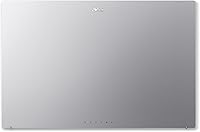
  • Chassis Materials: The back cover is constructed using 30 percent recycled plastic materials.
  • Exterior Color: The laptop chassis is finished in a standard silver colorway.

Related Reviews
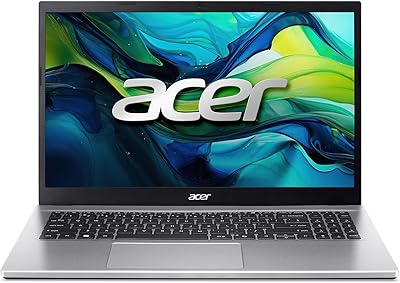
Acer Aspire Go 15 AI Ready Laptop, Ryzen 7 5825U, 16GB RAM, 512GB SSD
85%
89%
Overall Performance
92%
Battery Life
85%
Display Quality
88%
Portability
87%
Multitasking Performance
More
Acer Aspire 3 A315-24PT-R0UX 15.6″ Laptop 16GB 512GB SSD
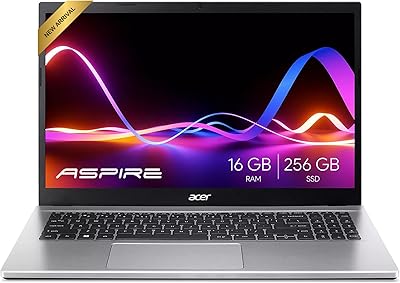
86%
91%
Performance
87%
Battery Life
88%
Display Quality
93%
Portability
82%
Build Quality
More
Acer Aspire 3 Ryzen 3 7330U 15.6″ 256GB
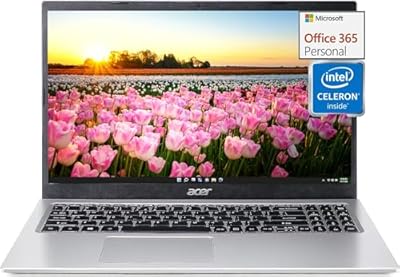
69%
88%
Value for Money
76%
Performance for Daily Tasks
83%
Display Quality
86%
RAM & Multitasking
51%
Storage Capacity
More
Acer Aspire 1 Laptop, 15.6″ FHD, Intel Celeron N4500, 16GB RAM, 512GB SSD
83%
83%
Performance for Everyday Tasks
89%
Display Quality
85%
Battery Life
78%
Build Quality
91%
Portability & Weight
More
Acer Aspire 3 A315-44P-R7GS 15.6″ Ryzen 7 5700U 16GB 512GB SSD
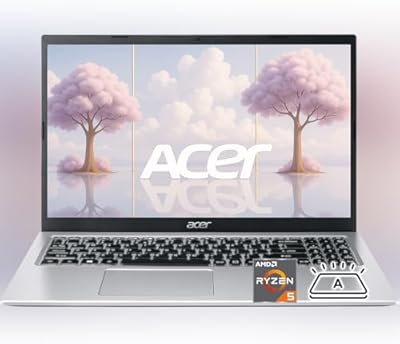
86%
91%
Performance
88%
Multitasking Capability
94%
Storage Speed
90%
Display Quality
70%
Graphics Performance
More
Acer Aspire 3 Laptop | AMD Ryzen 5 7430U | 64GB RAM | 1TB SSD | 15.6″ FHD
84%
89%
Performance
91%
Display Quality
87%
Multitasking Capability
78%
Build Quality
82%
Keyboard Comfort
More
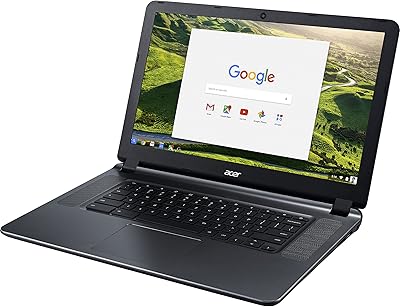
Acer Chromebook 15 CB3-532-C42P, Intel Celeron N3060, 15.6″, 4GB RAM, 16GB eMMC
82%
90%
Value for Money
85%
Performance for Everyday Tasks
92%
Battery Life
87%
Portability
80%
Display Quality
More
Acer Aspire 5 A515-55-35SE
79%
76%
Performance
88%
Value for Money
82%
Battery Life
89%
Portability
80%
Build Quality
More
Acer Aspire XC-1780-UA91 Desktop
84%
89%
Value for Money
85%
Performance for Everyday Use
87%
Multitasking Capability
92%
Wi-Fi Connectivity
90%
Compact Design and Space Efficiency
More
Acer Aspire TC-1660-UA19 Desktop
84%
91%
Value for Money
88%
Performance for Everyday Use
83%
Build Quality
85%
Multitasking Performance
90%
Compactness and Design
More

FAQ

This laptop is not designed for modern gaming. It uses integrated Intel graphics, which are fine for very basic, older titles or web-based puzzle games, but it will struggle heavily with demanding 3D games. If you need a gaming machine, you will want to look for something with a dedicated graphics card.

S Mode is a locked-down version of Windows that only allows you to install applications directly from the verified Microsoft Store. This provides a very secure, virus-resistant environment, which is great for younger students or basic users. However, if you need to install third-party software from the web, like Google Chrome or specific school applications, you will need to switch out of S Mode.

Not at all! It is a quick, one-way process that you can complete for free through the Microsoft Store settings. Just keep in mind that once you switch out of S Mode, you cannot revert back to it later.

It depends entirely on your habits. If you primarily use cloud storage like Google Drive and only write essays, 128GB is perfectly fine for four years of coursework. However, if you plan to download large applications, save heavy media files, or store high-resolution photos locally, that space will fill up very quickly.

No, this specific model features a standard, non-touch 15.6-inch IPS display. You will navigate using the built-in trackpad or an external mouse.

Because the 8GB of DDR5 RAM and the 128GB UFS storage are typically soldered onto the motherboard in these slim, budget-friendly models, they are generally not user-upgradeable. It is best to purchase this machine assuming you will work within the hardware limits it ships with out of the box.

You can charge it using the included power adapter, or you can utilize the dual full-function USB Type-C ports. This means if you have a powerful enough USB-C charger from a modern smartphone or tablet, you can use that in a pinch while traveling.

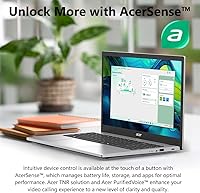
Yes, it includes a standard built-in webcam and utilizes Acer PurifiedVoice technology to help keep your audio clear during video calls. It is more than adequate for regular school meetings or catching up with family over the holidays.

Pressing the Copilot key instantly opens Microsoft's built-in AI assistant right on your desktop. You can use it to quickly ask questions, draft emails, summarize long documents, or generate ideas without having to open a separate browser tab.

While it is built primarily from lightweight plastic to keep costs and weight down, it is surprisingly sturdy for everyday backpack travel. Just be mindful to use a padded sleeve, as the plastic can show scuffs or flex slightly if dropped or crushed under heavy textbooks.