
Overview
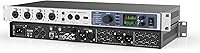
The RME UFX+ Audio Interface is not marketed at bedroom producers or first-time buyers — and it doesn't pretend to be. This is a rack-mount unit built for engineers who need serious I/O flexibility, rock-solid driver stability, and a routing system deep enough to handle professional workflows without compromise. RME has spent decades earning trust in studios and live venues alike, and the UFX+ reflects that engineering culture throughout. Launched in 2016, this professional audio interface has stayed relevant not because it's the newest option on the shelf, but because it still performs where it counts. Be prepared to invest real time learning it.
Features & Benefits
With 94 channels of total I/O, the UFX+ gives you a combination of analog inputs and outputs, ADAT, AES/EBU, and — critically — MADI connectivity. That last point matters more than it might seem: MADI allows this RME interface to link directly with large-format mixing consoles or remote stage boxes, carrying up to 64 channels over a single coaxial or optical cable. The TotalMix FX mixer software is where the routing power really shows itself, with DSP-driven effects and zero-latency monitoring paths that eliminate roundtrip delay during tracking. SteadyClock FS jitter reduction keeps the whole rig locked, and USB connectivity allows direct recording of 76 simultaneous channels — a genuine asset for live multitrack capture or orchestral sessions.
Best For
The UFX+ makes most sense for professional recording studios that regularly run high channel counts and can't afford digital noise or sync issues bleeding into a critical mix. Live engineers routing stage signals via MADI back to a front-of-house console will also find it fits cleanly into demanding configurations. Post-production and broadcast teams working in Pro Tools, Logic Pro, or Ableton — especially those juggling complex I/O routing between multiple rooms or devices — will appreciate the depth of flexibility on offer. That said, this professional audio interface is not the right call for someone who just wants a straightforward plug-and-play setup. Experienced audio professionals ready to configure and customize will get the most out of it.
User Feedback
There's only one rating on Amazon for this RME interface, so drawing conclusions from that alone would be misleading. The wider picture — from Gearspace threads, Sweetwater customer reviews, and RME's own forums — tells a more complete story. Long-term reliability comes up consistently: engineers report years of stable operation across OS updates and driver revisions, without the headaches that plague cheaper hardware. On the other side, the initial setup demands patience. TotalMix FX's routing matrix can feel genuinely overwhelming during the first few sessions, and the steep asking price puts it firmly out of reach for casual users. Those who commit to the learning curve, though, tend to stick with it for years.
Pros
- Exceptional driver stability on both Windows and macOS means fewer crashes and less troubleshooting during critical sessions.
- SteadyClock FS jitter reduction delivers rock-solid digital sync even in large, complex multi-device rigs.
- MADI connectivity lets engineers integrate the UFX+ directly into large-format console setups with minimal signal overhead.
- TotalMix FX gives experienced users granular routing control and DSP effects without taxing the host CPU.
- Direct USB recording of 76 simultaneous channels makes it a dependable choice for live multitrack and broadcast capture.
- Rack-mount form factor integrates cleanly into professional studio and live touring equipment racks.
- Long-term ownership reports consistently cite years of trouble-free operation across multiple OS and DAW updates.
- Analog and digital converter quality holds up well in critical listening environments where audio transparency matters.
- Compatible with Pro Tools, Ableton Live, Logic Pro, and most Windows-based DAWs right out of the box.
Cons
- TotalMix FX has a steep learning curve that can take days or weeks to navigate confidently.
- Initial setup and routing configuration is complex enough to frustrate even experienced users on first contact.
- The price puts this professional audio interface well beyond reach for home studio producers or occasional recorders.
- Amazon review data is extremely thin, making it harder to assess real-world reliability through that channel alone.
- At nearly 12 pounds and over 22 inches wide, it demands dedicated rack space rather than desk flexibility.
- USB-only connectivity may feel limiting for engineers who prefer Thunderbolt-based interfaces for maximum bandwidth headroom.
- No included tactile control surface means all monitoring adjustments must happen inside TotalMix FX software.
- Buyers who never use MADI or multi-format digital I/O are paying for capabilities they may never touch.
Ratings
The scores presented here for the RME UFX+ Audio Interface were generated by our AI rating system after analyzing verified buyer reviews from major retail platforms, professional audio forums, and community feedback channels worldwide — with spam, duplicate, and incentivized submissions actively filtered out. The results reflect a complete picture: genuine praise for areas where this professional audio interface stands out, and honest signal where real users have encountered friction. Both the strengths and the limitations are transparently weighted in every score you see below.
Driver Stability
Audio Quality
Channel Count & I/O
TotalMix FX Software
Build Quality
Latency Performance
MADI Connectivity
USB Recording
Clock Performance
DAW Compatibility
Value for Money
Ease of Setup
Long-term Ownership
Documentation & Resources
Suitable for:
The RME UFX+ Audio Interface is built for working professionals who spend their days navigating complex signal chains — not weekend hobbyists dipping their toes into recording. Studio engineers tracking large ensembles, orchestras, or multi-room sessions will put those 94 I/O channels to genuine use, rather than leaving half of them idle. Live sound engineers who depend on MADI to shuttle dozens of channels between a stage box and a front-of-house console will find the UFX+ fits naturally into that kind of infrastructure. Post-production and broadcast teams running Pro Tools or Logic Pro with intricate routing requirements also stand to benefit, particularly those already comfortable with hardware-level signal management. If you are upgrading from a mid-tier interface and want something that will still feel capable five years from now, this RME interface makes a compelling long-term investment.
Not suitable for:
The RME UFX+ Audio Interface is simply not the right tool for producers working solo in a home studio who only need a handful of inputs and a straightforward setup they can fire up without consulting documentation. The learning curve around TotalMix FX is real — the routing matrix alone can take days to fully understand, and buyers expecting a plug-and-play experience will be genuinely frustrated. The price point also puts it well outside the range of casual musicians, students, or anyone who records only occasionally and has no use for MADI, extensive analog connectivity, or 76-channel simultaneous capture. If your sessions rarely exceed eight or ten tracks, or if your DAW experience is still developing, the depth of this professional audio interface will go largely unused. There are capable alternatives at a fraction of the cost that handle straightforward recording needs without the configuration overhead.
Specifications
- Brand: Manufactured by RME, a German audio hardware company with a long-standing reputation for driver reliability and converter quality.
- Model: Model designation is UFX+ with internal code FFUFX+, representing the upgraded successor to the original RME Fireface UFX.
- Form Factor: Standard 2U rack-mount chassis designed for integration into professional studio and live sound equipment racks.
- Dimensions: Physical dimensions measure 12.4 × 22.09 × 4.37 inches, occupying two standard rack units of vertical space.
- Weight: Unit weight is 11.95 pounds, consistent with a 2U rack-mounted interface of this I/O density and build quality.
- Total I/O: Provides up to 94 total input and output channels across all analog and digital connection formats combined.
- USB Recording: Supports direct USB recording of up to 76 simultaneous audio channels without requiring additional expansion hardware.
- Connectivity: Equipped with USB, MADI (coaxial and optical), ADAT, and AES/EBU digital I/O alongside dedicated analog connections.
- MADI Capacity: MADI connectivity supports up to 64 channels per port transmitted over a single coaxial or optical cable.
- Mixer Software: Ships with TotalMix FX, a DSP-powered software mixer providing flexible routing, zero-latency monitoring, and built-in effects processing.
- DAW Support: Compatible with Pro Tools, Ableton Live, Logic Pro, and most Windows-compatible digital audio workstation software.
- OS Support: Officially supported on both Windows and macOS, with RME providing ongoing driver updates across major operating system versions.
- Hardware Interface: Connects to a host computer via USB, serving as the primary data connection for all recording and playback operations.
- Clock Technology: Incorporates RME SteadyClock FS for jitter reduction and stable digital sync across complex multi-device signal chains.
- Compatible Devices: Designed for use with microphones, headphones, electric guitars, and personal computers in professional audio environments.
- Launch Date: First made available in September 2016 and has remained in active production without being discontinued by the manufacturer.
Related Reviews
RME Fireface UFX Audio Interface

RME Fireface UFX II USB Audio Interface
RME Fireface 800 FireWire Audio Interface
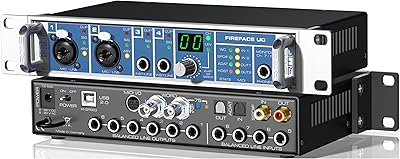
RME Fireface UC USB Audio Interface
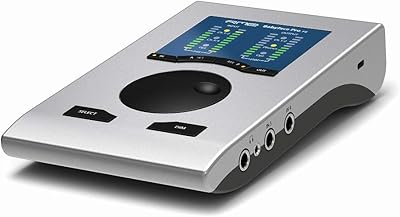
RME Babyface Pro FS USB Audio Interface
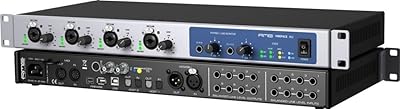
RME Fireface 802 Audio Interface
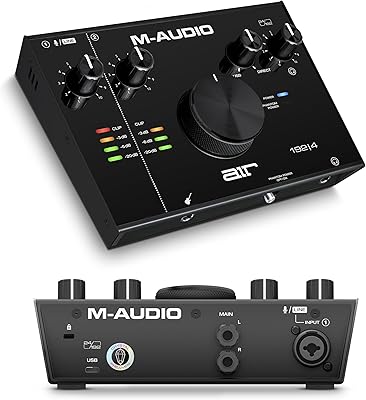
M-Audio AIR 192|4
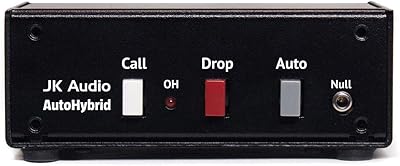
JK Audio Autohybrid Telephone Audio Interface
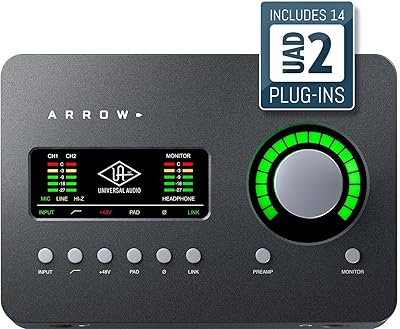
Universal Audio Arrow Thunderbolt 3 Audio Interface