Overview
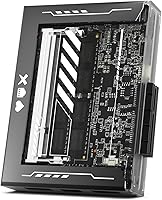
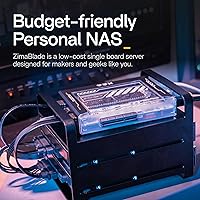
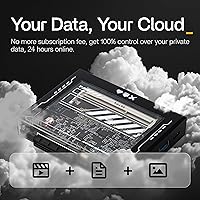
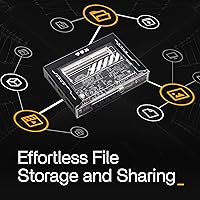
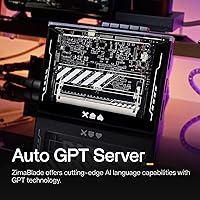
The ZimaBlade 7700 x86 Quad-Core Home Server is IceWhale Technology's answer to a specific frustration: paying subscription fees or surrendering root access just to run a basic home server. Powered by an Intel Celeron E3950 quad-core with passive cooling, this mini home server is built to sit quietly on a shelf and run around the clock without a fan in sight. It ships with 16GB DDR3L RAM and 32GB of eMMC storage already on board, so you're not starting completely from scratch. The transparent casing and an active open-source community give it a character that commercial NAS appliances rarely match.
Features & Benefits
The real appeal of the ZimaBlade 7700 lies in how much you can adapt it. The PCIe 2.0 x4 slot is the headline feature here — you can drop in an NVMe SSD, a 2.5GbE network card, or a Wi-Fi adapter depending on what your build needs. Two SATA 6Gbps ports handle direct drive attachment for a basic two-disk NAS. For media playback, the Mini-DisplayPort output pushes 4K at 60Hz, and hardware decoding covers H.264, H.265, and MPEG-2 without breaking a sweat. CasaOS comes pre-supported and makes deploying Docker apps genuinely approachable, though advanced configurations still require some Linux familiarity. Power draw hovers around 6W, making 24/7 operation essentially free in electricity terms.
Best For
This x86 single-board server slots neatly into a few specific use cases. Home lab enthusiasts who want something always-on but dead quiet will find it a compelling alternative to repurposing an old laptop or paying for a cloud VM. It is also a solid starting point for first-time self-hosters who want to run Nextcloud for personal cloud storage, Jellyfin for media streaming, or Pi-hole for network-level ad blocking. Developers will appreciate that it runs x86 Docker containers natively — no ARM compatibility headaches. Network-focused users can load pfSense or OpenWRT and turn it into a capable dedicated router. Just keep in mind that drives, PCIe cards, and enclosures are all separate purchases.
User Feedback
With a 4.2-star average across roughly 100 ratings, the ZimaBlade 7700 earns its reputation without being universally loved. Buyers consistently praise how quickly CasaOS gets running — several reviewers had Jellyfin or Nextcloud deployed within an hour of unboxing. The active GitHub community and responsive developer forums are frequently cited as reasons to trust the platform long-term. That said, real trade-offs exist. Only one USB 3.0 port and a single Gigabit LAN connection can feel limiting once you start expanding. Passive cooling handles light to moderate loads well, but users running sustained, CPU-heavy workloads have noted the chassis getting noticeably warm. Documentation could also be more polished for absolute beginners.
Pros
- Ships with 16GB RAM already installed, which is generous for the category and removes an immediate upgrade cost.
- The PCIe x4 slot opens up real expansion options — NVMe storage, faster networking, or Wi-Fi — that most single-board servers cannot match.
- A 6W power draw makes round-the-clock operation genuinely inexpensive to run.
- CasaOS makes deploying popular self-hosted apps like Jellyfin, Nextcloud, and Pi-hole accessible without deep Linux knowledge.
- Supports a wide range of operating systems including pfSense, OpenWRT, and LibreELEC, covering nearly every home server use case.
- Native x86 architecture means Docker containers run without ARM compatibility workarounds that plague Raspberry Pi builds.
- Mini-DisplayPort output handles 4K at 60Hz, making it a capable fanless media playback device as well.
- An active open-source community and visible GitHub presence suggest ongoing software support beyond the initial purchase.
- Compact enough to tuck behind a monitor or on a shelf, yet powerful enough for multi-service home lab use.
- USB-C power input keeps the cable situation simple and compatible with widely available PD chargers.
Cons
- Only one USB 3.0 port is a real constraint once you start connecting peripherals like a keyboard, flash drive, or USB hub.
- Single Gigabit Ethernet limits throughput for multi-user media streaming or high-speed NAS transfers over a local network.
- Drives, PCIe expansion cards, and any enclosure are not included, so the entry cost is higher than the device price alone suggests.
- Passive cooling handles everyday workloads fine but becomes a concern under sustained, CPU-intensive tasks.
- Sourcing a compatible PCIe card requires research and compatibility checks that can frustrate less experienced buyers.
- The 32GB onboard eMMC storage is enough for the OS but fills up quickly if you install multiple Docker apps without additional drives.
- Documentation quality has been flagged by some buyers as insufficient for complete beginners working through non-standard configurations.
- Only one SO-DIMM slot means RAM is capped at 16GB with no upgrade path if future workloads demand more memory.
- Windows support exists in theory, but the limited USB ports and storage make it an awkward fit for anything beyond basic testing.
- With roughly 100 ratings at the time of writing, the long-term reliability track record is still relatively thin compared to established alternatives.
Ratings
The scores below were generated by AI after analyzing verified buyer reviews worldwide for the ZimaBlade 7700 x86 Quad-Core Home Server, with spam, bot submissions, and incentivized feedback actively filtered out before scoring. Each category reflects the honest distribution of real user sentiment — strengths and frustrations alike — so you can make an informed decision without wading through hundreds of individual reviews yourself.
Value for Money
Ease of Setup
Hardware Expandability
Thermal Performance
Connectivity & Ports
Software Ecosystem
Build Quality
Media Playback
Power Efficiency
Documentation Quality
Virtualization Support
Community & Longevity
Form Factor & Footprint
Suitable for:
The ZimaBlade 7700 x86 Quad-Core Home Server is a strong fit for anyone who wants a permanently running, low-power server at home without the bulk, noise, or electricity cost of a repurposed desktop. It particularly suits self-hosting enthusiasts who want to run Nextcloud, Jellyfin, Pi-hole, or a personal VPN on their own hardware rather than paying ongoing cloud subscription fees. Developers who need a native x86 node for Docker container testing or lightweight CI workloads will find it a cost-effective bench machine that stays on without complaint. Network tinkerers who want to deploy pfSense or OpenWRT as a dedicated firewall or router appliance will appreciate that the hardware fully supports those operating systems out of the box. The PCIe expansion slot also makes it appealing to hobbyists who enjoy iterating on a build over time, adding storage, faster networking, or other peripherals as their needs grow.
Not suitable for:
The ZimaBlade 7700 x86 Quad-Core Home Server is not the right tool for buyers expecting a ready-to-go, plug-and-play NAS appliance — drives, enclosures, and expansion cards are all sold separately, and the total cost of a functional multi-disk build adds up quickly. Users who need high-throughput storage or plan to run multiple network-intensive services simultaneously will find the single Gigabit Ethernet port a genuine bottleneck, and the solitary USB 3.0 port limits peripheral flexibility considerably. The passive cooling design is well-suited for light and moderate workloads, but anyone planning sustained CPU-heavy tasks — transcoding large video libraries in real time, for instance — may find the chassis running warmer than comfortable over extended periods. Complete beginners with no Linux exposure should also think carefully before buying: CasaOS simplifies common tasks, but troubleshooting network configurations, permission issues, or custom Docker setups still demands a baseline level of technical comfort. If you just want a simple, well-documented NAS with a polished app interface and vendor support, a purpose-built appliance from an established NAS brand will likely serve you better.
Specifications
- Processor: The board runs an Intel Celeron E3950 quad-core CPU, an x86 chip that ensures full compatibility with standard desktop operating systems and Docker container images.
- TDP & Cooling: Thermal design power sits at 6W, and heat is managed entirely through passive dissipation with no fan, making the unit completely silent during normal operation.
- RAM: 16GB of DDR3L memory is installed via a single SO-DIMM slot, which is the board's only memory socket and represents the maximum supported capacity.
- Onboard Storage: A 32GB eMMC 5.1 module is soldered to the board and serves as the primary boot drive for the operating system and installed applications.
- PCIe Expansion: One PCIe 2.0 x4 slot is available for hardware expansion, accommodating NVMe SSDs, 2.5GbE network cards, Wi-Fi adapters, or other compatible add-in cards.
- SATA Ports: Two SATA 6Gbps ports allow direct connection of standard 2.5-inch or 3.5-inch hard drives and SSDs for expanded local storage.
- Display Output: A single Mini-DisplayPort 1.2 connector supports resolutions up to 4K at 60Hz, suitable for connecting an external monitor or TV.
- Network: One Gigabit Ethernet port handles all wired network connectivity; there is no onboard Wi-Fi, though a wireless adapter can be added via the PCIe slot.
- USB Ports: A single USB 3.0 Type-A port is the only external USB connection on the board, which limits simultaneous peripheral attachment without a hub.
- Power Input: The unit is powered via USB-C using the PD 3.0 standard at 12V and 3A; a suitable USB-C PD adapter capable of delivering this output is required.
- Supported OS: Compatible operating systems include mainstream Linux distributions, Windows, OpenWRT, pfSense, Android, and LibreELEC, covering most home server and networking use cases.
- Virtualization: The E3950 CPU supports Intel VT-d and VT-x, enabling hardware-assisted virtualization for running virtual machines or nested containers.
- Video Decoding: Hardware video decoding covers H.264 (AVC), H.265 (HEVC), MPEG-2, and VC-1, which handles the vast majority of common media file formats.
- Graphics: Integrated Intel HD Graphics 500 handles display output and hardware-accelerated media decoding without any discrete GPU requirement.
- Form Factor: The board uses a small form factor design and is listed as rack-mount compatible, measuring approximately 7.64 x 5.67 x 4.45 inches in its packaged state.
- Weight: The unit weighs 1.41 pounds, making it light enough to mount behind a monitor, attach to a shelf, or tuck into a compact enclosure.
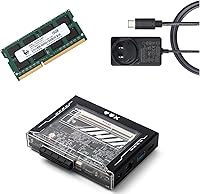
- Package Contents: The retail package includes the board itself, one SATA cable, one USB-C cable, and documentation; drives, enclosures, and PCIe expansion cards are not included.
- Warranty: IceWhale Technology provides a one-year hassle-free warranty covering manufacturing defects from the date of purchase.
Related Reviews

Wyze Home Security Core Kit
Nakamichi Dragon Quad 12″ Surround Sound System
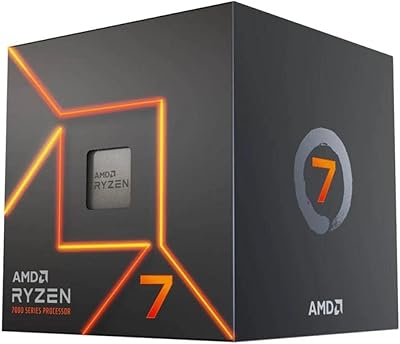
AMD Ryzen 7 7700 Desktop Processor
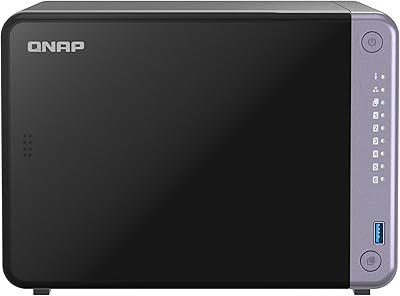
QNAP TS-632X 6-Bay Desktop NAS
Universal Audio Apollo 8 QUAD Audio Interface
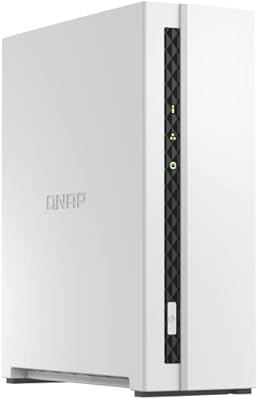
QNAP TS-133 1-Bay Desktop NAS Drive
Dell Inspiron 7700 AIO Desktop, 27-inch FHD Touchscreen, Intel Core i7-1165G7, 12GB RAM, 256GB SSD + 1TB HDD
Intel Core i9-14900KF 14th Gen Desktop Processor
Intel Core i5-14600KF Desktop Processor