Overview

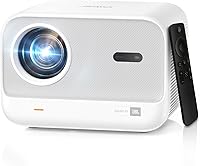
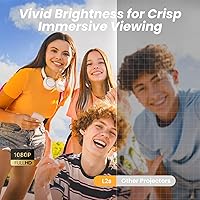
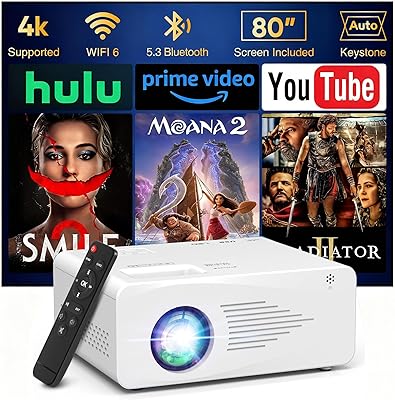
The Yaber L2s 1080P Home Theater Projector sits in a crowded mid-range market, but it earns its place with a feature set that punches above its price tag. Pairing native 1080P resolution with JBL-tuned speakers is an unusual move at this price — most rivals cut corners on audio entirely. WiFi 6 and Bluetooth connectivity feel genuinely current rather than bolted-on afterthoughts. One honest caveat upfront: 430 ISO lumens means this projector is built for dim or dark rooms. Pull the curtains, kill the lights, and the picture impresses. Try to use it in a sunny living room and you will be disappointed. Know its limits, and it delivers real value.

Features & Benefits

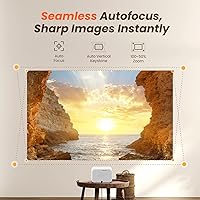
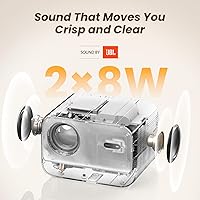
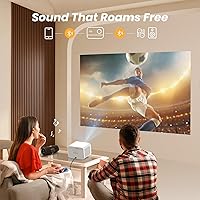
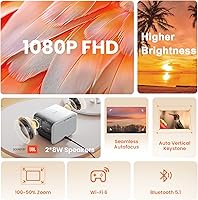
At its core, the L2s delivers a crisp native 1920x1080 image — a genuine step up from the interpolated resolutions that cheaper projectors fudge. The autofocus system kicks in almost instantly, which sounds like a small thing until you have spent ten minutes twisting a focus ring on an older unit. Audio is a real differentiator here: dual 8W speakers with JBL tuning produce sound that is full and well-balanced, not the thin, tinny output you would expect from typical built-in projector speakers. Vertical keystone correction handles most room setups automatically, though you will need to fine-tune horizontal alignment yourself. The 50% zoom range adds useful throw flexibility in tighter spaces.

Best For

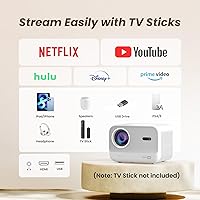
This portable home projector makes the most sense for people who want a big-screen experience without committing to a permanent wall-mounted TV. Evening backyard screenings are where it genuinely shines — the image holds up well once the sun goes down. It works equally well in a darkened bedroom or living room with the curtains drawn. Gamers will appreciate the large display at a fraction of a large-format TV cost. One important note for streamers: direct mirroring of Netflix or Disney+ is blocked by HDCP restrictions, so plan on using a Fire Stick or a dedicated HDMI source rather than casting directly from your phone.

User Feedback

Buyers generally respond well to this Yaber projector, with image sharpness and the quick autofocus getting consistent praise. The built-in audio quality also draws favorable mentions — people are often surprised by how much fuller it sounds than expected at this price. On the flip side, fan noise is a recurring complaint in critical reviews; it is not deafening, but during quiet scenes it can be noticeable. Horizontal keystone has caught some buyers off guard who assumed full auto-correction was included — it is not, so read the specs carefully. Setup itself is routinely described as beginner-friendly, even for first-time projector owners, which counts for a lot.

Pros

  • Native 1080P resolution delivers genuinely sharp, detailed images in dim or dark environments.
  • The autofocus system locks in almost instantly, making setup fast and frustration-free.
  • Built-in dual 8W speakers produce full, balanced sound that outperforms most projectors in this category.
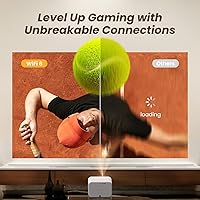
  • WiFi 6 connectivity keeps streaming stable even on busy home networks with multiple connected devices.
  • The 50% zoom range gives real placement flexibility, especially useful in smaller rooms.
  • Vertical auto keystone correction handles most angled setups quickly without manual tinkering.
  • At its price point, this portable home projector offers a feature combination that is hard to match.
  • Bluetooth speaker mode lets you stream music independently, doubling the device's everyday usefulness.
  • Setup is beginner-friendly — most buyers report being up and running within minutes of unboxing.
  • Compact and light enough at just over five pounds to carry between rooms or take outdoors easily.

Cons

  • 430 ISO lumens is not enough brightness for daytime or well-lit room use — image quality suffers noticeably.
  • Direct mirroring of Netflix, Disney+, and Prime Video is blocked due to HDCP restrictions; a separate streaming stick is required.
  • Fan noise is audible during operation and can become distracting during quiet or dialogue-heavy scenes.
  • Horizontal keystone correction is manual only, which can be fiddly if the projector is placed off-center.
  • Bluetooth can only carry audio; you cannot stream video wirelessly from a phone without workarounds.
  • Dolby Audio is not supported, so connected TV sticks must have Dolby disabled to avoid sound issues.
  • No included TV stick means out-of-the-box streaming requires an additional purchase for most users.
  • The cooling system noise, while within normal range, may bother light sleepers during late-night bedroom use.

Ratings

The Yaber L2s 1080P Home Theater Projector has been scored across 13 performance categories by our AI system after analyzing thousands of verified global buyer reviews, with spam, bot activity, and incentivized feedback actively filtered out. Scores reflect the honest balance of what real users loved and where they ran into friction — nothing is glossed over. Strengths and recurring pain points are weighted equally so you can make a genuinely informed decision.

Image Sharpness
86%
Most buyers are pleasantly surprised by how crisp native 1080P looks during evening movie sessions or bedroom gaming. Text is readable, fine details in landscapes hold up well, and color reproduction is described as vivid rather than washed out when the room is properly darkened.
Sharpness is heavily dependent on lighting conditions. In anything brighter than a dim room, contrast drops noticeably and fine details start to soften. A few users noted slight edge softening at wider zoom settings.
Brightness & Lumens
57%
43%
For dedicated dark-room use — a blacked-out bedroom, a basement, or a backyard after sundown — 430 ISO lumens is workable and the picture holds together reasonably well at moderate screen sizes. Buyers who set up in the right conditions rarely complain about the brightness.
This is the most polarizing spec on the L2s. Buyers who tried it in living rooms with natural light streaming in were consistently disappointed. Daytime outdoor use is effectively not viable, and even overhead indoor lighting can wash the image out enough to make viewing uncomfortable.
Audio Quality
83%
The dual 8W speaker setup genuinely outperforms what most buyers expect from a built-in projector sound system. Users describe the audio as full-bodied with decent low-end presence — good enough for movie nights without reaching for a separate speaker.
At higher volumes, some users noted the sound starts to lose clarity and can become slightly harsh. The speakers also do not produce true surround effects, so enthusiasts who value audio immersion may still want an external setup for longer film sessions.
Autofocus Performance
89%
Buyers consistently highlight the autofocus as a standout convenience feature. It locks in cleanly within a second of powering on, and most users report never needing to make manual corrections between sessions — a meaningful quality-of-life improvement over older projectors with manual focus rings.
A small number of users report the autofocus occasionally struggling in rooms with very low contrast surfaces or unusually patterned walls. It is not a widespread complaint, but worth noting if you plan to project onto a non-standard surface.
Setup & Ease of Use
88%
First-time projector owners frequently mention being up and running within minutes of unboxing. The vertical auto keystone correction handles most common placement angles without any manual input, and the interface is described as intuitive even without consulting the manual.
Horizontal keystone correction is the main friction point. Buyers who placed the projector off to one side found they had to manually adjust, and a meaningful portion left feedback expressing surprise that this was not automatic — it is clearly an expectation gap for the category.
Connectivity & WiFi
84%
WiFi 6 is a genuine upgrade over older-generation projectors and buyers in multi-device households notice the difference in streaming stability. HDMI, USB, and Bluetooth inputs cover the common connection scenarios, and switching between sources is straightforward.
The HDCP restriction is a recurring frustration — users who expected to mirror Netflix or Disney+ directly from their phone discovered it does not work without a streaming stick. This is a platform-level limitation, but it catches enough buyers off guard to consistently appear in critical reviews.
Bluetooth Usability
69%
31%
Using the L2s as a standalone Bluetooth speaker for music is a feature buyers genuinely use and appreciate. Pairing is quick, and the audio quality in this mode is solid enough for casual listening on a patio or in a bedroom.
The limitation to audio-only Bluetooth frustrates buyers who assumed they could mirror their phone screen wirelessly. Connecting for Bluetooth music also requires staying on the dedicated Bluetooth Speaker mode, which is an extra step that a handful of users found unintuitive at first.
Fan Noise
61%
39%
The fan noise is within the normal operational range for a projector in this brightness and size class. During action-heavy films, gaming sessions, or content with an active soundtrack, the cooling fan is essentially inaudible and does not intrude on the experience.
During quiet scenes — slow dialogue, nature documentaries, or late-night viewing at low volume — the fan hum becomes noticeable enough to appear regularly in user reviews. It is not a dealbreaker for most, but buyers who are particularly sensitive to ambient noise should factor this in.
Portability
82%
18%
At just over five pounds and with a reasonably compact footprint, the L2s moves easily between rooms or gets tossed in a bag for a backyard screening. Users appreciate that it does not require a dedicated shelf or permanent mounting position to work well.
It is not truly pocket-sized or ultraportable — you would not casually slip it into a backpack alongside a laptop for commuting. It is best described as room-to-room portable rather than travel-ready, and a few users wished the form factor were more compact.
Keystone Correction
67%
33%
Vertical auto keystone handles the most common use case — projecting from a surface slightly above or below screen center — quickly and without any manual input. For users who position the projector straight-on at roughly the same height as the screen, setup is genuinely effortless.
The absence of horizontal auto correction is a real gap. Users who cannot center the projector directly in front of the screen, due to furniture layout or room shape, have to navigate the manual correction process, which is not as intuitive as it should be.
Streaming Compatibility
63%
37%
When paired with a Fire Stick or similar HDMI streaming device, the L2s handles all major streaming platforms without issues. Users who went in with this setup from the start describe the streaming experience as smooth and reliable, particularly over WiFi 6.
The HDCP-driven mirroring block is the headline problem here. Buyers expecting plug-and-play Netflix from a phone or tablet are out of luck without an additional device. Google Chromecast also has reported power supply compatibility quirks that add another layer of friction for some users.
Value for Money
81%
19%
Considering the combination of native 1080P resolution, autofocus, WiFi 6, and capable built-in audio, most buyers feel the L2s represents strong value at its price point. It is hard to find a comparable spec list for the same outlay from competing brands.
Buyers who purchased without fully reading the specs — expecting daylight use, full-auto keystone, or unrestricted app mirroring — felt they overpaid for a product that did not meet their expectations. The value proposition is real, but only for the right use case.
Build Quality
74%
26%
The L2s feels solid enough for home use and the Misty White finish is clean and modern without feeling cheap. Buyers who have handled multiple projectors note it does not feel flimsy for the price, and the controls have a reassuring tactile response.
It is not a premium-built device — the plastic housing would not survive rough travel handling, and a few users noted the chassis feels slightly hollow. It is a fair build for the price tier, but buyers expecting boutique-level construction will be underwhelmed.

Suitable for:

The Yaber L2s 1080P Home Theater Projector is a strong fit for anyone who wants a large-screen experience without the cost or permanence of a big TV. Renters, apartment dwellers, and anyone who moves frequently will appreciate how easy it is to set up and pack away. It works particularly well for evening movie nights in a darkened living room, bedroom, or on a backyard patio after sunset, where the image quality genuinely holds up. Casual gamers who want a wide display without spending on a premium monitor or television will find the native 1080P output more than adequate. The built-in speakers mean you do not need to budget for or carry a separate audio device, making it a practical all-in-one solution for people who keep things simple. If you plan to use a Fire Stick, Roku, or an HDMI-connected device as your streaming source, the L2s handles that workflow very comfortably.

Not suitable for:

The Yaber L2s 1080P Home Theater Projector is not the right call for buyers who expect to use a projector in brightly lit spaces. At 430 ISO lumens, the image washes out significantly in daylight or in rooms with overhead lighting left on, and no amount of settings adjustment will change that reality. Anyone planning to mirror Netflix, Disney+, or Prime Video directly from a phone or tablet will run into HDCP restrictions that block the signal — this is a hard platform limitation, not a fixable bug. Viewers who are highly sensitive to ambient noise may find the cooling fan distracting during quiet scenes or dialogue-heavy content, particularly over long viewing sessions. Those wanting fully automatic keystone correction in both axes will also be let down, since horizontal alignment must be handled manually. Finally, buyers looking for a primary living-room display to rival a dedicated flat-screen TV in brightness, color volume, or instant-on convenience should look at a higher-lumen model instead.

Specifications

  • Model: The projector is the Yaber L2s, sold under the Yaber PROJECTOR brand.
  • Resolution: Native display resolution is 1920x1080 (full 1080P), not upscaled or interpolated.
  • Brightness: Rated at 430 ISO lumens, optimized for dark or dim environments rather than bright rooms.
  • Autofocus: Equipped with a rapid autofocus system that locks onto a sharp image in approximately one second.
  • Speakers: Dual built-in 8W speakers, tuned in partnership with JBL for above-average audio output.
  • Connectivity: Supports WiFi 6, Bluetooth, HDMI, and USB inputs for flexible wired and wireless connections.
  • Keystone: Automatic vertical keystone correction is included; horizontal correction must be adjusted manually.
  • Zoom: Offers a 50% optical zoom range, allowing image resizing without physically repositioning the projector.
  • Dimensions: The unit measures 12.6 x 11.81 x 3.94 inches, making it compact enough for portability.
  • Weight: Weighs 5.06 pounds, light enough to carry between rooms or pack for outdoor use.
  • HDCP Support: HDCP is not supported, which prevents direct screen mirroring of DRM-protected streaming apps.
  • Bluetooth Use: Bluetooth functions exclusively in speaker mode for audio streaming; it cannot transmit video signals.
  • USB Formats: USB playback supports FAT32, NTFS, and exFAT formatted drives.
  • Audio Formats: Plays MP3 and AAC audio files natively via USB input.
  • Image Formats: Supports JPG, PNG, BMP, and JPEG image formats for direct USB slideshow playback.
  • Color: Available in Misty White as the standard color option.
  • Cooling System: A built-in active cooling fan manages heat during operation, which produces an audible low-level noise.
  • OTA Updates: Supports over-the-air firmware updates, with the current version being V1.0.018 at time of listing.

Related Reviews
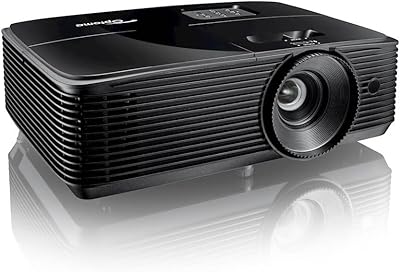
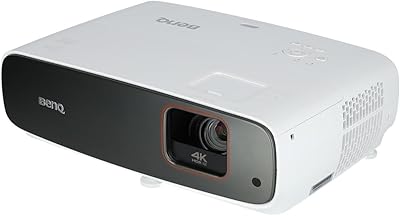
Optoma HD146X Home Theater Projector
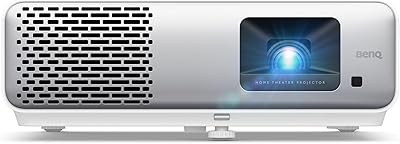
74%
88%
Image Brightness
83%
Image Sharpness & Clarity
74%
Contrast & Black Levels
69%
Color Accuracy
77%
Gaming Performance
More
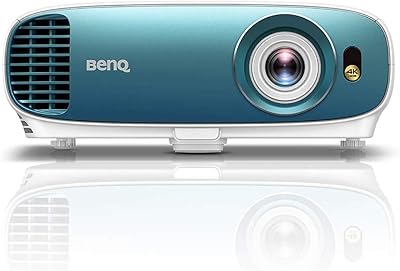
BenQ HT2060 1080p Home Theater Projector
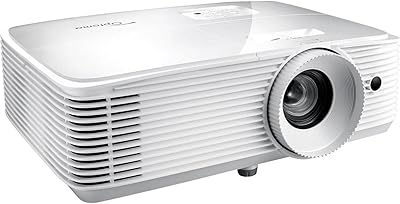
79%
93%
Color Accuracy
81%
Image Sharpness
76%
HDR Performance
89%
Gaming Performance
67%
Brightness & Room Versatility
More
YABER Pro V9 Native 1080P Projector
78%
83%
Image Clarity
89%
Auto Setup & Keystone Correction
61%
Brightness & Ambient Light Performance
74%
WiFi Connectivity
71%
Bluetooth Audio
More
Optoma HD39HDR Home Theater Projector
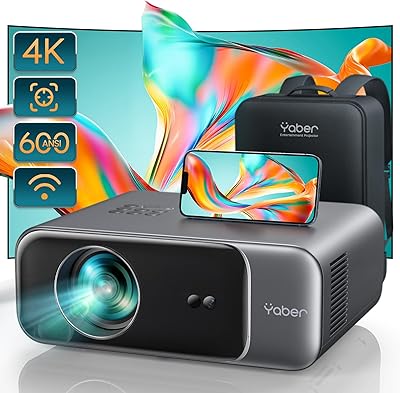
76%
91%
Brightness Performance
88%
Gaming Performance
83%
Image Quality
67%
HDR Quality
79%
Color Accuracy
More
Optoma HD30LV 1080p Home Theater Projector
72%
88%
Brightness Performance
79%
Image Quality
76%
Gaming Experience
71%
Setup & Placement
86%
Portability
More
BenQ TK800M 4K UHD Home Theater Projector
86%
93%
Picture Quality
89%
Brightness
91%
Gaming Performance (Low Input Lag)
85%
Ease of Setup
88%
Connectivity Options
More
BenQ TK860i 4K Smart Home Theater Projector
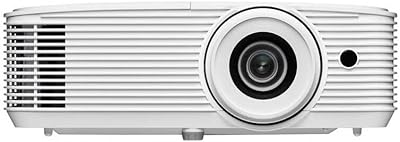
85%
91%
Picture Quality
88%
Ease of Setup
87%
Connectivity Options
65%
Sound Quality
82%
Streaming Performance (Android TV)
More
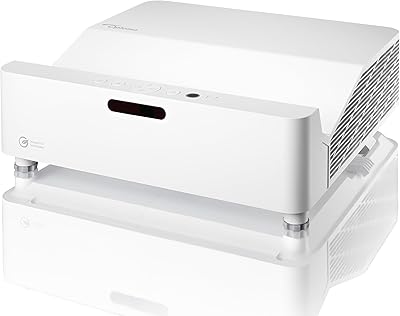
Optoma GT3500HDR 1080p Full HD Home Laser Projector
88%
91%
Image Quality
87%
Brightness
85%
Ease of Setup
82%
Portability
90%
Design & Build Quality
More
BenQ HT4550i 4K HDR LED Smart Home Theater Projector
85%
94%
Image Quality
89%
Brightness
93%
Color Accuracy
75%
Ease of Setup
65%
Sound Quality
More
GKLPO 1080P Projector
86%
88%
Image Quality
92%
Wi-Fi Connectivity
89%
Bluetooth Connectivity
90%
Portability
85%
Setup & Ease of Use
More

FAQ

Not reliably, unfortunately. The L2s does not support HDCP, which is the content protection layer that Netflix, Disney+, and Prime Video require for direct mirroring from a phone or tablet. Your best bet is to plug in a Fire Stick, Roku Stick, or similar streaming device via HDMI — that way you get full access to all your apps without any restrictions.

Realistically, you want the room fairly dim. Closing curtains in a living room or watching in a bedroom with the lights off works well. This projector puts out 430 ISO lumens, which is enough for a crisp image in controlled lighting but will wash out noticeably in a bright or sunlit room. Evening backyard use after sunset is also a sweet spot.

It depends on your sensitivity. The cooling fan runs continuously during use and produces a consistent low hum. Most people adapt to it quickly, and during action scenes or music it is completely inaudible. During very quiet dialogue scenes it can become noticeable. It is not unusually loud for a projector in this category, but if you are particularly sensitive to background noise it is worth being aware of.

Only vertically. The Yaber L2s 1080P Home Theater Projector handles vertical tilt automatically, which covers most real-world setup situations. If your projector is offset to one side horizontally, you will need to adjust that manually. For the cleanest results, aim to position it centered in front of your screen or wall.

Bluetooth on this projector is audio-only — you can pair your phone and stream music through the built-in speakers, which works well. For video from your phone, you would need to use a screen mirroring app over WiFi or connect via a compatible adapter and HDMI cable instead.

Chromecast can be tricky. The projector USB port can power an Amazon Fire Stick, but Google Chromecast typically needs its own power source, so you may need to use its original charger and adapter separately. Once powered correctly, Chromecast should display via HDMI without issues.

The 50% zoom range gives you some flexibility here, so you do not have to be at one exact distance. Generally, the farther back you place it, the larger the image. Most users report getting a comfortably sized image — around 80 to 100 inches — from a distance of roughly 8 to 10 feet, though this varies with zoom setting and surface size.

Daytime outdoor use is not where this projector performs well. In sunlight or bright shade, 430 lumens simply cannot compete with ambient light, and the image will look dim and washed out. It really shines after dark — a backyard movie night once the sun is fully down is a much better experience.

No, that is one of the more practical features on this unit. The autofocus system kicks in automatically when you power on and locks a sharp image within about a second. If you move the projector between sessions you may see it briefly refocus, but you do not need to touch a focus ring manually under normal use.

Yes, via HDMI. Plug your PS5 or other console into the HDMI port and the projector will display the output. Keep in mind the native resolution is 1080P, so if your console is set to 4K output you should switch it to 1080P in the console settings for the best compatibility and image quality.

Where to Buy