Overview

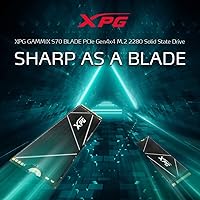
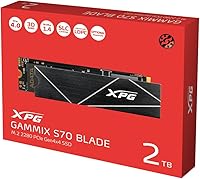
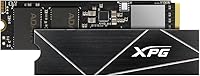
The XPG GAMMIX S70 Blade 2TB NVMe SSD has carved out a genuinely strong position in a crowded Gen4 market, sitting comfortably in the top 200 internal SSDs on Amazon with over 12,000 ratings averaging 4.6 stars — numbers that are hard to dismiss. It appeals to two distinct groups: PC builders chasing fast sequential storage and PS5 owners looking to expand console storage without overspending. Compared to similarly specced 2TB drives from Samsung, Seagate, and WD, the S70 Blade lands at a competitive price point for what it delivers. One thing to know upfront: this is a bare blade with no heatsink, by design — your motherboard or PS5 slot handles the thermals.
Features & Benefits

On a PCIe Gen4 board, this Gen4 SSD pushes sequential reads up to 7,400 MB/s and writes up to 6,800 MB/s — figures that put it near the top of the consumer Gen4 ladder. In real terms, that translates to near-instant large file transfers and noticeably snappy application launches. For PS5 users, the drive hits around 6,100 MB/s under console conditions, comfortably clearing Sony's minimum threshold. If your board only has Gen3 slots, speeds fall back to roughly 3,400/3,000 MB/s — still fast, but worth knowing before you buy. The slim M.2 2280 blade profile installs directly on the motherboard and slides under the PS5 cover without clearance issues. ADATA backs it with a 5-year warranty.

Best For

The S70 Blade makes the most sense for PS5 owners wanting a plug-and-play storage upgrade — no separate heatsink purchase required, and installation under the console expansion slot cover is clean and straightforward. PC builders running Gen4-capable motherboards — AMD X570, B550, or Intel Z690 and newer — will extract the full performance potential. Content creators moving large video files regularly will appreciate the sustained write throughput. It's also a practical pick for gamers tired of juggling multiple smaller drives, since 2TB handles a substantial library without compromise. If you're stepping up from an older SATA or Gen3 NVMe drive, the real-world speed difference is tangible, not just a spec sheet claim.

User Feedback

Across thousands of reviews, the consistent praise centers on hassle-free installation and quicker load times on PS5 — most buyers report the drive works exactly as expected straight out of the box. Long-term owners generally report no reliability issues after a year or two of regular use, which carries real weight. On the flip side, thermal buildup under sustained PC workloads comes up regularly among users running the drive without a dedicated heatsink or active cooling nearby — a genuine consideration in compact builds. A smaller number of reviewers found the drive incompatible with external enclosures, consistent with its direct-to-board design intent. Warranty support feedback is split: some users had smooth experiences, while others found resolution slower than expected.

Pros

  • Sequential read speeds near the top of the consumer Gen4 category for fast file transfers and load times.
  • Officially PS5-compatible and clears Sony's minimum speed threshold by a comfortable margin.
  • The slim, heatsink-free blade design installs without clearance issues in tight motherboard slots or under the PS5 cover.
  • 2TB of capacity handles large game libraries and creative project files without splitting across multiple drives.
  • Backed by a 5-year limited warranty, which is longer than many competing drives in this price range.
  • Over 12,000 Amazon ratings averaging 4.6 stars points to consistently positive real-world ownership experiences.
  • Long-term owners frequently report the S70 Blade holding up reliably after one to two years of daily use.
  • Competitive pricing relative to equivalent 2TB Gen4 drives from larger brands makes it good value for the spec level.
  • PCIe Gen3 backward compatibility means it will still function in older systems, even at reduced speeds.

Cons

  • No heatsink is included, so sustained workloads in poorly ventilated builds can cause thermal throttling.
  • Not compatible with most external enclosures, limiting flexibility for users who want portable use cases.
  • Buyers with PCIe Gen3 boards pay Gen4 prices but only access a fraction of the drive's potential performance.
  • ADATA warranty support receives mixed reviews, with some users reporting slow or frustrating resolution processes.
  • PS5 load time gains over other fast Gen4 drives are modest — real-world differences are smaller than spec sheets suggest.
  • The drive requires PS5 firmware version 21.02-04.00.00.42 or higher, which could trip up users on older console firmware.
  • No thermal pad or accessory is bundled, so builders without a board-mounted heatsink need to source one separately.
  • Some buyers in compact PC builds report the drive running noticeably warm without dedicated airflow pointed at the M.2 slot.

Ratings

Our AI rating system analyzed thousands of verified global reviews for the XPG GAMMIX S70 Blade 2TB NVMe SSD, actively filtering out incentivized, duplicate, and bot-generated feedback to surface what real owners actually experience. The scores below reflect a balanced picture — genuine strengths and recurring frustrations weighted equally — so you can make a properly informed decision before buying.

Read/Write Performance
93%
Owners running the S70 Blade on Gen4 boards consistently report extremely fast large file transfers and near-instant application launches. Video editors moving multi-gigabyte project files and gamers installing massive titles both cite measurably quicker throughput compared to their previous Gen3 or SATA drives.
A subset of users note that real-world sustained write speeds occasionally dip below the advertised peak during prolonged sequential writes, particularly without active cooling. Those on Gen3 boards never see the headline numbers and sometimes feel misled by the marketing.
PS5 Compatibility
91%
Installation on the PS5 is consistently described as clean and straightforward — no extra hardware needed, no clearance issues under the expansion cover. Most owners report the drive is recognized and formatted within minutes of starting the setup process.
A handful of reviewers hit a snag because their PS5 firmware was out of date, causing the drive to go unrecognized until they updated the console software first. Load time improvements over the PS5 internal SSD are real but modest, which disappoints buyers expecting a dramatic leap.
Thermal Management
61%
39%
For PS5 users the bare blade format is genuinely practical — the console cover handles passive cooling adequately under typical gaming sessions, and most console owners report no thermal throttling during extended play.
PC users in compact builds without dedicated M.2 airflow or a board-mounted heatsink report the drive running noticeably warm under sustained workloads like large file copies or game installations. Some owners observed performance throttling during extended stress tests, which is a real concern in poorly ventilated cases.
Installation Experience
89%
The M.2 2280 form factor is universally familiar, and most reviewers describe physical installation as quick and uncomplicated whether they are slotting it into a motherboard or the PS5 expansion bay. The slim profile eliminates clearance anxiety that sometimes comes with bulkier heatsink-equipped drives.
Users attempting to use the drive in an external M.2 enclosure frequently report compatibility failures, which catches some buyers off guard who intended dual-purpose use. A few reviewers on older boards also note confusion around Gen3 versus Gen4 slot identification during setup.
Value for Money
86%
Relative to comparably specced 2TB Gen4 drives from Samsung and Seagate, the S70 Blade regularly comes in at a lower price point, which owners on a budget consistently call out as a deciding factor. Getting near-top-tier Gen4 sequential speeds and a 5-year warranty at this price tier is seen as genuinely competitive.
For buyers whose motherboards only support Gen3, the value calculation shifts considerably — they are paying a premium price for performance headroom they can never access. A few owners also feel the lack of an included heatsink at this price point is a corner cut that competitors handle better.
Long-Term Reliability
84%
A solid number of reviewers who purchased the drive over a year ago report it is still performing without any signs of degradation or instability. Daily-use PC owners and PS5 players with large libraries both speak positively about consistent, trouble-free operation over extended ownership periods.
The long-term dataset is thinner than for more established brands, so confidence in multi-year reliability is not quite as high as it is for Samsung or WD drives with decade-long track records. A small percentage of owners report early failures, though these appear to fall within statistically normal ranges.
Warranty & Support
58%
42%
The 5-year limited warranty period itself is a genuine positive and longer than some competing drives in the same tier. Owners who had straightforward, well-documented failures report getting replacements processed without major friction.
A recurring theme in negative reviews is slow or inconsistent communication from ADATA support, with some users waiting weeks for responses after submitting warranty claims. The experience appears highly variable depending on region, which makes the warranty feel less reliable as a safety net than the coverage period implies.
Enclosure Compatibility
37%
63%
For buyers who understand from the outset that this is a direct-to-board drive, compatibility is a non-issue — it works exactly as intended in M/B slots and the PS5 expansion bay without any fuss.
Users who purchased this drive intending to use it in an external USB enclosure frequently report outright failures or the drive not being detected at all. This is arguably the most common source of one-star reviews and stems from the drive not being designed for enclosure use, though the product listing could make this limitation clearer.
Gen3 Backward Compatibility
66%
34%
The drive does function in Gen3 slots without requiring any configuration changes, and owners who primarily need more storage rather than peak speed still report a meaningful improvement over SATA drives at these reduced speeds.
Buyers who installed the drive in a Gen3 slot expecting close to the advertised speeds are consistently disappointed — performance maxes out around 3,400 MB/s read, which is fast but represents only about half the drive's capability. Some feel the product listing undersells this limitation.
Physical Build Quality
78%
22%
The PCB feels solid and the blade design is well-executed for its intended bare-board use case. Owners who handle a lot of storage hardware note it feels comparable in construction to other premium Gen4 drives in the category.
Without a heatsink or protective cover in the box, the drive feels somewhat exposed during handling, and users who are less experienced with M.2 installation occasionally worry about flexing or static damage. The minimalist packaging also leaves some buyers wanting more in terms of unboxing experience at this price point.
Game Load Times
77%
23%
PS5 owners switching from the console's internal storage report a noticeable improvement in large open-world game load screens and asset streaming, and PC gamers upgrading from SATA SSDs describe meaningfully faster game launches across the board.
Head-to-head comparisons between the S70 Blade and other fast Gen4 drives in the same tier show only marginal differences in actual game load times — often under two seconds — which makes it hard to justify choosing one Gen4 drive over another on gaming performance alone. Expectations built on raw sequential specs frequently outpace what games can actually utilize.
Packaging & Accessories
52%
48%
The drive arrives securely packaged and undamaged in the vast majority of reported cases. For buyers who only need the bare drive to slot into a board with its own heatsink solution, the no-frills packaging is perfectly adequate.
There is no heatsink, no thermal pad, and minimal documentation in the box, which leaves less experienced builders without the guidance or hardware they need to optimize the installation. Competing drives at similar price points sometimes include at least a basic heatsink, making the S70 Blade feel sparingly equipped.
Noise & Vibration
97%
As a solid-state drive with no moving parts, the S70 Blade produces zero operational noise or vibration, which owners frequently note as a welcome improvement when replacing mechanical or hybrid drives in quieter home and studio setups.
There is essentially nothing negative to report here from a noise perspective — the only related complaint from a small number of users is coil whine from surrounding components in the system, which is unrelated to the drive itself.
Firmware & Software
71%
29%
The drive works plug-and-play without requiring any proprietary software installation on PC, which owners consistently appreciate for its simplicity. ADATA does offer optional toolbox software for monitoring drive health and updating firmware if needed.
ADATA's monitoring software receives mixed feedback — some users find it useful for checking drive health metrics, while others report it feels dated compared to Samsung Magician or WD Dashboard. Firmware update documentation is not always clear, which creates hesitation among less technical owners.

Suitable for:

The XPG GAMMIX S70 Blade 2TB NVMe SSD is a strong fit for PS5 owners who want to meaningfully expand their console storage without the extra step of sourcing a separate heatsink — the blade profile slides cleanly into the expansion slot and the drive meets Sony's speed requirements with room to spare. PC builders running modern Gen4-capable platforms like AMD X570, B550, or Intel Z690 and newer will get the full benefit of the drive's top-tier sequential throughput for fast boot times, large game installs, and snappy application loading. Content creators and video editors who regularly shuttle large project files between drives will appreciate the sustained write performance at this price tier. It also makes practical sense for anyone tired of juggling two or three smaller drives, since 2TB covers a substantial library in a single slot. If you are upgrading from a SATA SSD or an older Gen3 NVMe drive, the real-world speed difference is noticeable enough to justify the switch.
Not suitable for:

The XPG GAMMIX S70 Blade 2TB NVMe SSD is not the right pick for everyone, and a few scenarios stand out where you should look elsewhere. If your motherboard only has PCIe Gen3 slots, the drive will work but you will never see its headline speeds — you will be capped around 3,400 MB/s read, and a purpose-built Gen3 drive often costs less for the same outcome. Builders assembling compact or high-density systems without active airflow around the M.2 slot should think carefully, since the bare blade design relies entirely on ambient cooling or a board-mounted heatsink to stay in check under sustained loads. Anyone planning to use this drive inside an external enclosure will likely run into compatibility problems, as it is specifically designed for direct motherboard installation. Budget-focused buyers who only use their PC for light tasks like browsing or document editing will not notice any difference compared to a much cheaper SATA SSD. And if responsive customer support is a deciding factor for you, feedback on ADATA's warranty service is inconsistent enough to give pause.
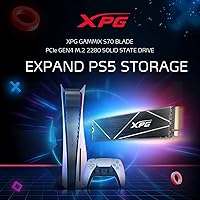
Specifications

  • Capacity: The drive offers 2TB of usable flash storage, suitable for large game libraries, creative project files, or combined OS and data use.
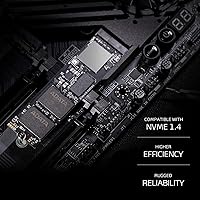
  • Interface: It connects via PCIe Gen4 x4 using the NVMe 1.4 protocol, with backward compatibility to PCIe Gen3 x4 slots at reduced throughput.
  • Form Factor: The drive uses the M.2 2280 form factor, meaning it is 22mm wide and 80mm long — the most common M.2 size found on modern motherboards and the PS5 expansion slot.
  • Sequential Read: Peak sequential read speed reaches up to 7,400 MB/s under PCIe Gen4 conditions as measured in ADATA internal testing.
  • Sequential Write: Peak sequential write speed reaches up to 6,800 MB/s under PCIe Gen4 conditions, placing it near the top of the consumer Gen4 category.
  • PS5 Read Speed: Under PS5 operating conditions, the drive delivers approximately 6,100 MB/s sequential read for both the 1TB and 2TB models.
  • Gen3 Fallback: When installed in a PCIe Gen3 slot, maximum read and write speeds are limited to approximately 3,400 MB/s and 3,000 MB/s respectively.
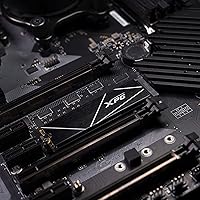
  • Heatsink: No heatsink is included; the bare blade design relies on motherboard-mounted thermal solutions or the PS5 expansion bay cover for heat dissipation.
  • Warranty: ADATA provides a 5-year limited manufacturer warranty covering defects in materials and workmanship from the original purchase date.
  • Dimensions: The drive measures 3.15 x 0.87 x 0.14 inches (approximately 80 x 22 x 3.5mm), consistent with the standard M.2 2280 blade profile.
  • Weight: The drive weighs 0.4 ounces (approximately 11 grams), reflecting its minimalist, heatsink-free construction.
  • PS5 Firmware: PS5 firmware version 21.02-04.00.00.42 or higher is required for the drive to function correctly in the console expansion slot.
  • Manufacturer: The drive is manufactured by ADATA under its XPG (Xtreme Performance Gear) gaming-focused product line.
  • Enclosure Use: The drive is designed exclusively for direct motherboard installation and is not guaranteed to function correctly inside third-party external M.2 enclosures.
  • Amazon Rating: The drive holds a 4.6 out of 5 star average across more than 12,000 verified ratings on Amazon, ranking #183 in the Internal Solid State Drives category.

Related Reviews
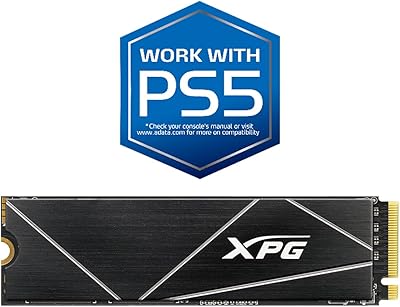
XPG GAMMIX S70 Blade 512GB SSD
87%
94%
Performance
89%
Ease of Installation
90%
Compatibility with PlayStation 5
92%
Read Speed
88%
Write Speed
More
XPG 2TB Mars 980 Blade PCIe 5.0 NVMe M.2 SSD
88%
94%
Performance
96%
Speed (Read/Write)
89%
Thermal Management
82%
Value for Money
91%
Ease of Installation
More
XPG GAMMIX S70 Blade 1TB
88%
95%
Performance
88%
Ease of Installation
82%
PS5 Compatibility
92%
Value for Money
94%
Read Speed
More
XPG GAMMIX S60 Blade 1TB PCIe Gen4 M.2 SSD

89%
92%
Performance
89%
Ease of Installation
93%
Compatibility with PS5
85%
Thermal Management
90%
Durability
More
SanDisk 2TB SSD Plus M.2 NVMe SSD

86%
89%
Performance
92%
Ease of Installation
88%
Reliability
91%
Value for Money
90%
Capacity
More
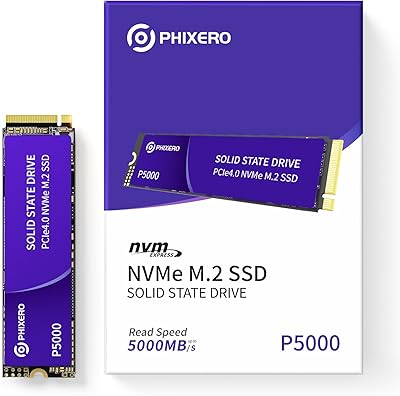
PHIXERO P5000 2TB NVMe SSD
88%
93%
Performance (Speed)
88%
Build Quality
90%
Heat Management
85%
Ease of Installation
92%
Compatibility
More
ORICO X7000 2TB NVMe SSD
89%
93%
Performance
96%
Read Speed
90%
Write Speed
89%
Cooling Efficiency
91%
Compatibility with PS5
More
Fikwot FN955 2TB M.2 NVMe SSD
81%
88%
Read Performance
74%
Write Performance
92%
Value for Money
93%
PS5 Compatibility
67%
Thermal Management
More
TEAMGROUP MP44L 2TB NVMe SSD
90%
94%
Performance
89%
Thermal Management
91%
Ease of Installation
87%
Value for Money
93%
Build Quality
More
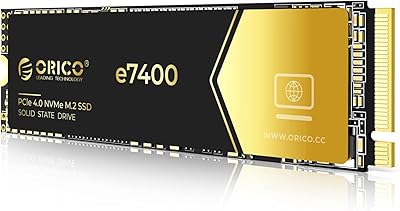
ORICO e7400 2TB M.2 NVMe SSD
81%
91%
Sequential Speed
78%
Random Read/Write
86%
Thermal Management
83%
PS5 Compatibility
88%
Value for Money
More

FAQ

Yes, but you need to make sure your PS5 is running firmware version 21.02-04.00.00.42 or higher before installation. If your console is up to date, the drive is recognized automatically after you format it through the PS5 storage settings — the whole process takes a few minutes and is well-documented in Sony's official guide.

No. The blade design is slim enough to fit directly under the PS5 expansion slot cover without any heatsink attached. The console's own cover acts as passive thermal management, which Sony designed specifically to accommodate bare M.2 drives.

It will work, but you will not get anywhere near the advertised speeds. In a Gen3 slot, you are looking at roughly 3,400 MB/s read and 3,000 MB/s write — still faster than a SATA SSD, but you are paying a Gen4 price for Gen3 performance. If your board only has Gen3 slots, a purpose-built Gen3 drive is usually a better value.

Honestly, the difference is smaller than most people expect. The PS5's internal SSD is already very fast, and the speed gap between it and a high-quality expansion drive like the S70 Blade is narrow enough that most games load within a second or two of each other. You are buying this primarily for the extra capacity, not a dramatic speed leap.

No heatsink is included in the box. For PC installation, you will want either a motherboard that has a built-in M.2 thermal pad or cover, or a separately purchased aftermarket heatsink. Running the drive without any thermal solution in a warm, poorly ventilated case can lead to throttling under sustained workloads like long file copies or game installs.

Not reliably. This drive is built for direct motherboard installation, and a meaningful number of users have reported compatibility issues when trying to use it in external M.2 enclosures. If portable external storage is what you need, this is not the right choice.

ADATA handles warranty claims through their support site, where you submit a ticket and ship the drive back after approval. The experience gets mixed reviews — some owners report fast, painless replacements, while others mention slow response times or back-and-forth communication. It is a legitimate warranty, but go in with realistic expectations about the support process.

For most players, yes. Modern PS5 games typically range from 30GB to 100GB each, so 2TB gives you practical room for 20 to 50 titles depending on the mix. If you are the type to keep a large active library without rotating games in and out, it is a comfortable amount of headroom.

All three are competitive Gen4 drives in the same performance bracket. The Samsung 990 Pro tends to run cooler and has a stronger support reputation, while the Seagate FireCuda 530 offers comparable raw speeds. The S70 Blade's main advantage is typically its price — it often comes in noticeably cheaper for the 2TB tier, which makes the performance-per-dollar argument work in its favor.

Long-term owner reviews suggest the drive holds up well. Many users report reliable daily performance after one to two years of regular use with no signs of degradation. ADATA specifies endurance ratings for the drive, and for typical consumer workloads — gaming, general use, even content creation — reaching the rated TBW limit takes years of heavy use.

Where to Buy