


Overview

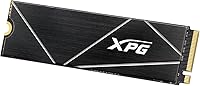
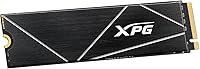
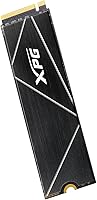
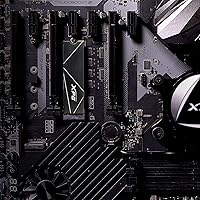
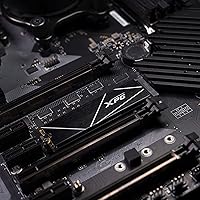
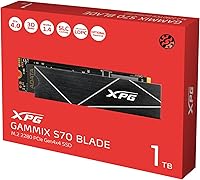
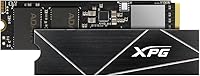
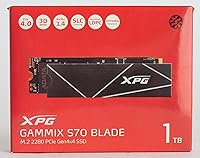
The XPG GAMMIX S70 Blade 1TB NVMe SSD comes from XPG, ADATA’s gaming-focused sub-brand that has quietly built a solid reputation in the storage market over the past several years. This is a mid-range Gen4 drive that punches above its price class rather than competing with the most expensive options on the shelf. It uses the standard M.2 2280 form factor, which means it slots into virtually any modern desktop, laptop, or PS5 without fuss. A 5-year warranty rounds out the package nicely — that kind of coverage at this price point is genuinely reassuring. Expect strong, consistent everyday performance rather than record-breaking benchmark numbers.

Features & Benefits

The S70 Blade runs on the PCIe Gen4 x4 interface, which in plain terms means it can push data fast enough to transfer a 50GB game in well under a minute on a compatible system. Sequential reads top out around 7,400 MB/s and writes land near 6,800 MB/s — numbers that make a real difference when loading large open-world titles or exporting video files. On the PS5, real-world read speeds hover around 6,100 MB/s, which is plenty for the console’s needs. If your motherboard only supports PCIe 3.0, speeds will roughly halve, so factor that in before buying. No heatsink is included, and thermal management on sustained workloads may require one depending on your setup.

Best For

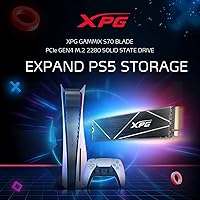
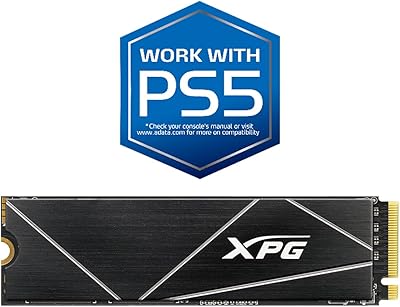
This Gen4 SSD makes the most sense for PS5 owners who want to reclaim storage space without a complicated installation — once your console firmware is updated (a one-time step), the drive is recognized immediately. PC builders with a Gen4-capable motherboard will appreciate snappy boot times and quick game loading. Content creators who regularly move large batches of raw footage or high-resolution photos will notice sustained throughput gains compared to older SATA or Gen3 drives. Laptop users with a Gen4 M.2 slot can benefit too. It’s less ideal if you’re still on a PCIe 3.0 platform — the drive works, but you’re paying for headroom you cannot yet use.

User Feedback

With over 12,000 ratings and a 4.6-star average, this NVMe drive has clearly earned the trust of a broad range of buyers. The most consistent praise centers on easy PS5 installation and the noticeably faster load times that follow. Long-term reliability also comes up repeatedly — many users report the drive performing well after a year or more of daily use. That said, some reviewers note the drive runs warm during heavy sustained use without a heatsink, which is worth planning for. A smaller number of buyers mention compatibility hiccups with certain external enclosures, since the drive is built for direct M.2 slot installation only. Against comparably priced Gen4 options, value for money is a theme that surfaces across hundreds of positive reviews.

Pros

  • Delivers real-world Gen4 speeds that make a noticeable difference in game loading and large file transfers.
  • PS5 installation is straightforward, and the one-time firmware requirement is a minor hurdle, not an ongoing issue.
  • The M.2 2280 form factor ensures broad compatibility across desktops, laptops, and the PS5 without adapters.
  • A 5-year manufacturer warranty provides meaningful long-term peace of mind at this price tier.
  • The 1TB capacity handles a solid game library or a primary OS drive with room for creative projects.
  • Backward compatibility with PCIe 3.0 slots means the drive won’t be a dead end if you upgrade your platform later.
  • Over 12,000 buyer ratings with a 4.6-star average reflects a consistently positive ownership experience across a wide user base.
  • Long-term reliability is frequently praised, with many users reporting trouble-free operation well beyond the first year.
  • Compared to pricier Gen4 competitors, this NVMe drive offers competitive throughput at a more accessible price point.

Cons

  • No heatsink is included, and the drive can run noticeably warm under sustained heavy workloads without one.
  • PCIe 3.0 users get roughly half the advertised speeds, making the performance advantage over cheaper Gen3 drives much smaller.
  • Not compatible with external enclosures, which limits flexibility for users who need portable or multi-system access.
  • Some buyers have reported compatibility issues with specific motherboard configurations, so checking your board’s QVL is advisable.
  • The 1TB capacity may feel limiting sooner than expected for users with large or growing game libraries.
  • No bundled software or cloning tool is included, so migrating an existing OS drive requires a third-party solution.
  • Heat management falls entirely on the buyer — if your case or laptop has poor airflow, throttling under load is a real possibility.

Ratings

Our editorial scores for the XPG GAMMIX S70 Blade 1TB NVMe SSD were generated by AI after processing thousands of verified buyer reviews from global markets, with incentivized, bot-generated, and spam submissions actively filtered out to ensure the results reflect genuine ownership experiences. Both the standout strengths and the recurring frustrations reported by real users are transparently factored into every category score below.

Read Performance
88%
On a Gen4 platform, the sequential read capability translates to genuinely quick game load screens and snappy OS responsiveness that users notice immediately after upgrading. Reviewers coming from Gen3 or SATA drives consistently describe the difference as striking, particularly when loading large open-world titles.
The peak read figures are achieved only on Gen4 host systems; users on PCIe 3.0 boards see roughly half those speeds, which narrows the gap versus cheaper alternatives significantly. A handful of users also note that sustained read performance under prolonged workloads can dip if heat builds without a heatsink.
Write Performance
84%
Write speeds are fast enough that moving large video projects, game installs, or system backups feels fluid rather than something you schedule and walk away from. Multiple users highlight that write-heavy tasks like compressing large archives or duplicating game files complete in noticeably less time than their previous drives.
Under extended sustained write operations — think large 4K video exports or prolonged backup jobs — some users report a performance dip as the drive’s cache fills and thermals rise without active cooling. This is less of an issue for typical gaming use, but creative professionals pushing repeated large sequential writes should be aware.
PS5 Compatibility
91%
PS5 users consistently report that the S70 Blade integrates without drama — once the console firmware is current, the drive is detected automatically and the PS5 handles formatting in a few on-screen steps. Load time improvements on the expanded storage are real and immediately obvious when jumping between titles.
Sony’s minimum firmware requirement is a minor barrier for users who haven’t connected their console to the internet recently, requiring an update before the drive is recognized. A small number of users also note that the drive runs noticeably warm inside the PS5’s expansion bay without the recommended heatsink attached.
Value for Money
89%
Across thousands of reviews, this is the category where the S70 Blade earns the most consistent praise — buyers repeatedly note they found few rivals offering comparable Gen4 throughput at a lower price point. For PS5 storage expansion in particular, it hits a price-to-performance ratio that many drives from larger brands simply don’t match.
While the price is competitive, a segment of reviewers feel that the lack of included accessories — no heatsink and no migration software — adds hidden costs that slightly erode the perceived value, especially for first-time builders who may not already own those tools.
Thermal Management
62%
38%
The slim, heatsink-free profile is a genuine advantage where clearance is tight — particularly in compact ITX builds or thin laptops where a bulky thermal solution simply won’t fit. Users in well-ventilated cases with M.2 heatsink covers on their motherboard report no meaningful throttling during normal gaming sessions.
Without an included heatsink, the drive runs noticeably warm under sustained loads, and users in poorly ventilated builds running extended write-heavy tasks frequently mention thermal throttling as a real concern. This is one of the more common pain points in negative reviews, and an entirely avoidable issue had a basic heatsink been included.
Installation Ease
87%
Whether in a desktop motherboard or the PS5’s expansion bay, users across both platforms describe the physical installation as quick and intuitive — the standard M.2 2280 format leaves no ambiguity about orientation or fitment. PS5 users in particular appreciate that the console’s software walks through the remaining setup automatically after the drive is seated.
Users new to PC building who don’t already own a cloning tool have flagged OS migration as an unexpected hurdle, since no transfer software is included in the box. A small number of desktop users also report needing to check their motherboard’s compatibility list before installation to avoid drive recognition issues.
Long-term Reliability
84%
Long-term ownership feedback is one of the stronger areas for this drive, with many buyers returning to leave updated reviews after a year or more of daily use, consistently reporting no failures or degradation. The 5-year manufacturer warranty reinforces that confidence, and ADATA’s track record in the storage space adds credibility to that coverage.
A minority of users have reported early failures, though these appear isolated rather than systematic based on review patterns. Users who run the drive close to full capacity consistently or who push sustained write cycles heavily may see endurance diminish faster over a multi-year period.
PCIe 3.0 Performance
57%
43%
The drive does technically function in PCIe 3.0 slots and offers backward compatibility without requiring any additional setup or configuration, which preserves its usefulness for users planning a platform upgrade in the future. For basic tasks like OS boot and general application use, the PCIe 3.0 speeds are still a noticeable step up over any SATA drive.
The real-world speed penalty is steep — dropping to roughly 3,400 MB/s read and 3,000 MB/s write means getting Gen3-class performance from a drive priced as Gen4. Buyers on older platforms who chose this drive expecting its full potential have left some of the more pointed negative reviews about the mismatch between advertised and actual throughput.
Capacity Satisfaction
76%
24%
For most users upgrading from a 500GB drive or the PS5’s stock storage, 1TB feels like a significant expansion — enough to comfortably house several modern titles alongside an operating system and personal files. PC users building a primary gaming machine find it a practical single-drive solution without immediately needing supplemental storage.
As modern game file sizes continue to grow, several reviewers — particularly those with large PS5 libraries — note that 1TB fills up faster than expected and wish they had opted for the 2TB variant from the start. Users storing large video or media projects alongside games may find themselves managing space more aggressively than anticipated.
Warranty Coverage
88%
A 5-year warranty from ADATA is a meaningful commitment at this price point, giving buyers confidence when choosing this drive over shorter-warranted competitors. Reviewers who have engaged with the warranty process generally report a functional, if not exceptional, experience with ADATA’s support team.
Some users note that the warranty process is online-only with an RMA requirement, which can feel slow compared to brands with broader local service networks. International buyers in certain regions have also flagged uncertainty around claim logistics, slightly dampening the overall confidence the coverage would otherwise provide.
Software & Extras
43%
57%
The absence of bundled extras keeps the package simple and uncluttered, which experienced builders who already own cloning software and heatsinks will see as a non-issue. For buyers who already have the necessary peripherals, nothing superfluous is paid for.
The complete lack of bundled utilities or accessories is a consistent complaint from newer PC upgraders — no heatsink, no migration tool, and no manual leaves first-timers relying entirely on community guides. Competitors at similar price points frequently include at least basic cloning software, making the S70 Blade feel thin on extras by comparison.
Sustained Performance
71%
29%
For typical mixed gaming and general computing use, the drive’s real-world consistency is genuinely solid — users spending hours in open-world games or running moderately demanding background tasks rarely encounter the kind of slowdowns that suggest the drive is being pushed past its comfort zone. Day-to-day performance holds steady for the vast majority of use cases this drive is marketed toward.
Under prolonged and intensive workloads — such as extended 4K video encoding or back-to-back large file migrations — reviewers report measurable performance variation as the drive manages heat and cache limits simultaneously. This is where the thermal design compromise has the most tangible real-world impact, and it is worth factoring in for professional workstation use.
Brand Reputation
78%
22%
XPG has built a respectable track record in storage and memory over the past decade, and buyers already familiar with the brand approach this Gen4 SSD with genuine confidence. The notably high repeat-buyer rate in the review base suggests that previous positive experiences with ADATA products carry real weight in purchase decisions.
XPG lacks the name recognition of Samsung or WD in mainstream consumer circles, and some buyers admit needing additional research before feeling comfortable choosing this brand over more established names. For first-time ADATA buyers, the brand’s lower profile can introduce hesitation that a more recognized label would not.

Suitable for:

The XPG GAMMIX S70 Blade 1TB NVMe SSD is a strong match for PS5 owners who have run out of internal storage and want a straightforward upgrade without spending a fortune — the installation process is simple, and after a one-time firmware update on the console, the drive is ready to go. PC builders and upgraders running a PCIe Gen4-capable motherboard will get the full benefit of the drive’s speed, which translates to noticeably faster boot times and shorter game load screens in practice. Content creators who regularly work with large video or photo files will also find the sustained throughput a genuine improvement over older SATA or Gen3 NVMe drives. Laptop users with a Gen4 M.2 slot stand to gain as well, especially if they’re upgrading from a slower stock drive. Budget-conscious enthusiasts who want Gen4 performance without paying flagship prices will find this drive hits a practical sweet spot in both capacity and cost.

Not suitable for:

Buyers still running older platforms with only PCIe 3.0 slots should think carefully before purchasing, since the drive will work but its speeds will be limited to roughly half of what it can actually deliver — a Gen3-native drive would offer similar real-world performance at a lower price. Those planning to use the drive in an external enclosure should also look elsewhere; the S70 Blade is designed strictly for direct M.2 slot installation and has shown compatibility issues in enclosure setups. Anyone who runs sustained heavy workloads like continuous large file writes or intensive server-style tasks without proper airflow should budget for an aftermarket heatsink, as the drive can run warm in those conditions without one. Users needing more than 1TB for a single-volume setup — such as a large media archive or a dense game library — may find the capacity limiting over time. Finally, buyers seeking the absolute fastest Gen4 drives available, regardless of price, will find higher-tier options from competing brands that edge out the S70 Blade in peak benchmark performance.

Specifications

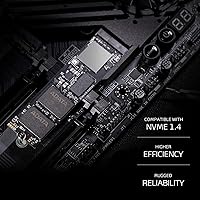
  • Interface: The drive uses a PCIe Gen4 x4 NVMe 1.4 interface, delivering the latest generation of bandwidth available on compatible desktop and laptop platforms.
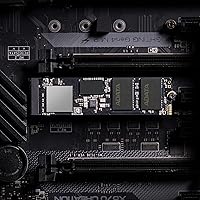
  • Form Factor: Built in the M.2 2280 format (22mm wide, 80mm long), this is the most widely supported NVMe size across modern motherboards, laptops, and the PS5 expansion slot.
  • Sequential Read: On a PCIe Gen4 platform, sequential read speeds reach up to 7,400 MB/s under controlled test conditions.
  • Sequential Write: Sequential write performance tops out at approximately 6,800 MB/s on a fully Gen4-capable host system.
  • PS5 Read Speed: Under the PS5 operating environment, real-world sequential read speed measures approximately 6,100 MB/s, which comfortably exceeds Sony’s minimum recommended threshold.
  • PCIe 3.0 Read: When installed in a PCIe 3.0 slot, maximum sequential read speed is limited to approximately 3,400 MB/s due to the reduced bandwidth of the older interface.
  • PCIe 3.0 Write: Sequential write performance in a PCIe 3.0 configuration is capped at roughly 3,000 MB/s.
  • Capacity: The drive offers 1TB of usable storage, suitable for an operating system installation alongside a moderate game library or a creative project workspace.
  • Dimensions: The drive measures 3.15 inches long, 0.87 inches wide, and 0.14 inches thick, adhering precisely to the standard M.2 2280 footprint.
  • Weight: At 0.4 oz, the drive adds negligible weight to any system build or laptop upgrade.
  • Warranty: XPG covers the drive with a 5-year limited manufacturer warranty, which is standard for premium NVMe drives in this class.
  • Manufacturer: The drive is produced by ADATA under the XPG sub-brand, which focuses specifically on gaming and performance-oriented storage and memory products.
  • Compatible Devices: Officially compatible with desktop PCs, laptops, and the Sony PlayStation 5, provided the host system meets the required interface and firmware specifications.
  • Installation Type: This is an internal drive only, designed for direct installation into an M.2 slot on a motherboard or the PS5’s dedicated expansion bay.
  • Heatsink: No heatsink is included in the retail package; buyers with motherboards that lack a built-in M.2 thermal pad or cover may need to source one separately.

Related Reviews
XPG GAMMIX S70 Blade 512GB SSD
87%
94%
Performance
89%
Ease of Installation
90%
Compatibility with PlayStation 5
92%
Read Speed
88%
Write Speed
More
XPG GAMMIX S60 Blade 1TB PCIe Gen4 M.2 SSD
89%
92%
Performance
89%
Ease of Installation
93%
Compatibility with PS5
85%
Thermal Management
90%
Durability
More
XPG GAMMIX S70 Blade 2TB NVMe SSD
74%
93%
Read/Write Performance
91%
PS5 Compatibility
61%
Thermal Management
89%
Installation Experience
86%
Value for Money
More
XPG S40G 256GB RGB NVMe M.2 SSD
78%
88%
Sequential Performance
76%
Real-World Speed
82%
Value for Money
86%
RGB Aesthetics
53%
Capacity Adequacy
More
SanDisk Professional PRO-Blade Transport 1TB Portable SSD
80%
88%
Transfer Speed
74%
Sustained Performance
91%
Build Quality
86%
Durability & Ruggedness
79%
Modular Ecosystem
More
XPG 2TB Mars 980 Blade PCIe 5.0 NVMe M.2 SSD

88%
94%
Performance
96%
Speed (Read/Write)
89%
Thermal Management
82%
Value for Money
91%
Ease of Installation
More
RONGSHU RS001 1TB NVMe SSD
75%
91%
Value for Money
88%
Read/Write Speed
93%
PS5 Compatibility
53%
Brand Trustworthiness
71%
Thermal Management
More
Transcend MTE310 1TB NVMe SSD
88%
92%
Performance
94%
Speed (Read/Write)
88%
Reliability
91%
Ease of Installation
84%
Software/Software Experience
More
PHIXERO P5000 1TB NVMe SSD
86%
92%
Read/Write Speeds
88%
Performance Under Load
95%
Ease of Installation
85%
Thermal Management
90%
Compatibility with Devices
More
Patriot P300 1TB NVMe SSD
83%
88%
Performance
92%
Value for Money
85%
Read Speed
83%
Write Speed
86%
Durability
More

FAQ

Yes, the XPG GAMMIX S70 Blade 1TB NVMe SSD is fully compatible with the PS5. You do need to make sure your console is running firmware version 21.02-04.00.00.42 or higher, but that’s a one-time system update — not an ongoing requirement. The physical installation takes about ten minutes, and the PS5 walks you through formatting the drive automatically once it’s detected.

Sony recommends using a heatsink with any M.2 drive installed in the PS5, and the S70 Blade does not include one in the box. A basic, low-profile M.2 heatsink costs very little and is widely available. It’s a worthwhile addition to prevent thermal throttling during long gaming sessions.

It will work, but the speed advantage narrows considerably. In a PCIe 3.0 slot, this NVMe drive is limited to roughly 3,400 MB/s read and 3,000 MB/s write — about half its rated capability. If your platform is PCIe 3.0 only, a Gen3-native drive at a lower price might be the more practical choice.

No, this drive is not designed for external enclosure use and has shown compatibility problems in that configuration. It is strictly an internal M.2 drive meant for direct slot installation. If you need portable NVMe storage, look for a drive and enclosure that are explicitly paired or rated for external use.

For most people, 1TB is a reasonable starting point — it comfortably fits a dozen or more modern titles alongside your operating system. That said, if you regularly install large AAA games (some of which now exceed 100GB each), you may start feeling the pressure sooner than expected. It’s a practical size for the price, but heavy gamers with large libraries should weigh whether 2TB makes more sense for them.

It depends on your motherboard. Many modern boards include an M.2 thermal pad or cover that handles heat adequately under typical workloads. If yours does not, or if you plan to run sustained write-heavy tasks like large video renders or backups, adding an aftermarket heatsink is a sensible precaution to avoid thermal throttling.

No bundled software is included. If you’re planning to migrate an existing Windows installation to this drive rather than doing a clean install, you’ll need a third-party cloning tool. Several free options work well for this purpose, including Macrium Reflect Free and the drive manufacturer’s own utilities in some cases.

The S70 Blade sits in a competitive middle ground — it delivers genuine Gen4 performance at a lower price than some of the more established names. In real-world use like game loading or everyday file work, the difference between this drive and a top-tier Gen4 competitor is minimal for most users. Where premium drives tend to pull ahead is in sustained write endurance and consistency under prolonged heavy workloads.

The drive carries a 5-year limited manufacturer warranty backed by ADATA. For a drive in this price range, a five-year coverage window is a strong signal of confidence in the product’s longevity. ADATA’s warranty process is handled online through their support portal, and user experiences with claims have generally been straightforward based on community feedback.

Yes, provided your laptop has an M.2 2280 slot running PCIe Gen4. That qualifier matters — many mid-range laptops still use PCIe 3.0 or even SATA M.2 slots, which would limit the performance you can actually unlock. Check your laptop’s specifications before purchasing; if it supports Gen4, this drive is a solid upgrade over a stock or SATA-based unit.