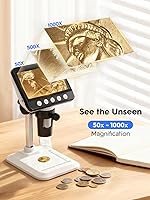
WKR 367 4.3-inch LCD Digital Microscope
WKR 367 4.3-inch LCD Digital Microscope — image 1
WKR 367 4.3-inch LCD Digital Microscope — image 2
WKR 367 4.3-inch LCD Digital Microscope — image 3
WKR 367 4.3-inch LCD Digital Microscope — image 4
WKR 367 4.3-inch LCD Digital Microscope — image 5

WKR 367 4.3-inch LCD Digital Microscope — image 6
WKR 367 4.3-inch LCD Digital Microscope — image 7
76%
24%

Overview

The WKR 367 4.3-inch LCD Digital Microscope launched in early 2025 as a self-contained magnification tool aimed squarely at hobbyists, coin collectors, and curious families — not researchers or lab technicians. What sets it apart from most budget options is the built-in IPS display, which means you are not tethered to a phone app or a laptop just to see what you are magnifying. The rechargeable battery adds genuine portability; you can set it up at a coin show or a kitchen table without hunting for an outlet. Magnification goes up to 1000x on paper, but keeping realistic expectations about where true sharpness lives will serve you better.

Features & Benefits

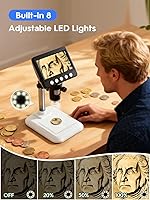
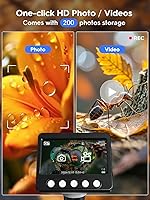
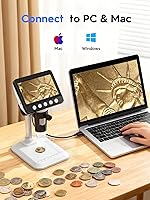
The 4.3-inch IPS screen is arguably the most practical thing about this LCD digital microscope — instead of craning your neck toward a narrow eyepiece, you view everything upright on a bright, color-accurate panel. The eight LED lights surround the lens and can be dimmed with a rotary knob, which really matters when you are looking at a reflective coin surface and glare is the enemy. Mid-range magnification, roughly 100x to 300x, is where clarity peaks for coin edge details or solder joints; push toward 1000x and images soften noticeably — a known trade-off on consumer-grade sensors. The unit also connects to Windows and Mac computers for larger-screen viewing and photo capture, with room for 200 shots stored onboard.

Best For

This coin microscope punches above its weight for a specific kind of user: someone who wants magnified detail quickly, without a complicated setup. Coin roll hunters will appreciate the hands-free screen for scanning potential error coins without constantly lifting a loupe. Parents and teachers will find the large display ideal for group viewing in a STEM or homeschool lesson — kids can actually see what is on the screen together. Jewelry makers and stamp collectors get flexible zoom without the expense or footprint of a dedicated stereo microscope. It also travels well; at one pound, it fits in a bag for coin club meetings or flea market finds. It is less suited to anyone expecting laboratory-grade resolution.

User Feedback

Across more than 1,300 ratings, the WKR 367 holds a 4.5-star average, and the pattern in buyer comments is consistent: people are genuinely pleased with screen clarity at mid-range zoom and how little time it takes to get up and running straight out of the box. The setup experience — plug in, power on, focus — draws repeated praise from first-time microscope buyers. On the other side, some users note that the plastic stand wobbles slightly on uneven surfaces, which can blur an image if the table is not perfectly level. The 3.5-hour battery seems adequate for casual sessions but short for prolonged inspection work. A handful of Mac users mention the PC software feels less polished than the Windows version, worth knowing if you plan to use that feature regularly.

Pros

  • The built-in 4.3-inch IPS screen means no phone, no laptop, and no awkward eyepiece — just power on and look.
  • Mid-range magnification, roughly 100x to 300x, delivers genuinely crisp detail for coin edges, stamps, and small components.
  • Eight surrounding LEDs with a rotary dimmer handle glare-sensitive surfaces like coins and circuit boards better than fixed-brightness alternatives.
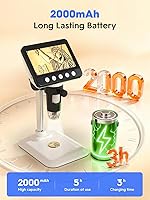
  • Rechargeable battery gives around 3.5 hours of untethered use, enough for a typical coin show session or classroom demo.
  • At one pound, this coin microscope is light enough to toss in a bag and actually take somewhere.
  • Connects to both Windows and Mac computers for larger-screen viewing and photo documentation without extra adapters.
  • Setup takes minutes — plug in, adjust the stand, focus, and you are working, which beginners consistently praise.
  • The large shared screen makes it genuinely useful for group settings, whether that is a classroom or a family project night.
  • Onboard photo storage removes the need for a memory card during short inspection sessions.
  • Launched in early 2025 with a rapidly growing review base, so buyer feedback reflects current production quality.

Cons

  • Image quality softens noticeably above 400x to 500x — the 1000x ceiling is a marketing figure, not a practical working resolution.
  • The plastic stand has no vibration-dampening mass, so bumping the table can throw a focused shot out of alignment mid-inspection.
  • Only 200 photos of onboard storage is limiting for anyone cataloguing a large coin or stamp collection in a single session.
  • The PC software on MacOS has drawn complaints about reliability and polish, which undercuts a headline feature for Apple users.
  • Battery life of roughly 3.5 hours may not cover a full day at a coin show or an extended repair session without a USB power bank nearby.
  • The all-plastic housing feels light in a way that some buyers read as fragile rather than portable, especially around the stand joints.
  • No memory card slot means you cannot expand storage without connecting to a computer to offload photos.
  • Lighting from the LED ring can create a slight hotspot at very close working distances, requiring extra brightness adjustment.
  • The adjustable stand works well on flat surfaces but offers no grip or weight to stay planted on textured or angled workbenches.
  • Relatively new to market means long-term durability data is still thin, so buyers have little track record to judge build longevity.

Ratings

The scores below reflect an AI-driven analysis of verified global buyer reviews for the WKR 367 4.3-inch LCD Digital Microscope, with spam, incentivized, and bot-flagged submissions actively filtered out to keep the data honest. Our model weighs both enthusiastic praise and recurring frustrations equally, so the numbers you see reflect real-world ownership — not marketing copy. Strengths and shortcomings are surfaced with equal weight, giving you a clear picture of what this coin microscope actually delivers day to day.

Display Quality
88%
Buyers consistently single out the IPS panel as the biggest surprise at this price tier — colors are accurate, viewing angles are wide, and the screen is bright enough to use in a well-lit room without washing out. Coin collectors in particular appreciate being able to share the live image with a partner sitting beside them, something a traditional eyepiece simply cannot do.
A small number of users note that the screen can develop a slight haze or reflection in direct sunlight, limiting outdoor usability. At very high zoom levels, the display resolution exposes sensor limitations rather than adding clarity, which can feel misleading compared to the crisp output at moderate magnifications.
Image Sharpness
74%
26%
In the practical working range of roughly 100x to 350x, this LCD digital microscope produces genuinely sharp, detailed images — good enough to identify die markers on error coins, inspect solder bridges on circuit boards, or examine gemstone facets with confidence. For the majority of hobbyist tasks, the image quality clears the bar comfortably.
Sharpness falls off noticeably as you push above 500x, and by 800x to 1000x the image is soft enough that fine details become ambiguous rather than revealing. This is a fundamental sensor limitation that no amount of stand adjustment corrects, and buyers expecting laboratory-grade resolution at maximum zoom will be disappointed.
Ease of Setup
93%
Almost universally praised across reviews, the setup experience is described as nearly effortless — attach the unit to the stand, power on, and the screen lights up immediately with no driver installation or app pairing required. First-time microscope users, including kids and older adults, repeatedly cite this as a reason they would recommend it to others.
A handful of buyers report that the stand connection feels slightly loose out of the box, requiring a firm twist to seat properly before the camera holds a stable angle. This is a minor assembly quirk rather than a defect, but it can briefly confuse users expecting everything to snap together perfectly on the first try.
LED Lighting
86%
The eight-LED ring with a rotary brightness dial gives users genuinely useful control over illumination — particularly valuable when examining reflective subjects like coins or polished metal, where a fixed-brightness light would create constant glare. Most buyers find a comfortable setting within seconds of adjusting the knob.
At very close working distances, the ring lighting can create a bright central hotspot that takes patience to dial out, especially on mirrored or highly polished surfaces. A small number of users also report that the lowest brightness setting is still slightly too intense for very light-sensitive specimens.
Magnification Range
71%
29%
The broad 50x to 1000x range covers the full spectrum of typical hobbyist needs in a single device — from low-power overviews of a coin's full face down to tight inspection of a specific edge anomaly. Coin roll hunters and stamp collectors appreciate not having to switch tools mid-session to get a different level of detail.
The stated 1000x maximum is a combined optical and digital figure, and buyers who do not read the fine print often feel misled when extreme zoom delivers blurry results. Realistic usable magnification tops out closer to 400x to 500x for anything requiring clear, actionable detail, which is a meaningful gap from the headline claim.
Build Quality
63%
37%
The all-plastic construction keeps weight down to one pound, which is a genuine advantage for buyers who bring this coin microscope to shows or club meetings rather than leaving it permanently on a desk. The body feels solid enough for careful daily handling and light travel.
The plastic housing generates mixed reactions from buyers expecting more premium feel at this tier — the stand joints in particular feel lightweight, and several reviewers note that the stand arm has some flex under lateral pressure. Long-term durability data is still limited given the March 2025 launch, so it remains an open question how the build holds up after a year of regular use.
Stand Stability
61%
39%
The height-adjustable stand covers a useful range of working distances and makes it easy to shift between low and high magnification by simply raising or lowering the camera body. For users working on a flat, stable desk surface, it provides adequate stability for comfortable inspection sessions.
The stand lacks any meaningful mass or anti-slip base, so bumping the table or working on a slightly textured surface can shift the focal point mid-inspection. This is the most consistently mentioned frustration in critical reviews, and it is the primary reason the WKR 367 is not well suited to precision documentation work where image stability is non-negotiable.
Battery Life
69%
31%
Roughly 3.5 hours per charge covers a typical casual session with room to spare — enough for an evening of coin roll hunting, a homeschool lesson, or a quick electronics repair job without anxiety about running out of power mid-task. The USB passthrough option removes the constraint entirely for desk-based use.
Buyers who take the microscope to all-day coin shows or want to run extended cataloguing sessions flag the battery as the limiting factor, since 3.5 hours is not sufficient for a full day without access to a power source. There is no battery level indicator prominent enough to give clear advance warning before shutdown, which a few users found frustrating.
PC Connectivity
67%
33%
Windows users generally have a smooth experience connecting the device and viewing or capturing images on a larger monitor, which is especially useful for documentation or sharing findings in a professional or educational context. The dual-platform support is a genuine differentiator compared to rivals that only target Windows.
MacOS users report a noticeably rougher software experience — occasional connection drops, a less intuitive interface, and limited functionality compared to the Windows version. Given that cross-platform compatibility is a prominently marketed feature, the Mac experience feels underdelivered and has generated a disproportionate share of the critical reviews.
Photo Storage
58%
42%
Having 200 photos available onboard without needing a memory card is convenient for casual sessions — most hobbyists shooting a handful of interesting coins or components per sitting will rarely hit the limit in a single use. The USB transfer process is simple once the device is connected to a computer.
For anyone doing systematic cataloguing — working through a large coin collection or documenting a repair job in detail — 200 shots fills up faster than expected, forcing mid-session interruptions to offload images. The absence of a memory card slot means there is no simple field expansion option, which feels like a missed opportunity at this price tier.
Portability
84%
At one pound and with a rechargeable battery, this LCD digital microscope travels more naturally than most desktop alternatives — coin club members and flea market regulars mention it fitting easily in a bag alongside their other gear. The compact footprint also means it does not dominate a small workspace when in use.
The stand adds some bulk that prevents the unit from being truly pocket-portable, and the plastic construction requires some padding when packing to avoid scratches. It is better described as bag-portable than genuinely compact, which may not match the expectations of buyers imagining a pocket loupe replacement.
Value for Money
82%
18%
The combination of a built-in IPS screen, adjustable LED ring, and rechargeable battery at this price point represents strong value for entry-level and hobbyist buyers who would otherwise pay significantly more for a comparable standalone display setup. Buyers who frame their expectations around the hobbyist use case consistently feel they got a fair deal.
Buyers who push the device toward professional use — precise documentation, extended Mac workflows, or high-magnification imaging — often feel the value proposition weakens as they encounter its limitations. The gap between the marketed 1000x capability and practical sharpness is the most common trigger for buyer disappointment relative to price.
Child Friendliness
87%
The large shared screen, simple controls, and instant-on operation make this one of the more genuinely kid-accessible magnification tools on the market — children can see results immediately without the coordination required to align an eye with a traditional eyepiece. Teachers and parents in STEM or homeschool settings mention it holding kids attention far longer than expected.
The all-plastic build is not ruggedized, and younger children will need supervision to avoid drops or rough handling that could damage the stand or lens assembly. The brightness controls and stand adjustment, while simple for adults, can be fidgety for small hands without some initial guidance.

Suitable for:

The WKR 367 4.3-inch LCD Digital Microscope is a strong fit for anyone who wants magnified detail on demand without a complicated setup or a dedicated workspace. Coin roll hunters and error coin collectors will get the most out of it — the built-in display means you can scan a handful of quarters at the kitchen table without connecting anything to a computer. Parents and homeschool teachers will find it especially useful because kids can gather around the screen together, making it a shared experience rather than a one-eye-at-a-time affair. Casual electronics hobbyists checking solder joints, stamp collectors grading condition, and jewelry makers examining settings are all well within its comfort zone. If you travel to coin shows or collector club meetings, the one-pound weight and battery power mean it actually goes with you.

Not suitable for:

Anyone expecting research-grade image quality at high magnification will run into the limits of this LCD digital microscope fairly quickly. The 1000x figure is a combined optical and digital number, and in practice the image softens significantly well before you reach that ceiling — it is not a tool for precise scientific measurement or publication-quality photography. Professional numismatists who need to document coin surfaces with clinical accuracy would be better served by a dedicated stereo microscope with a quality camera attachment. The lightweight plastic stand, while convenient for portability, lacks the mass to dampen vibration, so anyone doing extended fine-detail work on a busy desk will find focus drifting. Mac users who intend to rely heavily on PC connectivity should also be aware that the software experience on MacOS has drawn mixed feedback, and the onboard 200-photo storage will feel limiting for anyone planning a serious cataloguing session.

Specifications

  • Display: Features a 4.3-inch IPS panel with 1080P resolution, delivering accurate colors and a wide viewing angle in real time.
  • Magnification: Covers a combined optical and digital range of 50x to 1000x, with practical sharpness peaking well below the maximum ceiling.
  • LED Lighting: Eight built-in LEDs surround the lens and can be adjusted via a rotary knob for uniform, glare-controlled illumination.
  • Stand: Includes a height-adjustable stand that controls camera-to-object distance to help achieve precise focus at different magnification levels.
  • Connectivity: Connects to Windows and MacOS computers via USB for larger-screen viewing, photo capture, and image documentation.
  • Power Source: Runs on a built-in rechargeable lithium-ion battery with approximately 3.5 hours of continuous use per charge.
  • USB Operation: Can also run continuously via USB power passthrough, eliminating battery concerns during long stationary sessions.
  • Photo Storage: Stores up to 200 photos directly on the device without requiring a memory card or external storage.
  • Input Voltage: Operates at 5V via standard USB input, compatible with common phone chargers and power banks.
  • Dimensions: Measures 6.8 x 5.1 x 3.6 inches, making it compact enough to fit in a bag or store on a small shelf.
  • Weight: Weighs 1 pound, light enough for casual portability to coin shows, classrooms, or club meetings.
  • Housing Material: Built from plastic in a white colorway, keeping the unit lightweight but without the rigidity of metal-bodied alternatives.
  • Model: Manufactured by WKR under the model designation 367, first available in March 2025.
  • Compatibility: Supports both Windows and MacOS operating systems for PC-connected use, though software polish varies by platform.
  • Battery Type: Uses one included lithium-ion battery that is internal and rechargeable rather than replaceable.

Related Reviews
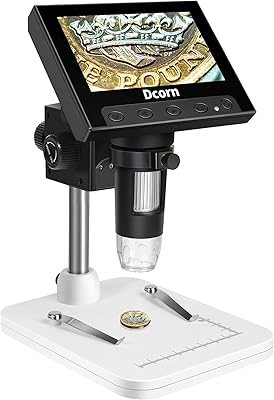
Dcorn 4.3″ LCD Digital Coin Microscope
71%
84%
Value for Money
79%
Image Quality (Low Magnification)
51%
Image Quality (High Magnification)
91%
Ease of Setup
82%
LED Lighting
More
Hayve DM7 4.3″ Digital Microscope
78%
92%
Ease of Setup
88%
Display Quality
71%
Magnification Performance
84%
LED Lighting
58%
Build Quality
More
Koolertron 5.5-inch LCD Digital Microscope
75%
78%
Image Clarity
83%
Screen Quality
71%
Build Quality
86%
Stand & Adjustability
67%
Magnification Range
More
UF-TOOLS 7 Inch LCD Digital Microscope
86%
88%
Image Quality
90%
Magnification Accuracy
87%
Portability
85%
Ease of Use
84%
Battery Life
More
LINKMICRO LM246MS 3-Lens 7-Inch HDMI Digital Microscope

85%
88%
Image Quality
91%
Ease of Setup
85%
Build Quality
90%
Lens Versatility
74%
Display Size
More
Redecker Olive Wood Pig Bristle Nail Brush
82%
88%
Bristle Performance
91%
Handle Quality
83%
Moisture Resistance
79%
Dual-Side Utility
76%
Grip & Ergonomics
More
Celestron LCD Digital Microscope II
75%
88%
Ease of Use
74%
Screen Quality
71%
Optical Magnification Quality
66%
Camera & Image Capture
63%
Build Quality & Durability
More
JOYALENS JL246PS 3-Lens Digital Microscope
77%
83%
Image & Screen Clarity
74%
Magnification Range
86%
Lighting System
57%
Build Quality
79%
Ease of Use
More
Aluratek ADMPF315F 15-inch Digital Photo Frame
76%
91%
Ease of Setup
88%
Screen Size & Presence
67%
Image Quality
86%
Storage & Compatibility
74%
Build Quality
More
Andonstar AD210 10.1-inch Digital Microscope
80%
88%
Display Quality
73%
Magnification Performance
84%
Stand & Build Quality
79%
Image & Video Capture
68%
Storage & File Transfer
More
LINKMICRO LM210 10.1″ LCD Digital Microscope
82%
89%
Value for Money
91%
Display Quality
85%
Ease of Use
87%
Magnification Performance
83%
Build Quality
More

FAQ

It works completely on its own. The built-in 4.3-inch screen displays what the camera sees in real time, so you can inspect coins, stamps, or circuit boards without connecting anything to a PC. The computer connection is an optional extra for those who want to view or save images on a larger monitor.

Honestly, the 1000x figure is a combined optical and digital number, and at that extreme the image gets noticeably soft. In practical terms, the WKR 367 4.3-inch LCD Digital Microscope performs best in the 100x to 400x range, where you can clearly make out die marks on a coin edge, fine solder joints, or thread texture on fabric. Push much beyond that and you are trading sharpness for zoom, which is a common limitation of consumer-grade sensors at this price level.

It is genuinely designed with a broad audience in mind, and kids handle it fine. The large screen means there is no narrow eyepiece to peer through, and the controls are straightforward enough that most children can adjust the brightness and focus without help. That said, it is not ruggedized, so younger kids should be supervised to avoid dropping it.

You get roughly 3.5 hours on a full charge, which covers a typical inspection session or classroom demo comfortably. If you need longer run time — say, for a full day at a coin show — you can plug it into a USB power bank or wall adapter and use it continuously without draining the battery at all.

MacOS is officially supported and the basic connection does work, but buyer feedback suggests the software feels more polished on Windows. Mac users can still capture photos and view the feed on a larger screen, but if deep PC integration is important to your workflow, Windows will give you a smoother experience.

The rotary LED dimmer is your best tool here. Dropping the brightness a few notches and adjusting the stand height to slightly increase the camera-to-coin distance usually knocks out the worst glare. Angling the coin very slightly rather than laying it perfectly flat can also help diffuse reflections across the LED ring.

The device holds up to 200 photos internally, so you can capture images freely without touching a computer during your session. When the storage fills up, or when you want to move images to your computer, you connect via USB and transfer them across. There is no memory card slot, so 200 shots is the hard limit per session unless you offload mid-way.

The stand does its job on a flat, stable surface, but it is lightweight plastic without any added mass to absorb vibration. If your desk surface is slightly textured or you bump the table, the image can shift. Most users work around this by placing it on a firm, flat surface and adjusting gently — it is not a precision research stand, but it is adequate for hobbyist inspection work.

For most error coin inspection — looking for doubled dies, die cracks, or strike-through debris — somewhere between 100x and 250x hits the sweet spot. That range gives you enough magnification to clearly see surface anomalies while keeping the image sharp and the field of view wide enough to orient yourself on the coin. Save higher zoom levels for confirming a specific tiny detail once you have already found it.

Very straightforward. You attach the camera unit to the stand, power it on, and the screen activates immediately. Adjust the stand height until the image comes into focus, dial in the LED brightness for your subject, and you are ready. Most buyers report being up and running within a few minutes of opening the box, with no software installation needed for standalone screen use.