Overview

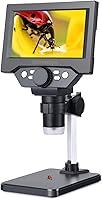
The Koolertron 5.5-inch LCD Digital Microscope sits comfortably in the mid-range bracket, aimed at hobbyists, repair technicians, and educators who want magnified inspection without committing to professional lab equipment. What separates this desktop digital microscope from basic USB-only alternatives is its built-in LCD screen — you can work entirely untethered from a computer, which matters when your bench is already crowded with gear. A rechargeable lithium-ion battery adds flexibility, though it is worth being clear: the stand keeps it planted as a desktop tool by nature. At just over a pound, it won't dominate your workspace, and the accessible price point makes it a reasonable entry point for anyone curious about hands-free magnified inspection.
Features & Benefits

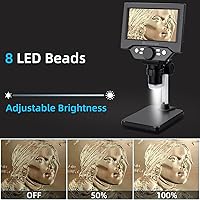
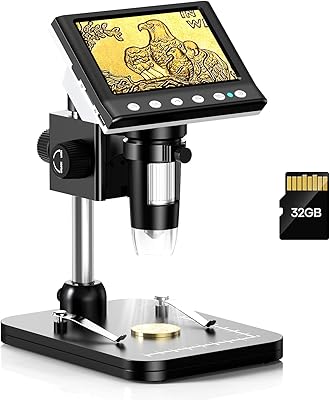
The magnification range on this LCD microscope runs wide enough to cover most practical tasks, from reading fine solder joints to inspecting coin surfaces, though the upper extreme of that range is more of a marketing ceiling than an everyday working setting. The 8MP sensor captures reasonably sharp still images and records video directly to a Micro SD card — handy for documenting repairs or sharing findings with a client. Worth flagging upfront: the SD card itself is not included, so add one to your order before the first session. Eight LED lights do solid work managing glare, and the adjustable-angle stand is a genuine practical improvement over fixed vertical designs that tend to struggle with reflective surfaces like polished metal.

Best For

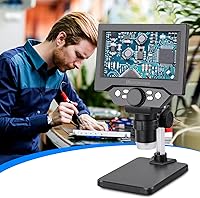
This desktop digital microscope hits a sweet spot for a fairly specific type of user. Electronics hobbyists tracing PCB faults or verifying solder quality will find the screen-and-stand combination genuinely convenient — no laptop required, no searching for a spare USB port. Coin and stamp collectors benefit from the hands-free setup, since you can position a piece and comfortably view it on screen from a natural distance. Watch repair and jewelry inspection are equally solid use cases. It is less suited to biological research needing cell-level resolution, and professionals doing precision optical work will want a glass lens system. For casual to intermediate inspection tasks, though, the value proposition is hard to argue with.

User Feedback

Buyers who pick up this Koolertron unit generally split into two camps. The majority are satisfied, particularly praising screen brightness and clarity and how easily the stand repositions mid-task without losing stability. Battery life draws mostly positive notes, with several verified buyers reporting multiple work sessions between charges. On the critical side, a recurring theme is disappointment at extreme magnification settings — image quality softens noticeably once you push past a practical midpoint, which is expected given the sensor resolution. A handful of users also flag that the LED array can still produce some glare on highly polished reflective surfaces. Against similarly priced rivals, most buyers feel this unit delivers better overall build for the money.

Pros

  • The built-in LCD screen means you can work entirely without a laptop or monitor taking up extra bench space.
  • Adjustable stand angle is a practical advantage over fixed vertical designs when dealing with reflective surfaces.
  • Battery-powered operation gives you freedom from wall outlets during bench sessions or classroom demonstrations.
  • Setup takes only a few minutes out of the box — no drivers, no calibration, no frustration.
  • On-device image and video capture is genuinely useful for documenting repairs or sharing inspection results.
  • The achromatic lens controls color fringing better than many buyers expect at this price tier.
  • LED illumination performs well in low-light workshop conditions without needing a separate lamp.
  • At its price point, the combination of screen, recording, and adjustable stand is hard to match among direct competitors.
  • USB power backup ensures a low battery mid-session does not force you to stop working.
  • Compact footprint keeps your workspace organized even when the stand is fully extended.

Cons

  • No Micro SD card is included, which catches first-time buyers off guard before their very first session.
  • Extreme magnification settings produce soft, unreliable images — the upper limit is a spec figure, not a working tool.
  • The plastic construction feels budget-grade in hand, and adjustment knobs lack the confident tactile feedback of metal components.
  • LED hotspots on mirror-finish or polished surfaces are difficult to eliminate through repositioning alone.
  • The built-in display can wash out under bright ambient light, limiting use near windows or in sunlit spaces.
  • No precise battery indicator makes it hard to gauge remaining charge during longer work sessions.
  • PC companion software is not provided, leaving USB-connected users to source their own third-party solutions.
  • Viewing angles on the screen are narrow enough to make collaborative side-by-side viewing awkward.
  • Focus dial sensitivity has a short learning curve that can cause users to overshoot their target zoom.
  • Stand stability can develop minor play over time with frequent daily repositioning.

Ratings

The scores below for the Koolertron 5.5-inch LCD Digital Microscope were generated by our AI engine after systematically analyzing verified global buyer reviews, actively filtering out incentivized, repeated, and bot-pattern submissions to surface genuine user sentiment. Each category reflects real-world usage patterns from hobbyists, repair technicians, and educators who put this unit through its paces on actual benches. Both the strengths and the friction points are represented honestly — nothing is padded or softened.
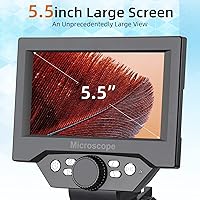
Image Clarity
78%
22%
At practical working magnification levels, most buyers report clean, usable images that make solder joint inspection and coin detail recognition genuinely straightforward. The 8MP sensor holds up well for the kind of mid-range magnification tasks this unit is actually designed for, and still captures are sharp enough for documentation purposes.
Push the magnification toward its upper ceiling and image quality deteriorates noticeably — softness and distortion creep in, which frustrates users who expected the full range to be equally usable. A handful of reviewers noted that fine text or micro-component markings become unreliable to read at extreme settings.
Screen Quality
83%
The built-in LCD draws consistent praise from buyers who appreciate being able to work without a tethered laptop. Screen brightness holds up well in typical indoor workshop lighting, and the physical size is comfortable for extended inspection sessions without straining your neck over a small viewfinder.
Direct sunlight or very bright ambient light can wash out the display, which limits outdoor or window-adjacent use. A few users also noted that viewing angles are narrower than expected, meaning anyone working collaboratively with a colleague looking over their shoulder may find the screen less practical than anticipated.
Build Quality
71%
29%
For a plastic-bodied unit in this price range, most buyers find the overall construction acceptably solid. The stand mechanism in particular feels sturdier than expected, with a firm locking action that keeps the camera head positioned without drifting during use.
The plastic body does feel lightweight in a way that signals budget construction to experienced hands — components like the focus dial and adjustment knobs work fine but lack the tactile confidence of metal equivalents. A small number of buyers reported minor play in the stand arm after extended daily use.
Stand & Adjustability
86%
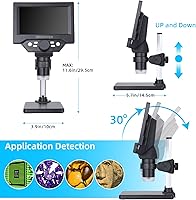
The height-adjustable, angle-variable stand is one of the more consistently praised aspects across buyer reviews. The ability to tilt the camera head rather than just raising it vertically is a practical advantage when working on reflective surfaces like circuit boards or polished coins, where a straight-down angle creates problematic glare.
The adjustment range, while versatile, does have limits — users working with taller objects or needing very oblique angles occasionally find themselves at the edge of what the stand can accommodate. The base footprint could also be wider for added stability when the arm is fully extended.
Magnification Range
67%
33%
The usable magnification range comfortably covers the most common real-world tasks — identifying PCB component markings, examining coin surfaces, or inspecting jewelry settings all fall within a practical working window that this unit handles reliably. Buyers working in electronics repair find the lower and mid ranges especially dependable.
The advertised upper limit is best understood as a specification figure rather than a practical tool. Multiple buyers describe the extreme end of the zoom range as more of a party trick than a working feature — image quality becomes too degraded to be useful for any precision task, which can feel misleading given how prominently the maximum figure is marketed.
LED Lighting
74%
26%
Eight LEDs provide adequate coverage for most bench work, and buyers doing PCB inspection or watch repair in standard indoor conditions generally find the illumination sufficient. Low-light performance is one of the more positively reviewed aspects, with reviewers noting the ability to work in dimly lit spaces without additional lamp setups.
On highly polished or reflective surfaces — think mirrored metal parts, lacquered coins, or glass components — the fixed LED arrangement can still generate hotspots that obscure fine detail. There is no individual LED control or diffuser option, which limits how much a user can adapt the lighting for tricky materials.
Battery Life
79%
21%
Verified buyers consistently describe battery performance as a pleasant surprise for a unit in this category. Multiple work sessions between charges is a common report, and the ability to switch to USB power when the battery dips means downtime during a repair session is largely avoidable.
Charge time is not frequently praised, and a subset of users who use the unit for longer continuous sessions — such as detailed restoration work — note that battery performance starts to feel less impressive at that intensity. There is also no battery indicator precise enough to give a reliable remaining-charge reading.
Video Recording
72%
28%
The on-device video recording via Micro SD card is a genuinely useful feature for repair technicians who need to document their process or share diagnostic footage with clients. Buyers in educational settings also highlight this as a strong differentiator versus simpler magnifier alternatives that offer no capture capability.
The missing SD card out of the box is a friction point that catches first-time buyers off guard — it is easy to assume one is included given how central recording is to the product pitch. Video quality is functional but not impressive enough for any production or presentation use beyond basic documentation.
Ease of Setup
88%
Nearly every buyer review comments on how quickly this desktop digital microscope is ready to use — unbox, attach the stand, power on, and you are working within minutes. No driver installation headaches, no calibration rituals, and no manual decoding required for basic operation.
The focus mechanism takes a short learning curve to master smoothly, and new users occasionally report accidentally overshooting their target magnification before getting a feel for the dial sensitivity. The interface for accessing recording functions is not immediately intuitive without consulting the included documentation.
Portability
61%
39%
The rechargeable battery means this unit does not need a wall outlet, and at just over a pound the physical weight is not an obstacle to moving it between rooms or taking it to a repair appointment. Some buyers use it at maker spaces or classrooms specifically because it is self-contained.
Portability here is practical rather than genuinely mobile — the stand is a desktop fixture by design, and transporting it assembled is awkward. Buyers who purchased expecting something they could comfortably use handheld or in field conditions outside a desk environment tend to be disappointed by how desk-anchored the experience actually is.
Value for Money
84%
At its price point, this LCD microscope is regularly cited by buyers as offering more utility than alternatives at the same spend. The combination of a built-in screen, recording capability, and adjustable stand in a single package feels like genuine value to users comparing options in the entry-to-mid segment of the category.
Buyers who compare it against slightly higher-priced competitors with larger screens or better optical components sometimes feel the ceiling of this unit becomes apparent faster than expected. For casual use, the value calculus is strong; for anyone who quickly outgrows the optical limitations, the upgrade path feels closer than they anticipated at purchase.
PC Connectivity
69%
31%
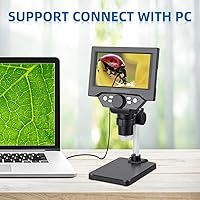
USB connectivity to a PC works reliably for buyers who want to pipe the live feed into inspection software or record on a larger monitor. This extends the unit's versatility for users who occasionally need a bigger display surface for group viewing or detailed annotation work.
The PC mode is largely an afterthought in terms of software support — Koolertron does not provide robust companion software, and buyers are generally left to use generic third-party solutions. The live PC feed quality also does not meaningfully surpass what the built-in screen already delivers.
Glare Management
63%
37%
The tilting stand design does address the core reflective surface problem better than vertical-only alternatives, and buyers specifically working on angled PCBs or curved jewelry pieces appreciate having that degree of freedom. For matte or semi-matte inspection targets, glare is rarely cited as an issue.
Highly polished metal, glass, and mirrored surfaces remain genuinely challenging — the fixed LED ring creates consistent reflection patterns that cannot be fully eliminated by repositioning alone. Buyers doing frequent coin inspection of proof or mirror-finish specimens flag this as an ongoing limitation rather than an occasional inconvenience.
Optical Lens Quality
73%
27%
The achromatic objective lens handles chromatic aberration better than many buyers expect at this price tier, keeping colors reasonably accurate and edges defined across the practical mid-range of magnification. For component identification and general inspection work, the optics are more than sufficient.
Compared to glass optics in higher-end units, the lens starts to show its limits when fine resolution really matters — edge sharpness deteriorates before the digital zoom reaches its maximum, meaning the optical and digital magnification components do not scale together in a way that sustains quality throughout the full range.

Suitable for:

The Koolertron 5.5-inch LCD Digital Microscope is a strong fit for anyone who needs a capable, no-fuss inspection tool without the cost or complexity of professional optical equipment. Electronics hobbyists and repair technicians will get the most out of it — diagnosing PCB faults, verifying solder joints, or identifying tiny component markings are exactly the tasks this unit handles comfortably within its practical magnification range. Coin and stamp collectors benefit from the hands-free screen setup, which lets you study a piece at a relaxed distance without crouching over an eyepiece. Watch repair and jewelry inspection also translate well, particularly given the tilting stand that helps manage glare on curved or polished surfaces. Teachers running introductory science or engineering sessions will appreciate how quickly students can engage with it, since setup takes minutes and no software installation is required. If you occasionally need to document your work — recording a repair process or capturing reference images — the on-device video and photo capture rounds out a genuinely practical feature set for the price.
Not suitable for:

The Koolertron 5.5-inch LCD Digital Microscope is the wrong tool for anyone whose work depends on precision optical performance at high magnification. Scientists, medical professionals, or researchers needing cell-level or microstructure resolution will find the optics and sensor fall well short of what those disciplines demand — this is a digital inspection tool, not a laboratory instrument. Professionals doing high-volume production inspection or quality control in a manufacturing context will likely outgrow it quickly, both in terms of optical depth and the durability expectations that come with sustained heavy use. Buyers hoping for a genuinely portable, handheld device should recalibrate expectations: the stand is fundamentally desktop-oriented, and while the battery frees you from a wall outlet, this is not a unit you will comfortably use in the field without a flat surface. Anyone working frequently with mirror-finish or highly polished specimens — proof coins, polished steel, glass components — may find the fixed LED arrangement creates persistent glare that repositioning only partially resolves. If your budget allows stepping up to a larger screen or a higher-resolution sensor, the ceiling of this unit becomes apparent relatively fast for demanding or professional work.

Specifications

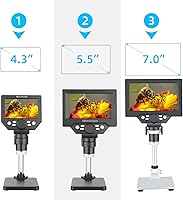
  • Screen Size: The unit features a 5.5″ built-in LCD display for direct viewing without an external monitor.
  • Resolution: An 8MP sensor captures still images and video at a resolution suitable for documentation and inspection tasks.
  • Magnification: Continuous magnification runs from 1X up to a maximum of 1000X, with practical working quality strongest in the mid-range.
  • Lens Type: The objective lens is achromatic, which reduces chromatic aberration and keeps color fringing controlled across the usable zoom range.
  • Illumination: Eight built-in LED lights surround the lens to provide even illumination, including in low-light workshop or classroom environments.
  • Power Source: The unit is powered by a rechargeable lithium-ion battery, with USB input available as a secondary power option during extended sessions.
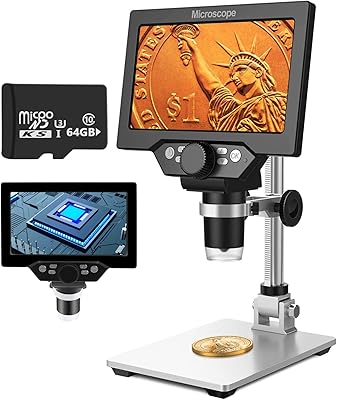
  • Storage: A Micro SD card slot supports cards up to 64GB for on-device saving of images and video; no card is included in the box.
  • PC Connectivity: USB output allows the unit to connect to a personal computer for live feed display or capture via compatible third-party software.
  • Stand: The included stand is height-adjustable and supports camera head angle adjustment to reduce glare on reflective inspection surfaces.
  • Weight: The complete unit weighs 1.3 pounds, making it light enough to reposition on a desktop without effort.
  • Dimensions: Overall product dimensions are 9.84 x 3.54 x 7.09 inches, suited to standard workbench or desktop setups.
  • Body Material: The casing and primary structural components are constructed from plastic, consistent with mid-range consumer inspection tools.
  • Viewing Angle: The real angle of view is 6 degrees, which determines the observable field area at any given working distance.
  • SD Card Support: The Micro SD slot accommodates cards formatted up to 64GB; cards larger than this specification are not supported.
  • Compatible Devices: The unit is compatible with personal computers via USB and operates fully standalone without any external device connected.
  • Category Rank: This desktop digital microscope holds a top-125 ranking in the Lab Handheld Digital Microscopes category on Amazon at time of review.

Related Reviews

UF-TOOLS 7 Inch LCD Digital Microscope
86%
88%
Image Quality
90%
Magnification Accuracy
87%
Portability
85%
Ease of Use
84%
Battery Life
More
Celestron LCD Digital Microscope II
75%
88%
Ease of Use
74%
Screen Quality
71%
Optical Magnification Quality
66%
Camera & Image Capture
63%
Build Quality & Durability
More
Dcorn 4.3″ LCD Digital Microscope
82%
87%
Image Clarity
81%
Magnification Performance
85%
Ease of Use
92%
LED Lighting Effectiveness
78%
Build Quality
More
aspure 5-inch Portable Digital TV
84%
91%
Portability
85%
Battery Life
87%
Picture Quality
65%
Sound Quality
92%
Ease of Use
More
LINKMICRO LM210 10.1″ LCD Digital Microscope
82%
89%
Value for Money
91%
Display Quality
85%
Ease of Use
87%
Magnification Performance
83%
Build Quality
More
Hayve DM7 4.3″ Digital Microscope
78%
92%
Ease of Setup
88%
Display Quality
71%
Magnification Performance
84%
LED Lighting
58%
Build Quality
More
Aluratek ADMPF315F 15-inch Digital Photo Frame
76%
91%
Ease of Setup
88%
Screen Size & Presence
67%
Image Quality
86%
Storage & Compatibility
74%
Build Quality
More
WONNIE 21.5-Inch Digital Picture Frame
84%
92%
Display Quality
88%
Ease of Use
90%
WiFi Connectivity
85%
Setup & Installation
87%
Storage Capacity
More
Andonstar AD210 10.1 Inch Digital Microscope
83%
91%
Image Quality & Magnification
82%
Usability & Ergonomics
95%
Display Clarity & Viewing Angle
88%
Value for Money
85%
Build Quality
More
PalliPartners 4.3-inch 1000X LCD Digital Microscope
79%
83%
Image Clarity (Mid-Range Zoom)
91%
Portability & Form Factor
88%
Built-in LCD Screen
79%
Battery Life
93%
Ease of Setup & Use
More

FAQ

No, and that is one of the main reasons people pick this unit over simpler USB-only alternatives. The built-in LCD screen displays your live feed directly, so you can inspect, capture images, and record video entirely without a laptop or monitor nearby. You only need a PC if you want to view the feed on a larger display.

It does not, which is worth knowing before your first session. The slot supports cards up to 64GB, but you will need to purchase one separately. A standard Class 10 Micro SD card works well and is inexpensive to add to your order.

The Koolertron 5.5-inch LCD Digital Microscope is advertised with a maximum of 1000X, but that upper figure is effectively a marketing ceiling. In practical use, image quality stays sharp and reliable through the low-to-mid range of the zoom — which is more than sufficient for PCB inspection, coin detail, or component identification. Pushing to the extreme end produces softness and distortion that limits its usefulness for precision work.
Not really. This is a digital inspection microscope, not a compound laboratory microscope. It is designed for surface-level magnification of solid objects rather than transmitted-light examination of prepared slides or cell structures. For biology education at a cellular level, you would need a dedicated compound microscope.

Real-world battery life varies by usage, but verified buyers generally report getting through multiple work sessions before needing to recharge. For lighter tasks like coin inspection or short repair sessions, the battery holds up comfortably. If you are in the middle of a long session and the battery dips, plugging in via USB keeps things running without interruption.

The stand performs better than you might expect for a unit in this price range. The locking mechanism holds position firmly under normal desktop use. Some buyers who use it very heavily over a long period have noted minor play developing in the arm joint, but for typical hobby or inspection use, stability is not a common complaint.

The tilting stand design helps significantly compared to fixed vertical microscopes, because you can angle the camera to avoid the worst of the direct LED reflection. That said, highly polished mirror-finish surfaces — proof coins, polished steel, glass — can still produce hotspots that are difficult to eliminate entirely. For matte or semi-matte surfaces, glare is rarely a problem.

The unit saves images as JPEG files and records video in AVI format onto the Micro SD card. These are standard formats readable on Windows and Mac without any special software. You simply remove the card, insert it into a card reader, and access the files like any other media.

The unit is designed to output to a PC via USB rather than connecting directly to a television or HDMI display. If you want a larger view, running the USB feed through a laptop and casting to a TV is a workaround, but there is no direct HDMI or AV output on this model.

Yes, it is one of the more beginner-friendly options in its category. There is no software installation required, the interface is straightforward, and you are up and running within a few minutes of unboxing. The main learning curve is getting comfortable with the focus dial sensitivity, which can feel a little touchy at first, but most users find their footing quickly.