Wisecoco R126F01T-HB 12.6-inch Bar Touch Monitor


Overview
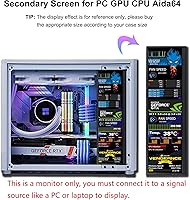
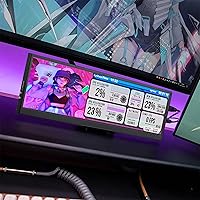
The Wisecoco R126F01T-HB 12.6-inch Bar Touch Monitor exists because a growing number of PC users want a dedicated strip of screen real estate without sacrificing desk space. The 1920x515 resolution isn't a compromise — it's purpose-built for horizontal information display: system stats, chat feeds, app toolbars. Physically, it's slim enough to sit above or below a primary monitor without crowding your workspace. This bar monitor pulls double duty as a general secondary display or, more compellingly, a dedicated Aida64 sensorpanel for real-time CPU and GPU data. For the price, it occupies a sensible middle ground in a niche that doesn't have many polished options.
Features & Benefits
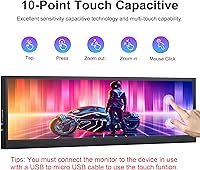
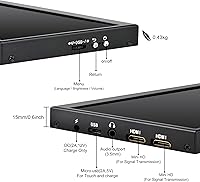
The IPS panel delivers solid real-world visibility — 500 nits of brightness means it holds up well even in moderately lit rooms, and the 178° viewing angle makes off-axis readability a non-issue. Touch works via a micro-USB cable (not included, and easy to overlook from the listing), giving you 10-point capacitive input for shortcuts or quick interactions. Setup is genuinely straightforward: plug in the mini HDMI and USB power, and Windows recognizes it immediately — no drivers. The dual built-in speakers exist, but don't expect much from them. Four rear screw holes make VESA mounting practical. One real caveat: underpowered USB ports will cause the screen to go black, so a proper 5V/2A source is non-negotiable.
Best For
The Wisecoco stretch display fits a specific kind of buyer rather well. PC enthusiasts who want a hardware monitoring strip — CPU temps, GPU load, clock speeds — running Aida64 will get the most out of it. Streamers can use it as a persistent overlay for chat or alerts without cluttering their primary screen. It also slots nicely into tight dual-monitor setups where a thin horizontal panel above or below a main display makes more sense than a second full-size monitor. Raspberry Pi tinkerers will appreciate the wide, low-profile form factor too. The touch functionality adds some value for quick-launch shortcuts, though it works best when you are already reaching that side of your desk.
User Feedback
This secondary screen strip sits at a 3.6-star average across 100 reviews — respectable for a niche product, but not without reason for caution. Buyers consistently praise the build quality and brightness for the price, with many noting it looks more expensive than it costs. On the other side, power sensitivity is a persistent complaint: plugging it into an underpowered USB hub or port frequently triggers a black screen. Touch precision also draws mixed reactions — accurate in the center, shakier near the edges. Less technical buyers have been caught off guard by the Aida64 dependency, since the monitor does nothing special without the software. QC consistency appears uneven across batches, with occasional reports of dead pixels or loose connections on arrival.
Pros
- IPS panel with 500 nits of brightness holds up well in typical room lighting conditions.
- Plug-and-play on Windows — no driver hunting, no setup frustration.
- VESA mounting support gives real flexibility for desk rigs and custom PC builds.
- The 1920x515 resolution is sharp and well-suited for displaying stats or ticker-style content.
- Capacitive touch with 10-point input adds practical shortcut functionality at this price tier.
- Build quality consistently impresses buyers who expect something flimsy at this price point.
- At roughly 15 ounces and under an inch thick, this bar monitor is genuinely easy to position or reposition.
- Works well as an Aida64 sensorpanel display for real-time CPU and GPU data.
- Mini HDMI connectivity is widely compatible with modern laptops and desktop GPUs.
Cons
- Power sensitivity is a real problem — underpowered USB sources cause unexplained black screens.
- Touch accuracy degrades noticeably near the screen edges, limiting precision input use cases.
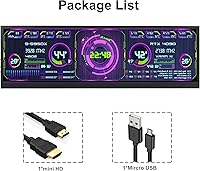
- The micro-USB cable required for touch is not included, and the listing does not make this obvious.
- Aida64 software is not bundled, and setup requires technical know-how that casual buyers often lack.
- Dual built-in speakers are present but deliver audio quality that is barely functional.
- QC consistency across production batches is uneven, with documented cases of dead pixels on arrival.
- No USB-C input means compatibility with newer thin-and-light laptops may require an adapter.
- The 3.6-star average across reviews signals enough recurring issues to warrant caution before purchasing.
Ratings
The scores below reflect an AI-driven analysis of verified global buyer reviews for the Wisecoco R126F01T-HB 12.6-inch Bar Touch Monitor, with spam, bot submissions, and incentivized feedback actively filtered out before scoring. Each category is graded on a 0–100 scale to give you an honest, granular picture of where this bar monitor genuinely delivers and where real buyers have run into friction. Both the strengths and the recurring pain points are weighted transparently so you can make a confident purchase decision.
Display Quality
Build Quality
Touch Responsiveness
Setup & Ease of Use
Power Stability
Aida64 Compatibility
Value for Money
Mounting Flexibility
Speaker Quality
Brightness & Visibility
Resolution Clarity
Compatibility Range
QC Consistency
Cable Management
Suitable for:
The Wisecoco R126F01T-HB 12.6-inch Bar Touch Monitor was clearly designed with a specific type of user in mind, and those users will get genuine value from it. PC enthusiasts who run Aida64 to monitor CPU temperatures, GPU load, and clock speeds will find this bar monitor a natural fit — it gives those stats a permanent home without eating into primary screen space. Streamers and content creators who want a dedicated strip for chat, alerts, or scene controls will also appreciate how neatly this secondary screen strip tucks into a multi-monitor setup. Hobbyists working with Raspberry Pi or similar single-board projects benefit from the wide, low-profile display format. Anyone with a tight desk footprint who needs a slim horizontal panel rather than a second full-size monitor should consider this a serious option.
Not suitable for:
Buyers expecting a versatile, plug-and-play experience without any technical setup will likely walk away disappointed. The Wisecoco stretch display is not a great choice for anyone hoping to use it as a standalone display for video, browsing, or productivity — the 32:9 stretched resolution is simply too narrow for general-purpose content. Touch functionality, while technically capable, requires a separate micro-USB cable that is not included, which catches many buyers off guard. Anyone relying on a USB hub or low-output port for power should know upfront that insufficient amperage will cause the screen to go dark with no clear error indicator. Users who are not comfortable downloading and configuring Aida64 independently will find the system monitoring features out of reach, since no software is bundled. Finally, buyers who need guaranteed unit consistency should be cautious — QC across batches has not been uniform, and some users have received units with dead pixels or loose connectors.
Specifications
- Screen Size: The display measures 12.6 inches diagonally, arranged in a stretched horizontal bar format rather than a conventional rectangular panel.
- Resolution: Native resolution is 1920x515 pixels, purpose-built for wide, low-height content like system dashboards and ticker-style information strips.
- Aspect Ratio: The panel uses a 32:9 stretched bar aspect ratio, making it significantly wider than it is tall.
- Panel Type: IPS technology provides consistent color accuracy and a 178° viewing angle both horizontally and vertically.
- Brightness: Peak brightness is rated at 500 nits, which is adequate for use in standard indoor lighting environments.
- Contrast Ratio: The display offers a 1000:1 contrast ratio, delivering clear distinction between light and dark content elements.
- Refresh Rate: The panel runs at 60Hz, which is standard and sufficient for static dashboards, stats displays, and light secondary-screen tasks.
- Touch Input: 10-point capacitive multi-touch is supported and requires a separate micro-USB cable connecting the monitor to the host device.
- Connectivity: The monitor connects via mini HDMI for video signal and requires a dedicated USB power input rated at 5V and 2A or higher.
- Power Requirement: A minimum 5V/2A power supply is required; connecting to underpowered USB ports will cause the screen to go dark without warning.
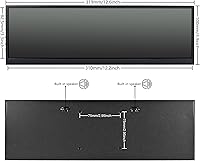
- Mounting: Four rear screw holes provide VESA mount compatibility, allowing installation on monitor arms, desk mounts, or custom PC rigs.
- Speakers: Two built-in speakers are included, though their output is limited and best treated as a supplementary feature rather than a primary audio source.
- Dimensions: The unit measures 12 x 3.9 x 0.6 inches, keeping the physical footprint slim enough to sit above or below a primary display.
- Weight: At 15.1 ounces, the monitor is light enough to reposition easily and practical for custom mounting scenarios.
- Driver Requirement: No additional drivers are needed on Windows; the display is recognized automatically upon connecting the HDMI cable.
- OS Compatibility: Full plug-and-play support is confirmed for Windows; compatibility with other operating systems is not officially guaranteed by the manufacturer.
- Aida64 Support: The monitor supports use as an Aida64 sensorpanel display for CPU, GPU, and temperature monitoring, though Aida64 software must be sourced and configured separately.
- Warranty: Wisecoco provides a 12-month manufacturer warranty with customer support available via direct contact within 24 hours.
Related Reviews
Dragon Touch S1 Pro 15.6-Inch 4K Portable Monitor

Topmonitor P15.6/2.5K 15.6-inch Portable Monitor

Touch of Mink Fresh Scent All Natural Mink Oil Cleansing Bath or Shower Bars - 6 Bars
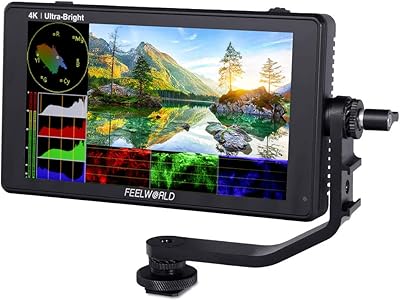
FEELWORLD LUT6 6-Inch Field Monitor
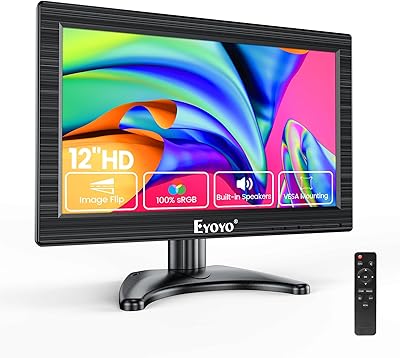
Eyoyo EM12B 12-Inch Portable Monitor

LUMIPIX Magic-001 15.6-inch Portable Monitor
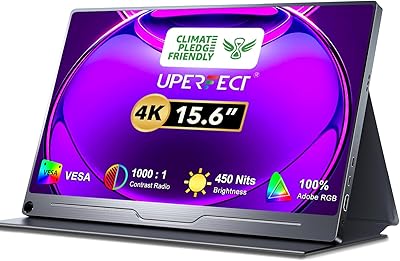
UPERFECT DS15607 15.6-inch 4K Portable Monitor

CAPERAVE CF15 15.6-inch Portable Monitor

InnoView INVPM406 15.6-inch Portable Monitor