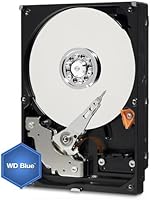
Overview

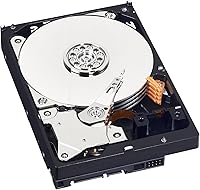
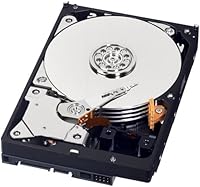
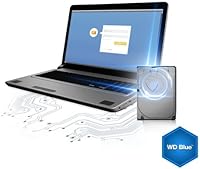
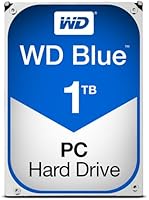
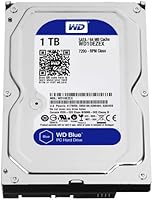
The WD WD10EZEX 1TB Internal Hard Drive is one of those rare products that has quietly held its ground for over a decade — not through flashy marketing, but by doing the basics well. This WD Blue desktop drive consistently ranks among the top sellers in its category, which says a lot given how crowded the internal storage market has become. One thing to know upfront: this is an OEM listing, meaning no retail box and no bundled software — just the bare drive. It is also a mechanical spinning disk, not an SSD, so adjust expectations accordingly. Compatible with both PC and Mac desktops, it is straightforward, proven storage.

Features & Benefits

The WD10EZEX spins at 7200RPM, putting it a step ahead of slower 5400RPM drives in real-world data access — you will notice the difference when transferring large files or loading a media library. It connects via SATA III, delivering up to 6Gb/s bandwidth, so it works with virtually any modern desktop motherboard without adapters. Real-world sequential read speeds land around 150MB/s, which is honest and expected for a mechanical drive. The 3.5-inch build is desktop-only — no laptops. At 1TB, it handles secondary storage, backups, and media archives comfortably. Idle noise is minimal, and heat output stays reasonable compared to higher-capacity spinning drives.

Best For

This 1TB mechanical hard drive fits a fairly specific kind of buyer. If you are building or upgrading a desktop and need secondary storage without spending much, this is the obvious pick. It also makes sense for anyone replacing a dead drive in an older tower who does not want to reconfigure the entire system around an SSD. Home users running a basic media server — storing photos, home videos, or a music collection — will get plenty of mileage here. Mac Pro and iMac users looking to add internal archival storage can use it too, provided their machine has an available 3.5-inch drive bay.

User Feedback

With a 4.5-star average across nearly 1,800 ratings, this WD Blue desktop drive has earned real-world trust from a broad range of buyers. The most common praise centers on plug-and-play installation — most users report the drive being detected by the BIOS immediately, with no driver fuss. Long-term owners tend to be the most positive, which matters a great deal for storage hardware. That said, a small number of buyers have received units that failed early. It happens across all mechanical drive brands, but it is worth knowing that WD backs this with a 2-year limited warranty and a direct RMA process. OEM packaging occasionally draws grumbles, though it has no bearing on drive quality.

Pros

  • 7200RPM spin speed delivers noticeably faster file transfers than budget 5400RPM alternatives.
  • SATA III compatibility means it drops into virtually any modern desktop motherboard without adapters.
  • Real-world reliability is well-documented — nearly 1,800 ratings averaging 4.5 stars is hard to argue with.
  • This 1TB mechanical hard drive runs quietly at idle, making it unobtrusive in home or office setups.
  • Installation is straightforward — most users report the drive detected by BIOS on first boot.
  • The WD Blue series has a long track record in home and small office environments.
  • Works with both PC and Mac desktop systems, broadening its compatibility considerably.
  • Heat output stays modest relative to higher-capacity spinning drives, reducing thermal concerns.
  • WD backs the drive with a 2-year limited warranty and a direct RMA process for added peace of mind.
  • Priced accessibly enough to justify buying a second unit as a dedicated backup drive.

Cons

  • Sequential read speeds top out around 150MB/s — adequate, but nowhere close to even entry-level SSDs.
  • OEM packaging means no retail box, no accessories, and no bundled software included.
  • A small but notable portion of buyers report early drive failures, which is a real risk with any mechanical HDD.
  • 1TB may feel limiting sooner than expected if storing 4K video, large game libraries, or RAW photo archives.
  • Mechanical drives are inherently more vulnerable to physical shock and vibration than solid-state alternatives.
  • Not suitable for use as a primary OS or application drive if fast system responsiveness is a priority.
  • No laptop or external enclosure use case — this is strictly an internal 3.5-inch desktop component.
  • Long-term lifespan is less predictable than SSDs, making regular backups more critical with this drive.

Ratings

The scores below were generated by AI after analyzing verified buyer reviews of the WD WD10EZEX 1TB Internal Hard Drive from multiple global markets, with spam, bot-submitted, and incentivized feedback actively filtered out. They reflect what real desktop users consistently experienced over time — not a sanitized highlight reel. Both the genuine strengths and the recurring frustrations are represented honestly.

Reliability & Longevity
83%
A large number of long-term owners report the drive still running without issues years after installation, which is the most meaningful endorsement for any mechanical storage device. The WD Blue series has a well-established track record in home desktop and small office environments where drives run continuously for months.
A consistent minority of buyers report drive failures within the first few months of use, which is above what most expect from a brand like WD. Early failure is the single most cited negative experience, and while the 2-year warranty helps, losing data in the process is a real risk.
Value for Money
91%
At its price point, this 1TB mechanical hard drive is difficult to beat for buyers who simply need bulk desktop storage without the SSD premium. Desktop builders adding a secondary drive for backups or media libraries consistently call it a smart, no-regret purchase that does exactly what it promises.
The value equation shifts if you factor in the possibility of an early failure unit and the hassle of an RMA return. A small number of buyers feel the OEM-only listing should come with a slight price adjustment to reflect the absence of any packaging or accessories.
Installation Ease
93%
Buyers across skill levels — from first-time PC builders to experienced system admins — consistently report the drive being detected by the BIOS on the very first boot, with no driver installation required. The standard 3.5-inch SATA form factor means it slots into virtually any desktop tower without adapters or configuration headaches.
Because this is an OEM unit, no instructions or mounting screws are included, which can briefly trip up first-time builders who do not realize those need to come from the case itself. A handful of users also noted that formatting on macOS requires an extra step through Disk Utility that caught them off guard.
Read & Write Performance
67%
33%
The 7200RPM spindle speed places it solidly ahead of 5400RPM alternatives, and users transferring large media files or running local backups notice the difference in throughput. For a secondary storage drive handling bulk data movement rather than OS tasks, real-world sequential reads around 150MB/s are more than adequate.
Anyone who has used a modern SSD will feel the gap immediately — load times, file access, and anything resembling random read operations are noticeably slower. Using the WD10EZEX as a primary OS drive is a frustrating experience that several buyers learned the hard way before switching back to an SSD for boot.
Noise Level
86%
At idle, the drive is nearly inaudible, which buyers in quiet home offices and living room media setups specifically appreciated. Even during sustained read and write activity, the acoustic footprint stays at a low, consistent hum rather than the clicking or whirring associated with older or higher-capacity mechanical drives.
Some users with particularly noise-sensitive setups or open desk builds do notice the drive during heavy sustained transfers. It is not loud by mechanical HDD standards, but compared to a silent SSD, the difference is real and a few buyers mentioned it influenced their future purchasing decisions.
Heat Management
81%
19%
Operating temperatures remain reasonable under typical desktop workloads, and users running the drive inside mid-tower cases with standard airflow report no thermal issues after extended use. For a 7200RPM drive, heat output is on the lower end, which helps protect both the drive and surrounding components.
In poorly ventilated mini-ITX cases or compact builds where airflow is restricted, a few users noted the drive running warmer than expected over long periods. This is more a case placement issue than a drive flaw, but it is worth considering before installing in a tight enclosure.
Packaging & Presentation
48%
52%
For buyers who already know this is an OEM listing, the bare-drive delivery is not a problem — the drive itself arrives intact and functional, which is ultimately what matters. Experienced builders ordering in bulk or replacing drives frequently appreciate skipping the excess packaging.
A recurring complaint in reviews is that buyers expected retail-style packaging and were surprised to receive the drive in minimal protective wrap with no accessories, documentation, or software. The OEM nature of the listing is not always prominently communicated, and the unboxing experience genuinely disappoints buyers who were not prepared for it.
BIOS & OS Compatibility
89%
The drive is recognized automatically by Windows, macOS, and Linux across a wide range of hardware generations, including older SATA II motherboards due to backward compatibility. Buyers replacing aging drives in legacy desktops specifically praise how painlessly the WD10EZEX integrates without any firmware or driver intervention.
A very small number of users reported detection issues on older motherboard BIOS versions that required a firmware update to resolve. These cases were rare, but for buyers with genuinely aging hardware, it is worth verifying BIOS compatibility before purchase.
Capacity Adequacy
74%
26%
For typical home use — documents, photo libraries, music collections, and standard video backups — 1TB remains a practical and sufficient amount of storage at this price tier. Buyers using this as a dedicated secondary or backup drive consistently find 1TB covers their day-to-day needs without requiring constant management.
Users storing 4K video footage, large game libraries, or extensive RAW photography archives tend to outgrow 1TB faster than expected and wish they had opted for a higher-capacity model. It is a size that fits casual users well but feels limiting for anyone with growing or media-heavy storage demands.
Warranty & Support
77%
23%
The 2-year limited warranty with direct WD RMA support gives buyers a reasonable safety net, and users who have gone through the replacement process generally describe it as straightforward once initiated through WD's support portal. For a budget-tier storage drive, having manufacturer-backed coverage at all is a meaningful reassurance.
The 2-year window is shorter than the 3-year coverage offered on some competing drives, which leaves buyers exposed after year two. A few users also noted that the RMA process, while functional, does not cover data recovery — meaning a failed drive means lost data regardless of whether the hardware gets replaced.
Build Consistency
71%
29%
The majority of units arrive in full working order and perform as expected straight out of the bag, which is the baseline standard buyers need to trust a storage drive. For buyers who test the drive immediately with tools like CrystalDiskInfo, most receive a healthy unit with no reported reallocated sectors or errors.
The variance in unit quality is more noticeable than buyers expect from a brand of WD's standing. The subset of early failure reports is large enough to appear consistently across review aggregators, suggesting quality control at the manufacturing or fulfillment stage is not fully uniform across all production batches.
Desktop Compatibility Range
88%
The standard 3.5-inch SATA specification means this drive works in an exceptionally wide range of desktop systems — from modern ATX builds to legacy towers from over a decade ago, as well as older Mac Pro systems with available SATA bays. Buyers upgrading or repurposing older hardware find it especially versatile.
Compatibility ends sharply at the desktop boundary — it cannot be used in laptops, ultrabooks, or slim-form-factor desktops that require a 2.5-inch drive. Buyers who do not verify their case has a free 3.5-inch bay before purchasing occasionally find themselves needing a return.

Suitable for:

The WD WD10EZEX 1TB Internal Hard Drive is a strong fit for desktop PC builders and upgraders who need dependable bulk storage without overcomplicating their budget. If you are adding a secondary drive to a gaming rig, home workstation, or family desktop — somewhere to offload documents, backups, and media — this drive handles that role without fuss. It is equally practical for someone replacing a dead drive in an older tower who just wants the machine working again without committing to a full system overhaul. Home users running a basic local media server for photos, home videos, or a music library will find the 1TB capacity genuinely useful day-to-day. Small office setups that need shared bulk storage on a tight budget also get real value here.

Not suitable for:

Buyers expecting SSD-level performance will be disappointed — the WD WD10EZEX 1TB Internal Hard Drive is a mechanical spinning disk, and no amount of brand reputation changes the physics of that. If speed matters — booting an OS, launching applications quickly, reducing load times in games — this drive is the wrong tool; an SSD is what you actually need. It is also strictly a desktop internal drive, so laptop users or anyone needing portable or external storage should look elsewhere entirely. Those who need capacity well beyond 1TB for large video production workflows or extensive data archiving may find themselves outgrowing it sooner than expected. Finally, buyers who prefer a polished retail experience with bundled software and proper packaging should know this is an OEM unit — it ships as a bare drive, nothing more.

Specifications

  • Capacity: This drive offers 1TB of formatted storage capacity, suitable for secondary storage, media libraries, and local backups.
  • Form Factor: It uses a standard 3.5-inch form factor, designed exclusively for desktop tower cases and compatible desktop enclosures.
  • Interface: The drive connects via SATA III with a 6Gb/s transfer rate, ensuring compatibility with virtually all modern desktop motherboards.
  • Rotational Speed: The spindle runs at 7200RPM, which provides faster average seek and access times compared to 5400RPM desktop drives.
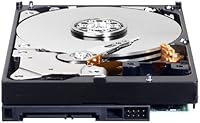
  • Drive Type: This is a traditional mechanical hard disk drive (HDD) using spinning magnetic platters, not a solid-state drive.
  • Read Speed: Real-world sequential read performance typically reaches approximately 150MB/s under normal desktop operating conditions.
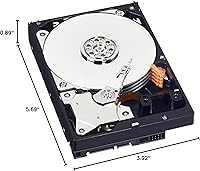
  • Dimensions: The drive measures 5.69 x 3.92 x 0.89 inches, consistent with the standard 3.5-inch desktop hard drive footprint.
  • Weight: It weighs 15.9 ounces, which is typical for a single-platter 1TB mechanical desktop drive.
  • Compatibility: The WD10EZEX is compatible with both Windows-based PC desktops and Apple Mac desktop systems that have an available internal SATA bay.
  • Series: This drive belongs to Western Digital's WD Blue lineup, a series positioned for everyday home and small office desktop use.
  • Listing Type: This is an OEM unit, meaning it ships as a bare drive with no retail packaging, accessories, or bundled software included.
  • Warranty: Western Digital covers this drive with a 2-year limited warranty, supported by a direct WD RMA replacement process.
  • Manufacturer: The drive is designed and manufactured by Western Digital, one of the most established names in consumer and commercial storage hardware.
  • Installation: Installation is internal and desktop-only; the drive mounts into a standard 3.5-inch drive bay and connects to a SATA data port and power connector.
  • Idle Noise: Acoustic output during idle operation is low relative to higher-capacity mechanical drives, making it unobtrusive in home and office environments.
  • Heat Output: Thermal output under typical workloads remains modest, reducing the need for additional cooling beyond standard desktop airflow.
  • Market Rank: At the time of this review, the WD10EZEX holds a top-100 Best Sellers Rank in the Internal Hard Drives category on Amazon.
  • User Rating: The drive carries a 4.5-out-of-5-star average rating based on nearly 1,800 verified buyer reviews.

Related Reviews
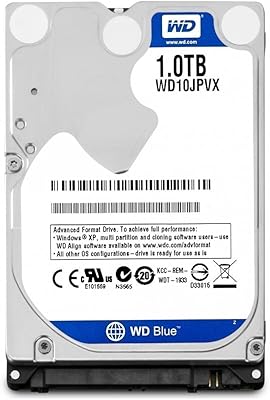
WD Blue 1TB 2.5-inch Internal Hard Drive
79%
88%
Value for Money
91%
Storage Capacity
54%
Read & Write Speed
93%
Installation Ease
82%
Noise Level
More
Western Digital Caviar Black 1TB Hard Drive
82%
88%
Long-Term Reliability
82%
Read/Write Performance
86%
Value for Money
61%
Noise & Vibration
93%
Compatibility
More
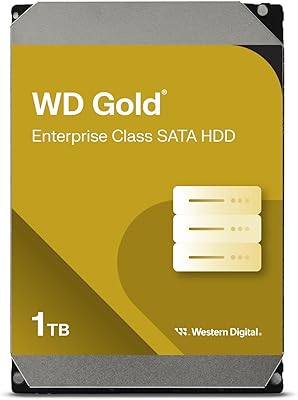
Western Digital 1TB WD Gold Enterprise Class Internal Hard Drive
84%
91%
Performance Under Load
88%
Reliability for 24/7 Operation
75%
Ease of Setup
90%
Data Transfer Speed
87%
Durability and Build Quality
More
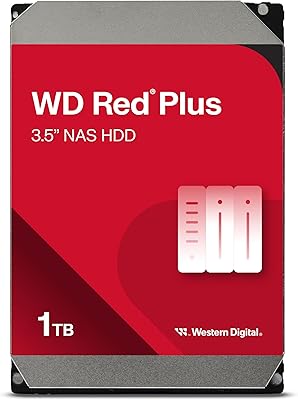
Western Digital WD Red Plus 1TB NAS Hard Drive
84%
91%
Long-Term Reliability
93%
NAS Compatibility
88%
RAID Performance
83%
Noise & Vibration
77%
Heat Management
More
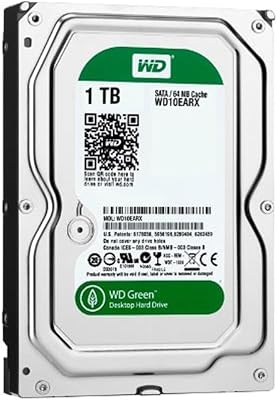
WD Green 1TB 3.5-Inch Internal Hard Drive
75%
88%
Noise & Vibration
86%
Power Efficiency
54%
Read & Write Speed
67%
Long-Term Reliability
71%
Value for Money
More
WD RE4 1TB Enterprise Hard Drive
85%
91%
Performance in Demanding Environments
94%
RAID Compatibility and Stability
89%
Durability and Long-Term Reliability
88%
Vibration Tolerance
70%
Noise Level
More
Seagate BarraCuda ST1000DM010 1TB Internal Hard Drive
77%
91%
Value for Money
74%
Reliability & Longevity
79%
Read & Write Performance
93%
Installation Ease
68%
Noise & Vibration
More
WD Purple 1TB Surveillance Hard Drive
75%
91%
Recording Reliability
88%
DVR Compatibility
57%
Storage Capacity
84%
Long-Term Durability
79%
Value for Money
More
Seagate Exos 1TB Internal Hard Drive
80%
91%
Reliability & Uptime
67%
Value for Money
78%
Sequential Performance
88%
Noise Level
84%
Build & Durability
More
Western Digital AV-25 1TB Internal Hard Drive
81%
91%
24/7 Operational Reliability
88%
AV Stream Performance
93%
Power Efficiency
89%
Acoustic Performance
84%
Value for Money
More
Western Digital WD Blue 1TB Hard Drive
81%
83%
Value for Money
51%
Read/Write Speed
91%
Compatibility
86%
Noise & Vibration
77%
Build Quality
More

FAQ

No, it does not. This is an OEM listing, so you receive only the bare drive. You will need a SATA data cable and a compatible power connector from your power supply, both of which are standard in most desktop tower builds. Mounting screws are usually included with your case.

Technically yes, but it is not the ideal choice. At roughly 150MB/s sequential read, boot times and application load times will feel slow compared to even a budget SSD. Most builders use this WD Blue desktop drive as a secondary storage drive and keep a faster SSD for the operating system.

In almost all cases, your BIOS will detect it immediately after you connect it. No special drivers are required on Windows or macOS. You will just need to initialize and format the drive through Disk Management on Windows or Disk Utility on Mac before using it.

Yes, it is backward compatible with SATA II. You will not hit the full 6Gb/s throughput ceiling, but since real-world mechanical drive speeds max out well below that anyway, you will see no meaningful performance difference in day-to-day use.

It is fairly quiet. At idle you will barely notice it, and even during active reads and writes the noise is a low, soft hum rather than anything distracting. Compared to older or higher-capacity mechanical drives, it is on the quieter end of the spectrum.

Western Digital covers this 1TB mechanical hard drive with a 2-year limited warranty. If your drive fails within that window, you can file an RMA claim directly through WD's website and they will send a replacement. Just make sure to register your drive on WD's site after purchase to streamline the process.

It was designed for internal desktop use, so results in a NAS or external enclosure can vary. Some users do repurpose it in USB enclosures successfully, but WD makes dedicated NAS-optimized drives for that purpose. For best long-term results, stick to internal desktop installation.

It depends on your volume. For a typical home photo library and a few hundred gigabytes of home videos, 1TB is comfortable. If you shoot 4K video regularly or are archiving years of raw footage, you might bump into that limit sooner than expected. In that case, consider a 2TB or 4TB alternative from the same WD Blue family.

Yes, as long as your Mac desktop has an available internal 3.5-inch SATA drive bay. Older Mac Pros with tool-less drive sleds work particularly well. Just note that Apple's Disk Utility will need to format the drive before macOS can use it, which takes only a few minutes.

Early failures in a small percentage of units are a reality for all mechanical hard drive brands — it is not unique to the WD10EZEX. The overwhelming majority of buyers report no issues, and the 4.5-star average across a large number of reviews reflects that. The practical advice is simple: do not use any single drive as your only copy of important data, and test the drive with a tool like CrystalDiskInfo shortly after purchase to confirm it is healthy.

Where to Buy