Overview

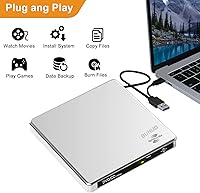
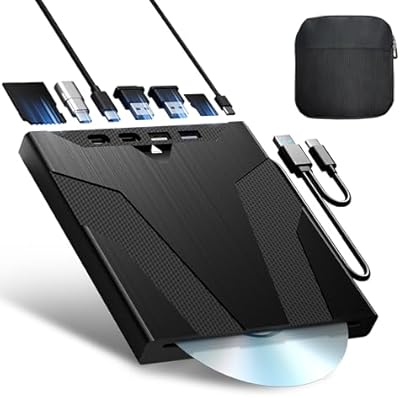
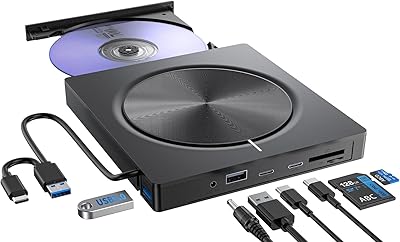
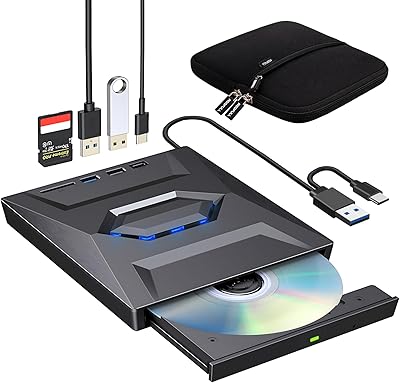
The BUNUD LightScribe 5-in-1 External CD/DVD Drive is one of the more thoughtfully assembled optical drives at this price point, built for anyone whose laptop shipped without a built-in disc slot. Beyond standard burning and playback, this external optical drive includes an SD/TF card reader and two bonus USB ports, making it considerably more versatile than the bare-bones alternatives flooding the market. The aluminum alloy top panel lends a solidity that most plastic rivals simply don't offer. Setup couldn't be simpler — plug it in and your OS picks it up within seconds, with no driver installation needed. Portable enough to live in a laptop bag full-time.
Features & Benefits

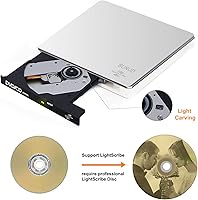
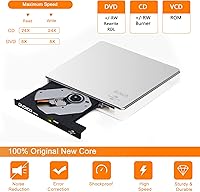
The standout capability here is undeniably LightScribe disc etching, which lets you burn a custom label directly onto the disc surface using the same laser that writes your data — a genuinely niche feature that most drives in this category dropped years ago. Keep in mind you'll need LightScribe-compatible blank discs, and finding working software for Windows 10/11 or macOS may require some digging. Beyond that, the 5-in-1 disc burner handles SD and TF card transfers, adds two USB-A ports for peripherals or charging, and connects via either USB 3.0 or USB-C. Read speeds top out at 24x for CDs and 8x for DVDs, which covers everyday ripping and playback without issue.

Best For

This 5-in-1 disc burner makes the most sense for MacBook and ultrabook owners who occasionally need disc access but don't want a permanent drive taking up desk space. It's also a solid pick for hobbyists who burn photo albums or home videos onto disc and want to add a personalized label without buying a separate gadget. Small office users juggling SD card transfers alongside occasional disc work will appreciate having both handled by a single device. Go in with realistic expectations, though: the extra USB-A ports run at USB 2.0 speeds, making them fine for charging or a mouse but not well-suited for large file transfers. Blu-ray is off the table entirely.

User Feedback

Owners consistently praise the plug-and-play reliability — most report it working straight out of the box on Windows and Mac without any configuration headaches. The hub ports are a recurring highlight, adding real convenience for users already short on USB slots. On the flip side, a handful of buyers hit power issues when plugging into a front-panel USB port; connecting to a rear desktop port or a powered hub resolves this, and it's worth knowing upfront rather than assuming the drive is defective. The SD and TF card slots attract mild frustration because simultaneous use isn't supported. Durability impressions are generally positive, with the aluminum lid holding up well after repeated use.

Pros

  • Plug-and-play across Windows, Mac, and Linux with zero driver installation required.
  • LightScribe laser disc labeling is a genuinely rare feature at this price point.
  • USB 3.0 and USB-C dual interface covers modern and older laptops without a dongle.
  • Aluminum alloy top panel adds real structural rigidity and dampens operational noise.
  • Built-in SD and TF card reader eliminates the need to carry a separate adapter.
  • Two bonus USB-A ports let you connect a peripheral or charge a device simultaneously.
  • Embedded cable keeps the setup tidy and removes the risk of losing a separate cord.
  • Compact enough to live in a laptop bag and light enough not to notice it's there.
  • Supports a wide disc format range including DVD+/-R/RW, CD-R/RW, VCD, and SVCD.
  • Reliable disc recognition and consistent read performance for everyday home use.

Cons

  • LightScribe software is no longer actively maintained and may require workarounds on modern operating systems.
  • LightScribe-compatible blank discs must be sourced separately and are increasingly hard to find.
  • The two USB-A ports run at USB 2.0 speeds, making them unsuitable for fast data transfers.
  • SD and TF card slots cannot be used at the same time, which limits multi-card workflows.
  • Connecting to a front-panel or low-power USB port can cause the drive to stall or disconnect mid-burn.
  • No Blu-ray support at all — not even read-only playback of standard Blu-ray discs.
  • The plastic bottom half creates a noticeable quality mismatch with the aluminum lid.
  • DVD write speed tops out at 8x, which feels slow during back-to-back large-disc burn sessions.
  • Incompatible with Chromebooks, tablets, smart TVs, and car media systems despite broad OS claims.
  • Minor tray wear has been noted by some buyers who use the drive heavily over several months.

Ratings

The BUNUD LightScribe 5-in-1 External CD/DVD Drive has been evaluated by our AI rating engine after processing verified purchase reviews from buyers worldwide, with automated filtering applied to remove incentivized, bot-generated, and duplicate submissions. The scores below reflect an honest composite of real-world experiences — covering everything users genuinely loved to the friction points that came up repeatedly. Both sides of the story are represented here, so you can make a clear-eyed buying decision.
Ease of Setup
93%
The overwhelming majority of buyers across Windows, Mac, and Linux report the drive being detected and ready to use within seconds of plugging in — no disc, no driver download, no frustration. For MacBook users who rarely touch optical media, that truly zero-effort onboarding is consistently cited as a relief.
A small number of users on macOS Ventura and Windows 11 reported a brief delay before recognition, requiring a port swap or a reboot. These cases appear to be edge situations rather than a systemic issue, but they do exist.
LightScribe Label Quality
71%
29%
Buyers who successfully used the LightScribe feature were genuinely pleased with the results — etched labels on compatible discs look sharp and permanent, far more professional than marker-written titles. For hobbyists burning home video archives or music collections, it adds a satisfying finishing touch.
LightScribe-compatible software is increasingly difficult to source for modern operating systems, and getting it running on Windows 10/11 or recent macOS versions often requires manual workarounds. Additionally, LightScribe-compatible blank discs must be purchased separately, and they are harder to find than standard blanks.
Build Quality & Materials
78%
22%
The aluminum alloy top lid immediately sets this drive apart from the sea of glossy plastic competitors at a similar price. Users note it feels noticeably more substantial in hand, and the lid does a reasonable job dampening the operational hum during longer burn sessions.
The bottom half of the unit is standard plastic, which creates a slight visual and tactile mismatch with the premium-looking lid. A few long-term users also noted minor scuffing around the disc tray slot after several months of regular use.
Hub & Port Functionality
74%
26%
Having two bonus USB-A ports and an SD/TF card reader built into an optical drive is genuinely useful, especially for ultrabook users already fighting over a single USB-C port. Transferring photos from an SD card directly to a USB stick without touching a laptop is a workflow multiple buyers specifically called out as handy.
The two USB-A ports operate at USB 2.0 speeds, which is fine for a mouse, a keyboard, or phone charging but becomes a bottleneck when moving large video files. The SD and TF card slots also cannot be used simultaneously, which catches some buyers off guard.
Read & Write Speeds
69%
31%
For typical home tasks — ripping a CD, playing back a DVD, or burning a photo disc — the 24x CD and 8x DVD performance is entirely adequate. Most casual users report no perceptible lag during standard playback or moderate-size burns.
Power users ripping large DVD libraries back-to-back may find the 8x DVD ceiling feels sluggish compared to faster standalone drives. Sustained write sessions at maximum speed also occasionally prompted one or two buyers to note slightly warm temperatures on the aluminum top panel.
Portability & Cable Design
86%
The embedded cable is a well-thought-out detail — there is no separate cord to lose at the bottom of a bag, and the drive sits flat and tidy whether on a desk or inside a laptop sleeve. At just under a pound, it adds minimal weight to a daily carry.
The integrated cable length is fixed, which becomes mildly inconvenient when a laptop's USB port sits at an awkward angle relative to where the drive needs to rest. Users with especially compact desks or unusual port layouts found themselves repositioning the drive more than expected.
Compatibility Range
81%
19%
Support across Windows 7 through 11, macOS, and Linux in a single device is a genuine plus for households or small offices running mixed systems. The USB-C interface means current-generation MacBooks and thin Windows laptops can connect natively without a dongle.
The drive is explicitly incompatible with Chromebooks, tablets, smart TVs, and car entertainment systems — a limitation that catches a surprising number of buyers off guard based on review comments. Blu-ray discs are also entirely unsupported, which needs to be clear before purchase.
Disc Format Support
77%
23%
Coverage of DVD+/-R, DVD+/-RW, CD-R, CD-RW, CD-ROM, DVD-ROM, VCD, and SVCD handles virtually every disc format a home or small-office user is likely to encounter. Buyers digitizing old home video collections or burning backup discs found the format range more than sufficient.
The absence of Blu-ray support is the only real gap here, and for buyers who assumed a modern external drive would include it, that omission stings. There is also no support for 3D, 4K, or 2K disc formats, which limits its relevance for home theater enthusiasts.
Power Reliability
63%
37%
When connected to a rear USB port on a desktop or a powered USB hub, users generally report stable, consistent performance with no unexpected disconnections or read errors. The drive draws what it needs without issue in those configurations.
Connecting to a front-panel desktop USB port or certain laptop ports with lower power output is a recurring complaint — the drive stutters, disconnects mid-burn, or fails to spin up entirely. This is a power supply limitation rather than a hardware defect, but the listing could communicate it more plainly upfront.
Noise Level
79%
21%
During standard playback and low-speed reads, the drive runs noticeably quietly. The aluminum lid appears to contribute meaningfully to vibration damping, and several buyers remarked that it was quieter than older external drives they had used.
At higher read or write speeds, a moderate mechanical whirr becomes audible, which is normal for optical drives but can be distracting in a quiet home office. A few users noted occasional disc wobble sounds when using slightly off-center or lower-quality media.
Value for Money
83%
Bundling LightScribe, an SD/TF card reader, two USB-A ports, and USB 3.0/USB-C connectivity into a single compact unit at this price tier represents solid overall value for the target buyer. Comparable drives offering even two of these features typically cost more.
Buyers who only need basic disc burning and never touch the extra ports may find simpler, cheaper drives serve them just as well. The LightScribe premium also feels less justified for users who discover the software situation is more complex than the listing implies.
Software Ecosystem
52%
48%
The core disc burning and reading functions work with widely available free software — ImgBurn on Windows and the native Disk Utility on macOS cover most use cases out of the box. No proprietary app is strictly required for standard burning tasks.
LightScribe functionality depends on third-party software that is no longer actively developed, and making it work reliably on Windows 10/11 or current macOS requires digging through older downloads and compatibility patches. For less technically confident buyers, this part of the experience can be genuinely frustrating.
Tray & Disc Mechanism
72%
28%
The disc tray opens and closes smoothly under normal use, and buyers report consistent disc recognition without needing to reinsert media. For occasional use — the primary use case here — the mechanism holds up reliably.
A handful of reviewers with more intensive use patterns noted the tray feeling slightly less precise after several months, with occasional reluctance to eject cleanly. This appears more likely with lower-quality or non-standard disc sizes than with standard pressed discs.
Aesthetic Design
84%
The silver aluminum-and-white color combination is clean and understated, fitting naturally on a modern desk setup or alongside a MacBook without looking out of place. It avoids the cheap, reflective plastic look common among drives in this segment.
Design is largely a matter of taste, but buyers who prefer an all-metal or all-black aesthetic may find the two-tone color split slightly inconsistent. The white plastic base also shows dust and fingerprints more readily than the aluminum top.

Suitable for:

The BUNUD LightScribe 5-in-1 External CD/DVD Drive is a strong match for MacBook and ultrabook owners who gave up an internal disc slot for thinness and occasionally need to rip a CD, play a DVD, or burn a backup without committing to a permanent desk accessory. It's equally well-suited to hobbyists who burn photo albums, home videos, or music compilations and want to add a custom laser-etched label to each disc — a satisfying finishing touch that most drives in this category simply don't offer. Small office and home users who regularly move photos or footage off SD and TF cards will also appreciate having that transfer capability built in alongside the optical drive, rather than carrying a separate card reader. If you're digitizing a box of old CDs or DVDs and need something that just works across Windows, Mac, and Linux without any software installation ritual, this external optical drive checks that box cleanly. The embedded cable, compact footprint, and reasonable weight make it genuinely practical to drop in a laptop bag and bring to wherever the work happens.
Not suitable for:

Anyone shopping for a drive specifically to read or burn Blu-ray discs should look elsewhere immediately — this 5-in-1 disc burner has no Blu-ray support whatsoever, and that isn't a firmware limitation that can be unlocked. Buyers on Chromebooks, tablets, smart TVs, or car entertainment systems will also hit a hard wall, as the drive is incompatible with all of those platforms regardless of adapter or cable configuration. If LightScribe is the primary reason you're considering this drive, factor in that working software for Windows 10/11 and current macOS versions isn't officially maintained anymore; getting it functional may require patience and some technical comfort with older downloads. Power users who plan to run sustained, high-volume ripping sessions will likely find the 8x DVD speed and occasional power sensitivity on front-panel USB ports frustrating over time. The two bonus USB-A ports are USB 2.0, so anyone expecting to use them for fast external SSD transfers or other bandwidth-hungry tasks will be disappointed — they're practical for low-demand peripherals and charging, not data throughput.

Specifications

  • Brand: Manufactured and sold under the BUNUD brand by Homeyuan.
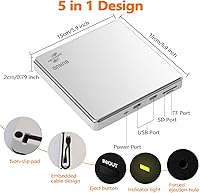
  • Dimensions: The drive measures 5.91″ × 5.91″ × 0.79″, making it compact enough to slip into most laptop bags without taking up meaningful space.
  • Weight: At 14.1 ounces, this external optical drive is light enough for daily portable use without adding noticeable load to a carry bag.
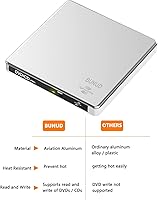
  • Top Material: The upper panel is constructed from aluminum alloy, which contributes to vibration dampening and a more durable feel compared to all-plastic alternatives.
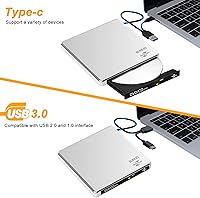
  • Interface: The drive connects via USB 3.0 or USB Type-C, providing broad compatibility with both modern slim laptops and older desktop systems.
  • CD Read Speed: Maximum CD read speed is 24x, which is adequate for audio ripping and standard data disc reading at home or in a small office.
  • DVD Read Speed: Maximum DVD read speed is 8x, covering standard playback and video disc ripping for everyday use.
  • CD Write Speed: Maximum CD burn speed reaches 24x, allowing reasonably fast disc creation for music, data backup, or photo archive discs.
  • DVD Write Speed: Maximum DVD burn speed is 8x, suitable for burning home video projects, software backups, and document archives onto DVD media.
  • Disc Formats: Supported formats include DVD+R, DVD-R, DVD+RW, DVD-RW, CD-R, CD-RW, CD-ROM, DVD-ROM, VCD, and SVCD; Blu-ray is not supported in any capacity.
  • Card Slots: The unit includes one SD card slot and one TF (microSD) card slot, though both cannot be used at the same time.
  • Extra USB Ports: Two additional USB-A ports are built into the unit and operate at USB 2.0 speeds, suitable for low-bandwidth peripherals and device charging.
  • Special Feature: LightScribe support allows users to laser-etch custom monochrome labels directly onto the surface of LightScribe-compatible blank discs.
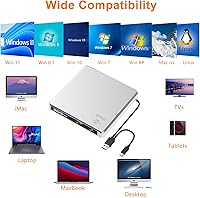
  • OS Compatibility: The drive is compatible with Windows 7, 8, 10, and 11, as well as Mac OS and Linux, with plug-and-play recognition requiring no driver installation.
  • Incompatible Devices: The drive does not work with Chromebooks, tablets, iPads, smart TVs, car entertainment systems, or any Blu-ray or PSC hardware.
  • Cable Design: The USB cable is embedded directly into the drive body, eliminating the need to carry or store a separate connection cable.
  • Power Requirement: The drive requires a USB port capable of delivering sufficient power; connecting to a rear desktop USB port or powered hub is recommended to avoid instability.
  • Color: The drive ships in a silver and white two-tone finish, with the aluminum top panel in silver and the lower plastic housing in white.

Related Reviews

Umaniy 7001 External CD/DVD Drive
75%
93%
Ease of Setup
88%
Value for Money
71%
Hub Port Functionality
74%
Disc Read Performance
72%
Disc Write and Burn Quality
More
Wbacon Wbacon-001 Slot-Loading External DVD Drive
71%
88%
Ease of Setup
83%
Slot-Loading Mechanism
71%
Disc Read Reliability
66%
Write Performance
69%
Hub Functionality
More
Copystars DVD Duplicator Sata CD-DVD Burner 24X 1 to 1 DVD Copier Duplicator Tower
82%
85%
Performance
92%
Ease of Use
88%
Writing Speed
90%
Compatibility
84%
Reliability
More
ORIGBELIE External CD/DVD Drive BT524
85%
88%
Performance
90%
Compatibility
92%
Portability
95%
Ease of Setup
82%
Build Quality
More
Hitachi-LG GP96Y External DVD Drive
74%
91%
Ease of Setup
83%
OS Compatibility
77%
Fire TV Integration
84%
Read Performance
63%
Write Performance
More
Wbacon 5-in-1 External Blu-ray Drive
66%
88%
Ease of Setup
54%
Disc Read Reliability
51%
Blu-ray Playback Experience
73%
DVD & CD Burning
18%
Blu-ray Disc Burning
More
PeroBuno 9-in-1 External USB DVD Drive
76%
88%
Plug-and-Play Setup
74%
Optical Drive Performance
61%
Ethernet Connectivity
81%
USB Hub Functionality
78%
SD and TF Card Reading
More
Produplicator 1 to 5 Blu-ray BD BDXL M-Disc CD DVD Duplicator
85%
93%
Ease of Use
89%
Speed & Efficiency
85%
Build Quality
87%
Reliability
72%
Compatibility
More
ORICO 3.5″ External Hard Drive Enclosure SATA III to USB 3.1 Type C
84%
92%
Ease of Setup
90%
Data Transfer Speed
85%
Build Quality
88%
Compatibility with OS
87%
Shock Protection
More
ROOFULL External CD DVD Drive with USB 3.0 Type-C Ports + SD Card Slot
83%
92%
Value for Money
88%
Performance
91%
Ease of Use
89%
Portability
85%
Compatibility
More

FAQ

Yes, the BUNUD LightScribe 5-in-1 External CD/DVD Drive connects via USB-C and is recognized automatically by macOS without any driver download. Just plug it in and it shows up in Finder within a few seconds. Keep in mind that LightScribe labeling software is a separate step and requires some additional setup on current macOS versions.
Not for standard burning and playback. The drive itself is plug-and-play, so your operating system handles recognition automatically. For burning discs, you can use built-in tools like Windows Media Player, Disk Utility on Mac, or free third-party apps like ImgBurn. LightScribe label etching does require dedicated software, which is a separate download.

LightScribe uses the same laser that writes data to also burn a monochrome image or label design onto the top surface of compatible discs. You flip the disc over, place it label-side down, run your LightScribe software, and the laser etches your design directly into the disc coating. You do need LightScribe-compatible blank discs specifically — regular blanks won't work for the label side, so check the disc packaging before you buy.

This almost always comes down to power, not a defect with the drive. Front-panel USB ports on desktop towers often deliver less power than the ports on the rear panel, and optical drives need a reliable power supply to spin discs consistently. Try plugging into a rear USB port or a powered USB hub and the problem typically goes away entirely.

No — the two card slots cannot operate simultaneously. You can use either the SD or the TF slot at any given moment, but not both at once. If your workflow involves reading from both card types in quick succession, you will need to swap between them rather than having both active together.

Unfortunately, no. The drive is explicitly not compatible with Chromebooks due to how ChromeOS handles external optical hardware. The same applies to tablets, iPads, smart TVs, and car entertainment systems. It works well across Windows, Mac, and Linux — just not ChromeOS.

They will work for connecting an external drive, but the two bonus USB-A ports run at USB 2.0 speeds rather than USB 3.0. That means transfers will top out around 480 Mbps theoretically, and real-world speeds will be noticeably slower than a dedicated USB 3.0 connection. For large file transfers, you are better off using your laptop's own USB 3.0 port directly.

It plays DVD movies just fine. The drive reads standard DVD-ROM discs, so you can watch films through a media player like VLC on your laptop without any issues. Just remember it does not support Blu-ray, so HD movie discs are off the table entirely.

Etching time depends on the complexity and coverage of your label design, but a typical full-coverage label can take anywhere from around 20 minutes to over half an hour. Simpler designs with less coverage finish faster. It is a slow process by nature, so it is best treated as something you set up and walk away from rather than watch.

For occasional portable use, yes — the aluminum top panel gives it more structural protection than fully plastic drives, and the embedded cable removes the weak point of a detachable cord. That said, it is still an optical drive with a moving tray mechanism inside, so it holds up best when stored in a padded sleeve or bag pocket rather than loose alongside heavy items.