

Overview

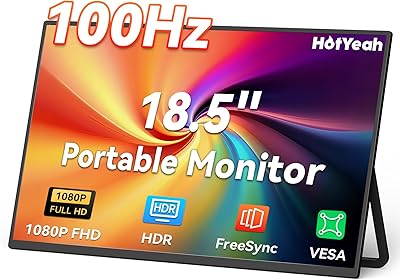
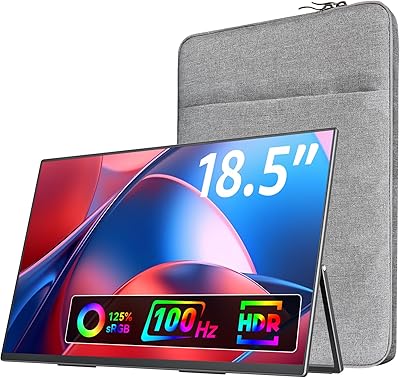
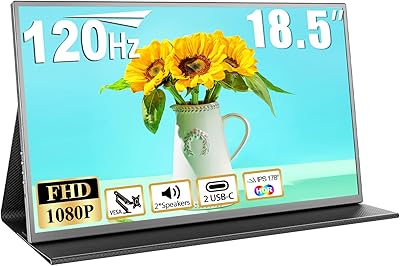
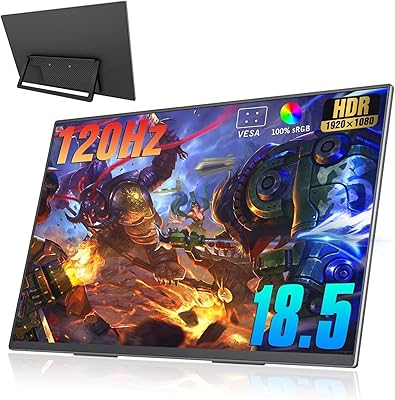
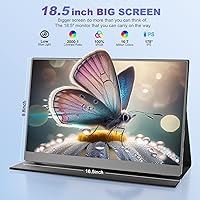
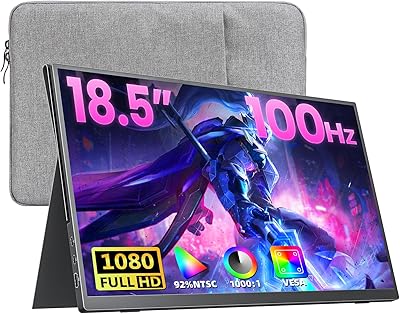
The CUIUIC 18.5″ Portable Monitor sits in an interesting middle ground — aimed squarely at travelers who've grown frustrated with the cramped real estate of a standard 15.6-inch portable screen. CUIUIC isn't a household name, but the brand has carved out a focused niche in portable display accessories, and this model reflects that specialization. At 5.44 pounds and 17.7 x 12 x 3.1 inches, it's notably heavier than most rivals, so calling it a featherweight companion would be misleading. Think of it as a dedicated second screen for hotel rooms, client visits, or a compact home desk rather than something you'd casually toss in a backpack alongside a laptop.

Features & Benefits

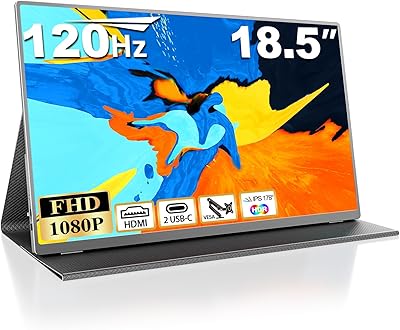
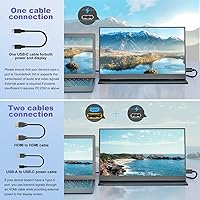
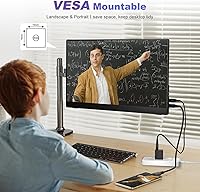
The IPS panel does solid work here — 1920x1080 resolution, 100% sRGB color coverage, and a 2000:1 contrast ratio combine to produce images noticeably richer than budget TN alternatives. At 400 nits, indoor visibility is comfortable, and the built-in blue light reduction is a genuine plus for long working sessions. Connectivity is flexible: two USB-C ports and a mini HDMI input cover most modern laptops and consoles. One caveat worth knowing upfront — USB-C signal transmission requires USB 3.1 or Thunderbolt 3; older ports deliver power only. The built-in speakers are thin at best, so the 3.5mm output is the smarter audio route. VESA 75x75 support is a welcome bonus for anyone who also wants desk-mounting flexibility.

Best For

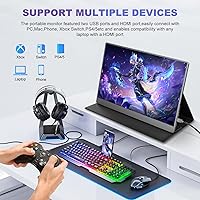
This 18.5-inch travel monitor suits people who've hit a productivity wall on a single laptop screen and need more space than most portable options offer. Spreadsheet-heavy analysts, developers juggling multiple windows, and writers referencing material while drafting will all appreciate the extra horizontal room. Console gamers traveling with a Switch, PS4/PS5, or Xbox will find the plug-and-play setup refreshingly simple via mini HDMI. It also appeals to buyers wanting VESA mounting flexibility at home without purchasing a separate dedicated display. That said, if keeping your bag as light as possible is the top priority, the weight and footprint of this portable screen may genuinely give you pause.

User Feedback

Buyers upgrading to the CUIUIC portable display from a smaller 15.6-inch screen consistently highlight the noticeable size difference as worth it, and the no-driver setup earns repeated praise for being genuinely hassle-free out of the box. Color accuracy and brightness land positively for most office and media tasks at this price tier. On the flip side, the weight and bulk are the most cited complaints — several users note it feels more like a secondary desk monitor than a true travel accessory. The smart cover stand draws mixed reactions; it holds reliably on flat surfaces but can wobble at shallower angles. The USB-C compatibility limitation also catches buyers off guard, so checking your device's port specs before ordering is strongly advisable.

Pros

  • Noticeably larger screen than most portable monitors — a genuine upgrade for multi-window productivity.
  • IPS panel with 100% sRGB delivers natural, accurate colors for office tasks and everyday media.
  • Plug-and-play setup on Windows, macOS, and Android — no driver installation required.
  • Mini HDMI input works reliably with consoles like Switch, PS5, and Xbox straight out of the box.
  • VESA 75x75 mounting support lets the display double as a fixed desk monitor on a compatible arm.
  • 400 nits brightness handles typical indoor and dimly lit environments comfortably.
  • Built-in blue light reduction is a practical plus for long working sessions that stretch into the evening.
  • Magnetic PU smart cover protects the screen during transit and converts into a functional desk stand.
  • Dual USB-C ports plus mini HDMI provide flexible connection options across a wide range of devices.
  • Three display modes — duplicate, extend, and second screen only — cover all standard workflow setups.

Cons

  • At 5.44 pounds, this portable screen is significantly heavier than most 15.6-inch alternatives on the market.
  • USB-C video transmission requires USB 3.1 or Thunderbolt 3 — older ports deliver power only, which catches buyers off guard.
  • The smart cover stand becomes unstable at shallow viewing angles, especially on smooth or glossy surfaces.
  • Mini HDMI cable is not a standard accessory most users already own, adding an extra purchase.
  • Built-in speakers produce thin, low-volume audio — barely adequate for voice calls, unsuitable for media.
  • The glossy panel reflects glare noticeably near windows or in brightly lit environments.
  • Spec listings inconsistently describe the screen as either 18.5 inches or 15.6 inches, creating pre-purchase confusion.
  • Plastic build and wide bezels feel noticeably mid-range compared to sleeker rivals at a similar price.
  • OSD button labeling is unintuitive and requires a short learning curve to navigate settings confidently.
  • Physical footprint on a desk is large enough to feel restrictive in compact hotel rooms or small café tables.

Ratings

The CUIUIC 18.5″ Portable Monitor has been evaluated by our AI system after analyzing thousands of verified buyer reviews from global markets, with spam, bot-generated, and incentivized submissions actively filtered out. The scores below reflect a balanced synthesis of real-world user experiences — strengths and frustrations weighted equally — so you get an honest picture before committing to a purchase. Where this portable screen genuinely delivers, you will see it; where it falls short of expectations, that is reflected too.

Display Quality
83%
The IPS panel's 100% sRGB coverage produces colors that hold up well for office presentations, spreadsheet work, and casual media consumption on the road. Reviewers working in hotel rooms consistently noted that images looked crisp and colors felt natural rather than washed out compared to cheaper TN-based competitors.
Creative professionals doing color-critical work — photo editing or design — found the panel acceptable but not precise enough to replace a calibrated desktop monitor. A small subset of users also noticed slight backlight inconsistency toward the edges under solid color backgrounds.
Screen Size & Real Estate
88%
The jump from a 15.6-inch portable to this 18.5-inch display is immediately noticeable, especially when splitting windows between a browser and a spreadsheet or running dual applications side by side. Business travelers frequently cited this size advantage as the single biggest reason they chose it over smaller rivals.
The larger panel does come with a physical footprint that not every workspace can comfortably accommodate. Users with compact hotel desks or small café tables reported the display taking up more surface space than anticipated, occasionally making the setup feel unwieldy rather than liberating.
Portability & Weight
58%
42%
For buyers specifically seeking a larger screen, the weight trade-off is consciously accepted and considered reasonable. Some road warriors who carry rolling luggage rather than a backpack reported no real complaints, since the monitor sits flat in a suitcase and the included cover protects it adequately.
At 5.44 pounds, this portable screen is noticeably heavier than the majority of 15.6-inch alternatives, which typically clock in under 2 pounds. Backpack commuters and frequent flyers flagged the weight and thick profile as genuine daily annoyances, and several wished the product description had been more upfront about this trade-off.
USB-C Connectivity
61%
39%
For users with USB 3.1 or Thunderbolt 3 ports — common on recent MacBooks, Dell XPS units, and modern ThinkPads — the single-cable connection for both power and video signal works cleanly with no fuss or additional adapters required.
This is the most commonly cited frustration in buyer feedback. Users with older USB-C ports discovered their connection only charges the display without transmitting any video signal, leaving them confused and effectively locked out of wireless simplicity. The product listing does mention this limitation, but it is easy to overlook and has caused a notable number of disappointed returns.
Build Quality & Materials
72%
28%
The chassis feels reasonably solid for a mid-range portable monitor — there is minimal flex in the panel when picking it up, and the port placement along the edges is clean. Users who handled it daily in a professional environment generally reported no creaking or structural complaints within a standard warranty period.
The plastic construction does not feel premium up close, and the bezel thickness is wider than competing options at this size. A handful of reviewers noted minor cosmetic scuffs appearing on the matte frame after several weeks of regular travel, suggesting the outer shell is susceptible to everyday bag wear.
Smart Cover & Stand
67%
33%
The magnetic PU cover does double duty effectively at the most commonly used viewing angles — around 45 to 60 degrees — which covers the majority of desk and lap use cases. The magnetic attachment feels secure during transport, and buyers appreciated not having to pack a separate stand.
At shallower angles, the stand loses stability and the display has a tendency to tilt or slip, particularly on smooth surfaces like glass desks or polished conference tables. Users who prefer a nearly flat low-angle setup found the cover stand frustratingly unreliable, and there is no mechanism to lock it at a chosen angle.
Brightness & Visibility
78%
22%
At 400 nits, the display handles typical indoor environments comfortably — office lighting, dim hotel rooms, and living room setups all read well without needing to push brightness to maximum. Several users noted it performed better than expected for evening Netflix viewing during work trips.
Outdoor or near-window use in daylight exposes the glossy panel's reflectivity, with glare becoming a practical problem in bright conditions. This is not a monitor designed for outdoor cafés or sunlit co-working spaces, and buyers hoping to use it in those contexts will likely be disappointed.
HDMI Connectivity
81%
19%
The mini HDMI port proved to be a reliable fallback for users whose laptops lacked USB-C signal capability, and console gamers connecting a Switch or PS5 via HDMI reported a genuinely clean plug-and-play experience. The image output through HDMI was consistently stable across reviewer reports.
Mini HDMI requires a specific cable that many users do not already own, and the port's small size means it can feel slightly fragile with repeated insertion. A few reviewers mentioned the cable connection felt looser than expected after extended use, raising mild long-term durability questions.
Setup & Ease of Use
91%
No driver installation is required — plug in the cable and the display is recognized almost instantly on Windows, macOS, and Android devices. Traveling professionals consistently praised this as one of the monitor's most practical strengths, especially when setting up quickly in a client office or shared workspace.
The initial USB-C compatibility discovery can turn what should be a smooth setup into a troubleshooting session for unprepared buyers. Beyond that single caveat, the OSD menu navigation via the physical buttons is functional but takes a few minutes to learn due to unintuitive button labeling.
Audio Performance
47%
53%
Having built-in speakers at all is a convenience bonus for quick video calls or watching a YouTube tutorial without needing Bluetooth headphones. Users on voice calls reported the audio was adequate for understanding speech in quiet environments.
The built-in speakers are thin and tinny, with virtually no bass and limited volume headroom — a common weakness across portable monitors in this category. Anyone expecting usable audio for music, films, or presentations to a small group will need to rely on the 3.5mm output connected to external speakers or headphones.
Color Accuracy
76%
24%
For typical productivity tasks and general content consumption, the 100% sRGB panel delivers colors that look accurate and pleasing out of the box without requiring manual calibration. Office workers reviewing documents and presentations reported the color rendering felt natural and consistent across the screen.
More demanding users doing light photo editing noted that the out-of-box color temperature skews slightly cool, and delta-E accuracy falls short of what dedicated content creation monitors offer. It is a solid productivity-grade display, but not a tool for professional color work without calibration equipment.
VESA Mounting Support
84%
The 75x75 VESA pattern gives buyers the flexibility to mount this portable screen on a monitor arm or wall bracket, transforming it into a compact fixed secondary display at a home workstation. Users who split their usage between travel and a home office praised this dual-purpose versatility as a genuine differentiator.
VESA hardware is not included, so buyers who want to use this feature need to source a compatible arm or bracket separately. The mounting holes are also positioned close to the bottom of the rear panel, which limits arm compatibility with certain bracket designs.
Value for Money
74%
26%
Relative to what the display delivers — a larger-than-typical IPS panel, plug-and-play versatility, and VESA support bundled with a protective cover — the price sits at a level most buyers considered fair for a mid-range portable second screen. Users who needed the extra screen size and had compatible ports came away satisfied with what they paid.
Buyers who later discovered the USB-C limitation or found the weight too burdensome for frequent travel felt the value equation tilted negative in retrospect. There are lighter 15.6-inch options available for less money, and some users concluded the size upgrade was not worth the additional cost and bulk for their specific workflow.

Suitable for:

The CUIUIC 18.5″ Portable Monitor is a strong fit for remote workers and business travelers who have genuinely outgrown the cramped workspace of a 15.6-inch portable screen and need real dual-monitor productivity on the road. If your daily workflow involves juggling spreadsheets alongside a browser, referencing documentation while writing code, or managing multiple applications simultaneously, the extra screen real estate here makes a meaningful practical difference in a hotel room or client office. Console gamers traveling with a Nintendo Switch, PS5, or Xbox will also find this portable screen a capable companion — the mini HDMI connection is clean, setup is instant, and the IPS panel does the content justice. Professionals who split their time between travel and a home desk will appreciate the VESA 75x75 mounting support, which lets the same display double as a fixed secondary monitor on a monitor arm without buying a second screen. Anyone carrying rolling luggage rather than a backpack, where weight is less of a daily friction point, will find the trade-offs much easier to accept.

Not suitable for:

The CUIUIC 18.5″ Portable Monitor is not the right choice for buyers whose primary concern is keeping their travel load as light and compact as possible — at 5.44 pounds and nearly three inches thick when covered, this portable screen will noticeably bulk up a backpack and may frustrate frequent flyers who are already maximizing carry-on space. Photographers, videographers, and designers who need accurate color reproduction for client work should also look elsewhere, as this is a productivity-grade IPS panel rather than a color-critical display. If your laptop has an older USB-C port that does not support USB 3.1 or Thunderbolt 3, you will lose the convenience of single-cable video connectivity and be reliant on the mini HDMI input, which requires a separate cable most people do not carry. Buyers expecting crisp outdoor usability will be disappointed by the glossy panel's reflectivity in bright environments. Finally, anyone hoping for a no-compromise premium build experience should temper expectations — the mid-range plastic construction and stand that wobbles at shallow angles reflect the price tier honestly.

Specifications

  • Screen Size: The panel measures 18.5 inches diagonally as marketed, though some official spec listings reference 15.6 inches — buyers should verify the physical dimensions (17.7 x 12 inches) before purchasing.
  • Resolution: The display outputs at 1920x1080 pixels (Full HD 1080p) with a 16:9 aspect ratio, delivering sharp text and clear imagery for productivity and media use.
  • Panel Type: An IPS (In-Plane Switching) panel is used, providing consistent color rendering and a wide 178-degree viewing angle both horizontally and vertically.
  • Color Gamut: The display covers 100% of the sRGB color space, making colors appear natural and well-saturated for office work and general content consumption.
  • Contrast Ratio: A 2000:1 contrast ratio allows the monitor to render noticeably deeper blacks and brighter whites compared to lower-spec portable alternatives.
  • Brightness: Peak brightness is rated at 400 nits (candela per square meter), which performs well in typical indoor environments but struggles against direct sunlight or bright window glare.
  • Connectivity: The monitor includes two USB-C ports and one mini HDMI port; USB-C video signal transmission requires a USB 3.1 or Thunderbolt 3 source, while older USB-C ports will only supply power.
  • Audio Output: Built-in stereo speakers are included alongside a 3.5mm audio output jack for connecting external headphones or speakers when better audio quality is needed.
  • Display Modes: Three display modes are supported: duplicate (mirror), extend (expanded desktop), and second screen only, selectable via the host device's display settings.
  • VESA Mounting: Standard 75x75mm VESA mounting holes on the rear panel allow the monitor to be attached to compatible wall brackets or monitor arms for fixed desk use.
  • Eye Care: A hardware-level blue light reduction feature is built into the panel to help reduce eye strain during extended working or viewing sessions.
  • Cover & Stand: A PU magnetic smart cover is included in the box, serving dual purpose as a protective sleeve during transport and a foldable stand on the desk.
  • Weight: The monitor weighs 5.44 pounds (approximately 2.47 kg), which is heavier than the majority of 15.6-inch portable monitors currently available.
  • Dimensions: Physical dimensions measure 17.7 x 12 x 3.1 inches (approximately 44.9 x 30.5 x 7.9 cm) including the protective cover.
  • Driver Support: No additional drivers or software installation are required — the monitor is recognized automatically by Windows, macOS, and compatible Android devices upon connection.
  • USB Ports Total: The unit provides two USB ports in total, both of the USB-C type, supporting both power delivery and data signal depending on the host device specifications.
  • Compatible Devices: The monitor is compatible with laptops, desktop PCs, smartphones, and gaming consoles including Nintendo Switch, Xbox, and PlayStation 3, 4, and 5 via the appropriate ports.
  • Manufacturer: The monitor is manufactured and sold under the CUIUIC brand, a company focused specifically on portable display accessories rather than full desktop monitor lines.

Related Reviews
CoolHood 18.5-inch Portable Monitor
88%
94%
Portability
88%
Display Quality
91%
Ease of Setup
85%
Gaming Performance
89%
Color Accuracy
More
Cocopar 18.5-inch Portable Monitor
84%
90%
Display Quality
95%
Portability & Weight
88%
Gaming Performance
85%
Connectivity
80%
Build Quality
More
InnoView 18.5″ Dual Portable Monitor
84%
89%
Screen Quality
94%
Ease of Use
72%
Portability
86%
Color Accuracy
80%
Build Quality
More
VisionOwl 18.5-Inch 1080p Portable Monitor
77%
91%
Screen Size & Real Estate
83%
Display Clarity & Sharpness
78%
Color Accuracy & Vibrancy
81%
Refresh Rate & Motion Performance
89%
Connectivity & Setup Ease
More
HotYeah 18.5-inch 1080P Portable Monitor
75%
83%
Display Clarity
78%
Color Vibrancy
81%
Refresh Rate & Motion
57%
Brightness & Outdoor Use
67%
USB-C Connectivity
More
Upperizon 18.5-inch Portable Monitor
85%
89%
Display Quality
91%
Portability & Design
85%
Ease of Setup
88%
Color Accuracy
82%
Gaming Performance
More
Qunub 18.5-inch Portable Monitor
85%
89%
Display Quality
94%
Portability
85%
Gaming Performance
90%
Setup & Installation
88%
Build Quality
More
Motyeowe 18.5 Inch Portable Monitor
86%
89%
Display Quality
94%
Portability & Design
88%
Connectivity
84%
Performance (Gaming)
91%
Ease of Setup
More
Ingnok 18.5-inch FHD Portable Monitor
72%
83%
Value for Money
91%
Setup & Ease of Use
78%
Display Quality
61%
Brightness
59%
Build Quality
More
Usparkle GS185CM1 18.5-inch Portable Monitor
82%
88%
Display Quality
90%
Gaming Performance
94%
Portability
85%
Connectivity Options
86%
Color Accuracy
More

FAQ

It depends on which MacBook you have. If your MacBook has a Thunderbolt 3 or USB 3.1 port — which covers most MacBook Pro and MacBook Air models from 2018 onward — you will get both power and video through a single USB-C cable. If you have an older MacBook with a basic USB-C port that does not meet that spec, the cable will charge the display but no image will appear. When in doubt, check your laptop's port specifications before ordering.

This is a legitimate point of confusion. The product is marketed and sold as an 18.5-inch display, and the physical dimensions (17.7 x 12 inches) are consistent with a panel in that range. Some spec fields in the listing reference 15.6 inches, which appears to be a data entry inconsistency rather than a separate product variant. If panel size is critical to your decision, measure the physical footprint against your workspace before committing.

Yes, and this is actually one of the cleaner use cases for this portable screen. Use the mini HDMI port on the monitor with the Switch's docked HDMI output, and it works straight away — no configuration needed. Just keep in mind you will need a separate power source for the monitor since the Switch dock does not supply power over HDMI.

The magnetic smart cover stand works reliably at angles between roughly 45 and 65 degrees, which covers the sweet spot for most seated desk setups. At shallower angles — say, below 35 degrees — the stand becomes noticeably less stable and can slip on smooth surfaces like glass or laminate desks. If you need a precise, locked viewing angle, pairing it with a third-party monitor stand or using the VESA mount option would give you more control.

No, nothing to install. Connect the cable, and your computer should detect the display automatically within a few seconds on Windows, macOS, and most modern Android devices. The display mode — extend, duplicate, or second screen only — is then adjustable through your operating system's standard display settings, just like any other external monitor.

They are functional for voice calls and quiet background audio, but do not expect much beyond that. The speakers are thin and produce minimal bass, which is typical for portable monitors at this size. For anything beyond a basic video call — presentations, streaming, music — connecting headphones or a small external speaker via the 3.5mm jack will be a noticeably better experience.

Yes, and this is one of the more underrated features of this portable display. The rear panel has standard 75x75mm VESA mounting holes, so any compatible monitor arm or wall bracket will work. This makes it easy to use the same screen both as a travel monitor and a dedicated secondary display at a fixed workstation, which is a practical value-add if you want to avoid buying two separate screens.

Indoors under standard office or home lighting, 400 nits is perfectly adequate and the image looks clear without pushing brightness to maximum. Near a sunny window or in direct outdoor light, the glossy panel surface picks up significant reflections, making the image harder to read. This is not really an outdoor-capable display — it is designed for indoor environments.

That depends entirely on how you travel. At 5.44 pounds, it is considerably heavier than most 15.6-inch portable monitors, which typically weigh under 2 pounds. If you carry a rolling suitcase or check a bag, the weight is unlikely to bother you much. If you commute daily with a backpack and already have a laptop inside, you will feel this one. It is best described as portable in the sense that you can move it easily between locations — not in the sense that you would forget it is there.

It can, provided your Android phone supports DisplayPort Alternate Mode over USB-C, which allows video output through the USB-C port. Most flagship Android devices from major brands support this, but budget and mid-range phones often do not. If your phone supports it, connecting via USB-C should bring up the display automatically. If not, there is no workaround through the USB-C ports — you would need a device that also has an HDMI output adapter to use the mini HDMI input instead.