Overview

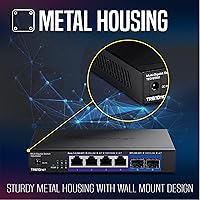
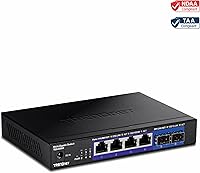
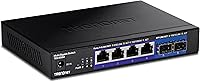
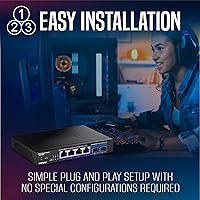
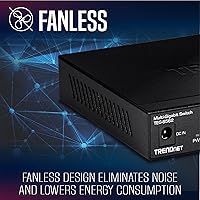
The TRENDnet TEG-S562 6-Port Multi-Gig Switch sits in an interesting middle ground — it is not trying to be a full enterprise box, but it is clearly aimed at people who have outgrown basic gigabit. Designed for home labs, small offices, and prosumer setups, this multi-gig switch occupies a practical price tier where 2.5G starts to make real sense. The all-metal fanless enclosure keeps things quiet enough to live on a desk or sit unobtrusively on a shelf. There is no software to install, no configuration headaches. It is also NDAA and TAA compliant, which matters if your environment has any government or regulated procurement requirements.
Features & Benefits

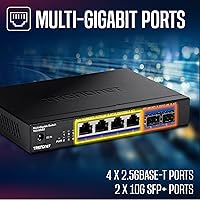
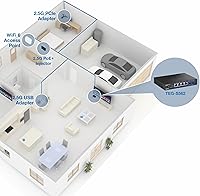
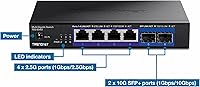
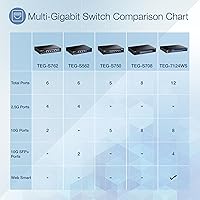
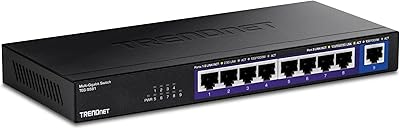
The four 2.5GBASE-T RJ-45 ports auto-negotiate across 100Mbps, 1Gbps, and 2.5Gbps, which means you can drop this TRENDnet switch into an existing Cat5e installation without pulling new cable — a real cost saver. The two SFP+ slots push up to 10Gbps each, making them practical uplinks to a NAS, core router, or higher-capacity switch. With 60Gbps switching capacity and a forwarding rate of 44.64Mpps, there is no hidden bottleneck inside the hardware itself. Jumbo frame support at 12KB helps anyone moving large files regularly across a local network, and lifetime manufacturer protection removes the usual long-term ownership anxiety.

Best For

This multi-gig switch hits a sweet spot for a specific kind of buyer. If you are running a home lab and tired of 1G bottlenecks between workstations and a NAS, this is a straightforward upgrade that works with cabling you already have. Content creators who regularly move large video files locally will notice the difference. Small offices with bandwidth-hungry workloads — video editing, design, or engineering — are natural fits as well. That said, anyone who needs VLANs, QoS, or port-level control should know upfront: the TEG-S562 is strictly plug-and-play unmanaged, with zero configuration options available.

User Feedback

With a 4.6-star average across more than 700 verified ratings, the TEG-S562 has built genuine credibility with real buyers. Most highlight the build quality — the metal chassis feels more substantial than its price tier typically delivers, and the silent fanless operation earns consistent praise from people deploying it in home offices or quiet workspaces. Real-world 2.5G throughput generally matches advertised speeds. On the critical side, a handful of users report compatibility friction with certain third-party SFP+ modules, so verifying transceiver support before purchasing is wise. A few buyers also wished for basic managed features, though nearly everyone agrees the initial setup is completely effortless.

Pros

  • Works out of the box with no apps, accounts, or configuration — literally plug in and go.
  • Real-world 2.5G speeds hold up under sustained transfers, not just in short benchmark bursts.
  • The all-metal housing feels substantially more premium than competing switches at this price tier.
  • Completely silent fanless operation makes it a natural fit for home offices or quiet shared workspaces.
  • Backward-compatible auto-negotiation means older gigabit and 100Mbps devices connect without any issues.
  • Dual 10G SFP+ ports provide a genuine high-speed uplink path to a NAS or core router.
  • Jumbo frame support at 12KB benefits anyone running iSCSI, large SMB transfers, or virtualization workloads.
  • Lifetime manufacturer warranty adds long-term peace of mind that most competing hardware does not offer.
  • NDAA and TAA compliance opens procurement doors that uncertified switches cannot access.
  • Compact enough to sit flat on a desk, behind a monitor, or on a short shelf with no bracket needed.

Cons

  • No per-port speed LED means you cannot visually confirm whether a link negotiated at 1G or 2.5G.
  • Third-party SFP+ transceivers can cause recognition failures — compatibility research is required before buying.
  • Six ports fill up faster than expected once you start adding wired devices to a growing network.
  • No management interface at all — not even a basic read-only web UI for traffic diagnostics.
  • The chassis runs noticeably warm in enclosed or poorly ventilated spaces, which can concern long-term users.
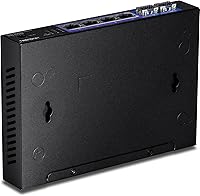
  • No mounting hardware is included, so clean rack or wall installation requires a separately sourced bracket.
  • TRENDnet warranty support response times have been inconsistent based on real buyer experiences.
  • Buyers who do not use the SFP+ ports may feel they are paying for uplink capacity they will never activate.

Ratings

The TRENDnet TEG-S562 6-Port Multi-Gig Switch has been scored by our AI system after analyzing hundreds of verified global buyer reviews, with spam, incentivized, and bot-flagged submissions actively filtered out before any scoring was applied. The results reflect a genuinely well-regarded device in a competitive niche, but with a few real-world friction points that prospective buyers deserve to know about upfront. Strengths and shortcomings are weighted equally here — nothing is glossed over.
Throughput Performance
91%
Buyers consistently report that real-world 2.5G speeds hold up under sustained transfers, not just in synthetic tests. Home lab users moving large backups or VM disk images to a NAS describe noticeable, tangible improvements over their previous gigabit setups with no throttling observed during prolonged sessions.
A small number of users noted that achieving full 2.5G speeds required verifying that their endpoints — NICs, NAS firmware, or routers — actually supported the standard, which caught a few less experienced buyers off guard after assuming the switch alone was sufficient.
Build Quality
88%
The all-metal housing punches well above what buyers typically expect at this price point. Multiple reviewers specifically called out that it feels solid and well-finished, with no flex or cheap plastic panels — a detail that matters when the device sits permanently on a desk or shelf.
The chassis does get warm under continuous load, which is expected for a fanless design but occasionally surprises buyers who are used to plastic consumer switches that dissipate heat differently. Nothing alarming, but worth knowing if the unit will be enclosed in a tight cabinet.
Ease of Setup
94%
Plug-in and it works — that is the overwhelming consensus. Non-technical users, including small business owners with no dedicated IT staff, describe getting the switch running in under two minutes with zero configuration required. The absence of any mandatory software or app is consistently praised.
The simplicity is a double-edged situation for some buyers. Those who expected at least a basic web interface for diagnostics or traffic monitoring were disappointed to find there is truly nothing to access — no management layer whatsoever.
Fanless Noise Level
97%
Complete silence is the defining quality here, and buyers are emphatic about it. Users who have placed this TRENDnet switch in home offices, bedrooms, or recording-adjacent spaces specifically chose it over alternatives because they could not tolerate fan noise during quiet work or audio sessions.
There is essentially no downside to the fanless operation itself, though a handful of buyers in warmer climates or poorly ventilated spaces reported the chassis runs noticeably hot, prompting concern about longevity — though no failure cases were widely reported across the review pool.
Value for Money
86%
For a metal-housed, fanless switch with genuine 2.5G copper ports and dual 10G SFP+ uplinks, the price tier lands in a range that most buyers consider fair to excellent. Competing options with comparable specs frequently cost meaningfully more, and the lifetime warranty strengthens the value case further.
Buyers who do not need the SFP+ ports — and many home users do not — occasionally feel they are paying for capability they will never use. For those who only want 2.5G copper across all six ports, there are simpler alternatives worth comparing before committing.
SFP+ Port Compatibility
71%
29%
For users sticking to well-known transceiver brands, the SFP+ ports generally work without issue. Several buyers successfully connected the switch to 10G uplinks on Synology NAS units and popular router platforms using standard modules without any negotiation problems.
Third-party or off-brand SFP+ transceivers caused compatibility headaches for a notable subset of buyers. Some modules were not recognized at all, and TRENDnet support documentation on supported transceiver lists was described as less thorough than buyers would have liked before purchasing.
Thermal Management
74%
26%
The metal enclosure acts as a passive heatsink and handles typical operating temperatures adequately for most indoor deployments. Buyers running the switch in normally ventilated rooms report no instability or unexpected behavior even during extended heavy-transfer sessions.
In confined spaces — enclosed home theater cabinets, tight network closets, or under-desk enclosures with limited airflow — surface temperatures climb enough to concern some users. A few recommend leaving at least a few centimeters of clearance on all sides as a precaution.
Port Count & Density
78%
22%
Six ports in a footprint measuring roughly 6.2 by 4.3 inches is a genuinely compact arrangement. For a two-person home office with a NAS and a couple of wired workstations, this multi-gig switch covers the typical device count without consuming meaningful desk or rack space.
Growing networks hit the six-port ceiling quickly. Buyers who underestimated how many wired devices they would eventually add reported needing to stack another switch sooner than expected, which slightly undercuts the long-term value argument for busier environments.
NDAA & TAA Compliance
89%
For IT buyers navigating government contracts, education procurement, or federally funded network projects, the compliance certifications are a genuine differentiator. Several reviewers in public sector or defense-adjacent roles explicitly cited this as the deciding factor over otherwise comparable hardware.
For the majority of home and small business buyers, compliance certifications have no practical impact on the purchase decision. It is a meaningful feature, but only for a specific subset of the market — everyone else is essentially paying for a credential they do not need.
Jumbo Frame Support
82%
18%
The 12KB jumbo frame ceiling is appreciated by users running virtualization workloads or large NAS transfers, where enabling jumbo frames measurably reduces CPU overhead on the endpoints. Lab users running iSCSI or SMB Multichannel setups called this out as a welcome detail at this price level.
Jumbo frames require matching configuration on every device in the path, and a few buyers were tripped up when mixed environments caused subtle connectivity issues. It is a feature that rewards technically proficient users but adds a small risk of misconfiguration for others.
Indicator LEDs
68%
32%
Basic link and activity LEDs are present on each port and are visible enough for quick visual checks. For a simple unmanaged switch in a home or small office, they provide just enough feedback to confirm a connection is live and passing traffic.
There is no per-port speed indication to confirm whether a link has negotiated at 1G or 2.5G, which frustrated several buyers trying to verify their endpoint configurations. A simple multi-color LED for link speed would have resolved a recurring source of user uncertainty.
Physical Footprint
91%
At one pound and barely an inch tall, this TRENDnet switch disappears into most setups without demanding attention. Buyers frequently mention tucking it behind a monitor, mounting it to the back of a desk, or sliding it onto a short shelf segment — all without any bracket hardware needed.
The lack of included mounting hardware is a minor but real omission for buyers who want a cleaner rack or wall installation. Rubber feet for desktop use are included, but those wanting a more permanent, elevated mount need to source a third-party solution independently.
Backward Compatibility
93%
Auto-negotiation across 100Mbps, 1Gbps, and 2.5Gbps means older devices plug in and work immediately alongside newer multi-gig hardware. Buyers upgrading incrementally — replacing one device at a time — specifically valued this as it removed any risk of stranding legacy gear on a separate switch.
There is little to criticize here. The only edge case that surfaced in reviews involved very old or non-standard network adapters that occasionally forced incorrect negotiation speeds, but this was rare enough to be considered an outlier rather than a systemic issue.
Lifetime Warranty
88%
A genuine lifetime manufacturer warranty from TRENDnet carries real weight for buyers who have been burned by short-warranty networking gear in the past. Small business owners in particular cited this as a reason to choose this switch over cheaper alternatives with one- or two-year coverage.
Warranty claims require navigating TRENDnet support, and a handful of buyers noted the process involved more steps than they anticipated. Response times from the support team drew mixed feedback, with some praising quick resolution and others describing longer-than-expected wait times.

Suitable for:

The TRENDnet TEG-S562 6-Port Multi-Gig Switch is purpose-built for a specific kind of buyer who has outgrown gigabit but does not need — or want to pay for — a fully managed enterprise switch. Home lab enthusiasts who have a NAS, a couple of workstations, and maybe a 10G-capable router will find this multi-gig switch covers their topology cleanly, especially if their existing Cat5e or Cat6 cabling is already in the walls. Content creators and video editors who routinely move large files between local machines will notice a real, day-to-day difference over a standard 1G link. Small offices with bandwidth-hungry workflows — design teams, engineering shops, or anyone doing regular large backups — will appreciate that setup requires zero networking knowledge and zero ongoing maintenance. IT buyers working within government or regulated procurement frameworks will also find the NDAA and TAA compliance credentials genuinely useful, removing a compliance hurdle that disqualifies many comparable switches at this price level.
Not suitable for:

The TRENDnet TEG-S562 6-Port Multi-Gig Switch is not the right tool if your network demands any level of management or control. There are no VLANs, no QoS settings, no port mirroring, no traffic monitoring — if you need any of those capabilities, this switch will frustrate you regardless of how well it performs at raw throughput. Larger environments that need more than six ports will also hit a ceiling quickly, and cascading additional unmanaged switches is not always a clean solution for growing networks. Buyers who rely heavily on third-party or off-brand SFP+ transceivers should verify compatibility carefully before purchasing, as not all modules are recognized without issue. Anyone planning to deploy this in a sealed cabinet or poorly ventilated enclosure should also think twice — passive cooling requires adequate airflow, and confined spaces can push surface temperatures into uncomfortable territory. Finally, buyers who need round-the-clock, rapid-response technical support should temper expectations, as TRENDnet support response times have drawn mixed feedback from the user community.
Specifications

  • RJ-45 Ports: Four 2.5GBASE-T RJ-45 ports auto-negotiate at 100Mbps, 1Gbps, or 2.5Gbps depending on the connected device and cable quality.
  • SFP+ Ports: Two 10G SFP+ ports support 1Gbps and 10Gbps fiber or direct-attach copper connections for high-speed uplinks.
  • Switching Capacity: Total non-blocking switching capacity is 60Gbps, ensuring no internal bottleneck under simultaneous full-load traffic across all ports.
  • Forwarding Rate: The switch processes up to 44.64 million packets per second using 64-byte packet sizing under real network conditions.
  • Jumbo Frames: Jumbo frame support extends to 12KB, which reduces CPU overhead during large file transfers, iSCSI workloads, and virtualization traffic.
  • Dimensions: The unit measures 6.2″ long by 4.3″ wide by 1″ tall, making it compact enough for desktop, shelf, or under-monitor placement.
  • Weight: The switch weighs 1 pound, light enough to mount or reposition without any special hardware requirements.
  • Housing Material: The enclosure is constructed entirely from metal, providing passive heat dissipation and a more durable build than typical plastic consumer switches.
  • Cooling Method: Passive fanless cooling is used exclusively, producing zero operating noise under all normal load conditions.
  • Power Input: The switch requires a 12V DC power supply at 1 amp, with a power adapter included in the box.
  • Operating Temperature: Rated for continuous operation between 32°F and 104°F (0°C to 40°C), suitable for standard indoor environments.
  • Management: The switch is fully unmanaged with plug-and-play operation, requiring no software installation, web interface, or network configuration.
  • Cabling Requirement: The 2.5GBASE-T ports deliver full 2.5Gbps speeds over Cat5e or better cabling, requiring no infrastructure upgrades in most existing installations.
  • Compliance: The switch is both NDAA and TAA certified, meeting federal procurement requirements applicable to U.S. and Canadian government customers.
  • Warranty: TRENDnet provides lifetime manufacturer protection on this switch, covering defects in materials and workmanship for the life of the product.
  • Backward Compatibility: All RJ-45 ports are backward compatible with standard 100BASE-TX and 1000BASE-T devices, allowing mixed-speed networks without separate infrastructure.
  • Included Contents: The package includes the TEG-S562 switch, a power adapter, and a printed quick installation guide — no additional accessories are bundled.
  • Interface Type: SFP+ slots accept standard small form-factor pluggable transceivers, including those used for short-range fiber, long-range fiber, and direct-attach copper cables.

Related Reviews
TRENDnet TEG-S591 9-Port Multi-Gig Switch
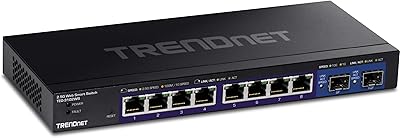
89%
92%
Performance
88%
Ease of Setup
90%
Reliability
89%
Build Quality
85%
Fanless Design (Noise Level)
More
TRENDnet TEG-3102WS Multi-Gig Web Smart Switch
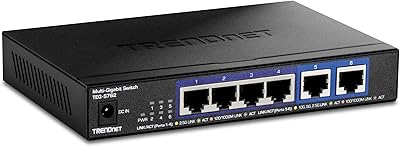
86%
91%
Port Speed & Multi-Gig Performance
88%
Build Quality & Hardware Design
94%
Fanless & Noise Level
71%
Web Management Interface
83%
10G SFP+ Uplink Capability
More
TRENDnet TEG-S762 6-Port 10G Network Switch
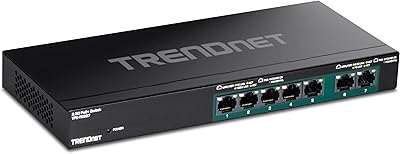
83%
88%
Value for Money
94%
Ease of Setup
83%
Port Configuration
81%
Build Quality
67%
Thermal Management
More
TRENDnet TPE-TG327 7-Port Multi-Gig PoE+ Switch
89%
95%
PoE Performance
91%
Data Transfer Speed
87%
Setup & Installation
89%
Build Quality
96%
Noise Levels
More
TRENDnet TEG-S380 8-Port 2.5G Unmanaged Switch
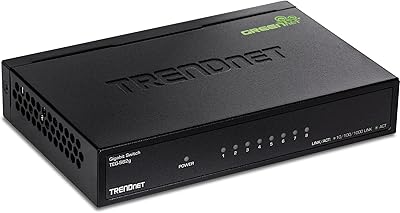
82%
96%
Ease of Setup
88%
Real-World Throughput
83%
Build Quality
67%
Thermal Management
81%
Port Count and Flexibility
More
TRENDnet TEG-S24g 24-Port Gigabit Switch
82%
91%
Reliability & Longevity
94%
Ease of Setup
88%
Build Quality
67%
Thermal Management
89%
Port Density & Performance
More
TRENDnet TEG-S750 5-Port 10G Switch
86%
88%
Performance
94%
Setup & Installation
85%
Build Quality
90%
Compatibility
92%
Quiet Operation
More
TRENDnet TPE-S50 6-Port PoE+ Switch
84%
79%
Performance
85%
Build Quality
91%
Ease of Setup
82%
Reliability
94%
Fanless Operation
More
TRENDnet TEG-S82G 8-Port Gigabit Switch
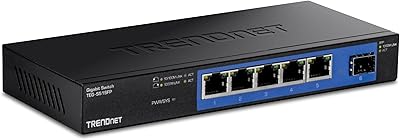
87%
94%
Ease of Setup
91%
Energy Efficiency
88%
Performance/Stability
89%
Noise Level
85%
Build Quality
More
TRENDnet TEG-S51SFP 5-Port Gigabit Switch
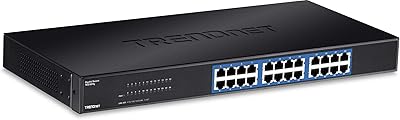
86%
91%
Build Quality
96%
Ease of Setup
98%
Noise Level
72%
Thermal Management
74%
Port Count & Layout
More

FAQ

No, there is nothing to install and no account required. You plug it in, connect your devices, and it starts working immediately. It is a fully unmanaged switch, which means there is zero configuration involved — ever.

Cat5e is sufficient to get the full 2.5Gbps speed on the copper ports. You do not need to upgrade to Cat6 or Cat6a. The key variable is cable length — runs under 100 meters should be fine for 2.5G without any issues.

Yes, but you would need to use one of the two SFP+ ports for that connection rather than the RJ-45 ports, since the copper ports top out at 2.5G. Most modern Synology and QNAP units have SFP+ ports, so you would use a compatible direct-attach cable or transceiver to make that link. Just verify that your specific NAS model and the transceiver you plan to use are compatible before buying.

The metal chassis does get warm — that is by design, since the housing acts as a passive heatsink. In open-air conditions on a desk or shelf, it stays within a comfortable range. Enclosed cabinets with limited airflow are a different story and can push temperatures higher than ideal. If you are mounting it inside a closed cabinet, leave ventilation space around it or add a small cabinet fan.

No, it does not. This is a fully unmanaged switch, which means there are no VLANs, no QoS controls, no port mirroring, and no traffic prioritization of any kind. If those features are important to your setup, you will need to step up to a managed or smart-managed switch instead.

Unfortunately, the switch does not have multi-color or speed-indicating LEDs on the RJ-45 ports. You will only see link and activity status from the LEDs. To confirm what speed a connection has negotiated, you need to check the network adapter settings on the connected device — Windows, macOS, and most NAS operating systems all show the active link speed in their network interface details.

The SFP+ ports work reliably with most name-brand transceivers from vendors like Finisar, Intel, and similar manufacturers. Third-party and generic off-brand modules have caused recognition issues for some buyers, so it is worth sticking to well-supported brands. TRENDnet's support team can provide a compatibility reference list if you contact them before purchasing your transceivers.

It produces absolutely no noise. There are no fans of any kind — the design is entirely passive. You could put this on a nightstand and never know it was running. Silent operation is one of the most consistently praised aspects of this switch by real users.

The lifetime TRENDnet warranty covers manufacturing defects in the hardware for as long as you own the product. It does not cover physical damage from accidents or misuse. To make a claim, you contact TRENDnet support directly with your proof of purchase. Response times have been reported as variable by some users, so keeping your receipt and registering the product on TRENDnet's site is a smart precaution.

For most small home or office setups, six ports covers the basics: two or three workstations, a NAS, and a router uplink, for example. If you are already close to that count today, it is worth thinking ahead, because adding a seventh device means cascading another switch. The TEG-S562 does not have a dedicated uplink port, so any port can be used for the router connection, which eats into your available device slots.

Where to Buy