


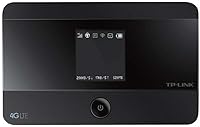
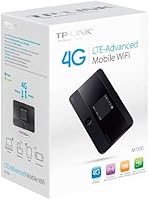
Overview

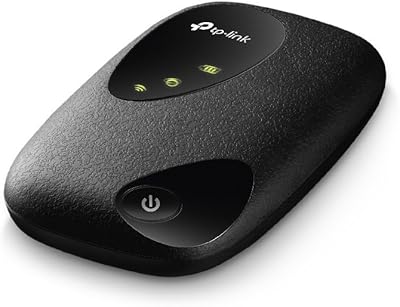
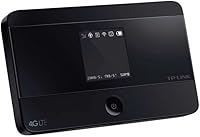
The TP-Link M7350 4G LTE Mobile Hotspot sits in an interesting middle ground — compact enough to slip into a jacket pocket, yet capable enough to handle real connectivity demands on the road. Weighing under three ounces and pulling download speeds up to 150 Mbps over LTE, this mobile hotspot punches well above what you might expect from a device this size. It supports dual-band Wi-Fi across both 2.4GHz and 5GHz bands and comes with a built-in rechargeable battery — no hunting for a wall outlet just to get online. For the price, it competes credibly against budget USB dongles while stopping short of the premium travel router category.

Features & Benefits

One thing that stands out about the M7350 is how little fuss it requires to get running. WPS support means you can connect a compatible device with a button press rather than digging through settings menus. The dual-band 802.11n radio helps in practical terms too — when multiple people are connecting laptops and phones simultaneously, having the 5GHz band available reduces the interference and slowdown you get on congested 2.4GHz networks. Up to ten devices can share the connection at once, which is more than enough for most group scenarios. The web-based management interface lets you monitor usage and tweak settings without installing any software.

Best For

This pocket router makes the most sense for people who spend significant time working or studying away from a fixed internet connection. Remote workers doing video calls from a cafe, students moving between campuses, or travelers who would rather not burn through their phone battery running a personal hotspot will all find genuine value here. It is also a solid backup option for households that need a temporary internet solution during an outage or a broadband installation wait. Keep in mind that real-world performance depends heavily on your carrier and local LTE coverage — in urban areas with strong signal, results tend to be noticeably better than in rural or fringe zones.

User Feedback

Buyers consistently highlight the compact size and quick setup as standout strengths — most report being online within minutes of unboxing. Signal stability earns solid marks in cities and suburbs, though users in low-coverage areas note the expected drop in speed and reliability. Battery life is the most common complaint; during heavy use across multiple connected devices, the charge can deplete faster than expected, making a portable power bank a practical companion. A handful of buyers have also mentioned that the web management interface, while functional, feels slightly dated compared to newer hotspot apps. Overall, the consensus leans positive for a mid-range device that handles its core job without overcomplicating things.

Pros

  • Slips easily into a pocket or bag at under three ounces — genuinely portable without being fragile
  • Dual-band Wi-Fi means less interference when several devices connect at the same time
  • WPS support lets you pair a new device in seconds without hunting for a password
  • Supports up to ten simultaneous connections, covering most small-group scenarios comfortably
  • Setup is straightforward enough that non-technical users rarely need any assistance
  • Battery is built-in and included out of the box — no separate purchase required
  • The internal antenna keeps the form factor clean with no protruding parts to snap off
  • Sits at a mid-range price that undercuts premium travel routers without sacrificing core functionality
  • Web-based management interface works across any browser without requiring a dedicated app install
  • LTE speeds up to 150 Mbps are more than adequate for video calls and standard browsing on strong networks

Cons

  • Battery life under heavy multi-device load is noticeably shorter than most users expect
  • Real-world LTE speeds vary significantly by carrier and location — the 150 Mbps ceiling is rarely reached
  • The web management interface looks and feels dated compared to newer hotspot competitors
  • No companion mobile app means adjusting settings mid-travel requires opening a browser
  • Rural or low-coverage users may find the connection too inconsistent for dependable work use
  • Carrier compatibility should be verified before purchase, as not all LTE bands are universally supported
  • Long sessions of continuous use can cause the device to run noticeably warm
  • No external antenna port limits options for users who want to boost signal with an aftermarket accessory
  • Older 802.11n Wi-Fi standard means the M7350 falls behind newer devices offering Wi-Fi 5 or 6 speeds locally
  • No built-in VPN support, which matters for remote workers handling sensitive data on public networks

Ratings

Our AI rating system analyzed thousands of verified global user reviews for the TP-Link M7350 4G LTE Mobile Hotspot, actively filtering out incentivized, duplicate, and bot-generated submissions to surface what real buyers genuinely experienced. The scores below reflect a balanced synthesis of recurring praise and persistent frustrations — nothing is glossed over. Whether this pocket router earns a place in your bag or falls short of your expectations, the data tells the honest story.

Portability
93%
Buyers repeatedly call out how easy it is to forget this mobile hotspot is even in their bag — at under three ounces and with no external antenna, it travels without inconvenience. Commuters, students, and frequent flyers consistently rate its form factor as one of the best in its class.
A small number of users noted the glossy black casing picks up scratches and fingerprints during daily handling, which can make it look worn faster than expected. It is a minor aesthetic issue rather than a functional one, but worth noting for those who care about appearance.
Ease of Setup
88%
The vast majority of users report being fully online within five minutes of unboxing — insert SIM, power on, connect, done. WPS support makes adding additional devices quick enough that even less tech-savvy family members can manage it without assistance.
A subset of users found the initial web-based setup page slightly confusing to navigate, particularly when adjusting APN settings for less common carriers. The lack of a dedicated mobile app means the entire configuration experience depends on a browser, which some find clunky on smaller screens.
Connection Speed
71%
29%
In urban areas with strong LTE coverage, users doing video calls and cloud work describe the connection as more than adequate for a productive day away from the office. Speeds feel solid for standard professional tasks when the carrier network cooperates.
Real-world speeds fall noticeably short of the 150 Mbps theoretical ceiling for most users, which is expected but still disappoints some buyers. In suburban or semi-rural areas, speeds can drop significantly, making tasks like large file uploads or high-quality video streaming unreliable.
Battery Life
58%
42%
For shorter outings — a half-day in a cafe or a few hours at a client site — the battery handles the load without complaint. Users who primarily need the M7350 for a few hours of moderate use find it sufficient for their daily rhythm.
Heavy multi-device usage drains the battery in roughly four hours or less, which is a recurring and vocal frustration in user feedback. Many buyers now consider a portable power bank a mandatory companion purchase rather than an optional accessory, which adds cost and bulk to the overall setup.
Signal Stability
74%
26%
In cities and well-covered suburban zones, users describe the connection as steady and dependable throughout the workday, handling video calls without unexpected drops. The dual-band Wi-Fi helps maintain local device connections even when the LTE signal fluctuates slightly.
Users in rural areas or regions with patchy carrier infrastructure report inconsistent performance that the hardware alone cannot compensate for. A few users also noted occasional signal drops that required a device restart to resolve, which is an inconvenience during active work sessions.
Build Quality
79%
21%
The M7350 feels solid and well-assembled for its price tier — no creaking, no loose ports, and the compact shell holds up well in a packed bag or pocket over months of daily use. The absence of external antennas eliminates one of the most common breakage points on competing devices.
The plastic casing, while sturdy, does not inspire the same confidence as more premium materials, and the glossy finish is prone to scratching over time. A few users mentioned the SIM tray requires a steady hand and a pin to open, which can feel fiddly in the field.
Wi-Fi Performance
76%
24%
Dual-band support genuinely helps when several devices are active simultaneously — routing laptops to the 5GHz band and phones to 2.4GHz reduces interference noticeably during group use. Users sharing the connection across three to five devices for light tasks report a consistently smooth local Wi-Fi experience.
The 802.11n standard is aging, and users with newer devices accustomed to Wi-Fi 5 or Wi-Fi 6 speeds will notice the local throughput ceiling is lower than they expect. Transferring large files between devices through the hotspot feels slower than what modern Wi-Fi standards could theoretically deliver.
Device Compatibility
83%
Works with essentially anything that has a Wi-Fi radio — laptops, tablets, phones, e-readers, smart TVs in hotel rooms — without requiring drivers or special software on the connecting device. Users appreciate that it just works across mixed operating systems and device brands without friction.
Carrier band compatibility is the one area where compatibility can become a genuine obstacle, particularly for international users or those on smaller regional carriers. Buyers are advised to verify supported LTE bands against their carrier before purchasing, as mismatches can leave the device unable to connect at all.
Management Interface
61%
39%
The web-based dashboard covers the practical essentials — connected device list, data usage monitoring, password changes, and basic network settings — which is enough for most everyday users. Accessing it from any browser without installing software is a small but appreciated convenience.
The interface design looks dated compared to modern router apps and lacks the intuitive layout buyers expect from newer networking products. There is no companion smartphone app, meaning any mid-session adjustments require opening a browser, which disrupts workflow more than a tap-based app would.
Value for Money
77%
23%
Positioned between budget USB dongles and high-end travel routers, the M7350 offers a genuinely useful feature set — dual-band Wi-Fi, 10-device support, WPS — without the price premium of flagship alternatives. For users with moderate connectivity needs, it delivers on its core promise at a reasonable cost.
Buyers expecting premium performance at a mid-range price will find the battery life and real-world speeds leave some value on the table. If your use case leans heavily on all-day sessions or rural connectivity, spending more on a higher-end device may ultimately offer better long-term satisfaction.
Heat Management
62%
38%
Under light to moderate usage, the device stays at a comfortable temperature and most users never notice any warmth during typical browsing or occasional video calls. Short-session users — a few hours at most — rarely encounter any heat-related issues.
Extended heavy usage, particularly with many connected devices streaming simultaneously, causes the unit to run noticeably warm, which concerns some users about long-term reliability. A handful of buyers reported that the device occasionally throttled performance during prolonged high-load sessions, likely as a thermal protection measure.
Travel Friendliness
86%
The slim profile, low weight, and SIM-based design make it genuinely well-suited to international travel when paired with a local SIM card. Frequent travelers praise the ability to avoid roaming charges by simply swapping in a destination SIM without reconfiguring the device from scratch.
Confirming LTE band compatibility before each international trip adds a research step that some users find tedious, and a mismatch can mean arriving at a destination with a non-functional device. The device also does not include a travel pouch or case, so users need to source their own protective carry solution.
Multi-Device Sharing
81%
19%
Supporting up to 10 simultaneous connections is a practical strength for small teams, families, or shared accommodation scenarios where several people need internet access at once. Users report smooth performance across mixed device types when total active users stay in the four-to-six range.
Approaching the 10-device maximum under heavy load degrades the experience for everyone on the network, and the battery drain accelerates sharply as more devices engage simultaneously. Power users running media-intensive applications across the full device count will likely hit both speed and battery walls faster than expected.

Suitable for:

The TP-Link M7350 4G LTE Mobile Hotspot is a practical pick for anyone who needs reliable internet access outside the home on a regular basis. Remote workers who spend time in cafes, co-working spaces, or client sites will appreciate having a dedicated connection that does not compete with their phone's battery or data plan. Students moving between campuses or libraries, and frequent travelers who want a consistent Wi-Fi signal across multiple devices, are also well-served here. It works particularly well for small groups — think a family on a road trip or a team sharing a table at a conference — where up to ten devices need simultaneous access without constant reconnecting. Households waiting on a broadband installation or dealing with a temporary outage will also find this pocket router a sensible stopgap rather than an emergency compromise.

Not suitable for:

The TP-Link M7350 4G LTE Mobile Hotspot is not the right tool for heavy, sustained usage sessions where battery endurance is critical. If you plan to run it for six or more hours straight while streaming or video conferencing on multiple devices, expect to carry a power bank as a matter of routine rather than as an afterthought. Users in rural areas or regions with weak LTE coverage will also struggle — the device can only work with the signal it receives, and no amount of hardware quality compensates for poor carrier infrastructure. Power users expecting near-wired speeds for large file transfers or latency-sensitive applications like online gaming will likely find the real-world performance underwhelming compared to a fixed broadband connection. Finally, buyers who prefer a polished mobile app for device management may find the web-based interface feels a generation behind current expectations.

Specifications

  • Brand: Manufactured by TP-Link, a globally recognized networking hardware company.
  • Model: The device carries the model designation M7350, identifying it within TP-Link's mobile hotspot lineup.
  • Connectivity: Connects to mobile networks via 4G LTE for broadband-class internet access on the go.
  • Max Download Speed: Supports theoretical download speeds of up to 150 Mbps, subject to carrier network conditions.
  • Wi-Fi Standard: Broadcasts wireless connections using the 802.11b/n standard across both supported frequency bands.
  • Frequency Bands: Operates on dual-band Wi-Fi, transmitting on both 2.4GHz and 5GHz simultaneously.
  • Max Connections: Supports up to 10 devices connected to the hotspot at the same time.
  • Special Feature: Includes WPS support, allowing compatible devices to join the network without manually entering a password.
  • Antenna Type: Uses an internal antenna, keeping the exterior clean and free of protruding components.
  • Dimensions: Measures 2.6 x 0.63 x 4.17 inches, making it small enough to fit in a shirt pocket.
  • Weight: Weighs 2.68 ounces, light enough to carry all day without noticing it in a bag.
  • Battery Type: Powered by a built-in lithium polymer rechargeable battery that ships included with the device.
  • Color: Available in black with a compact, understated finish suited for professional or travel use.
  • Compatible Devices: Works with personal computers, laptops, tablets, smartphones, and other Wi-Fi-enabled mobile devices.
  • Management Interface: Configured and monitored through a web-based interface accessible from any standard browser on a connected device.
  • Recommended Use: Designed primarily for home backup connectivity and mobile internet sharing while traveling or commuting.
  • Manufacturer: Produced and distributed by TP-Link Technologies Co., Ltd.
  • ASIN: Listed on Amazon under ASIN B01EK8CVHW for reference when searching or verifying the product listing.

Related Reviews
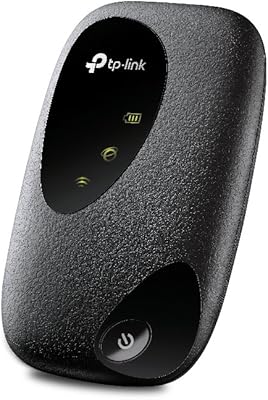
TP-Link M7200 4G LTE Mobile Wi-Fi Hotspot
67%
93%
Portability
91%
Setup & Ease of Use
78%
Signal Stability
67%
Download Speed
62%
Battery Life
More
TP-Link M7000 4G LTE Mobile Hotspot
71%
92%
Portability
89%
Ease of Setup
54%
Battery Life
63%
Real-World Speed
58%
Wi-Fi Standard
More
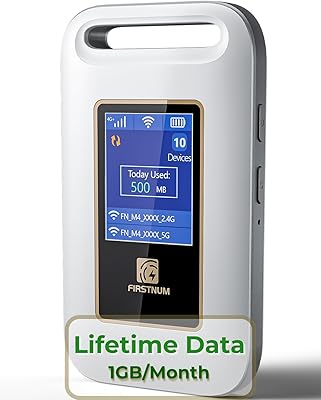
Firstnum M4 Portable 4G LTE Mobile Hotspot
73%
84%
Ease of Setup
61%
Battery Life
76%
Data Plan Value
69%
Signal & Coverage
73%
Value for Money
More
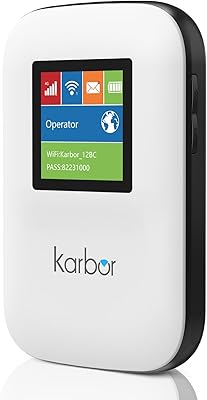
Karbor MF833-4G Portable 4G LTE WiFi Hotspot
71%
82%
Ease of Setup
71%
Network Coverage
63%
Connection Speed
58%
Data Plan Value
66%
Battery Life
More
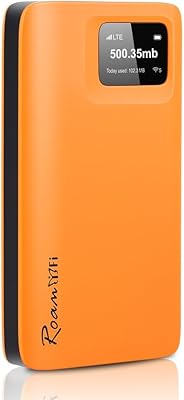
RoamFi RoamWiFi R10 Portable Mobile Hotspot
71%
92%
Ease of Setup
78%
International Coverage
61%
Data Value & Plan Inclusivity
69%
Connection Speed
71%
Battery Life
More
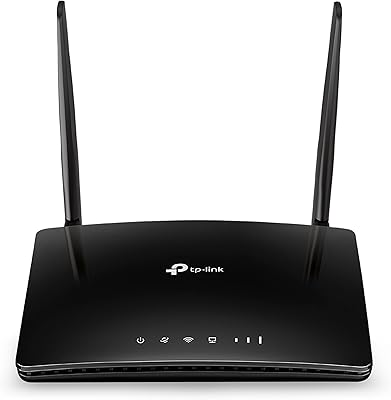
TP-Link TL-MR6400 4G LTE Router
82%
88%
Setup & Installation
91%
4G LTE Performance
83%
Wi-Fi Speed & Reliability
85%
Portability
82%
Bandwidth Management (QoS)
More
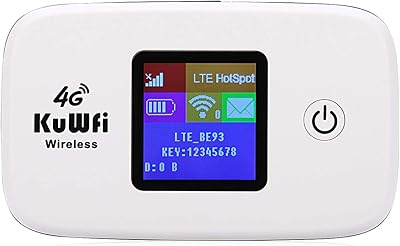
KuWFi L100EU 4G LTE Mobile Hotspot
69%
83%
Band Compatibility
58%
Ease of Setup
61%
Wi-Fi Performance
63%
Battery Life
88%
Portability
More
NETGEAR Nighthawk M1 4G LTE Mobile Hotspot
67%
58%
Carrier Compatibility
83%
Battery Life
76%
Signal Performance
81%
Multi-Device Capacity
78%
Ease of Setup
More
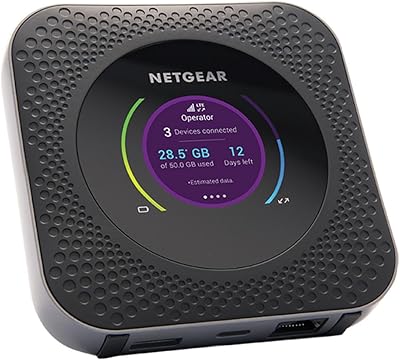
Netgear Nighthawk MR1100 Mobile Hotspot Router
79%
93%
Carrier Flexibility
88%
Multi-Device Performance
86%
Signal Reception
61%
Battery Life
89%
Setup & Ease of Use
More
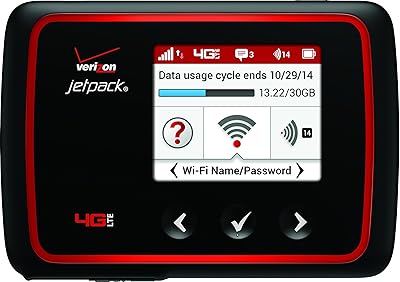
Verizon MiFi 6620L Jetpack 4G LTE Mobile Hotspot
84%
91%
Battery Life
87%
Connectivity Reliability
85%
Portability & Size
78%
Ease of Setup
88%
Performance for Multiple Devices
More

FAQ

The M7350 is a SIM-based device, so you insert a nano-SIM from a compatible carrier to get online. It supports a range of LTE bands, but not every carrier or every band is guaranteed to work, so it is worth checking TP-Link's official band compatibility list against your carrier's supported frequencies before purchasing.

Officially it supports up to 10 devices, but in practice, connecting fewer devices delivers a noticeably better experience. For light browsing and messaging across four or five devices simultaneously, performance holds up well. If you are running video calls or streaming on several devices at once, expect some slowdown depending on your LTE signal strength.

The lithium polymer battery is built into the unit and is not designed for easy user replacement. If battery performance declines significantly after extended ownership, you would need to contact TP-Link support or a qualified technician. Carrying a portable power bank is a practical workaround for long daily use sessions.

Setup is genuinely straightforward. You insert your SIM, power on the device, connect to its Wi-Fi network from any device, and then open a browser to access the web-based management page to complete the configuration. Most users report being online within a few minutes with no technical background required.

Technically you can use it at home, and it works well as a temporary or backup solution. That said, it is not optimized for always-on home use — the battery is not meant to run continuously for hours, and sustained heavy usage can cause the device to run warm. If you need a permanent home LTE router, a plug-in LTE router designed for fixed use would be a better fit.

No, it does not. This device is built specifically for 4G LTE networks and does not support 5G. If 5G connectivity is important to you, you will need to look at newer hotspot models designed with 5G compatibility in mind.

It is functional and covers the basics — you can check connected devices, monitor data usage, change your Wi-Fi name and password, and adjust a few network settings. That said, it is a fairly standard older-style interface and does not have a dedicated smartphone app to go alongside it, which some users find limiting when adjusting settings on the fly.

Battery life varies depending on how many devices are connected and how heavily the network is being used. Under moderate use, expect somewhere in the range of four to six hours. Heavier loads, like multiple simultaneous video calls, will drain the battery faster, so a portable charger is a smart companion for full-day trips.

It can work internationally if you use a local SIM card from a carrier at your destination, provided the LTE bands match. Some users also use international data SIMs. Just confirm that the specific LTE bands supported by this pocket router align with those used by networks in the country you are visiting — TP-Link's support documentation lists the supported bands clearly.

Yes, the device supports standard Wi-Fi security protocols including WPA and WPA2 encryption, which is solid protection for everyday use. WPS is convenient for quick pairing but can be a minor security consideration on public networks, so it is advisable to disable WPS if you are in an environment where network security is a higher priority.

Where to Buy