Overview

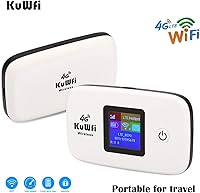
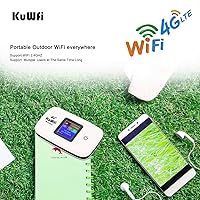
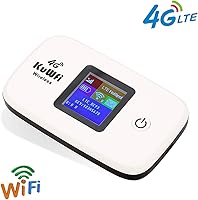
The KuWFi L100EU 4G LTE Mobile Hotspot is a no-frills pocket router built for travelers who want reliable internet access without locking into a carrier plan. You supply your own SIM card, and the device handles the rest — at least in theory. A small LCD status screen shows signal strength, battery level, and connection state, which is genuinely handy when you're troubleshooting in an unfamiliar country. The built-in 2400mAh battery means you're not hunting for a wall outlet at the airport. For the price, it's a practical entry point into portable international connectivity.

Features & Benefits

The band support on this travel hotspot is its strongest selling point. It covers the frequencies used by most major carriers across Western Europe, much of Africa, and large parts of Asia — so whether you're in France, Kenya, or the Philippines, there's a reasonable chance your local SIM will connect. That said, it runs on single-band 802.11n Wi-Fi, which is fine for email and browsing but won't win any speed contests. Up to 10 devices can share the connection across a roughly 50-meter range. Worth noting: virtual SIMs and IoT SIM cards are not supported — only standard physical SIMs work here.

Best For

This pocket router makes the most sense for budget-conscious travelers heading to Europe or Africa who are comfortable picking up a local prepaid SIM on arrival. It's also a practical choice for small groups — a family or a few colleagues sharing one data connection across multiple devices, rather than everyone buying separate plans. Remote workers looking for a portable backup connection in areas with spotty broadband will find it useful too. One honest caveat: if you've never configured an APN setting before, expect a short learning curve. It's not complicated, but it's also not completely plug-and-play.

User Feedback

Buyers tend to appreciate the compact build and how straightforward the physical setup is — insert the SIM, install the battery, power it on. Where opinions diverge is the APN configuration step, which catches less tech-savvy users off guard. Several reviewers mention that once configured correctly, it performs reliably; others report frustration getting it working at all. Real-world battery life lands closer to three to four hours of active use — respectable, but worth managing expectations. Build quality draws mixed reactions, with some finding it sturdy enough for regular travel and others feeling the plastic chassis is a touch fragile. Customer support responsiveness gets cautiously positive marks overall.

Pros

  • Band coverage works reliably across most of Western Europe and large parts of Africa and Asia.
  • Supports up to 10 connected devices simultaneously, making it practical for families or small teams.
  • The built-in battery means you can use this travel hotspot without any power outlet nearby.
  • Physical SIM flexibility lets you choose whatever local carrier offers the best data deal at your destination.
  • The LCD display gives you a quick read on signal strength and battery without opening any app.
  • Compact and light enough to disappear into a jacket pocket or the front pouch of a backpack.
  • USB tethering option provides a wired fallback if Wi-Fi connectivity is acting up.
  • Comes with a 1-year manufacturer warranty and an accessible money-back guarantee window.
  • Setup documentation and configuration guides are available via a shared online folder for troubleshooting support.

Cons

  • APN configuration is required for many SIM cards and catches less tech-savvy buyers completely off guard.
  • Single-band 802.11n Wi-Fi noticeably limits throughput when several devices are connected at the same time.
  • Real-world battery life under active use lands well below what the spec sheet implies.
  • Virtual SIMs, eSIMs, and IoT data SIMs are not supported, which excludes a growing share of modern travel data options.
  • Band lineup does not cover North American LTE frequencies, making it largely useless for US or Canadian travel.
  • The plastic housing feels lightweight in a way that raises durability concerns for frequent travelers.
  • No dual-band or 5GHz Wi-Fi option means users cannot escape congested 2.4GHz environments.
  • SIM PIN lock must be manually disabled before the device will recognize the card, which is an easy step to miss.
  • Customer support, while generally responsive, relies on self-service documentation rather than hands-on technical assistance.

Ratings

Our AI has analyzed thousands of verified global user reviews for the KuWFi L100EU 4G LTE Mobile Hotspot, actively filtering out incentivized, bot-generated, and duplicate submissions to surface what real buyers actually experience. Scores reflect both the genuine strengths that keep travelers coming back and the recurring frustrations that push others toward alternatives. Nothing has been smoothed over — the ratings below tell the full story.

Band Compatibility
83%
Travelers heading to France, Germany, the UK, Kenya, or the Philippines consistently report that this pocket router locks onto a local 4G signal without fuss once setup is complete. The breadth of supported frequencies means one device genuinely covers most of Europe and large swaths of Africa and Asia rather than just a handful of markets.
Coverage gaps do appear in less common markets, and a handful of buyers in Eastern Europe and parts of Southeast Asia report dropping to 3G unexpectedly despite being in areas with strong 4G infrastructure. North American travelers are entirely out of luck, as the supported bands simply do not align with US or Canadian LTE networks.
Ease of Setup
58%
42%
The physical side of setup — inserting the SIM, snapping in the battery, and powering the device on — takes under two minutes and is intuitive enough that most users get through it without consulting the manual. For travelers who have configured a router before, the admin panel at 192.168.0.1 is straightforward and logically organized.
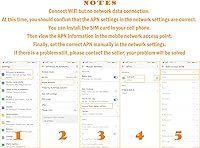
APN configuration is a genuine stumbling block for a significant portion of buyers, particularly those who have never had to manually enter network settings before. Forgetting to disable the SIM PIN lock before insertion causes the device to fail silently with no clear error message, which generates a wave of frustrated support requests from users who assume the hardware is faulty.
Wi-Fi Performance
61%
39%
For light daily tasks — checking emails, browsing news sites, navigating with Google Maps, or making a WhatsApp call — the connection holds up well enough for most travel scenarios. Users running one or two devices report a noticeably snappier experience than those sharing the connection across a larger group.
Single-band 802.11n at 2.4GHz hits a ceiling quickly when multiple devices are connected simultaneously, and video calls or streaming on more than two screens tends to produce buffering and quality drops. The absence of a 5GHz band also means the KuWFi hotspot cannot escape the congested 2.4GHz spectrum in hotels or conference centers where dozens of devices compete for airspace.
Battery Life
63%
37%
Under moderate use — a couple of phones and a tablet browsing and messaging — most buyers get three to four hours of untethered use, which covers a half-day of sightseeing or a short-haul flight without needing a power source. The ability to operate while plugged into a USB power bank extends this considerably for those who plan ahead.
Buyers who expected an all-day device based on the 2400mAh spec are often disappointed, especially with heavier usage patterns like navigation or hotspot sharing for a full family. Real-world drain accelerates noticeably in areas with weak signal, as the device works harder to maintain a connection, cutting reported runtime down toward two hours in some cases.
Portability
88%
At just over six ounces and small enough to sit flat in a shirt pocket, this travel hotspot genuinely disappears into a travel bag. Several users specifically mention pulling it out at a cafe or on a train without drawing any attention, which matters when you want to avoid looking like a target in unfamiliar cities.
The removable battery, while practical for replacement, adds a small amount of bulk compared to devices with sealed internals, and a few users note the battery cover feels slightly loose after repeated removal cycles. It is a minor point, but worth noting for travelers who want a truly polished carry experience.
Build Quality
54%
46%
The device is light and compact, and for occasional travel — a few trips per year — the construction holds up adequately without any obvious structural failures reported in normal use. The LCD screen in particular tends to remain legible and responsive even after extended time in a bag.
The plastic casing feels noticeably budget-grade in hand, and buyers who travel frequently report that the chassis develops small cracks or the battery door becomes increasingly flimsy after six to twelve months of regular use. Those comparing it to mid-range hotspot devices from established network brands will immediately notice the difference in material quality.
SIM Flexibility
71%
29%
The unlocked, carrier-agnostic design means buyers are free to use whichever local prepaid SIM offers the best data deal at their destination, which is a real advantage for cost-conscious travelers who shop around on arrival. Standard physical SIM support covers the vast majority of prepaid options sold at airports and convenience stores worldwide.
The hard exclusion of virtual SIMs and eSIMs is a growing frustration as more travelers opt for app-based international data services before departure. IoT SIMs sold by some travel data resellers also fail to work, and because the device provides no helpful error message in these cases, users often spend time troubleshooting a compatibility issue that cannot be resolved.
Multi-Device Sharing
69%
31%
Connecting a family of four with phones, tablets, and a laptop to a single SIM works without any device-side configuration beyond entering the Wi-Fi password, and most buyers find the process quick and reliable for a small group. The 50-meter range is more than sufficient for a hotel room, a cafe table, or a shared workspace.
Performance degrades meaningfully as device count climbs, and households or teams trying to push beyond five or six simultaneous connections report slower load times and occasional dropped sessions. The single-band radio is simply not architected to handle high-demand multi-device scenarios, and buyers expecting carrier-grade sharing will be let down.
LCD Display Usability
76%
24%
Having a visible screen on a hotspot this size is a genuine convenience — users can confirm at a glance that the device is connected, check remaining battery without hunting for an app, and spot signal issues before connecting their laptop in a new location. It is a small feature that several reviewers call out specifically as a reason they prefer this device over screenless competitors.
The display is small and not backlit in a way that works well in bright sunlight, making outdoor readability a challenge in direct daylight. Text is minimal and icon-based, so interpreting error states or unusual conditions requires cross-referencing the manual rather than being self-explanatory.
Value for Money
74%
26%
For occasional travelers who just need basic, affordable internet sharing on a trip to Europe or Africa without committing to a carrier contract, the price-to-functionality ratio is genuinely reasonable. Buyers who go in with calibrated expectations — simple connectivity, not blazing speeds — tend to feel they got their money's worth.
Buyers who encounter APN issues and spend an afternoon troubleshooting quickly feel the value proposition erode, as the time cost of the learning curve is real. A small but vocal group also feels that the build quality does not justify the purchase if the device needs to be replaced within a year of light use.
USB Tethering
72%
28%
The wired USB connection option is a practical backup that most users do not expect at this price point, and remote workers who need a stable connection for a video call or a large upload appreciate having a non-wireless fallback when the hotel Wi-Fi is particularly poor. It doubles as the charging method, keeping the cable count in a travel bag to a minimum.
USB tethering requires driver recognition on the host computer, and a handful of Windows and Linux users report that the device is not immediately recognized without manually installing drivers, adding another layer of setup complexity. Mac compatibility is generally smoother, but the manual lacks clear OS-specific instructions.
Admin Interface
66%
34%
The web-based admin panel is accessible from any browser connected to the hotspot and covers the key settings a user needs — APN configuration, Wi-Fi password management, and device status — without overwhelming the screen with options. Users who are comfortable with basic router interfaces find it navigable within a few minutes.
The interface is only available in English, which has caused friction for buyers in non-English-speaking markets who expected localization. The layout also feels dated, and the APN section in particular lacks the kind of auto-detection or guided setup that would prevent the majority of the connectivity complaints seen across user reviews.
Warranty & Support
62%
38%
The 1-year manufacturer warranty and 30-day return window provide a reasonable safety net for a budget device, and buyers who have successfully invoked the warranty report that replacements were processed without excessive pushback. The shared Google Drive documentation folder is a useful self-service resource for common setup scenarios.
Support interactions beyond straightforward replacements tend to rely heavily on the buyer following self-service documentation rather than receiving hands-on guidance, which frustrates users dealing with more nuanced compatibility or configuration issues. Response times via the Amazon messaging channel are inconsistent, with some buyers waiting several days for a reply to a technical question.
Packaging & Unboxing
67%
33%
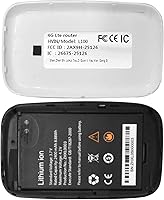
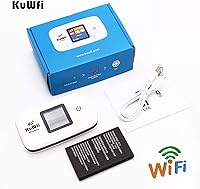
The box arrives with everything needed to get started — router, battery, USB cable, and a basic manual — so buyers are not immediately hunting for missing accessories. The battery is included and pre-installed in the compartment, which feels like a considerate touch compared to devices that ship components separately.
An insulating film on the battery must be removed before the device will power on, and a surprising number of buyers miss this step entirely and conclude the device is defective before discovering the film. The manual does mention it, but in small print that is easy to overlook in the excitement of unboxing.

Suitable for:

The KuWFi L100EU 4G LTE Mobile Hotspot is a strong fit for travelers who regularly visit Europe, Africa, or parts of Asia and prefer to pick up an affordable local prepaid SIM rather than pay steep roaming charges on their home plan. If you're the kind of person who travels with a phone, a tablet, and maybe a laptop, the ability to connect up to 10 devices through a single SIM connection is genuinely useful — especially for families or small work teams sharing one data plan on the road. Remote workers who occasionally find themselves in locations without reliable broadband will also appreciate having this pocket router as a backup, since it runs on battery power and doesn't need a wall outlet or fixed line to function. The LCD screen makes it easy to check your signal and battery at a glance without digging through an app. Anyone who doesn't mind spending five minutes configuring an APN setting when they arrive at a destination will find this travel hotspot a practical, low-cost solution that covers the basics without unnecessary complexity.

Not suitable for:

The KuWFi L100EU 4G LTE Mobile Hotspot is not the right choice for users who want a truly plug-and-play experience out of the box, particularly those who have never had to configure network settings manually. If you're planning to use a virtual SIM, an eSIM, or an IoT data SIM — the kind often sold by international roaming services — this device simply won't work with them, which rules out a growing segment of modern travelers. Power users who need consistently fast speeds for video calls, large file uploads, or streaming will run into the ceiling of single-band 802.11n Wi-Fi fairly quickly, especially when multiple devices are connected at once. Those who travel to North America as their primary destination will also find limited use here, since the supported band lineup is tuned for European and Asian networks, not North American LTE frequencies. Finally, buyers who expect a rugged, premium-feeling device should look elsewhere — the build quality is functional but not confidence-inspiring for people who are rough on their gear.

Specifications

  • Brand & Model: Manufactured by KuWFi under the model designation KF-L100EU, targeting international travel use cases.
  • Dimensions: The device measures 4.34 x 3.38 x 1.34 inches, compact enough to fit in a shirt or jacket pocket.
  • Weight: Weighs approximately 6.4 ounces including the battery, making it one of the lighter options in its category.
  • Battery: Equipped with a removable 2400mAh lithium-ion battery that is included in the box and required for operation.
  • Display: Features a built-in LCD screen that shows real-time connection status, signal strength, and remaining battery level.
  • Wi-Fi Standard: Operates on 802.11n single-band Wi-Fi at 2.4GHz, suitable for everyday browsing and messaging across connected devices.
  • Max Devices: Can share its internet connection with up to 10 devices simultaneously over a wireless range of approximately 50 meters.
  • 4G FDD Bands: Supports FDD-LTE bands B1, B3, B5, B7, B8, and B20, covering the primary 4G frequencies used across Western Europe and parts of Africa.
  • 4G TDD Bands: Also supports TDD-LTE bands B38, B39, B40, and B41, extending compatibility to carriers commonly used in Asia and the Middle East.
  • SIM Compatibility: Accepts standard physical SIM cards only; virtual SIMs, eSIMs, and IoT SIM cards are explicitly not supported by this device.
  • Connectivity: Connects to devices wirelessly via Wi-Fi or can be tethered directly to a laptop using the included USB cable.
  • APN Setup: Many SIM cards require manual APN configuration via the router admin panel at IP address 192.168.0.1 before the device will connect to a network.
  • SIM PIN Lock: The SIM card's PIN lock must be disabled before insertion, as the device does not support PIN entry during boot.
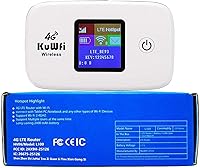
  • Included Items: The package includes the router unit, a removable lithium-ion battery, a USB charging cable, and a printed user manual.
  • Warranty: Backed by a 1-year manufacturer warranty and a 30-day money-back guarantee, with technical support available through the manufacturer.
  • Compatible Regions: Designed primarily for use in Europe, Africa, Southeast Asia, the Middle East, Australia, and select parts of South America.
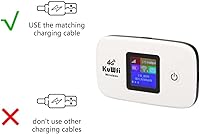
  • Power Source: Charges via the included USB cable and can also operate while plugged in, functioning as a desktop modem when stationary.
  • Network Protocols: Supports HSPA and LTE data protocols, defaulting to the strongest available signal between 3G and 4G depending on local coverage.

Related Reviews
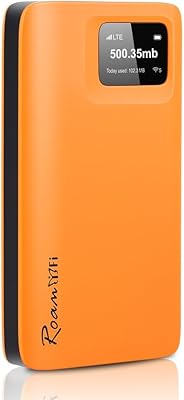
RoamFi RoamWiFi R10 Portable Mobile Hotspot
71%
92%
Ease of Setup
78%
International Coverage
61%
Data Value & Plan Inclusivity
69%
Connection Speed
71%
Battery Life
More
Karbor MF833-4G Portable 4G LTE WiFi Hotspot
71%
82%
Ease of Setup
71%
Network Coverage
63%
Connection Speed
58%
Data Plan Value
66%
Battery Life
More
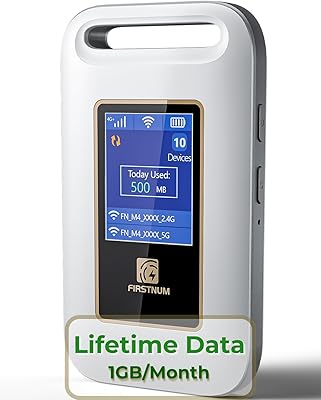
Firstnum M4 4G LTE Mobile Hotspot
84%
91%
Value for Money
94%
Ease of Use
92%
Portability
88%
Network Performance
83%
Battery Life
More
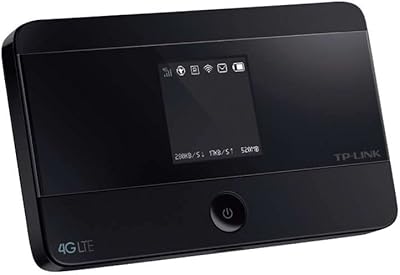
TP-Link M7350 4G LTE Mobile Hotspot
85%
86%
Performance
92%
Portability
88%
Battery Life
90%
Ease of Use
80%
Connectivity
More
Verizon MiFi 6620L Jetpack 4G LTE Mobile Hotspot
84%
91%
Battery Life
87%
Connectivity Reliability
85%
Portability & Size
78%
Ease of Setup
88%
Performance for Multiple Devices
More
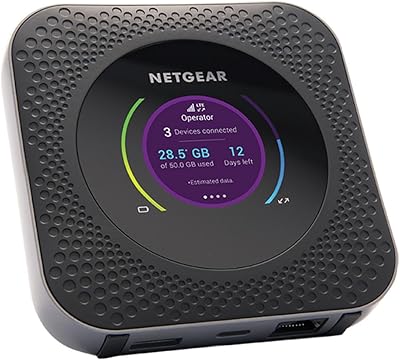
Netgear Nighthawk MR1100 4G LTE Mobile Hotspot Router
82%
87%
Performance
78%
Battery Life
91%
Portability
84%
Setup & Installation
65%
Carrier Compatibility
More
Netgear Nighthawk MR1100 4G LTE Mobile Hotspot Router
85%
87%
Performance
92%
Battery Life
90%
Portability
85%
Connectivity
88%
Ease of Use
More
Netgear Unite Pro AC-781S Mobile Hotspot
68%
81%
Value for Money
74%
Connectivity Performance
67%
Carrier Compatibility
69%
Refurbished Condition
61%
Battery Life
More
Schok G140 4G LTE Mobile Hotspot
73%
83%
Value for Money
71%
Real-World Download Speeds
78%
Battery Life
67%
SIM Compatibility & Setup
81%
Connected Device Capacity
More
GlocalMe DuoTurbo 4G LTE Portable WiFi Hotspot
75%
81%
International Coverage
88%
Ease of Setup
74%
Data Plan Flexibility
73%
Connection Stability
61%
Battery Life
More

FAQ

You will need to purchase a SIM card separately — this travel hotspot has no built-in data plan whatsoever. The idea is that you pick up a local prepaid SIM when you arrive at your destination, which is usually far cheaper than paying roaming fees on your home carrier.

Almost certainly not for 4G connectivity. The supported band lineup is tuned for European and Asian networks, not the LTE frequencies used by North American carriers. You might get a 2G or 3G fallback signal in some cases, but this pocket router is really not designed for use in the United States or Canada.

The most common cause is that the APN settings haven't been configured yet. Log in to the router admin panel by entering 192.168.0.1 in your browser, then navigate to Network, then APN, and enter the APN details provided by your SIM card carrier. Also make sure you've disabled the PIN lock on your SIM before inserting it, as the device has no way to prompt you for a PIN during startup.

No — the KuWFi L100EU 4G LTE Mobile Hotspot only works with physical SIM cards inserted into the hardware slot. Services like Airalo, Holafly, or any other eSIM or virtual SIM provider are not compatible with this device.

Under moderate use with a handful of devices connected, most users report somewhere between three and five hours before needing to recharge. If you are streaming video or have all 10 device slots active, expect that number to drop closer to the lower end. For a full travel day, carrying a small power bank alongside this pocket router is a smart idea.

SIM compatibility with a phone does not automatically guarantee it will work in a mobile hotspot. Some carriers lock their SIM cards to specific device types, and others require APN settings that differ from the defaults. Start by disabling the SIM PIN lock, then manually enter your carrier's APN details in the admin panel. KuWFi also provides a setup guide in a shared Google Drive folder linked from their product documentation.

Yes, the included USB cable lets you tether the device directly to a laptop, which can be useful if Wi-Fi is unstable or if you want to conserve battery on a secondary device. It functions as a basic wired modem in this mode.

It is functional but not particularly rugged. The plastic casing is fairly lightweight, and a few buyers have noted it feels a bit fragile compared to more expensive alternatives. For occasional travel it holds up fine, but if you are rough on your gear or travel constantly, you may want to keep it in a small protective pouch.

It actually covers a broader range than just Europe. The TDD-LTE bands included in this pocket router are commonly used across Southeast Asia, parts of the Middle East, and Australia, so you should get 4G connectivity in many of those regions as long as your local SIM uses a supported band. Always confirm with the carrier before you travel to be sure.

The device is backed by a 1-year manufacturer warranty, so KuWFi should cover defects or hardware failures that arise within that period. Their support process relies heavily on self-service documentation, but you can also reach out to them directly through the Amazon listing. Most buyers report that responses are reasonably timely, though complex technical issues may require some patience.