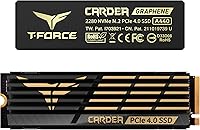


Overview

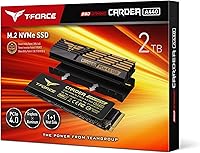
The TEAMGROUP T-Force A440 2TB NVMe SSD sits in a crowded field of Gen4 drives, but it carves out a real argument for itself. At this price point, hitting sequential reads of 7,000 MB/s while including two heatsinks in the box is not something most competitors bother to do. The Phison E18 controller powering this drive has a solid track record across several well-regarded Gen4 SSDs, which is reassuring. Sony has officially confirmed the A440 2TB meets PS5 expansion requirements, useful if you are shopping with a console upgrade in mind. Just keep expectations grounded — benchmark peaks and real-world workloads rarely tell the same story.

Features & Benefits

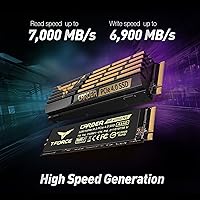
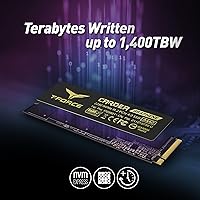
The A440 2TB is rated for sequential reads up to 7,000 MB/s and writes up to 6,900 MB/s over a PCIe Gen4 x4 connection — figures that put it among the faster drives in this class. What sets the package apart is the box containing both a slim graphene heatsink at 3.7mm for PS5 installation and a beefier aluminum unit at 12.9mm for desktop builds where airflow is plentiful. Underneath, DRAM cache combined with an SLC caching layer helps maintain consistent write speeds during heavy transfers, though sustained workloads past the cache buffer will see speed taper off, as with most TLC drives. Endurance is rated at 1,400 TBW, and the five-year warranty adds a layer of confidence for a drive you plan to use hard daily.

Best For

This Gen4 NVMe drive makes the most sense for a few specific buyers. If you are building a Gen4-capable PC and want near-flagship sequential speeds without spending top dollar, the value here is hard to argue with. PS5 owners will appreciate that the graphene heatsink is included and already sized for the console slot — no guessing whether it will fit. Content creators moving large video files or gamers transferring chunky game libraries will notice the real throughput difference versus older Gen3 drives. The generous 1,400 TBW endurance rating also makes this a reasonable pick for anyone who writes a lot of data day in, day out. One caveat: the aluminum heatsink is bulky in compact cases, so check your clearance before ordering.

User Feedback

With a 4.7-out-of-5 rating across more than 1,300 buyers and a ranking at No. 57 in Internal SSDs, the reception here is clearly positive. Most reviewers point to easy installation, a noticeable speed jump over Gen3 drives, and solid heatsink construction as consistent wins. On the flip side, several users in smaller mid-tower or mini-ITX builds flag that the aluminum heatsink creates real clearance headaches — a legitimate concern worth weighing before you buy. PS5 users generally report the graphene heatsink fits the slot cleanly, though a handful note that the console's own thermal design still governs overall temperatures regardless of SSD speed. Long-term reliability reports are sparse given the drive's age, but early indicators look stable with no widespread failure patterns emerging.

Pros

  • Rated sequential reads of 7,000 MB/s put this Gen4 NVMe drive among the fastest options in its price tier.
  • Both a slim graphene heatsink for PS5 and a full aluminum unit for desktops are included in the box.
  • Sony-verified PS5 compatibility means the graphene heatsink fits the expansion slot without guesswork or extra purchases.
  • A 1,400 TBW endurance rating gives the A440 2TB a long, practical lifespan even under demanding daily use.
  • The five-year warranty provides genuine long-term confidence for a drive used as a primary workhorse.
  • The Phison E18 controller is a proven, well-regarded chip with a strong track record across multiple Gen4 SSDs.
  • M.2 2280 form factor ensures compatibility with virtually every modern desktop and laptop without adapters.
  • Over 1,300 verified buyer ratings averaging 4.7 out of 5 reflect broad, consistent real-world satisfaction.
  • DRAM cache combined with SLC caching keeps write speeds stable across typical mixed daily workloads.

Cons

  • The aluminum heatsink stands 12.9mm tall, creating genuine clearance conflicts in compact and mini-ITX builds.
  • Sustained write speeds drop noticeably once the SLC cache fills during very long sequential write sessions.
  • Gen3 motherboard users will see none of the advertised speed potential — the interface is a hard performance ceiling.
  • Long-term reliability data remains limited given the drive's age, making multi-year durability harder to assess confidently.
  • No bundled cloning or migration software means transferring an existing OS requires a separate third-party tool.
  • Real-world random read and write figures in everyday desktop tasks are far less dramatic than the headline sequential numbers.
  • Thermal throttling under extended sustained workloads remains a possibility even with the aluminum heatsink installed.
  • PS5 users should know the console's own thermal and speed limits cap what this drive can actually deliver in practice.

Ratings

The TEAMGROUP T-Force A440 2TB NVMe SSD scores below are generated by AI after analyzing thousands of verified buyer reviews sourced globally, with spam, bot-submitted, and incentivized feedback actively filtered out to ensure only genuine ownership experiences inform each category. This scoring model is built to reflect the full picture — what real buyers consistently praise and where they have run into genuine friction. Strengths like the dual heatsink bundle and Gen4 sequential performance sit alongside honest assessments of sustained write behavior, compact case fit, and long-term stability.

Sequential Performance
93%
Benchmarks consistently land near the rated 7,000 MB/s read ceiling on Gen4 platforms, placing this drive among the faster options in its price range. Buyers migrating from Gen3 hardware immediately feel the difference when copying large video archives, extracting dense project folders, or moving full game installations between drives.
Sequential speed is most relevant during large sustained file transfers and benchmark runs — not during typical mixed workloads like launching applications or multitasking across a desktop session. The performance gap between this drive and cheaper Gen4 alternatives also narrows considerably once you leave synthetic testing conditions.
Real-World Speed
84%
In practical daily use, the A440 2TB loads large game installations, exports video timelines, and boots operating systems meaningfully faster than Gen3 predecessors. Content creators working with 4K footage or large RAW photo batches find the drive keeps pace well during import and export cycles where sustained read throughput matters most.
Everyday desktop tasks — opening browsers, loading moderate-sized games, or working in productivity software — do not reveal the full performance advantage, and most users will not perceive a meaningful difference over a mid-tier Gen4 drive in those scenarios. The headline figures are real but apply to a narrower set of workloads than the marketing emphasis suggests.
Thermal Management
88%
Including both a desktop aluminum heatsink and a PS5-ready graphene unit in the box is genuinely rare at this tier, saving buyers the extra step of sourcing thermal accessories separately. Desktop users consistently report the aluminum heatsink keeps the drive noticeably cooler during extended transfers, which helps protect sustained performance under longer workloads.
Thermal throttling under prolonged continuous writes is still possible even with the aluminum heatsink in place, particularly inside cases with limited airflow around the M.2 area. The graphene heatsink, while PS5-compatible, offers limited thermal headroom for desktop use — swapping to it in a PC build to solve a clearance problem is a real thermal compromise.
Value for Money
86%
The combination of competitive Gen4 sequential speeds, a 1,400 TBW endurance rating, and two heatsinks bundled at no additional cost makes a compelling case in a market where comparable drives often include nothing in the box. Most verified buyers feel they are getting meaningfully more than other options at a similar spend.
Budget-focused buyers can find Gen4 drives posting similar benchmark scores at lower prices, especially those who have no use for the heatsink bundle. Users who only need the drive for light gaming or basic file storage may find the value proposition harder to justify against simpler, more affordable alternatives that cover identical everyday use cases.
PS5 Compatibility
87%
TEAMGROUP's official Sony compliance confirmation removes the compatibility guesswork that affects many SSD expansion purchases. The graphene heatsink is sized specifically for the PS5 slot, installs cleanly without modification, and buyers report a smooth process with game load times improving noticeably over the console's built-in internal storage.
The PS5 imposes its own thermal ceiling and internal bandwidth limits, meaning the drive's full 7,000 MB/s read capability is never actually accessed inside the console. Buyers expecting a dramatic gaming experience transformation should temper expectations — the improvement is real but governed by the console's own architecture, not the drive's rated specifications.
Sustained Write Performance
71%
29%
Under typical mixed workloads — backing up a project folder, installing several games back to back, or exporting a moderate video file — the DRAM and SLC caching layers keep write speeds impressively high. Most home and professional users will rarely push the drive intensely enough in a single session to exhaust the cache ceiling.
Once the SLC write buffer is saturated during very long continuous writes — moving hundreds of gigabytes in a single uninterrupted pass — speeds step down notably to native TLC levels, a recognizable limitation of this flash type at this tier. Workflows involving frequent large single-pass exports, such as heavy video production pipelines, will encounter this drop more consistently than general users.
Build Quality
89%
The aluminum heatsink feels substantial and well-finished — reviewers consistently describe it as better constructed than most third-party heatsinks sold separately at similar price points. The drive PCB shows clean manufacturing typical of Phison E18-based designs, and verified reviews show no meaningful pattern of early physical defects across the sample pool.
A subset of buyers note that the heatsink retention clips require careful handling during installation to avoid bending the thin attachment tabs, and swapping between heatsinks can feel fiddly without steady hands. Neither included heatsink is as robustly secured as the integrated thermal armor found on premium motherboard-mounted M.2 solutions.
Installation Ease
91%
The vast majority of buyers — including first-time PC builders — describe the install experience as smooth and frustration-free. The drive seats cleanly in any M.2 2280 slot, both heatsinks attach without specialty tools, and PS5 installation is equally well-documented and consistently described as intuitive even for console-only users.
No bundled cloning or migration software means users transferring an existing OS must source their own tools before getting started, which adds an extra step that catches some buyers off guard. Those new to NVMe drives may also be briefly confused when the drive does not appear in Windows File Explorer until initialized and formatted through Disk Management.
Endurance & Reliability
82%
18%
The 1,400 TBW endurance rating is genuinely high for a consumer TLC drive — writing 100GB every single day would take well over three decades to exhaust that figure, making TBW-based warranty failure a non-concern for virtually all buyers. The 5-year warranty and 3,000,000-hour MTBF rating add further substance to the long-term reliability case.
Given the drive's relatively recent market entry, multi-year real-world reliability data is still limited, making it harder to independently verify MTBF claims with broad evidence. A small number of early buyers have reported isolated read errors after extended use, though no systematic failure pattern has surfaced across the verified review pool.
Bundle Value
92%
Having both a PS5-ready graphene heatsink and a full desktop aluminum unit in the same box at no added cost is a genuine differentiator that most competitors at this price tier simply do not offer. Buyers who would otherwise purchase a heatsink separately — a common extra step for PS5 SSD upgrades — effectively recoup that cost through the bundle.
Buyers whose motherboard already includes integrated thermal armor, or who own a quality aftermarket heatsink, will find the bundle partially redundant and effectively pay for accessories they will not use. Users building in compact cases may also find that neither heatsink is fully usable — the aluminum is too tall and the graphene provides limited desktop thermal benefit.
Compact Case Fit
53%
47%
Without any heatsink attached, the bare M.2 2280 drive adds no extra height whatsoever and fits in any standard slot regardless of the surrounding case or component layout. Users who run the drive without the aluminum unit — or apply only the slim 3.7mm graphene option — consistently report no physical installation problems even inside tighter enclosures.
The aluminum heatsink's 12.9mm height creates genuine clearance conflicts in mini-ITX and compact mid-tower builds where the M.2 slot sits directly beneath the GPU or near a side panel. Multiple buyers report discovering the fit issue only after unboxing and beginning the build — a frustrating and avoidable outcome that makes pre-purchase clearance checking essential.
Warranty & Support
83%
A 5-year warranty anchored by the 1,400 TBW ceiling gives buyers meaningful long-term coverage, which matters particularly for a drive used as a daily-driver primary volume in content creation or gaming rigs. TEAMGROUP's support reputation in community forums is generally positive, with most straightforward warranty claims handled without significant reported friction.
Some buyers find TEAMGROUP's warranty process less streamlined than those offered by larger Western brands with dedicated local service infrastructure in more regions. Response times for technical support inquiries have been flagged as inconsistent by a subset of buyers, particularly those based outside North America and Europe. The warranty terms, while solid, are standard and exclude accidental damage.
Long-Term Stability
77%
23%
The verified review pool shows no pattern of early-life failures, and the Phison E18 controller's strong track record across the broader Gen4 SSD market adds indirect confidence to longer-term stability projections. Buyers who have owned this Gen4 NVMe drive for over a year largely report consistent, error-free operation without noticeable performance degradation over time.
With the drive having entered the market relatively recently, there is not yet a deep multi-year dataset of owner experiences to draw meaningful conclusions from. A small number of users have cited isolated firmware-related quirks and occasional performance inconsistencies over extended ownership periods, though no systematic issue has emerged across the broader verified review base.

Suitable for:

The TEAMGROUP T-Force A440 2TB NVMe SSD is a well-rounded pick for PC builders who have moved to a Gen4 platform and want near-top-tier sequential speeds without committing to the most expensive options on the market. If your daily workload involves moving large files — high-resolution video exports, chunky game installations, or virtual machine images — the Phison E18 controller, DRAM cache, and fast write ceiling will translate into a genuinely noticeable improvement over older Gen3 drives. PS5 owners get a meaningful convenience bonus here: the slim graphene heatsink is pre-included and sized for the console expansion slot, so there is no need to source a separate cooling accessory. Content creators who need both generous capacity and strong write endurance will find the 1,400 TBW rating reassuring for a drive expected to handle heavy daily use over several years. Desktop builders working inside standard mid-tower enclosures with decent airflow are equally well-served, as the aluminum heatsink keeps sustained thermals in check during prolonged workloads.

Not suitable for:

The TEAMGROUP T-Force A440 2TB NVMe SSD is a poor fit for buyers whose motherboard only supports PCIe Gen3 — the interface mismatch means you will never approach the advertised speeds, and a simpler Gen3 drive at a lower price would deliver essentially identical real-world results. Anyone building inside a compact or mini-ITX case needs to carefully check clearance before ordering, because the aluminum heatsink stands 12.9mm tall and can physically conflict with adjacent components or case walls. Swapping to the thinner graphene unit in a desktop environment solves the size problem but sacrifices meaningful thermal headroom during sustained workloads, which is a real trade-off rather than a clean solution. Users who frequently move very large files in long sequential bursts — think hour-long video renders writing continuously — should know that once the SLC cache is exhausted, write speeds will step down noticeably, which is a characteristic of TLC NAND at this tier rather than a flaw unique to this drive. Finally, buyers hunting for the absolute fastest sustained write performance available and willing to pay a premium for it will find a handful of competing Gen4 drives that edge this one out once cache limits are reached.

Specifications

  • Capacity: Offers 2TB of raw storage, which the operating system typically displays as approximately 1.82TB due to the difference between decimal manufacturer notation and binary OS calculation.
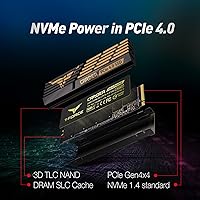
  • Interface: Uses a PCIe Gen4 x4 connection with the NVMe protocol, requiring a compatible Gen4 M.2 slot to reach advertised speeds.
  • Form Factor: Standard M.2 2280 format — 80mm long and 22mm wide — fitting the most common M.2 slot found across modern desktop motherboards and many laptops.
  • Sequential Read: Rated for sequential read speeds up to 7,000 MB/s as measured under CrystalDiskMark benchmark conditions on a Gen4-capable platform.
  • Sequential Write: The 2TB variant is rated for sequential write speeds up to 6,900 MB/s, placing it among the higher-performing write tiers in the consumer Gen4 segment.
  • Random IOPS: Rated at up to 650,000 read IOPS and 700,000 write IOPS, figures that reflect responsiveness during OS boot, application launches, and multitasking rather than raw transfer speeds.
  • Controller: Powered by the Phison E18 controller, a widely adopted and well-regarded chip used in multiple high-performance Gen4 NVMe SSDs across several brands.
  • Flash Type: Built on 3D NAND TLC (triple-level cell) flash, which balances storage density and cost while relying on SLC caching to sustain write performance during bursts.
  • Cache: Equipped with a dedicated DRAM cache and an SLC write buffer that accelerates burst writes and helps maintain low read latency under typical mixed workloads.
  • Endurance: Rated at 1,400 TBW (terabytes written) for the 2TB model, reflecting a high tolerance for sustained write-intensive use over the drive's operational lifespan.
  • Warranty: Covered by a 5-year limited warranty, with coverage ending at whichever threshold is reached first — the time limit or the 1,400 TBW endurance cap.
  • MTBF: Mean time between failures is rated at 3,000,000 hours, a standard reliability benchmark cited by manufacturers of enterprise-adjacent consumer SSDs.
  • Heatsinks: Two heatsinks are included in the box: a slim graphene unit measuring 3.7mm in height for PS5 installation and a taller aluminum unit at 12.9mm suited to open desktop builds.
  • PS5 Support: The included graphene heatsink meets Sony's PS5 expansion bay height requirement, and TEAMGROUP has confirmed this drive satisfies Sony's criteria for interface type, capacity, and sequential read speed.
  • Operating Temp: Rated for operation between 0°C and 70°C, with a wider storage temperature tolerance spanning -40°C to 85°C.
  • Weight: Weighs approximately 13g with the graphene heatsink installed and approximately 46g when using the aluminum heatsink.

Related Reviews
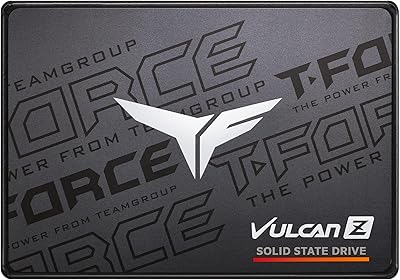
TEAMGROUP T-Force Vulcan Z 2TB SSD
85%
85%
Performance for Everyday Tasks
92%
Installation Ease
91%
Value for Money
88%
Compatibility with Laptops and Desktops
90%
Durability and Build Quality
More
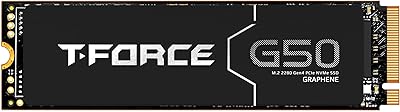
TEAMGROUP T-Force G50 1TB NVMe M.2 SSD
82%
88%
Sequential Read Speed
83%
Sequential Write Speed
93%
PS5 Compatibility
81%
Thermal Management
79%
Build & Physical Quality
More
TEAMGROUP T-Force GC PRO 2TB SSD
87%
94%
Performance
96%
Read Speed
92%
Write Speed
89%
Thermal Performance
90%
Build Quality
More
TEAMGROUP T-Force G50 512GB NVMe SSD
84%
88%
Read Speed Performance
71%
Write Speed Performance
93%
PS5 Compatibility
84%
Thermal Management
91%
Installation Experience
More
TEAMGROUP T-Force G70 Pro 2TB NVMe SSD
83%
91%
Read Speed Performance
74%
Write Speed Consistency
93%
PS5 Compatibility
88%
Thermal Management
94%
Ease of Installation
More
TEAMGROUP T-Force Z540 1TB NVMe SSD
76%
94%
Sequential Speed Performance
67%
Thermal Management
78%
Sustained Write Consistency
61%
Compatibility & Platform Requirement
74%
Value for Money
More
TEAMGROUP T-Force GC PRO 4TB Gen5 NVMe SSD
80%
88%
Sequential Speed Performance
83%
Thermal Management
81%
Sustained Write Consistency
67%
Compatibility & Setup Experience
74%
Value for Money
More
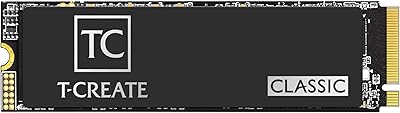
TEAMGROUP T-Create Classic C47 2TB NVMe SSD
82%
91%
Read Speed Performance
78%
Sustained Write Consistency
83%
Thermal Management
94%
Installation Ease
88%
Storage Capacity Value
More
TEAMGROUP MP33 2TB NVMe M.2 SSD
78%
93%
Value for Money
86%
Read Performance
67%
Write Performance
94%
Installation Ease
91%
Compatibility
More
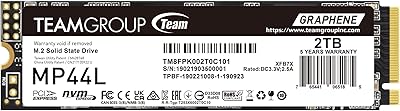
TEAMGROUP MP44L 2TB NVMe M.2 SSD
79%
88%
Sequential Read Performance
83%
Sequential Write Performance
74%
Thermal Management
91%
Installation Experience
89%
Value for Money
More

FAQ

It will physically install and function in a Gen3 slot, but you will only see Gen3-level speeds — roughly 3,500 MB/s read at best. None of the Gen4 performance headroom is accessible without a Gen4-capable slot, so if your board is Gen3-only, a less expensive Gen3 drive would deliver essentially identical real-world results at a lower price.

Use only the slim graphene heatsink — it is specifically sized at 3.7mm to clear the PS5 expansion bay cover. The aluminum unit is far too tall for the console and is intended exclusively for desktop builds. Most PS5 users report the graphene heatsink attaches cleanly and slides into the bay without clearance problems, but make sure your PS5 firmware is updated before installing any expansion SSD.

Yes, in a desktop or laptop the drive will appear as unallocated in Windows Disk Management or unformatted in macOS Disk Utility — you will need to initialize and format it before use. NTFS is the standard choice for Windows; APFS works best for Mac. If you are installing it into a PS5, the console handles formatting automatically on the next restart after the physical install.

In everyday computing — booting Windows, launching games, opening large applications — you will notice a real improvement over a Gen3 drive, though the gap between this and other fast Gen4 options narrows significantly outside pure sequential benchmarks. Tasks like loading a game level, opening a project in Premiere, or booting the OS do not fully exploit 7,000 MB/s of sequential throughput. Where the speed difference is most tangible is during large file operations: transferring a 50GB video export or extracting a multi-gigabyte archive is meaningfully faster than on older storage.

That depends on your specific motherboard layout and case design. The aluminum heatsink adds 12.9mm of height above the M.2 slot, which is taller than most third-party heatsinks sold separately. In a standard mid-tower with reasonable spacing around the M.2 area, it typically clears without issue. In compact mini-ITX builds or boards where the M.2 slot sits directly beneath a GPU, it can create a real clearance conflict — measure your available space before assuming it will fit.

Physically yes, as it uses the standard M.2 2280 form factor that many laptops support. That said, the aluminum heatsink is almost certainly too tall for any laptop chassis, so you would run the drive bare or with the graphene heatsink if there is clearance. You should also confirm your laptop has a PCIe Gen4 M.2 slot, since older or budget models often top out at Gen3 or SATA speeds, which would cap performance well below what this drive is capable of.

Once the SLC write buffer is exhausted — which happens during very long continuous writes, like moving hundreds of gigabytes in a single session — the drive falls back to native TLC write speeds, which are noticeably slower. For most users doing gaming, everyday productivity, or even occasional large transfers, the cache fills rarely if ever. It becomes relevant mainly for video editors or anyone regularly pushing very large single-pass writes in bulk.

Coverage ends at whichever limit arrives first: 5 years from purchase or 1,400 TBW. To put that endurance figure in perspective, writing 100GB every single day would take well over three decades to exhaust the TBW rating, so for virtually all consumer use cases the 5-year time window is the practical boundary. Warranty claims go through TEAMGROUP's official support channels and typically require proof of purchase.

No, there is no bundled cloning or migration software included. If you want to move your existing OS and data without doing a clean reinstall, you will need a free third-party tool like Macrium Reflect or Clonezilla, or a paid option like Acronis True Image. It is worth downloading and preparing one of these before your drive arrives so the migration process goes smoothly.

There are budget Gen4 options that come close on sequential benchmarks, but they often compromise on DRAM cache, use less proven controllers, or come with shorter warranties and lower TBW ratings. The value case for this Gen4 NVMe drive rests on the dual heatsink bundle, the Phison E18 controller's reliability track record, and the strong 1,400 TBW endurance spec — factors that matter more over a multi-year ownership window than raw benchmark numbers alone. If you are storing the drive on a shelf for light occasional use, cheaper alternatives make more sense; if it is your primary daily-driver, the extra spend is easier to justify.

Where to Buy