Overview

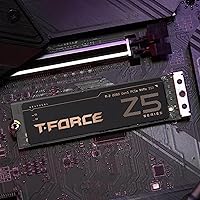
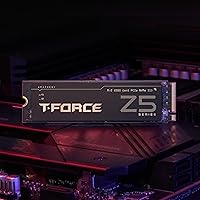
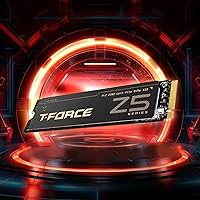
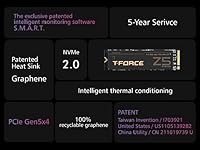
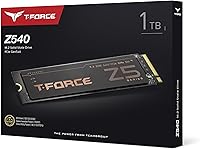
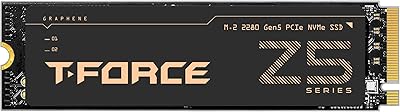
The TEAMGROUP T-Force Z540 1TB NVMe SSD arrived in late 2023 as one of the first consumer PCIe Gen5 drives aimed squarely at serious gamers and workstation builders. Running on the Phison E26 controller with 3D TLC NAND and a combined DRAM+SLC cache, this Gen5 SSD pushes sequential read and write speeds up to 11,700 and 9,500 MB/s respectively — roughly double what a fast Gen4 drive can offer. It ships with an ultra-thin graphene heatsink designed to slip under existing motherboard covers without clearance headaches. With a 4.3-star rating across 139 Amazon reviews and a top-400 rank in its category, early reception has been genuinely solid.

Features & Benefits

The PCIe 5.0 x4 interface is the obvious headline — dropping a large game install or exporting a 4K timeline genuinely feels different compared to older drives, not because of magic but because the bandwidth ceiling is finally out of the way. The Phison E26 is the most mature Gen5 controller available, which means broad firmware support and a proven stability record across motherboard vendors. A DRAM buffer paired with an SLC write cache keeps throughput consistent during prolonged transfers, avoiding the sharp drop-off you sometimes see in cache-less budget drives. E2E data protection and automated garbage collection handle background hygiene quietly, and the 5-year warranty adds a layer of long-term reassurance that is genuinely meaningful at this tier.

Best For

This NVMe drive makes the most sense if you are already on a PCIe 5.0-ready platform — think Intel 12th gen or newer, or an AMD Ryzen 7000-series board. Without a Gen5 slot, you simply will not see the advertised speeds, so checking your motherboard specs before buying is not optional. For gamers loading large open-world titles, photographers batch-processing RAW files, or editors shuttling 4K footage around, the throughput headroom is real and noticeable. The slim graphene heatsink also makes it a practical pick for compact ITX builds where a bulky aftermarket cooler would never fit. Laptop buyers should confirm their M.2 slot is Gen5-capable, as most current ultrabooks still top out at Gen4.

User Feedback

Owners of the Z540 broadly agree that real-world transfer speeds track closely with the spec sheet — always reassuring in a category where marketing numbers can outrun reality. Installation earns frequent praise; the thin heatsink slides under most motherboard shrouds without any fuss. The recurring concern, though, is thermal behavior: the drive runs warm under sustained load, and users in cases with limited airflow have reported throttling during extended stress tests. A handful of buyers were also caught off guard by the Gen5 motherboard requirement, making that compatibility check genuinely important before ordering. With around 139 ratings, the sample is still relatively modest, so cross-referencing with independent benchmark coverage before committing is a sensible step.

Pros

  • Real-world sequential speeds consistently match the advertised figures, which is not always a given in this category.
  • The Phison E26 controller is the most mature and stable Gen5 chip available, reducing firmware risk.
  • DRAM plus SLC cache combination keeps sustained transfer speeds from falling off a cliff mid-task.
  • The graphene heatsink is genuinely thin enough to fit under most motherboard M.2 covers without modification.
  • Easy installation with no tools beyond a screwdriver — straightforward even for first-time builders.
  • Five-year limited warranty offers meaningful long-term coverage for a premium storage investment.
  • E2E data protection and garbage collection quietly maintain drive health without requiring user intervention.
  • Competitive pricing within the Gen5 tier makes the Z540 one of the more accessible options at this performance level.
  • Buyers report the drive handles large game installs and 4K exports noticeably faster than their previous Gen4 drives.

Cons

  • Requires a PCIe 5.0-compatible motherboard to achieve rated speeds — a critical compatibility check many buyers overlook.
  • Drive temperatures climb noticeably under prolonged stress, especially in cases with limited airflow around the M.2 slot.
  • At 1TB, storage capacity may feel tight for users with large game libraries or extensive media archives.
  • The Gen5 speed advantage is largely invisible in everyday computing tasks, making the premium hard to justify for casual users.
  • Only 139 ratings at the time of writing — not enough community data to draw confident long-term reliability conclusions.
  • No bundled software for drive monitoring or health tracking, which some competing brands include.
  • Laptop compatibility is limited; most current ultrabooks and thin-and-lights still lack PCIe Gen5 M.2 slots.
  • Users in poorly ventilated cases may experience thermal throttling during extended workloads without additional airflow management.

Ratings

The scores below reflect AI-driven analysis of verified global user reviews for the TEAMGROUP T-Force Z540 1TB NVMe SSD, with spam, bot-submitted, and incentivized feedback actively filtered out before scoring. Each category is weighted against real buyer experiences — from enthusiast builders to content creators — so both the standout strengths and the honest frustrations are transparently represented. No score has been inflated to favor the product; where users ran into genuine friction, the numbers reflect that.

Sequential Speed Performance
94%
Buyers running this Gen5 SSD on compatible platforms consistently report that real-world transfer speeds align closely with the advertised figures — a rarity in a category often plagued by overstated specs. Moving a 50GB game folder or exporting a 4K timeline feels noticeably faster compared to even high-end Gen4 alternatives.
The headline speeds are only accessible on PCIe 5.0-compatible motherboards, which still represent a minority of installed systems. On older boards, the drive negotiates down and the performance premium effectively disappears, making the spec sheet misleading for buyers who did not check compatibility first.
Thermal Management
67%
33%
The ultra-thin graphene heatspreader does its job under moderate workloads, keeping temperatures within safe operating limits during typical gaming sessions and shorter file transfers. Its slim profile is genuinely appreciated by users in tight ITX builds where a bulkier cooler would simply not fit.
Under sustained heavy loads — think large batch transfers or extended stress tests — the drive runs noticeably warm, and users in cases with poor M.2 airflow have reported throttling. The graphene layer alone is not enough for worst-case thermal scenarios, and TEAMGROUP does not ship an active cooling solution.
Sustained Write Consistency
78%
22%
The DRAM buffer paired with an SLC write cache keeps performance steady through most real-world workloads, including multi-gigabyte game installs and large media imports. Users who regularly move files in the 10–50GB range rarely encounter the write speed cliff that plagues cache-less budget drives.
Once the SLC cache is saturated during very large sequential writes — copying hundreds of gigabytes in one session — speeds drop to the native TLC NAND rate, which is a significant step down. This matters mainly to users who treat the drive as primary bulk transfer storage rather than an OS or application drive.
Compatibility & Platform Requirement
61%
39%
The M.2 2280 form factor is universally supported, and the drive installs without any physical complications on any board with a standard slot. Users who did their homework and confirmed Gen5 support report a completely friction-free setup experience.
The hard dependency on PCIe Gen5 is the single most common source of buyer frustration in the review pool. A meaningful subset of users received the drive before realizing their board topped out at Gen4, effectively overpaying for speeds they cannot access. This is less a product flaw and more a communication gap, but it stings either way.
Value for Money
74%
26%
Within the Gen5 SSD tier, the Z540 is frequently cited as one of the more competitively priced options, offering flagship-level throughput without the significant premium some rival brands charge. For buyers already on a Gen5 platform, the cost-per-gigabyte calculation is reasonable.
Compared to fast Gen4 drives — which cost considerably less and cover 90% of real-world use cases — the value argument weakens considerably for anyone who is not actively bottlenecked by storage bandwidth. The upgrade calculus only makes sense for a narrow slice of power users.
Installation Experience
91%
Nearly every reviewer who mentioned installation described it as straightforward and quick. The drive slots into a standard M.2 socket with no special tools, and the thin heatsink does not require removing or modifying the motherboard cover on most popular boards.
A small number of users on boards with unusually rigid or recessed M.2 covers found the heatsink added just enough thickness to create a snug — though not impossible — fit. Nothing that required force, but worth being aware of on certain compact or older motherboard designs.
Build Quality & Design
83%
The graphene heat spreader gives the drive a distinctive, purposeful look that fits well in windowed builds, and the overall construction feels solid for a component of this size. The 1.06-ounce weight reflects quality materials without adding any meaningful stress to the M.2 retaining screw.
The drive lacks the visual flair of some competitors that include RGB or more aggressive heatsink styling. For buyers who prioritize aesthetics alongside performance, the Z540 reads as understated — which is a personal preference issue rather than a functional one, but worth noting.
Long-Term Reliability Signals
76%
24%
The 5-year limited warranty is a meaningful commitment from TEAMGROUP, suggesting genuine confidence in the drive's endurance. E2E data protection and automated garbage collection provide passive safeguards that help maintain integrity and performance over the drive's lifespan.
With approximately 139 ratings at time of analysis, the user base is still relatively small to draw strong long-term reliability conclusions. There is simply not enough multi-year ownership data in the review pool yet to score endurance as confidently as more established products.
Random Read/Write Performance
72%
28%
For an NVMe drive at this tier, random 4K performance is competitive and handles OS boot times, application launches, and database-style workloads without issue. Users notice snappy system responsiveness during everyday computing tasks on Gen5 platforms.
Random I/O improvements over Gen4 are less dramatic than sequential gains, meaning the real-world snappiness difference during typical desktop use is modest. Buyers expecting transformative day-to-day responsiveness from the Gen5 badge may be underwhelmed compared to their expectations.
Noise & Vibration
97%
As a solid-state drive with no moving parts, the Z540 operates in complete silence under all conditions — no spin-up hum, no seek noise, nothing. Users migrating from mechanical or hybrid drives consistently note how the absence of noise contributes to a calmer working environment.
There is genuinely nothing to criticize here; solid-state storage is inherently silent. The only marginal note is that coil whine from associated VRMs on power-hungry Gen5 platforms is occasionally reported, but that is a motherboard issue rather than anything attributable to the drive itself.
Software & Monitoring Tools
53%
47%
The drive works with widely available third-party monitoring tools like CrystalDiskInfo and HWiNFO64, giving technically inclined users access to temperature, S.M.A.R.T. data, and health metrics without much effort.
TEAMGROUP does not include any proprietary drive management software, which is a gap compared to competitors that bundle cloning utilities or health dashboards. First-time builders who expect guided setup or migration tools will need to source these independently, which adds a small but real friction point.
Packaging & Unboxing
71%
29%
The drive arrives in clean, protective packaging appropriate for a premium product, and users report no instances of damage in transit. The presentation is professional enough to feel commensurate with the price tier.
The unboxing experience is functional but not memorable — there are no extras like a screwdriver, mounting screw, or migration guide included. At this price point, a small accessory kit or even a printed quick-start card would have been a nice touch that rivals sometimes include.

Suitable for:

The TEAMGROUP T-Force Z540 1TB NVMe SSD is built for a specific kind of buyer: someone who has already committed to a PCIe 5.0-capable platform and wants to extract every bit of performance from it. Gamers running Intel 12th gen or newer, or AMD Ryzen 7000-series builds, will find this Gen5 SSD delivers noticeably faster game loads and asset streaming compared to even the best Gen4 drives. Content creators who regularly move large RAW photo archives, edit 4K or 8K timelines, or compress multi-gigabyte project files will appreciate how the sustained write performance holds up under real workloads — not just in short bursts. The ultra-thin graphene heatsink is a genuine practical advantage for enthusiasts in compact or ITX cases where space around the M.2 slot is tight. Backed by a 5-year warranty and E2E data protection, this NVMe drive also suits professionals who need reasonable peace of mind alongside raw speed.

Not suitable for:

The TEAMGROUP T-Force Z540 1TB NVMe SSD is a hard sell for anyone who has not first confirmed their motherboard supports PCIe Gen5 — without that slot, the drive will simply negotiate down to Gen4 speeds and the premium paid makes no practical sense. Everyday users who browse the web, stream video, or run office applications will not perceive any real-world difference between this and a mid-range Gen4 drive, making the cost premium difficult to justify. Budget-conscious builders would find better value in a quality Gen4 option that still offers more than enough throughput for most consumer workloads. Users running systems with poor case airflow or no active cooling near the M.2 slot should also think carefully — the Z540 runs warm under sustained load, and inadequate ventilation can push temperatures into throttling territory. Finally, anyone needing more than 1TB of fast storage in a single drive should know that higher-capacity variants exist, so check whether 1TB actually covers your use case before buying.

Specifications

  • Capacity: The drive offers 1TB of usable storage, suitable for operating systems, game libraries, and large media projects.
  • Interface: It connects via PCIe Gen5x4 with NVMe protocol, requiring a compatible M.2 slot to achieve full rated speeds.
  • Sequential Read: Sequential read speeds reach up to 11,700 MB/s under optimal conditions on a PCIe 5.0-capable platform.
  • Sequential Write: Sequential write speeds are rated up to 9,500 MB/s, placing it among the fastest consumer NVMe drives available.
  • Controller: The drive uses the Phison E26 controller, the most widely deployed and firmware-mature chip in the PCIe Gen5 SSD market.
  • NAND Type: Storage is built on 3D TLC (Triple-Level Cell) NAND flash, balancing density, cost, and endurance for consumer workloads.
  • Cache Architecture: A DRAM buffer combined with an SLC write cache helps sustain high transfer speeds during prolonged sequential operations.
  • Form Factor: The drive follows the M.2 2280 standard, measuring 3.15 x 0.87 x 0.15 inches and fitting most desktop and laptop M.2 slots.
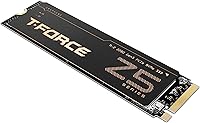
  • Heatsink: An ultra-thin graphene heat spreader is included, designed to fit beneath standard motherboard M.2 covers without clearance conflicts.
  • Data Protection: End-to-End (E2E) data protection monitors data integrity across the full read/write path to help prevent silent data corruption.
  • Maintenance: Automated garbage collection manages background NAND block recycling to preserve long-term write performance without user intervention.
  • Weight: The drive weighs 1.06 ounces, making it lightweight enough to install without additional mounting hardware stress.
  • Warranty: TEAMGROUP covers this drive with a 5-year limited warranty, reflecting standard premium-tier manufacturer support expectations.
  • Compatible Devices: The drive is listed as compatible with both desktop and laptop systems that have an available PCIe Gen5 M.2 2280 slot.
  • Installation Type: This is an internal drive, installed directly into a motherboard M.2 slot and secured with a single retaining screw.
  • First Available: The drive became available in September 2023, positioning it among the earliest consumer PCIe Gen5 SSDs to reach the market.

Related Reviews

TEAMGROUP T-Force G50 1TB NVMe M.2 SSD
82%
88%
Sequential Read Speed
83%
Sequential Write Speed
93%
PS5 Compatibility
81%
Thermal Management
79%
Build & Physical Quality
More
TEAMGROUP T-Force A440 2TB NVMe SSD
83%
93%
Sequential Performance
84%
Real-World Speed
88%
Thermal Management
86%
Value for Money
87%
PS5 Compatibility
More
TEAMGROUP T-Force G50 512GB NVMe SSD
84%
88%
Read Speed Performance
71%
Write Speed Performance
93%
PS5 Compatibility
84%
Thermal Management
91%
Installation Experience
More
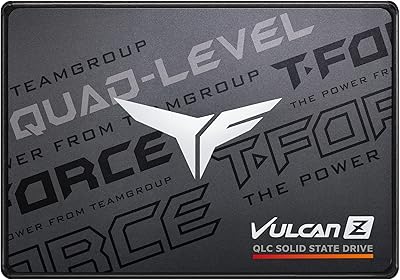
TEAMGROUP Vulcan Z 1TB SATA SSD
79%
93%
Value for Money
78%
Read & Write Performance
67%
SLC Cache Behavior
88%
Installation & Compatibility
74%
Long-Term Endurance
More
TEAMGROUP T-Force Z540 1TB NVMe SSD
81%
93%
Sequential Read Speed
91%
Sequential Write Speed
84%
Sustained Write Consistency
62%
Thermal Management
78%
Value for Money
More
TEAMGROUP T-Force GC PRO 4TB Gen5 NVMe SSD
80%
88%
Sequential Speed Performance
83%
Thermal Management
81%
Sustained Write Consistency
67%
Compatibility & Setup Experience
74%
Value for Money
More
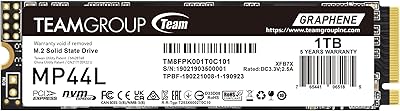
TEAMGROUP MP44L 1TB NVMe SSD
89%
94%
Performance
96%
Speed (Read/Write)
85%
Heat Management
91%
Installation Ease
92%
Compatibility
More
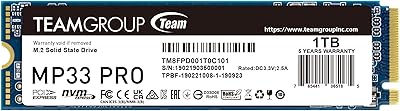
TEAMGROUP MP33 PRO 1TB NVMe SSD
88%
93%
Performance
91%
Read Speed
88%
Reliability
87%
Write Speed
85%
Installation Ease
More
TEAMGROUP T-Force Vulcan Z 2TB SSD
85%
85%
Performance for Everyday Tasks
92%
Installation Ease
91%
Value for Money
88%
Compatibility with Laptops and Desktops
90%
Durability and Build Quality
More
TEAMGROUP T-Force GC PRO 2TB SSD
87%
94%
Performance
96%
Read Speed
92%
Write Speed
89%
Thermal Performance
90%
Build Quality
More

FAQ

You need a motherboard with a PCIe Gen5 M.2 slot to get the advertised speeds. On older Gen4 or Gen3 boards, the Z540 will still work physically, but it will negotiate down to the board's maximum supported speed — meaning you will not see anywhere near 11,700 MB/s. Always check your motherboard spec sheet before buying.

In most cases, yes. The graphene heatsink is intentionally designed to be extremely thin so it can coexist with the factory M.2 shields found on most mid-range and high-end motherboards. That said, some boards with very thick or rigid heatsink covers may be a tight fit, so it is worth checking your specific model if clearance is a concern.

It does run warm — that is honest and consistent with what Gen5 drives generally do given the power they consume. Under sustained workloads like large file transfers or extended game installs, temperatures can climb noticeably. In a well-ventilated case with decent airflow near the M.2 slot, it stays within safe operating limits. If your case has poor airflow, consider adding a fan directed toward that area of the motherboard.

No. The PS5 uses a PCIe Gen4 M.2 slot, and while it technically accepts Gen4 drives, this drive is a Gen5 product and is not on Sony's compatibility list. You would also lose the benefit of the Gen5 speeds entirely. Stick with a verified Gen4 drive for PS5 upgrades.

Absolutely. There is no technical requirement to use it as your primary OS drive. Many users install it as a fast scratch disk for video editing, a dedicated game drive, or a high-speed cache volume. You will still benefit from the fast transfer speeds regardless of its role in your system.

Honestly, for browsing, email, office apps, and even most gaming scenarios, you will struggle to feel a meaningful difference in day-to-day use. The speed advantage becomes tangible when you are moving very large files regularly, rendering video, or working with massive datasets. If your workload does not routinely push sequential transfers, a quality Gen4 drive delivers most of the practical benefit at a lower cost.

No bundled software is included in the package. If you plan to migrate an existing OS or clone a drive, you will need a third-party tool. Options like Macrium Reflect Free or the AOMEI Backupper standard edition are commonly used for this and work well with NVMe drives.

Once the SLC write cache is exhausted, the drive writes directly to the underlying TLC NAND, which is slower. For most typical file transfers this will not be an issue, but if you are moving hundreds of gigabytes in a single session, you may see write speeds drop partway through. This is normal behavior for TLC-based drives and is not a defect.

That depends entirely on your use case. For a dedicated OS and applications drive, 1TB is comfortable for most people. Gamers with large libraries or video editors keeping raw footage on the same drive may find 1TB fills up faster than expected. If you are on the fence, 2TB is worth the extra investment to avoid running low within a year.

No proprietary monitoring software comes with the drive, but several free tools work well. CrystalDiskInfo is a popular and reliable option on Windows for checking temperature, health status, and S.M.A.R.T. data. HWiNFO64 also reports real-time NVMe temperatures if you want to watch thermals during a benchmark or sustained transfer.

Where to Buy