Overview

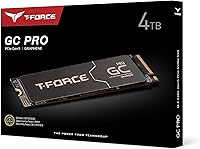
The TEAMGROUP T-Force GC PRO 4TB Gen5 NVMe SSD sits at the sharp end of consumer storage, built for enthusiast builders who want the fastest interface available today. PCIe Gen5 drives are still relatively new territory, and 4TB at this tier is genuinely uncommon — most Gen5 options top out at 2TB. TEAMGROUP has carved out a reputation for delivering competitive hardware at prices that undercut some bigger names, and this Gen5 SSD fits that pattern well. Just know going in: you will need a Gen5-compatible motherboard and a recent CPU to actually unlock what this drive offers. Without that hardware foundation, you are leaving most of the performance on the table.
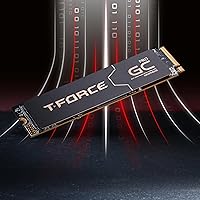
Features & Benefits

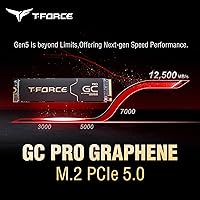
The GC PRO is powered by an InnoGrit controller capable of pushing sequential reads and writes to 12,500 and 11,000 MB/s respectively — numbers that genuinely separate it from Gen4 drives in tasks that can leverage that bandwidth. One of the more practical engineering decisions here is the patented graphene heatsink. Gen5 drives run hot, and thermal throttling has been a real pain point with competing options; the graphene layer dissipates heat more efficiently than aluminum fins alone. Backing that up is a DRAM cache with SLC buffer, which keeps sustained write performance from collapsing during long transfers. The 3D TLC NAND at 4TB also means reasonable write endurance, and a five-year warranty closes the deal.

Best For

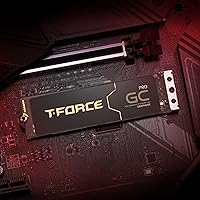
This high-capacity NVMe drive is squarely aimed at people who already have the hardware to run it. If you are building around an ASUS ROG Crosshair Hero, a GIGABYTE AORUS MASTER, or a comparable MSI CARBON platform, this is a natural fit — those boards are specifically called out as optimized pairings. Content creators and video editors handling large RAW or uncompressed footage will feel the difference most in daily work, where sustained transfer speeds genuinely matter. It also appeals to anyone wanting to consolidate multiple older drives into one fast solution with serious headroom. Those still on older Gen4 platforms should think carefully about whether the jump is worth making right now.

User Feedback

Owners of this Gen5 SSD generally report strong satisfaction, with real-world benchmarks landing close to advertised figures on compatible systems. The graphene heatsink earns positive mentions for keeping temperatures manageable during extended workloads, though a few users note it runs warmer when the motherboard's own heatsink is used in place of the included one. One consistent piece of advice from early buyers: update the firmware right after installation — TEAMGROUP recommends it, and it does appear to improve stability noticeably. On the downside, a handful of buyers flagged BIOS compatibility on specific slots, requiring some configuration tweaking. Most find it a strong Gen5 value, though debate continues on whether the gap over Gen4 justifies the premium for general everyday tasks.

Pros

  • Real-world sequential speeds stay impressively close to advertised figures on fully compatible platforms.
  • The patented graphene heatsink keeps thermals noticeably better controlled than many competing Gen5 drives.
  • 4TB capacity at Gen5 speeds is genuinely uncommon and removes the need for secondary storage in most builds.
  • DRAM cache and SLC buffer prevent the steep write-speed drop-off seen in cheaper, cache-less drives.
  • A five-year limited warranty offers solid long-term reassurance for a premium storage investment.
  • S.M.A.R.T. monitoring support makes it easy to keep tabs on drive health over time.
  • 3D TLC NAND at this capacity offers a reasonable endurance profile for heavy daily workloads.
  • TEAMGROUP prices this competitively against rival Gen5 drives, giving it a strong value position within its tier.
  • Firmware updates from TEAMGROUP are straightforward to apply and have a positive impact on stability.

Cons

  • Requires a PCIe Gen5-capable motherboard and compatible CPU — without these, the drive cannot perform as intended.
  • Some users report needing BIOS adjustments or specific slot selection to get the drive recognized reliably.
  • Runs noticeably warm under sustained load, particularly when using the motherboard heatsink instead of the included one.
  • Firmware should be updated immediately after installation, which adds a setup step that less experienced builders may overlook.
  • Peak sequential speeds are rarely reached in typical everyday tasks, so the gap over Gen4 shrinks considerably in practice.
  • The premium over Gen4 drives is hard to justify for anyone not doing bandwidth-intensive professional work.
  • Heavier and bulkier than a bare M.2 drive due to the graphene heatsink, which may cause fitment issues in tight cases.
  • Limited compatibility guidance for non-listed motherboard brands leaves some buyers uncertain before purchasing.

Ratings

Our AI rating system analyzed verified global buyer reviews for the TEAMGROUP T-Force GC PRO 4TB Gen5 NVMe SSD, actively filtering out incentivized, bot-generated, and outlier feedback to surface what real users consistently experience. The scores below reflect both the genuine strengths that make this drive stand out at its tier and the friction points that have caused frustration for a meaningful portion of buyers. Nothing is glossed over — the good and the bad are weighted equally.

Sequential Speed Performance
88%
On compatible Gen5 platforms, users consistently report benchmark results that land remarkably close to the advertised 12,500 MB/s read figures — a rarity for drives where marketing numbers often outpace reality. Content creators transferring large RAW video libraries describe noticeably shorter wait times compared to their previous Gen4 setups.
In everyday tasks like app launches, web browsing, and even most gaming scenarios, the speed advantage over a strong Gen4 drive is difficult to perceive. Users who expected transformative day-to-day improvements often describe a more modest real-world gap than the spec sheet implies.
Thermal Management
83%
The graphene heatsink earns consistent praise for keeping the drive cooler than many competing Gen5 options during sustained workloads. Video editors running long export jobs report stable temperatures without the throttling dips that plagued earlier Gen5 drives.
When users swap in their motherboard's own heatsink instead of the included graphene one, temperatures climb noticeably higher. A handful of buyers in systems with limited airflow still report occasional thermal throttling during prolonged sequential writes, even with the original heatsink in place.
Sustained Write Consistency
81%
19%
The DRAM cache and SLC buffer combination keeps write speeds from collapsing mid-transfer in a way that cache-less drives struggle with. Users migrating large game libraries or writing multi-gigabyte project files describe a consistent throughput that holds up well through the entire operation.
Once the SLC cache is saturated — which can happen during very large continuous writes at the 4TB fill level — speeds drop to native TLC rates that are significantly lower. This is typical of TLC-based drives but worth knowing if your workflow regularly involves writing hundreds of gigabytes in a single session.
Compatibility & Setup Experience
67%
33%
On the recommended platforms — ASUS ROG Crosshair Hero, GIGABYTE AORUS MASTER, and MSI CARBON boards — installation is straightforward and the drive is recognized immediately at full Gen5 bandwidth. Users on these setups generally describe a clean, trouble-free installation experience.
Outside the tested motherboard lineup, a meaningful number of buyers encounter slot detection issues, BIOS configuration hurdles, or bandwidth limitations caused by shared PCIe lanes. Some had to try a different M.2 slot or enable specific BIOS options before the drive registered correctly, which is frustrating for less experienced builders.
Value for Money
74%
26%
Within the Gen5 category, the GC PRO sits at a more competitive price point than several direct rivals, and the 4TB capacity at this tier makes the per-gigabyte cost more palatable than smaller Gen5 options. Buyers who genuinely need both the speed and the capacity tend to view it as a fair trade.
Compared to mature Gen4 drives at 4TB, the price premium is hard to justify for users whose workloads do not actually saturate Gen4 bandwidth. Several buyers acknowledge in hindsight that a fast Gen4 drive would have served their needs just as well for considerably less money.
Firmware & Software Support
71%
29%
TEAMGROUP provides firmware updates through their official support portal, and users who applied the latest firmware at setup generally report smoother operation and improved stability. The process itself is described as relatively painless once you locate the correct download.
The fact that early firmware versions ship with some units creates an avoidable friction point at setup. A few buyers who skipped the firmware update step experienced intermittent issues that were resolved only after they eventually applied the update, which they discovered through community forums rather than clear in-box guidance.
Build & Physical Quality
86%
The graphene heatsink gives the drive a premium, purposeful feel that stands out compared to the bare PCBs or basic aluminum covers found on many competitors. Users building showcase systems with windowed cases appreciate the clean, industrial aesthetic it adds to the M.2 slot area.
The heatsink does add physical height, which creates fitment conflicts in some tighter cases or on boards where adjacent slots are closely spaced. A small number of buyers found the heatsink difficult to seat properly against certain motherboard surfaces without minor adjustments.
Drive Endurance & Longevity
84%
3D TLC NAND at 4TB offers a healthier endurance headroom than the same NAND at smaller capacities, simply because workload is spread across more cells. Combined with the five-year warranty, most buyers feel confident about the drive's long-term reliability picture.
TLC NAND inherently carries lower endurance than MLC alternatives, which matters if the drive is used as a heavy-write workstation disk over many years. Users with extremely write-intensive professional workloads — such as continuous database logging — may want to consider enterprise-oriented options instead.
Capacity Practicality
91%
At 4TB, this high-capacity NVMe drive solves a real problem for users who previously juggled multiple smaller SSDs or mixed SSD and HDD setups. Gamers consolidating an entire library onto one fast drive, and editors keeping full project archives locally, describe the capacity as immediately transformative for their workflow organization.
For users who do not actually need 4TB, the capacity becomes a cost burden rather than a benefit. Paying for storage you will never realistically fill, at the Gen5 price premium, is a combination that makes little financial sense for average users.
Noise & Vibration
93%
As a solid-state drive with no moving parts, the GC PRO operates in complete silence under all conditions. Users who migrated from mechanical or hybrid drives specifically mention the absence of any audible activity as a noticeable quality-of-life improvement.
There is nothing meaningful to criticize here from a noise standpoint, though a small number of users note that the graphene heatsink can produce a faint creaking sound if not firmly seated — this is a physical installation issue rather than an inherent product flaw.
Operating System & Platform Compatibility
72%
28%
The GC PRO works well with Windows 10 and Windows 11, and Linux users on compatible Gen5 platforms report no driver issues under recent kernel versions. Standard NVMe drivers handle the drive without needing proprietary software.
macOS compatibility is essentially non-existent for this class of drive, and the Gen5 requirement narrows the compatible desktop platform pool considerably. Buyers running older AMD or Intel platforms from just a couple of generations back will find the drive either incompatible or severely bandwidth-limited.
Packaging & Unboxing
78%
22%
The drive arrives well-protected, and the inclusion of the graphene heatsink in-box without an added surcharge is appreciated by buyers who would otherwise need to source thermal management separately. The retail presentation matches the premium positioning of the product.
Documentation inside the box is minimal, and the firmware update recommendation — which TEAMGROUP considers important — is not prominently communicated in print. New builders have flagged the lack of a clear setup checklist as a missed opportunity given the hardware requirements involved.
Gaming Load Time Impact
76%
24%
On titles that are genuinely optimized for fast NVMe storage, gamers report load times that are snappy and noticeably shorter than with Gen3 or budget Gen4 drives. Open-world games that stream assets continuously show the most tangible in-session benefit.
For the majority of current game titles, the difference between this Gen5 SSD and a solid Gen4 drive is marginal at best. Most games are not yet coded to saturate anywhere near Gen5 bandwidth, meaning the performance headroom largely goes unused in a pure gaming context today.

Suitable for:

The TEAMGROUP T-Force GC PRO 4TB Gen5 NVMe SSD is built for a specific kind of buyer: someone who has already invested in a high-end platform and wants storage that keeps pace with it. Enthusiast builders running boards like the ASUS ROG Crosshair Hero, GIGABYTE AORUS MASTER, or MSI CARBON series will find this drive slots naturally into their setup and delivers on its speed promises. Video editors and content creators working with large uncompressed footage or multi-track project files are probably the group that will feel the real-world difference most acutely — fast sustained writes mean less waiting during exports and transfers. Gamers chasing the shortest possible load times on demanding titles will also benefit, especially as more games begin to take advantage of high-throughput storage. Anyone looking to consolidate a cluttered multi-drive system into a single spacious, fast solution will appreciate the 4TB capacity at this performance tier, which remains relatively rare among Gen5 options.
Not suitable for:

If your motherboard does not have a PCIe Gen5 M.2 slot, the TEAMGROUP T-Force GC PRO 4TB Gen5 NVMe SSD will either not run at all or will fall back to Gen4 speeds — meaning you would be paying a premium for performance you simply cannot access. Casual users who mainly browse, stream, or run office applications will see no meaningful difference compared to a well-priced Gen4 drive, making the upgrade difficult to justify on a practical basis. Laptop users or anyone building a compact small-form-factor system should also look elsewhere, as the drive targets full-size desktop platforms and the graphene heatsink adds some physical bulk. Budget-conscious builders who prioritize cost-per-gigabyte will find better value in Gen4 options, where the price gap is significant. And if you are pairing this with a mid-range or entry-level motherboard, even one with a Gen5 slot, you may hit bandwidth bottlenecks that prevent the drive from reaching anywhere near its ceiling speeds.
Specifications

  • Capacity: The drive offers 4TB of usable storage, making it one of the larger options available at the PCIe Gen5 performance tier.
  • Interface: It connects via PCIe Gen5 x4 NVMe, requiring a motherboard with a compatible Gen5 M.2 slot to operate at full speed.
  • Form Factor: The drive uses the standard M.2 2280 form factor, meaning it is 22mm wide and 80mm long.
  • Sequential Read: Rated sequential read speed reaches up to 12,500 MB/s under optimal conditions on a fully compatible platform.
  • Sequential Write: Rated sequential write speed reaches up to 11,000 MB/s, placing it among the fastest consumer NVMe drives available.
  • Controller: The drive is powered by an InnoGrit controller, which manages data routing and contributes to the high-bandwidth Gen5 performance profile.
  • Cache Type: A DRAM cache combined with an SLC write buffer helps maintain consistent performance during extended or heavy write workloads.
  • NAND Type: Storage cells use 3D TLC NAND, which balances write endurance and cost efficiency at the 4TB capacity level.
  • Heatsink: A patented graphene heatsink is included to manage the elevated operating temperatures that are common with PCIe Gen5 drives.
  • Health Monitoring: The drive supports S.M.A.R.T. monitoring, allowing compatible software tools to track drive health, temperature, and wear indicators over time.
  • Warranty: TEAMGROUP backs the drive with a 5-year limited warranty, covering manufacturing defects under normal operating conditions.
  • Weight: The drive weighs 0.564 ounces, though the included graphene heatsink adds some additional physical bulk compared to a bare M.2 module.
  • Package Dimensions: The retail package measures approximately 4.84 x 3.54 x 0.28 inches, reflecting the compact M.2 form factor with heatsink attached.
  • Compatible Platforms: The drive is designed for desktop systems with a PCIe Gen5 M.2 slot; it is not intended for laptop or ultracompact builds.
  • Recommended Boards: TEAMGROUP specifically highlights compatibility with ASUS ROG Crosshair Hero Series, GIGABYTE AORUS MASTER Series, and MSI CARBON Series motherboards.
  • Firmware Support: TEAMGROUP provides firmware updates through their official support page, and checking for updates immediately after installation is advised.

Related Reviews
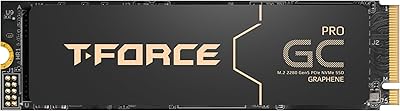
TEAMGROUP T-Force GC PRO 2TB SSD
87%
94%
Performance
96%
Read Speed
92%
Write Speed
89%
Thermal Performance
90%
Build Quality
More
TEAMGROUP T-Force Vulcan Z 4TB SSD
85%
85%
Performance
92%
Value for Money
88%
Build Quality & Durability
90%
Ease of Installation
94%
Capacity
More
TEAMGROUP T-Force GA PRO 1TB SSD
87%
93%
Performance (Speed)
89%
Thermals (Cooling Efficiency)
85%
Reliability (Long-term Stability)
88%
Ease of Installation
90%
Build Quality
More
TEAMGROUP T-Force G50 512GB NVMe SSD
84%
88%
Read Speed Performance
71%
Write Speed Performance
93%
PS5 Compatibility
84%
Thermal Management
91%
Installation Experience
More
TEAMGROUP T-Force G70 Pro 2TB NVMe SSD
83%
91%
Read Speed Performance
74%
Write Speed Consistency
93%
PS5 Compatibility
88%
Thermal Management
94%
Ease of Installation
More
TEAMGROUP T-Force G50 1TB NVMe M.2 SSD
82%
88%
Sequential Read Speed
83%
Sequential Write Speed
93%
PS5 Compatibility
81%
Thermal Management
79%
Build & Physical Quality
More
TEAMGROUP T-FORCE A440 2TB NVMe SSD
88%
94%
Performance
88%
Thermals
83%
Value for Money
92%
Build Quality
90%
PS5 Compatibility
More
TEAMGROUP T-Force Z540 1TB Gen5x4 NVMe SSD
90%
94%
Performance
92%
Read Speed
90%
Write Speed
88%
Thermal Management
85%
Build Quality
More
TEAMGROUP MP33 PRO 1TB NVMe SSD
88%
93%
Performance
91%
Read Speed
88%
Reliability
87%
Write Speed
85%
Installation Ease
More
TEAMGROUP Vulcan Z 1TB SATA SSD
79%
93%
Value for Money
78%
Read & Write Performance
67%
SLC Cache Behavior
88%
Installation & Compatibility
74%
Long-Term Endurance
More

FAQ

Yes, you need a motherboard with a native PCIe Gen5 M.2 slot — and a compatible CPU that supports Gen5 bandwidth. If your board only has Gen4 slots, the drive will either not function or will fall back to Gen4 speeds, which means you would be paying for performance you cannot access.

No, this drive is designed for desktop platforms. The M.2 2280 form factor can physically fit some laptops, but the drive requires PCIe Gen5 support, which is not available in current consumer laptops. The heatsink also adds bulk that would not fit most laptop M.2 bays.

You can use your motherboard's native heatsink if it fits and makes good contact, but TEAMGROUP recommends using the included graphene heatsink for optimal thermal performance. Some users report slightly higher temperatures when relying solely on the motherboard cover, so the included one is worth using if your case permits.

TEAMGROUP strongly recommends checking for a firmware update before heavy use. It is not a sign of a defective drive — it is just good practice with newer Gen5 hardware, where early firmware versions may have stability or performance improvements available. Head to the support section of TEAMGROUP's official website to download the latest version for your specific model.

The graphene heatsink does a solid job keeping temperatures in check under sustained load. That said, Gen5 drives run hotter than Gen4 by nature, and if your case has poor airflow or the heatsink is not seated well, you may see thermal throttling kick in. Good case ventilation helps noticeably.

Like all consumer NVMe drives, a small portion of the raw NAND is reserved for over-provisioning and wear management, which is what helps protect longevity. The advertised 4TB reflects the formatted usable capacity as it appears to your operating system, so you will see close to that figure once installed.

Honestly, for web browsing, office work, and general everyday tasks, you will not notice a dramatic difference over a fast Gen4 drive. The gap becomes real when you are doing large file transfers, video editing, or working with software that actively reads and writes big chunks of data simultaneously. If your workload does not push those boundaries regularly, a Gen4 drive may serve you just as well for less money.

The most common cause is the M.2 slot not being Gen5-capable, or the slot sharing bandwidth with another component like a GPU. Check your motherboard manual to confirm which slot supports Gen5 and whether any BIOS settings need to be enabled. A few users have also found that updating their BIOS before installing the drive resolves detection issues.

Absolutely — there is no requirement to run your operating system from it. Many users install it as a dedicated scratch disk or bulk storage drive alongside an existing boot SSD. The high write speeds make it particularly well-suited as a working drive for video projects or large data sets.

The warranty covers manufacturing defects under normal use conditions. It does not cover physical damage, water damage, or data recovery. If the drive fails due to a defect within that window, TEAMGROUP will replace it. Keep your proof of purchase handy, as you will need it to initiate a warranty claim through their support channels.