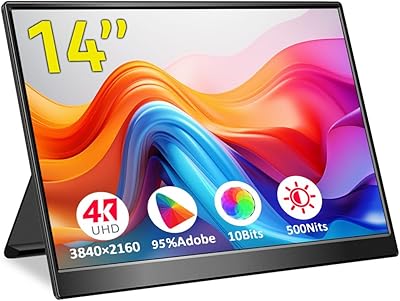
SOTSU FlipAction Touch 14″ Portable Monitor


Overview
The SOTSU FlipAction Touch 14″ Portable Monitor arrived in late 2024 as a rare portable display that takes build quality seriously — combining a full-metal body, touchscreen input, and a magnetically flat-folding stand into a single travel-ready package. It's a relatively new product, so long-term durability data is still thin. Early reception is encouraging, with a 4.2-star average across roughly 80 ratings. Worth noting upfront: if you're a macOS user, the 1080p resolution may result in softer font rendering compared to Windows or Android — the brand itself flags this, and it's a real consideration before buying.
Features & Benefits
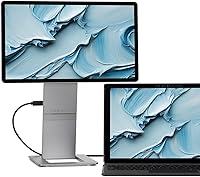
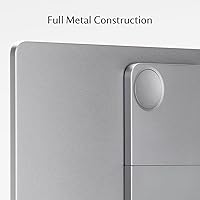
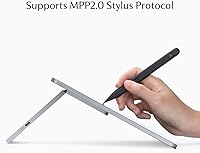
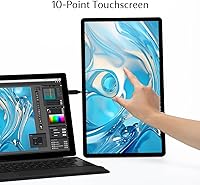
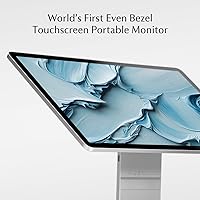
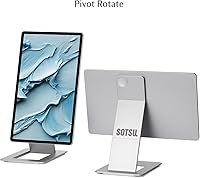
The construction here is genuinely impressive. The housing is CNC-machined aerospace-grade metal with a fine anodized coating — every edge carefully radiused, giving it a feel closer to a premium laptop than a typical portable monitor. The magnetic folding stand snaps cleanly against the back, bringing packed thickness down to about half an inch. The 14-inch IPS panel delivers FHD 1080p visuals behind glossy tempered glass, and the multi-touch layer supports MPP2.0 stylus input — useful for annotation or sketching. Hinges allow height adjustment and rotation across portrait, landscape, and flat positions. Pass-through charging means one cable keeps both the monitor and your device powered simultaneously.
Best For
This travel monitor suits anyone who regularly works across multiple screens away from a fixed desk. Frequent travelers who've struggled with cramped single-screen setups will appreciate how flat it packs into a bag. Remote workers on Windows, Android, or Samsung DeX will find the compatibility solid and practical. The MPP2.0 stylus support makes it a compelling pick for note-takers, annotators, and light illustrators wanting a portable canvas. Gamers looking for a compact travel screen will find the touch layer a genuine bonus. That said, macOS users should weigh the known font rendering trade-off carefully before committing.
User Feedback
Early buyers seem genuinely pleased with the FlipAction 14″, particularly around the chassis quality and how compact it becomes when folded. The premium metal finish earns repeated praise, especially from users tired of plastic alternatives that creak and flex. On the downside, some buyers have flagged cable compatibility hiccups — not every USB-C cable delivers the expected signal or power, which can frustrate out of the box. The glossy surface predictably picks up glare in bright environments, noted as a drawback by a handful of reviewers. With around 80 ratings, it's too early to draw firm conclusions, but initial sentiment leans positive for Windows and Android users.
Pros
- Full CNC-machined metal construction feels genuinely premium and holds up far better than the plastic shells common in this category.
- Packs down to roughly half an inch thick, making it one of the slimmest options available for daily bag carry.
- The magnetic stand mechanism is reliable and snaps flat without fuss — no loose hinges or wobble.
- Multi-touch with MPP2.0 stylus support is rare at this size and opens up annotation and sketching workflows on the go.
- Hinge rotation spanning portrait, landscape, and flat orientations gives real flexibility across different desk setups.
- Pass-through charging keeps cable clutter minimal — one connection powers both the monitor and your connected device.
- Compatible with a wide range of platforms including Windows, Chrome OS, Android, and Samsung DeX.
- Early user ratings skew positive, with the build quality and slim profile earning consistent praise from buyers.
Cons
- macOS users will likely encounter soft, slightly blurry font rendering — a known limitation at 1080p on Apple systems.
- The glossy tempered glass surface picks up reflections and glare aggressively in bright or windowed environments.
- Some buyers report cable compatibility issues out of the box — not all USB-C cables reliably deliver both signal and power.
- At 3.89 pounds, it is manageable but not ultralight, which matters when stacking it on top of an already heavy laptop bag.
- With only around 80 ratings as of early 2025, there is limited long-term reliability data to draw from.
- The setup process has a learning curve for first-time users, particularly around display mode configuration and cable selection.
- Glossy glass is a fingerprint magnet on the touchscreen surface, requiring frequent cleaning during active use.
Ratings
The scores below for the SOTSU FlipAction Touch 14″ Portable Monitor were generated by our AI system after analyzing verified buyer reviews from global marketplaces, with spam, bot activity, and incentivized feedback actively filtered out before scoring. With roughly 80 ratings as of early 2025, the sample is still maturing, but clear patterns around build quality, portability, and platform compatibility have already emerged. Both the genuine strengths and the real frustrations buyers have encountered are reflected transparently in each category score.
Build Quality
Portability
Display Quality
Touch & Stylus Performance
Stand & Hinge Mechanism
Compatibility
Pass-Through Charging
Setup Experience
Glare & Reflections
Value for Money
Weight Distribution
macOS Experience
Cable Management
Suitable for:
The SOTSU FlipAction Touch 14″ Portable Monitor is a strong fit for professionals and road warriors who genuinely depend on a dual-screen workflow and refuse to sacrifice build quality to get it. If you regularly work from hotels, co-working spaces, or client sites on Windows, Android, or Samsung DeX, this travel monitor slots into that routine with minimal friction. Creative users — annotators, digital note-takers, light illustrators — will find the MPP2.0 stylus support a meaningful bonus that most portable monitors simply don't offer. The magnetic flat-folding design and sub-inch packed thickness make it practical to carry daily without dedicating a separate bag compartment to it. Gamers who travel and want a touch-capable secondary screen for casual or co-op play will also find it a comfortable match.
Not suitable for:
Buyers who primarily work on macOS should approach the SOTSU FlipAction Touch 14″ Portable Monitor with real caution — the 1080p panel at 14 inches produces noticeably softer font rendering on Apple systems compared to Windows or Android, and this is a known limitation the brand itself acknowledges. If crisp text is non-negotiable for your workflow, this screen will likely frustrate you daily. At 3.89 pounds, it is lighter than it looks given the all-metal body, but it is not featherweight — travelers who already carry heavy loads and count every ounce may find it tips the balance uncomfortably. Anyone on a tighter budget looking for a casual secondary screen should also reconsider, since the premium pricing is justified by build and features that a casual user simply won't fully use. Finally, buyers hoping for a matte, glare-resistant display will need to look elsewhere — the glossy tempered glass surface is a real liability in bright or sunlit environments.
Specifications
- Screen Size: The display measures 14 inches diagonally, sized to match most standard laptops for a natural side-by-side dual-screen experience.
- Resolution: The panel outputs at 1920x1080 FHD, delivering standard full HD clarity suitable for productivity, media, and casual gaming.
- Panel Type: An IPS panel is used, providing wider viewing angles and more consistent color reproduction compared to TN alternatives.
- Screen Surface: The display is covered with glossy tempered glass, which enhances color vibrancy but reflects ambient light more than matte alternatives.
- Aspect Ratio: The screen uses a 16:9 aspect ratio, the standard widescreen format compatible with most video content and productivity layouts.
- Touch Input: The monitor supports multi-touch gestures and is compatible with the MPP2.0 stylus protocol for pen-based input and annotation.
- Build Material: The chassis is constructed from CNC-machined aerospace-grade materials with an anodized surface finish and precision-radiused edges throughout.
- Weight: The unit weighs 3.89 pounds, which is competitive for an all-metal portable monitor but heavier than plastic-bodied alternatives.
- Folded Thickness: When collapsed flat with the magnetic stand attached, the total thickness of the unit is approximately 0.51 inches.
- Dimensions: The monitor measures 12.2 x 6.89 x 0.51 inches when folded, making it sized similarly to a standard 14-inch laptop footprint.
- Stand Mechanism: The integrated stand uses a magnetic attachment system that snaps flush against the rear of the screen when not in use.
- Hinge Rotation: The height-adjustable hinges support display rotation from 0 degrees up to ±90 degrees and fully flat at 180 degrees.
- Charging: Pass-through charging is supported, allowing a single USB-C power source to simultaneously charge the monitor and the connected host device.
- Compatibility: The monitor is compatible with Windows PCs, Chrome OS, Android devices, and Samsung DeX environments via USB-C connection.
- Color Finish: The unit is available in Metallic Gray, a neutral anodized tone consistent with premium laptop and ultrabook aesthetics.
- Model Number: The official model identifier for this unit is SFA14TCMG, which can be used when searching for accessories or contacting support.
- Release Date: The product was first made available in October 2024, making it a relatively recent entrant in the portable monitor category.
Related Reviews
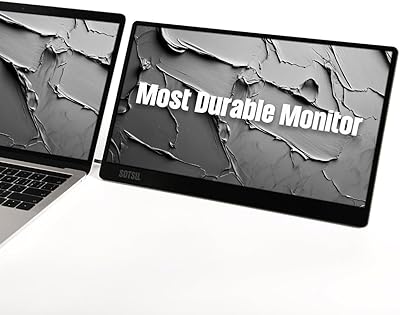
SOTSU FlipAction Go 14″ Portable Monitor
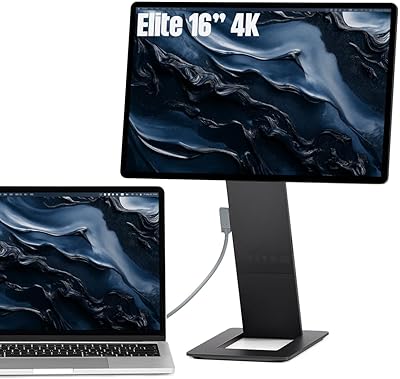
SOTSU FlipAction Elite 16″ Portable Monitor
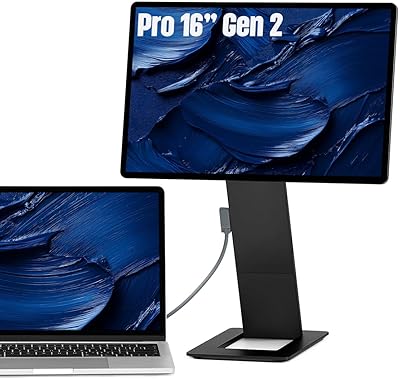
SOTSU FlipAction Pro 16″ Gen2 Portable Monitor

Dell P1424H 14-inch Portable Monitor
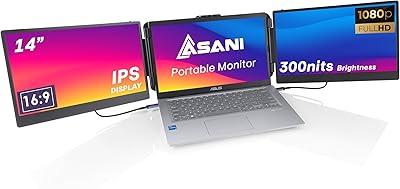
Asani 14″ Portable Monitor
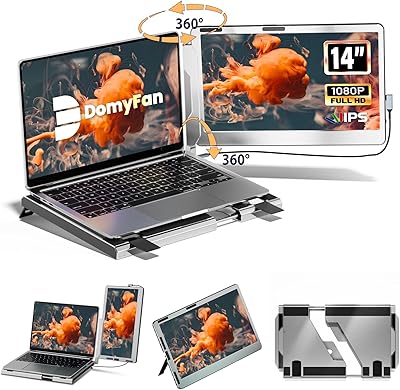
domyfan F1 14″ Portable Monitor
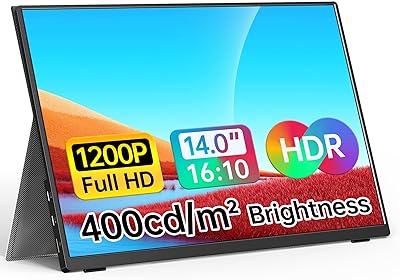
WGK W140F1 14-inch Portable Monitor

Lrtzcbi 14-inch Portable Touchscreen Monitor
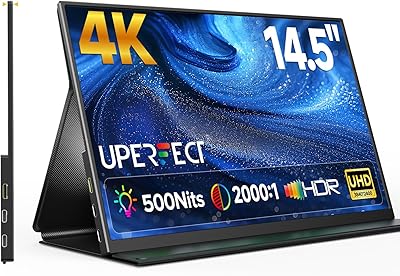
UPERFECT U27 14.5″ 4K Portable Monitor