Overview

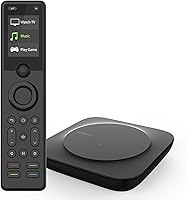
The SofaBaton X1S Universal Remote Control is built for home theater owners who are done fumbling between five remotes just to watch a movie. Unlike simpler IR-only alternatives, the X1S relies on a dedicated hub that handles IR, Bluetooth, and Wi-Fi signals — meaning it can reach devices tucked inside closed cabinets without needing a direct line of sight. Setup runs entirely through the SofaBaton app, which is powerful but not exactly quick. Expect to spend a couple of hours configuring everything properly. At its price point, this all-in-one remote demands a real time investment upfront, though what you get in return is a genuinely capable system.
Features & Benefits

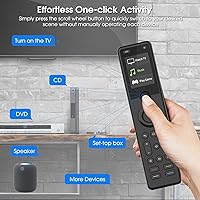
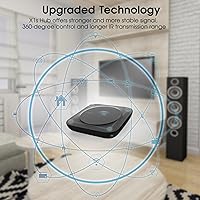
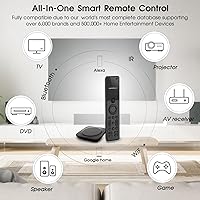
The standout feature here is the Activities system. Instead of pressing four separate buttons to start a movie night, you create a single Activity — say, ″Watch TV″ — that powers on your TV, switches to the right HDMI input, wakes the receiver, and sets the volume, all from one button press. The hub's dual IR blasters push coverage to 360 degrees, so devices hidden behind cabinet doors respond reliably without any line-of-sight gymnastics. Beyond IR, the X1S handles Bluetooth and Wi-Fi devices too, covering up to 60 units across more than 6,000 brands. Voice commands through Alexa or Google Assistant add another control layer, and the API and IFTTT support open up broader smart home integration.

Best For

This hub-based universal remote really shines in setups where someone is managing five or more devices and the evening routine involves grabbing two or three remotes just to settle in. It is also a strong fit for anyone whose AV equipment lives inside a closed entertainment cabinet — the hub's signal range solves that problem cleanly. That said, the X1S is genuinely best suited to tech-comfortable users. If you are willing to invest a couple of hours in app-based configuration, the long-term payoff is real. But if you want something that works straight out of the box with minimal fuss, this all-in-one remote will likely frustrate more than it satisfies.

User Feedback

Buyers who take the time to configure everything properly tend to come away impressed, with the Activities feature earning consistent praise for cutting down on daily remote hassle. Build quality holds up well too — the buttons have a satisfying tactile feel and the remote has proven durable through months of regular use. Where people push back is on the initial setup process. First-time universal remote users frequently describe the app as overwhelming, especially when pairing less common devices. A recurring complaint also involves compatibility gaps for niche or older equipment, despite the sizable device database. The overall pattern is consistent: patient users love it, those expecting effortless setup do not.

Pros

  • The Activities feature genuinely cuts multi-step routines down to a single button press once configured.
  • The included hub with dual IR blasters solves line-of-sight problems that plague standard remotes.
  • Supports IR, Bluetooth, and Wi-Fi devices simultaneously, covering up to 60 units across 6,000-plus brands.
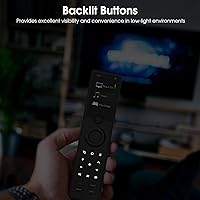
  • Backlit tactile buttons and a raise-to-wake LCD screen make the X1S easy to use in a dark room.
  • Voice control through Alexa and Google Assistant adds a hands-free layer for switching entertainment scenes.
  • The Find My Remote feature — a loud beep triggered from the app — is a surprisingly practical addition.
  • Built-in rechargeable battery means no ongoing cost or hassle from disposable batteries.
  • API and IFTTT support opens the door for advanced smart home automation well beyond basic remote functions.
  • Build quality is solid, with buttons that retain a satisfying feel even after extended daily use.
  • Hiding all your hardware inside a cabinet while maintaining full control is a real quality-of-life improvement.

Cons

  • Initial app setup can take one to two hours and feels overwhelming for first-time universal remote users.
  • Some niche, older, or region-specific devices are missing from the database despite its advertised size.
  • The premium price is hard to justify if you only manage two or three devices.
  • Full functionality depends on an ongoing app connection, which adds a point of failure not present in simpler remotes.
  • Users report a noticeable learning curve when programming more complex multi-step activity sequences.
  • Occasional connectivity hiccups with Bluetooth devices have been flagged in long-term user feedback.
  • The remote itself is on the heavier side at 1.37 pounds, which some users find tiring during extended sessions.
  • Troubleshooting compatibility issues requires patience and, sometimes, back-and-forth with customer support.

Ratings

Our AI rating system analyzed thousands of verified global reviews for the SofaBaton X1S Universal Remote Control, actively filtering out incentivized, duplicate, and bot-generated submissions to surface what real buyers actually experience. The scores below reflect a balanced picture — where this hub-based remote genuinely excels and where it falls short — so you can make a fully informed decision before spending premium money.

Ease of Setup
61%
39%
Users who approached setup methodically — following the SofaBaton app step by step — reported that the process, while involved, was logical and well-guided. Those with prior experience configuring universal remotes found the app interface reasonably intuitive once they understood the difference between adding devices and building Activities.
First-time universal remote buyers consistently flagged the initial configuration as the biggest hurdle. Pairing multiple devices, assigning correct IR codes, and then layering Activities on top took many users well over two hours, and a meaningful share reported giving up and starting over at least once before getting it right.
Activity Programming
88%
Once configured, the Activities feature drew more praise than almost any other aspect of the X1S. Users described the experience of pressing one button to power on their TV, switch HDMI inputs, wake the receiver, and set volume as transformative for daily routines — exactly the kind of convenience that justifies the setup investment.
The programming interface for complex multi-step Activities requires patience and a degree of trial and error. Users with unconventional AV configurations occasionally found that Activities misfired or skipped steps, requiring repeated adjustments through the app before sequences worked reliably every time.
Hub Signal Reliability
83%
The hub's dual IR blasters impressed users who had previously struggled with line-of-sight problems using standard remotes. Multiple reviewers specifically noted how satisfying it was to control devices stored behind cabinet doors or in enclosed AV racks without repositioning themselves or the remote.
A subset of users reported occasional signal dropouts, particularly in larger rooms or setups where the hub was positioned at an awkward angle relative to certain devices. Wi-Fi-dependent device control was also noted as slightly less snappy than IR-based control under the same roof network.
Device Compatibility
74%
26%
For mainstream home theater equipment — major TV brands, popular AV receivers, streaming boxes, and Blu-ray players — compatibility was consistently solid. Most users with standard setups found their devices recognized quickly, reducing the need to manually enter IR codes.
Owners of older gear, regionally specific equipment, or less common smart home devices ran into gaps more frequently than the advertised database size might suggest. Some niche devices required manual IR code learning or workarounds, and a few users reported that certain models were simply never recognized correctly.
Build Quality
81%
19%
The physical remote feels substantial in hand, with a weight and finish that reads as premium rather than budget. Tactile button feedback was a recurring point of praise — users appreciated that buttons had a satisfying, defined click rather than the mushy response common on cheaper universal remotes.
At 1.37 pounds, some users found the remote noticeably heavy during extended evening viewing sessions. A few long-term reviewers also noted minor cosmetic wear on high-contact areas after several months of daily use, though functional durability held up well overall.
App Experience
66%
34%
The SofaBaton app offers a genuinely comprehensive set of controls — device management, Activity creation, virtual button customization, and remote locating all in one place. Users who invested time learning its structure found it capable of handling setups far more complex than competing apps allow.
The app's depth is also its weakness for casual users. Navigation felt cluttered to several reviewers, and the lack of in-app contextual guidance meant that less experienced users often had to consult external tutorials. App stability issues, including occasional crashes during setup, were also flagged across multiple reviews.
Voice Control Integration
79%
21%
Alexa and Google Assistant integration worked reliably for users who had their smart home ecosystems already configured. Triggering full Activities via voice — saying a command to start a music or movie scene without touching the remote — was cited as a genuine convenience, especially for users who frequently switch between entertainment modes.
Voice control depends entirely on a stable internet connection and a properly linked smart home account, which added complexity during initial setup. Users without established Alexa or Google Assistant routines found the voice features difficult to configure and less immediately rewarding than the physical remote controls.
Backlit Display & Visibility
84%
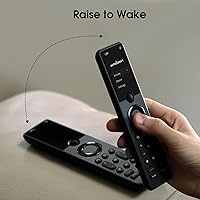
The raise-to-wake LCD screen and backlit buttons were consistently praised by users who watch content in dark rooms. The automatic screen activation when picking up the remote eliminated fumbling for a dedicated backlight button, a small but genuinely appreciated quality-of-life detail.
A handful of users noted that the LCD screen's brightness was not adjustable, which some found too dim in bright ambient environments and slightly too bright in fully dark rooms during late-night viewing. Screen real estate for virtual buttons was also described as limited when multiple macros were configured.
Value for Money
69%
31%
Users with complex five-plus device setups who committed to the configuration process consistently felt the X1S delivered on its promise. For that specific buyer, consolidating an entertainment system into one well-built, hub-connected remote with voice integration and activity programming represents a defensible premium purchase.
Buyers who underestimated the setup complexity or had simpler two-to-three device systems frequently felt the price was difficult to justify in hindsight. Compared to less expensive alternatives that handle basic universal remote tasks adequately, the cost-to-benefit ratio depends heavily on how fully a user exploits its advanced features.
Find My Remote Feature
77%
23%
Users with young children or busy households specifically called out the app-triggered beeping alert as a surprisingly useful safety net. The 30-second audible alert was loud enough to locate the remote under cushions or behind furniture, and the feature worked consistently without any additional configuration beyond the base app setup.
The feature only functions when the remote is within hub range and has sufficient battery, limiting its usefulness in edge cases like a deeply discharged battery or a hub disconnection. It also requires a phone nearby to trigger, which some users pointed out defeats the purpose when both phone and remote are missing.
API & Smart Home Automation
82%
18%
For technically inclined users already working with IFTTT or iOS Shortcuts, the X1S's open API was a standout differentiator. The ability to trigger Activities via URL-based commands and link them into broader home automation flows added a layer of flexibility that few competing remotes in this category offer.
This feature is entirely irrelevant for the majority of buyers who do not use automation platforms. Documentation for the API, while functional, was described by developers as sparse, requiring experimentation to implement correctly — which limits its practical reach to a relatively small subset of the user base.
Battery Life
76%
24%
Under typical daily use, the rechargeable lithium polymer battery performed adequately, with most users reporting multi-day charge cycles before needing to plug in. The convenience of a built-in rechargeable battery — as opposed to hunting for AA replacements — was appreciated by users who had grown tired of disposable battery costs.
Because the battery is sealed and non-replaceable, long-term degradation is a real concern for users planning to keep the remote for several years. A few reviewers who used the backlight and LCD screen heavily noted faster-than-expected drain, and the lack of a visible battery percentage indicator was a minor but recurring complaint.
Multi-Protocol Control
86%
The ability to control IR, Bluetooth, and Wi-Fi devices from a single remote through the hub was a genuine differentiator for users with mixed-protocol setups. Buyers who had previously needed separate apps or remotes to manage smart TVs alongside legacy AV equipment found the unified control experience noticeably cleaner.
Managing a large mixed-protocol device list in the app could become disorganized for users with 10 or more devices, and the distinction between how each protocol type behaves — particularly regarding response latency — took time to learn. Bluetooth pairing in particular required more troubleshooting steps than IR device setup for some users.

Suitable for:

The SofaBaton X1S Universal Remote Control is an excellent fit for home theater enthusiasts who have accumulated a stack of remotes and want one cohesive system to replace them all. If your setup includes five or more devices — a TV, a receiver, a streaming box, a soundbar, maybe a Blu-ray player — and you are comfortable spending an hour or two configuring things through an app, the payoff is genuinely worthwhile. The hub-based design is particularly valuable for anyone whose equipment lives inside a closed AV cabinet, since the dual IR blasters handle signal coverage without needing a clear line of sight to each device. Smart home users who already rely on Alexa or Google Assistant will also find this all-in-one remote integrates cleanly into existing voice routines. If you tend to enjoy tinkering with technology and appreciate systems that reward upfront effort with long-term convenience, the X1S is a strong candidate.
Not suitable for:

The SofaBaton X1S Universal Remote Control is not the right choice for buyers who just want to pull something out of the box and have it working within five minutes. The app-driven setup is a real commitment, and users who are not comfortable navigating device pairing menus, activity programming, and connectivity troubleshooting will likely find the process frustrating rather than rewarding. It is also worth noting that despite a large device database, compatibility is not universal — owners of older, niche, or region-specific equipment have run into gaps that required workarounds or went unresolved. At its price point, the X1S sits firmly in premium territory, so buyers with a modest device count — two or three items — will find it hard to justify the cost when a simpler universal remote would do the job for a fraction of the price. Casual users who rarely change inputs or switch between entertainment modes simply will not get enough out of the Activities system to make the investment feel sensible.
Specifications

  • Brand & Model: Manufactured by SofaBaton under the model designation X1S.
  • Connectivity: Supports IR, Bluetooth, and Wi-Fi device control simultaneously through the included hub.
  • Max Devices: Controls up to 60 devices across a single unified remote and hub system.
  • Device Database: Compatible with over 500,000 device models spanning more than 6,000 brands, with ongoing database updates.
  • Hub Design: The hub includes 2 IR blasters providing 360-degree signal coverage, eliminating line-of-sight dependency.
  • Voice Assistants: Integrates with both Amazon Alexa and Google Assistant for hands-free activity and device control.
  • Display: Features an LCD screen with a raise-to-wake function that activates automatically when the remote is picked up.
  • Buttons: Physical buttons are tactile and backlit, with glow-in-the-dark capability for low-light environments.
  • Battery: Powered by a built-in rechargeable lithium polymer battery — no disposable batteries required.
  • Dimensions: Package measures 9.02 x 5.59 x 2.72 inches, with the remote weighing 1.37 pounds.
  • App Required: Setup and activity programming are managed entirely through the SofaBaton companion app for iOS and Android.
  • Activities: Supports fully customizable one-click Activities that execute multi-device command sequences from a single button press.
  • API Support: Offers a flexible API allowing integration with IFTTT, iOS Shortcuts, and other third-party automation platforms.
  • Find My Remote: The companion app can trigger a 30-second audible beeping alert on the remote to help locate it when misplaced.
  • Virtual Buttons: The remote's LCD screen supports user-defined virtual buttons for single commands or multi-step macro sequences.
  • Color: Available in Black only.

Related Reviews
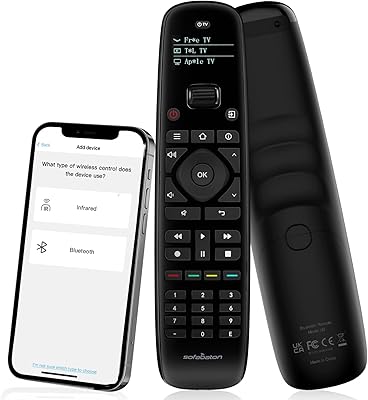
SofaBaton U2 Universal Remote Control

78%
71%
Ease of Setup
74%
App Experience
88%
Macro Functionality
91%
Backlit Buttons
83%
Device Compatibility
More
One for All URC7880 Universal Smart Remote Control
84%
85%
Setup & Configuration
90%
Device Compatibility
88%
Ease of Use
75%
Remote Range
91%
Shortcut Key Functionality
More
Logitech Harmony 650 Universal Remote Control
86%
94%
Ease of Setup
88%
Button Responsiveness
85%
Display Clarity
90%
Compatibility
92%
Value for Money
More
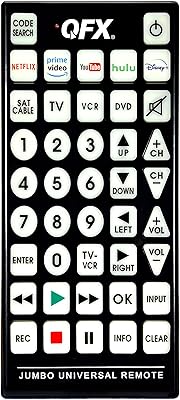
QFX REM-115 Jumbo Universal Remote Control
83%
91%
Ease of Use
88%
Button Visibility (Glow-in-the-dark)
75%
Compatibility with Devices
89%
Design and Ergonomics
83%
Setup/Installation
More
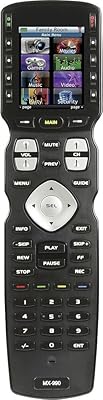
Universal Remote MX-990
84%
88%
Value for Money
85%
Ease of Setup
90%
Display Quality
92%
Device Compatibility
80%
Build Quality
More
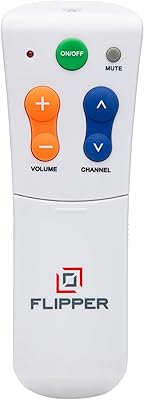
Flipper Big Button Universal TV Remote
77%
93%
Ease of Use
91%
Button Design & Accessibility
74%
Compatibility & Setup
41%
Streaming Incompatibility
67%
IR Line-of-Sight Performance
More
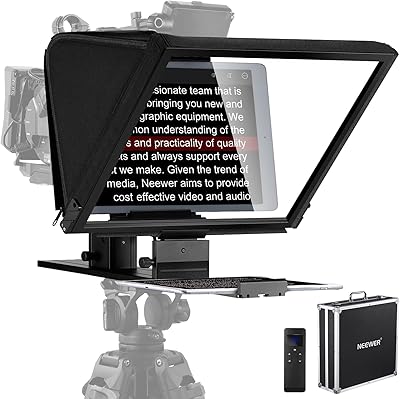
NEEWER X16 Teleprompter
81%
88%
Build Quality
92%
Glass Clarity
67%
App & Remote Performance
93%
Ease of Setup
89%
Camera Mounting & Compatibility
More
The Noble Collection Harry Potter Remote Control Wand
77%
93%
Novelty & Fun Factor
88%
Build Quality
71%
Gesture Accuracy
62%
Setup & Programming
67%
IR Performance
More
VITADE 862Pro 1080P 60FPS Webcam with Remote Control
88%
89%
Video Quality
94%
Ease of Use
85%
Lighting Performance
88%
Audio Clarity
70%
Field of View
More
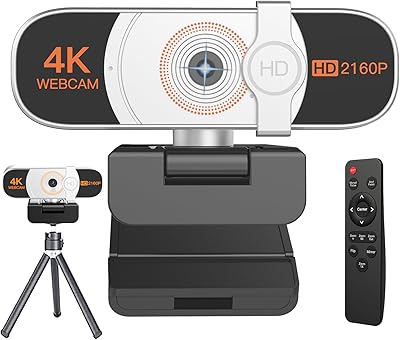
Nolansend 4K Webcam with Auto-Zoom and Remote Control

85%
92%
Video Quality
88%
AI Auto-Zoom Performance
90%
Ease of Setup
89%
Privacy and Security Features
85%
Audio Quality
More

FAQ

Realistically, plan for one to two hours the first time around, sometimes longer if your setup includes several devices. The SofaBaton app walks you through adding each device individually, and then you will want to configure your Activities afterward. It is not difficult, but it is not a five-minute job either.

The hub is central to how the X1S works — it is what handles IR transmission, Bluetooth bridging, and Wi-Fi communication. Without the hub connected, the remote loses most of its functionality. Think of the hub as the brain of the system, not just an optional accessory.

Yes, and this is one of the strongest reasons to choose a hub-based remote over a standard IR model. You place the hub inside or near your cabinet, and its dual IR blasters handle signal distribution from there. The remote communicates with the hub wirelessly, so you never need to point it at the cabinet.

It works with the vast majority of mainstream equipment, but compatibility is not guaranteed for everything. The database covers over 500,000 device models, and SofaBaton updates it regularly, but some older or regionally specific devices do have gaps. It is worth checking SofaBaton's compatibility database before purchasing if you have niche hardware.

An Activity is a programmed sequence of commands that fires across multiple devices at once from a single button press. For example, a Watch TV Activity might power on your TV, switch it to the correct HDMI input, turn on your receiver, and set the volume — all without you touching anything else. It is the feature that makes this all-in-one remote genuinely useful in a complex setup.

IR and Bluetooth commands routed through the hub will generally continue to function without an active internet connection since they operate locally. However, Wi-Fi-dependent device control and voice assistant features require a working network connection to operate.

The built-in lithium polymer battery charges via a cable, similar to most modern electronics. Users generally report solid battery life between charges under normal daily use. Since the battery is built-in rather than replaceable, long-term degradation is something to factor in if you are planning to use this remote for many years.

You can trigger full Activities using Alexa or Google Assistant, not just single-device commands. So saying something like a music or movie command to your voice assistant can kick off an entire multi-device sequence, provided you have the Activity set up correctly in the app first.

For most users, it will never come up. But for smart home enthusiasts who already use IFTTT automations or iOS Shortcuts, the ability to trigger X1S Activities from external platforms is a meaningful feature. You can create URL-based triggers for any Activity and call them from almost any automation tool that supports HTTP requests.

Yes — the companion app includes a Find My Remote function that sends a signal to the remote and activates a loud beeping alert for 30 seconds. It only works when the remote is within the hub's wireless range, but in a typical home that covers most scenarios where you might have misplaced it on the couch or under a cushion.

Where to Buy