
Overview

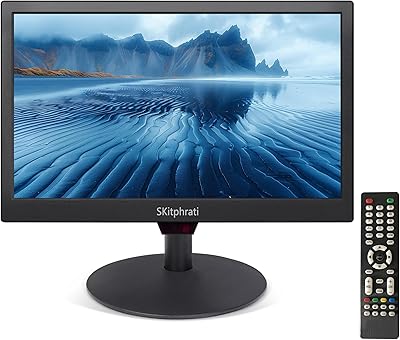
The SKitphrati S-17-W 17-inch LED Monitor is a no-frills, budget-minded display built for tight workspaces where a large screen simply isn't practical. SKitphrati isn't a household name, so temper expectations around premium build quality — but the specs tell a focused story. The 16:10 aspect ratio is genuinely rare on modern monitors; most screens have shifted to 16:9, which means software built around the taller format can look oddly cropped on a standard display. For small offices, POS terminals, or anyone running a secondary desk station, this compact display checks a surprisingly specific box. Dual connectivity via HDMI and VGA means it pairs with both modern and older hardware without an adapter hunt.

Features & Benefits

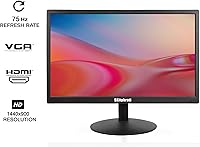
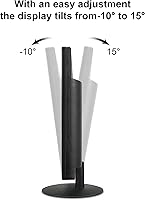
At its core, the S-17-W runs a 1440x900 TN panel — practical for reading documents, managing spreadsheets, or running a POS interface, but don't expect rich color depth or the wide viewing angles that IPS panels deliver. The 75Hz refresh rate is a small step up from the 60Hz baseline common at this price tier, though it's worth being clear: this is an office-grade spec, not a gaming advantage. A VESA 75mm mount pattern opens up wall-mounting or monitor arm setups, a genuine plus for compact or fixed installations. Brightness sits at 250 nits — functional indoors, but potentially washed out near bright windows. The ±15° tilt range handles basic ergonomic adjustments without complication.

Best For

This 17-inch monitor makes the most sense in a handful of specific scenarios. If your business runs legacy 16:10 software — older government platforms, point-of-sale systems, or enterprise tools designed before 16:9 became the default — this display avoids the awkward black bars and clipped layouts that come with a mismatched screen. It also works as a secondary monitor on a tight desk, or as a dedicated display for a POS terminal that needs to be wall-mounted. For anyone transitioning from an older VGA-only setup but wanting HDMI flexibility going forward, the dual-port configuration is genuinely practical. Style and color accuracy are not the draw here, and that's fine — function is.

User Feedback

Early buyers of the S-17-W have responded positively overall, sitting at a 4.0 out of 5 rating — though the review count is modest, so treat the consensus as encouraging rather than settled. Plug-and-play setup and compact footprint come up frequently as wins; people appreciate that it works without fuss and doesn't eat up desk space. The honest caveats: TN panels are inherently weak on viewing angles, and some users note colors look washed out when the screen is viewed from the side. Build quality gets a passing grade for the price tier — plastic and light, but not alarmingly so. No one is calling it a showpiece display, and at this positioning, nobody should expect one.

Pros

  • The rare 16:10 aspect ratio correctly displays legacy business and government software without awkward cropping.
  • Both HDMI 1.4 and VGA ports are included, covering a wide range of older and newer devices.
  • VESA 75mm mount compatibility makes wall or arm installation easy for POS and kiosk setups.
  • Compact footprint keeps desk clutter minimal — a genuine plus in tight workspaces.
  • Setup is plug-and-play; early buyers consistently report it works straight out of the box.
  • The HDMI cable is included in the box, so you are not chasing accessories on day one.
  • At under 6 pounds, the S-17-W is light enough to reposition or remount without much effort.
  • The ±15° tilt range handles basic ergonomic adjustments for most sitting positions.
  • At its price point, the overall build quality earns a reasonable passing grade from real-world buyers.

Cons

  • TN panel viewing angles are noticeably poor — colors shift and wash out when viewed even slightly off-center.
  • The glossy screen surface picks up reflections easily, making bright or sunlit rooms a real problem.
  • Color accuracy is mediocre at best; this display is not suitable for any color-sensitive work.
  • SKitphrati is an obscure brand with little documented after-sales support or warranty reputation.
  • The review pool is still small, making it hard to assess long-term reliability with confidence.
  • No height adjustment or pivot — ergonomic options are limited to tilt only.
  • 250 nits brightness is on the low side and will struggle in well-lit office environments.
  • No built-in speakers, so audio output requires external hardware for any media or communication use.

Ratings

The SKitphrati S-17-W 17-inch LED Monitor has been evaluated by our AI rating system after analyzing verified global buyer reviews, with spam, bot activity, and incentivized feedback actively filtered out. The scores below reflect a transparent synthesis of both what this compact display does well and where it falls short — no sugarcoating. Buyers considering this monitor for a specific use case will find honest, context-driven insight in each category.

Value for Money
78%
22%
For buyers who need a functional 16:10 display for a legacy POS system or a secondary desk monitor, the price-to-utility ratio holds up well. Getting both HDMI and VGA connectivity, VESA mounting support, and a 75Hz panel at this price tier genuinely surprised a number of reviewers.
Buyers expecting premium build materials or accurate color reproduction at this price will be disappointed — the value proposition only works if your needs align tightly with what the S-17-W actually offers. For general-purpose use, there are better-rounded monitors available for not much more.
Display Quality
54%
46%
Text and spreadsheet content render crisply enough at 1440x900 on a 17-inch panel, and for purely functional office tasks — reading documents, entering data, monitoring dashboards — the picture is adequate. Users doing POS work or running text-heavy applications reported no issues with legibility.
The TN panel holds this display back in meaningful ways. Colors look flat and shift noticeably when viewed even slightly off-axis, and several buyers described the overall image as washed out compared to IPS alternatives. Anyone hoping to use this for photos, video, or any color-sensitive task will find it falls well short.
Viewing Angles
41%
59%
When seated directly in front of the screen at the correct height, the image is stable and readable — which covers the majority of single-user desk scenarios this monitor is designed for. Fixed POS installations where the viewing position is controlled tend to sidestep this limitation entirely.
Step even slightly to the side and contrast drops sharply — colors invert or wash out in a way that makes collaborative viewing essentially useless. The 95° horizontal viewing angle specification sounds acceptable on paper, but real-world performance is noticeably worse than that figure suggests.
Ease of Setup
91%
This is arguably where the S-17-W earns the most consistent praise from buyers. Multiple reviewers noted it was recognized immediately by both Windows and older POS operating systems without installing any drivers — just plug in the HDMI or VGA cable and it works. The included HDMI cable removes one common friction point out of the box.
The printed manual is sparse and offers little guidance for VESA installation or display calibration. A small number of users reported the on-screen menu buttons were not intuitive to navigate for adjusting brightness or input source.
Build Quality
62%
38%
For a budget display, the physical construction is passable — the chassis feels solid enough for fixed desk or wall-mount use, and the stand does not wobble noticeably during normal typing activity nearby. Buyers using it in low-traffic office or POS environments report no structural complaints over time.
The all-plastic body is immediately obvious, and the hinge mechanism for tilt feels a little loose on some units. This is not a monitor that projects any sense of durability beyond its price tier, and long-term reliability from a lesser-known brand like SKitphrati remains an open question.
Brightness & Glare
57%
43%
In a typical enclosed office or back-room POS setup — away from windows and under moderate overhead lighting — 250 nits is sufficient to work comfortably throughout the day. Users in dim or controlled environments rarely flagged brightness as a concern.
The glossy panel surface is a real liability in any environment with natural light. Even indirect sunlight creates distracting reflections, and the 250-nit brightness cannot compete with ambient glare. Users near windows or in brightly lit retail environments will find themselves constantly repositioning the screen.
Connectivity
84%
Having both HDMI 1.4 and VGA on a 17-inch budget monitor is genuinely useful for the audience this display targets. Businesses running older hardware on VGA can connect immediately, while still having HDMI available for newer systems — no adapter needed for either. The S-17-W covers a real compatibility gap in mixed-hardware environments.
The port selection is functional but minimal — there is no DisplayPort, USB hub, or audio output. Buyers hoping to daisy-chain or connect to audio through the monitor will need to look elsewhere, and the lack of a headphone jack is a minor but real omission for some setups.
VESA Mounting
83%
The 75x75mm VESA compliance is a practical standout for POS deployments and space-saving desk setups. Users who wall-mounted or arm-mounted this compact display reported it installed without any issues using standard hardware, and the light weight of the panel makes single-arm mounts very stable.
The mounting hardware itself is not included, which means buyers need to source a compatible bracket separately. The VESA pattern is the smaller 75mm standard rather than the more common 100mm, so compatibility should be verified before purchasing a third-party mount.
Ergonomics
49%
51%
The ±15° tilt range is enough for most single-user setups where the desk height is reasonably matched to the user's eye level. For a fixed kiosk or POS terminal, where the screen position is set once and left alone, the tilt adjustment covers what is needed.
There is no height adjustment, swivel, or pivot capability — just tilt. Users who share the monitor or who have non-standard desk heights will find it difficult to achieve a comfortable viewing position without using a monitor arm. For an all-day workstation, this ergonomic limitation is a meaningful drawback.
Color Accuracy
38%
62%
For purely text-based work — reading emails, filling forms, viewing spreadsheets — the color reproduction is adequate and does not distract. In use cases where color accuracy is irrelevant, this weakness simply does not surface.
TN panels have a well-known color accuracy ceiling, and this display sits at the low end of that range. Buyers who compared it directly to IPS monitors described colors as noticeably muted and lacking depth. Any work involving image review, design, or even casual photo browsing will expose these limitations quickly.
Refresh Rate & Responsiveness
67%
33%
The 75Hz refresh rate provides a noticeably smoother scrolling experience compared to 60Hz panels, which is appreciated in data-heavy office environments where users scroll through long documents or spreadsheets frequently. For its intended office context, the 5ms response time is more than adequate.
It would be misleading to position these specs as anything beyond functional. The 75Hz and 5ms figures are not competitive for gaming or fast media playback, and buyers who misread the specs as gaming-capable will be disappointed. This is a productivity specification, nothing more.
Footprint & Portability
86%
At under 6 pounds and with compact physical dimensions, this 17-inch monitor is genuinely easy to move, reposition, or reinstall — whether that means swapping it between rooms or setting up a temporary workstation. Several buyers specifically chose it because it fits on desks where a larger monitor simply would not.
The compact size is a feature for space-constrained setups but a limitation if you are used to a larger screen. Users upgrading from a bigger monitor may find the 17-inch diagonal feels noticeably small for extended daily use, particularly for tasks that benefit from a wider visual workspace.
Brand Reliability
44%
56%
The early buyer pool has not reported widespread unit failures, and the monitors that have been reviewed appear to function as described out of the box. For a single-use deployment like a POS terminal where the stakes of a failure are manageable, the risk profile may be acceptable.
SKitphrati carries almost no established track record in the monitor market, and there is little documented evidence of responsive customer support or a reliable warranty process. Buyers who depend on quick replacement or repair in a business-critical environment should weigh the brand risk seriously before committing.

Suitable for:

The SKitphrati S-17-W 17-inch LED Monitor is a genuinely practical pick for a narrow but real set of buyers. If your workplace runs older software — government platforms, legacy POS systems, or enterprise tools — that was built around the 16:10 aspect ratio, this display will render those interfaces correctly without the letterboxing or clipped layouts you'd get on a standard 16:9 screen. Small business owners deploying compact checkout or kiosk terminals will appreciate the VESA 75mm mount support, which makes wall or arm installation straightforward. It also works well as a secondary or overflow monitor on a desk where space is genuinely tight. Anyone still running hardware with VGA output but wanting the option to upgrade to HDMI later will find the dual-port setup useful without needing an adapter.

Not suitable for:

Buyers expecting a polished visual experience should look elsewhere before considering the SKitphrati S-17-W 17-inch LED Monitor. TN panels have a well-documented weakness: viewing angles are narrow, and colors shift noticeably when you move off-center — not ideal for collaborative work, photo editing, or any task where screen accuracy matters. The 250-nit brightness is adequate in a controlled indoor environment, but place it near a window or in a bright room and the image will wash out quickly. Creative professionals, photographers, or video editors will find the color reproduction unsatisfying regardless of price. It is not a gaming monitor either — the 75Hz refresh rate and 5ms response time are office-grade figures, not specifications that offer any meaningful advantage in fast-paced gaming. And if long-term brand reliability or warranty support matters to you, SKitphrati's limited track record is worth factoring into your decision.

Specifications

  • Screen Size: The display measures 17 inches diagonally, making it one of the more compact monitor options available for desktop use.
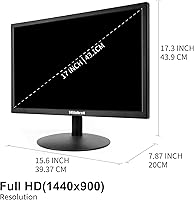
  • Resolution: Native resolution is 1440x900 pixels (WXGA+), delivering adequate sharpness for text, spreadsheets, and general office applications.
  • Aspect Ratio: The panel uses a 16:10 aspect ratio, which is less common today but remains important for legacy business and government software built around that format.
  • Panel Type: Uses a TN (Twisted Nematic) panel, which offers fast pixel response but has known limitations in color accuracy and off-axis viewing angles.
  • Refresh Rate: Supports a 75Hz refresh rate, a modest improvement over the 60Hz standard found on most entry-level displays in this category.
  • Response Time: Rated at 5ms response time, which is appropriate for everyday office and productivity tasks.
  • Brightness: Peak brightness is rated at 250 candela per square meter (nits), suitable for controlled indoor environments but not for bright or sunlit rooms.
  • Viewing Angle: Horizontal viewing angle is specified at 95°, which is typical of TN panels and narrower than IPS alternatives.
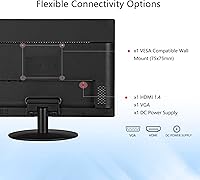
  • Connectivity: Equipped with one HDMI 1.4 port and one VGA port, allowing connection to both modern and older computers or POS systems.
  • VESA Mounting: Compliant with the VESA 75x75mm standard, enabling wall mounting or use with a compatible monitor arm.
  • Tilt Adjustment: The stand supports tilt from -15° (forward) to +15° (backward) for basic ergonomic screen positioning.
  • Screen Surface: The panel has a glossy screen surface, which can produce reflections under bright ambient lighting conditions.
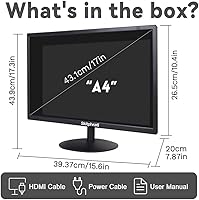
  • Dimensions: Physical dimensions are approximately 0.79 x 9.84 x 14.96 inches (depth x height x width) including the stand.
  • Weight: The monitor weighs 5.63 pounds, making it light enough for easy repositioning or wall-mount installation.
  • In the Box: Package includes the monitor unit, an HDMI cable, a DC power cable, and a printed user manual.
  • Power Supply: The monitor uses an external DC power connection, with the power cable included in the box.
  • Brand & Model: Manufactured by SKitphrati under model number S-17-W, a brand focused on budget-tier display solutions.

Related Reviews
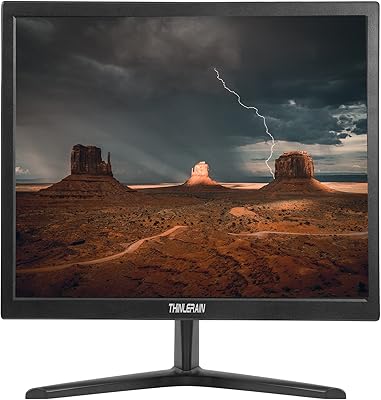
SKitphrati 17″ Touch Screen Monitor
68%
78%
Touch Responsiveness
88%
Setup & Installation
83%
Connectivity Range
61%
Build Quality
54%
Display Brightness
More
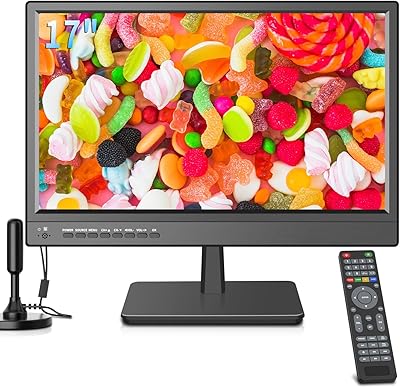
Thinlerain 17-inch HD170 Monitor
80%
89%
Value for Money
93%
Ease of Setup
65%
Display Quality
78%
Build Quality
55%
Sound Quality
More
othoig 17-Inch Portable LED TV
72%
88%
Portability
91%
12V Power Flexibility
67%
Picture Quality
53%
Aspect Ratio
84%
Connectivity & Ports
More
ZOSHING 17-inch Security Monitor
75%
88%
Ease of Setup
91%
Input Compatibility
67%
Image Clarity
61%
Brightness & Visibility
72%
Build Quality
More
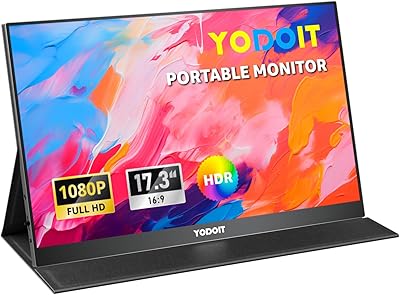
Yodoit PTM17 17.3″ Portable Monitor
75%
91%
Screen Size & Usability
76%
Image & Color Quality
62%
Brightness & Glare
54%
HDR Performance
83%
Connectivity & Compatibility
More
SKitphrati HD-190 19-Inch Monitor
66%
83%
Value for Money
91%
Port Variety
67%
Display Clarity
52%
Color Accuracy
63%
Build Quality
More
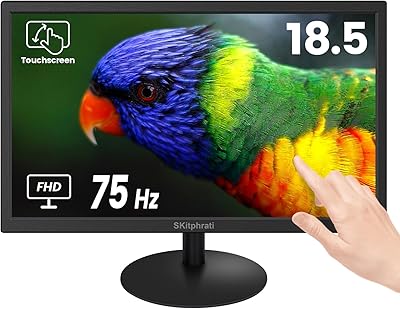
SKitphrati 18.5-Inch HD Touchscreen Monitor
68%
74%
Touch Responsiveness
51%
Display Resolution
78%
Value for Money
83%
Setup & Installation
61%
Brightness & Visibility
More
SKitphrati 15.6-Inch BNC Surveillance Monitor
65%
78%
Value for Money
88%
Connectivity
84%
Setup & Installation
57%
Image Quality
53%
Brightness & Visibility
More
Samsung T350 24-inch IPS Monitor
71%
86%
Image Clarity
78%
Color Accuracy
83%
Viewing Angles
41%
Ergonomics & Stand
62%
Brightness & Glare Handling
More
Thinlerain HD1303 13.3-inch Small Monitor
68%
91%
Input Versatility
88%
Setup & Ease of Use
83%
Value for Money
67%
Display Clarity
53%
Panel & Color Quality
More

FAQ

Yes, as long as your laptop has an HDMI or VGA output port, or you use an appropriate adapter. Most modern MacBooks use USB-C, so you would need a USB-C to HDMI adapter, which is not included. Once connected, the S-17-W should be recognized without any special drivers.

You can, but if your software was designed for 16:10 displays — which includes a lot of older government, healthcare, and enterprise platforms — a 16:9 screen will either crop the interface or add black bars at the top and bottom. The 16:10 format gives you slightly more vertical screen real estate, which these older applications expect. If your software was built for modern 16:9, this distinction won't matter at all.

Yes, it supports the VESA 75x75mm mounting standard, so any compatible wall bracket or monitor arm with that pattern will work. The mounting hardware itself is not included, so you will need to purchase a VESA-compatible bracket separately.

Not really. The 75Hz refresh rate and 5ms response time are office-grade figures — they are a step above the bare minimum, but well short of what a dedicated gaming monitor delivers. Combine that with the limited color depth and narrow viewing angles of a TN panel, and this display is not a good fit for gaming. It is built for productivity tasks, not fast-paced or visually demanding games.

Unfortunately, yes — this is a known characteristic of TN panels generally, not a defect specific to this monitor. Colors appear accurate only when you are sitting directly in front of the screen. Move to the side even slightly and the image shifts noticeably. If color accuracy is important to your work, an IPS panel monitor would be a much better choice.

No, this compact display does not include built-in speakers. If you need audio output, you will need external speakers or headphones connected to your computer or source device.

It is plastic construction throughout, which is standard for budget monitors in this range. Buyers generally report it feels acceptably sturdy for desk or wall use — not premium, but not alarmingly fragile either. If you are installing it in a fixed POS or kiosk setup where it will not be moved often, it should hold up fine.

Yes, it works well as a secondary screen. Connect it via HDMI or VGA and your operating system should detect it automatically. Keep in mind the 16:10 aspect ratio means the proportions will look slightly different from a standard 16:9 main monitor, but most users find it perfectly usable for extending their workspace.

The monitor uses an external DC power cable, which is included in the box. There is no large external power brick — just the cable — so managing cords at a desk or wall-mount setup should be fairly tidy.

SKitphrati is a lesser-known brand, and their after-sales support infrastructure is not well-documented based on available buyer feedback. If you purchase through Amazon, Amazon's standard return window applies regardless of the manufacturer. It would be wise to test the monitor thoroughly within that return period and not rely heavily on the manufacturer's warranty as a safety net.