Overview

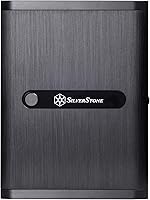
The SilverStone DS380B Mini-ITX NAS Case occupies a specific, well-defined niche: a small form factor enclosure built for serious storage density rather than general PC building. What makes it compelling is the sheer contradiction at its core — a chassis sized for a Mini-ITX motherboard that still manages to house up to 12 drives. Most competing cases at this footprint top out at four or six; this compact storage enclosure nearly doubles that. The brushed aluminum front door sets it apart visually from a sea of plastic alternatives. It launched in 2014, so it is a mature design — reliable and refined, but worth scrutinizing for compatibility with newer hardware generations.
Features & Benefits

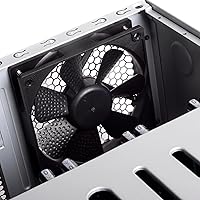
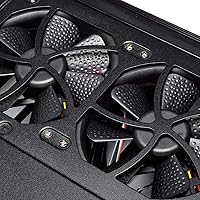
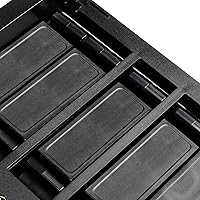
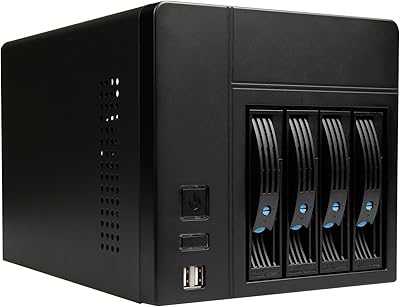
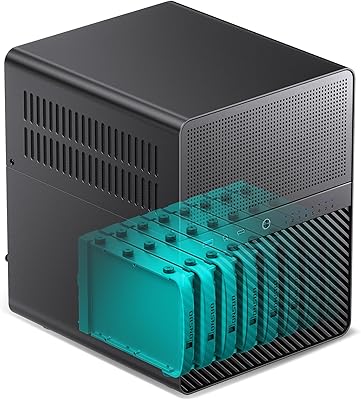
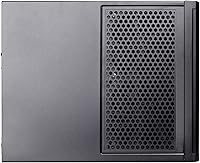
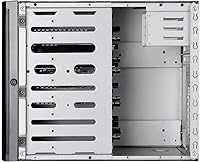
The DS380B's standout feature is its drive bay configuration: eight of the twelve bays are hot-swappable, accepting 3.5-inch or 2.5-inch SAS/SATA drives, while the remaining four fixed bays handle 2.5-inch drives only. That distinction matters — the fixed bays work well for SSDs running your OS or cache pool, but they are not the flexible storage slots some buyers assume. Three 120mm fans come included with filtered intake vents, which genuinely helps in always-on NAS operation. The top-mount PSU layout keeps the airflow path reasonably organized, and the case can fit graphics cards up to 11 inches — a rarely seen option in storage-oriented enclosures.

Best For

This SilverStone NAS case is built for home lab builders running Unraid, TrueNAS, or similar storage-focused operating systems who need serious drive capacity without committing to a full tower or rackmount setup. It suits prosumer users and small office environments where local storage density matters more than expandability or raw throughput. If you are the type who wants to swap a failing drive at midnight without shutting down your entire array, the hot-swap bays feel like a genuine quality-of-life upgrade. It is not a strong fit for gaming rigs, general workstations, or anyone prioritizing cooling over capacity.

User Feedback

With 106 ratings and a 3.6 out of 5 average, the DS380B lands in honestly mixed territory. Buyers who love it tend to praise the solid aluminum construction and the convenience of hot-swapping drives without a full system shutdown. Critics point to tight internal clearances that make cable management genuinely frustrating, especially with certain PSU form factors or large SAS expander cards. A number of owners also flag thermal concerns under sustained heavy workloads, where the included fans may fall short. Given the modest review pool, a few strong negative experiences can skew the overall score — read individual reviews with that context in mind.

Pros

  • Twelve total drive bays in a Mini-ITX footprint is almost unmatched at this size class.
  • Eight hot-swap bays let you swap failed drives without ever powering down your array.
  • The brushed aluminum front door feels premium and holds up well over years of daily use.
  • Three 120mm fans with filtered intake vents are included straight out of the box.
  • GPU support up to 11 inches is a rare and useful option in a storage-focused enclosure.
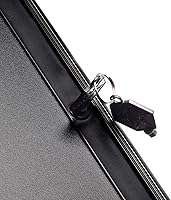
  • The lockable power button prevents accidental shutdowns in shared or office environments.
  • Top-mount PSU placement keeps the airflow path cleaner than bottom-mount alternatives.
  • The DS380B has a long track record — builders have documented builds and compatibility notes extensively online.

Cons

  • Internal clearances are tight enough that cable management becomes a real challenge, especially with full-sized SAS expanders.
  • The fixed 2.5-inch bays require a full shutdown for drive swaps, which is easy to overlook when buying.
  • The design dates to 2014 and some modern PSU form factors and CPU cooler heights may not fit cleanly.
  • Sustained heavy workloads can push thermal limits beyond what the stock fans handle comfortably.
  • At this price point, the SECC steel body feels noticeably less refined than the aluminum front door it is paired with.
  • The overall rating of 3.6 out of 5 reflects real frustrations that potential buyers should not dismiss.
  • Routing power and data cables to twelve drive bays inside a compact enclosure demands patience and planning.
  • The relatively small buyer community means troubleshooting obscure compatibility issues can be harder than with mainstream cases.

Ratings

The SilverStone DS380B Mini-ITX NAS Case has been scored by our AI engine after analyzing verified global user reviews, actively filtering out incentivized, spam, and bot-generated feedback to surface what real builders actually experience. Scores reflect both the genuine strengths that make this compact storage enclosure a standout in its niche and the real-world pain points that prevent it from earning a clean recommendation across the board. Every category below is weighted against the expectations of the home lab and prosumer audience this case is specifically designed to serve.
Drive Bay Capacity
93%
Fitting 12 total drive bays into a Mini-ITX chassis is a genuine engineering feat, and builders running Unraid or TrueNAS consistently cite this as the primary reason they chose the DS380B over anything else at this size. For a home server that needs to grow its storage pool over time, having eight hot-swap and four fixed bays in a single compact unit is nearly impossible to match.
The four fixed 2.5-inch bays are easy to miscount as flexible storage slots, but they require a full shutdown to access — a point that frustrates buyers who assumed all twelve bays worked identically. This distinction is not always clearly communicated at purchase, leading to disappointment for those expecting full hot-swap flexibility across the board.
Hot-Swap Functionality
88%
Being able to pull a failing drive from an active Unraid or TrueNAS array without interrupting the rest of the system is genuinely valuable, and users who have dealt with drive failures in non-hot-swap cases quickly appreciate how much downtime this feature eliminates. The tray mechanism is sturdy and the bays align reliably, which matters when you are swapping drives under pressure.
A handful of users have reported that the backplane connections can be finicky over time, particularly in units that have seen years of regular hot-swap activity. The trays themselves, while functional, feel slightly plasticky relative to the premium aluminum front door they sit behind.
Build Quality
76%
24%
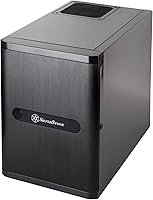
The brushed aluminum front door is the clear standout here — it feels solid, resists fingerprints reasonably well, and gives the DS380B a professional appearance that most plastic-fronted NAS cases simply cannot match. Long-term owners consistently note that the door still looks and operates like new even after years of daily use.
Step past the front door and the SECC steel body reveals a more utilitarian construction that feels mismatched with the premium facade. Interior panels are functional but show minor flex under pressure during the build process, and the overall fit and finish of internal components does not quite live up to what the exterior suggests.
Cable Management
41%
59%
Builders who approach the wiring methodically — routing SATA and power cables before installing drives, using right-angle connectors, and planning the PSU cable run from the top mount down — can arrive at an acceptable result. Experienced compact-build veterans are generally less bothered by the constraints once they know what to expect.
This is where the DS380B earns much of its negative feedback. Connecting power and data cables to up to twelve drives inside a tightly packed chassis leaves almost no room for error or adjustment, and standard cable bundles from typical ATX PSUs are genuinely difficult to route without creating blockages. First-time builders or those used to mid-tower ergonomics should prepare for a frustrating experience.
Thermal Performance
57%
43%
For light to moderate NAS workloads — media streaming, backup tasks, or a modestly populated drive array — the three included 120mm fans with filtered intakes keep temperatures in a reasonable range without requiring aftermarket intervention. The filtered vents also do a commendable job reducing dust accumulation in always-on deployments.
Push the system harder — fully populate all eight hot-swap bays with spinning drives running simultaneous read/write operations — and the stock cooling starts to struggle. Several users running high-density configurations report that drive temperatures climb to uncomfortable levels, and the top-mount PSU can add localized heat if not carefully selected for efficiency.
Hardware Compatibility
62%
38%
The DS380B has a well-documented compatibility history thanks to its decade-long production run, and the home lab community has catalogued a wide range of working hardware combinations including popular HBA cards, Mini-ITX boards, and SFX power supplies with adapters. That accumulated knowledge base is genuinely useful when planning a build.
The 2014 design origin creates real friction with some modern hardware. Certain current-generation Mini-ITX boards have rear I/O shields or component placements that create unexpected clearance conflicts, and CPU cooler height restrictions are not officially published, leaving builders to rely on community trial and error rather than firm specifications.
Noise Level
66%
34%
At typical NAS idle and light-load operation, the included fans run quietly enough that the DS380B can sit in a home office or living space without being intrusive. The filtered intakes also mean fans rarely need to ramp up hard to compensate for dust-related airflow restriction, keeping ambient noise stable over time.
A fully loaded array of spinning 3.5-inch hard drives introduces mechanical noise that no fan configuration can fully mask, and at higher workloads the fans themselves become noticeably audible. Users sensitive to background noise in quiet environments should factor in drive selection and fan replacement as likely costs beyond the case itself.
Ease of Build
44%
56%
Builders with prior experience in small form factor cases — particularly those who have worked in SilverStone enclosures before — tend to move through the DS380B build process with relative confidence. The hot-swap tray system is intuitive once you understand how it interfaces with the backplane, and the top-mount PSU area is more accessible than the drive bay zone.
For less experienced builders, this is one of the more demanding cases available at any price point. The combination of a cramped interior, a high drive count, and limited cable routing options means mistakes are hard to correct once components are in place. Multiple users describe having to fully disassemble the build at least once to fix routing errors they could not address in situ.
Value for Money
67%
33%
For anyone who genuinely needs 8 hot-swap bays in a Mini-ITX form factor, there are very few alternatives at any price point, which means the DS380B occupies a near-monopoly position in its niche. Buyers who purchase it for exactly this use case rarely feel shortchanged on the core value proposition.
For buyers who do not specifically need the hot-swap density — those who might get by with 4 or 6 bays — the price is harder to justify given the build challenges, aging design, and mixed thermal performance. At this price tier, some buyers feel they are paying a specialty tax for a feature set that comes with real ergonomic and compatibility trade-offs.
Aesthetics & Exterior Finish
79%
21%
The brushed aluminum front door with its lockable power button and adjustable LED gives the DS380B a purposeful, almost server-room aesthetic that stands out in a home lab environment. It looks far more intentional and professional than comparably priced plastic alternatives, and that visual impression holds up well over years of use.
The visual mismatch between the premium aluminum door and the more ordinary SECC steel body is noticeable up close, and the rear panel in particular has a noticeably more budget appearance. Users who display their setup openly may find this inconsistency distracting once they notice it.
Front Panel I/O
71%
29%
Two USB 3.0 ports on the front panel cover the basic needs of most NAS or home server builds, where front-panel access is used occasionally for drive imaging, firmware updates, or peripheral attachment rather than constant daily use. The placement behind the lockable door keeps the front face clean when not in use.
By modern standards, two USB 3.0 ports with no USB-C option feels dated — a reflection of the 2014 design origins rather than current expectations. Builders who frequently attach USB devices for maintenance tasks may find themselves wishing for an additional port or a faster interface.
Design Longevity
58%
42%
The fact that this enclosure has remained in production and continued selling for over a decade is a genuine signal that SilverStone got the core concept right. The fundamental layout — hot-swap front bays, top PSU mount, Mini-ITX board placement — has not needed a major overhaul because it solves a real problem effectively.
A decade without a meaningful design revision also means the DS380B has not kept pace with changes in power supply form factors, board layouts, or cooler standards. Buyers working with post-2020 hardware face a higher-than-average chance of encountering compatibility edge cases that require creative solutions or compromises.
Dust Filtration
82%
18%
The filtered intake vents are one of the more practically valuable features for a case intended for always-on operation. Users running their compact storage enclosure in environments with average household dust levels report that internal component accumulation is noticeably slower compared to unfiltered alternatives.
The filters require periodic cleaning to maintain airflow efficiency, and the maintenance process — removing and rinsing the filter media — is slightly awkward given the front door design. Neglecting the filters for extended periods can noticeably reduce fan effectiveness and increase drive temperatures over time.
Community & Documentation
84%
Thanks to its long production run and popularity in the Unraid and TrueNAS communities, the DS380B benefits from an unusually rich library of community build logs, forum threads, and compatibility notes. Finding answers to specific hardware questions or build challenges is significantly easier than with newer or more obscure enclosures.
Most of this community knowledge is scattered across Reddit, the SilverStone forums, and various home lab communities rather than centrally organized, which means new builders may spend meaningful time piecing together information that should be in an official guide. SilverStone's own documentation is notably sparse on real-world compatibility details.

Suitable for:

The SilverStone DS380B Mini-ITX NAS Case is purpose-built for home lab enthusiasts and prosumer builders who need serious drive density in a compact chassis. If you are running Unraid, TrueNAS, or a similar storage-focused OS and want to host your own media server, backup solution, or self-contained file storage without the bulk of a full tower, this enclosure makes a strong case for itself. The eight hot-swap bays are a genuine operational advantage — being able to pull and replace a drive without shutting down an active array is a feature most consumer cases simply do not offer. Small office setups that need reliable local storage density but lack the space or budget for enterprise rackmount hardware will also find it a practical fit. Builders already invested in SilverStone's ecosystem will appreciate the design continuity and part familiarity across product lines.
Not suitable for:

The SilverStone DS380B Mini-ITX NAS Case is a poor choice for anyone building a general-purpose desktop, gaming rig, or workstation — the internal layout is optimized entirely around drive capacity, not component flexibility or airflow for high-TDP hardware. The design has been on the market since 2014, which means builders pairing it with modern, higher-wattage CPUs or the latest SFX-style power supplies should verify compatibility before committing. Cable management inside the chassis is genuinely tight, and users who are not comfortable working in confined spaces or routing cables methodically will likely find the build process frustrating. Those expecting the four fixed 2.5-inch bays to behave like the hot-swap bays will be caught off guard — they require a full shutdown for drive changes. Anyone prioritizing quiet, low-heat operation under sustained heavy workloads should also look elsewhere, as the included cooling may not be sufficient for demanding configurations.
Specifications

  • Form Factor: Supports Mini-ITX and DTX motherboards, making it compatible with a wide range of compact NAS and home server builds.
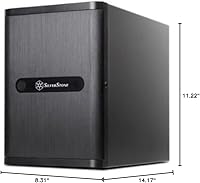
  • Dimensions: The chassis measures 8.3″ x 14.2″ x 11.2″, offering a relatively compact physical footprint for the drive capacity it provides.
  • Total Drive Bays: Accommodates up to 12 drives in total, split between hot-swap and fixed bay configurations.
  • Hot-Swap Bays: Eight front-accessible hot-swap bays accept 3.5-inch or 2.5-inch SAS/SATA drives and allow drive replacement without system shutdown.
  • Fixed Bays: Four internal fixed bays accept 2.5-inch drives only and require a full system shutdown for any drive installation or removal.
  • Included Fans: Three 120mm fans are included from the factory, positioned to provide filtered air intake for always-on storage environments.
  • Front Panel: The front door is constructed from brushed aluminum, providing a more durable and refined finish than the plastic fronts common on competing enclosures.
  • Body Material: The main chassis is built from SECC (Steel Electrolytic Cold-rolled Coil), which balances structural rigidity with manageable weight.
  • PSU Mounting: The power supply mounts at the top of the chassis, which helps maintain a cleaner internal airflow path from front intakes to rear exhaust.
  • GPU Clearance: The enclosure supports graphics cards up to 11 inches in length, an uncommon feature for a storage-oriented Mini-ITX chassis.
  • Cooling Method: Cooling is entirely air-based, relying on the three included 120mm fans and filtered front intake vents with no liquid cooling support.
  • Front USB Ports: Two USB 3.0 ports are located on the front panel for convenient peripheral and device access.
  • Audio: One audio-out port is provided on the front panel for headphone or speaker connectivity.
  • Power Button: The power button features a lockable design to prevent accidental shutdowns, which is particularly useful in shared office or always-on server environments.
  • LED Lighting: Front LED brightness and behavior are adjustable, a design feature carried over from SilverStone's GD07 product line.
  • Color: Available in black, with the brushed aluminum front door and SECC steel body both finished in matching dark tones.
  • First Available: The DS380B was first made available in February 2014, making it a long-standing and well-documented design in the small form factor NAS market.

Related Reviews
SilverStone Technology SG13P Mini-ITX Case
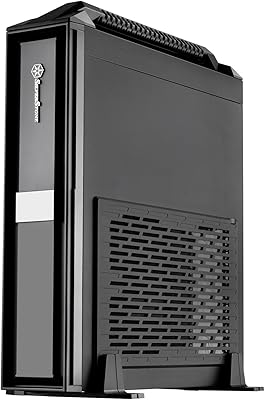
85%
89%
Build Quality
87%
Cooling Performance
91%
Storage Flexibility
95%
Size & Portability
65%
Cable Management
More
SilverStone ML08B-H Mini-ITX Slim Computer Case
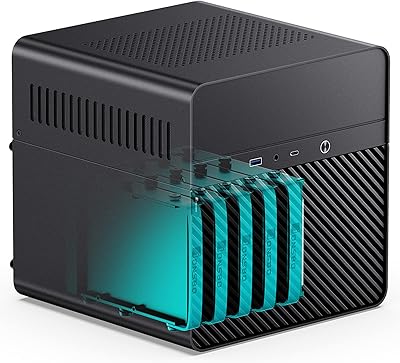
86%
94%
Portability
87%
Build Quality
91%
Ease of Assembly
65%
Cooling Options
89%
Design Flexibility (Orientation)
More
Jonsbo N2 Mini-ITX NAS Case
72%
91%
Build Quality
93%
Storage Density
54%
Cable Management
68%
Cooling Performance
57%
CPU Cooler Compatibility
More
Cooler Master NR200 Mini-ITX Case
85%
91%
Build Quality
88%
Cooling Performance
94%
GPU Compatibility
84%
Ease of Assembly
86%
Airflow Efficiency
More
Jonsbo N1 Mini-ITX NAS Case
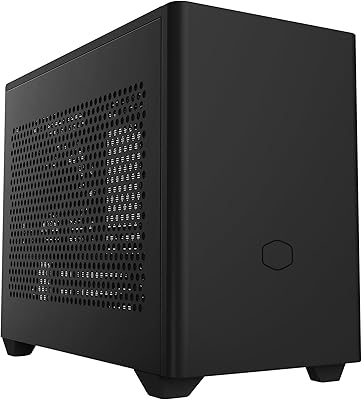
75%
93%
Build Quality
88%
Hot-Swap Functionality
91%
Storage Capacity Design
54%
PSU Compatibility
58%
CPU Cooler Clearance
More
Cooler Master NR200P V3 Mini-ITX Case
79%
88%
Build Quality
93%
GPU Compatibility
79%
Cooling Performance
74%
Ease of Building
82%
PCIe 5.0 Riser Cable
More
Thermaltake TR100 Mini-ITX SFF Case
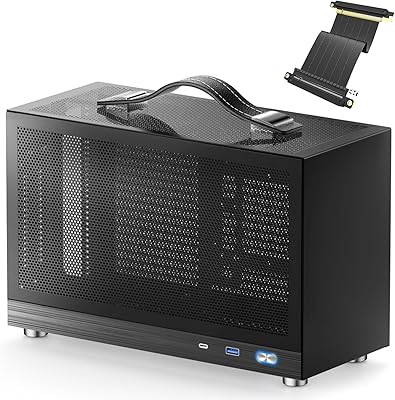
77%
91%
Component Compatibility
78%
Build Quality
86%
Value for Money
67%
Thermal Performance
72%
Cable Management
More
JONSBO N3 Mini-ITX NAS PC Chassis
82%
88%
Build Quality
84%
Cooling Performance
90%
Ease of Assembly
87%
Space Efficiency
82%
Storage Flexibility
More
KXRORS S300 Mini-ITX PC Case
71%
88%
Build Quality & Materials
84%
Portability & Handling
67%
Airflow & Thermal Performance
53%
CPU Cooler Compatibility
72%
GPU Compatibility & Fit
More
AUDHEID K3 4-Bay Mini-ITX NAS Case
70%
83%
Build Quality
78%
Value for Money
81%
Drive Compatibility
67%
Thermal Performance
54%
Cable Management
More

FAQ

No, and this is one of the most important things to understand before buying. Only 8 of the 12 bays are hot-swappable. The remaining 4 are fixed internal 2.5-inch bays that require you to power down the system before installing or removing drives. Most builders use those fixed bays for SSDs running the OS or a cache pool, where hot-swap is rarely needed anyway.

The DS380B is designed for standard ATX power supplies mounted at the top of the chassis. However, given the case's age and its compact internal layout, it is worth measuring your specific PSU length against the available clearance before purchasing. Some longer ATX units can create fitment headaches, and a few builders opt for SFX or SFX-L units with an adapter for more breathing room.

Yes, absolutely. The DS380B is one of the more popular enclosures for exactly these operating systems in the home lab community. Its combination of Mini-ITX support, hot-swap bays, and high total drive count makes it a natural fit for Unraid or TrueNAS builds. Just make sure your HBA or motherboard SATA controller can handle the number of drives you plan to populate.

The three included 120mm fans are reasonably quiet at lower speeds, but noise levels ultimately depend on your drive selection, system load, and whether you replace the stock fans. Spinning hard drives in an 8-bay configuration will contribute more noise than the fans themselves. For a nearly silent setup, pairing the DS380B with quality aftermarket fans and vibration-dampening drive trays would make a meaningful difference.

Technically yes — the enclosure supports graphics cards up to 11 inches. Most NAS builds do not use a dedicated GPU at all, but this clearance is useful if you want to run transcoding tasks locally, use the system as a light workstation alongside its storage duties, or take advantage of GPU-accelerated tasks in Unraid with a plugin like Nvidia drivers. It is not a feature most buyers will use, but it is good to have.

It depends on your experience level. Experienced builders familiar with compact cases will manage, but do not expect a comfortable, roomy build experience. With 12 potential drive connections plus motherboard, PSU, and front panel cables all competing for space, cable management requires real planning. Routing cables before installing drives and using right-angle SATA connectors can make the process significantly less frustrating.

For its intended purpose, yes — there are very few Mini-ITX cases on the market that offer 8 hot-swap bays at any price point. The design is mature, which means compatibility is well-documented and community support is strong. That said, verify clearances for your specific motherboard, cooler height, and PSU before ordering, since some modern hardware combinations can be tight fits in a chassis that was not designed with them in mind.

SilverStone does not officially publish a CPU cooler height limit for this specific enclosure, which is itself a small red flag for planning purposes. Most builders working in this chassis stick to low-profile coolers in the 55mm to 70mm range to ensure clearance. If you are running a power-hungry processor, choosing a quality low-profile cooler with good heat dissipation is important since the internal space does not accommodate tower-style units.

Yes, the eight hot-swap bays support both SAS and SATA drives in 3.5-inch or 2.5-inch sizes. That said, to use SAS drives you will need a compatible HBA card since standard consumer motherboards do not natively support SAS. For most home NAS builders running consumer SATA hard drives, this is a non-issue, but it is a useful capability for those sourcing enterprise drives from the secondary market.

The 3.6 out of 5 average across 106 ratings reflects a handful of real recurring frustrations: tight internal clearances, demanding cable management, and thermal performance that can fall short under sustained heavy workloads. The relatively small review pool also means a cluster of negative experiences can drag the average down more than it would on a product with thousands of ratings. Buyers who go in with a clear understanding of the build complexity tend to rate it more favorably than those expecting a straightforward assembly experience.

Where to Buy

Performance-PCs.com
In stock $209.99