Overview

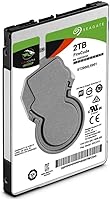
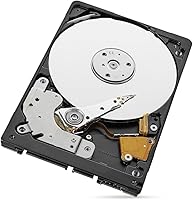
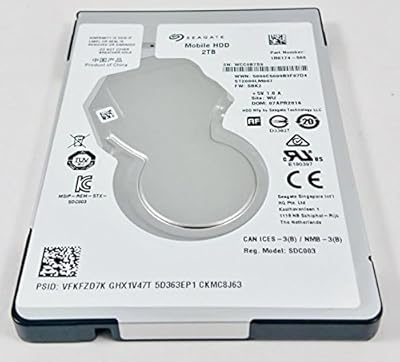
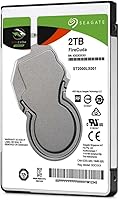
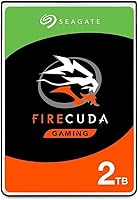
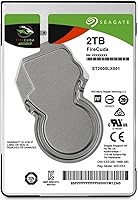
The Seagate FireCuda ST2000LX001 2TB Hybrid Drive was Seagate's practical answer to a real dilemma: gamers wanted SSD-like speed but couldn't afford to sacrifice storage space. This hybrid drive is not a true SSD — that distinction matters. Under the hood, it pairs a traditional spinning platter with an 8GB NAND flash cache that quietly learns which files you access most, then prioritizes them for faster retrieval. Think of it as a standard HDD that gets smarter the longer you use it. Launched in 2016, it still holds up as an affordable upgrade for older laptops, fitting cleanly into any system that accepts a 2.5-inch, 7mm drive bay.
Features & Benefits

The FireCuda 2TB's standout trick is its adaptive flash caching — the drive monitors which programs, games, and system files you return to repeatedly, then stores them in the NAND layer for quicker access. Load times improve noticeably after a few days of regular use, not straight out of the box. Capacity-wise, 2TB is genuinely useful for gaming; modern titles routinely exceed 60GB, so the headroom is real. The SATA 6Gb/s interface means no compatibility headaches on most laptops or desktops. One trade-off worth knowing upfront: the 5400 RPM spindle keeps the drive cool and quiet, but raw sequential speeds will not impress anyone coming from a 7200 RPM mechanical drive. The 5-year limited warranty does add meaningful value at this price tier.

Best For

This hybrid drive hits its stride as a laptop gaming upgrade — particularly for anyone stuck with a sluggish factory-installed HDD who isn't ready to pay for a large-capacity SSD. PS4 owners have also found it to be a solid internal swap, gaining both speed and storage in a single move. Budget-focused desktop builders sometimes use it as secondary storage, where the caching layer still delivers a real benefit for frequently launched applications. That said, Seagate's SSHD is not the right tool for heavy sequential workloads like video editing or bulk file transfers. If that describes your workflow, a dedicated SSD or a higher-RPM mechanical drive would serve you considerably better.

User Feedback

Among the nearly 5,000 ratings this hybrid drive has collected, the overall picture is genuinely positive. Buyers frequently highlight easy drop-in installation and a real speed improvement over stock laptop drives — especially after the cache has had a few days to learn their habits. The most common criticism isn't quite a flaw: some users expected instant SSD-level snappiness from day one, before the adaptive cache had time to settle in. Occasional reliability reports surface, as they do with any mechanical drive, but nothing outside the norm. What consistently stands out in long-term reviews is appreciation for the 5-year warranty — owners cite it as a genuine confidence booster that cheaper alternatives simply don't offer.

Pros

  • Delivers a genuine, noticeable speed improvement over standard HDDs once the flash cache learns your usage patterns.
  • 2TB of storage fits a large game library without forcing constant installs and uninstalls.
  • The 5-year limited warranty is unusually generous for a drive at this price point.
  • Slim 7mm profile fits a wide range of laptops and slim desktop bays without adapters.
  • Lower power draw compared to performance HDDs helps preserve battery life on laptops.
  • Drop-in SATA installation requires no special tools or technical expertise for most users.
  • Runs cooler and quieter than 7200 RPM mechanical drives thanks to the slower spindle speed.
  • Works across both PC and Mac systems, making it a flexible upgrade option.
  • Flash caching noticeably shortens repeated boot times and game level loads after the drive settles in.
  • Broad compatibility via SATA 6Gb/s means it works in older systems without any interface concerns.

Cons

  • The adaptive cache takes several days of real use to kick in — first-day performance can feel underwhelming.
  • Sequential read and write speeds are modest; bulk file transfers will feel slow compared to any SSD.
  • The 5400 RPM spindle is a step down from 7200 RPM drives, which matters for non-cached workloads.
  • Flash caching benefits are most visible on repeated tasks; less frequently accessed files load no faster than a standard HDD.
  • As a mechanical drive at its core, it remains physically vulnerable to shock and vibration in ways SSDs are not.
  • Compared to entry-level SSDs that have dropped sharply in price, the speed advantage over a plain HDD may feel harder to justify today.
  • The 8GB NAND cache is a fixed size and cannot be expanded, which limits how many files benefit from acceleration.
  • Not a practical fit for ultrabooks or devices with M.2-only storage slots — compatibility must be confirmed before purchasing.

Ratings

The scores below reflect an AI-driven analysis of verified global buyer reviews for the Seagate FireCuda ST2000LX001 2TB Hybrid Drive, with spam, bot submissions, and incentivized feedback actively filtered out before any scoring was applied. Each category captures both the genuine strengths that keep buyers coming back and the real frustrations that shaped lower marks. Nothing has been smoothed over — if a trade-off stings, the score shows it.

Value for Money
83%
Buyers consistently describe this hybrid drive as one of the smartest ways to get meaningful speed improvements without paying SSD prices for 2TB of storage. For laptop gamers who simply cannot fit their library onto a 500GB SSD, the cost-per-gigabyte math works strongly in its favor.
As budget SSD prices have continued to drop, some buyers feel the value proposition has narrowed compared to when the FireCuda 2TB first launched. A few noted that shopping around for a slightly pricier but faster SSD at a smaller capacity felt like the smarter long-term investment.
Read/Write Speed
62%
38%
For cached workloads — booting the OS, loading a game you played yesterday, launching a frequently used app — the speed uplift over a standard HDD is real and repeatable. Users upgrading from slow 5400 RPM stock laptop drives often describe the difference as striking after the cache settles in.
First-run load times and large sequential transfers expose the 5400 RPM mechanical core, and there is no caching trick that changes that ceiling. Users coming from 7200 RPM drives or any SSD find the raw throughput disappointing, and a handful felt the marketing oversold the speed story.
Cache Effectiveness
74%
26%
The 8GB NAND cache genuinely works as advertised for users who have a consistent, repeated set of apps and games they return to daily. After a week of normal use, boot times and game level loads for cached titles can feel close to SSD territory for many buyers.
The cache only helps what it has already learned, so rotating through a large, varied game library can leave many titles launching at plain HDD speeds. Several buyers also flagged that a full power cycle can partially reset the cache's warm state, meaning Monday morning feels slower than Friday evening.
Storage Capacity
91%
Two terabytes in a slim 2.5-inch form factor is the clearest strength of Seagate's SSHD, and buyers say so repeatedly. PS4 owners and laptop gamers with sprawling libraries both report that finally having enough room to keep their full game collection installed at once is a genuine quality-of-life upgrade.
A small number of buyers noted that the formatted capacity comes in slightly under the advertised 2TB once the operating system accounts for overhead, which is standard but still catches some first-time drive upgraders off guard.
Installation Ease
88%
Drop-in SATA installation is one of the most praised aspects across the review pool. Buyers with no prior hardware experience report successfully swapping out their PS4 or laptop drive in under 30 minutes using basic tools, with the drive recognized immediately by the host system.
A handful of users ran into complications specific to their laptop model — particularly those requiring disassembly of extra components to reach the drive bay — but these frustrations were directed at the hardware manufacturer, not the drive itself.
Reliability & Durability
69%
31%
The majority of long-term owners report trouble-free operation well past the one-year mark, and the 5-year warranty provides meaningful reassurance that Seagate stands behind the product. Several buyers specifically mentioned the warranty as the deciding factor that tipped them toward this drive over cheaper alternatives.
Because it contains moving mechanical parts, a subset of buyers experienced failures within the first two years — a failure rate that is not alarming statistically but is a real consideration versus an SSD. Users who travel frequently with their laptops noted that mechanical drives carry inherent shock sensitivity that flash-only storage simply does not.
Noise & Vibration
79%
21%
Running at 5400 RPM keeps operational noise low enough that most users in quiet home or office environments report the drive as barely perceptible during normal use. Gamers using it in desktop secondary-drive configurations consistently say it does not add any noticeable acoustic profile to their builds.
A small percentage of buyers reported occasional clicking or vibration during sustained read cycles, which is worth monitoring as it can be an early warning sign in mechanical drives. Those using the drive in very quiet laptop chassis noted that seek noise during large file operations is faintly audible.
Power Efficiency
77%
23%
Compared to 7200 RPM performance drives, the FireCuda 2TB draws noticeably less power under load, which translates to measurably better battery endurance for laptop users who spend long sessions away from an outlet. Several buyers specifically cited this as a bonus they did not fully anticipate before purchasing.
It still consumes more power than any SSD would in the same workload, so users prioritizing maximum battery life above all else would still be better served by a flash-based alternative. The power savings are meaningful but incremental, not transformative.
Boot Time Performance
71%
29%
Once the drive has learned the OS boot sequence through repeated startups, users report that morning boot times improve substantially compared to non-cached HDDs. Several buyers described switching from a sluggish factory drive and being genuinely surprised by how responsive the system felt after a week.
After system updates, fresh OS installs, or extended periods without powering on, boot times revert to mechanical speeds until the cache relearns the sequence. This inconsistency frustrates users who expect uniform performance from the first power-on of the day.
Gaming Load Times
73%
27%
For the two or three games a buyer plays regularly, the caching effect is tangible — returning to a favorite title after a few days can feel noticeably snappier compared to a standard hard drive. PS4 users in particular report that level transitions in frequently played games become less of an endurance test.
Launching a newly installed or rarely played game produces load times indistinguishable from a plain mechanical drive, which can feel jarring if a buyer was expecting across-the-board improvements. Rotating through a large library of titles means very few games ever fully benefit from the cache at any given time.
Compatibility
86%
The standard SATA 6Gb/s interface and 2.5-inch, 7mm profile cover an enormous range of laptops, desktops, and consoles without requiring adapters or special firmware. Both Windows and macOS recognize the drive immediately, and buyers across a wide variety of system configurations report clean, problem-free installs.
The drive is entirely irrelevant for systems that have moved to M.2 NVMe-only storage configurations, and a growing share of newer ultrabooks fall into that category. Buyers who did not verify their chassis specifications before purchasing made up a consistent share of the negative reviews.
Thermal Performance
78%
22%
Operating temperatures under typical workloads stay well within safe ranges, and buyers using the drive in laptops report that it does not meaningfully contribute to chassis warmth during gaming sessions. The slower spindle speed is the primary reason for this, and it is one trade-off that clearly pays dividends here.
During prolonged sequential workloads — large backup operations, extended game installs — temperatures climb more than they would with an SSD, and a few buyers in poorly ventilated laptop models reported thermal throttling affecting broader system performance rather than the drive itself.
Warranty & Support
84%
The 5-year limited warranty is consistently flagged in long-term reviews as a standout feature that makes buyers feel the purchase is protected. Several owners who needed to make a warranty claim described Seagate's replacement process as straightforward and reasonably fast once the online form was submitted.
The warranty covers the drive itself but offers no data recovery component, which leaves buyers who experience a failure facing potentially costly third-party data recovery services. A handful of users felt the online claims process involved more steps than it should for what is ultimately a hardware replacement.
Sequential Transfer Speed
47%
53%
For users whose transfer workloads fit within what the flash cache can absorb — moving smaller files that have already been cached — speeds feel acceptable relative to the budget positioning of this drive. It is adequate for routine day-to-day file management tasks.
Large file transfers, including game installations, media exports, and system backups, expose the raw mechanical speed ceiling in a way the cache cannot mask. Users moving tens of gigabytes at a time will see throughput numbers that compare poorly to even budget-tier SSDs, and this limitation shows up consistently in critical reviews.

Suitable for:

The Seagate FireCuda ST2000LX001 2TB Hybrid Drive is a strong fit for laptop gamers who are still running a sluggish factory-installed hard drive and want a meaningful speed boost without paying SSD prices for SSD capacity. If your game library has grown past what a 256GB or 512GB SSD can hold, this hybrid drive gives you room to breathe — 2TB accommodates a serious collection of modern titles without constant juggling. PS4 owners looking to swap out the stock drive will find it particularly well-suited, picking up both faster repeated load times and substantially more storage in a single upgrade. It also works well as a secondary drive in a desktop build, where the flash cache still accelerates frequently launched applications even if the primary OS drive is already an SSD. Budget-conscious builders who cannot yet justify the cost of a large NVMe SSD will find this a practical middle ground that punches above its mechanical-only weight class.
Not suitable for:

Anyone who needs consistent, high-throughput sequential performance should look elsewhere — the FireCuda 2TB is built around a 5400 RPM spindle, which means raw read and write speeds are modest, and no amount of flash caching changes that ceiling for large, one-off file operations. Video editors, photographers working with large RAW files, or anyone regularly moving tens of gigabytes at a time will feel the limitation quickly. Users who have already made the jump to NVMe SSDs are unlikely to find the hybrid approach compelling, since the performance gap is simply too wide to bridge with a caching layer. It is also worth noting that the caching benefit takes time to materialize — buyers expecting an instant SSD-like experience on day one will be disappointed, and some may not stick around long enough to see the drive reach its stride. Finally, if your laptop chassis does not accept a standard 2.5-inch, 7mm SATA drive, this is a non-starter before you even consider the performance trade-offs.

Specifications

  • Drive Type: Solid State Hybrid Drive (SSHD), combining a mechanical spinning platter with an 8GB NAND flash cache layer for adaptive acceleration.
  • Storage Capacity: 2TB (2,000GB) of total usable storage, formatted capacity may vary slightly depending on operating system and partition setup.
  • Flash Cache: 8GB of integrated NAND flash memory, used by the drive's onboard algorithm to store and accelerate frequently accessed data automatically.
  • Form Factor: 2.5-inch internal drive with a 7mm slim height, designed for compatibility with thin laptops and standard desktop drive bays.
  • Interface: SATA 6Gb/s (SATA III), backward compatible with SATA 3Gb/s ports, requiring no additional adapters for most modern systems.
  • Rotational Speed: 5400 RPM spindle speed, prioritizing lower heat output and quieter operation over the raw sequential throughput of faster 7200 RPM drives.
  • Dimensions: Physical dimensions measure 3.98 x 2.76 x 0.39 inches (101.6mm x 70mm x 9.9mm), consistent with the standard 2.5-inch laptop drive footprint.
  • Weight: The drive weighs 3.25 ounces (approximately 92 grams), making it suitable for portable laptop installations without adding meaningful bulk.
  • Warranty: Covered by a 5-year limited warranty from Seagate, which is notably longer than the 2-year coverage typical of many competing drives in this category.
  • OS Compatibility: Compatible with both PC (Windows) and Mac operating systems, functioning as a standard SATA storage device on either platform without additional drivers.
  • Installation Type: Internal installation only; the drive is designed to replace or supplement the existing storage drive inside a laptop, desktop, or compatible gaming console.
  • Model Number: The official Seagate model identifier is ST2000LX001, which can be used to verify firmware updates, warranty registration, and third-party compatibility lists.
  • Series: Part of Seagate's FireCuda lineup, which was positioned as the company's performance-oriented hybrid storage family targeting gamers and power users.
  • Manufacturer: Designed and manufactured by Seagate Technology, one of the largest and longest-established hard drive producers in the industry.
  • Power Consumption: Draws less power during operation than comparable 7200 RPM mechanical drives, contributing to improved battery efficiency in laptop installations.

Related Reviews

Seagate FireCuda 1TB Solid State Hybrid Drive
78%
78%
Load Time Performance
81%
Value for Money
71%
Long-Term Reliability
93%
Compatibility
87%
Storage Capacity
More
Seagate Game Drive for PlayStation 2TB
79%
94%
Ease of Setup
91%
Storage Capacity
93%
PS4 Compatibility
72%
PS5 Compatibility
74%
Transfer Speed
More
Seagate Game Drive for Xbox 2TB
88%
88%
Performance
94%
Ease of Setup
91%
Portability
89%
Design & Aesthetics
96%
Compatibility with Xbox Consoles
More
Seagate FireCuda 530 2TB SSD
89%
95%
Performance for Gaming
93%
Read/Write Speed
88%
Thermal Management
91%
Ease of Installation
92%
Durability & Longevity
More
Seagate Portable 2TB (STGX2000400)
84%
93%
Value for Money
91%
Portability
94%
Setup Experience
88%
Operating Noise
67%
Cable Utility
More
Seagate FireCuda Gaming Hard Drive 1TB
84%
88%
Performance
91%
Data Transfer Speed
94%
Ease of Setup
80%
RGB Lighting Customization
85%
Compatibility with PC & Mac
More
Seagate BarraCuda 2TB Internal Hard Drive
79%
91%
Value for Money
74%
Transfer Speed
77%
Reliability & Longevity
93%
Installation Ease
79%
Noise Level
More
Seagate SkyHawk 2TB Surveillance Hard Drive
80%
83%
Reliability & Uptime
91%
NVR & DVR Compatibility
78%
Value for Money
87%
Noise & Vibration
74%
Heat Management
More
Seagate Ultra Touch 2TB External Hard Drive
79%
93%
Portability
88%
Design & Aesthetics
91%
Storage Capacity
57%
Transfer Speed
89%
Plug-and-Play Setup
More
Seagate Momentus 2TB 2.5″ SATA Hard Drive
85%
85%
Performance
91%
Ease of Installation
94%
Portability/Size
93%
Storage Capacity
88%
Compatibility
More

FAQ

It is neither a pure SSD nor a plain hard drive — the Seagate FireCuda ST2000LX001 2TB Hybrid Drive is a genuine SSHD, which means it has a real mechanical spinning platter paired with 8GB of NAND flash memory. The flash layer acts as a smart cache, learning which files you open most often and keeping them ready for faster access. It is meaningfully quicker than a standard HDD for repeated tasks, but it cannot match the consistent speed of a dedicated SSD across the board.
Give it a few days of normal use before drawing conclusions. The onboard algorithm needs time to observe which files, games, or applications you access regularly before it can start caching them effectively. Most users report that boot times and game load speeds feel noticeably snappier after three to five days of typical usage, so do not judge it by day one performance.

This hybrid drive uses the standard 2.5-inch form factor with a 7mm height, which is the most common laptop drive size. Check your laptop's manual or the manufacturer's spec page to confirm it accepts a 2.5-inch SATA drive at 7mm thickness — most laptops from the past decade do, but ultra-thin models sometimes use only M.2 slots, which would make this drive incompatible.

Yes, the FireCuda 2TB is a popular PS4 upgrade choice. The PS4 uses a standard 2.5-inch SATA slot, so this drive drops in without any adapter. You will gain significantly more storage than the stock drive offers, and repeated game loads should improve once the cache learns your play habits.

A budget SSD will generally beat this hybrid drive on raw speed, especially for first-time file access and sequential transfers. The trade-off is capacity — affordable SSDs at this storage size tend to cost considerably more. If you need 2TB and want better-than-HDD performance without SSD pricing, Seagate's SSHD fills that gap reasonably well. If maximum speed matters more than storage volume, a smaller SSD is the smarter buy.

If your current drive spins at 7200 RPM, raw sequential read and write speeds will be somewhat lower with this drive on non-cached tasks. However, for the repeated workloads most users care about — booting up, loading saved games, launching apps — the flash cache often narrows or eliminates that gap after a short break-in period. For sustained large file transfers, the slower spindle speed will be noticeable.

Running at 5400 RPM rather than 7200 RPM means the FireCuda 2TB is on the quieter and cooler end of the mechanical drive spectrum. Most users report it is barely audible during normal operation. It still generates some warmth — it is a spinning drive after all — but thermal output should not be a concern for properly ventilated laptops or desktops.

It works with both. The drive itself is hardware-agnostic at the SATA level, so it is recognized by macOS and Windows alike without extra drivers. If you are installing it as a primary Mac drive, you will need to format it as APFS or HFS+ using Disk Utility during setup, but that is a standard step for any internal drive swap on a Mac.

Seagate's 5-year limited warranty covers manufacturer defects and drive failures under normal use conditions — it does not cover physical damage, accidental drops, or data recovery. If the drive fails within the warranty period, Seagate typically offers a replacement through their online warranty portal after you submit proof of purchase and confirm the drive's serial number. It is worth registering the drive on Seagate's website shortly after purchase to simplify any future claim.

Absolutely — this is a solid secondary drive use case. You connect it to any available SATA port, assign it as a storage volume, and the flash cache still works to accelerate whichever files you access most frequently on that drive. It is a practical way to add 2TB of faster-than-average mechanical storage to a build that already has an SSD as the primary boot drive.

Where to Buy