

Overview

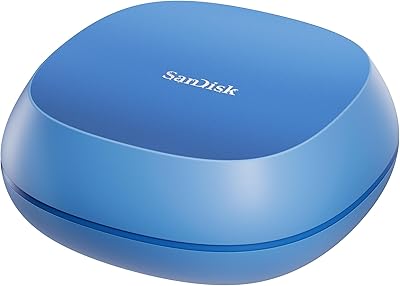
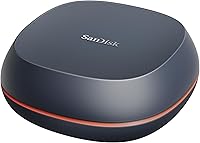
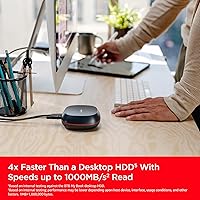
The SanDisk Desk Drive 4TB External SSD is a desktop-grade backup solution built for creatives and power users who have outgrown slower spinning drives. It arrives as a compact matte-plastic cube — roughly the size of a large apple — which sets it apart from the bulky enclosures that typically crowd a desk. Plug it into any Mac or Windows machine via USB-C and it is ready to go, formatted exFAT out of the box with no reformatting required. SanDisk is owned by Western Digital, and that brand heritage matters when you are trusting a drive with years of photos, video projects, or business files. The price sits firmly in premium territory, which is the honest trade-off for flash-based speed at this scale.

Features & Benefits

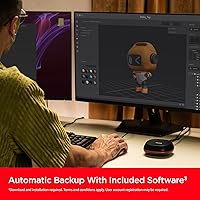
The speed story here is the main draw. At read speeds delivered through USB 3.2 Gen 2, this desktop SSD can move a 100GB video project in roughly two minutes — something a spinning HDD would stretch to ten or fifteen. Four terabytes of flash storage is still uncommon in this form factor; most drives at this capacity rely on spinning platters, so having SSD room for RAW photo archives or 4K footage is genuinely useful. Setup takes seconds: one USB-C cable, no driver installation, no formatting dance. The bundled backup software handles automatic scheduling, but it does require a separate download and account registration — worth knowing upfront. A Data Recovery Service is also included, offering peace of mind for anyone storing irreplaceable files.

Best For

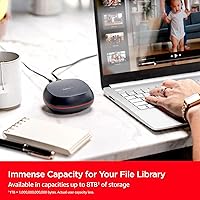
This external solid state drive makes the most sense for photographers and videographers who need fast local backups without the complexity of a NAS or the noise of a tower setup. If you work across Mac and Windows — switching between a home studio and an office — exFAT formatting means you will not lose time reformatting between systems. Home office users will appreciate how little space the cube takes up; it tucks beside a monitor without demanding attention. Anyone still running daily backups on a slow spinning external drive will feel the difference immediately. It also suits those who prefer local storage over cloud dependency but still want automated backups once configured.

User Feedback

With a 4.3-star rating across close to 200 reviews, the SanDisk Desk Drive earns most of its praise for exactly what it advertises: fast transfers and a no-hassle setup. Buyers frequently mention being surprised by how small it is in person, and those migrating from older HDDs describe the speed jump as immediately obvious. The main criticism centers on cost per terabyte — at this price point, some buyers struggle to justify the premium against high-capacity spinning drives, which offer far more room for less money. A few users have flagged friction with the backup software, specifically the account registration requirement. Long-term reliability data is still limited given the drive launched in mid-2024, but early reports show no significant failure patterns.

Pros

  • Transfer speeds make moving large video or photo projects noticeably faster compared to any spinning drive.
  • Four terabytes of flash storage is genuinely rare in this form factor and covers most creatives for years.
  • Plug-and-play setup on both Mac and Windows with no reformatting or driver installation required.
  • The compact cube design takes up minimal desk space and looks intentional rather than utilitarian.
  • Included Data Recovery Service adds a meaningful safety net for users storing irreplaceable files.
  • SanDisk's backing by Western Digital brings established brand accountability and warranty support.
  • The SanDisk Desk Drive earns strong buyer ratings for doing exactly what it advertises, consistently.
  • Automatic backup scheduling via bundled software removes the need to remember manual backups.
  • USB 3.2 Gen 2 interface ensures the drive is not bottlenecked by its own connector on modern hardware.

Cons

  • Price per terabyte is significantly higher than HDD alternatives at the same capacity, which stings for budget-conscious buyers.
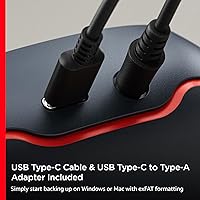
  • No USB-A adapter included, leaving users with older hardware immediately stuck without an extra cable.
  • Backup software requires a separate download and account registration, which breaks the plug-and-play promise for some users.
  • The drive launched in mid-2024, so long-term reliability data is still thin — early confidence only goes so far.
  • The matte plastic housing feels functional but does not inspire the same confidence as a metal-encased competitor.
  • Not bus-powered portability — this is a desk-bound drive, so field use or travel setups are not its strength.
  • No USB-A cable variant in the box means buyers with legacy ports must source their own adapter immediately.
  • At nearly 200 ratings, the review pool is still relatively small to draw firm long-term conclusions from.

Ratings

The scores below for the SanDisk Desk Drive 4TB External SSD were produced by our AI rating engine after analyzing verified global buyer reviews, actively filtering out incentivized, bot-generated, and low-quality feedback to surface what real users actually experienced. Each category reflects both the genuine strengths that earned this drive a 4.3-star average and the recurring pain points that kept it from scoring higher. The result is an honest, balanced snapshot designed to help you decide whether this desktop SSD fits your specific needs.

Transfer Speed
91%
Buyers who moved from spinning external drives consistently describe the speed difference as immediately dramatic — copying a full photo shoot or a multi-gigabyte video project that used to take ten-plus minutes now finishes in well under two. The USB 3.2 Gen 2 connection delivers real-world performance close to its rated ceiling in typical desktop use.
A small number of users report that sustained write speeds during very long backup sessions can taper off noticeably, suggesting thermal throttling may be a factor over extended transfers. This is unlikely to affect casual users but could matter for those routinely moving hundreds of gigabytes at a time.
Storage Capacity
88%
Four terabytes of solid state storage is genuinely uncommon in a drive this compact, and photographers or video editors who have filled multiple smaller drives appreciate having a single destination for their entire active library. Users running dual Mac and Windows setups found it especially convenient to consolidate previously fragmented storage into one place.
For some power users — particularly those archiving uncompressed 4K or 8K footage — 4TB can fill faster than expected, and the next available capacity tier jumps considerably in price. A few buyers noted they underestimated how quickly a media-heavy workflow would consume the space.
Value for Money
62%
38%
Users who specifically need SSD speeds for large file transfers and value the compact, desk-friendly form factor tend to feel the price is defensible for what they get. Creatives who previously relied on slower drives and lost time waiting on transfers often describe the purchase as solving a genuine daily frustration.
The price-per-terabyte is significantly higher than a comparably sized spinning hard drive, and buyers who do not regularly move large files find it difficult to justify the cost. Several reviewers explicitly noted they would have purchased a high-capacity HDD if they had done the math beforehand, which points to a real mismatch for storage-first buyers.
Setup & Ease of Use
93%
The out-of-box experience is about as frictionless as it gets — plug in the USB-C cable, and both Mac and Windows machines recognize the drive instantly with no driver installation or reformatting required. Users with limited technical confidence specifically called out how straightforward the initial setup was compared to other external drives they had tried.
The bundled backup software requires a separate download and user account registration, which some buyers found jarring after such a smooth hardware setup. A handful of reviewers described the software onboarding as clunky and ultimately chose to use third-party backup tools instead.
Build Quality
74%
26%
The compact cubic shape feels deliberate rather than cheap, and the matte plastic finish resists fingerprints well enough to stay looking clean on a desk without frequent wiping. Most buyers described it as solid and well-assembled, with no reports of rattling or structural concerns out of the box.
The all-plastic enclosure does not inspire the same confidence as competitors using aluminum or rubberized housings, and a few users feel the material quality does not match the premium price point. There are no ruggedization features, so dropping it — while unlikely for a desk-bound drive — would be a real concern.
Design & Form Factor
86%
The cube shape is consistently praised for its minimal desk footprint — users tucked it beside a monitor, under a laptop stand, or behind a display without it drawing attention. Home office users in particular appreciated that it looks intentional rather than like an afterthought plugged into a USB hub.
Because it is clearly designed to stay on a desk, the form factor offers little for anyone who needs a drive they can carry in a bag or pocket. The lack of any rubber feet or anti-slip base was flagged by a few users as a minor nuisance on smoother desk surfaces.
Cross-Platform Compatibility
89%
The exFAT formatting works natively on both macOS and Windows without any user intervention, which buyers who switch between the two ecosystems found genuinely convenient. Reviewers in mixed-device households reported sharing the drive between family members on different operating systems without a single compatibility issue.
Linux compatibility is not officially advertised, and a small number of technically inclined users noted they had to verify mount behavior themselves. Additionally, the lack of a USB-A cable means users on older machines must immediately source an adapter before the cross-platform convenience kicks in.
Port & Cable Situation
58%
42%
The USB-C connection is the right choice for modern hardware, and buyers with current MacBooks, recent Windows laptops, or newer desktops found the included cable sufficient for everyday use without needing anything extra.
Not including a USB-A adapter or cable in the box is a recurring complaint, especially given the premium price — users with older desktops or monitors lacking USB-C ports felt the omission was a frustrating oversight. Several reviewers had to delay their first use until they sourced an adapter separately.
Backup Software
61%
39%
For users who follow through with the download and registration, the automatic backup scheduling works as described and removes the need to manually remember regular backups. Those who set it up once and left it running appreciated the set-and-forget convenience it offered.
The requirement to create an account simply to activate backup software on a drive you already own struck many buyers as unnecessary friction, and the software itself received mixed feedback on its interface and reliability. A notable portion of reviewers abandoned it in favor of macOS Time Machine or Windows Backup, which required no additional setup.
Data Recovery Service
79%
21%
The inclusion of a professional Data Recovery Service is a genuine differentiator that few competitors offer at this price tier, and buyers storing irreplaceable personal or professional files found it reassuring as a last-resort safety net. It adds meaningful perceived value for anyone who understands how expensive third-party data recovery can be.
The terms and limitations of the service are not prominently explained on the packaging or in the quick-start guide, leaving some buyers unsure what exactly is covered or for how long. Users who dug into the fine print found that the service has conditions that may not apply to every failure scenario.
Noise & Heat
94%
As a solid state drive with no moving parts, it operates in complete silence under all conditions — buyers in quiet home offices and recording studios specifically praised this as a meaningful practical advantage over any spinning alternative. Heat generation during normal use was described as minimal to undetectable by the vast majority of reviewers.
During prolonged heavy-transfer sessions, the enclosure does become warm to the touch, which a small number of technically aware users connected to the occasional dip in sustained write performance. This is unlikely to be an issue for standard backup workloads but is worth noting for intensive continuous-use scenarios.
Long-Term Reliability
67%
33%
Early buyer reports from the months following the mid-2024 launch show no significant failure patterns, and the SanDisk brand carries enough legacy credibility that most buyers extended it a baseline level of trust. No widespread batch defect or firmware issue has emerged in user feedback to date.
The drive has not been on the market long enough to have a meaningful track record for multi-year durability, which is a genuine unknown for buyers planning to use it as their primary long-term archive. Buyers who prioritize proven reliability over recent releases may prefer a drive with a longer field history.
Unboxing & Packaging
77%
23%
The packaging is clean and minimal, and the drive arrives ready to use without excessive plastic wrapping or confusing accessory compartments. Buyers found the included quick-start guide sufficient for getting started without needing to consult any external documentation.
Given the premium positioning of this external solid state drive, a few buyers expected a more premium unboxing experience and felt the packaging felt slightly generic for the price point. The absence of a protective carry pouch or storage case was also noted as a missed opportunity.

Suitable for:

The SanDisk Desk Drive 4TB External SSD is built for people whose storage needs have outpaced what typical cloud subscriptions or slow spinning drives can realistically handle. Photographers shooting RAW, videographers working with 4K or 6K footage, and musicians managing large sample libraries will find the combination of high capacity and fast transfer speeds genuinely practical for daily use. It is equally well suited to home office workers who want automated local backups running quietly in the background without the complexity of a NAS device or a dedicated server. Cross-platform users — those who move between a Windows desktop and a MacBook, for instance — will appreciate that the drive works on both without any reformatting out of the box. If you have ever sat waiting for a large file to copy to a slow HDD before a deadline, this external solid state drive is the kind of upgrade that removes that particular frustration for good.

Not suitable for:

The SanDisk Desk Drive 4TB External SSD is not the right call for buyers who are primarily focused on getting the maximum amount of storage per dollar spent. At this price tier, spinning hard drives can offer several times the capacity for a fraction of the cost, and if raw speed is not a priority — say, for archiving old files you rarely touch — that trade-off is hard to justify. This desktop SSD also lacks a USB-A adapter in the box, which can be an immediate problem for users on older desktops or monitors with no USB-C ports. The bundled backup software requires a download and account registration, which adds friction for anyone who expected a completely self-contained experience. Buyers looking for a portable drive they can toss in a bag should look elsewhere too — the cubic design and weight make it better suited to staying put on a desk than traveling in a backpack.

Specifications

  • Capacity: The drive offers 4TB of flash-based storage, enough to hold tens of thousands of RAW photos or hundreds of hours of compressed video footage.
  • Drive Type: This is a solid state drive (SSD), meaning it has no moving parts, which makes it quieter, faster, and more resistant to physical shock than a traditional HDD.
  • Interface: It connects via USB-C using the USB 3.2 Gen 2 standard, which supports data throughput of up to 10Gbps over a single cable.
  • Read Speed: Sequential read speeds reach up to 1000MB/s under optimal conditions, enabling rapid transfers of large files such as video projects or photo archives.
  • Dimensions: The enclosure measures 3.9″ x 3.9″ x 3.9″, forming a compact cube that occupies minimal space on a desk or shelf.
  • Weight: At 9.4 ounces, the drive is light enough to reposition easily but has enough heft to stay put during use without sliding.
  • Formatting: The drive ships pre-formatted as exFAT, a cross-platform format that works natively on both Windows and macOS without any reformatting required.
  • Compatibility: Compatible with Windows PCs and Mac computers; any host device with a USB-C or USB-A port (via adapter) running a current operating system should work without driver installation.
  • Included Cable: A USB-C cable is included in the box; no USB-A cable or adapter is provided, so users with legacy ports will need to source one separately.
  • Bundled Software: SanDisk's automatic backup application is available as a free download but requires separate installation and user account registration before use.
  • Data Recovery: A Data Recovery Service is included, offering professional file recovery assistance in the event of accidental deletion, corruption, or drive failure.
  • Finish: The enclosure is constructed from matte plastic, giving it a clean, understated appearance that blends into most desk environments.
  • Form Factor: Designed as a desktop external drive, it is intended to remain stationary on a work surface rather than serve as a portable or pocket-sized solution.
  • Brand: SanDisk is a brand owned and operated by Western Digital Technologies, Inc., one of the largest and most established storage manufacturers in the industry.
  • Date Available: This product was first made available in May 2024, making it a relatively recent release with a still-growing base of long-term user feedback.

Related Reviews
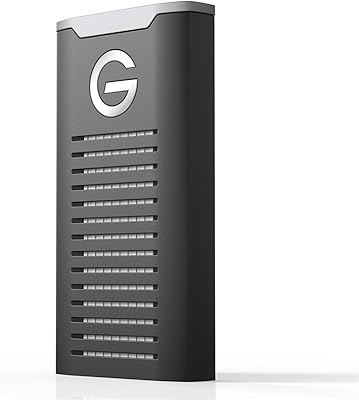
SanDisk Professional G-Drive SSD 4TB External SSD
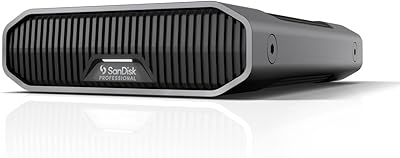
79%
93%
Transfer Speed
91%
Build Quality
88%
Durability & Ruggedness
94%
Mac Compatibility
52%
Windows Compatibility
More
SanDisk Professional G-Drive 6TB
67%
84%
Build Quality
51%
Drive Reliability
76%
Transfer Speed
89%
Mac Compatibility
53%
Value for Money
More
SanDisk Professional G-Drive 22TB External Desktop Hard Drive

84%
89%
Performance
91%
Build Quality
96%
Capacity
72%
Ease of Setup
65%
Noise Level
More
SanDisk Professional 8TB G-Drive External Hard Drive
68%
83%
Transfer Speed
88%
Build Quality
58%
Reliability
91%
Mac Compatibility
41%
Windows Compatibility
More
G-Technology G-DRIVE Mobile 4TB Portable Hard Drive
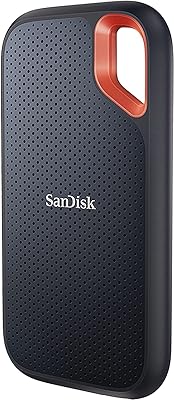
77%
93%
Build Quality
91%
Mac Compatibility
61%
Transfer Speed
88%
Portability
58%
Value for Money
More
VectoTech Rapid 4TB External SSD
87%
92%
Performance
89%
Build Quality
88%
Durability
94%
Portability
84%
Compatibility
More
SanDisk 8TB Creator Desk Drive External SSD
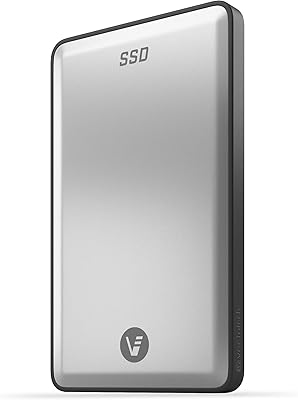
78%
78%
Transfer Speed
93%
Storage Capacity
71%
Value for Money
83%
Build Quality
66%
Thermal Management
More
SanDisk Extreme 4TB Portable SSD
81%
88%
Transfer Speed
91%
Build Quality & Durability
89%
Water & Dust Resistance
94%
Portability & Form Factor
71%
Value for Money
More
Fantom Drives eXtreme SSD 4TB Portable Drive
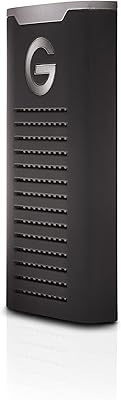
81%
91%
Transfer Speed
88%
Build Quality
74%
Thermal Performance
66%
Value for Money
79%
Compatibility
More
Fantom Drives eXtreme SSD 2TB (TB3X-2300N2TB)
84%
93%
Read/Write Performance
91%
Build Quality
78%
Thermal Management
94%
Portability
96%
Mac Compatibility
More

FAQ

No, the drive works straight out of the box for basic file storage and manual backups — just plug in the USB-C cable and your computer will recognize it immediately. The bundled backup software is optional and only needed if you want automatic scheduled backups, and that does require a separate download plus account registration.

Yes, but you will need a USB-C to USB-A adapter or cable, which is not included in the box. Keep in mind that connecting through a USB-A port may limit your transfer speeds depending on the USB standard your port supports, so a USB 3.0 or higher port is recommended to get the most out of the drive.

Yes, that is one of its more practical advantages. The SanDisk Desk Drive 4TB External SSD ships formatted as exFAT, which is natively readable and writable on both macOS and Windows, so you can move it between machines without touching the format.

It is a solid choice for local backup, and the included Data Recovery Service adds a useful layer of protection. That said, no single drive should be your only backup — the standard advice is to follow a 3-2-1 strategy: three copies of your data, on two different media types, with one stored offsite or in the cloud.

Completely silent. Because this external solid state drive has no spinning platters or moving parts, it produces no audible noise whatsoever during normal use.

It draws power directly through the USB-C connection, so no separate power adapter or wall outlet is needed. This keeps cable clutter to a minimum on your desk.

The difference is substantial and immediately noticeable. Tasks that would take ten to fifteen minutes on a typical spinning drive — like moving a large video project or a full Lightroom catalog — can be done in a couple of minutes with this drive. For anyone who has been tolerating slow HDD transfers, the jump feels significant.

Yes, it is included with the purchase at no additional cost. If the drive fails or files are accidentally deleted, you can contact SanDisk to initiate a recovery request. The specifics of what is covered — and any limits on the service — are outlined in SanDisk's terms and conditions, so it is worth reviewing those before relying on it as a fallback.

It can handle application and game storage reasonably well given its fast read speeds, but it is optimized and marketed as a backup and media storage drive rather than a high-performance external gaming drive. If running games directly from an external drive is your primary goal, you may want to compare it against drives specifically tuned for that use case.

At 4TB, a comparable spinning hard drive would typically cost a fraction of what this desktop SSD costs — sometimes less than a third of the price. You are paying a meaningful premium for flash-based speed, the compact cube form factor, and the SSD reliability profile. If transfer speed is not important to you and you just need a lot of storage affordably, a high-capacity HDD is the more economical choice.

Where to Buy