Fantom Drives eXtreme SSD 4TB Portable Drive
Fantom Drives eXtreme SSD 4TB Portable Drive — image 1
Fantom Drives eXtreme SSD 4TB Portable Drive — image 2
Fantom Drives eXtreme SSD 4TB Portable Drive — image 3

Fantom Drives eXtreme SSD 4TB Portable Drive — image 4
Fantom Drives eXtreme SSD 4TB Portable Drive — image 5
Fantom Drives eXtreme SSD 4TB Portable Drive — image 6
Fantom Drives eXtreme SSD 4TB Portable Drive — image 7
Fantom Drives eXtreme SSD 4TB Portable Drive — image 8
81%
19%

Overview

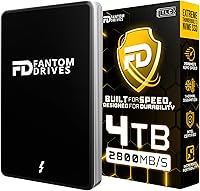
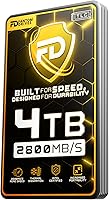
The Fantom Drives eXtreme SSD 4TB Portable Drive sits firmly at the premium end of the portable storage market, built specifically for creative professionals who can't afford to wait on slow transfers. At 4TB, it's the largest capacity in the eXtreme lineup — enough headroom for serious RAW photo libraries or multiple high-bitrate video projects on a single drive. The aluminum enclosure immediately sets it apart from the sea of plastic-shelled competitors; it feels solid and purposeful in hand. Intel Certification adds a layer of confidence for Intel-platform users, though it's worth noting this is a compatibility validation, not a performance guarantee in itself.

Features & Benefits

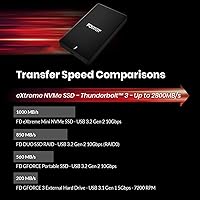
Connected via Thunderbolt 3 or 4, this Thunderbolt SSD pushes transfer rates fast enough to edit 4K footage directly off the drive without buffering — a genuinely useful capability for on-location work. The interface also stays backward compatible with USB 3.2 Gen 2 Type-C, so it'll work on a wider range of laptops, though USB-C-only users should know they'll see a significant speed drop versus a native Thunderbolt connection. The 3D NAND TLC flash delivers strong density and respectable write endurance, though write-heavy workflows will stress TLC cells more than MLC alternatives. The aluminum shell passively dissipates heat during sustained loads, helping maintain consistent performance. A Thunderbolt 3 cable is included — a welcome touch, though a USB-A adapter is not.

Best For

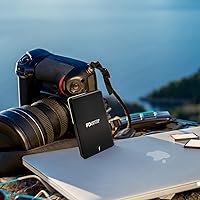
This portable drive is a natural fit for video editors and photographers who shoot RAW or work with high-bitrate footage and need to access large files quickly from the field. Mac users will find particular value here — it supports booting macOS directly from the drive, making it a practical tool for portable workstation setups. It also travels well across Thunderbolt and USB-C environments, so those who bounce between devices won't need a second drive. That said, if your laptop only has a USB-C port without Thunderbolt support, peak speeds are unattainable and the value proposition weakens considerably. Budget-conscious buyers may find the pricing hard to justify against slower but cheaper alternatives.

User Feedback

Across roughly 285 ratings, the eXtreme SSD 4TB lands at 4.4 stars — a strong score that reflects genuine satisfaction rather than novelty. Buyers consistently praise how closely real-world speeds match what's advertised, which isn't always the case with storage drives. The build quality also draws frequent compliments, particularly from users who've had plastic-encased drives fail on them. On the other side of the ledger, the price generates real debate — some feel the premium is earned, while others question whether TLC NAND justifies the cost under sustained, write-heavy use. A handful of reviewers flagged warmth during long transfers, though most report no throttling. Compatibility with older Thunderbolt 3 hosts has occasionally caused hiccups, so verifying your port's firmware beforehand is wise.

Pros

  • Real-world transfer speeds closely match advertised figures when used on a proper Thunderbolt 3 or 4 connection.
  • 4TB capacity is rare in a drive this compact, removing the need to carry multiple smaller drives.
  • The aluminum enclosure feels premium and doubles as passive cooling during sustained transfers.
  • Works plug-and-play on Mac and requires no additional drivers on Windows or Linux.
  • Can serve as a bootable macOS drive, making it genuinely versatile for mobile workstation setups.
  • Thunderbolt 3 cable included out of the box — one less accessory to hunt down separately.
  • Intel Certification provides added confidence for users on Intel-based systems.
  • Backward compatibility with USB 3.2 Gen 2 Type-C means it works across a wide range of modern devices.
  • Compact and lightweight enough at 9 oz to disappear into a camera bag or laptop sleeve.
  • Strong community ratings across a meaningful number of verified buyers reinforce reliability claims.

Cons

  • TLC NAND flash carries lower write endurance than MLC alternatives, a real concern for heavy daily write workloads.
  • USB-C users without Thunderbolt 3 will see a steep speed reduction that undermines the core value proposition.
  • No USB-A adapter included, which limits out-of-the-box compatibility with older machines.
  • The eXtreme SSD 4TB runs noticeably warm during long, sustained transfers, which may concern some users.
  • Older Thunderbolt 3 host controllers have occasionally caused compatibility hiccups reported by real buyers.
  • The premium price point is a significant commitment, especially compared to slower portable SSDs at a fraction of the cost.
  • No official IP rating for dust or water resistance, despite the rugged aluminum presentation.
  • Windows users lose the bootable drive capability that Mac users enjoy.
  • No software bundle or backup utility is included for users who want guided data management tools.

Ratings

The scores below reflect an AI-driven analysis of verified global buyer reviews for the Fantom Drives eXtreme SSD 4TB Portable Drive, with spam, bot activity, and incentivized feedback actively filtered out before scoring. Each category is weighted against real-world usage patterns reported by working professionals, not just spec-sheet comparisons. Both the genuine strengths and the recurring pain points are reflected transparently so you can make a fully informed decision.

Transfer Speed
91%
Video editors and photographers consistently report that real-world speeds on a proper Thunderbolt 3 connection come remarkably close to the advertised ceiling — a rarity in the portable SSD space. Loading 4K project files or offloading a full day of RAW shooting happens fast enough that waiting stops being a part of the workflow.
The high scores assume a Thunderbolt 3 or 4 host — users who connected via USB-C only reported speeds that felt underwhelming relative to the price paid. A handful of users on older Thunderbolt 3 laptops also noticed inconsistency that was later traced to outdated firmware on the host machine.
Build Quality
88%
The heavy-duty aluminum enclosure draws frequent praise from buyers who have owned cheaper plastic-shelled drives that cracked or warped after a year of travel. It feels solid and premium without being heavy, and the compact footprint means it slips into a camera bag pocket without taking up meaningful space.
A small number of users noted that the aluminum surface scratches fairly easily, which matters to anyone who cares about long-term aesthetics. There is also no rubber bumper or protective lip around the edges, so it is not well-suited to drops or rough handling without a separate case.
Thermal Performance
74%
26%
The aluminum body acts as a passive heatsink and does a reasonable job keeping temperatures in check during typical editorial workflows. Most users copying project archives or syncing backup folders report no throttling or slowdowns during those sessions.
Extended, continuous transfers — particularly full 4TB write operations — cause the drive to become noticeably warm to the touch, and a subset of users reported brief thermal throttling during the longest sessions. In warmer ambient environments, this effect is amplified and more likely to affect sustained write performance.
Value for Money
66%
34%
For users who genuinely exploit the Thunderbolt 3 interface daily — editing multi-cam 4K projects on location, running a portable macOS install, or managing high-throughput backup pipelines — the performance-per-dollar equation holds up reasonably well against other premium Thunderbolt drives.
The price generates the most debate among reviewers, and fairly so. Buyers who later discovered their laptops lacked a true Thunderbolt port felt they had overpaid significantly. Even among Thunderbolt users, the TLC NAND flash raises questions about whether the longevity justifies the cost versus MLC-based competitors.
Compatibility
79%
21%
Cross-platform support is genuinely broad — plug-and-play behavior on Mac, Windows, and Linux means no driver hunting or format headaches for most users. The eXtreme SSD 4TB also plays well across Thunderbolt 3 and 4 ports, so upgrading your host machine does not leave the drive behind.
Compatibility friction surfaces at the edges: USB-A users need an adapter that is not included, and a small but consistent group of reviewers flagged issues with specific older Thunderbolt 3 host controllers on PC laptops. The drive is not compatible with USB-A natively, which can be a surprise for some buyers.
Portability
93%
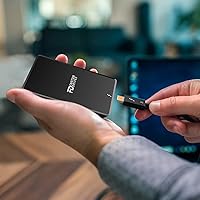
At 9 oz and roughly the footprint of a deck of cards, this portable drive is genuinely pocketable without feeling flimsy. Travel photographers and on-set video teams consistently highlight how easily it disappears into a kit bag alongside a laptop and camera gear.
The drive has no integrated cable management or cable clip, so the Thunderbolt 3 cable that comes in the box adds a loose accessory to track when traveling. Some users also noted they wished the drive came with a pouch or sleeve given the price point.
Mac Integration
89%
The ability to boot macOS directly from this Thunderbolt SSD is a standout feature for Mac-centric users who want a portable OS environment they can plug into any compatible Mac. Setup is straightforward, and several reviewers use it as their primary on-the-go workstation volume.
This capability is Mac-exclusive — Windows users cannot replicate the bootable drive functionality in the same way, which limits the value of this feature to roughly half the potential user base. On Apple Silicon Macs, some security settings require adjustment before booting from an external drive is permitted.
Flash Endurance
67%
33%
For read-dominant and mixed workloads — photo culling, video playback, project file access — the TLC NAND holds up well and is unlikely to be a concern for most creative professionals over a reasonable ownership period. Day-to-day reliability reports from the majority of reviewers are positive.
TLC flash carries a lower write endurance ceiling than MLC, and this is a legitimate concern for users whose workflows involve constant large-scale overwrites. Some long-term owners in write-intensive roles have questioned durability, and the nature of TLC means this is not a concern that can be fully dismissed.
Setup Experience
86%
Out-of-the-box setup is genuinely straightforward on Mac — connect, mount, use. Windows and Linux users report equally friction-free first-run experiences, with no proprietary software installation required. The included Thunderbolt 3 cable means most buyers can get started immediately.
Users who expected a USB-A adapter or any form of protective sleeve were disappointed by what is in the box beyond the cable. There is also no bundled backup or disk management software, which matters more to less technical buyers who want guided setup assistance.
Noise & Vibration
97%
As a solid-state drive with no moving parts, the eXtreme SSD 4TB operates in complete silence under all conditions. Studio environments, quiet offices, and on-location recording sessions are completely unaffected — a meaningful practical advantage over any HDD-based portable storage.
There is effectively nothing negative to report here from user feedback. This is a structural benefit of SSD technology rather than a specific achievement by this drive, so it is worth keeping in perspective when comparing categories.
Long-Term Reliability
72%
28%
The majority of owners who have used this Thunderbolt SSD for over a year report no failures or data loss incidents, and the aluminum build gives a physical durability advantage over cheaper enclosures. Brand reputation and Intel Certification add some baseline confidence for new buyers.
The long-term reliability picture for TLC-based drives under professional write loads remains a genuine open question, and the review pool is not yet large or old enough to draw firm conclusions. A few isolated reports of early failures exist, though these are not statistically dominant in the current feedback set.
Cable & Accessory Value
71%
29%
Including a Thunderbolt 3 cable in the box is a meaningful gesture — quality Thunderbolt cables are not cheap, and competitors often sell the drive alone and force buyers to source their own. It is a small but appreciated detail that reflects thoughtful packaging for the target user.
The omission of a USB-A adapter is a recurring frustration, particularly for users who work in mixed-port environments. No protective case or pouch is included either, which feels like an oversight at this price tier where buyers reasonably expect a more complete package.

Suitable for:

The Fantom Drives eXtreme SSD 4TB Portable Drive is purpose-built for creative professionals who treat storage as a critical part of their workflow, not an afterthought. Video editors cutting 4K or 8K footage on location will appreciate being able to work directly off the drive without dropped frames or sluggish scrubbing. Photographers managing large RAW libraries across multiple shoots will find 4TB of fast, portable capacity genuinely useful rather than a marketing excess. Mac users in particular get an added bonus — the ability to boot macOS directly from the drive makes it a practical tool for anyone who needs a portable, self-contained workstation. If you regularly move between Thunderbolt-equipped machines and need a drive that keeps up with your pace rather than slowing you down, this is a serious option worth considering.

Not suitable for:

The Fantom Drives eXtreme SSD 4TB Portable Drive is a poor fit for anyone whose laptop or desktop lacks a native Thunderbolt 3 or 4 port — plugging it into a standard USB-C port will work, but the speeds drop dramatically, leaving you paying a premium price for mid-range performance. Budget-focused buyers who need basic file storage rather than professional-grade transfer rates will find the cost hard to justify when slower, cheaper alternatives exist. Users with write-heavy workflows — think constant video ingestion, database operations, or repeated large-file overwriting — should also weigh the TLC NAND flash carefully, since TLC cells carry lower write endurance than MLC-based drives and may show wear sooner under punishing daily use. Those who rely primarily on USB-A ports or older connections will need additional adapters that are not included. If you only occasionally move files between devices, the performance ceiling here simply goes unused.

Specifications

  • Storage Capacity: The drive is available in a 4TB configuration, with 1TB and 2TB variants also offered in the eXtreme SSD lineup.
  • Read Speed: Sequential read performance reaches up to 2,800 MB/s over a Thunderbolt 3 or 4 connection.
  • Write Speed: Sequential write performance reaches up to 2,300 MB/s under optimal Thunderbolt 3 or 4 conditions.
  • Primary Interface: Thunderbolt 3 and Thunderbolt 4, operating at up to 40 Gbps bandwidth.
  • Secondary Interface: USB 3.2 Gen 2 Type-C, providing backward compatibility with non-Thunderbolt USB-C devices at reduced speeds.
  • Flash Technology: 3D NAND TLC (Triple-Level Cell) flash is used for high-density storage, offering strong read performance with moderate write endurance.
  • Enclosure Material: Heavy-duty aluminum alloy construction that also functions as a passive heatsink during sustained data transfers.
  • Form Factor: 2.5-inch portable drive format, designed for use without an external power supply.
  • Dimensions: The drive measures 4.25 x 2.5 x 0.51 inches (L x W x H), making it easily pocketable.
  • Weight: The unit weighs 9 oz, light enough to carry daily without adding noticeable bulk to a bag.
  • OS Compatibility: Compatible with macOS, Windows, and Linux operating systems without requiring additional drivers.
  • Boot Drive Support: Supports macOS booting, allowing the drive to function as a portable operating system volume on Mac computers.
  • Certification: Intel Certified, confirming validated compatibility and performance with Intel-based computing platforms.
  • Cable Included: A Thunderbolt 3 cable is included in the box; no USB-A adapter is bundled with the drive.
  • Power Source: Bus-powered via the Thunderbolt or USB-C connection, requiring no external power adapter or wall outlet.

Related Reviews

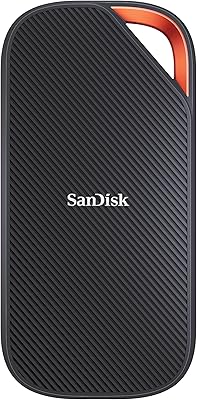
SanDisk Extreme 4TB Portable SSD
81%
88%
Transfer Speed
91%
Build Quality & Durability
89%
Water & Dust Resistance
94%
Portability & Form Factor
71%
Value for Money
More
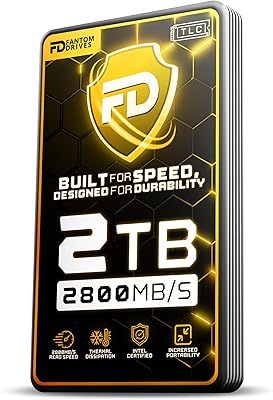
Fantom Drives eXtreme SSD 2TB (TB3X-2300N2TB)
84%
93%
Read/Write Performance
91%
Build Quality
78%
Thermal Management
94%
Portability
96%
Mac Compatibility
More
SanDisk Extreme PRO USB4 4TB Portable SSD

82%
93%
Transfer Speed
88%
Build Quality
91%
Portability
84%
Compatibility
82%
Durability & Weather Resistance
More
G-Technology G-DRIVE Mobile 4TB Portable Hard Drive
77%
93%
Build Quality
91%
Mac Compatibility
61%
Transfer Speed
88%
Portability
58%
Value for Money
More
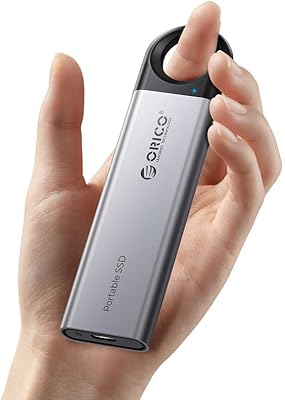
ORICO C5 4TB Portable SSD
82%
93%
Storage Capacity
71%
Transfer Speed
91%
Portability & Size
84%
Build Quality
96%
Ease of Setup
More
Samsung T9 Portable SSD 4TB
87%
92%
Transfer Speed
89%
Build Quality
88%
Portability
90%
Compatibility
85%
Durability
More
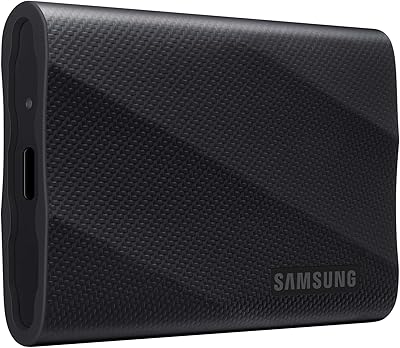
Samsung T7 4TB Portable SSD
82%
91%
Transfer Speed
93%
Build Quality
94%
Portability
67%
Value for Money
63%
Thermal Management
More
Crucial X6 4TB Portable SSD
87%
92%
Read Speed
90%
Portability
85%
Value for Money
88%
Durability
95%
Setup/Installation
More
Lexar SL500 4TB Portable SSD
80%
91%
Transfer Speed
88%
Build Quality
94%
Portability
89%
iPhone Compatibility
83%
Thermal Management
More
SanDisk Extreme 250GB Portable External SSD
79%
88%
Transfer Speed
94%
Portability & Form Factor
91%
Build Quality & Durability
79%
Water & Dust Resistance
61%
Storage Capacity
More

FAQ

No, and this is important to understand before buying. The top-end speeds on this Thunderbolt SSD are only achievable through a native Thunderbolt 3 or 4 port. Plug it into a standard USB-C port and you will get USB 3.2 Gen 2 speeds instead, which are still respectable but a significant step down from the drive's full capability. Check your laptop's port specifications before purchasing.

Yes. The eXtreme SSD 4TB supports macOS boot, which makes it genuinely useful as a portable workstation drive. You can install macOS on it and run a full system from the drive on any compatible Mac. Just make sure your Mac allows booting from external drives, as some newer Apple Silicon Macs have restrictions depending on security settings.

The aluminum enclosure does a reasonable job of passively dissipating heat, and most users report that sustained transfers complete without significant throttling. That said, the drive does get noticeably warm during extended read or write sessions. If you are pushing large files continuously for long periods, give it a few minutes between heavy tasks in warm environments to be safe.

TLC NAND is widely used in consumer and prosumer SSDs and is reliable for most workflows. The trade-off compared to MLC NAND is lower write endurance over the drive's lifetime, which becomes relevant if your work involves constant large-file overwrites — think daily video ingestion, repeated backup cycles, or database-style operations. For reading and occasional writing, TLC performs very well. If your work is unusually write-heavy, factor that into your long-term expectations.

It works across macOS, Windows, and Linux without needing to install additional drivers. It is plug-and-play on all three platforms. Note that the bootable drive feature is Mac-specific — Windows does not support booting from external USB or Thunderbolt drives in the same way.

A Thunderbolt 3 cable comes in the box, which covers most modern Mac and PC setups. What is not included is a USB-A adapter, so if any of your machines only have USB-A ports, you will need to source a USB-C to USB-A adapter separately. Also keep in mind that a Thunderbolt 3 cable will work on Thunderbolt 4 ports, so you are covered there.

Generally yes, but a small number of users have reported occasional hiccups with older Thunderbolt 3 host controllers, particularly on aging PC laptops. If your machine's Thunderbolt firmware is outdated, it is worth checking the manufacturer's site for updates before use. On current MacBooks and modern PC laptops with up-to-date firmware, compatibility is solid.

Technically it can connect to devices with a USB-C port, including some Android tablets and iPad Pro models that support external storage. However, the drive is bus-powered and draws more current than some mobile devices can supply, so performance may be inconsistent. It is really designed with computers as the primary host device.

The aluminum enclosure is sturdy and handles everyday bumps and jostles reasonably well, but there is no official IP rating for dust or water resistance. It is not designed to survive drops from height or exposure to moisture. Treat it with the same care you would any precision electronics — a protective pouch or case is worth carrying if you work in rough environments.

The core difference comes down to whether you actually need Thunderbolt-level throughput. A fast USB-C SSD might top out at around 1,000 MB/s, which is more than enough for document work, photo browsing, and standard file transfers. Where this portable drive pulls ahead is in editing high-bitrate 4K or 8K footage directly off the drive, fast backup of large project files, and workflows where waiting even a few extra minutes per session adds up. If your daily use does not demand those speeds, a less expensive USB-C option may genuinely serve you better.