Overview

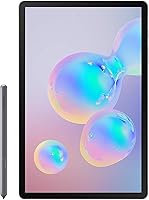
The Samsung Galaxy Tab S6 128GB 10.5″ Tablet arrived in 2019 as Samsung's serious push into premium Android productivity, and it still holds up as a compelling option in that space. Built around a stunning display, an included stylus, and a body that barely tips the scale at under a pound, this Samsung tablet was designed for people who want real versatility without hauling a laptop everywhere. It is worth knowing upfront that the keyboard accessory is sold separately — but pair them together and you get a portable workstation that punches well above casual tablet territory.
Features & Benefits

The Super AMOLED display is the first thing you notice — colors are genuinely rich and text stays crisp whether you are editing documents or watching video. The Qualcomm octa-core chip paired with 6GB of RAM keeps things moving; switching between apps feels quick, and graphic-heavy tasks do not cause the stutters you might expect from a tablet. The revised S Pen snaps magnetically onto the body for storage and charging, and its media control shortcuts are a thoughtful addition. Battery life regularly reaches a full day on moderate use, and the fast charging means minimal waiting when it runs low. With 128GB on board and microSD support stretching to 1TB, storage is rarely a concern.

Best For

This Android tablet is an especially strong fit for students, artists, and anyone whose workflow revolves around handwritten notes or sketches — the S Pen is responsive enough that it genuinely feels like writing on paper rather than glass. Frequent travelers will appreciate how light and thin it is; at under a pound, it slides into a bag without a second thought. Pair it with Samsung's keyboard cover and it becomes a credible option for mobile professionals who need to draft emails or edit documents on the road. Gamers and heavy streamers also benefit, given the display quality and the AKG-tuned quad speaker setup with Dolby Atmos. Android power users weighing an iPad Pro will find the Tab S6 a worthy alternative.

User Feedback

Real-world feedback on the Tab S6 is largely positive, with display quality and build consistency coming up most often as highlights. Note-takers in particular praise S Pen precision and how effortlessly it charges by simply resting against the device. Where buyers push back: the keyboard is sold separately, which adds meaningful cost and catches some shoppers off guard. DeX mode draws mixed reactions — genuinely useful for focused tasks, but it does not fully replace a proper laptop for complex workflows. Software support longevity is also worth factoring in, given the 2019 release date. Still, for most buyers, the overall combination of performance, portability, and display quality makes the Tab S6 a hard device to argue against.

Pros

  • The Super AMOLED display produces genuinely vivid colors and sharp text that rivals much more expensive screens.
  • The S Pen is included in the box — no separate purchase needed — and charges wirelessly by snapping to the device.
  • At under a pound, the Tab S6 is light enough to use one-handed for extended reading or browsing sessions.
  • 128GB of internal storage is generous, and microSD expansion up to 1TB means running out of space is rarely a real concern.
  • Battery life comfortably covers a full workday on moderate use, and fast charging cuts down waiting time significantly.
  • Quad speakers tuned by AKG with Dolby Atmos deliver noticeably better audio than most tablets in this category.
  • The 12MP rear camera handles document scanning and casual shots with solid clarity.
  • Bluetooth 5.0 and Wi-Fi 802.11ac ensure reliable, fast wireless connections for streaming and syncing.
  • Build quality feels premium and consistent — reviewers frequently note that it holds up well over extended daily use.
  • The optional keyboard accessory transforms this Android tablet into a capable on-the-go workstation for lighter tasks.

Cons

  • The keyboard cover is sold separately, adding meaningful cost on top of an already premium price point.
  • DeX mode is useful but falls noticeably short for anyone hoping to replace a proper laptop with it.
  • As a 2019 device, future Android OS update support has a finite window that buyers should factor in before purchasing.
  • The tablet runs warm under sustained heavy loads, which some users find uncomfortable during long gaming sessions.
  • No headphone jack means wired audio requires a USB-C adapter, which is an easy-to-lose extra accessory.
  • App scaling on a 10.5″ screen is inconsistent — some Android apps still do not optimize well for larger displays.
  • The S Pen, while excellent, lacks pressure sensitivity levels found in dedicated stylus hardware from competing brands.
  • Wi-Fi only — no cellular option on this variant — which limits connectivity away from hotspots or known networks.

Ratings

The Samsung Galaxy Tab S6 128GB 10.5″ Tablet earns consistently strong marks across verified buyer communities worldwide, and the scores below reflect that signal — processed by AI to filter out incentivized reviews, bot submissions, and outlier noise. What remains is an honest cross-section of real ownership experiences, covering everything from daily commute use to long-form creative sessions. Both the genuine strengths and the friction points buyers actually encounter are reflected transparently in each category score.

Display Quality
93%
Users repeatedly describe the Super AMOLED panel as one of the best screens they have used on any portable device, praising the punchy contrast and natural color rendering during video streaming and outdoor use. Even under bright ambient light, brightness levels hold up well enough that reading and sketching remain comfortable.
A small portion of buyers note that the glossy surface picks up reflections in very bright environments, and a few report that auto-brightness calibration can be inconsistent when shifting between indoor and outdoor settings.
S Pen Performance
89%
Note-takers and students consistently call out the S Pen as a highlight, describing its line accuracy and low latency as good enough to replace paper notebooks for lecture notes and meeting annotations. The magnetic attachment and passive charging mean it is always charged and never misplaced.
Illustrators and digital artists with professional expectations note that the pressure sensitivity range feels limited compared to dedicated drawing hardware, and the pen can feel slightly plasticky for extended drawing sessions lasting more than an hour.
Performance & Speed
86%
Day-to-day use — juggling browser tabs, streaming, messaging, and productivity apps simultaneously — runs without any perceptible lag for the overwhelming majority of buyers. Gamers who play moderately demanding Android titles report smooth frame rates and responsive controls.
Under sustained heavy loads like extended gaming or running multiple large apps in DeX mode, some users report the body warming noticeably, and a minority observe occasional frame dips in the most graphically intensive titles available on Android.
Battery Life
84%
Most buyers who use the Tab S6 for mixed tasks — browsing, note-taking, and streaming — find it comfortably lasts a full workday without reaching for a charger. Fast charging is frequently praised for getting the device back to a usable level quickly during short breaks.
Users who push the tablet hard with gaming or 4K video playback consistently find real-world endurance falls short of the 15-hour rated figure, landing closer to 9 to 11 hours. Battery degradation over 18 to 24 months of ownership is also mentioned by longer-term users.
Build Quality
91%
The metal frame and slim profile consistently impress buyers who describe holding the Tab S6 as feeling noticeably more premium than most Android tablets. Reviewers who have carried it daily for over a year frequently note it shows minimal signs of wear or flex.
The all-glass back, while visually refined, draws frequent complaints about being a fingerprint magnet and feeling slippery without a case. A small number of buyers report minor scuffs appearing on the frame after several months of bag-heavy use.
Audio Experience
78%
22%
The quad-speaker arrangement with AKG tuning produces noticeably wider stereo separation than most tablets in this size range, making movie watching and music listening genuinely enjoyable without headphones. Dolby Atmos adds a sense of depth that casual buyers find impressive.
At maximum volume, the speakers can take on a slightly harsh edge with certain audio tracks, and bass response is thin — as expected from drivers this small. Users who prefer rich, full audio for music will still reach for headphones or a Bluetooth speaker.
Value for Money
72%
28%
Buyers who factor in the included S Pen view the overall package as competitive for the feature set, particularly when comparing the display and processor quality against similarly priced alternatives in the Android market.
The keyboard sold separately is a recurring frustration, as buyers expecting a laptop-like experience out of the box face meaningful additional cost. Given the 2019 release date, some feel the asking price is difficult to justify against newer competing tablets with more assured software support ahead.
DeX & Productivity Mode
63%
37%
For lighter productivity tasks — writing documents, managing emails, and using web-based tools — DeX mode works well enough to feel like a genuine desktop session, and mobile professionals use it effectively during travel when a laptop is not available.
Anyone attempting more complex workflows in DeX quickly hits the ceiling; app compatibility is inconsistent, window management feels clunky compared to a real desktop OS, and the experience drops off sharply when more than three or four apps are open simultaneously.
Portability
92%
At under a pound and barely a quarter-inch thick, the Tab S6 is one of the easiest large-screen tablets to slip into a bag and forget about until needed. Frequent flyers and commuters specifically mention how little it adds to carry weight over a long day.
The slim chassis, while great for portability, means the tablet offers limited structural rigidity when held at the edges with one hand, and some users find it slightly uncomfortable to grip for extended one-handed reading without a case.
Software & App Ecosystem
69%
31%
Access to the full Google Play Store combined with Samsung's own productivity suite gives users a broad range of apps for both work and entertainment. Samsung's One UI skin is generally praised for being cleaner and more intuitive than older Android skins.
App scaling on a 10.5″ display remains an Android-wide weakness — a meaningful number of apps still display in phone-sized letterbox mode rather than using the full screen. Samsung-specific bloatware also frustrates buyers who prefer a leaner software experience.
Camera Quality
67%
33%
The 12MP rear camera handles document scanning and whiteboard capture reliably, producing images clear enough for practical work purposes. In good lighting, casual photos are sharp and color accurate enough for sharing.
As a tablet camera, it was never designed to compete with smartphones, and low-light performance reflects that — images become noisy and soft quickly after dusk. The camera placement also makes holding the device steady for photos feel awkward compared to a phone.
Display Size & Usability
83%
The 10.5″ screen hits a practical sweet spot for most users — large enough for split-screen multitasking and detailed sketching, but compact enough to use comfortably on a plane tray table or a crowded desk.
Users who primarily consume content like e-books or articles occasionally wish the screen were slightly larger, and those coming from 12-inch or 13-inch tablets may find the display feels constrained for extended document work.
Connectivity
81%
19%
Bluetooth 5.0 pairs reliably and quickly with peripherals including headphones, keyboards, and speakers, and the dual-band Wi-Fi delivers fast, stable connections for streaming and large file transfers at home or in the office.
The Wi-Fi-only nature of this variant is a notable limitation for buyers who need internet access away from known networks or a phone hotspot. The single USB-C port also means the absence of a headphone jack requires carrying an adapter for wired audio.
Storage Flexibility
88%
128GB covers most everyday users comfortably, and the microSD slot giving access to up to 1TB of additional storage is a practical advantage over competing tablets that lock users into internal storage only. Buyers who download large offline libraries of video or games find this especially valuable.
Some apps and certain Samsung system features cannot be moved to external storage, meaning the microSD card is most useful for media files rather than as a seamless extension of the internal drive. Heavy app installers may still find 128GB fills faster than expected.
Long-Term Durability
74%
26%
Buyers who have owned the Tab S6 for two or more years generally report it remains functional and performant for its core use cases, with the build holding up well structurally and the display retaining its vibrancy over time.
As the device ages past the 2019 launch date, software update cadence is a growing concern for some owners, and battery capacity degradation over multi-year ownership is a real factor buyers mention when assessing whether to invest in one now.

Suitable for:

The Samsung Galaxy Tab S6 128GB 10.5″ Tablet is a strong pick for anyone whose daily routine blends creative work with media consumption. Students who take handwritten notes, sketch diagrams, or annotate PDFs will find the included S Pen genuinely useful rather than a gimmick — it is responsive, charges magnetically on the device, and is always within reach. Artists and designers working on the go get a vibrant 10.5″ canvas that renders color with real accuracy. Frequent travelers benefit from the sub-pound weight and all-day battery, making long-haul flights or coffee shop sessions far more comfortable. Mobile professionals who pair it with Samsung's optional keyboard cover can handle email, document editing, and light productivity tasks without reaching for a laptop. Android loyalists who want a premium stylus-enabled experience comparable to what Apple offers will find the Tab S6 the most capable option Samsung has produced in this form factor.
Not suitable for:

The Samsung Galaxy Tab S6 128GB 10.5″ Tablet is not the right tool for buyers expecting a full laptop replacement right out of the box. DeX mode adds a desktop-like interface, but it has real limitations — complex workflows, professional software, and multi-window heavy tasks will still leave power users wanting more than any tablet in this class can deliver. The keyboard must be purchased separately, which means the advertised versatility comes at an added cost that some budgets may not absorb comfortably. Buyers who rely heavily on a specific Android app ecosystem should verify compatibility, since not every app scales well to a 10.5″ screen. Given that this tablet launched in 2019, anyone prioritizing long-term software support guarantees should weigh that timeline carefully before committing. Users who primarily need a device for heavy document creation or coding should look toward a dedicated laptop rather than expecting this Android tablet to bridge that gap entirely.

Specifications

  • Display: The tablet features a 10.5″ Super AMOLED screen with a 2560×1600 pixel resolution, delivering high contrast and accurate colors for both work and media.
  • Processor: A Qualcomm octa-core chip clocked at up to 2.84 GHz handles multitasking, gaming, and everyday tasks without noticeable slowdown.
  • RAM: 6GB of RAM keeps multiple apps running simultaneously without requiring frequent reloads or causing performance dips.
  • Storage: 128GB of internal flash storage is built in, with microSD card support extending capacity up to 1TB for photos, videos, and files.
  • Battery: The built-in lithium polymer battery is rated for up to 15 hours of use and supports Samsung's Fast Charging technology.
  • S Pen: An S Pen stylus is included in the box, attaching magnetically to the tablet body for secure storage and passive charging.
  • Speakers: Four speakers tuned by AKG with Dolby Atmos support produce clear, directional audio that is notably above average for a device this size.
  • Rear Camera: A 12MP rear-facing camera handles document scanning, video calls, and casual photography with solid clarity in good lighting.
  • Connectivity: The tablet supports Wi-Fi 802.11a/b/g/n/ac on both 2.4GHz and 5GHz bands, Bluetooth 5.0, and USB-C for wired connections.
  • Dimensions: The body measures 9.63 × 6.28 × 0.22 inches, keeping the overall footprint compact enough to fit in most bags and backpacks.
  • Weight: At approximately 15.2 oz (0.92 lbs), this Android tablet is light enough for extended one-handed use and comfortable travel.
  • Operating System: The device ships with Android and is compatible with Samsung's DeX mode, which provides a desktop-style interface when paired with a keyboard or monitor.
  • Keyboard Support: The Tab S6 is compatible with Samsung's Book Cover Keyboard accessory, which includes a built-in trackpad and is sold separately.
  • Wireless Type: Dual-band Wi-Fi is supported alongside Bluetooth 5.0 LE, enabling fast data transfer and low-latency peripheral connections.
  • USB Port: One USB-C port handles charging, data transfer, and video output, though a separate adapter is required for standard headphone use.
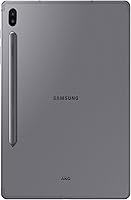
  • Color Option: This variant is offered in Mountain Gray, featuring a matte-finish rear panel that resists minor smudging better than glossy alternatives.
  • Platform: The hardware platform is Android, making it compatible with the full Google Play Store ecosystem and Samsung's own app suite.
  • Release Date: The Tab S6 was first made available in July 2019, positioning it as Samsung's flagship tablet offering at that time.

Related Reviews
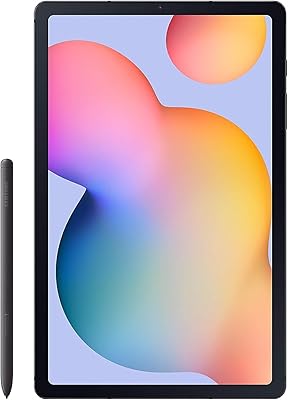
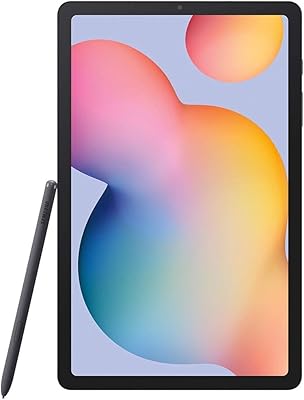
Samsung Galaxy Tab S6 Lite (2024) Tablet
73%
83%
Value for Money
81%
Display Quality
79%
S Pen Experience
63%
Performance & Speed
88%
Battery Life
More
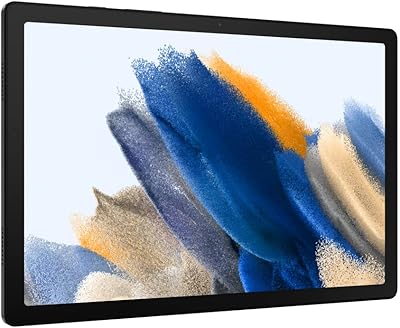
Samsung Galaxy Tab A8 128GB 10.5-inch Tablet
75%
76%
Display Quality
63%
Performance
83%
Battery Life
88%
Storage Value
67%
Build Quality
More
Samsung Galaxy Tab S6 Lite 10.4″ Tablet
72%
83%
Display Quality
88%
S Pen Experience
91%
Battery Life
67%
Performance
84%
Value for Money
More
Samsung Galaxy Tab A8 10.5″ Android Tablet
73%
78%
Display Quality
61%
Performance
83%
Battery Life
81%
Value for Money
84%
Build Quality
More
SAMSUNG Galaxy Tab A8 10.5-inch 32GB
83%
92%
Value for Money
88%
Display Quality
83%
Battery Life
80%
Performance
70%
Build Quality
More
Samsung Galaxy Tab S9 FE 128GB Tablet
78%
88%
Value for Money
76%
Display Quality
91%
Battery Life
53%
Charging Speed
87%
S Pen Experience
More
Samsung Galaxy Tab S5e 10.5″ 64GB WiFi + 4G Unlocked
82%
92%
Display Quality
88%
Battery Life
85%
Performance
91%
Portability
89%
Value for Money
More
Samsung Galaxy Tab A9+ 11″ 128GB Tablet
76%
76%
Display Quality
88%
Audio Performance
71%
Performance & Speed
67%
Battery Life
63%
Build & Design
More
Samsung Galaxy Tab S8 Ultra 14.6″ Tablet
78%
96%
Display Quality
89%
Performance & Speed
67%
Battery Life
51%
Portability & Weight
73%
Value for Money
More
Samsung Galaxy Tab S8+ 5G 128GB Tablet
77%
93%
Display Quality
89%
S Pen Experience
86%
Performance & Speed
72%
Samsung DeX Usability
68%
Battery Life
More

FAQ

The S Pen is included in the box — no separate purchase needed. It snaps magnetically onto the back of the tablet, where it also charges passively, so it is ready to go whenever you need it.

No, the keyboard is sold separately. The Samsung Galaxy Tab S6 128GB 10.5″ Tablet does support Samsung's Book Cover Keyboard accessory, which adds a trackpad and significantly expands what you can do with it, but you will need to budget for that purchase on top of the tablet itself.

It depends on what you mean by everyday work. For email, note-taking, document editing, video calls, and light productivity, it handles things well — especially with the keyboard attached. DeX mode adds a desktop-like experience, but if you rely on desktop-class software or complex multi-window workflows, it will not fully replace a traditional laptop.

Samsung rates it at up to 15 hours, which is a lab figure. In real-world mixed use — browsing, streaming, some note-taking — most users report getting comfortably through a full day on a single charge. Heavy gaming or continuous video playback will drain it faster, but fast charging means you are not waiting long to top it back up.

Yes, the Tab S6 has a microSD card slot that supports cards up to 1TB. If you store a lot of downloaded video, large photo libraries, or offline content, adding a high-capacity microSD card is a straightforward and affordable fix.

No, there is no 3.5mm headphone jack on this model. You will need either a USB-C to 3.5mm adapter or a pair of Bluetooth headphones to listen privately.

It is a solid option for digital art at this level. The S Pen is responsive and the 10.5″ Super AMOLED display renders colors accurately enough for most creative work. That said, artists who need the highest pressure sensitivity levels or tilt recognition available in dedicated drawing tablets may find it falls just short of professional-grade tools.

Given that the Tab S6 launched in 2019, it has already been through several update cycles. Samsung has generally provided a few years of OS updates for its flagship tablets, but buyers should factor in that long-term software support from here is limited. For most day-to-day use it remains capable, but it is worth keeping in mind if future-proofing is a priority.

This specific variant (SM-T860) is Wi-Fi only, meaning it connects to the internet through wireless networks or a personal hotspot from your phone. There is a separate LTE variant available if you need built-in cellular connectivity for use away from Wi-Fi.

Both are strong performers, but they serve slightly different ecosystems. The Tab S6 has the edge if you are invested in Android and want a stylus included without extra cost. iPads generally have stronger app optimization for tablet-specific software. For pure note-taking and media consumption, the Tab S6 holds its own; for professional creative apps or certain productivity suites, iPads may have a broader selection of polished tablet-native apps.

Where to Buy