Overview

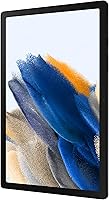
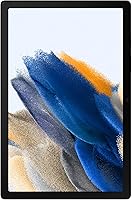
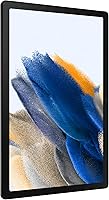
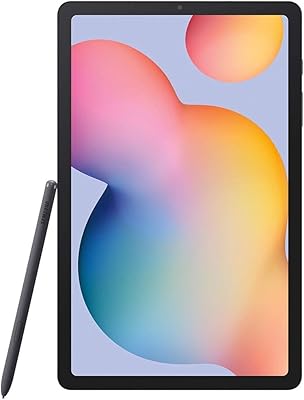
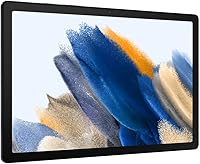
The Samsung Galaxy Tab A8 128GB 10.5-inch Tablet landed in early 2022 as a practical choice for households that want a capable screen without paying premium prices. It sits comfortably between cheap Fire tablets and Samsung's own flagship Tab S lineup — offering more polish than the former without the steep cost of the latter. The 10.5-inch LCD display and generous onboard storage are the real draws here. Students, casual streamers, and families sharing a single device will find it fits their daily rhythm well. Just go in knowing this is an everyday slate, not a performance machine.
Features & Benefits

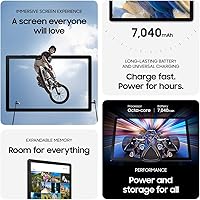
The Tab A8's 1920x1200 LCD screen handles streaming surprisingly well — colors are punchy enough for Netflix and YouTube without looking washed out. With 128GB built in, most users won't run out of space quickly, and a microSD slot means you can expand further if needed. Battery life hovers around the 11-hour mark in real use, and the USB-C fast charging port is a welcome upgrade from older micro-USB designs. Samsung Galaxy ecosystem users get a real bonus: notes and files sync across your phone, watch, and tablet automatically. The Smart Switch tool makes moving over from an old device remarkably straightforward, regardless of what you were using before.

Best For

This family tablet makes the most sense for households that use it as a shared device — think weekend movie nights, kids doing homework, or a parent video calling relatives. Families with young children will appreciate Samsung Kids mode, which locks down content to age-appropriate apps and games without requiring constant supervision. Samsung phone owners get extra value since device continuity actually works as advertised here. Students who need something portable for notes and light research will find the screen size and battery life useful on campus. Frequent travelers looking for a light, long-lasting screen will also find this a practical travel companion that won't weigh down a bag.

User Feedback

Buyers consistently praise the display quality and the value of getting 128GB at this price point — many note it feels more substantial than similarly priced competitors. The plastic build gets mentioned but rarely as a dealbreaker. Where things get more honest: the chipset shows its age when you push harder apps, and a handful of reviewers flag occasional stuttering during multitasking. There's no AMOLED here, so colors won't impress anyone coming from a flagship device. Samsung Kids earns genuine appreciation from parents, frequently called out as a standout practical feature. And the USB-C port, simple as it sounds, gets surprisingly warm praise from users tired of hunting for old micro-USB cables.

Pros

  • The 10.5-inch display is a comfortable size for streaming movies and shows over long sessions.
  • 128GB of built-in storage means most users will rarely feel cramped, even with offline media saved.
  • Battery life genuinely holds up for a full day of mixed use on a single charge.
  • USB-C charging is fast and convenient — no more hunting for legacy cables.
  • Samsung Kids mode is a practical, parent-friendly tool that actually reduces screen-time anxiety.
  • The Tab A8 weighs just over a pound, making it easy to carry in a bag or hold one-handed.
  • Smart Switch makes migrating from an old device straightforward, regardless of your previous platform.
  • MicroSD support lets you expand storage cheaply if 128GB ever starts to feel tight.
  • At this price tier, the display quality and build feel noticeably more polished than competing budget tablets.
  • Cross-device syncing with Samsung phones and watches adds real daily convenience for ecosystem users.

Cons

  • The chipset struggles with heavier apps and noticeable lag can appear during intensive multitasking.
  • No AMOLED display means colors and contrast fall short compared to Samsung's own premium lineup.
  • The plastic chassis feels functional but lacks the premium build quality some buyers expect at this price.
  • Non-Samsung users miss out on most ecosystem features, reducing the overall value proposition significantly.
  • The rear camera is mediocre and not suitable for anything beyond casual snapshots or document scanning.
  • Performance on demanding mobile games is inconsistent and can be disappointing for regular gamers.
  • Software update longevity is limited compared to Apple's iPad lineup, which may concern long-term buyers.
  • The speaker quality is adequate but lacks depth, which affects the streaming experience in louder environments.

Ratings

The Samsung Galaxy Tab A8 128GB 10.5-inch Tablet has been evaluated by our AI rating system after analyzing thousands of verified global buyer reviews, with spam, bot-generated, and incentivized feedback actively filtered out. The scores below reflect the honest consensus of real-world users across a wide range of households, classrooms, and daily use cases. Both where this family tablet excels and where it genuinely falls short are reflected transparently in each category.
Display Quality
76%
24%
Most users find the 10.5″ LCD sharp and bright enough for comfortable streaming, whether it is a family movie night or a student watching lecture recordings. Color reproduction handles everyday content well, and the screen size itself earns consistent praise for being genuinely immersive at this price point.
Buyers who have previously owned AMOLED devices consistently notice the contrast gap — blacks look grey and colors lose punch in darker scenes. Outdoor visibility is also a recurring complaint, with glare making the screen harder to read in direct sunlight.
Performance
63%
37%
For core everyday tasks — browsing, streaming, video calls, and light document editing — the Tab A8 handles things without drama. Users doing schoolwork or casual social media browsing report a smooth enough experience that meets basic expectations reliably.
Heavier apps and multitasking regularly expose the mid-range chipset's limitations, with noticeable lag reported during gaming sessions or when switching between multiple open apps. Compared to the previous Tab A7, the improvement feels incremental rather than substantial to many buyers.
Battery Life
83%
Real-world users consistently report getting through a full day of mixed use on a single charge, which covers streaming, browsing, and video calls without anxiety. Travelers and students especially appreciate not needing to carry a charger for typical away-from-home usage.
Heavy gaming or sustained high-brightness video playback cuts battery endurance noticeably, often dropping well below the rated 11 hours. A small number of users also report the battery capacity degrading faster than expected after roughly 12 to 18 months of daily use.
Storage Value
88%
Getting 128GB at this price tier stands out clearly against competitors, and most users report having plenty of headroom for apps, offline videos, and photos without feeling cramped. The added microSD slot gives practical flexibility for those who download a lot of offline media.
A handful of users note that a portion of the 128GB is consumed by the OS and pre-installed apps out of the box, leaving somewhat less than advertised for personal content. Those with very large media libraries may still find themselves reaching for a microSD card sooner than expected.
Build Quality
67%
33%
The slim 0.27-inch profile and just over one-pound weight make the Tab A8 genuinely easy to carry and hold for extended periods. Most users agree it feels sturdy enough for household shared use, and the form factor earns respect for its portability.
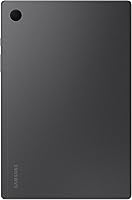
The all-plastic chassis divides opinion — while functional, it simply does not convey the premium feel some buyers expect at this price point. Scratches and scuffs show more visibly on the Dark Gray finish over time, which bothers longer-term users.
Samsung Kids Mode
86%
Parents consistently single out Samsung Kids as one of the most practical reasons to choose this tablet over competing options. The ability to lock content, set screen time limits, and approve apps without technical complexity makes daily family management noticeably less stressful.
The Kids mode content library, while safe, is considered limited by some parents whose children quickly exhaust the available options. A few users also report that switching between the Kids profile and the main adult profile requires more steps than it should.
Ecosystem Integration
79%
21%
For households already using Samsung Galaxy phones or watches, the cross-device note syncing and continuity features work reliably and feel genuinely useful in daily life — particularly for students who move between phone and tablet throughout the day.
Users outside the Samsung ecosystem gain almost none of these benefits, which narrows the value proposition considerably. The integration features also require some initial setup that less tech-savvy buyers occasionally find confusing.
Camera Quality
51%
49%
The 8MP rear camera is adequate for scanning documents, capturing whiteboards during class, or the occasional casual snapshot when nothing else is available. It handles well-lit environments acceptably for a device where the camera is clearly not the primary focus.
Low-light performance is poor, and the camera lacks the sharpness expected even by modest standards today. Users who hoped to use it for video calls report that the front camera quality disappoints, with grainy output in anything less than ideal lighting.
Value for Money
81%
19%
At its price tier, the combination of a large screen, 128GB storage, and solid battery life makes the Tab A8 a compelling overall package that most buyers feel is honestly priced. Many users switching from cheaper Fire tablets note an immediate and tangible step up in overall experience.
Some buyers feel the mid-range chipset holds the value proposition back — you are paying for screen and storage, but not processing power. Those who compare it closely to similarly priced competing tablets sometimes feel the performance per dollar could be better.
Software Experience
72%
28%
Samsung's One UI on Android offers a clean and familiar interface that most users adapt to quickly, with straightforward navigation and good customization options for different household members. App availability through the Google Play Store is a genuine advantage over locked-down competitors.
Pre-installed bloatware is a common frustration, with several apps users cannot remove occupying storage and cluttering the home screen. Long-term software update support is also a concern raised by informed buyers who worry about how many Android version upgrades this tablet will realistically receive.
Audio Quality
58%
42%
Speaker volume is sufficient for personal use in quiet rooms, and most users find it acceptable for solo streaming or video calls at home. The stereo speaker layout provides a reasonable spread for casual listening.
Audio lacks depth and bass, which becomes noticeable during action movies or music playback where richer sound is expected. Several users recommend using headphones as the default approach, especially for anything more demanding than YouTube clips.
Portability
84%
The lightweight design and slim profile make this family tablet genuinely convenient to toss in a backpack or carry one-handed around the house. Students and commuters repeatedly highlight portability as one of the strongest practical advantages in daily use.
The larger 10.5″ footprint, while great for media, does make one-handed typing in portrait mode awkward for smaller hands. A protective case — which most users rightly add — adds noticeable bulk and weight to the overall package.
Setup & Migration
82%
18%
Smart Switch earns genuine praise from buyers migrating from older Android or even iOS devices, with most reporting that the process is faster and less frustrating than expected. First-time Android tablet users also find the initial setup process guided and accessible.
A few users report that Smart Switch does not transfer all app data or settings cleanly, requiring manual reinstallation of some content. iOS migrants in particular note that certain data types simply do not carry over, which can be a minor inconvenience.
Wi-Fi Connectivity
74%
26%
Day-to-day Wi-Fi performance is reliable for streaming and browsing, and most users report stable connections across typical home network setups without dropped sessions during video calls or long streaming sessions.
The absence of a cellular LTE option on the SM-X200 variant is a dealbreaker for buyers who need connectivity away from Wi-Fi. Range at the edges of larger homes can also drop noticeably, which a handful of users flag as a practical limitation.

Suitable for:

The Samsung Galaxy Tab A8 128GB 10.5-inch Tablet is a strong fit for families who want one shared device that handles streaming, schoolwork, and video calls without constant frustration. Parents with young children will find Samsung Kids mode genuinely useful — it creates a walled-off environment where kids can access curated content without accidentally wandering into inappropriate territory. Students on a budget who need something portable for note-taking, research, and the occasional lecture recording will appreciate the large screen and all-day battery. If you're already in the Samsung ecosystem with a Galaxy phone or watch, the cross-device syncing adds real everyday convenience that you'll notice quickly. Travelers and commuters who prioritize a big, comfortable screen and long battery life over cutting-edge specs will also find this family tablet punches well above its price bracket.
Not suitable for:

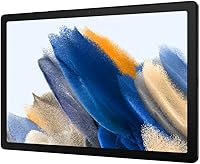
Buyers expecting flagship-level performance should look elsewhere — the Samsung Galaxy Tab A8 128GB 10.5-inch Tablet uses a mid-range chipset that handles everyday tasks comfortably but starts to show strain under heavier workloads like video editing, intensive gaming, or serious multitasking. Creative professionals or power users who rely on a tablet as a primary work device will find the processing headroom too limited. The LCD panel, while decent, won't satisfy anyone coming from an AMOLED display — colors and contrast simply don't compete at that level. Users outside the Samsung ecosystem will also get noticeably less value, since many of the standout convenience features are tied directly to owning other Galaxy devices. Finally, anyone hoping for a slim, premium-feeling build should know the plastic chassis is functional but not particularly impressive in hand.
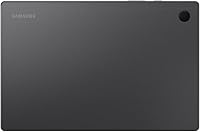
Specifications

  • Screen Size: The tablet features a 10.5″ LCD display suited for comfortable media consumption and video calls.
  • Resolution: The screen renders at 1920x1200 pixels, delivering sharp enough clarity for streaming and browsing at this tier.
  • Storage: 128GB of internal flash storage is built in, with microSD card support available for additional capacity.
  • Processor: An ARM-based mid-range chipset handles everyday tasks, though it is not designed for heavy multitasking or intensive applications.
  • Operating System: The Tab A8 runs Android, with Samsung's One UI layered on top for a customized experience.
  • Battery Life: Rated at approximately 11 hours of use on a single charge under typical mixed-usage conditions.
  • Charging: USB-C fast charging is supported, allowing the battery to top up significantly faster than older micro-USB devices.
  • Rear Camera: An 8MP rear camera handles casual photography and document scanning, though it is not intended for serious imaging.
  • Weight: The device weighs 1.12 pounds, keeping it light enough for extended handheld use or travel.
  • Dimensions: Physical measurements are 6.37 x 9.72 x 0.27 inches, making it slim and easy to slip into a bag.
  • Connectivity: The SM-X200 model is Wi-Fi only, with no cellular LTE option on this specific variant.
  • Color: This variant ships in Dark Gray with a plastic-finish chassis that is practical and resistant to minor everyday wear.
  • Samsung Kids: A built-in parental control mode called Samsung Kids provides a curated, age-appropriate content environment for children.
  • Smart Switch: Samsung's Smart Switch app supports data migration from Android, iOS, and Windows devices in a guided three-step process.
  • Ecosystem Sync: When paired with other Samsung Galaxy devices, the tablet automatically syncs notes, notifications, and files across the ecosystem.
  • Display Type: The LCD panel offers adequate color reproduction and brightness for indoor use, though it lacks the contrast depth of AMOLED screens.
  • USB Ports: One USB 2.0 port via USB-C connector handles both data transfer and charging on a single cable.
  • Rear Camera: The integrated rear camera records video and captures stills at up to 8MP resolution for basic documentation needs.

Related Reviews
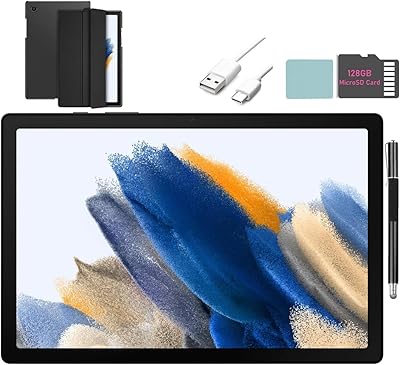
SAMSUNG Galaxy Tab A8 10.5-inch 32GB
83%
92%
Value for Money
88%
Display Quality
83%
Battery Life
80%
Performance
70%
Build Quality
More
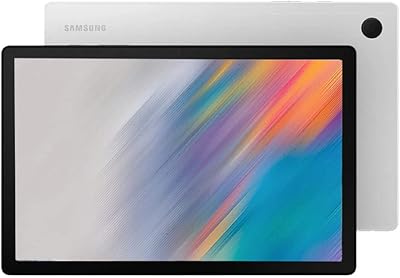
Samsung Galaxy Tab A8 10.5″ Android Tablet
73%
78%
Display Quality
61%
Performance
83%
Battery Life
81%
Value for Money
84%
Build Quality
More
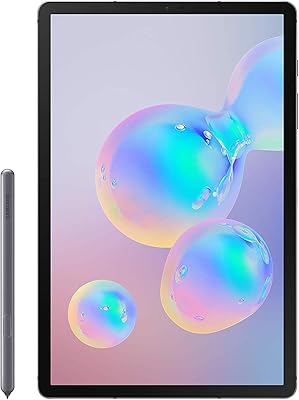
Samsung Galaxy Tab S6 128GB 10.5″ Tablet
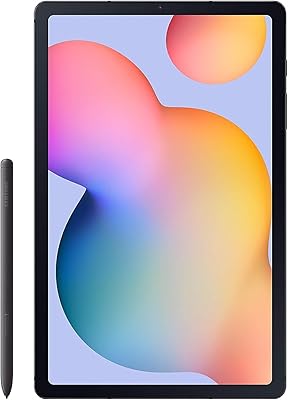
81%
93%
Display Quality
89%
S Pen Performance
86%
Performance & Speed
84%
Battery Life
91%
Build Quality
More
Samsung Galaxy Tab S6 Lite (2024) Tablet
73%
83%
Value for Money
81%
Display Quality
79%
S Pen Experience
63%
Performance & Speed
88%
Battery Life
More
Samsung Galaxy Tab A 9.7-Inch 16GB Tablet
70%
74%
Display Quality
61%
Performance
83%
Battery Life
79%
Build Quality
53%
Storage & Expandability
More
Samsung Galaxy Tab S9 FE 128GB Tablet
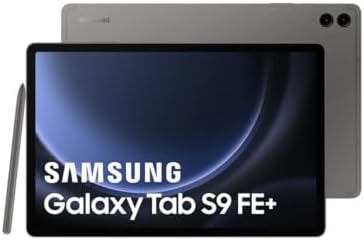
78%
88%
Value for Money
76%
Display Quality
91%
Battery Life
53%
Charging Speed
87%
S Pen Experience
More
Samsung Galaxy Tab S9 FE+ 12.4″ Tablet
74%
78%
Display Quality
88%
S Pen Experience
86%
Battery Life
63%
Performance
82%
Build Quality
More
Samsung Galaxy Tab S5e 10.5″ 64GB WiFi + 4G Unlocked
82%
92%
Display Quality
88%
Battery Life
85%
Performance
91%
Portability
89%
Value for Money
More
Samsung Galaxy Tab S6 Lite 10.4″ Tablet
72%
83%
Display Quality
88%
S Pen Experience
91%
Battery Life
67%
Performance
84%
Value for Money
More
Samsung Galaxy Tab A9+ 11″ 128GB Tablet
76%
76%
Display Quality
88%
Audio Performance
71%
Performance & Speed
67%
Battery Life
63%
Build & Design
More

FAQ

It works well for both, honestly. The built-in Samsung Kids mode creates a separate, locked environment where children can only access content you approve — apps, books, and videos that are age-appropriate. Parents can set time limits and monitor usage from outside the Kids profile. For adults it functions just like a standard Android tablet.

Yes, streaming is one of the stronger suits of this Samsung tablet. The 10.5″ screen is a comfortable size for watching, and the 1920x1200 resolution looks clean for HD content. Audio from the built-in speakers is decent for personal use, though a pair of headphones will give you a noticeably better experience.

The Tab A8 does not natively support Samsung's S Pen stylus. Some third-party styluses with a standard capacitive tip will work for basic touch input, but precision note-taking tools designed for the Galaxy Tab S series are not compatible. Keyboard cases from third-party accessory brands are available and attach via Bluetooth.

The Tab A8 runs full Android with access to the Google Play Store, which is a meaningful advantage over the Fire HD 10's more restricted app ecosystem. The Samsung tablet also has a sharper display and a more refined software experience. The trade-off is price — Fire tablets tend to cost less, so your choice really comes down to how much the app library and display quality matter to you.

For typical use — browsing, streaming, email, video calls — the Tab A8 holds up fine. Where you might notice slowdowns is in demanding mobile games or when running several apps simultaneously. It is a mid-range chipset, and it performs like one, so managing expectations around intensive tasks is fair.

You can expand storage via a microSD card, which is a real practical advantage. The 128GB built in is already generous for most users, but if you download a lot of offline movies or music, adding a card is a straightforward and affordable solution.

There is still value, but you will miss out on some of the more convenient features like automatic cross-device syncing and continuity tools that work best when paired with a Galaxy phone or watch. The core experience — streaming, browsing, Samsung Kids, battery life — works just as well regardless of what phone you own.

Samsung rates it at around 11 hours, and real-world use tends to land somewhere close to that for lighter tasks like browsing and streaming. Heavy gaming or sustained high-brightness use will drain it faster. Most users find it comfortably lasts a full day without needing to plug in mid-session.

The chassis is plastic, which is worth knowing upfront. That said, it does not feel flimsy — the construction is sturdy enough for everyday household use. It is not the premium feel of a metal-body tablet, but at this price point the trade-off is reasonable, and the slim profile makes it easy to handle.

Smart Switch supports migration from iOS as well as Android and Windows. You install the app, connect the devices either via cable or Wi-Fi, and it walks you through transferring contacts, calendars, photos, and other compatible content in a few steps. Not everything transfers perfectly from iOS due to platform differences, but the core data moves over without much hassle.

Where to Buy