Overview

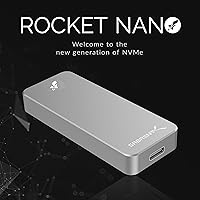
The SABRENT Rocket Nano 2TB External SSD is about as close as you can get to serious storage capacity in a form factor that could pass for a thick USB stick. Where most high-capacity portable drives still carry real bulk, this pocket-sized SSD is built around a sandblasted aluminum shell that feels genuinely solid without adding meaningful weight to a bag. It works straight out of the box on both Windows and macOS — no drivers, no setup ritual. Worth noting upfront: the speeds here are excellent for USB 3.2 Gen 2, but if you're coming from a Thunderbolt setup, calibrate expectations accordingly. The premium pricing reflects a product aimed squarely at professionals and frequent travelers, not casual users.
Features & Benefits

The Rocket Nano 2TB hits up to 1000 MB/s sequential speeds — which in practice means offloading a 100GB folder of raw footage in roughly two minutes, assuming your host machine has a USB 3.2 Gen 2 port. That last part matters: plug it into an older USB 3.0 port and you'll see a fraction of those numbers. The drive is entirely bus-powered, so there's no wall adapter to track down in the field. TRIM and UASP support help maintain consistent performance over time rather than degrading after heavy use. The firmware is also user-upgradable — a small but meaningful advantage for a drive you may own for several years.

Best For

This aluminum thumb drive-style storage was clearly designed with a specific type of user in mind: someone who works with large files and can't afford downtime. Creative professionals — photographers, video editors, documentary shooters — will appreciate backing up an entire day's raw shoot straight from a camera or laptop without hunting for a power outlet. It's equally practical for remote workers who carry their entire working environment between home, office, and client sites. Mac and Windows users who share machines will benefit from cross-platform compatibility without any reformatting headaches. And if you're currently relying on a portable HDD, the speed difference here is the kind of thing that actually changes how you work.

User Feedback

With a 4.3-star average across more than 2,000 ratings, the Rocket Nano 2TB has built a solid reputation over several years on the market. The most consistent praise centers on real-world transfer speeds that closely match advertised figures, plus build quality that earns genuine compliments for a drive this small. On the critical side, a recurring complaint is that the drive runs noticeably warm during sustained heavy transfers; the aluminum shell helps dissipate heat, but some users on certain systems report throttling during very large jobs. Cable compatibility also comes up — the drive ships without one, and a lower-rated cable can quietly undercut performance. Overall, long-term owners seem satisfied, which says something for a product that has been around since 2019.

Pros

  • Genuinely pocket-sized at under 1.6 oz — easy to forget it is in your bag until you need it.
  • Bus-powered via USB means no wall adapter, no extra cable, and one less thing to pack.
  • Real-world transfer speeds on a compatible host port are consistently close to advertised figures.
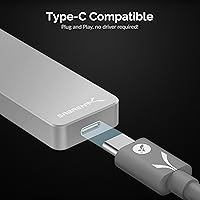
  • Works out of the box on both Mac and Windows with no driver installation required.
  • The sandblasted aluminum shell feels durable and resists everyday scratches better than plastic alternatives.
  • TRIM and UASP support help maintain consistent long-term performance rather than degrading over heavy use.
  • Firmware is user-upgradable, giving the drive a longer practical lifespan.
  • Available in multiple colors if aesthetics or color-coded organization matter to your workflow.
  • A strong long-term reliability track record for a drive that has been on the market since 2019.

Cons

  • Peak speeds require a USB 3.2 Gen 2 host port — older machines will bottleneck the drive significantly.
  • No cable is included in the box, which is a frustrating omission at this price point.
  • The drive runs noticeably warm during sustained large transfers, and some users report throttling on certain systems.
  • No drop rating, water resistance, or ruggedized enclosure for buyers working in harsh conditions.
  • The Rocket Nano 2TB carries a premium price that is hard to justify for light or infrequent use.
  • Smaller hands or users with limited dexterity may find the compact body slightly awkward to connect and disconnect repeatedly.
  • No included carrying pouch or protective case, leaving the drive vulnerable to scratches in a loose bag.
  • Performance can vary meaningfully depending on cable quality — a low-grade cable quietly caps real-world speeds.

Ratings

The ratings below for the SABRENT Rocket Nano 2TB External SSD were generated by our AI after analyzing thousands of verified global buyer reviews, with spam, bot activity, and incentivized submissions actively filtered out. The scores reflect a genuine cross-section of real-world experience — from daily professional use to long-term reliability — and are calibrated to surface both what buyers consistently praised and where frustrations emerged. Nothing has been smoothed over: the pain points are here alongside the strengths.
Transfer Speed
88%
When plugged into a machine with a proper USB 3.2 Gen 2 port, the Rocket Nano 2TB delivers speeds that hold up well in real-world tests — offloading a large RAW photo shoot or a multi-gigabyte video project takes a fraction of the time compared to older portable drives. Most buyers confirmed that advertised figures translate closely to actual performance under typical workloads.
The 1000 MB/s ceiling is firmly tied to having the right host port, and a surprising number of buyers discovered this only after purchase. On USB 3.0 hardware, speeds drop substantially, and that gap left some users feeling misled by the top-line spec.
Portability
96%
This is where the drive earns near-universal praise. At under 1.6 oz and barely larger than a standard thumb drive, it disappears into a pocket, camera bag, or laptop sleeve without a second thought. Travelers and field photographers consistently called out the size as the single biggest reason they chose it over competing options.
The compact body, while clearly intentional, does make the drive a little fiddly to handle when connecting repeatedly throughout the day. A few users with larger hands noted the small form factor makes it easy to lose track of in a crowded bag.
Build Quality
91%
The sandblasted aluminum shell gives the drive a premium, dense feel that punches above its size. Buyers repeatedly noted that it does not flex, creak, or feel hollow — a meaningful contrast to the plastic-bodied competition. After months of daily carry, most units showed minimal cosmetic wear.
The aluminum finish, while durable, does pick up fingerprints and light surface marks over time. A small number of long-term owners reported the drive showing minor denting after accidental drops onto hard surfaces, a reminder that it carries no official ruggedization rating.
Thermal Management
63%
37%
The aluminum enclosure does genuinely help dissipate heat compared to a plastic shell, and for typical daily tasks — moving a batch of files, running a backup — the drive stays at a manageable temperature without any noticeable performance drop.
Under sustained heavy workloads like continuous large-file writes, the drive runs warm enough that some users experienced thermal throttling, where transfer speeds dip noticeably until the unit cools. This is the most consistently flagged technical frustration among power users and anyone copying hundreds of gigabytes in a single session.
Plug-and-Play Setup
94%
Buyers across Windows and macOS platforms consistently reported that setup was genuinely instant — plug it in and it appears. No software download, no driver hunt, no compatibility wizard. For non-technical users and professionals alike, that simplicity was frequently called out as a genuine relief.
A minor subset of users ran into file system formatting questions when trying to use the drive across both platforms simultaneously. The drive ships formatted for one ecosystem, and while exFAT is the straightforward fix, not all buyers knew to look for it.
Value for Money
71%
29%
For users who genuinely need the combination of 2TB capacity, compact size, and USB 3.2 Gen 2 speeds, the price reflects a real product differentiation — there are not many alternatives offering all three. Professionals who use the drive daily tend to view the cost as justified by the time and convenience it delivers.
Casual users or anyone with a USB 3.0-only machine will struggle to extract enough value to justify the premium. Competing 2TB portable SSDs at lower price points offer comparable performance for light to moderate workloads, making this a harder sell for buyers without a clear professional use case.
Cable Compatibility
58%
42%
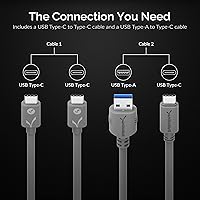
The drive itself is fully compatible with both USB-C and USB-A hosts via the appropriate cable. Users who already owned a quality USB-C cable had no issues and appreciated the flexibility of the connection standard.
No cable is included in the box, which is a consistent complaint given the price tier. More frustratingly, buyers who used a lower-quality cable reported noticeably reduced speeds without any obvious indication that the cable was the culprit — leading to confusion about whether the drive was defective.
Long-Term Reliability
83%
For a drive that has been on the market since late 2019, the long-term ownership feedback is broadly positive. Many buyers who reviewed after one or two years of regular use reported no failures, data loss, or performance degradation, which builds a reasonable confidence case for the drive's durability.
A non-trivial minority of reviewers reported drive failures or sudden non-recognition issues after extended use. While this is not outside the normal range for consumer SSDs, it is worth noting for buyers treating this as a primary backup medium without a redundant copy.
Cross-Platform Compatibility
86%
The Rocket Nano 2TB works natively on both major desktop operating systems, and the no-driver requirement holds true across both. For hybrid households or professionals who move between a Windows workstation and a MacBook, the ability to plug in and transfer without any reconfiguration is genuinely useful.
Out-of-the-box formatting is set for one platform, meaning cross-platform users need to reformat to exFAT before the drive reads and writes freely on both systems. This is a one-time step, but it caught a number of buyers off guard.
Sustained Write Performance
67%
33%
For workloads involving moderate file sizes — backing up a day of photography, transferring a project folder — the sustained write performance holds up well and feels consistent. Users doing periodic large-but-not-continuous transfers generally had no complaints.
In benchmark tests and real-world heavy use, sustained write speeds drop off meaningfully once the drive's cache is saturated. Video professionals writing very large continuous data streams found performance less predictable than the headline figure suggests.
Aesthetic & Design
89%
The sandblasted finish and clean, minimal design earned consistent aesthetic compliments. Buyers appreciated having multiple color options, and several noted the drive looks appropriately at home next to premium laptops and cameras rather than feeling like an afterthought accessory.
The minimalist exterior means there is no clear labeling of which end the USB connector is on, which sounds minor but became a small recurring annoyance for users connecting the drive in low-light conditions like under a desk or inside a bag.
Firmware & Software Support
76%
24%
The fact that firmware is user-upgradable at all is a meaningful differentiator in this category — most compact external drives offer no post-purchase update path. Buyers who ran into early compatibility quirks found that firmware updates resolved issues without requiring a hardware swap.
SABRENT's firmware update process requires visiting their website and following manual steps that some users described as less than intuitive. There is no automatic update notification, meaning buyers must proactively check for updates rather than being prompted.
Bus Power Stability
81%
19%
On modern laptops and desktops with reliable USB power delivery, the drive runs entirely off the host connection without any instability. This makes it a genuinely self-contained solution for field use where carrying an extra charger is not an option.
On older hardware or passive USB hubs, power delivery is sometimes inconsistent, causing the drive to disconnect unexpectedly mid-transfer. Users relying on hub-based setups reported this as a frustrating and intermittent problem that was difficult to diagnose.
Packaging & Unboxing
62%
38%
The drive arrives well-protected, and the compact retail packaging is in keeping with the product's minimalist identity. Buyers who received it as a gift noted it presents well out of the box.
For a premium-priced product, the lack of a cable, protective pouch, or carrying case in the box felt like a meaningful omission to a lot of buyers. Several noted they immediately had to make a secondary purchase just to use or protect the drive safely.

Suitable for:

The SABRENT Rocket Nano 2TB External SSD is a strong fit for anyone whose work revolves around moving large files quickly and who needs that capability without carrying extra gear. Photographers and videographers shooting in the field are a natural match — the ability to back up a full day of raw footage directly from a laptop, powered entirely by the USB connection, removes one more variable from an already complicated workflow. Remote workers and frequent travelers who treat their external drive as a true mobile workstation will appreciate having 2TB that genuinely fits in a jacket pocket. The drive also works well for cross-platform users who regularly hand off files between Mac and Windows machines, since it requires no reformatting or driver installation on either side. Anyone currently relying on a mechanical portable hard drive who handles files larger than a few gigabytes regularly will find the jump in transfer speed makes a tangible, daily difference.
Not suitable for:

The SABRENT Rocket Nano 2TB External SSD is not the right call for buyers whose computers lack a USB 3.2 Gen 2 port — on older USB 3.0 hardware, the drive's peak performance simply cannot be reached, and you'd be paying a premium for speed your system cannot use. Users who routinely run sustained, heavy workloads like long video encodes written directly to the drive may run into thermal throttling during extended sessions; the aluminum shell helps, but it is not a cure-all for prolonged heat buildup. If Thunderbolt 3 or 4 speeds are your baseline — as they might be for high-end video post-production workflows — this drive will feel like a step down. Budget-conscious buyers who just need basic document or photo backup storage will find the capacity-to-cost ratio hard to justify when slower, cheaper alternatives exist. And if you frequently work in rough outdoor conditions and need a rugged, drop-rated or waterproof enclosure, this drive offers no such certification.
Specifications

  • Storage Capacity: The drive offers 2TB of solid-state storage, suitable for large media libraries, full system backups, or extensive project archives.
  • Interface: Connects via USB 3.2 Gen 2, rated at 10Gb/s theoretical bandwidth for high-throughput data transfers.
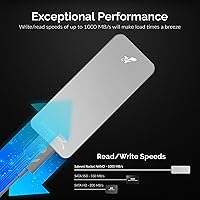
  • Max Transfer Speed: Sequential read and write speeds reach up to 1000 MB/s when connected to a compatible USB 3.2 Gen 2 host port.
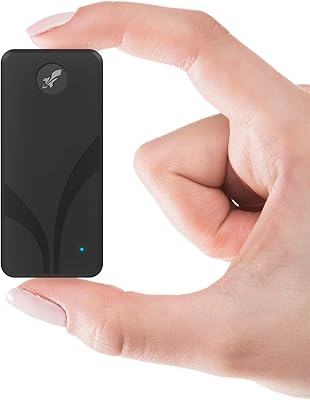
  • Form Factor: Classified as a 2.75-inch external SSD, housed in a body closer in size to a thick USB flash drive than a traditional portable drive.
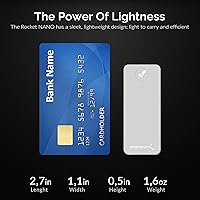
  • Dimensions: Physical footprint measures 2.71 x 1.1 x 0.47 inches, small enough to fit comfortably in a shirt pocket or lens pouch.
  • Weight: The drive weighs 1.59 oz, adding negligible load to any travel bag or camera kit.
  • Shell Material: The enclosure is machined from sandblasted aluminum alloy, which aids passive heat dissipation and resists surface scratching.
  • Power Source: Entirely bus-powered through the USB connection, requiring no external power adapter or separate charging cable.
  • OS Compatibility: Works natively with both Windows and macOS operating systems without requiring any driver installation.
  • TRIM Support: TRIM is supported, allowing the operating system to efficiently manage unused storage blocks and maintain long-term write performance.
  • UASP Support: USB Attached SCSI Protocol (UASP) is supported, reducing CPU overhead and improving transfer efficiency on compatible hosts.
  • Firmware: The drive ships with user-upgradable firmware, allowing SABRENT to issue performance or compatibility improvements post-purchase.
  • Color Options: Available in five finishes: Silver, Blue, Red, Gold, and Pink, sold as separate product variants.
  • Drive Type: Uses NAND-based solid-state storage with no moving parts, making it inherently more shock-resistant than mechanical hard drives.
  • Plug and Play: No software installation is required; the drive is recognized automatically when connected to a host machine.
  • Cable Included: A USB cable is not included in the retail package, so buyers must source a compatible cable separately.
  • Market Entry: The product was first made available in November 2019 and has accumulated a substantial review base over that period.
  • Manufacturer: Designed and sold by SABRENT, a US-based brand known primarily for storage and connectivity accessories.

Related Reviews
SABRENT Rocket Nano V2 1TB External SSD
80%
93%
Transfer Speed
91%
Build Quality
96%
Portability
67%
Thermal Management
82%
Value for Money
More
Sabrent Rocket Nano V2 4TB External SSD
81%
93%
Transfer Speed
89%
Build Quality
96%
Portability & Form Factor
71%
Thermal Management
88%
Compatibility
More
SABRENT Rocket 4 Plus 2TB NVMe SSD
83%
94%
Read/Write Performance
91%
Heatsink Build Quality
96%
PS5 Compatibility
88%
Thermal Management
83%
Value for Money
More
SABRENT Rocket Q4 2230 2TB NVMe SSD
81%
97%
Form Factor Compatibility
88%
Read Performance
67%
Write Performance
83%
Installation Experience
74%
Thermal Management
More
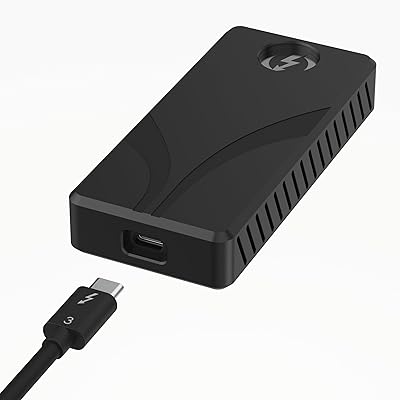
Sabrent Rocket XTRM Plus 2TB Thunderbolt 3 Portable SSD
88%
94%
Performance
90%
Build Quality & Durability
89%
Portability & Size
96%
Setup & Ease of Use
91%
Compatibility
More
Buffalo SSD-SAO2.0U3B 2TB External SSD
79%
93%
PS5 & PS4 Compatibility
78%
Storage Capacity Value
67%
Transfer & Load Speed
91%
Form Factor & Design
82%
Build Quality & Durability
More
Transcend ESD310 2TB External SSD
88%
94%
Performance (Read/Write Speed)
90%
Portability & Size
88%
Compatibility with Devices
87%
Durability & Build Quality
91%
Ease of Use & Setup
More
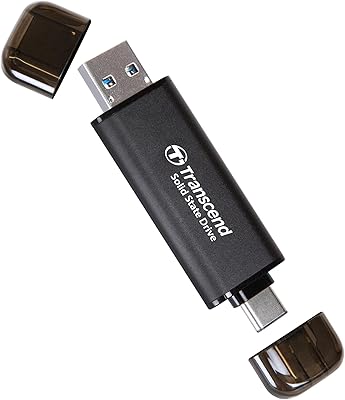
KingSpec Z5 2TB External SSD
79%
83%
Transfer Speed
91%
Build Quality
76%
Heat Management
71%
Compatibility
88%
Portability
More
Transcend ESD380C 2TB External SSD
86%
93%
Performance (Speed)
89%
Build Quality (Durability)
90%
Compatibility
87%
Portability & Size
91%
Ease of Use (Setup)
More
SABRENT Rocket Nano XTRM 1TB
91%
96%
Data Transfer Speed
91%
Build Quality
94%
Portability
89%
Compatibility
92%
Ease of Setup
More

FAQ

No. The Rocket Nano 2TB is fully plug-and-play on both Windows and macOS. Just connect it and your operating system will recognize it immediately — no drivers, no utilities required.

It will connect and function, but you will not get anywhere near the drive's peak speeds. USB 3.0 caps out at around 5Gb/s theoretical throughput, which limits real-world transfers to roughly a third of what a USB 3.2 Gen 2 port can deliver. If your laptop only has USB 3.0, a less expensive drive may offer better value for money.

No, a cable is not included in the box. You will need to supply your own USB-C cable, and cable quality genuinely matters here — a cheap or underpowered cable can quietly limit transfer speeds. It is worth investing in a good-quality USB 3.2 Gen 2 rated cable.

Yes, but with a caveat around file system format. Out of the box, the drive is formatted for one platform or the other. To share files between macOS and Windows without reformatting, you would want to format it as exFAT, which both operating systems support natively and read-write without extra software.

It does get noticeably warm during sustained, heavy transfers — that is fairly normal behavior for a high-speed SSD in a compact enclosure. The aluminum shell helps conduct heat away from the internals, but during very long continuous write sessions some users have observed thermal throttling, where the drive temporarily slows down to protect itself. For typical everyday use, it is not a concern.

For most editing workflows — including 4K footage in common codecs like H.264 or HEVC — yes, the sustained speeds are sufficient to edit directly from the drive without buffering issues. For demanding formats like uncompressed 6K or 8K RAW, a Thunderbolt-connected drive would be a more reliable choice.

Solid-state drives have no spinning platters or moving read heads, so this pocket-sized SSD is inherently more resilient to drops, vibration, and movement during transit than any mechanical hard drive. The aluminum shell adds a layer of physical protection. That said, it has no official drop-rating or IP certification, so it is not a ruggedized drive by any formal standard.

Connecting directly to your computer is strongly recommended. Passive USB hubs often cannot supply sufficient or consistent power for a bus-powered high-speed SSD, which can cause the drive to disconnect unexpectedly or perform poorly. If you must use a hub, make sure it is an actively powered model.

It can work with modern iPads that support USB-C (particularly those running iPadOS 16 or later with the Files app) and with Android devices that support USB OTG. However, compatibility varies by device and operating system version, and this aluminum thumb drive-style storage is primarily tested and optimized for desktop and laptop use.

SABRENT provides firmware update utilities through their website. For most users, a firmware update is not necessary right out of the box — the drive performs well as shipped. However, if SABRENT releases an update that addresses a specific compatibility issue with your operating system or hardware, it is straightforward to apply and worth doing.

Where to Buy