Overview
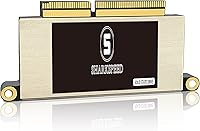
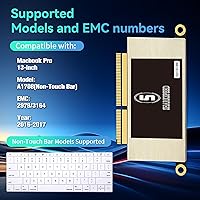
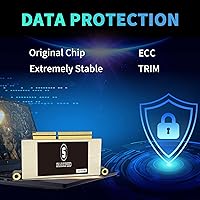
The S SHARKSPEED A1708 SSD 512GB is a reliable internal storage solution designed specifically for the MacBook Pro A1708 13″ models from 2016 and 2017 without a Touch Bar. This SSD provides a 512GB capacity upgrade, allowing users to store more files and applications without sacrificing performance. With a PCIe NVMe Gen3.0x4 interface, compatibility with original Mac hardware is ensured, and no adapters are needed. It comes pre-installed with macOS, ready to use once the EFI firmware update is applied. Installing this SSD is straightforward, and it serves as a practical way to enhance both storage and system responsiveness in older MacBook Pro laptops.
Features & Benefits
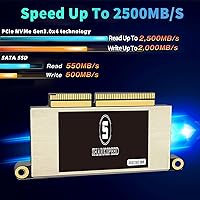
This SSD offers high read/write speeds up to 2000MB/s, which significantly reduces boot times and accelerates file transfers. Advanced features like TRIM, ECC, and S.M.A.R.T. enhance data integrity and ensure reliable performance over time. Its thermal design manages heat efficiently while maintaining low power consumption, keeping the system stable during heavy workloads. The original interface supports plug-and-play functionality, eliminating compatibility issues with MacBook hardware. Additionally, the package includes all necessary installation tools and detailed instructions, making the upgrade process more approachable even for users attempting DIY SSD upgrades for the first time.
Best For
The A1708 upgrade is ideal for MacBook Pro A1708 owners who need additional storage without replacing their entire laptop. It suits users looking to improve system responsiveness for daily tasks or creative workflows. Those comfortable with performing upgrades themselves will appreciate the pre-installed macOS and included tools, which simplify the installation process. This SSD also benefits individuals who prioritize long-term data reliability and want a durable storage solution. Professionals managing large files, students handling multiple applications, or anyone experiencing slowdowns due to limited storage will find this MacBook storage drive particularly useful and practical for extending the life of their device.
User Feedback
Users generally report noticeable performance gains after installing this MacBook storage drive, with faster boot times and smoother application launches. Many appreciate that the installation instructions are clear, though some note that macOS must be updated to support the new SSD. Positive comments highlight its stable operation under load and effective heat management. A few users mention minor setup nuances, such as needing an EFI update, but overall the product is considered reliable. The inclusion of a five-year warranty also reassures buyers. Overall, feedback reflects satisfaction with both speed improvements and long-term durability, making it a dependable upgrade for older MacBook Pro models.
Pros
- This SSD offers noticeably faster boot and file transfer speeds compared to the original drive.
- Users report improved overall system responsiveness after installation.
- Installation instructions are clear and easy to follow for DIY upgrades.
- Low power consumption helps maintain battery life during extended use.
- Efficient heat management keeps the drive cool under heavy workloads.
- Supports TRIM, ECC, and S.M.A.R.T., enhancing long-term data reliability.
- Pre-installed macOS saves setup time after EFI firmware update.
- Included installation tools make the upgrade process straightforward.
- Compact form factor fits perfectly in the MacBook Pro A1708 slot.
- The A1708 upgrade has a durable build and consistent performance over time.
Cons
- Compatibility is limited to MacBook Pro 13″ A1708 models from 2016-2017 Non-Touch Bar.
- Some users found EFI firmware updates confusing during setup.
- Not suitable for users unfamiliar with opening laptops and performing hardware upgrades.
- Higher price compared to generic SSD alternatives may be a concern for budget buyers.
- Performance gains are modest on very old MacBooks compared to modern systems.
- Few reports mention macOS version requirements before installation.
- Does not include external enclosure, limiting use as a portable drive.
- Installation requires careful handling to avoid damaging internal connectors.
- Upgrade is not compatible with other MacBook generations or models.
- Some buyers wished for more detailed troubleshooting guidance in the manual.
Ratings
After analyzing verified user reviews from multiple countries, languages, and platforms, RR-AI has summarized the feedback for the S SHARKSPEED A1708 SSD 512GB. Spam, incentivized, duplicated, and off-topic reviews were filtered out, ensuring that only authentic, high-quality feedback informed these ratings. The scores reflect both strengths and areas where users encountered minor challenges, offering a balanced view of this MacBook storage drive's performance and usability.
Performance
Read/Write Speed
Installation Ease
Compatibility
Reliability
Thermal Management
Power Efficiency
Firmware/Software Support
Durability
Package Contents
Value for Money
Long-term Stability
User Guidance/Instructions
Suitable for:
The S SHARKSPEED A1708 SSD 512GB is well-suited for MacBook Pro A1708 users who need to expand storage while improving system responsiveness. Students and professionals working with large documents, media files, or software projects will benefit from the faster read/write speeds. DIY enthusiasts upgrading their laptops will appreciate the clear instructions and included tools, while users prioritizing data integrity and long-term reliability will value the built-in ECC, TRIM, and S.M.A.R.T. support. Frequent travelers who need a stable, low-power storage solution for on-the-go use can also rely on this device for consistent performance. Overall, those seeking a practical and durable internal SSD replacement will find this upgrade advantageous.
Not suitable for:
The S SHARKSPEED A1708 SSD 512GB may not be ideal for users with MacBook models other than A1708, as compatibility issues can arise. Beginners uncomfortable with opening laptops might struggle with installation, especially given the EFI firmware requirement. Buyers expecting the highest-end performance gains for intensive professional workloads may find the improvement modest compared to newer systems. Additionally, those seeking a budget option might prefer generic SSD alternatives, as the included tools and pre-installed macOS contribute to a higher cost. In short, this device is less suited for unsupported MacBooks or users who prefer plug-and-play solutions without manual setup.
Specifications
- Brand: Manufactured by S SHARKSPEED, a brand focused on Mac-compatible storage solutions.
- Model: Model number A1708 SSD designed for specific MacBook Pro 13″ A1708 2016-2017 Non-Touch Bar models.
- Capacity: Provides 512GB of internal storage for applications, files, and system use.
- Form Factor: 2.5-inch drive size suitable for internal MacBook installation.
- Interface: Connects via PCIe NVMe Gen3.0x4 interface for high-speed data transfer.
- Sequential Read: Offers up to 2000MB/s sequential read speed for fast file access.
- Sequential Write: Delivers up to 2000MB/s sequential write speed for quick data saving.
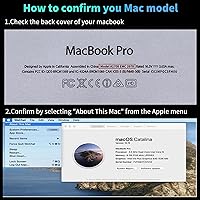
- Compatibility: Compatible exclusively with MacBook Pro 13″ A1708 2016-2017 Non-Touch Bar laptops.
- Power Supply: Operates on 3.3V ± 5% power supply standard.
- Operating Temp: Supports operating temperatures ranging from 0 to 70°C.
- Storage Temp: Can be stored safely at temperatures between -45 and 85°C.
- Humidity: Functions reliably in 5% to 95% non-condensing humidity environments.
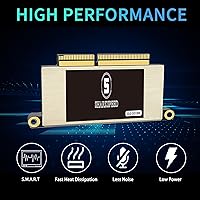
- Features: Includes TRIM, S.M.A.R.T., ECC, and garbage collection for data integrity.
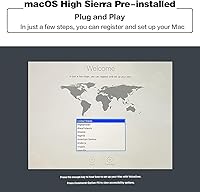
- Pre-installed OS: Comes with macOS pre-installed and requires EFI firmware update for use.
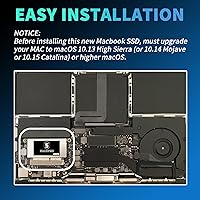
- Installation: Includes tools and instructions to facilitate DIY installation in compatible MacBook Pro models.
- Heat Management: Designed for efficient heat dissipation to maintain stable operation during heavy use.
- Power Efficiency: Consumes low power to minimize impact on battery life.
- Warranty: Covered by a 5-year manufacturer warranty for long-term assurance.
Related Reviews
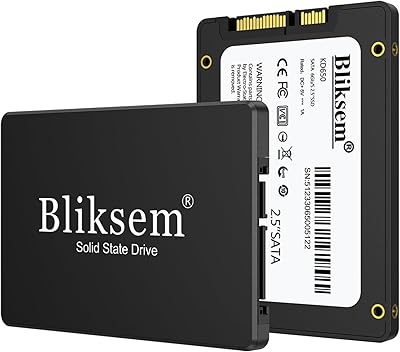
Bliksem KD650 128GB Internal SATA SSD
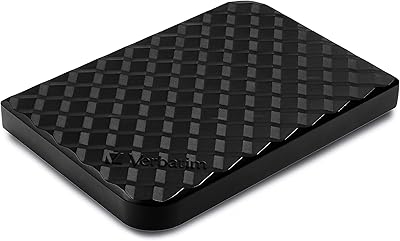
Verbatim Store 'n' Go 512GB Portable SSD
INLAND Professional 512GB SATA Internal SSD
Dogfish mSATA 512GB Internal SSD
Fikwot FX815 512GB 2.5″ SATA SSD
LEVEN JS600 1TB Internal SSD
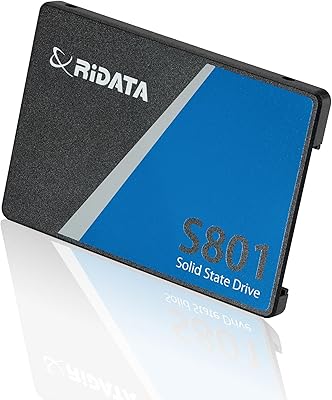
Ridata S801 1TB 2.5″ SATA SSD
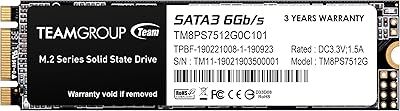
TEAMGROUP MS30 512GB M.2 SATA SSD