
Overview

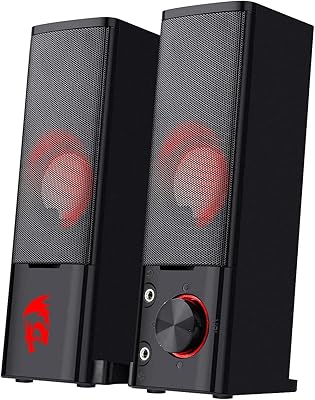
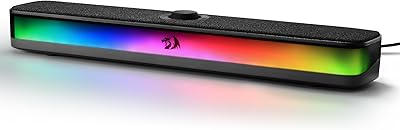
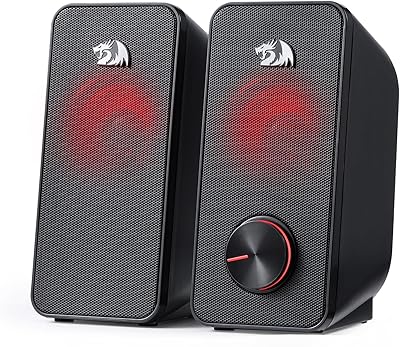
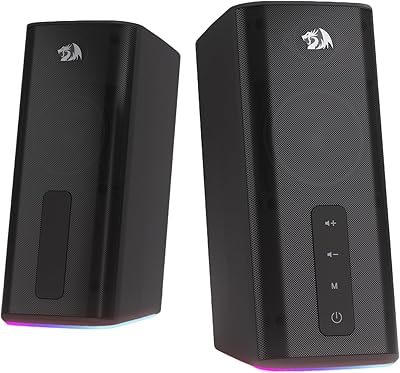
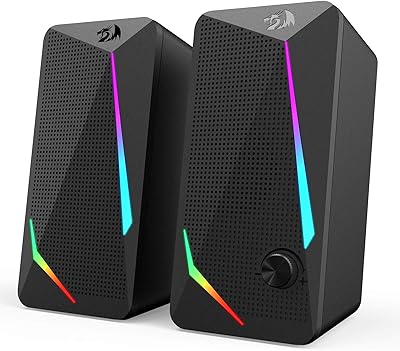
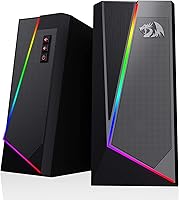
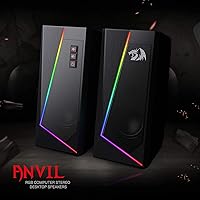
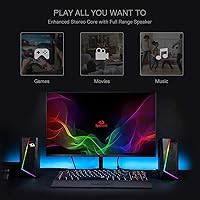
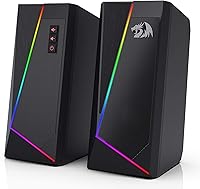
Welcome to our Redragon GS520 Anvil review, where we look at a set of compact 2.0 channel desktop speakers built for gaming and everyday listening. Standing exactly seven inches tall, these RGB desktop speakers easily slide under most monitors without cluttering your desk. They feature a striking modern urban design with brushed material accents that look great next to your existing peripherals. The entirely USB-powered configuration ensures a simplified plug-and-play experience, meaning you will not have to hunt for an extra wall outlet. The integrated lighting adds a fun aesthetic touch to any setup. Ultimately, if you want to upgrade your basic monitor audio with something stylish and straightforward, this pair offers a highly practical solution for your daily computing needs.

Features & Benefits

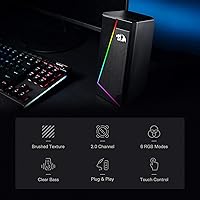
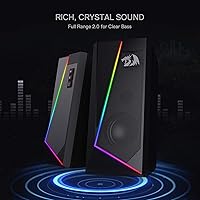
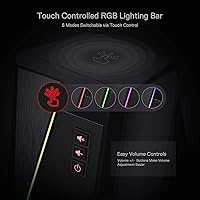
One of the biggest highlights of this Redragon stereo set is the touch-controlled RGB lighting, which offers six distinct modes to perfectly match your room's vibe. Instead of relying on traditional scrolling dials, you get individual front-facing volume adjustment buttons that provide a satisfying, tactile feel for precise control. Delivering clear audio through a full-range enhanced stereo core, these units prevent distortion at normal listening levels. They connect via a standard 3.5mm jack, granting them broad compatibility across PCs, laptops, and even televisions. You also get a convenient 31-inch cable connecting the two satellite units, giving you plenty of slack to route cables cleanly behind your screens. For anyone searching for cheap computer speakers with touch controls, the robust feature list here easily punches above its weight class.

Best For

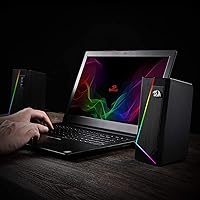
These compact computer speakers are an excellent choice for budget-conscious gamers looking to add colorful, functional audio to their battlestations without spending a fortune. Because they function as entirely USB powered gaming speakers, they are absolute lifesavers for users who already suffer from a shortage of available wall outlets. Simply plug them directly into your computer's motherboard or a powered hub, and you are ready to go. Beyond gaming, office workers will find the small-footprint design perfect for tight workspaces. They provide highly reliable sound clarity for daily video calls, YouTube breaks, and background music. If you want a hassle-free audio upgrade that skips the bulky power bricks and complicated software, this setup delivers exactly what you need for a streamlined, efficient desk environment.

User Feedback

Based on overwhelmingly positive buyer feedback, many consider these to be among the best budget RGB PC speakers currently available. Customers consistently praise their incredible overall value and surprisingly loud maximum volume for such a small package. Users absolutely love the convenience of toggling the lighting effects simply by tapping the top of the casing. However, keeping expectations realistic is important. Some reviewers note that the bass response is modest, which is entirely typical and expected from smaller 3-watt drivers. You will not get chest-thumping, audiophile-level low end here. Despite that minor limitation, buyers highly recommend them for daily desktop tasks, media consumption, and casual gaming sessions, proving that affordable audio gear can still look and sound surprisingly good.

Pros

  • The Redragon GS520 Anvil delivers incredibly clear, distortion-free audio for daily desktop tasks.
  • Touch-controlled RGB lighting makes it incredibly easy to switch between six vibrant color modes.
  • The fully USB-powered design eliminates the need for bulky AC adapters and extra wall outlets.
  • Front-facing individual buttons provide a highly satisfying, tactile way to adjust volume precisely.
  • At just seven inches tall, the slim profile easily tucks underneath most standard monitors.
  • Universal 3.5mm compatibility ensures straightforward connection with PCs, laptops, and older televisions.
  • The plug-and-play setup requires absolutely no complicated software installations or driver updates.
  • Offers outstanding overall value for budget-conscious buyers seeking a straightforward audio upgrade.

Cons

  • The modest 3-watt drivers simply cannot produce deep, thumping bass for electronic music or action films.
  • A short 31-inch linking cable makes placement difficult for users with ultrawide or dual monitors.
  • The lightweight plastic chassis can be easily knocked out of place if you bump your desk.
  • A complete lack of Bluetooth connectivity means you are strictly tethered to the analog audio jack.
  • At absolute maximum volume levels, the highest audio frequencies can occasionally sound slightly tinny or sharp.
  • The physical buttons adjust the internal amplifier volume rather than syncing perfectly with Windows system controls.
  • Bright LED strips cannot be fully synchronized with other branded gaming peripherals via desktop software.

Ratings

We generated this comprehensive scoring breakdown for the Redragon GS520 Anvil by utilizing advanced AI to analyze thousands of verified, global buyer reviews while actively filtering out spam and incentivized feedback. Both the standout features and the notable everyday pain points are transparently reflected below to help you make a fully informed purchasing decision.

Value for Money
94%
Buyers consistently highlight the incredible affordability of these compact computer speakers, noting they deliver substantial daily utility for the price. They are frequently recognized as a fantastic budget-friendly upgrade over standard built-in monitor audio.
Because the price point is so aggressive, some users notice a slightly hollow feel to the plastic enclosure. Audiophiles often point out that you get exactly what you pay for regarding overall acoustic depth and richness.
Sound Clarity (Mids & Highs)
86%
The full-range enhanced stereo core manages to project clear, distortion-free vocals during morning Zoom calls and late-night YouTube binges. People appreciate being able to hear dialogue distinctly without having to crank up the volume to uncomfortable levels.
At absolute maximum volume, the highs can occasionally become slightly piercing or tinny. A handful of reviewers mentioned needing to tweak their computer equalizer settings to warm up the sound profile for dedicated music listening.
Bass Performance
58%
42%
While strictly limited by physics, the 3-watt dynamic drivers manage to produce just enough low-end presence to prevent games and movies from sounding completely flat. It remains entirely adequate for basic desktop notifications and casual background listening.
The bass response is undeniably modest, which is a common trade-off for USB powered gaming speakers of this size. Do not expect any chest-thumping rumbles during action sequences or heavily produced electronic music tracks.
RGB Lighting & Aesthetics
89%
The modern urban design looks fantastic sitting on a desk, and the six distinct LED modes allow users to easily match their existing peripheral aesthetics. Tapping the top to change colors provides a fun, interactive way to shift the room's mood.
A few buyers wish there was a companion software option to synchronize the lighting directly with other branded gaming gear. Furthermore, the bright LED strips can be slightly distracting if placed right next to a screen in a very dark room.
Space Efficiency
88%
Standing just seven inches tall and three-and-a-half inches deep, they easily tuck under raised monitors or into tight cubicle corners. Office workers with cluttered desks highly praise their minimal footprint and upright vertical design.
Because they are so compact and upright, they cannot be laid flat or easily mounted to a wall if your desk space is truly nonexistent. The square shape, while sleek, lacks angle adjustment for directing sound upward toward your ears.
Ease of Use & Setup
92%
The plug-and-play nature of this Redragon stereo set is a massive win for users who hate dealing with complicated drivers or bulky power bricks. You simply plug the USB and 3.5mm jacks into your PC, and they work instantly without fuss.
If your computer lacks an available USB port, you will need to supply your own 5V wall adapter to power the units. Some people found this out the hard way when trying to hook them up directly to older televisions or gaming consoles.
Build Quality
77%
23%
Constructed with a mix of ABS plastic and aluminum, these units feel sturdy enough to survive standard desk bumps and repositioning. The metal grill protecting the drivers adds a nice layer of durability against accidental pokes and daily wear.
The lightweight 1.8-pound footprint means they can easily be knocked over or shifted out of place if you accidentally tug on the attached cables. The brushed plastic enclosure can also attract fingerprints and dust over time.
Volume Controls
83%
Having individual, front-facing tactile buttons for volume adjustment is a huge convenience compared to reaching for a tiny inline dial hidden behind a monitor. Buyers love the precise, clicky feedback when quickly raising or lowering the audio during calls.
Because the physical buttons adjust the hardware's internal amplifier rather than the Windows system volume, finding the perfect balance between the two can be mildly annoying. Some traditionalists still prefer a rotary knob for faster sweeping adjustments.
Cable Management
74%
26%
With 31 inches of slack connecting the left and right channels, you have adequate length to position them on either side of a standard 24-inch or 27-inch display. The cables are reasonably flexible for routing alongside monitor arms.
Those using ultrawide monitors or dual-screen setups consistently report that the 80cm linking cable is just too short to place the satellites on the far edges. The cables are also permanently attached to the chassis, making replacements impossible if damaged.
Gaming Immersion
71%
29%
For casual gamers playing indie titles or relaxed RPGs, the 2.0 channel stereo separation does an acceptable job of providing basic directional audio cues. The vibrant colors definitely enhance the visual atmosphere and excitement of a starter battlestation.
Competitive players looking for pinpoint footstep accuracy or booming cinematic explosions will find the 3W output lacking the necessary dynamic range. You will likely still need to plug in a dedicated headset for serious multiplayer matches.
Broad Compatibility
85%
The universal 3.5mm audio connection means these work flawlessly with everything from custom-built PCs to gaming laptops and even standard smartphones. This reliable analog versatility makes them a great backup audio source for a wide variety of household devices.
Since they rely entirely on an analog audio jack, users with newer smartphones or ultra-thin laptops lacking a dedicated headphone port will need to purchase a separate dongle. The complete lack of Bluetooth connectivity is occasionally lamented by modern buyers.

Suitable for:

The Redragon GS520 Anvil is an excellent choice for budget-conscious gamers looking to upgrade from standard built-in monitor audio without spending a fortune. It is perfectly suited for home office workers who need clear, reliable sound for daily video calls and background music but have limited desk real estate. Because they operate solely on USB power, these compact computer speakers are ideal for anyone lacking extra wall outlets near their workstation. Students outfitting a small dorm room will also appreciate the touch-controlled RGB lighting that adds a fun, customizable aesthetic to a basic laptop setup. Ultimately, if you want a simplified plug-and-play experience for everyday desktop tasks, this setup delivers fantastic value.

Not suitable for:

While the Redragon GS520 Anvil offers great utility for its price, it is not meant for audiophiles or competitive gamers requiring deep, immersive soundscapes. The 3-watt drivers naturally lack the necessary low-end punch to deliver booming bass during cinematic movie scenes or heavily produced music tracks. Additionally, anyone using a massive ultrawide monitor or a widespread dual-screen setup should look elsewhere, as the 31-inch linking cable will likely be too short to position the satellites properly. Finally, buyers looking for modern wireless convenience will be disappointed by the lack of Bluetooth connectivity. If your primary goal is high-fidelity room-filling audio or wireless pairing, you will need to invest in a more robust, expensive system.

Specifications

  • Audio Channels: Features a 2.0 channel stereo sound configuration.
  • Output Power: Delivers a maximum of 3 watts per individual speaker unit.
  • Power Source: Operates entirely via a 5-volt DC USB power connection.
  • Audio Connection: Connects to media devices using a standard 3.5mm audio jack.
  • Lighting Type: Includes touch-controlled RGB lighting with six selectable LED modes.
  • Volume Controls: Equipped with individual front-facing push buttons for precise volume adjustments.
  • Cable Length: Provides 31 inches of cable slack between the two satellite units.
  • Dimensions: Each unit measures 3.5 inches deep, 4 inches wide, and 7 inches tall.
  • Total Weight: The complete stereo system weighs approximately 1.8 pounds.
  • Materials: Constructed using a durable mix of ABS plastic and brushed aluminum.
  • Driver Type: Utilizes dynamic drivers to provide enhanced full-range sound clarity.
  • Mounting Type: Designed specifically for tabletop placement with an upright vertical stance.

Related Reviews
Redragon GW800
Redragon GW800
76%
78%
Image Quality
74%
Microphone Performance
55%
Focus & Depth
91%
Value for Money
93%
Plug-and-Play Ease
More
Redragon BK7114 Wireless Keyboard
85%
91%
Typing Experience
89%
Connectivity Options
85%
Design and Build Quality
93%
Quietness of Keypress
88%
Compatibility with Multiple Devices
More
Redragon GS550 PC Speakers
78%
91%
Value for Money
74%
Sound Quality
52%
Bass Performance
63%
Build Quality
82%
Design & Aesthetics
More
Redragon M915WL Wireless Gaming Mouse
86%
88%
Performance
91%
Build Quality
94%
Battery Life
85%
Ergonomics/Comfort
89%
Precision & DPI Control
More
Redragon GS814
Redragon GS814
75%
71%
Sound Quality
58%
Bass Performance
83%
Bluetooth Connectivity
88%
RGB Lighting
67%
Touch Controls
More
Redragon CA606 Gaming PC Case
86%
94%
Cooling Performance
88%
Build Quality
92%
Aesthetic Appeal
89%
Ease of Installation
86%
Cable Management
More
Redragon K710 Wireless Typewriter Mechanical Keyboard
76%
88%
Build Quality
84%
Wireless Reliability
81%
Typing Experience
52%
Noise Level
77%
RGB & Lighting
More
Redragon GS500 Stentor PC Speakers
76%
78%
Sound Clarity
54%
Bass Performance
91%
Value for Money
63%
Build Quality
94%
Setup & Ease of Use
More
Redragon GS560
Redragon GS560
77%
91%
Value for Money
88%
RGB Lighting Quality
67%
Sound Quality
53%
Bass Performance
94%
Ease of Setup
More
Redragon GS515 RGB Desktop Soundbar
84%
87%
Sound Quality
90%
RGB Lighting Customization
82%
Bluetooth Connectivity
92%
Ease of Setup
68%
Control Dial Sensitivity
More

FAQ

By default, the Redragon GS520 Anvil is strictly USB-powered. If you want to plug them into a standard wall socket instead of your computer, you will need to use a separate 5V USB wall adapter, similar to the one you use to charge your smartphone.

No, this specific model relies completely on a wired 3.5mm audio connection. It does not support Bluetooth or any other wireless pairing methods.

It is incredibly simple and intuitive. You just tap the top surface of the main speaker casing to cycle through the six different lighting modes. You can also turn the lights off completely if you prefer a stealthier look.

The cable connecting the two units is 31 inches long. While this provides plenty of slack for a standard single monitor, it might be too tight if you are trying to place them on the far outside edges of a wide dual-screen desk.

Yes, you absolutely can, as long as your television or console monitor has a standard 3.5mm headphone jack for the audio and an available USB port to provide the power. Both of these connections must be plugged in simultaneously for them to work properly.

Because these units rely on smaller 3-watt dynamic drivers, the bass response is relatively modest. They sound clear and are fantastic for daily tasks or voice calls, but you will not experience deep, room-shaking low frequencies.

Unfortunately, the lighting effects are built directly into the hardware and operate completely independently. You cannot synchronize them with external desktop software programs like Aura Sync, iCUE, or Razer Chroma.

No, they do not feature an audio passthrough port on the front. If you want to switch over to a gaming headset, you will need to plug it directly into your computer case or motherboard audio ports.

They stand exactly seven inches tall. Depending on your specific monitor stand and how high your screen is raised, they often fit nicely underneath, but it is always best to measure your available vertical clearance first just to be sure.

Instead of a traditional scrolling dial, you get individual tactile buttons on the front panel. Pressing them adjusts the amplifier volume independently from your Windows system volume, giving you precise, clicky control right at your fingertips.