Overview

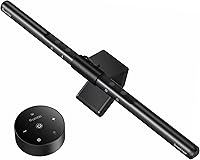
The Quntis ScreenLinear Pro Monitor Light Bar arrived in mid-2020 and has quietly built a loyal following among remote workers, students, and home office regulars — currently ranking No. 2 in its Amazon subcategory. Screen-mounted lighting has become popular because it addresses a real problem: your desk sits in relative darkness while your monitor radiates full brightness, creating uncomfortable visual contrast that wears on your eyes over time. This monitor light bar clips on top of the screen, illuminating your workspace without taking any desk surface. It fits both flat and curved monitors, occupying a solid mid-range price tier — not a casual impulse buy, but genuinely accessible.
Features & Benefits

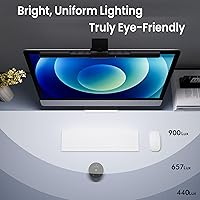
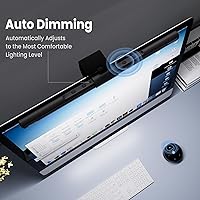
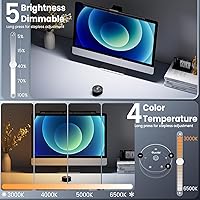
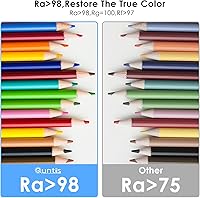
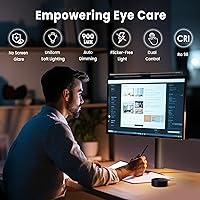
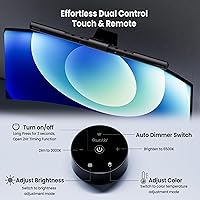
The lamp's asymmetrical optical design is the standout engineering detail — it throws light downward onto your desk rather than forward into the screen, so there's no reflective glare to fight. An ambient light sensor handles auto-dimming, targeting around 900 lux as room brightness shifts throughout the day. Touch controls let you adjust both brightness and color temperature steplessly, from warm 3000K to a crisp 6500K. The 78 LED beads carry a Ra98 color rendering index, which means physical objects on your desk look accurate in color — handy when matching printed work to on-screen visuals. The ScreenLinear Pro is also certified flicker-free and low blue light by IEC standards, and it remembers your last settings after power cycling.

Best For

This desk lamp makes the most sense for anyone logging long daily screen sessions — think writers, analysts, designers, or students grinding through coursework in the evenings. Graphic designers and photo editors in particular will appreciate the high CRI lighting, since accurate color rendering on your physical surface matters when referencing printed materials or maintaining color consistency across mediums. It's also a practical choice for anyone tight on desk space; mounting on the monitor frees up the footprint a traditional lamp would occupy. Gamers benefit too — ambient task lighting that doesn't reflect off the screen keeps immersion intact while softening the harsh contrast between a bright display and a dark room.

User Feedback

Buyers consistently mention how painless setup is — clip on, plug in, done — and many report a genuine reduction in eye fatigue after a week or two of regular use. The clean, minimal look draws praise, and the memory function earns specific callouts from people who appreciate not resetting brightness every morning. That said, the clip can feel snug on thin bezels, so owners of ultra-slim monitors should confirm compatibility before buying. Touch control sensitivity divides opinion: most find it accurate, but a small share of reviewers describe it as occasionally inconsistent. Auto-dimming is well-liked overall, though some users disable it for full manual control. Given the lamp launched in 2020, long-term durability reports are generally positive.

Pros

  • Asymmetrical optics keep light off the screen entirely, eliminating glare even on glossy monitor surfaces.
  • Ra98 color rendering index makes physical materials look accurate under the lamp — a real advantage for creative work.
  • Auto-dimming sensor adjusts brightness intelligently as daylight or room lighting shifts throughout the day.
  • Stepless touch control allows precise brightness and color temperature tuning without jumping between fixed presets.
  • Memory function reliably restores your preferred settings after every power cycle, saving daily reconfiguration.
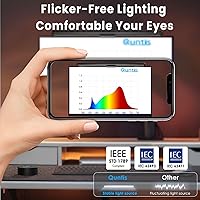
  • Certified flicker-free and low blue light output means less eye fatigue during extended screen sessions.
  • Clip-on design frees up desk surface completely and installs in under two minutes with no tools required.
  • Works on both flat and standard curved monitors, covering the vast majority of home office setups.
  • Color temperature spans 3000K to 6500K, making it adaptable from warm evening reading to crisp daytime focus work.
  • Long-term durability reports from multi-year owners are reassuring for a product in this category.

Cons

  • No rear bias lighting feature, which similarly priced competitors are increasingly including as standard.
  • USB cable is fixed and short, limiting tidy routing options depending on port placement.
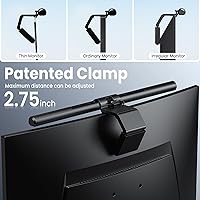
  • Clip can feel uncomfortably tight on thin bezels and may wobble on monitors with sub-5mm frames.
  • Touch sensor occasionally requires multiple taps to register, particularly when hands are cold or dry.
  • Auto-dimming reads ambient room light rather than the immediate task area, leading to occasional over-compensation.
  • Two-hour auto-off timer cannot be adjusted or set to a longer duration, frustrating users with extended focus sessions.
  • Single memory profile is limiting in shared workspaces where multiple users have different lighting preferences.
  • Very large ultrawide monitors above 34 inches may feel underlit toward the outer edges of the desk.
  • No app control or preset profiles for users who switch frequently between distinct lighting environments.

Ratings

The Quntis ScreenLinear Pro Monitor Light Bar has been scored by our AI system after processing thousands of verified global buyer reviews, with spam, incentivized posts, and bot activity actively filtered out before any score was calculated. The result is an honest, balanced snapshot of real-world performance — strengths and frustrations included. Where users consistently agreed, the scores reflect that consensus; where opinions diverged, that nuance is captured too.
Eye Strain Reduction
91%
This is the category where the ScreenLinear Pro earns its reputation. Users working 8-hour desk shifts report measurably less end-of-day eye fatigue compared to using overhead room lighting alone. The combination of flicker-free output and certified low blue light emission makes a tangible difference during late-night work sessions.
A handful of users with pre-existing light sensitivity conditions found even the warmest 3000K setting slightly harsh in a completely dark room. It is worth noting this lamp supplements ambient light rather than replacing full room illumination.
Glare-Free Performance
88%
The asymmetrical optical design is genuinely effective — light lands on the desk surface, not the screen, which is exactly what you need when working with a glossy monitor. Photographers and designers who do color work note they no longer have to battle reflections while cross-referencing physical prints with on-screen work.
On very high-gloss ultrawide curved monitors, a small percentage of users noticed faint peripheral light scatter near the top edge of the screen. This is not a widespread issue, but it is worth considering if your monitor surface is particularly reflective.
Build Quality
79%
21%
The aluminum body feels solid and purposeful for its weight class, and the polycarbonate diffuser distributes light evenly without visible hot spots. Users who have owned it for two or more years consistently report no degradation in light output or structural integrity.
The plastic clip housing shows wear marks after extended use, especially on monitors with textured bezels. A few long-term owners also noted that the USB cable, while functional, feels slightly thin relative to the overall build of the lamp itself.
Ease of Installation
94%
Setup is genuinely plug-and-play — clip it on, connect the USB, and it is ready within two minutes. The weighted clip balances well on most monitors without requiring any tools or adjustment, and users consistently call this one of the most satisfying unboxing-to-use transitions in this category.
The clip fit is snug by design, which helps stability but creates minor anxiety during installation on monitors with thin or narrow bezels. A small group of users with sub-5mm bezels reported the clip did not sit flush and caused slight wobble.
Touch Control Responsiveness
72%
28%
For most users the touch panel is accurate and satisfying to use — a light tap adjusts brightness or temperature without having to hunt for a physical button. The stepless dimming in particular gets praised for allowing precise, granular control rather than jumping between preset levels.
Roughly one in six buyers describes the touch sensor as occasionally unresponsive, requiring a second or third tap to register. This appears more common when hands are dry or cold, and while not a dealbreaker, it is a recurring irritant that prevents a higher score here.
Auto-Dimming Accuracy
77%
23%
The ambient light sensor does its job well in standard home office conditions, adjusting brightness smoothly as daylight shifts or room lights switch on and off. Users who work near windows especially appreciate not having to manually intervene throughout the day as light levels change.
The sensor reads the room rather than the task area, which means it can over-compensate in rooms with strong overhead lighting. A meaningful share of buyers end up disabling auto-dimming entirely and using manual control, suggesting the sensor calibration could be more nuanced.
Color Temperature Range
89%
The 3000K to 6500K spread covers virtually every practical use case — warm amber tones for relaxed evening reading, neutral white for general office work, and cool daylight for detail-heavy tasks like photo editing. The stepless transition between temperatures is smooth with no visible banding or sudden shifts.
The 3000K warm end reads slightly more yellow than some competitors, which a small segment of users finds unflattering for video calls. Those who prefer a true neutral warm tone may need to settle around 3500K rather than the floor setting.
Color Rendering Quality
86%
An Ra98 CRI is genuinely impressive at this price point, and users doing color-sensitive work notice it. Print designers comparing physical proofs to screen output report that colors on their desk look consistent and accurate under this lamp, reducing the guesswork that comes with low-CRI lighting.
The high CRI benefit is most relevant to creative professionals — for general office or gaming use, the real-world impact is minimal and unlikely to justify a purchasing decision on its own. Some buyers felt the CRI spec was oversold for everyday document work.
Desk Space Efficiency
93%
Mounting on top of the monitor completely eliminates the footprint of a traditional desk lamp, which is a meaningful advantage in compact home office setups, dorm rooms, or shared workspaces. Users in small apartments frequently cite this as the primary reason they chose a monitor bar over a conventional lamp.
The lamp requires the monitor to have a bezel wide enough to support the clip, so ultra-thin edge-to-edge display owners may find the mounting less secure. It also adds slight visual bulk to the top of the monitor, which some minimalists find aesthetically noticeable.
Memory Function
87%
The lamp reliably restores your last brightness and color temperature settings after being powered off — a small feature that earns outsized appreciation from users who dial in a specific setup and do not want to reconfigure it daily. It works consistently across power cycles without fail.
There is only one stored profile, so households or shared offices where multiple people use the same workstation with different lighting preferences will find the single-memory limitation restrictive. A dual-profile or app-based preset system would address this gap.
Compatibility with Monitor Types
81%
19%
The clip works reliably on both flat and standard curved monitors, and the 40cm lamp length suits most 24-inch to 32-inch screens without looking disproportionate. Users with 27-inch monitors in particular report a well-balanced fit both physically and in terms of light coverage.
Very large ultrawides above 34 inches can look slightly underlit toward the edges, and owners of monitors with extremely slim or borderless bezels have reported fitment issues. Compatibility checking against your specific monitor model before buying is genuinely advisable.
2-Hour Auto-Off Timer
74%
26%
The timer function is a practical energy-saving addition that long-session users who often forget to manually switch off desk lights find genuinely useful. It works reliably and prevents the lamp from running overnight if left on accidentally.
There is no way to adjust the timer duration — two hours is the only option, and it cannot be disabled in a way that persists across power cycles on some units. Users who work in focused four-hour blocks find themselves resetting it more than they would like.
Value for Money
83%
At its mid-range price point, this monitor light bar delivers a feature set — auto-dimming, Ra98 CRI, flicker-free certification, memory function — that typically appears on more expensive alternatives. For buyers who want meaningful eye care without spending heavily on premium brands, the value equation is solid.
A few competing lamps in a similar bracket now include a rear monitor backlight feature, which the ScreenLinear Pro lacks. Buyers who want both task lighting and bias lighting ambiance will need to look elsewhere or purchase a separate backlighting strip.
Cable Management
66%
34%
The USB power source keeps things simple — most modern monitors and USB hubs have a spare port, so no wall adapter is needed. Users with a single power strip appreciate not adding another plug to the mix.
The attached cable is not particularly long, and its fixed position at one end of the lamp limits routing options depending on where your USB port sits. A detachable or longer cable would make desk organization noticeably cleaner for setups where the power source is not close to the monitor.
Long-Term Durability
78%
22%
With the product on the market since mid-2020, there is a reasonable base of multi-year owners to draw from, and the majority report the lamp still performs as expected after two or three years of daily use. LED degradation has not been a commonly cited issue.
The touch sensor on a subset of older units has shown reduced sensitivity over time, and the clip tension can loosen slightly after repeated removal and remounting. These are not universal failures, but they surface often enough in long-term reviews to be worth noting.

Suitable for:

The Quntis ScreenLinear Pro Monitor Light Bar is a strong fit for anyone who spends the majority of their working day in front of a screen and has started to notice the toll that poor desk lighting takes by evening. Remote workers and students in compact living spaces will find the monitor-mounted design particularly practical — it delivers focused task lighting without consuming any desk surface. Graphic designers, photo editors, and anyone who regularly cross-references physical materials against on-screen work will get real value from the Ra98 color rendering, which makes colors on your desk look accurate and consistent under the lamp. Gamers who want to soften the harsh contrast between a bright display and a dark room — without introducing glare on screen — will also find this monitor light bar hits that balance well. If you have been relying on overhead room lighting or an older desk lamp and want a cleaner, more purposeful setup, this is a logical and well-supported upgrade.
Not suitable for:

Buyers who want a single lighting solution that handles both task illumination and ambient bias lighting behind the monitor should look elsewhere — the Quntis ScreenLinear Pro Monitor Light Bar does not include a rear-facing backlight feature, which some competing models in a similar price range now offer. If your monitor has an extremely slim or borderless bezel, the weighted clip may not mount securely, and fitment issues reported by this group of users are frequent enough to be taken seriously. Anyone who prefers completely wireless setups will also be disappointed, as this lamp runs exclusively on a corded USB connection with no Bluetooth or app control. Users who work in shared spaces where multiple people have different lighting preferences will find the single-profile memory function limiting. Finally, if your primary need is room illumination rather than focused desk task lighting, this desk lamp is not designed to fill that role — it works best as a complement to existing ambient light, not a replacement for it.
Specifications

  • Lamp Length: The light bar measures 15.7 inches (40 cm) in length, suitable for monitors ranging from 24 to 32 inches wide.
  • Dimensions: Overall unit dimensions are 0.78″ deep by 15.7″ wide by 0.78″ tall, making it compact enough to sit unobtrusively on top of most monitors.
  • Weight: The lamp weighs 500 grams (approximately 1.1 lbs), with the weighted clip providing enough downward force to stay stable without adhesives.
  • Power Source: Powered via USB at 5 volts and 5 watts, compatible with any standard USB-A port on a monitor, hub, or wall adapter.
  • LED Count: Contains 78 individual LED beads arranged to produce uniform illumination across the full length of the bar with minimal shadow or hot spots.
  • Brightness Output: Delivers up to 900 lux at the target desk surface, which is the level the auto-dimming sensor uses as its reference point for ambient adjustments.
  • Color Temperature: Adjustable from 3000K warm amber through to 6500K cool daylight, with stepless control allowing any point in between.
  • Color Rendering: Rated Ra98 on the Color Rendering Index, meaning colors of physical objects under the lamp appear highly accurate and true to life.
  • Auto-Dimming: A built-in ambient light sensor continuously monitors room brightness and automatically adjusts output to maintain a consistent 900 lux on the desk surface.
  • Controls: Touch panel on the lamp body handles all adjustments, including brightness, color temperature, and power, with stepless response rather than fixed preset steps.
  • Memory Function: The lamp stores the last-used brightness level and color temperature setting, restoring them automatically the next time it is powered on.
  • Auto-Off Timer: A built-in 2-hour auto-off timer can be activated to automatically cut power, helping reduce energy use and prevent the lamp from running unattended overnight.
  • Mounting Type: Uses a weighted clip-on mount that sits over the top edge of the monitor bezel, compatible with both flat-panel and standard curved monitors without tools or adhesives.
  • Body Material: Primary structure is aluminum with a lacquered finish; the diffuser and clip housing are polycarbonate plastic.
  • Certifications: Certified to IEC/TR 62778 and IEC/EN 62471 standards, independently verifying that blue light emission and flicker levels fall within safe limits for extended daily use.
  • Wattage: Operates at 5 watts maximum draw, making it one of the more energy-efficient task lighting options available for desktop use.
  • Light Distribution: Asymmetrical optical design directs light downward onto the desk surface only, preventing forward projection that would cause glare or reflection on the monitor screen.
  • Warranty: Quntis provides a 1-year product quality guarantee covering manufacturing defects from the date of purchase.
  • Water Resistance: Not water resistant and rated for indoor use only; the lamp should not be used in humid environments such as bathrooms or outdoor covered spaces.
  • Best Sellers Rank: Holds the No. 2 position in the USB Reading Lamps category on Amazon as of the most recent ranking data available.

Related Reviews
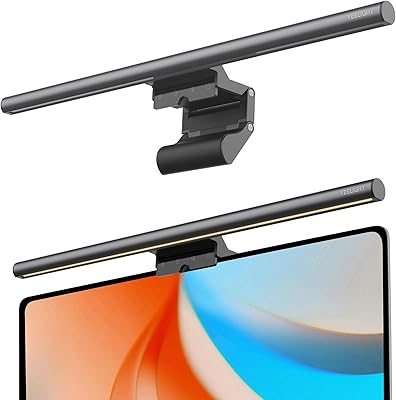
YEELIGHT Monitor Light Bar
81%
88%
Build Quality
84%
Eye Care Performance
91%
Color Temperature Range
72%
Brightness Output
69%
Touch Control Usability
More
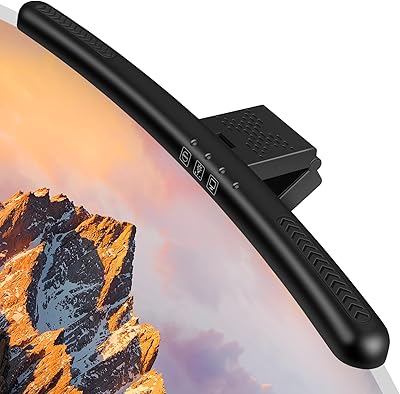
Laliled 15.6-inch Curved Monitor Light Bar
77%
88%
Glare & Eye Comfort
93%
Ease of Installation
76%
Light Quality & CRI
63%
Color Temperature Range
84%
Brightness & Dimming Control
More
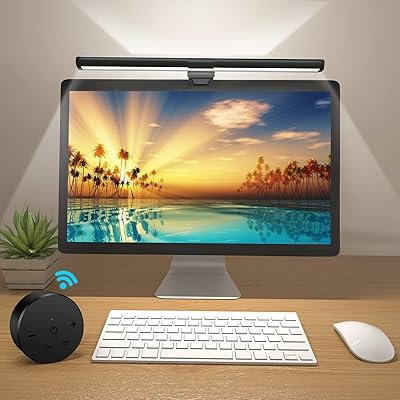
OOWOLF TL03 Pro-Plus Monitor Light Bar
81%
88%
Eye Comfort & Strain Reduction
91%
Color Rendering Quality
67%
Brightness Output
86%
Color Temperature Range & Dimming
72%
Remote Control Usability
More
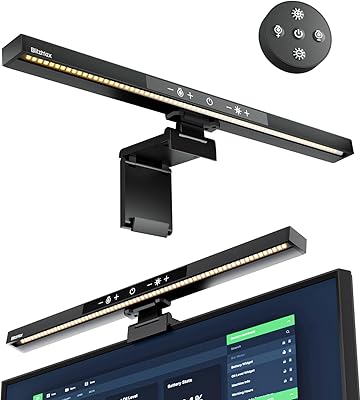
BlitzMax BM-ES1 Monitor Light Bar

84%
91%
Glare & Reflection Control
88%
Dimming & Brightness Control
86%
Color Temperature Range
84%
Installation & Compatibility
79%
Remote Control Usability
More
BASN Bsinger PRO
BASN Bsinger PRO
86%
91%
Acoustic Isolation
94%
Value for Money
88%
Mid-Range Clarity
86%
Cable Versatility
83%
Long-Term Comfort
More
MSI Pro MP241X 24″ Monitor
85%
92%
Value for Money
88%
Display Quality
95%
Setup & Installation
84%
Build Quality
85%
Ergonomics
More
KZ ZSN Pro in Ear Monitors
85%
91%
Sound Quality
85%
Comfort & Fit
88%
Build Quality
89%
Noise Isolation
82%
Durability
More
Xiaomi Magnetic Reading Light Bar
82%
91%
Light Quality & Uniformity
88%
Glare Reduction
67%
Battery Life
84%
Build Quality & Materials
86%
Touch Controls & Usability
More
RIOWOIS DS6441 PRO 2.1 Soundbar with Subwoofer
76%
88%
Value for Money
79%
Sound Quality
81%
Bass Performance
93%
Ease of Setup
52%
Remote Compatibility
More
MSI Pro MP273AW 27-inch Monitor
85%
91%
Display Quality
89%
Eye Comfort & Protection
82%
Gaming Performance
88%
Ease of Setup
84%
Design & Aesthetics
More

FAQ

No — and this is genuinely one of the things it does best. The optical design is asymmetrical, meaning it deliberately angles light downward onto your desk rather than forward toward the screen. In practice, even on glossy monitor surfaces, most users report zero visible reflection.

Yes, the weighted clip is designed to work on both flat and standard curved monitors. That said, if your monitor has an extremely slim bezel — we are talking under 5mm — the clip may not grip securely. It is worth measuring your bezel width before buying if you are unsure.

Absolutely. The auto-dimming feature can be bypassed at any time using the touch controls, letting you set a fixed brightness and color temperature manually. A number of users actually prefer this approach, especially in rooms where the ambient light sensor tends to over-adjust.

Any standard USB-A port running at 5V will work — a spare port on your monitor, a USB hub, a laptop, or a basic wall adapter all do the job. At only 5 watts, it draws very little power and should not cause issues on shared hubs.

No, it does not include a rear-facing bias light. The lamp is purely a forward task light for your desk surface. If you want both functions, you would need to pair it with a separate LED bias lighting strip mounted behind the monitor.

The timer is activated through the touch control panel on the lamp itself. Keep in mind the timer is fixed at two hours and cannot be adjusted to a longer or shorter duration, so if you typically work in longer uninterrupted sessions it may require resetting.

Yes — the memory function stores your last brightness level and color temperature, and the lamp returns to those exact settings the next time it powers on. This is one of the features that gets consistently positive mentions from long-term users.

The lamp is 40 cm long, which covers most 24-inch to 32-inch monitors comfortably. On very wide ultrawides above 34 inches, the light coverage may feel slightly uneven toward the outer edges of the desk. It will still work, but the illumination will not be as uniform across the full width.

It takes about two minutes. You slide the weighted clip over the top of your monitor bezel, plug the USB cable into a free port, and it is ready to use. No tools, no screws, no assembly beyond that. Most buyers describe it as one of the most straightforward setups in this product category.

With the product having been on the market since mid-2020, there is a reasonable pool of multi-year owners to reference, and the majority report no noticeable loss in brightness or light quality after two to three years of daily use. LED degradation has not been a widely reported issue, which is a good sign for long-term reliability.