Overview

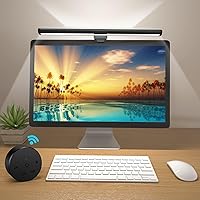
The OOWOLF TL03 Pro-Plus Monitor Light Bar is a slim, USB-powered desk lamp that clips onto the top of your monitor and lights your workspace without consuming any desk real estate. It sits comfortably in the mid-range of the monitor lighting market, competing with names like BenQ ScreenBar but at a noticeably friendlier price. The aluminum bar form factor keeps things clean and modern. What genuinely sets it apart at this tier is the included IR remote — adjusting brightness or color temperature without leaving your chair is a small convenience that quietly adds up over a long workday. Just keep expectations grounded: this is a solid daily driver, not a studio-grade lighting solution.
Features & Benefits

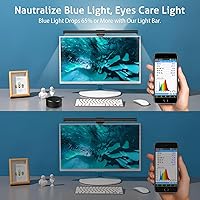
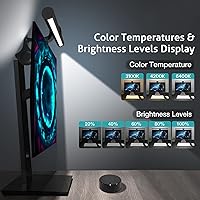
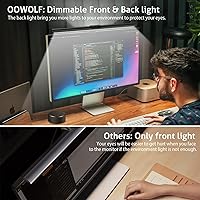
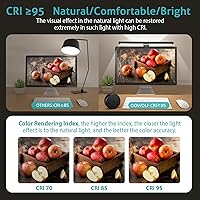
What makes this desk light bar worth a closer look starts with its Ra95 color rendering index, meaning the light it casts shows colors closer to how they actually look — useful whether you are editing documents, reviewing design work, or simply reading for hours on end. Color temperature spans from a warm 3100K to a crisp 6500K, with stepless dimming adjustable entirely from the remote. The flicker-free, low blue-light output is a genuine comfort feature during long sessions rather than just a marketing label. A soft backlight on the rear of the bar also reduces harsh contrast between a bright screen and a dark room. Usefully, the lamp remembers your last settings each time you power it back on.

Best For

This monitor light bar makes the most sense for people who spend the bulk of their day staring at a screen — remote workers, writers, coders, or anyone clocking serious hours at a home office desk. Gamers who want ambient bias lighting alongside functional illumination will find the rear backlight a practical bonus rather than a gimmick. If your desk is already cramped, the clip-on form factor solves a real problem since there is no bulky base to work around. It also appeals strongly to buyers who want high-CRI lighting without committing to premium-brand pricing. Anyone who regularly experiences eye fatigue from harsh or flickering light should find this a worthwhile step up from a standard lamp.

User Feedback

Across more than 2,200 ratings, the OOWOLF lamp holds a 4.4-star average — genuinely solid, though not without honest caveats. Most buyers highlight easy setup and a noticeable drop in eye fatigue after switching from a conventional desk lamp, and many single out the rear backlight as a feature they did not expect to appreciate as much as they do. The complaints worth knowing: the remote feels a bit lightweight in hand, and the clip does not suit every monitor equally well — thicker or curved bezels can create a real fit issue, so check your monitor profile before purchasing. A handful of users also note that 300 lumens can feel underwhelming in a bright, sunlit workspace.

Pros

  • Ra95 color rendering makes desk surfaces and printed materials look noticeably more natural and accurate.
  • Flicker-free output reduces the subtle visual fatigue that cheap lamps cause during long evening sessions.
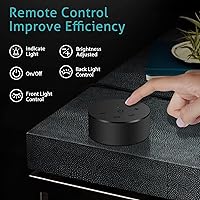
  • The included remote lets you adjust brightness and color temperature without interrupting your workflow.
  • Color temperature spans from warm 3100K to crisp 6500K, covering both focused work and wind-down use.
  • Clips directly onto the monitor top, freeing up the entire desk surface for other use.
  • The rear backlight softens screen-to-wall contrast — users consistently call it a feature they did not expect to rely on.
  • Memory function recalls your last settings on power-up, removing the need to reconfigure every session.
  • Setup takes under three minutes with no software, apps, or pairing required.
  • The aluminum body feels solid and holds up well over daily use without showing wear.
  • Delivers a CRI95+ feature set at a price point well below established monitor lighting brands.

Cons

  • 300 lumens is insufficient in bright or daylight-flooded rooms — the lamp largely disappears against ambient light.
  • The remote feels noticeably cheaper than the lamp itself and has a narrow IR reception angle.
  • Clip compatibility is inconsistent — thin bezels, curved panels, and ultrawide monitors can be a real fit issue.
  • The backlight cannot be independently dimmed from the main output in all modes, limiting fine-tuned customization.
  • The USB cable, while long, is thin and prone to kinking near the lamp connection point over time.
  • Only available in black, which clashes visually with white or silver monitor setups.
  • The IR remote occasionally requires precise aiming to register, which can interrupt focus during work.
  • The memory function may reset after a full power cut rather than a simple standby cycle on some USB hubs.
  • No app or smart home integration for users who prefer automated lighting schedules.
  • The bar length covers a standard monitor well but leaves the edges of ultrawide displays in shadow.

Ratings

The OOWOLF TL03 Pro-Plus Monitor Light Bar has been evaluated by our AI rating system after analyzing thousands of verified global user reviews, with spam, bot-submitted, and incentivized feedback actively filtered out. The scores below reflect a balanced picture of where this desk light bar genuinely delivers and where real buyers have run into friction. Strengths and shortcomings are weighted equally so you can make a confident, informed decision.
Eye Comfort & Strain Reduction
88%
Users who spend six or more hours daily at a computer consistently report that switching to the OOWOLF lamp made late-evening work sessions noticeably more comfortable. The flicker-free output and reduced blue light contribution are cited as practical, felt benefits — not just spec-sheet claims.
A smaller segment of users with heightened light sensitivity found that even the warmest 3100K setting felt slightly cool for extended nighttime use. It is a comfort aid, not a clinical solution, and expectations should be set accordingly.
Color Rendering Quality
91%
The Ra95 CRI rating earns genuine praise from designers, photographers, and remote workers who review color-sensitive content on screen. Colors on the desk surface — printed documents, product samples, sketchbooks — look closer to how they appear in daylight, which users describe as a meaningful upgrade over cheap LED strips.
For casual users who just need task lighting, the high CRI is largely invisible and adds little practical value. A few reviewers also noted slight variation in color accuracy toward the edges of the bar, though this is a minor observation rather than a consistent complaint.
Brightness Output
67%
33%
For evening and low-light work environments, 300 lumens is plenty — the downward-facing beam lights a keyboard and immediate desk area cleanly without washing out the screen. Gamers running dark room setups report it hits the sweet spot between functional and atmospheric.
In a bright home office with natural daylight coming through a window, 300 lumens can feel underwhelming and almost invisible during the day. Users who work in well-lit rooms or under overhead fluorescents are the most likely to feel the brightness ceiling as a real limitation.
Color Temperature Range & Dimming
86%
The 3100K-to-6500K range covers most practical needs — warm tones for winding down in the evening, cooler tones for focused daytime work. Stepless dimming means there are no jarring jumps between levels, which is something buyers coming from basic two-setting lamps appreciate immediately.
A handful of users noted the transition between warm and cool presets via the remote can occasionally require multiple button presses before responding consistently, suggesting the IR sensor has a somewhat narrow reception angle. Not a dealbreaker, but it can interrupt workflow.
Remote Control Usability
72%
28%
Having a physical remote at this price point is a genuine differentiator — being able to dial in brightness or switch color temperature without reaching up to the lamp makes a real difference during video calls or focused work sprints. Most users call it one of the best features after the first week.
The remote itself feels lightweight and plasticky in hand, which undermines the otherwise premium aluminum build of the lamp. Several users also noted the IR range is sensitive to angle, meaning you occasionally need to point it more precisely than feels natural.
Build Quality & Materials
79%
21%
The aluminum body gives the bar a solid, dense feel that reads as quality the moment you handle it. The matte black finish holds up well over time and does not show fingerprints the way glossy plastics tend to, which keeps a clean desk setup looking tidy.
While the bar itself is well-constructed, the clip mechanism and remote feel like they came from a different product tier. A few users reported minor flex in the clip over months of use, and the cable — though long at nearly five feet — is on the thinner side.
Monitor Clip Compatibility
63%
37%
For standard flat monitors with a conventional bezel thickness, the clip seats firmly and holds the bar in place without wobbling or shifting during typing. Most users with typical 24-inch to 27-inch monitors report a no-fuss installation in under two minutes.
Curved monitors and ultra-thin bezels are a known friction point — the clip was clearly designed with flat-panel monitors in mind and can sit unevenly or refuse to grip thin profiles securely. Anyone with a monitor outside the standard bezel range should verify compatibility before purchasing.
Backlight Feature
83%
The rear-facing ambient glow is regularly called out as a pleasant surprise by buyers who did not expect to use it but ended up leaving it on constantly. It softens the harsh contrast between a bright screen and a dark wall behind it, making long evening sessions feel less visually fatiguing.
The backlight is not independently dimmable from the main light in all modes, which limits customization for users who want strong desk illumination but only a subtle ambient glow. It is a nice bonus rather than a fully developed feature.
Setup & Installation
93%
Unboxing to fully operational takes under three minutes for the vast majority of users — clip on, plug the USB into a spare port or adapter, and you are done. No drivers, no app, no pairing process. Buyers who have wrestled with more complex lighting setups single this out as a relief.
The instruction manual is minimal and does not clearly explain the remote function sequence for toggling the backlight independently. A small number of users spent time experimenting with button combinations that could have been documented more clearly.
Memory Function
81%
19%
The lamp picking up exactly where you left it — same brightness, same color temperature — after being switched off is one of those small quality-of-life details that users only notice when it works reliably. Office workers on fixed routines especially appreciate not reconfiguring it every morning.
A minority of users reported the memory function occasionally resetting after a full power cut rather than just a standby cycle, suggesting it relies on a brief power continuity that a switched USB hub or surge protector can interrupt. Edge case, but worth knowing.
Desk Space Efficiency
94%
Reclaiming the footprint a traditional lamp base would occupy is a tangible benefit for compact desk setups. Writers and coders with small workstations note that the monitor-top position keeps the entire desk surface free while still providing well-placed, direct task lighting.
Users with very wide ultrawide monitors noted the 16.14-inch bar only covers the central portion of the screen, leaving edges of the desk in relative shadow. It is not a flaw per se, but worth flagging for anyone with a setup wider than 32 inches.
Value for Money
84%
Compared to more established monitor lighting brands, this desk light bar delivers a feature set — CRI95+, full dimming range, remote, backlight — that buyers consistently describe as punching above its price category. For a home office on a sensible budget, the value calculation is hard to argue with.
Users who later upgraded to a premium competitor noted a clear gap in remote responsiveness and build consistency, suggesting the value equation holds primarily at this price tier and starts to feel less compelling if you are comparing it upward.
Cable Management
68%
32%
The 59-inch USB cable is long enough to route neatly behind most monitor stands and reach a desktop hub or wall adapter without looking stretched or awkward. Users with towers positioned on the floor appreciate having that extra length to work with.
The cable itself is on the thin side and lacks any integrated clip or velcro tie for routing. Several users mentioned it has a tendency to pick up kinks near the lamp connection point over time, which is a minor durability concern in a product otherwise designed to live on your desk permanently.
Aesthetic & Desk Integration
87%
The minimal black aluminum bar sits cleanly on top of nearly any monitor without drawing attention to itself — it just looks like it belongs there. Users running dark-themed desk setups or minimalist battlestations specifically call out how well it disappears into the overall aesthetic.
There is currently only one color option available, which is a mild limitation for users with white or silver monitor setups where a black bar reads as an obvious mismatch. It is a cosmetic concern, but one that comes up with enough frequency to be worth noting.

Suitable for:

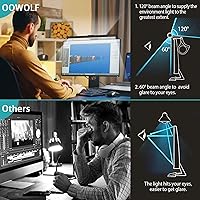
The OOWOLF TL03 Pro-Plus Monitor Light Bar is a strong fit for anyone who spends the majority of their workday anchored to a desk — remote workers, writers, coders, and students who regularly push past six hours of screen time will get the most out of its eye-comfort features. If your desk is already tight on space and a traditional lamp base feels like one compromise too many, the monitor-clip design solves that problem cleanly without asking you to sacrifice lighting quality. Gamers running darker room setups will also appreciate the rear ambient backlight, which cuts the visual harshness of a bright screen against a dark wall. Buyers who want high color rendering — CRI95 or above — without paying the premium that established lighting brands charge are squarely in the target audience here. Anyone who has dealt with flickering budget lamps aggravating their eyes during evening work will likely notice a real, practical difference with this desk light bar.
Not suitable for:

The OOWOLF TL03 Pro-Plus Monitor Light Bar is not the right call for users working in bright, naturally lit rooms or under strong overhead office lighting — at 300 lumens maximum, the output simply gets swallowed up in those conditions and offers little practical benefit. Photographers, video editors, or anyone doing professional color-critical work should look elsewhere, as this is a comfort-focused desk lamp rather than a calibrated lighting tool. If your monitor has a very thin bezel, an ultrawide curved panel, or an unconventional frame profile, the clip fit is a genuine gamble — several real-world users have reported unstable mounting on non-standard setups. Those who want fully independent control over the backlight brightness separate from the main beam may also find the current feature set limiting. And if you are comparing this directly against premium competitors and expecting the same build consistency throughout — particularly in the remote and clip — this lamp will likely fall short of those expectations.
Specifications

  • Dimensions: The bar measures 16.14″ wide by 0.79″ deep by 0.79″ tall, keeping it compact enough to sit discreetly on top of most standard monitors.
  • Weight: At 1.19 pounds, the lamp is light enough that it does not place meaningful stress on the monitor bezel during normal use.
  • Material: The main body and shade are constructed from aluminum, giving the bar a solid, heat-dissipating build that holds up well under continuous daily use.
  • Power Input: The lamp draws power via USB at 5 volts and 5 watts, making it compatible with any USB-A port, hub, or wall adapter that meets standard output specs.
  • Cable Length: The included USB cable measures 59 inches, providing enough reach to route neatly behind a monitor stand or down to a desktop USB hub.
  • Brightness: Maximum light output is rated at 300 lumens, sufficient for evening and low-ambient-light desk environments but modest in brightly lit rooms.
  • LED Count: The bar houses 84 individual LED sources distributed across its 16.14″ length to deliver consistent, even illumination across the desk surface below.
  • Color Temperature: Color temperature is continuously adjustable between 3100K warm white and 6500K cool white, covering both relaxed evening use and focused daytime work.
  • Color Rendering: The CRI rating is Ra95 or higher, meaning colors on the desk surface — documents, products, physical materials — appear close to how they look under natural daylight.
  • Dimming: Brightness is steplessly adjustable from near-off to full output, with no fixed steps or jarring jumps between levels.
  • Control Method: An infrared remote control is included in the box, allowing full adjustment of brightness and color temperature without touching the lamp directly.
  • Mounting Type: The lamp attaches to the top edge of a monitor via a tabletop clip mechanism, requiring no tools, adhesives, or permanent installation.
  • Lighting Direction: The primary beam faces downward onto the desk surface, while a secondary backlight on the rear of the bar emits a soft ambient glow toward the wall.
  • Memory Function: The lamp stores the last-used brightness and color temperature settings and restores them automatically the next time it is powered on.
  • Eye Care Features: The lamp is engineered to minimize blue light output and eliminate flicker, both of which are common contributors to visual fatigue during extended screen sessions.
  • Light Source: Illumination is provided by LED technology, which offers long operational life and consistent output with minimal heat generation compared to traditional bulb types.
  • Indoor Use: This lamp is rated for indoor use only and carries no water resistance rating, making it unsuitable for outdoor or high-humidity environments.
  • Included Components: The package includes the monitor lamp bar, an IR remote control, a USB-C charging cable, and a printed user manual.
  • Model: This lamp is manufactured by OOWOLF under the model designation TL03, sold in the Pro-Plus configuration.
  • Voltage: The lamp operates at 5 volts DC, powered entirely through its USB connection with no external power brick or adapter required beyond a standard USB port.

Related Reviews
YEELIGHT Monitor Light Bar
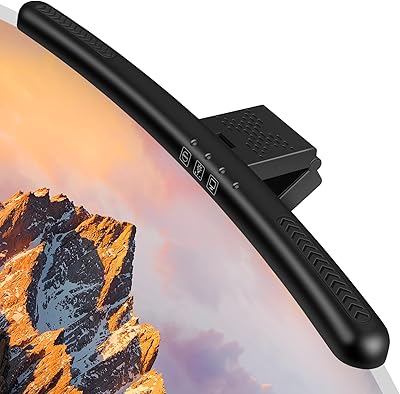
81%
88%
Build Quality
84%
Eye Care Performance
91%
Color Temperature Range
72%
Brightness Output
69%
Touch Control Usability
More
Laliled 15.6-inch Curved Monitor Light Bar
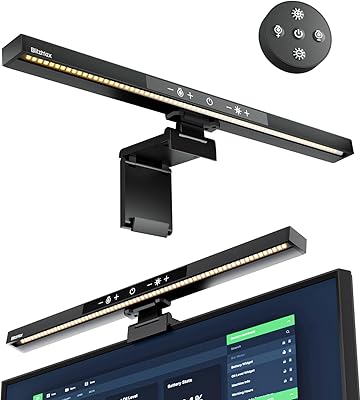
77%
88%
Glare & Eye Comfort
93%
Ease of Installation
76%
Light Quality & CRI
63%
Color Temperature Range
84%
Brightness & Dimming Control
More
BlitzMax BM-ES1 Monitor Light Bar
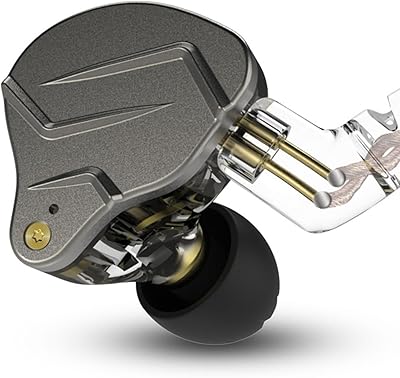
84%
91%
Glare & Reflection Control
88%
Dimming & Brightness Control
86%
Color Temperature Range
84%
Installation & Compatibility
79%
Remote Control Usability
More
Xiaomi Magnetic Reading Light Bar
82%
91%
Light Quality & Uniformity
88%
Glare Reduction
67%
Battery Life
84%
Build Quality & Materials
86%
Touch Controls & Usability
More
MSI Pro MP241X 24″ Monitor
85%
92%
Value for Money
88%
Display Quality
95%
Setup & Installation
84%
Build Quality
85%
Ergonomics
More
RIOWOIS DS6441 PRO 2.1 Soundbar with Subwoofer
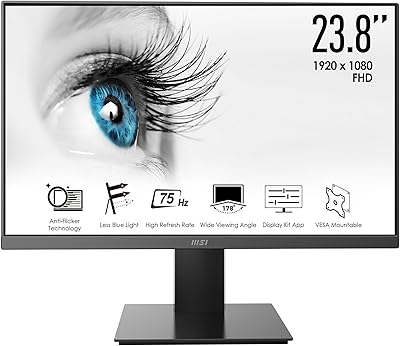
76%
88%
Value for Money
79%
Sound Quality
81%
Bass Performance
93%
Ease of Setup
52%
Remote Compatibility
More
BASN Bsinger PRO
BASN Bsinger PRO
86%
91%
Acoustic Isolation
94%
Value for Money
88%
Mid-Range Clarity
86%
Cable Versatility
83%
Long-Term Comfort
More
KZ ZSN Pro in Ear Monitors
85%
91%
Sound Quality
85%
Comfort & Fit
88%
Build Quality
89%
Noise Isolation
82%
Durability
More
VTech Smart HD Plus WiFi Baby Monitor
78%
83%
Video & Image Quality
86%
Night Vision Performance
88%
Battery Life
67%
App Performance & Connectivity
91%
Parent Unit Screen
More
CCA KZ AS16 PRO In-Ear Monitors
87%
92%
Sound Quality
88%
Comfort for Long Use
90%
Noise Isolation
85%
Build Quality
80%
Cable Durability
More

FAQ

It depends on your specific monitor bezel. The clip is designed for standard flat monitors with a conventional bezel thickness, and it works reliably on most 24-inch to 32-inch flat panels. Curved monitors and very thin or frameless bezels are a known fit issue — the clip can sit unevenly or fail to grip securely. If you have a non-standard setup, it is worth checking the bezel dimensions against the clip opening before purchasing.

No — it runs off any standard USB-A port at 5V, which means a spare port on your computer, a USB hub, or a basic wall adapter will all work fine. The lamp draws only 5 watts, so it will not strain a shared USB port or hub. No separate power brick is needed.

Yes, as long as you have a USB-A port available or use a USB-C to USB-A adapter. The lamp is plug-and-play with no drivers or software required, so it works across Windows, macOS, and any device with a standard USB output. Just note that some slim laptops only have USB-C ports, so you may need a small adapter.

The backlight is activated through the remote control and emits a soft glow toward the wall behind your monitor. It is a great way to reduce the harsh contrast between a bright screen and a dark room. That said, independent dimming of the backlight separate from the main beam is limited depending on the mode you are in, so if precise independent control matters to you, that is worth factoring into your decision.

In most cases, yes — the memory function is designed to recall your last brightness and color temperature settings when the lamp is powered back on. The one exception is a full power cut, such as a switched USB hub or surge protector that completely cuts power to the port. In those situations, some users report the settings resetting to default. If your USB port stays live in standby mode, you should not have any issue.

Honestly, it depends on your room. For evening work or a room with controlled lighting, 300 lumens is comfortable and effective. In a bright home office with natural daylight streaming in, it can feel underwhelming — the output gets overshadowed by ambient light and you may barely notice it is on. If your workspace is consistently well-lit during the day, this might not deliver the impact you are expecting.

The remote uses infrared technology, which means it does need a reasonably clear line of sight to the sensor on the lamp. Most users find it works fine from a normal seated desk distance of two to four feet, but the reception angle is somewhat narrow — if you point it off to the side rather than fairly directly at the sensor, it can miss. It is not a major inconvenience, but it is worth knowing if you tend to set remotes down at odd angles.

At 5 watts, the thermal output is minimal. The aluminum body does a good job of dissipating what little heat the LEDs generate, so even after several hours of continuous use the bar stays close to room temperature. You can touch it comfortably without any concern.

For evening or nighttime sessions, dialing the lamp down toward the warmer end — around 3100K to 3500K — is generally the most comfortable choice. Warmer tones produce less blue light, which is the part of the spectrum most associated with keeping your brain alert when you are trying to wind down. The stepless dimming also lets you reduce overall brightness without switching off entirely, which helps maintain a comfortable visual environment late at night.

For everyday home office and gaming use, the gap is smaller than the price difference might suggest — you get CRI95+ lighting, a full dimming range, and remote control at a noticeably lower cost than premium competitors. Where the difference shows up is in the finer details: the remote build quality, clip robustness, and overall consistency feel a tier below the top brands. If you are a casual user who just wants comfortable, well-rendered task lighting, this desk light bar competes effectively. If you are a professional who demands tool-grade build quality in every component, the premium options earn their price.