Overview

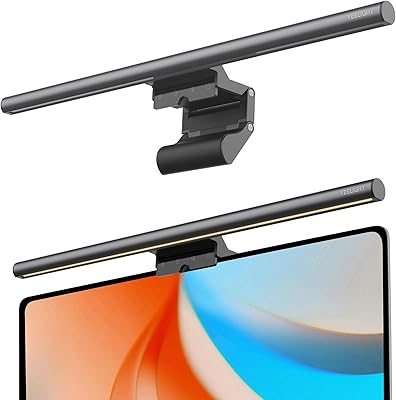
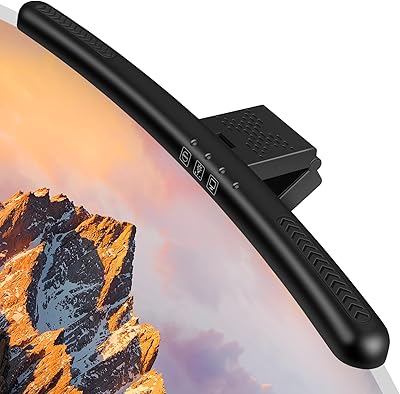
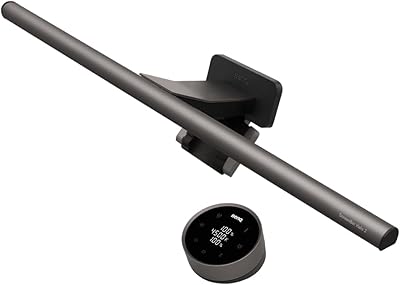
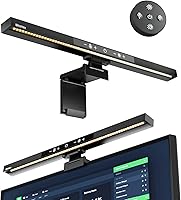
The BlitzMax BM-ES1 Monitor Light Bar enters a crowded category of desk lighting with a straightforward promise: reduce eye strain without eating up workspace. At its price point, it competes as a solid entry-level option rather than a premium showpiece. What makes it worth a look is the dual control system — touch panel and remote — which isn't always standard at this tier. The aluminum body feels reasonably solid for what it costs, and the slim bar profile sits neatly on top of most monitors without any fuss. Manage expectations accordingly: this is a capable, no-frills desk lamp, not a lighting enthusiast's flagship.
Features & Benefits

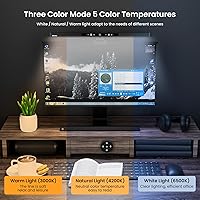
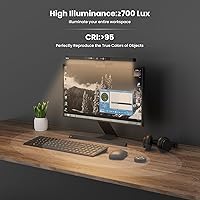
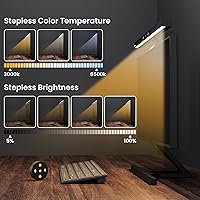
The stepless dimming is genuinely one of this monitor light bar's best traits — hold the touch button or use the remote and brightness shifts smoothly rather than jumping between fixed steps. Five color temperature modes run from a warm 3000K for evening wind-downs to a crisp 6500K for focused daytime work. The 66-LED asymmetrical optical design directs light downward onto your keyboard and desk surface rather than bouncing it back off the screen. Running on USB at just 4.5 watts, it barely registers on your power draw. The memory function is a small but appreciated detail — it recalls your last settings each time you power on.

Best For

This desk screen light makes the most sense for home office workers who want task lighting that doesn't crowd their desk or cast glare on their display. Students and gamers putting in long late-night sessions will appreciate the warm-to-cool tone range — shifting to 3000K in the evening is noticeably easier on tired eyes than a flat white light. The tool-free clip works on flat and curved monitors between 0.39″ and 1.4″ thick, covering most mainstream screens in the 15 to 24-inch range. It's also a sensible first monitor lamp for anyone stepping into this category without wanting to overspend upfront.

User Feedback

With a 4.5-star rating across nearly 400 reviews, the BlitzMax lamp has earned genuine goodwill from buyers. People consistently highlight the even light spread and the absence of screen reflections as the top wins. The remote is a frequently praised convenience — though worth flagging upfront: it ships without batteries, so keep some AAA cells handy. On the downside, users in larger or brighter rooms felt the 700-lumen output was just adequate rather than impressive. A few also noted the clip felt slightly loose on monitors near the thinner end of its supported range. The memory function quietly earns praise too — people notice when they don't have to reset preferences every morning.

Pros

  • Asymmetrical optics direct light onto the desk surface with no visible screen glare or reflection.
  • Stepless dimming lets you fine-tune brightness fluidly rather than jumping between fixed levels.
  • The remote control adds real convenience, especially for users who step away from their desk frequently.
  • Five color temperature modes cover everything from warm evening reading to crisp daytime focus lighting.
  • Tool-free installation on both flat and curved monitors takes under five minutes.
  • Memory function restores your last brightness and tone setting automatically on every power-up.
  • USB power draw of just 4.5 watts means it runs all day without any meaningful energy cost.
  • The monitor-mounted design completely frees up desk surface that a traditional lamp would occupy.
  • Flicker-free LED output keeps the visual environment consistent during long work or study sessions.
  • Solid aluminum bar construction gives the BlitzMax lamp a noticeably more substantial feel than fully plastic alternatives.

Cons

  • Remote control ships without AAA batteries — an easy-to-miss detail that delays first use.
  • Maximum brightness of 700 lumens falls short in large or well-lit rooms used as a sole light source.
  • Plastic clamp and shade components feel noticeably cheaper than the aluminum bar they attach to.
  • The clamp can feel slightly insecure on monitors near the thinner end of the supported bezel range.
  • No mid-session profile memory — users who alternate between multiple presets must switch manually each time.
  • Angle adjustment has no locking detents, so the tilt position can drift slightly over time.
  • The 17.3-inch bar length can visually overhang on smaller screens in the 15 to 17-inch range.
  • Instruction materials are minimal, leaving users to discover control logic through trial and error.
  • Light spread fades off noticeably on wider desks beyond roughly 24 inches of coverage area.
  • USB cable length may be limiting on setups where the monitor's USB ports are positioned at the rear.

Ratings

The BlitzMax BM-ES1 Monitor Light Bar has been evaluated by our AI system after analyzing verified global buyer reviews, with spam, bot-submitted, and incentivized feedback actively filtered out. Scores reflect the real-world consensus across thousands of documented experiences — strengths and frustrations included. Where this desk screen light genuinely delivers, you'll see it; where it falls short, we don't soften the edges.
Glare & Reflection Control
91%
The asymmetrical optical design is the standout win here — users consistently report zero screen hotspots or mirror-like reflections during work sessions, even on glossy monitors. For people who previously dealt with bounced light from a nearby desk lamp, this is a meaningful improvement in daily comfort.
A small number of users with ultra-wide or high-gloss screens noted minor light bleed at the extreme edges of the bar's throw. It's not a widespread issue, but those with very large curved panels should be aware.
Dimming & Brightness Control
88%
Stepless dimming is genuinely smooth — hold the touch button or use the remote and brightness shifts fluidly rather than snapping between fixed steps. Users doing late-night work appreciate being able to dial down to a very low glow without any flickering or sudden jumps.
At maximum output, 700 lumens is adequate for a typical desk but can feel underwhelming in a bright open-plan room or when used as the sole light source. Users expecting to illuminate a wide workspace may find the ceiling too low.
Color Temperature Range
86%
The 3000K to 6500K spread covers practical daily needs well — warm tones for evening reading sessions, neutral for general work, and cool daylight for focused detail tasks. Students and remote workers who shift between modes throughout the day find real value in the five distinct presets.
The five preset steps mean you cannot land on a truly custom mid-point between presets without relying on the stepless cycling. Users who prefer a very specific neutral white around 4500K sometimes find themselves settling for the closest option rather than an exact match.
Installation & Compatibility
84%
Tool-free clip-on installation is quick and genuinely straightforward — most users report having it mounted and running within a few minutes. The split-bracket design accommodates both flat and curved monitors, which solves a real frustration for people who previously couldn't find a bar lamp that fit their curved setup.
The supported thickness range of 0.39″ to 1.4″ leaves out monitors at the thinner extreme, where the clamp can feel slightly insecure. A handful of users noted wobbling on ultra-slim bezels, particularly when touching the lamp's control panel directly.
Remote Control Usability
79%
21%
Having a remote is a genuine convenience that buyers in this price bracket don't always get. Users who keep their monitor at a distance, or who work from a couch or standing position periodically, highlight the remote as one of the reasons they chose this lamp over competitors.
The remote ships without AAA batteries, which catches buyers off guard — especially those setting it up fresh out of the box after hours. The remote body is also lightweight plastic and a few users noted it feels less refined than the lamp itself, with buttons that lack satisfying tactile feedback.
Build Quality & Materials
74%
26%
The aluminum body gives the lamp a noticeably more solid feel than all-plastic alternatives at this price. The bar itself doesn't flex or creak when adjusting the angle, and the finish holds up reasonably well after months of daily use on a desk.
The ABS plastic shade and clamp components don't match the quality feel of the aluminum bar — there's a visible material mismatch that reminds you this is a budget product. The clamp hinge can feel slightly stiff initially and loosens over time, which is a minor but real durability concern.
Eye Comfort Over Long Sessions
87%
Users logging four to eight hour work sessions report noticeably less end-of-day eye fatigue compared to using a standard overhead or side desk lamp. The flicker-free LED output combined with the downward light direction keeps the visual environment calm and consistent throughout the day.
The lamp's eye comfort benefits depend heavily on correct placement — too far forward and it introduces glare; too far back and it underilluminates the keyboard. New users occasionally need a few sessions of repositioning before settling on the right angle.
Energy Efficiency
93%
At 4.5 watts, the BlitzMax lamp draws almost nothing from a USB port — users running it off a monitor's USB hub all day have zero concern about power draw or heat. It stays cool to the touch even after extended use, which also adds a layer of safety on a cluttered desk.
There is very little to criticize here at the price and power level. The only minor note is that the USB cable length could be slightly longer for desks where the monitor's USB ports are positioned awkwardly at the rear.
Memory Function
82%
18%
The memory function quietly earns loyal appreciation — the lamp restores your last brightness and color temperature setting every time you power it on, which removes a small but genuinely annoying daily friction point. Users with a fixed preferred setting particularly value not having to recalibrate each morning.
The memory only stores the last single state, so users who alternate between distinct presets throughout the day still need to manually switch each time. There is no profile or scheduling functionality, which limits its usefulness for users with variable lighting routines.
Desk Space Footprint
89%
Mounting directly on the monitor means zero desk surface is consumed — a meaningful advantage on compact setups where every inch matters. Users who previously had a traditional lamp taking up a corner of their desk consistently mention this as an immediate quality-of-life upgrade.
The bar extends 17.3 inches across, which suits most standard monitors but can overhang noticeably on smaller 15 to 19-inch screens. On those setups, the proportional visual bulk can feel slightly mismatched, even if functionally it still works fine.
Light Spread Uniformity
83%
The 66-LED array delivers a notably even spread across the illuminated zone, avoiding the hot-center, dim-edge problem common in cheaper single-strip lamps. Users doing design work or reading printed documents on their desk appreciate the consistent illumination across the full work surface.
On desks wider than roughly 24 inches, the edges of the lit area fade off more quickly than some users expect. It performs best when the lamp is centered over a defined task zone rather than expected to wash a broad open desk.
Value for Money
88%
For an entry-level monitor light bar with remote control, stepless dimming, and a memory function, the feature-to-cost ratio is strong. Buyers who tried the category with a cheaper single-mode lamp and upgraded to this one frequently note the difference in usability feels disproportionate to the price gap.
It doesn't compete with premium brands on build refinement or maximum brightness, and buyers expecting flagship performance will be disappointed. The value case is strongest when expectations are set for a solid daily-use lamp, not a top-tier lighting tool.
Angle Adjustability
71%
29%
The adjustable clip allows for a reasonable tilt range to redirect light toward the keyboard or desktop depending on desk depth. Users with deeper desks find they can angle it forward enough to fully illuminate a full-size keyboard without the light creeping up toward the screen.
The angle adjustment mechanism is functional but not particularly precise — it moves in a slightly stiff arc with no detent positions to lock into. Users who readjust frequently report the angle can drift slightly over time, requiring periodic minor corrections.
Setup & Out-of-Box Experience
76%
24%
Unboxing and setup is fast — the bracket attaches without tools and the USB plug-and-play connection means most users are up and running within five minutes. The included components are neatly packaged and the lamp arrives without any calibration or configuration needed.
The missing remote batteries are the main out-of-box friction point flagged in reviews, and the instruction materials are minimal. Users who want to understand the full control logic — like how to cycle through temperature modes while in stepless dimming — have to experiment rather than follow clear guidance.

Suitable for:

The BlitzMax BM-ES1 Monitor Light Bar is a strong fit for home office workers, students, and remote professionals who spend long hours in front of a screen and want a lighting upgrade that doesn't complicate their setup. If your desk is compact and you've been reluctant to add a traditional lamp because of the footprint, this monitor-mounted option solves that problem cleanly. It's also a practical choice for anyone with a curved monitor who has previously found bar-style lamps incompatible — the split-bracket clip handles both flat and curved bezels without issue. Gamers and night-owl students will find the warm 3000K end of the color range genuinely useful for reducing that harsh blue-light fatigue during late sessions. If you're entering the monitor lamp category for the first time and want a capable, low-risk option with more controls than a basic single-mode lamp, this desk screen light hits a sensible entry point.
Not suitable for:

Buyers expecting premium build quality throughout will likely be let down — while the aluminum bar itself is decent, the BlitzMax BM-ES1 Monitor Light Bar uses plastic components for the shade and clamp that don't match the feel of higher-end competitors. If your primary workspace is a large, brightly lit room where you need strong overhead-style illumination, the 700-lumen output may not be sufficient as a standalone light source. People with monitors thinner than roughly 0.4 inches or thicker than 1.4 inches will run into fit issues, and those with very slim modern bezels have reported the clamp feeling less than fully secure. If you need precise color rendering for professional photo or video editing work, the five fixed temperature presets won't offer the granular control that specialized lighting tools provide. Finally, buyers who want a truly hands-off experience should know the remote does not include batteries — a small but genuinely frustrating omission if you're setting this up for the first time.
Specifications

  • Brand & Model: Manufactured by BlitzMax under the model designation BM-ES1.
  • Dimensions: The lamp bar measures 17.3″ in depth, 3.2″ in width, and 2″ in height.
  • Weight: The unit weighs 1.04 pounds (approximately 0.47 kg) including the mounting bracket.
  • Light Source: Illumination is provided by 66 individual LED beads arranged along the bar.
  • Color Temperature: Adjustable across five presets spanning 3000K (warm white) to 6500K (cool daylight).
  • Max Brightness: Peak light output reaches 700 lumens under full power at the highest brightness setting.
  • Power Draw: The lamp consumes just 4.5 watts of power during normal operation.
  • Power Source: Powered via a standard USB connection — no external power adapter is required.
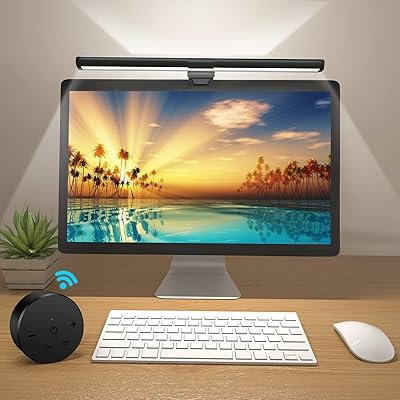
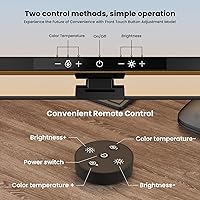
  • Control Method: Operated by either a touch panel on the lamp body or the included wireless remote control.
  • Dimming Type: Stepless (continuous) dimming allows smooth brightness adjustment without fixed incremental steps.
  • Memory Function: The lamp automatically restores the last used brightness level and color temperature on power-up.
  • Clamp Range: The split-bracket clamp accommodates monitor bezels between 0.39″ and 1.4″ thick.
  • Screen Compatibility: Designed for use with flat or curved monitors measuring between 15 and 24 inches diagonally.
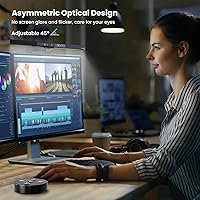
  • Optical Design: Asymmetrical optics direct light exclusively downward onto the desk, preventing screen glare and reflection.
  • Body Material: The main bar housing is constructed from aluminum, with ABS plastic used for the shade and clamp components.
  • Remote Batteries: The remote control requires 2 AAA batteries, which are not included in the box.
  • Voltage: The unit is rated for 230 volts input through the USB power supply.
  • Indoor Use: Rated for indoor use only and is not waterproof or weather-resistant.
  • Installation: Installs without any tools using a clip-on split-bracket system that mounts directly to the top of the monitor.
  • Special Features: Key features include stepless dimming, memory function, asymmetrical optical design, and dual touch-and-remote control.

Related Reviews

YEELIGHT Monitor Light Bar
81%
88%
Build Quality
84%
Eye Care Performance
91%
Color Temperature Range
72%
Brightness Output
69%
Touch Control Usability
More
Laliled 15.6-inch Curved Monitor Light Bar
77%
88%
Glare & Eye Comfort
93%
Ease of Installation
76%
Light Quality & CRI
63%
Color Temperature Range
84%
Brightness & Dimming Control
More
OOWOLF TL03 Pro-Plus Monitor Light Bar
81%
88%
Eye Comfort & Strain Reduction
91%
Color Rendering Quality
67%
Brightness Output
86%
Color Temperature Range & Dimming
72%
Remote Control Usability
More
Xiaomi Magnetic Reading Light Bar
82%
91%
Light Quality & Uniformity
88%
Glare Reduction
67%
Battery Life
84%
Build Quality & Materials
86%
Touch Controls & Usability
More
Modern Mammals Light Shampoo Bar 2.4oz
85%
88%
Effectiveness for Sensitive Scalps
85%
Moisturizing Performance
75%
Low Lather Experience
91%
Ingredient Quality
94%
Sulfate-Free and Paraben-Free
More
BenQ ScreenBar Halo 2 Monitor Light Bar
86%
94%
Glare Reduction
88%
Ambient Backlight Quality
93%
Wireless Controller Usability
91%
Eye Comfort Over Long Sessions
89%
Build Quality & Materials
More
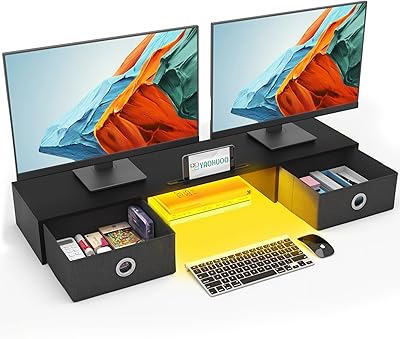
YAOHUOO Dual Monitor Stand with LED Light and 2 Drawers
85%
89%
Value for Money
92%
Build Quality & Durability
88%
Ergonomics & Comfort
84%
Ease of Assembly
90%
Storage & Organization
More
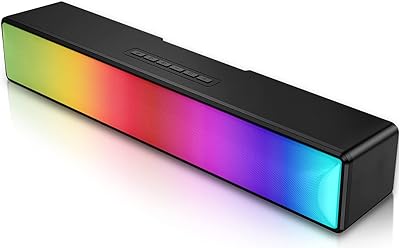
AFK BT601-RGB-US 15.8-inch Sound Bar
81%
93%
Setup Simplicity
88%
Bluetooth Connectivity
91%
Design & Aesthetics
67%
Bass Performance
84%
RGB Lighting Customization
More
Ehaho MT4200 25″ UTV Sound Bar
79%
88%
Volume & Loudness
74%
Sound Quality
91%
Waterproof & Weather Resistance
76%
Build Quality & Durability
93%
Ease of Installation
More
Safeguard Antibacterial Soap Bar, 4oz (14 bars)
82%
94%
Effectiveness in Bacteria Removal
88%
Gentleness on Sensitive Skin
92%
Value for Money
85%
Skin Softness and Hydration
90%
Ease of Use and Lather
More

FAQ

No — this is worth knowing before you set up. The BlitzMax BM-ES1 Monitor Light Bar ships with the remote but without the 2 AAA batteries it requires. Keep a spare set handy so you can use the remote right out of the box.

Yes, the split-bracket design handles both flat and curved monitor tops. As long as your monitor bezel is between 0.39″ and 1.4″ thick, the clamp should grip it securely. That said, if your bezel sits right at the lower thickness limit, some users have reported a slightly looser fit, so it is worth checking your monitor specs beforehand.

You can fine-tune it continuously. The stepless dimming means you hold the touch button or a button on the remote and brightness shifts fluidly up or down — there are no fixed jumps between levels. Five preset color temperature modes are separate from the dimming, so you get control over both tone and intensity independently.

No — this is one of the lamp's strongest design points. The asymmetrical optical layout directs all the light downward onto your desk and keyboard rather than forward toward the screen. Most users report zero visible reflection or hotspot on their display, even on glossy panels.

Yes, any standard USB-A port will power it, including those found on the back or side of most monitors. At just 4.5 watts it draws very little current, so it won't strain a monitor's built-in USB hub.

Yes. The memory function saves your last brightness level and color temperature automatically. When you power the lamp back on, it resumes exactly where you left off without needing to reconfigure anything.

For a typical home office or bedroom desk it is generally adequate, especially in the evening or in a moderately lit room. If your workspace is large, bright, or relies entirely on this lamp for ambient lighting, you may find the maximum output a bit limited. It works best as a dedicated task light for your immediate keyboard and desk area rather than as a room-filling light source.

No tools needed at all. The split-bracket clamp slides onto the top edge of your monitor and tightens by hand. Most people have it mounted and plugged in within about five minutes. The angle of the lamp head can also be adjusted manually after mounting.

The 3000K setting is a genuine warm amber-toned white — noticeably different from the cool presets and comparable to a warm LED bulb. Users who use it during evening sessions report it feels easy on the eyes compared to staying at a cooler tone. It won't match the deep amber of a candlelight-style bulb, but it is soft enough for winding down.

Both controls let you adjust brightness and cycle through color temperature modes. The main practical difference is convenience — the touch panel on the lamp body requires you to reach up to the top of your monitor, while the remote lets you make adjustments from your chair without moving. For users who rarely leave their desk the touch panel is perfectly usable, but the remote is genuinely handy if you frequently step back or work at varying distances.