Overview

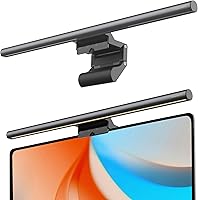
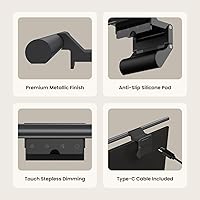
The YEELIGHT Monitor Light Bar belongs to a category that has quietly become a staple for anyone building a serious home office or gaming station — a clip-on lamp that lights your desk without throwing glare across your screen. Unlike traditional desk lamps that eat up surface space and create reflections, this monitor light bar mounts directly on top of your display and directs light downward onto your work area. What sets it apart from cheaper plastic alternatives is its full-metal aluminum body, which feels noticeably more substantial. It runs off a standard USB port, so no extra power brick is needed — just plug in and go.
Features & Benefits

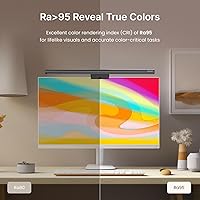
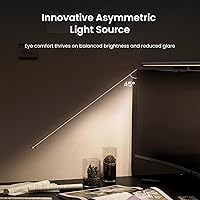
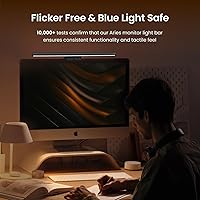
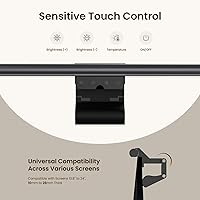
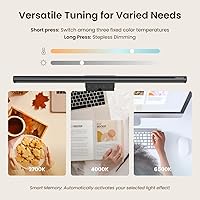
The control system is worth calling out specifically. A single touch cycles through three preset lighting scenes — warm, neutral, and cool — while a long press lets you dial in brightness and color temperature anywhere between 2700K and 6500K. That range genuinely covers everything from late-night reading to color-accurate design work. The lamp carries a CRI rating of Ra95, meaning the light it produces renders colors close to how they appear in natural daylight — useful if you work with visuals professionally. It also holds an RG0 blue light classification and runs flicker-free, two factors that matter during extended screen sessions. The retractable clip fits monitors up to 1.4 inches thick, including curved panels.

Best For

This desk lamp makes the most sense for people who spend the bulk of their workday in front of a screen. Remote workers and students will appreciate the eye-friendly lighting options during long sessions, while designers and photo editors benefit directly from the high CRI — color accuracy at this price point is not a given. Gamers who want softer ambient desk lighting without glare bouncing off their monitor will find it practical too. If your desk is already cramped, the clip-on format frees up real estate that a traditional lamp base would claim. It is not the right fit for someone expecting app or smart home integration — there is no wireless control here.

User Feedback

Buyers consistently mention two things first: how solid the build feels relative to the price, and how straightforward the clip installation is — most report getting it set up in under a minute. The warm-to-cool range draws praise from users who swap between focused work and relaxed reading throughout the day. On the critical side, a handful of buyers find the touch controls a bit sensitive, occasionally triggering unintended adjustments. A few also wish the 1.5-meter cable were longer for desks with less conveniently placed USB ports. The 250-lumen output satisfies most people, though those with very large monitors or bright rooms sometimes want more. Long-term durability data is still limited given the recent launch, but early impressions of the aluminum housing are largely positive.

Pros

  • Full-metal aluminum build feels noticeably more substantial than competing plastic-bodied lamps at this price tier.
  • The Ra95 CRI delivers accurate, true-to-life color rendering that benefits designers and photo editors in daily work.
  • Stepless dimming and a 2700K to 6500K range cover everything from relaxed evening reading to sharp daytime focus.
  • Clip installation takes under a minute and fits curved and flat monitors up to 1.4 inches thick.
  • Flicker-free output and an RG0 blue light rating make long screen sessions easier on the eyes over time.
  • Low-profile design keeps webcams fully unobstructed — a practical win for anyone on regular video calls.
  • USB-powered operation eliminates the need for a dedicated power outlet and keeps cable clutter minimal.
  • The aluminum body conducts heat efficiently, staying cool even after several hours of continuous use.
  • Three one-tap scene presets let you switch lighting moods instantly without fiddling with manual controls every time.

Cons

  • Touch controls are overly sensitive — accidental brightness changes when repositioning the lamp are a recurring complaint.
  • The 1.5-meter cable falls short for larger desks where USB ports are not conveniently located near the monitor.
  • No app control, smart home compatibility, or ambient light auto-sensing at any setting.
  • Scene presets are fixed and cannot be customized, which is limiting if your preferred tone sits between two defaults.
  • 250 lumens is insufficient as a sole light source for large workspaces or bright ambient environments.
  • Long-term reliability data is thin given the product only launched recently — a calculated risk for cautious buyers.
  • The clip hinge can feel stiff when making fine angle adjustments, especially during the first few weeks of use.
  • Very thin ultraslim monitor bezels at the lower end of the compatibility range may feel less securely gripped.

Ratings

The YEELIGHT Monitor Light Bar scores below are generated by AI after systematically analyzing verified buyer reviews from global markets, with spam, incentivized, and bot-driven feedback actively filtered out. The result is an honest, balanced picture of where this desk lamp genuinely delivers and where real users have run into friction. Both the standout strengths and the legitimate frustrations are reflected in every score.
Build Quality
88%
The full-metal aluminum chassis is one of the most frequently praised aspects across buyer reviews — users coming from plastic monitor lamps notice the difference immediately. It feels solid on the monitor, doesn't rattle when the desk vibrates, and the matte finish resists fingerprints reasonably well during daily handling.
A small number of buyers noted that the hinge connecting the lamp arm to the clip feels slightly stiffer than expected, making micro-adjustments fiddly at first. Nothing structurally concerning, but it can feel unforgiving if you frequently reposition the angle.
Eye Care Performance
84%
The RG0 blue light classification and flicker-free output are tangible benefits for users logging six-plus hours at a desk. Several reviewers with a history of eye fatigue reported noticeably less strain during evening work sessions after switching to this lamp, particularly in the warmer color temperature range.
It is worth being clear that no lamp eliminates eye fatigue entirely — the results vary by individual and environment. A handful of users working in very dark rooms found that even the warmest setting felt slightly too bright for truly comfortable late-night use.
Color Temperature Range
91%
The 2700K to 6500K span is genuinely useful in day-to-day practice. Users report switching from a warm amber tone in the morning to a crisp neutral white during focused afternoon work without any jarring transition — the stepless control makes this fluid rather than abrupt.
The three preset scene modes, while convenient, are fixed and not user-programmable. If your preferred working tone sits between two presets, you have to rely on the manual long-press adjustment each time, which a few regulars find mildly repetitive.
Brightness Output
72%
28%
For a standard 24-inch to 27-inch monitor setup in a typical home office, 250 lumens is adequate and comfortable. Users with moderately lit rooms find it provides enough desk illumination without washing out their screen or creating hotspots on documents.
On larger ultrawide setups or in brightly lit rooms where ambient light competes, several buyers felt the 250-lumen ceiling was a limitation. Those using it as a sole light source in larger spaces mentioned it simply does not throw enough light to cover the full desk area.
Touch Control Usability
69%
31%
The touch interface is clean and responsive under normal conditions. Users appreciate not having a physical dial or button to press — the tap-and-hold mechanism for dimming feels intuitive once you spend a day or two with it.
Overly sensitive touch detection is the most consistent complaint in this category. Several buyers reported accidental brightness changes when adjusting the lamp position or even brushing the bar while reaching across the desk. It is a recurring frustration rather than an isolated complaint.
Installation & Setup
93%
Clip-on installation genuinely takes under a minute in practice. The retractable clip accommodates a wide range of monitor thicknesses including curved panels, and buyers consistently describe the out-of-box experience as refreshingly straightforward with no tools required.
The clip grip, while secure on most monitors, sits less confidently on thinner-bezel ultraslim displays at the lower end of its compatibility range. A couple of buyers on very thin monitors reported needing to reposition the clip a few times before it felt stable.
Cable Length & Management
63%
37%
The 1.5-meter USB cable is sufficient for most standard desktop configurations where the USB port is on the monitor itself or close to the back of the desk. Users with tidy cable setups appreciate that the cord is not excessively long and easy to route cleanly.
For larger L-shaped desks or setups where the nearest USB port is on a tower sitting on the floor, 1.5 meters comes up short. This is one of the more common practical complaints — several buyers wished it were at least two meters, and there is no option for an extension out of the box.
Webcam Compatibility
86%
The low-profile design is genuinely webcam-friendly in real use. Remote workers on frequent video calls noted that the lamp bar sits low enough on the monitor edge that a centrally mounted webcam remains fully unobstructed, which is not always guaranteed with monitor lamps at this size.
On monitors with webcams integrated into unusually wide bottom bezels or off-center placements, the lamp body can clip slightly into the camera frame depending on angle. It is an edge case, but worth checking your specific monitor layout before purchasing.
CRI & Color Accuracy
87%
An Ra95 CRI rating at this price tier is a genuine differentiator. Graphic designers and photo editors in the buyer pool specifically called out how printed materials and on-screen color swatches look more consistent under this lamp compared to lamps with lower CRI ratings they previously used.
The high CRI benefit is most apparent in professional color work — for casual users browsing or watching video, the practical difference versus an Ra80 lamp is harder to notice in daily use. Buyers expecting a dramatic visible upgrade in standard tasks may find the benefit subtle.
Value for Money
82%
18%
Relative to competing monitor light bars in the same price bracket, the aluminum build, Ra95 CRI, and RG0 blue light rating represent a strong combination. Buyers who researched alternatives before purchasing frequently mention feeling they received more hardware quality than the price suggested.
Without app control, smart home integration, or auto-dimming based on ambient light — features available on premium competitors at a higher price — some buyers feel the gap between this lamp and a step-up model narrows the value argument for power users.
Heat Management
89%
The aluminum body doubles as a passive heat sink, and users who leave it running for eight or more hours report that it stays comfortably cool to the touch. This is a real functional advantage over plastic-bodied alternatives that can feel warm after extended use.
Under maximum brightness sustained over very long sessions in warm ambient environments, the bar does get slightly warm near the center — not hot, but noticeable if you handle it. In normal use this is not a problem, but it is worth mentioning for completeness.
Compatibility with Curved Monitors
81%
19%
The retractable clip works reliably on curved monitors up to the specified thickness range, which is not a given in this product category. Ultrawide curved display owners in the review pool reported stable mounting with no rocking or tilt drift after initial setup.
The lamp illuminates a straight horizontal plane by design, so on highly curved ultrawide panels the light distribution toward the outer edges of a very wide desk can feel slightly uneven. It is a geometry issue rather than a product flaw, but curved-display users should set expectations accordingly.
Packaging & Unboxing
78%
22%
The packaging is compact and well-organized. Most buyers found everything they needed included with no confusing assembly steps, and the product arrived without damage in the majority of reported experiences — a basic but important bar for a clip-on lamp that could easily ship poorly.
Documentation is minimal — the included guide covers the basics but does not clarify some of the less obvious touch control gestures, leaving a few buyers experimenting to discover features. A QR code linking to a digital manual would address this easily.
Long-Term Durability
74%
26%
Early indications from buyers who have used the lamp for several months point to consistent performance with no degradation in brightness or color accuracy. The aluminum construction gives a reasonable degree of confidence compared to all-plastic alternatives in the same tier.
The product launched relatively recently, so the long-term track record is limited. There is not yet enough data to make confident claims about multi-year reliability, and buyers seeking a lamp with a proven durability history may prefer a more established model for peace of mind.

Suitable for:

The YEELIGHT Monitor Light Bar is a strong fit for anyone who spends the majority of their workday in front of a screen and wants better desk lighting without sacrificing surface space. Remote workers and students will find the wide color temperature range — from warm amber to crisp daylight white — genuinely useful as natural light shifts throughout the day. Designers, photo editors, and other color-sensitive professionals get meaningful value from the Ra95 CRI, which helps keep on-screen and printed colors looking consistent under the same light source. Gamers who want softer ambient illumination that does not bounce glare off their monitor will also find this desk lamp practical and unobtrusive. The clip-on form factor makes it equally appealing for compact setups where a traditional lamp base simply is not an option, and the USB power means one less wall socket in use.
Not suitable for:

The YEELIGHT Monitor Light Bar is not the right choice for users who need their desk lamp to double as a primary room light source — at 250 lumens, it is designed to illuminate your immediate work surface, not fill a large or brightly lit space. Anyone expecting smart home integration, app-based control, or auto-dimming triggered by ambient sensors will need to look at premium competitors that sit at a higher price point, since this lamp offers no wireless connectivity whatsoever. People with very large ultrawide monitors may also find that the light distribution feels uneven toward the outer edges of an extremely wide desk area. If your desk USB ports are far from your monitor — say, on a floor-standing tower — the 1.5-meter cable may not reach comfortably without an extension. Finally, buyers who want a long track record of multi-year durability data before committing should note that this is a relatively recent product, and real-world longevity evidence is still limited.
Specifications

  • Brand & Model: Manufactured by YEELIGHT, model number YLYTD-0037.
  • Light Source: Uses 78 high-quality LED beads as the primary light source.
  • Brightness: Maximum light output is 250 lumens, suitable for individual desk and monitor illumination.
  • Color Temperature: Steplessly adjustable from 2700K (warm amber) to 6500K (cool daylight white).
  • Color Accuracy: Rated at CRI Ra95, meaning colors rendered under this lamp closely match how they appear in natural light.
  • Blue Light Rating: Certified RG0, the highest tier of blue light safety classification for reduced eye strain risk.
  • Flicker-Free: Operates flicker-free to provide a stable, consistent light output during extended use sessions.
  • Control Method: Touch-sensitive bar with three one-tap scene presets and a long-press function for stepless manual adjustment.
  • Power Source: USB-powered at 5V DC, drawing 5 watts — compatible with standard USB-A ports on monitors, hubs, or adapters.
  • Cable Length: Includes a 1.5-meter USB power cable for connecting to a nearby USB port.
  • Body Material: Full-metal construction using aluminum for both the lamp body and shade, providing passive heat dissipation.
  • Dimensions: Measures 17.6″ wide, 2.64″ deep, and 3.07″ tall — sized to fit most standard and mid-size monitors.
  • Weight: Weighs 1.1 pounds, light enough that it does not destabilize monitors when properly clipped.
  • Monitor Compatibility: Retractable clip accommodates monitor bezels between 0.3″ and 1.4″ thick, including flat and curved screen designs.
  • Webcam Design: Low-profile mounting keeps the lamp body below the webcam line on standard monitor-top camera positions.
  • Finish: Polished dark gray aluminum finish with a modern aesthetic suited to contemporary desk setups.
  • Indoor Use: Designed exclusively for indoor use and is not waterproof or splash-resistant.
  • Warranty: Covered by a one-year manufacturer warranty against defects in materials and workmanship.

Related Reviews
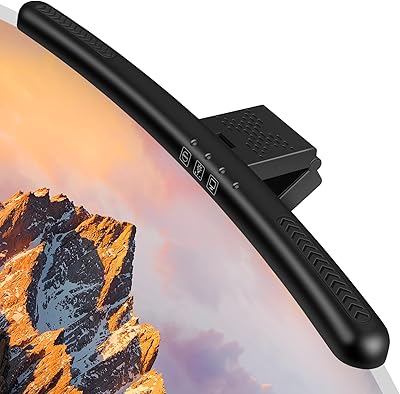
Laliled 15.6-inch Curved Monitor Light Bar
77%
88%
Glare & Eye Comfort
93%
Ease of Installation
76%
Light Quality & CRI
63%
Color Temperature Range
84%
Brightness & Dimming Control
More
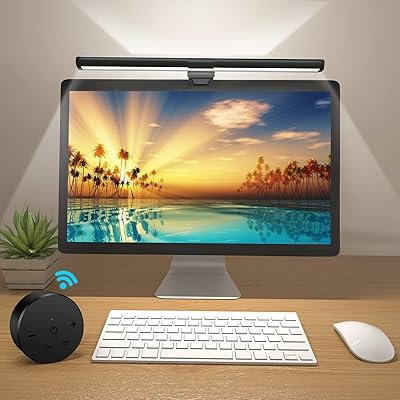
OOWOLF TL03 Pro-Plus Monitor Light Bar
81%
88%
Eye Comfort & Strain Reduction
91%
Color Rendering Quality
67%
Brightness Output
86%
Color Temperature Range & Dimming
72%
Remote Control Usability
More
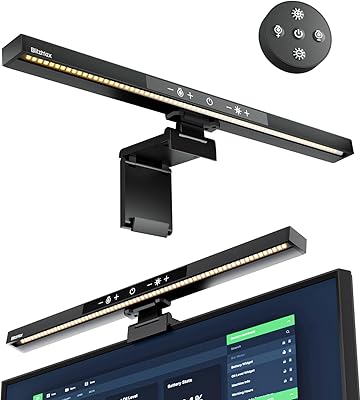
BlitzMax BM-ES1 Monitor Light Bar

84%
91%
Glare & Reflection Control
88%
Dimming & Brightness Control
86%
Color Temperature Range
84%
Installation & Compatibility
79%
Remote Control Usability
More
Xiaomi Magnetic Reading Light Bar

82%
91%
Light Quality & Uniformity
88%
Glare Reduction
67%
Battery Life
84%
Build Quality & Materials
86%
Touch Controls & Usability
More
Modern Mammals Light Shampoo Bar 2.4oz
85%
88%
Effectiveness for Sensitive Scalps
85%
Moisturizing Performance
75%
Low Lather Experience
91%
Ingredient Quality
94%
Sulfate-Free and Paraben-Free
More
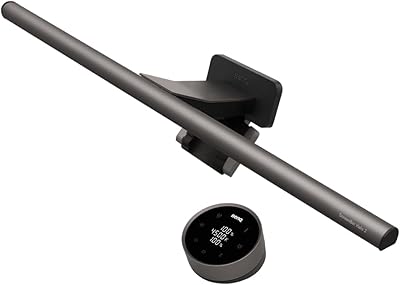
BenQ ScreenBar Halo 2 Monitor Light Bar
86%
94%
Glare Reduction
88%
Ambient Backlight Quality
93%
Wireless Controller Usability
91%
Eye Comfort Over Long Sessions
89%
Build Quality & Materials
More
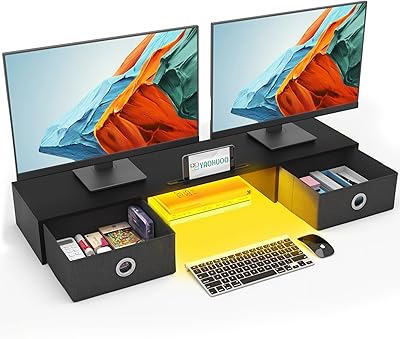
YAOHUOO Dual Monitor Stand with LED Light and 2 Drawers
85%
89%
Value for Money
92%
Build Quality & Durability
88%
Ergonomics & Comfort
84%
Ease of Assembly
90%
Storage & Organization
More
AFK BT601-RGB-US 15.8-inch Sound Bar

81%
93%
Setup Simplicity
88%
Bluetooth Connectivity
91%
Design & Aesthetics
67%
Bass Performance
84%
RGB Lighting Customization
More
Ehaho MT4200 25″ UTV Sound Bar
79%
88%
Volume & Loudness
74%
Sound Quality
91%
Waterproof & Weather Resistance
76%
Build Quality & Durability
93%
Ease of Installation
More
Safeguard Antibacterial Soap Bar, 4oz (14 bars)
82%
94%
Effectiveness in Bacteria Removal
88%
Gentleness on Sensitive Skin
92%
Value for Money
85%
Skin Softness and Hydration
90%
Ease of Use and Lather
More

FAQ

In most cases, no. The low-profile design sits close to the monitor edge and keeps the lamp body below a centrally mounted webcam. That said, if your webcam sits unusually low on the bezel or is off-center, it is worth double-checking the clearance on your specific monitor before committing.

Yes, the retractable clip is compatible with both flat and curved screens as long as the bezel thickness falls between 0.3″ and 1.4″. The lamp body itself is straight, so on very wide curved panels the light may not spread perfectly to the far edges of a large desk, but the mounting works reliably.

It is straightforward once you spend a little time with it. A single tap cycles through three scene presets, and a long press lets you manually adjust brightness or color temperature. The main complaint from users is that the touch surface can be a bit too sensitive — brushing it accidentally while reaching across the desk occasionally triggers an unintended change.

It works with any monitor or laptop screen as long as the bezel is thick enough for the clip to grip — the minimum is 0.3″. Many thin laptop lids fall below this threshold, so check your lid thickness before purchasing. Power comes from any standard USB-A port, which most laptops provide.

For most people using it in a normally lit home office, 250 lumens is sufficient to illuminate your desk and keyboard without eye strain. In a completely dark room, some users find it adequate while others — particularly those with larger desks — wish it were a little brighter. It is not designed to light a room, only your immediate work surface.

No, this desk lamp has no wireless connectivity, app support, or smart home integration of any kind. Control is entirely through the physical touch bar on the lamp itself. If app-based or voice control is important to you, you would need to look at higher-end monitor lamps that include those features.

A lightly dampened microfiber cloth works well for wiping down the surface. Avoid abrasive materials or liquid cleaners that could dull the polished finish. Since the lamp is not waterproof, keep moisture well away from the touch controls and USB port area.

Not noticeably. The aluminum body conducts heat away from the LEDs efficiently, and users who run it for a full workday report that it stays comfortably cool to the touch. It draws only 5 watts, so heat generation is minimal compared to higher-wattage lighting options.

The three presets correspond roughly to warm (around 2700K, good for relaxed evening work), neutral (a balanced mid-range tone for general tasks), and cool (close to 6500K, which many people prefer for focused daytime work or reading). They are fixed and cannot be reprogrammed to custom values.

The clip holds reliably on monitors within the supported thickness range and the lamp itself weighs only 1.1 pounds, which is light enough that it does not put meaningful strain on a standard monitor stand. Users on very thin bezels at the bottom of the compatibility range occasionally report needing to reposition the clip, but structural failures are not a pattern in buyer feedback.