Perixx PERIBOARD-332


Overview
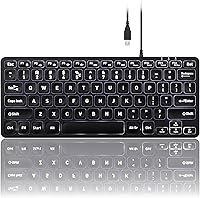
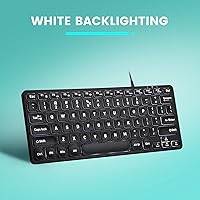
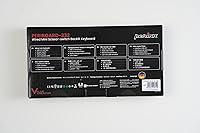
The Perixx PERIBOARD-332 is a slim, tenkeyless USB keyboard that packs a surprising amount of practicality into a footprint of just 11.22 x 4.57 x 0.83 inches. If desk space is genuinely at a premium — whether you're working in a cramped home office or trying to maintain a clean, uncluttered surface — the compact layout removes the numpad without stripping away the keys you actually use daily. It connects via USB and works across Windows, macOS, Linux, and Chrome OS right out of the box. The white LED backlighting is adjustable, and the ultra-thin scissor-switch design gives it the feel of typing on a quality laptop keyboard rather than a bulky desktop board.
Features & Benefits
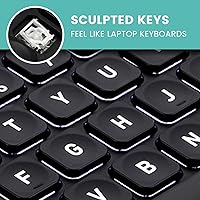
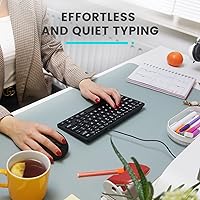
The scissor keys here are worth paying attention to. They're noticeably quieter than typical membrane switches, and the concave key shape makes each press feel guided rather than flat and imprecise. The keycaps are laser-etched with large, easy-to-read characters — a practical touch that pays off in dim lighting or for anyone who doesn't touch-type confidently. Brightness is simple to tweak with a quick Fn+F2 press. Worth flagging for non-Windows users: the multimedia shortcut keys are designed primarily for Windows, so macOS or Linux users may find those keys behave inconsistently depending on system settings. The minimalist black finish keeps the whole thing looking sharp on a tidy desk.
Best For
This compact backlit keyboard hits a specific sweet spot that not every keyboard can claim. It works particularly well for home office setups where the absence of a numpad genuinely frees up room for a mouse or a notepad. The wired USB connection is a real plus for anyone who's tired of managing batteries or Bluetooth pairing headaches — plug it in and it just works. Remote workers who travel with a laptop and want a consistent typing experience on hotel desks will appreciate how light and portable it packs. The large key legends also make the Perixx mini keyboard a practical pick for users who prefer clearly legible keys, regardless of ambient light.
User Feedback
Buyers tend to agree on a few things: the size is genuinely as compact as advertised, the typing feel is comfortable for extended use, and the white backlighting looks clean without being harsh. Where opinions differ is on the backlight uniformity — some users notice slight inconsistency across keys, with corners appearing slightly dimmer than the center row. The multimedia key limitations on macOS and Linux catch some buyers off guard, so that's worth knowing upfront if you're not primarily a Windows user. Cable durability and key legend clarity earn mostly positive remarks over time, suggesting the build holds up reasonably well. Overall, most buyers consider it good value for a slim, space-saving wired keyboard.
Pros
- The tenkeyless layout frees up meaningful desk space without removing any essential keys.
- Scissor switches are noticeably quieter than standard membrane keyboards — a real plus in shared spaces.
- Laser-etched keycaps with oversized font stay sharp and readable after extended use.
- Adjustable white backlighting works well for dim environments without requiring any software.
- Plug-and-play USB connection means zero setup time across multiple operating systems.
- At under 13 ounces, this slim tenkeyless keyboard is genuinely portable for remote workers and travelers.
- Concave key shape guides fingers naturally and reduces strain during long typing sessions.
- The matte black finish with white illumination looks clean and fits most modern desk aesthetics.
- Wired connectivity eliminates battery management and Bluetooth pairing issues entirely.
- Laser-etched legends resist fading, making it a reliable pick for users who type heavily every day.
Cons
- Backlight uniformity is inconsistent — corner and edge keys appear noticeably dimmer than center keys.
- Multimedia shortcut keys are Windows-only; macOS and Linux users may find them unreliable or non-functional.
- The plastic chassis flexes slightly under firm pressure and does not feel premium when handled.
- No numpad means this keyboard is a poor fit for anyone doing regular numerical data entry.
- The USB cable is fixed and non-detachable, which complicates cable management on tidy desks.
- The cable feels thinner than expected and raises mild durability concerns for frequent travelers.
- No key remapping or software customization is available — brightness adjustment is the only user-configurable option.
- Typing angle is fixed with no tilt legs or height adjustment, limiting ergonomic flexibility.
- The 12-month warranty is functional but shorter than what some competing keyboards in this tier offer.
- Key travel is shallow enough that fast typists transitioning from full-travel boards may need an adjustment period.
Ratings
Our AI rating engine analyzed thousands of verified global purchases of the Perixx PERIBOARD-332, actively filtering out incentivized, bot-generated, and outlier reviews to surface what real everyday users actually experience. Scores reflect a balanced synthesis of both the strengths buyers consistently praise and the frustrations that come up repeatedly across different user types and operating systems. Nothing is glossed over — if there is a recurring pain point, it shows up in the numbers.
Typing Comfort
Build Quality
Backlighting Quality
Compact Design & Portability
Cross-Platform Compatibility
Key Legibility
Noise Level
Value for Money
Wired Connectivity Reliability
Keycap Durability
Setup & Ease of Use
Desk Footprint
Aesthetic & Desk Compatibility
Warranty & Brand Support
Suitable for:
The Perixx PERIBOARD-332 is a strong fit for anyone whose desk setup demands a clean, uncluttered workspace without giving up a standard key layout. Home office workers who type heavily throughout the day will appreciate the quiet scissor switches and the concave keys that ease finger fatigue during long sessions. If you frequently work in low-light conditions — late evenings, dim home offices, or shared bedrooms — the adjustable white backlight and the oversized laser-etched legends make a genuine practical difference. Laptop users who extend their setup to an external monitor will also find the typing feel immediately familiar, since the slim scissor mechanism closely mirrors what modern laptops offer. Travelers and remote workers who carry their peripherals will value how light and compact this slim tenkeyless keyboard is — it slides into a bag without adding meaningful weight or bulk. Older users and those who rely on high-contrast, clearly readable keycaps will find the big-font design genuinely useful rather than just cosmetic.
Not suitable for:
The Perixx PERIBOARD-332 is not the right choice for mechanical keyboard enthusiasts or anyone who expects deep tactile feedback and satisfying key travel — scissor switches are comfortable, but they are a different category entirely. If you regularly work with numbers and spend significant time in spreadsheets, financial tools, or data entry systems, the absence of a dedicated numpad will slow you down noticeably and may be a dealbreaker. macOS and Linux users should also think carefully before purchasing: the multimedia shortcut keys are built around Windows, and non-Windows users frequently report that those function keys behave unpredictably or simply do not respond as labeled. Anyone who prioritizes a cordless, cable-free desk will find the fixed wired USB connection frustrating — there is no wireless option, and the cable cannot be detached. If uniform, edge-to-edge backlight coverage matters to you aesthetically, this compact backlit keyboard has known inconsistencies near the corners that have disappointed buyers expecting a polished, evenly-lit surface.
Specifications
- Dimensions: The keyboard measures 11.22″ long, 4.57″ wide, and 0.83″ tall, making it one of the slimmer tenkeyless options available.
- Weight: At 12.3 ounces (0.79 lbs), it is light enough to carry daily in a laptop bag without adding noticeable bulk.
- Switch Type: Low-profile scissor switches provide a quieter, shallower keystroke compared to standard membrane or mechanical switches.
- Key Profile: Each key features a concave low-profile surface designed to guide fingertips naturally and reduce fatigue during extended typing sessions.
- Keycap Printing: Legends are laser-etched with an oversized font for high durability and improved legibility in low-light conditions.
- Backlighting: Single-color white LED illumination is built in, with adjustable brightness controlled via the Fn+F2 keyboard shortcut.
- Connectivity: The keyboard uses a fixed wired USB-A connection with plug-and-play support — no drivers or software installation required.
- Layout: Tenkeyless US English layout omits the numeric keypad, retaining all standard alphanumeric, function, and navigation keys.
- Compatibility: Officially compatible with Windows 7, 8, 10, and 11, as well as macOS, Linux, and Chrome OS operating systems.
- Multimedia Keys: Multimedia shortcut keys are optimized for Windows; behavior on macOS, Linux, and Chrome OS depends on the system's own key mapping settings.
- Color: The keyboard body is matte black with white LED illumination on the keycaps.
- Backlighting Control: Brightness is adjusted incrementally using the Fn+F2 shortcut key combination with no companion software needed.
- Warranty: Perixx provides a 12-month manufacturer warranty covering defects in materials and workmanship from the date of purchase.
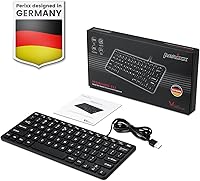
- Manufacturer: Designed and sold by Perixx Computer GmbH, a Germany-based peripheral manufacturer specializing in ergonomic and compact input devices.
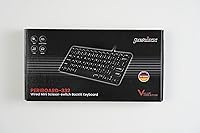
- Model Number: The official model identifier is PERIBOARD-332, used for warranty registration and support inquiries.
- Device Support: Compatible with PCs, laptops, tablets, and smartphones that accept a standard USB-A connection or USB adapter.
- In the Box: Each unit ships with the keyboard itself and a printed user manual — no additional accessories or adapters are included.
Related Reviews
Perixx PERIBOARD-512B Ergonomic Split Keyboard
Perixx PERIBOARD-835 Wireless Ergonomic Mechanical Keyboard
Perixx PERIBOARD-333RGB Wired Backlit USB Keyboard
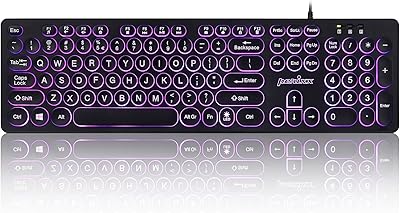
Perixx PERIBOARD-317R Wired Backlit Keyboard
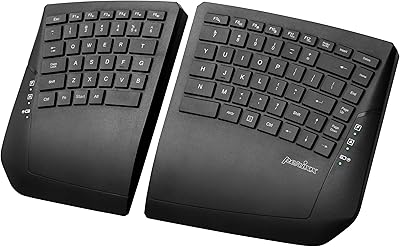
Perixx PERIBOARD-624B Wireless Ergonomic Split Keyboard
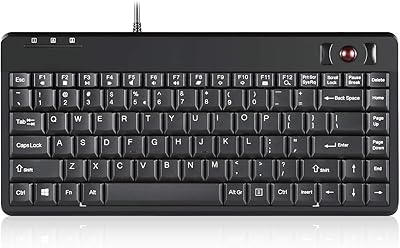
Perixx PERIBOARD-505H Wired Mini Keyboard with Trackball
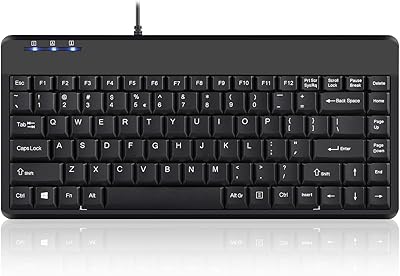
Perixx PERIBOARD-409H Mini USB Keyboard
Perixx PERIBOARD-517 Washable USB Keyboard
Perixx PERIBOARD-210C Wired USB-C Keyboard