Perixx PERIBOARD-317R Wired Backlit Keyboard

Perixx PERIBOARD-317R Wired Backlit Keyboard — image 1
Perixx PERIBOARD-317R Wired Backlit Keyboard — image 2
Perixx PERIBOARD-317R Wired Backlit Keyboard — image 3
Perixx PERIBOARD-317R Wired Backlit Keyboard — image 4

Perixx PERIBOARD-317R Wired Backlit Keyboard — image 5
Perixx PERIBOARD-317R Wired Backlit Keyboard — image 6
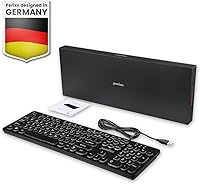
Perixx PERIBOARD-317R Wired Backlit Keyboard — image 7
Perixx PERIBOARD-317R Wired Backlit Keyboard — image 8
78%
22%

Overview

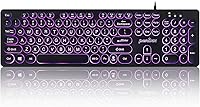
The Perixx PERIBOARD-317R Wired Backlit Keyboard occupies an interesting spot in the market — built around a genuine accessibility need rather than chasing gaming trends or enthusiast clout. The round, typewriter-inspired keycaps give it a distinctly retro character that stands out on any desk, and the plug-and-play USB-A connection means there's nothing to configure, pair, or charge. The tri-color backlighting adds practical visibility in dim rooms, though this is firmly an office tool, not a lighting showpiece. If you're shopping for a dependable full-size membrane board with unusually readable keys at an approachable price, this backlit big-key keyboard is worth a serious look.

Features & Benefits

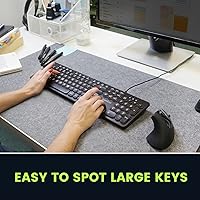
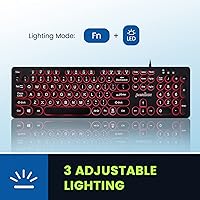
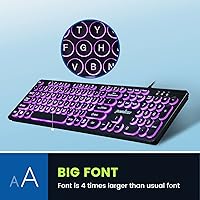
The most immediately practical feature is the oversized key labeling — the printed characters are dramatically larger than what you'd find on a standard keyboard, making each key genuinely easier to spot at a glance or under low light. Backlighting comes in red, blue, and purple, with solid and breathing modes toggled by a single hotkey — no driver software required. The round keycap profile gives each keystroke a stable, centered feel that reduces off-axis presses. Nothing is cut from the layout either: a full numpad, function row, and navigation cluster across 105 keys, plus 12 Fn-activated shortcuts covering media playback, email, and the calculator round out an impressively complete package.

Best For

This is a natural fit for seniors and low-vision users who have long wrestled with tiny, hard-to-read key labels — the larger print makes a genuine, practical difference for that audience specifically. It also suits home office workers who want something a little more distinctive than a plain black slab without spending heavily. Dim-environment users — media editors, home studio workers, or anyone at a poorly lit desk — will appreciate the consistent backlight coverage. One firm caveat: the PERIBOARD-317R officially supports Windows only. Mac and Chrome OS users should look elsewhere, as full key-mapping compatibility outside Windows is not guaranteed by the manufacturer.

User Feedback

With a 4.3-star rating built across more than 8,500 reviews, this Perixx keyboard has earned a notably loyal audience — and that volume surfaces some honest patterns. Buyers consistently highlight the large-print keys as the standout, particularly under dim lighting. The soft membrane feel wins over quiet typists but tends to disappoint those expecting a crisper, more tactile response. One recurring complaint worth knowing upfront: the purple backlight often appears more pinkish than a true purple in real-world conditions. Durability holds up fine under moderate daily use, though heavy typists may notice gradual label wear. For an accessibility-focused niche board, its top-200 ranking in Computer Keyboards reflects genuine, sustained buyer confidence.

Pros

  • Oversized key labels are dramatically more readable than standard keyboards, a genuine win for seniors and low-vision users.
  • Plug-and-play USB-A connection works instantly with no drivers, software, or pairing required.
  • Full 105-key layout preserves the numpad, function row, and navigation cluster — nothing is cut.
  • Backlight toggles on and off with a single hotkey, keeping the experience simple and accessible.
  • Round typewriter-style keycaps give this backlit big-key keyboard a distinctive look that stands out at this price.
  • Low-profile design at just over 1 inch tall sits comfortably on most desks without requiring a wrist rest.
  • 12 Fn-activated shortcuts for media, email, and the calculator add everyday convenience without clutter.
  • Over 8,500 reviews with a 4.3-star aggregate rating reflects a broad and consistently satisfied user base.
  • Wired connection eliminates latency, dropouts, and the ongoing cost of batteries.

Cons

  • Membrane switches feel soft and imprecise — disappointing for anyone who prefers a crisper, more tactile keystroke.
  • Only three backlight colors available; no per-key control, no profiles, and no companion software for customization.
  • The purple backlight frequently appears pinkish rather than a true purple in real-world lighting conditions.
  • Officially compatible with Windows only — Mac and Chrome OS users are left without guaranteed full functionality.
  • Key label wear may become noticeable for heavy typists using the board intensively over an extended period.
  • No wireless option exists in this model — users who prefer a cable-free desk setup will need to look elsewhere.
  • The breathing backlight mode has no speed adjustment, which some users find either too fast or too slow for their preference.
  • At 1.17 pounds and full-size dimensions, this Perixx keyboard is not a compact or travel-friendly option.

Ratings

The scores below reflect our AI-driven analysis of thousands of verified global purchases of the Perixx PERIBOARD-317R Wired Backlit Keyboard, with spam, incentivized, and bot-flagged reviews actively filtered out before any scoring was applied. Each category is graded on real-world performance patterns drawn from confirmed buyer experiences — strengths and frustrations alike are represented without softening either side. Where users consistently agreed, the scores reflect that consensus; where opinions split, the ratings land honestly in the middle.

Key Readability
93%
This is the single most praised feature across the entire review pool. Users with low vision, seniors, and even younger buyers working in dark rooms consistently report that the oversized print makes a noticeable, immediate difference — many describe it as the first keyboard they no longer have to squint at.
A small number of touch typists found the large labels visually overwhelming on a desk, particularly when the backlight is active. It is a minor cosmetic complaint, but worth noting for buyers who prefer a more understated aesthetic.
Backlighting Quality
74%
26%
The even distribution of light across all 105 keys is genuinely good for a board in this price range — no obvious hot spots or dark corners. Users who primarily work at dim desks in the evenings praise the red and blue settings for being bright enough to be practically useful without causing eye fatigue.
The purple backlight is a recurring disappointment; real-world photos and user descriptions consistently describe it as pink rather than a true violet. With only three fixed colors and no software control, buyers who care about accurate or varied illumination will find this Perixx keyboard limiting.
Typing Feel
61%
39%
For users who type in shared spaces or quiet offices, the soft membrane switches are a genuine advantage — the board is noticeably quiet during normal use. Casual typists who do not have strong preferences about switch feel report being perfectly satisfied for day-to-day correspondence and browsing.
Buyers arriving from mechanical keyboards frequently describe the key feel as mushy or imprecise, with very little tactile feedback to confirm a registered keypress. Extended typing sessions on this backlit big-key keyboard can feel fatiguing to those accustomed to a crisper, more defined keystroke.
Build Quality
68%
32%
The physical construction feels adequately solid for a budget-tier office keyboard — there is minimal flex in the board body during normal typing, and the round keycaps sit firmly in their housings without wobble. Most users report no structural issues within the first six to twelve months of moderate use.
The plastic finish shows fingerprints easily and can feel somewhat hollow under heavier keystrokes. Some buyers have noted that the key label printing begins to show wear after sustained heavy use, which is a reasonable concern for anyone who types intensively for several hours a day.
Setup & Compatibility
82%
18%
On Windows, the setup experience is genuinely effortless — plug in the USB-A connector and the board is recognized and fully functional within seconds. There is no companion software to install, no account to create, and no firmware to update, which makes it especially accessible for less tech-savvy users.
Windows-only official support is a hard wall for Mac and Chrome OS users. Those who have tried it on macOS report inconsistent key mapping and no manufacturer support when things go wrong, so this is not a cross-platform solution and should not be purchased with that expectation.
Value for Money
88%
Considering the full-size layout, big-print accessibility features, and working backlight, the price-to-feature ratio is difficult to argue with. Buyers who purchased this keyboard specifically for an elderly parent or a low-vision household member frequently describe it as one of the better money decisions they made for that need.
Users who did not need the accessibility features and bought it purely for the aesthetics sometimes feel the membrane typing experience underdelivers relative to slightly pricier competitors. The value proposition is strongest when the large-print design is the primary reason for buying.
Hotkeys & Shortcuts
77%
23%
The 12 Fn-activated shortcuts cover the most-used daily functions — volume, media playback, email launch, and calculator — without requiring any software to activate. Home office users who multitask frequently across media and productivity apps find these shortcuts save meaningful time over a full workday.
The Fn key combination requires two hands for every shortcut, which some users find slightly awkward during fast-paced workflows. There is also no ability to remap or customize any of the hotkey assignments, so buyers hoping for a flexible macro setup will need to look at a different board entirely.
Keycap Design
84%
The round typewriter-inspired keycap profile is genuinely distinctive in this price tier and earns consistent compliments in buyer photos and reviews. Beyond aesthetics, the circular shape guides fingers naturally toward the center of each key, which several users credit with reducing accidental keypresses during casual typing.
The rounded edges mean keycaps cover a slightly smaller surface area than traditional flat-top keys, which can feel less forgiving for users with larger fingers. A handful of buyers noted that the unique shape takes a short adjustment period before typing speed returns to normal.
Durability
71%
29%
For users who type at a moderate pace in a home office or light administrative role, the keyboard holds up reliably over the 12-month warranty period and often well beyond it. The wired connection also eliminates a common failure point — there are no wireless components to degrade or malfunction over time.
Heavy daily typists report accelerated key label wear, and a few long-term users mention that the membrane switch feel softens further after extended use. The board is built for moderate workloads and begins to show its budget origins under demanding conditions.
Ergonomics
72%
28%
The slim 1-inch profile keeps wrist angles comfortable for most users during shorter sessions without needing additional wrist support. The keyboard's light 1.17-pound weight means it stays put on the desk without slipping and is easy to reposition without disrupting a workspace.
There are no onboard feet to adjust the tilt angle, which limits ergonomic customization for users who prefer a more aggressive typing angle. Those with existing wrist or joint sensitivities may find the flat profile insufficient for sessions lasting several hours.
Aesthetic Appeal
81%
19%
The typewriter-round keycap design is a genuine talking point — buyers regularly mention that colleagues or family members comment positively on the look of the board. The backlight adds a clean, ambient glow that photographs well and contributes to a tidy, polished desk setup.
The color options are limited to the keyboard body finish available at purchase, and the glossy plastic surround can look dated quickly when scratched or smudged. The overall appearance, while charming, may not appeal to minimalists who prefer a sleek, modern board profile.
Noise Level
86%
Membrane construction keeps the typing noise low enough for shared office spaces, late-night home sessions, or any situation where a loud keyboard would be disruptive. Multiple buyers have specifically mentioned switching to the PERIBOARD-317R after complaints from housemates or coworkers about their previous clicky keyboard.
The bottom-out sound on harder keystrokes produces a faint hollow thud that some users find slightly unpleasant compared to quieter premium membranes. It is not a loud board by any standard, but it is not silent either, and that distinction matters in very noise-sensitive environments.
Cable & Connectivity
79%
21%
A wired USB-A connection is exactly what many buyers want — instant recognition, zero latency, and no dependence on batteries or a stable wireless signal. IT administrators and users who have dealt with repeated Bluetooth dropout issues describe the simple wired setup as a relief.
The cable is not detachable, which means any damage to the cord requires replacing the entire keyboard rather than just the cable. Users with USB-C-only laptops or docking stations will also need an adapter, adding a minor inconvenience and a potential extra cost.

Suitable for:

The Perixx PERIBOARD-317R Wired Backlit Keyboard was clearly designed with a specific audience in mind, and for that audience it genuinely delivers. Seniors who struggle to read standard key labels will find the oversized print to be an immediate, practical improvement — not a gimmick. Low-vision users who have resigned themselves to hunting and pecking will likely notice a real difference in typing confidence and speed. Beyond accessibility, this backlit big-key keyboard also suits home office workers who want a complete full-size layout with a bit of visual personality, without committing to a premium price. If you work in a dim environment — a home studio, a bedroom desk setup, or a media room — the solid and breathing backlight modes offer genuine functional value. Anyone tired of managing wireless connections, charging cables, or Bluetooth dropouts will also appreciate the no-fuss wired USB-A plug-in.

Not suitable for:

The Perixx PERIBOARD-317R Wired Backlit Keyboard has real limitations that matter depending on who is buying it. Enthusiast typists who prefer a defined, tactile keystroke will find the membrane switches underwhelming — there is no mechanical option in this lineup, and the soft key feel is not for everyone. Mac and Chrome OS users should stop here: official support covers Windows only, and full key-mapping compatibility on other platforms is not guaranteed. If you were hoping for vivid RGB customization, this Perixx keyboard offers just three fixed colors — red, blue, and purple — with no per-key control or companion software. The purple backlight in particular has drawn repeated real-world complaints about looking more pink than purple, so color accuracy matters to you, factor that in. Heavy daily typists may also find that key label wear becomes noticeable over an extended period, which is worth considering for long-term use.

Specifications

  • Model Number: This keyboard is manufactured by Perixx under the model designation PERIBOARD-317R.
  • Layout: Full-size 105-key layout including a dedicated numpad, full function row, and navigation cluster.
  • Connection: Connects via a wired USB-A cable, requiring no drivers, software installation, or pairing process.
  • Switch Type: Uses low-profile membrane switches, which produce a quieter, softer keystroke compared to mechanical alternatives.
  • Key Font Size: Printed key labels are approximately four times larger than standard keyboard characters for improved readability.
  • Keycap Style: Round, low-profile keycaps designed with a typewriter-inspired profile for a stable, centered keystroke feel.
  • Backlight Colors: Offers three fixed backlight color options: red, blue, and purple, selectable via a dedicated hotkey.
  • Backlight Modes: Supports two backlight modes — solid on and breathing — toggled without any companion software.
  • Hotkeys: Includes 12 Fn-activated shortcut keys covering media playback, email, calculator, and home navigation functions.
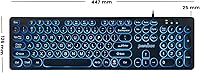
  • Dimensions: The keyboard measures 17.32 inches long by 5.08 inches wide by 1.06 inches tall.
  • Weight: Complete unit weighs 1.17 pounds, making it a standard full-size board with no unusual bulk.
  • OS Compatibility: Officially supported on Windows 7, Windows 8, and Windows 10; macOS and Chrome OS are not officially supported.
  • Language: Ships in US English key layout only.
  • Warranty: Covered by a 12-month limited manufacturer warranty from Perixx.
  • Manufacturer: Designed and sold by Perixx, a peripheral brand focused on accessibility-oriented input devices.

Related Reviews
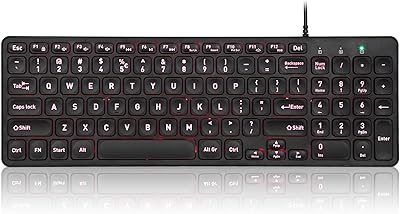
Perixx PERIBOARD-332
81%
83%
Typing Comfort
74%
Build Quality
69%
Backlighting Quality
91%
Compact Design & Portability
67%
Cross-Platform Compatibility
More
Perixx PERIBOARD-333RGB Wired Backlit USB Keyboard
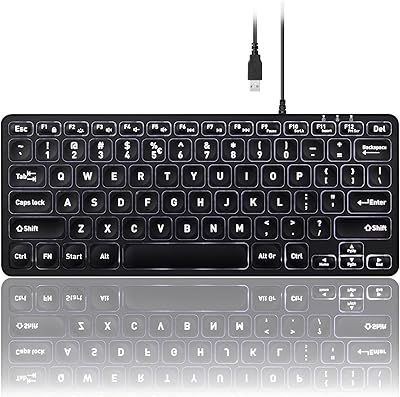
85%
88%
Typing Comfort & Responsiveness
84%
RGB Backlighting Customization
79%
Build Quality & Durability
91%
Value for Money
83%
Multimedia Key Functionality
More
Perixx PERIBOARD-326 Wired Mini Backlit USB Keyboard
85%
87%
Typing Comfort
80%
Build Quality
90%
Backlighting Performance
91%
Portability
72%
Key Response
More
Perixx PERIBOARD-512B Wired Ergonomic Keyboard
83%
87%
Ergonomics & Comfort
84%
Key Layout & Typing Experience
82%
Build Quality & Durability
91%
Wrist Support
95%
Setup & Installation
More
Perixx PERIBOARD-505H Wired Mini Keyboard with Trackball
86%
92%
Value for Money
87%
Trackball Performance
85%
Ease of Use
80%
Build Quality
91%
Compact Design
More
Perixx PERIBOARD-517 Wired Washable USB Keyboard
85%
88%
Durability & Build Quality
93%
Ease of Cleaning
76%
Typing Comfort
90%
Water & Dust Resistance (IP65 Rating)
80%
Ergonomics & Key Design
More
Perixx PERIBOARD-210C Wired USB-C Keyboard
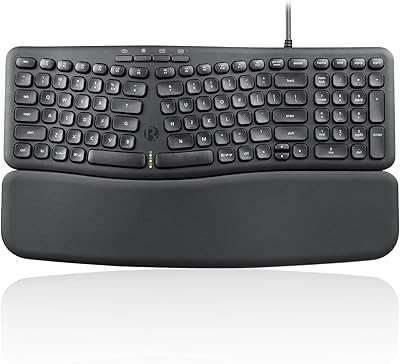
84%
88%
Typing Experience
83%
Build Quality
91%
Quietness of Keys
87%
Compatibility
85%
Portability
More
Perixx PERIBOARD-536B Wired Ergonomic Compact Keyboard
85%
89%
Ergonomics
91%
Comfort
85%
Build Quality
78%
Typing Experience
92%
Design/Compactness
More
Perixx Periboard-106 Ergonomic Full-Size Keyboard
79%
88%
Typing Comfort
83%
Build Quality
81%
Key Feel
91%
Value for Money
87%
Comfort for Long Sessions
More
Perixx PERIBOARD-538 Wired Trackball Keyboard
74%
93%
Space Efficiency
78%
Typing Experience
62%
Trackball Usability
81%
Build Quality
83%
Keycap Durability
More

FAQ

It is entirely plug-and-play. Just connect the USB-A cable to any available port on your Windows PC and the keyboard is recognized immediately — no drivers, no software, nothing to configure.

Officially, no. The Perixx PERIBOARD-317R Wired Backlit Keyboard is designed and tested for Windows 7, 8, and 10 only. Some users report basic functionality on macOS, but key mapping inconsistencies are common and Perixx does not provide support for non-Windows systems, so it is not a reliable choice for Mac or Chrome OS users.

There is a dedicated backlight hotkey on the keyboard. Pressing it once toggles the backlight on or off and cycles through the three available colors — red, blue, and purple. To activate the breathing mode, press Fn together with the backlight key. No software is involved at any point.

This is a fair thing to ask. A number of real buyers have noted that the purple setting leans noticeably pink rather than a true violet, particularly on lighter-colored desk surfaces. If accurate purple illumination is important to you, it is worth factoring that in before purchasing.

Not at all — and that is worth setting straight up front. This Perixx keyboard uses membrane switches, which means the keypress is softer and quieter with no tactile click or bump. Typists who are used to mechanical boards may find it a bit mushy, but for office use or quiet environments it is perfectly functional.

Perixx states the characters are roughly four times the size of those on a standard keyboard. In practice, the difference is immediately obvious — the letters are bold and clearly visible, which makes a real difference for anyone with reduced vision or who simply types in low-light conditions regularly.

For most users, yes. The low-profile design keeps the board at just over 1 inch tall, which is a shallow enough angle that extended typing sessions tend to be comfortable without additional wrist support. That said, everyone's ergonomics are different, so people who already use a wrist rest with other keyboards may want to keep one on hand.

Perixx does not publish an official cable length measurement for this model, but the cable on this backlit big-key keyboard is generally reported by users to be adequate for standard desktop setups where the PC sits on or near the desk. If your tower is on the floor at a distance, a USB extension cable may be a practical precaution.

For moderate, everyday use the labels hold up well according to the majority of buyer feedback. However, users who type heavily for many hours each day have noted that label wear can become visible over an extended period, which is fairly typical for membrane keyboards in this price range.

Unplug the keyboard first, then shake it gently upside down to dislodge loose debris. A can of compressed air works well for clearing dust from around the round keycaps. For the key surfaces themselves, a slightly damp microfiber cloth is safe — just avoid letting any moisture reach the USB connector or get underneath the keycaps.

Where to Buy