
Overview

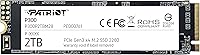
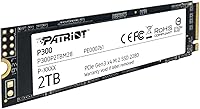
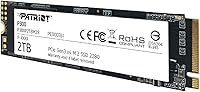
The Patriot P300 2TB M.2 NVMe SSD sits in a crowded but important corner of the storage market — the kind of drive that doesn't ask much of your wallet but delivers a real upgrade over aging SATA hardware. Patriot Memory has been around long enough to earn some credibility, though they're not competing with Samsung or WD in the enthusiast segment. What makes this NVMe drive worth a look is the combination of 2TB capacity and an accessible price point, which is genuinely hard to find at this tier. The Phison E13T controller handles everyday workloads competently without pretending to be something it's not. It fits any standard M.2 2280 slot, so compatibility headaches are rare.

Features & Benefits

On paper, this NVMe drive posts respectable numbers — sequential reads up to 2,100 MB/s and writes up to 1,650 MB/s. That's a clear step above SATA, even if it doesn't approach what PCIe Gen4 drives can do. The PCIe Gen3 x4 interface means it works comfortably in both newer and older systems without needing a cutting-edge platform. Patriot's SmartECC and NANDXtend error correction are quietly useful — they help protect your data over time and keep the NAND flash healthier for longer. Thermal throttling prevents the kind of heat buildup that kills performance during heavy transfers. The low-power design matters if you're running this in a laptop or compact build. A 5-year warranty is reassuring here — most budget SSDs offer far less coverage.

Best For

This M.2 SSD is a natural fit for budget PC builders who want the speed jump that NVMe provides without stretching their budget to the limit. It's also a solid pick as a secondary drive — think game libraries, media storage, or a roomy workspace for large files — where you want capacity and speed without paying flagship prices. Users upgrading from an older SATA drive will notice the performance difference immediately. It works well as an OS drive for home and office machines, and the low power draw makes it a reasonable choice for laptop upgrades. It's not built for heavy video production or server workloads, but for everyday computing tasks, it holds its own consistently at this price tier.

User Feedback

With over 4,600 ratings averaging 4.6 stars, this Patriot P300 has a broad real-world track record worth paying attention to. Buyers consistently highlight the easy installation and the fact that it's recognized without issue across a wide range of motherboards and operating systems. Compatibility complaints are rare. On the flip side, some users doing large sustained transfers — moving hundreds of gigabytes at a stretch — report write speeds dropping noticeably as the drive exhausts its cache. This is typical behavior for DRAM-less NVMe drives at this tier, not a unique flaw. For the use cases this drive is designed for, the consensus is clear: it's reliable, delivers on its promise, and represents solid value in its class.

Pros

  • 2TB of NVMe storage at a budget price point is genuinely hard to beat in this class.
  • Sequential read speeds up to 2,100 MB/s offer a clear, noticeable upgrade over any SATA drive.
  • The M.2 2280 form factor fits nearly every modern desktop and laptop motherboard without fuss.
  • A 5-year warranty on a budget drive provides real peace of mind that most rivals at this price don't offer.
  • SmartECC and NANDXtend technology actively protect data integrity and help extend the drive's usable lifespan.
  • Low power consumption makes this NVMe drive a practical choice for laptops and compact form factor builds.
  • PCIe Gen3 x4 interface ensures broad compatibility across both older and current-generation platforms.
  • Over 4,600 real-world reviews averaging 4.6 stars reflects a consistently positive ownership experience.
  • Installation is straightforward — buyers regularly note it is recognized immediately without driver headaches.
  • Thermal throttling prevents performance from collapsing during moderate sustained workloads.

Cons

  • Sustained write speeds can drop significantly under heavy, prolonged workloads once the cache is exhausted.
  • No DRAM cache means this M.2 SSD is at a disadvantage compared to cached drives in demanding scenarios.
  • Not competitive with PCIe Gen4 drives for users who need top-tier throughput.
  • Endurance ratings are not best-in-class, which matters if the drive will handle constant heavy write cycles.
  • Patriot Memory lacks the brand recognition and long-term track record of tier-one storage manufacturers.
  • Random write performance, while adequate for everyday use, lags behind premium NVMe alternatives.
  • Not suited for NAS environments or any workload requiring enterprise-level reliability guarantees.
  • Cache throttling behavior may frustrate users who move large files regularly without realizing the limitation upfront.

Ratings

The Patriot P300 2TB M.2 NVMe SSD has been evaluated by our AI rating system after analyzing thousands of verified buyer reviews from global markets, with spam, bot-generated, and incentivized feedback actively filtered out. The scores below reflect both the genuine strengths and the honest limitations that real users have reported across diverse setups and use cases. Nothing has been smoothed over — where this NVMe drive excels and where it falls short are both represented transparently.

Value for Money
93%
Buyers consistently single out the price-to-capacity ratio as this drive's strongest suit. Getting 2TB of NVMe storage at this tier is a genuine rarity, and users upgrading from older SATA drives report feeling like they got far more than they paid for.
A small segment of buyers who later discovered faster Gen4 drives at only slightly higher prices felt the value calculus shifted. For users who research after purchase, the relative positioning can feel less compelling in hindsight.
Read Performance
81%
19%
Sequential read speeds translate into noticeably snappier boot times and faster application launches compared to SATA drives. Users running Windows 10 and 11 as their primary OS report that everyday responsiveness feels sharp and consistent.
While the rated 2,100 MB/s ceiling is real, benchmarks from buyers show real-world reads often land somewhat below peak. Compared to Gen4 alternatives, the gap becomes more obvious under tasks like large file decompression or game asset streaming.
Write Performance
67%
33%
For typical workloads — saving documents, installing software, downloading games — write speeds feel perfectly adequate. Users doing routine PC tasks rarely notice any lag, and the drive handles light to moderate writes without complaint.
This is where the DRAM-less architecture reveals its limits. Several buyers who transferred large media archives or ran extended backups reported speeds dropping sharply once the write cache filled. For sustained heavy writes, this M.2 SSD simply isn't built for that workload.
Compatibility
91%
Across thousands of reviews, compatibility issues are rare to the point of being nearly absent. Buyers slot it into systems ranging from older Ryzen 2000-era builds to current Intel 12th and 13th Gen platforms without any driver friction or recognition problems.
A handful of users with very old systems running Windows 7 or certain budget OEM motherboards reported needing to update firmware or BIOS before the drive was detected. It's an edge case, but worth checking your platform's NVMe support if you're on older hardware.
Installation Ease
94%
First-time builders consistently highlight how straightforward the installation process is. The drive slots in, the OS detects it immediately, and there are no bundled software hoops to jump through — buyers appreciate that simplicity, especially on their first SSD upgrade.
No installation bracket or thermal pad is included in the package, which surprised a few users whose motherboards lacked a built-in heatsink. It's a minor omission, but worth noting if your board doesn't already have M.2 thermal coverage.
Reliability & Longevity
78%
22%
The SmartECC and NANDXtend technologies give this NVMe drive a meaningful edge over budget drives that skip error correction entirely. Buyers who have owned this drive for one to two years generally report zero issues with data integrity or unexpected failures.
Long-term endurance data from users running the drive as a heavily written secondary storage volume is limited. The DRAM-less design, while fine for everyday use, does place more wear cycles on the NAND over time compared to drives with dedicated cache buffers.
Thermal Management
74%
26%
Under typical desktop workloads, temperatures stay well within safe ranges and users rarely report any heat-related issues. The built-in throttling acts as a useful failsafe that prevents the kind of runaway heat events that can permanently damage budget drives.
During sustained heavy transfers in confined laptop chassis or poorly ventilated cases, some buyers observed noticeable throttling kicks in sooner than expected. Adding even a basic aftermarket M.2 heatsink resolves this for most, but it's an extra step not everyone anticipates.
Warranty & Support
88%
A 5-year warranty stands out sharply at this price point — most competing drives in the same budget range offer only 3 years. Buyers cite this as a meaningful confidence booster, especially for those using it as a primary OS drive where reliability matters.
Patriot Memory's customer support response times have received mixed feedback from buyers who have had to invoke the warranty. The coverage itself is solid, but the claims process is reportedly slower than what Samsung or WD offer in a comparable situation.
Power Efficiency
86%
Laptop users particularly appreciate the low power draw, reporting no meaningful impact on battery life after switching from a SATA drive. The 1V operating voltage and efficient Phison E13T controller keep idle consumption genuinely low during light workloads.
Under sustained load, power efficiency drops as the controller works harder to maintain throughput. It's not an outlier in this regard — most budget NVMe drives behave similarly — but users expecting laptop-optimized Gen4 efficiency levels will notice the difference.
Build & Form Factor
82%
18%
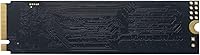
At just 0.317 ounces and standard 2280 dimensions, this M.2 SSD fits virtually any compatible slot without mechanical fuss. The compact, labelless black design tucks cleanly into builds of all sizes without adding bulk.
There's no heatsink or thermal label included, and the bare PCB design means the drive is fully exposed to airflow conditions inside your case. It's typical for this segment, but premium competitors do sometimes include at least a thermal pad at similar price points.
Gaming Performance
76%
24%
For casual to moderate gaming, this NVMe drive handles game installations and load times noticeably better than SATA alternatives. Open-world games with frequent asset streaming benefit from the higher read speeds compared to older storage solutions.
Serious gamers building high-performance rigs will notice that load times in shader-heavy or asset-dense games fall behind what Gen4 drives deliver. This Patriot P300 is a capable gaming drive for mid-range builds, but it's not the choice for a flagship gaming rig.
OS Drive Suitability
89%
Buyers using this as their primary Windows boot drive consistently report fast and stable day-to-day performance. System startup, app launches, and file indexing all feel responsive, and the 2TB capacity means most users never need a second drive for the OS plus applications.
On systems that run heavy background processes alongside normal use — antivirus scans, cloud sync, and active downloads all at once — some users notice occasional micro-stutters that don't appear on cached NVMe drives. It's infrequent but worth knowing for power-multi-taskers.
Packaging & Presentation
63%
37%
The drive arrives in secure, minimal packaging that protects it during shipping without unnecessary waste. Buyers who care about straightforward, no-frills delivery consistently receive it in good condition.
There's nothing included beyond the drive itself — no mounting screw, no adapter, no documentation beyond a basic warranty card. Buyers new to M.2 installs who expected any form of accessory or setup guide were left to find their own resources.

Suitable for:

The Patriot P300 2TB M.2 NVMe SSD is a strong match for anyone building or upgrading a PC on a tight budget who still wants a meaningful performance improvement over older SATA storage. Students, home office users, and casual gamers who need a roomy, fast drive for everyday tasks — browsing, document work, light gaming, media storage — will find it more than capable. It fits naturally into any system with a standard M.2 2280 slot, which covers the vast majority of motherboards sold in the last several years. Laptop upgraders looking to stretch their storage without draining their budget will appreciate the low power draw. It also works well as a secondary drive in a desktop where your primary boot drive handles the heavy lifting and you just need reliable bulk storage at a reasonable speed.

Not suitable for:

If you regularly work with very large files — think 4K video editing, bulk RAW photo processing, or frequent multi-hundred-gigabyte backups — the Patriot P300 2TB M.2 NVMe SSD is probably not the right tool. Like most drives in its class, it relies on a DRAM-less architecture, which means sustained sequential write speeds can drop noticeably once the cache fills up during prolonged heavy workloads. Enthusiasts building high-performance rigs who want the fastest possible storage should look at PCIe Gen4 drives, which offer significantly higher throughput for demanding applications. It's also not ideal for NAS setups or anything requiring enterprise-grade endurance ratings. If your workload consistently pushes the drive hard for extended periods, you'll eventually run into the ceiling this price tier imposes.

Specifications

  • Capacity: This drive offers 2TB of usable storage, making it one of the more spacious options available at its price tier.
  • Interface: It uses a PCIe Gen3 x4 NVMe 1.4 interface, which is broadly compatible with both older and current-generation motherboards.
  • Form Factor: The M.2 2280 form factor measures 3.15 x 0.87 x 0.15 inches and fits any standard M.2 slot of the same length.
  • Sequential Read: Rated sequential read speeds reach up to 2,100 MB/s under optimal conditions.
  • Sequential Write: Rated sequential write speeds reach up to 1,650 MB/s, with real-world performance subject to cache availability.
  • Random Write: 4K aligned random write performance is rated at up to 260,000 IOPS, suitable for typical desktop and laptop workloads.
  • Controller: The drive is powered by a Phison E13T controller, a DRAM-less design optimized for low power consumption at this price segment.
  • ECC Technology: SmartECC and NANDXtend technologies work together to correct read errors and extend the operational lifespan of the NAND flash.
  • Data Protection: End-to-end data path protection monitors data integrity from the host interface through to the flash storage cells.
  • Thermal Management: Built-in thermal throttling automatically reduces performance to safe levels if the drive reaches excessive operating temperatures.
  • Power Design: The drive is engineered for low power consumption, making it practical for use in laptops and small form factor systems.
  • Warranty: Patriot Memory backs this drive with a 5-year limited warranty, which is notably generous for a product in this price range.
  • OS Support: The drive supports Windows 7, 8.0, 8.1, 10, and 11, covering a wide range of active desktop and laptop configurations.
  • Weight: The drive weighs just 0.317 ounces, making it virtually weightless in any build or laptop chassis.
  • Voltage: Operating voltage is rated at 1V, consistent with standard M.2 NVMe power specifications.

Related Reviews

SanDisk 2TB SSD Plus M.2 NVMe SSD
86%
89%
Performance
92%
Ease of Installation
88%
Reliability
91%
Value for Money
90%
Capacity
More
Vansuny 2TB NVMe M.2 SSD
86%
95%
Performance
88%
Installation Ease
78%
Thermal Management
92%
Storage Capacity
94%
Speed for Gaming
More
GAMERKING 2TB M.2 NVMe SSD
85%
91%
Performance (Read/Write Speeds)
72%
Thermal Management
88%
Ease of Installation
94%
Compatibility with PS5
87%
Value for Money
More
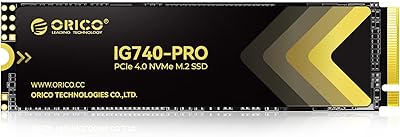
ORICO IG740PRO 2TB NVMe SSD
83%
93%
Read & Write Speed
91%
Endurance & Longevity
84%
Thermal Management
88%
Data Security & Protection
92%
PS5 Compatibility & Installation
More
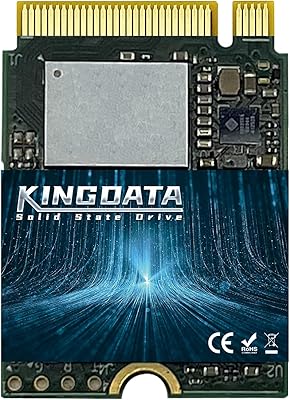
KINGDATA M.2 2230 2TB NVMe SSD
88%
91%
Performance
93%
Read Speed
89%
Write Speed
85%
Durability
88%
Temperature Management
More
SanDisk Extreme M.2 NVMe 2TB SSD
79%
91%
Read Speed Performance
63%
Sustained Write Performance
94%
Installation Ease
83%
Value for Money
88%
Compatibility & Versatility
More
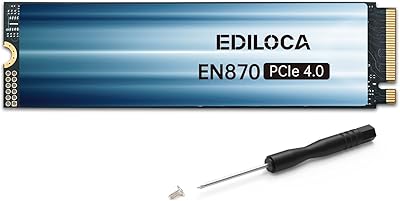
Ediloca EN870 2TB NVMe M.2 SSD
86%
93%
Performance (Speed)
88%
Thermal Management
90%
Compatibility (PC & PS5)
89%
Endurance (4000TBW)
85%
Ease of Installation
More
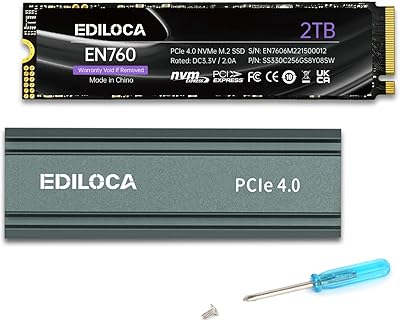
Ediloca 2TB M.2 NVMe SSD with Heatsink
86%
92%
Performance
88%
Ease of Installation
75%
Thermal Management
91%
Value for Money
85%
Durability
More
Fikwot FX910 2TB M.2 NVMe SSD
90%
93%
Performance
89%
Ease of Installation
95%
Read Speed
91%
Write Speed
87%
Thermals/Cooling
More
WD_BLACK SN850P 2TB NVMe SSD
86%
93%
Read Speed Performance
96%
PS5 Compatibility & Licensing
94%
Installation Experience
88%
Heatsink Quality & Thermal Management
71%
Value for Money
More

FAQ

It works in both. As long as your laptop has an M.2 2280 slot that supports PCIe NVMe (not just SATA M.2), this NVMe drive will slot right in. Check your laptop's manual or manufacturer specs page to confirm the slot type before purchasing.

Yes, it is backward and forward compatible. A Gen4 motherboard will run this drive at Gen3 speeds, which is exactly what it's rated for. You won't lose any performance compared to running it in a Gen3 system.

No. Windows 10 and 11 detect it automatically using built-in NVMe drivers. On Windows 7 or 8, you may need to ensure your system has NVMe driver support, but for most modern setups there's nothing extra to install.

Honestly, yes — this is something worth knowing upfront. Because this M.2 SSD uses a DRAM-less controller, it relies on a portion of the NAND as a write cache. Once that cache fills up during a very large or sustained transfer, speeds can drop noticeably. For typical daily use — copying documents, installing games, loading applications — you won't hit that ceiling. But if you regularly move hundreds of gigabytes at a stretch, it's a real limitation to factor in.

Absolutely. It's well-suited as a primary OS drive for everyday computing. Boot times will be fast, application launches will feel responsive, and 2TB gives you plenty of room for your operating system, applications, and a healthy chunk of personal files all on one drive.

The jump is meaningful. A typical SATA SSD tops out around 550 MB/s sequential read. This NVMe drive reaches up to 2,100 MB/s — roughly four times faster in raw throughput. In everyday use, the difference shows up most in large file transfers and application load times rather than simple web browsing.

In normal use it stays within acceptable ranges, and the built-in thermal throttling provides a safety net if things do get warm. That said, if your case has poor airflow or you're running sustained heavy workloads, adding an M.2 heatsink is cheap insurance. Many modern motherboards already include one.

It covers manufacturing defects and drive failure under normal use conditions. Five years is genuinely above average for a budget NVMe drive — many competing options at this price only offer three years. It doesn't cover data recovery, so maintaining backups is still important regardless.

For most gamers, 2TB on a single drive is quite comfortable. Modern AAA games can run 50–100GB each, so you're realistically looking at 15–30 large titles before you start feeling the squeeze. Many people use this NVMe drive as a single all-in-one solution for OS, apps, and games without any issues.

Look for an M.2 slot on your motherboard labeled as PCIe or NVMe — not just M.2 SATA. Most motherboards released since 2017 include at least one PCIe NVMe M.2 slot. Your motherboard manual or the manufacturer's product page will list the slot type clearly. The physical slot key should be M-key or M+B-key to confirm compatibility.