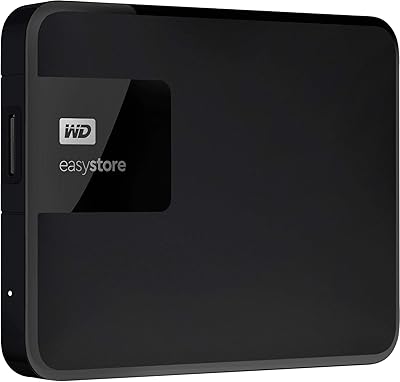
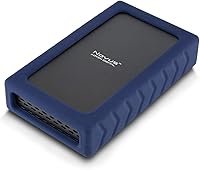
Oyen Digital Novus 20TB External Hard Drive
Overview
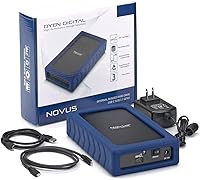
The Oyen Digital Novus 20TB External Hard Drive is built for people who have genuinely run out of places to store their data. Creatives, IT professionals, and power users who deal in terabytes rather than gigabytes will find the core proposition compelling: enterprise-grade internals housed in an enclosure that plugs in and works across Mac, Windows, and Linux — no driver installations required. Oyen backs this with a 3-year warranty, which carries real weight at this storage tier. Just keep expectations grounded. This is a mechanical drive, not flash storage, and it performs like one — which, for the right workload, is exactly what you need.
Features & Benefits
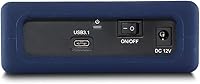
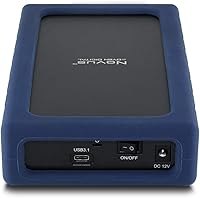
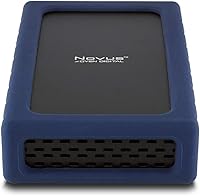
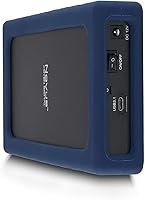
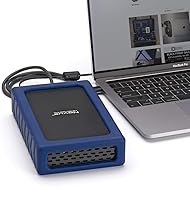
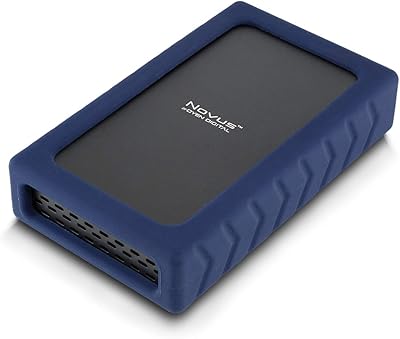
The USB-C interface — USB 3.2 Gen2 — covers virtually every modern port setup, including Thunderbolt 3 and 4, so most users won't need an adapter. Inside, this high-capacity desktop HDD runs a 7200 RPM enterprise-class mechanism capable of sustained reads up to 270 MB/s, which is strong for spinning media — though random read/write tasks will naturally lag behind any SSD. The drive ships in exFAT, ready to use on any platform right away, with the option to reformat for a single OS. The silicone sleeve keeps the enclosure from sliding around and offers light scratch protection, but it is not a rugged case. Stability under sustained load is handled well by the ASMedia ASM235CM chipset.
Best For
This 20TB external drive makes the most sense sitting on a desk rather than traveling in a bag. Video editors and media professionals archiving raw 4K or 6K footage locally will appreciate having a single destination that doesn't max out after a few projects. Mac users running Time Machine will finally have a backup volume that keeps up with growing libraries over the long term. It also works well as a centralized store for a small office or home setup where a full NAS feels like overkill. IT buyers and prosumers who understand the difference between consumer and enterprise-grade platters will see the internal spec for what it is — a meaningful step up.
User Feedback
Across its 122 ratings, the Oyen Digital Novus sits at 4.1 stars — a solid result that reflects genuine satisfaction alongside a few practical trade-offs. Buyers frequently mention how quickly the drive got up and running, and professionals using it in active production environments report consistent behavior over time. The recurring concerns are predictable for this drive class: the 7200 RPM mechanism produces noticeable spin-up and seek noise, and heat during extended transfers is real, though within expected tolerances for a 3.5-inch enterprise unit. A persistent source of confusion in reviews is the capacity discrepancy between Mac and Windows — this is simply a binary versus decimal reporting difference, not a product fault, and it affects every hard drive on the market.
Pros
- Twenty terabytes of local storage provides years of genuine runway before space becomes a concern.
- Enterprise-class 7200 RPM internals deliver sustained sequential transfers up to 270 MB/s — strong for spinning media.
- USB-C with Thunderbolt 3 and 4 compatibility covers virtually every modern port without needing an adapter.
- Plug-and-play exFAT formatting works immediately across Mac, Windows, and Linux with zero configuration.
- The 3-year warranty provides real peace of mind for a premium-tier storage purchase.
- The ASMedia ASM235CM chipset delivers stable, consistent throughput even during extended transfer sessions.
- Cross-platform compatibility makes this 20TB external drive genuinely flexible in mixed-OS environments.
- Enterprise-grade internals in a consumer-friendly enclosure offer meaningful internal quality over budget alternatives.
- The silicone sleeve prevents desk sliding and protects against everyday surface scratches during normal use.
Cons
- The 7200 RPM mechanism produces audible spin-up and seek noise that becomes distracting in quiet environments.
- Heat buildup during prolonged transfers is real and requires adequate ventilation around the enclosure.
- Random read/write speeds trail any mid-range SSD, limiting usefulness for active project work or database tasks.
- The 3.5-inch form factor and 3-pound weight make this strictly a stationary, desk-bound device.
- Windows reports noticeably less usable capacity than Mac, which regularly trips up first-time buyers.
- No hardware encryption is listed in the specifications, which may be a concern for sensitive data storage.
- The silicone sleeve provides only basic desk protection and should not be mistaken for drop or impact resistance.
- At 20TB, this drive is overkill for users who only need occasional light backups or modest file storage.
Ratings
The scores below were generated by our AI system after analyzing verified global buyer reviews of the Oyen Digital Novus 20TB External Hard Drive, with automated filtering applied to remove incentivized, duplicate, and bot-generated submissions. Each category reflects real-world usage patterns reported by video editors, IT professionals, and power users who ran this drive through sustained daily workloads. Both the genuine strengths and the recurring friction points are represented transparently across every scorecard.
Sequential Transfer Speed
Storage Capacity
Build & Enclosure Quality
Setup & Compatibility
Value for Money
Drive Noise Level
Thermal Performance
Port Versatility
Cross-Platform Usability
Warranty & Support
Capacity Reporting
Long-Term Reliability
Random I/O Performance
Physical Protection
Suitable for:
The Oyen Digital Novus 20TB External Hard Drive is a strong fit for anyone whose storage demands have outpaced what typical consumer drives can offer. Video editors and media professionals working with large raw footage libraries — 4K, 6K, or multi-camera projects — will find that 20TB gives them genuine runway before needing to think about offloading archives. Mac users who want a dedicated Time Machine volume that won't fill up for years are another natural match, as are small business operators centralizing shared files without committing to a full NAS deployment. IT buyers and prosumers who specifically want enterprise-grade platters in an accessible external form factor will appreciate the internal quality difference over typical consumer-grade enclosures. The plug-and-play exFAT formatting and broad USB-C compatibility also make it practical for anyone working across multiple operating systems without wanting to manage separate volumes.
Not suitable for:
The Oyen Digital Novus 20TB External Hard Drive is not the right tool for everyone, and a few specific buyer profiles should look elsewhere before purchasing. Anyone who needs portable storage — photographers heading to shoots, travelers, or people who regularly move drives between locations — will find a 3.5-inch, 3-pound desktop unit genuinely impractical since this is strictly a desk-bound device. Users with speed-sensitive workflows involving large numbers of small files, database operations, or anything relying heavily on random read/write performance will hit the inherent ceiling of spinning media regardless of the RPM rating. Buyers who work in noise-sensitive environments like home recording studios or quiet shared offices should also factor in that a 7200 RPM mechanism produces audible hum and seek clicks during operation. Finally, if your storage needs are modest — a few terabytes for occasional backups — the cost-per-gigabyte at this capacity tier is hard to justify compared to smaller, more affordable alternatives.
Specifications
- Storage Capacity: Provides 20TB of total storage, displayed as 20TB on macOS or approximately 18.18TB on Windows due to differing binary versus decimal measurement conventions.
- Drive Type: Uses a 3.5-inch mechanical hard disk drive with spinning platters housed inside an external USB enclosure.
- Rotational Speed: The internal mechanism spins at 7200 RPM, an enterprise-class rating that supports higher sustained throughput compared to typical 5400 RPM consumer desktop drives.
- Interface: Connects via USB-C (USB 3.2 Gen2), providing up to 10 Gbps of theoretical interface bandwidth over a single cable.
- Thunderbolt Support: Compatible with Thunderbolt 3 and Thunderbolt 4 ports, allowing operation with modern MacBooks and other Thunderbolt-equipped systems without an adapter.
- Internal Protocol: The drive communicates internally with the enclosure bridge over SATA 6Gbps (Serial ATA-600), the standard interface for 3.5-inch desktop hard drives.
- Transfer Rate: Capable of sustained sequential read speeds up to 270 MB/s, consistent with enterprise-class 7200 RPM mechanical drive performance under sequential workloads.
- USB Chipset: Equipped with the ASMedia ASM235CM USB-to-SATA bridge chipset, a well-regarded component known for stable throughput and broad OS compatibility.
- Pre-Format: Ships formatted in exFAT, enabling immediate plug-and-play use across Mac, Windows, and Linux without requiring any reformatting out of the box.
- Dimensions: Measures 7.75 x 4.5 x 1.68 inches (L x W x H), consistent with a standard full-size 3.5-inch desktop drive enclosure footprint.
- Weight: Weighs 3 pounds, positioning this as a stationary desktop device rather than a portable or travel-ready solution.
- Operating Temp: Rated for operation between 32°F and 158°F (0°C to 70°C), within the accepted thermal range for enterprise-class mechanical hard drives.
- OS Compatibility: Officially compatible with macOS, Windows, and Linux operating systems, with no driver installation required for basic connectivity.
- Warranty: Covered by a 3-year limited manufacturer warranty from Oyen Digital against defects in materials and workmanship.
- Protective Sleeve: Includes a fitted silicone sleeve that provides anti-slip grip on desk surfaces and light scratch protection for the enclosure exterior.
Related Reviews
Oyen Digital Novus 8TB External Hard Drive
Oyen Digital Novus 6TB External Hard Drive
Oyen Digital Novus 16TB External USB-C 7200RPM Hard Drive
Oyen Digital Novus 24TB External Hard Drive
Oyen Digital Novus 30TB External Hard Drive
Oyen Digital U32 Shadow 1TB USB-C External Hard Drive
Western Digital EasyStore 2TB External Hard Drive
Glyph BlackBox Pro 20TB External Hard Drive
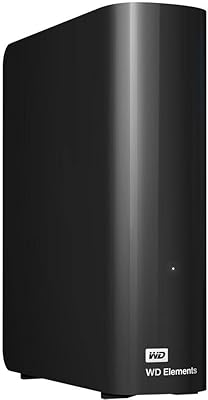
WD 20TB Elements Desktop External Hard Drive