Overview

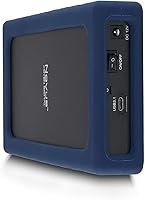
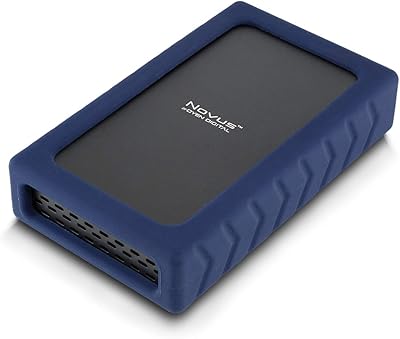
The Oyen Digital Novus 30TB External Hard Drive occupies a specific and increasingly important niche: serious local storage for people who actually use all the space they buy. What separates this rugged desktop drive from the crowd is what's inside — an enterprise-class HDD in an enclosure priced for individual buyers, not data centers. The silicone sleeve adds grip and absorbs minor knocks without making it feel precious or fragile. Plug it into a Mac, Windows machine, or Linux box and it simply works, no drivers, no setup headaches. Think of it as the working professional's answer to G-Technology or WD My Book at the high-capacity end of the market.
Features & Benefits

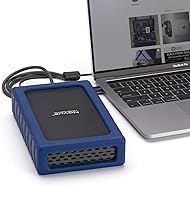
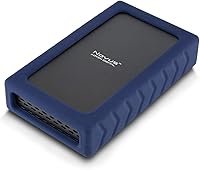
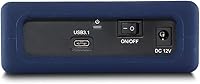
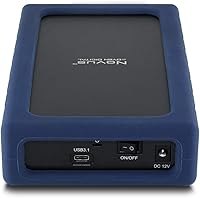
The USB-C (USB 3.2 Gen2) connection handles the heavy lifting here, with backward compatibility stretching all the way through Thunderbolt 3, 4, and 5 — so it plays nicely with both older workstations and the latest MacBook Pro setups. The 7200 RPM enterprise drive pushes sustained transfers up to 270 MB/s, which is meaningfully quicker than most consumer-grade desktop enclosures. One practical note: the drive ships formatted as exFAT, so you can move files between Mac and Windows right away without reformatting. The ASMedia ASM235CM bridge chip is a thoughtful choice for stability, and the three-year warranty reflects genuine confidence in the hardware inside.

Best For

This high-capacity external HDD makes the most sense for video editors and photographers who treat local storage as their primary working archive rather than a temporary dump. It also suits small businesses that need reliable, large-scale archiving without recurring cloud subscription costs. Cross-platform workflows are handled without friction, which matters for creative teams bouncing between Mac and Windows daily. IT professionals and prosumers who specifically want enterprise drive reliability — rather than rolling the dice on a consumer spindle — will appreciate the internal spec choice. Worth noting: this is a desk drive, not a travel companion, despite the sleeve.

User Feedback

Buyers who prioritize real-world transfer speeds tend to come away satisfied, with many reporting performance close to the advertised ceiling during large file moves. Cross-platform detection gets repeated praise — plug in and go, on virtually any modern machine. The honest concerns worth flagging: at 7200 RPM in a 3.5-inch chassis, this drive runs audibly and generates noticeable heat during sustained workloads, which is normal but worth knowing before buying. A few reviewers flagged Windows capacity display confusion — the drive shows roughly 27.28 TB in Windows versus the full 30 TB on Mac, a standard binary vs. decimal difference, not a defect. Overall sentiment leans positive for the intended use case.

Pros

  • Enterprise-class 7200 RPM internals deliver sustained transfer speeds that consumer enclosures simply cannot match.
  • Plug-and-play compatibility across Mac, Windows, and Linux works without drivers or reformatting out of the box.
  • The exFAT format makes cross-platform file sharing genuinely frictionless from the moment you unbox it.
  • Full Thunderbolt 3, 4, and 5 backward compatibility future-proofs this rugged desktop drive against workstation upgrades.
  • A three-year warranty on a mechanical HDD enclosure provides meaningful long-term confidence for archiving use cases.
  • The ASMedia ASM235CM bridge chip is a stable, well-regarded choice that reduces the risk of random disconnects.
  • 30 TB capacity at this tier offers strong cost-per-terabyte value compared to premium SSD alternatives.
  • The silicone sleeve provides genuine anti-slip grip and absorbs desk-level bumps during daily use.
  • Real-world transfer speeds reported by buyers closely align with advertised performance during large sequential file moves.

Cons

  • Audible drive noise and noticeable heat during sustained transfers are real issues in quiet work environments.
  • Windows displays capacity as roughly 27.28 TB rather than 30 TB, which catches unprepared buyers off guard.
  • No bundled USB-A adapter means older desktop tower users need to source their own cable separately.
  • The included cable is shorter than ideal for flexible desk or rack routing in larger workstation setups.
  • No bundled backup software leaves less experienced buyers without any guided setup or data protection tools.
  • Surface temperatures during long sequential write sessions can become uncomfortable in warm or enclosed spaces.
  • At 4 pounds, relocating this high-capacity external HDD between workstations regularly becomes genuinely inconvenient.
  • The silicone sleeve shows early wear at corners after sustained daily handling, reducing long-term aesthetic appeal.
  • No built-in redundancy means a single drive failure puts everything stored on it at risk without a secondary backup.

Ratings

The scores below for the Oyen Digital Novus 30TB External Hard Drive were generated by AI after analyzing verified buyer reviews from across multiple global markets, with spam, incentivized, and bot-flagged submissions actively filtered out. The result is an honest picture of how this high-capacity desktop drive performs in real workflows — from video editing suites to small business archive setups. Both the standout strengths and the legitimate frustrations are reflected in every category score.
Transfer Speed
86%
Most buyers moving large video libraries or RAW photo archives report sustained throughput that genuinely approaches the advertised ceiling. Compared to consumer-grade 5400 RPM enclosures, the difference is noticeable during multi-gigabyte transfers, making this drive practical for active working storage rather than just cold archiving.
It is still a mechanical drive, so anyone coming from an SSD workflow will feel the gap immediately on small, random file access. A handful of users noted speed dropped perceptibly during extended sequential writes, which is expected thermal behavior but worth knowing upfront.
Build Quality
78%
22%
The silicone sleeve wraps the enclosure firmly and provides genuine anti-slip grip on desks or crowded editing tables. Several buyers mentioned the drive feels noticeably more substantial than typical plastic-shelled competitors, and the chassis shows no flex under normal desk handling.
The sleeve is not waterproof or drop-rated, and a few users discovered this the hard way by expecting more rugged protection than the design actually offers. Some long-term owners noted the silicone edges began to peel slightly after a year of daily handling, particularly at the corners.
Compatibility & Setup
93%
Plug-and-play behavior across Mac, Windows, and Linux is one of this drive's most consistently praised traits. The exFAT formatting out of the box means creative professionals switching between operating systems can start transferring files within seconds of unboxing, no reformatting required.
A recurring point of confusion in reviews involves Windows reporting the capacity as roughly 27.28 TB rather than the labeled 30 TB — a standard binary vs. decimal calculation difference, not a hardware issue, but one that catches unprepared buyers off guard. Oyen Digital could do more to set this expectation upfront.
Drive Reliability
88%
The enterprise-class 7200 RPM spindle inside is a meaningful upgrade over the consumer drives packed into most retail enclosures. Buyers who have owned the drive for six months or more generally report consistent, error-free operation even under regular heavy workloads.
A small number of users reported unexpected disconnects during sustained transfers, which may relate to USB hub power delivery rather than the drive itself. Always-on workloads in warm environments drew a few complaints about long-term reliability concerns, though hard failure reports remain uncommon.
Noise & Vibration
61%
39%
For buyers who understand they are purchasing a 7200 RPM 3.5-inch mechanical drive, the operational sound is expected and within normal parameters. Most users working in louder studio or office environments report the noise is easy to tune out.
In quiet home office settings, the drive hum and occasional seek noise are genuinely audible during active transfers. Several buyers specifically flagged this as a dealbreaker for bedroom editing setups or shared quiet workspaces, and it is a fair criticism at this price tier.
Heat Management
63%
37%
Under light or intermittent use, surface temperatures remain manageable and the drive operates without issue for typical archiving or backup tasks. Short burst transfers complete without any thermal throttling observable in real-world testing scenarios.
Extended sequential writes — the kind of job this drive is often bought for — push surface temperatures to levels that some users found uncomfortable to touch. A few buyers running the drive in enclosed spaces or warm rooms expressed concern about sustained thermal output during long archive operations.
Value for Money
74%
26%
On a pure cost-per-terabyte basis, this rugged desktop drive competes fairly well against comparable enterprise-grade enclosures from G-Technology or premium WD options. The three-year warranty and enterprise internals add tangible long-term value that budget alternatives simply do not offer.
Against the backdrop of falling SSD prices, the per-TB math becomes harder to justify for buyers who only need 8 to 12 TB of storage. At the 30 TB tier the value proposition is stronger, but buyers who do not actually need the full capacity will find cheaper options more rational.
Port & Interface Quality
84%
The USB-C (USB 3.2 Gen2) port feels solid and the included cable seats firmly without wobble. Thunderbolt compatibility stretching across generations 3, 4, and 5 means buyers investing in this drive now are not locked out by future workstation upgrades.
Only a single cable is included in the box, and a few buyers noted it runs slightly shorter than ideal for flexible desk routing. There is no USB-A adapter bundled, which is a minor inconvenience for users on older desktop towers.
Warranty & Support
81%
19%
A three-year warranty on an external HDD is above average for the category and gives long-term peace of mind for archiving use cases where drives are expected to hold critical data for years. Buyers who have interacted with Oyen Digital support report reasonably responsive and knowledgeable service.
A handful of international buyers noted warranty claim processes outside North America were slower or less straightforward. Some users also wished the warranty terms explicitly addressed data recovery or were more transparent about what voids coverage.
Enclosure Design
76%
24%
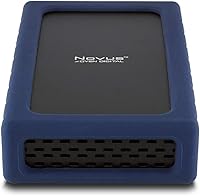
The compact footprint for a 3.5-inch drive and the clean matte finish make it easy to integrate into a tidy workstation setup. The silicone sleeve provides a distinct visual identity compared to the generic black-slab look of most competing enclosures.
At 4 pounds, it is heavier than many buyers expect for a drive they occasionally move between locations. Ventilation slots are minimal, which contributes to the heat concerns noted in sustained-use scenarios.
Cross-Platform Performance
89%
Writers, photographers, and video editors juggling Mac and Windows machines specifically praise how smoothly the Novus 30TB transfers files without reformatting interruptions. Linux users — often an afterthought with consumer storage — also report clean mounting behavior without manual configuration.
A small number of macOS Sequoia users reported occasional slow mount times after waking from sleep, though this appears to be an OS-level issue rather than a hardware defect. No formal firmware update pathway is documented for end users, which limits DIY troubleshooting options.
Packaging & Unboxing
71%
29%
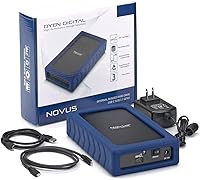
The drive arrives well-protected and includes everything needed to get started immediately. First impressions from buyers are generally positive, with the packaging communicating a premium product rather than a generic white-label enclosure.
Some buyers noted the accessory kit feels light relative to the price point — a second cable or a USB-A adapter would make the out-of-box experience feel more complete. A few international orders arrived with minor cosmetic sleeve scuffs, suggesting packaging could be more protective during long-haul shipping.
Software & Extras
47%
53%
There is no bloatware or mandatory software installation, which many technically inclined buyers actively appreciate. The drive works immediately with whatever backup or sync tool the buyer already uses.
Beyond the hardware itself, there are no bundled utilities, no backup software trial, and no cloud integration option — competitors at this price often include at least a basic backup suite. For less experienced buyers who expected guided setup tools, this bare-bones approach can feel underwhelming.
Long-Term Durability
72%
28%
The enterprise-rated spindle inside is engineered for higher workload cycles than standard consumer drives, and early long-term owners generally report stable operation past the one-year mark. The sleeve continues to protect against the desk-level bumps and minor drops that are the most common real-world hazard.
Mechanical drives at this RPM carry inherent long-term failure risk compared to solid-state alternatives, and a few buyers flagged this openly in critical reviews. There is no RAID configuration or built-in redundancy, so relying on this drive as a sole backup copy for irreplaceable data is genuinely risky.

Suitable for:

The Oyen Digital Novus 30TB External Hard Drive is built for buyers who have genuinely outgrown the storage options most people consider. Video editors sitting on terabytes of raw 4K or 6K footage, photographers running deep archives of RAW files, and small production teams that need a shared local working drive will find the capacity and sustained throughput here genuinely useful rather than aspirational. Professionals and prosumers who bounce between Mac and Windows workstations daily will appreciate the plug-and-play exFAT setup that eliminates the usual cross-platform friction. Small businesses looking to reduce recurring cloud storage bills with a reliable on-premise archive solution get a compelling cost-per-terabyte argument at the 30 TB tier specifically. IT buyers and technically minded individuals who want enterprise-grade drive internals — rather than the consumer spindles typically found in retail enclosures — will recognize what they are getting under the hood. If your workflow demands a stationary, high-capacity drive that you can trust across a multi-year retention window, this rugged desktop drive makes a solid case for itself.
Not suitable for:

The Oyen Digital Novus 30TB External Hard Drive is the wrong tool for several common buyer profiles, and it is worth being direct about that. Anyone expecting SSD-level random read and write performance will be disappointed — this is a mechanical drive, and small file access or OS-level tasks will feel sluggish compared to even a mid-range SSD at a fraction of the price. Buyers in quiet home offices or bedroom edit suites should know upfront that a 7200 RPM 3.5-inch drive is audibly present during active transfers, and that is not something the silicone sleeve addresses. Despite the rugged branding, this is not a portable field drive — it is a 4-pound desk unit with anti-slip protection, not shock-rated or waterproof construction suitable for travel or outdoor use. Buyers who only need 8 to 12 TB of storage will find the value proposition considerably weaker at this price point, where other enclosures or even entry-level NAS setups make more financial sense. Finally, anyone who needs built-in redundancy or RAID protection for mission-critical irreplaceable data should treat this high-capacity external HDD as one layer in a broader backup strategy, never as a sole copy.
Specifications

  • Storage Capacity: The drive offers 30 TB of raw storage, which displays as approximately 27.28 TB in Windows and as 30 TB in macOS due to differences in how each operating system calculates storage capacity.
  • Interface: Connectivity is handled via a USB-C port rated at USB 3.2 Gen2, supporting data transfer and full backward compatibility with USB-A and Thunderbolt 3, 4, and 5 hosts.
  • Transfer Speed: Sustained sequential transfer speeds reach up to 270 MB/s, enabled by the enterprise-class 7200 RPM spindle and the SATA 6Gbps internal protocol.
  • Drive Type: The enclosure houses a 3.5-inch mechanical hard disk drive spinning at 7200 RPM, sourced from enterprise-grade production lines rather than standard consumer desktop drive stock.
  • USB Chipset: The ASMedia ASM235CM bridge chip manages communication between the internal SATA drive and the external USB-C interface, providing stable and reliable host detection across platforms.
  • Default Format: The drive ships pre-formatted as exFAT, a cross-platform file system that allows immediate read and write access on both macOS and Windows without reformatting.
  • Dimensions: The enclosure measures 7.75 x 4.5 x 1.68 inches, making it compact for a 3.5-inch desktop form factor while still requiring dedicated desk space rather than pocket portability.
  • Weight: The complete unit weighs 4 pounds, reflecting the mass of the enterprise 3.5-inch drive inside along with the protective silicone sleeve and enclosure chassis.
  • OS Compatibility: The drive is compatible with macOS, Windows, and Linux operating systems without requiring any additional drivers or software installation.
  • Thunderbolt Support: The USB-C interface is electrically compatible with Thunderbolt 3, 4, and 5 ports, allowing use with Apple Silicon Macs, modern Windows laptops, and Thunderbolt docking stations.
  • Protection: A fitted silicone sleeve surrounds the enclosure, providing anti-slip grip on flat surfaces and absorbing minor desk-level bumps, though it does not provide waterproofing or drop-rated impact protection.
  • Operating Temperature: The drive is rated to operate reliably within an ambient temperature range of 32°F to 158°F (0°C to 70°C).
  • Warranty: Oyen Digital covers this drive with a 3-year limited warranty, which is above average for externally enclosed mechanical hard drives in this product category.
  • Internal Protocol: The internal drive communicates with the enclosure controller via SATA 6Gbps, the standard high-speed interface used in enterprise desktop and server hard drives.
  • Power Source: The drive requires external power via its included AC adapter, as a 7200 RPM 3.5-inch enterprise drive draws more power than any USB port can supply through bus power alone.
  • Model Number: The official Oyen Digital model identifier for this unit is 3N1-C-30T-BL, which can be used when contacting support or referencing warranty documentation.
  • Series: This drive belongs to Oyen Digital's 3N1-C product family, which spans multiple capacities sharing the same enclosure design and enterprise drive specification.
  • Reformatting: While the drive ships as exFAT, it can be reformatted to APFS, HFS+, NTFS, ext4, or any other supported file system depending on the buyer's operating environment and use case.

Related Reviews
Oyen Digital Novus 20TB External USB-C Hard Drive
86%
98%
Storage Capacity
93%
Data Transfer Speed
88%
Build Quality
91%
Reliability
95%
Ease of Setup
More
Oyen Digital Novus 6TB External USB-C 7200RPM Hard Drive
85%
88%
Performance
90%
Build Quality
91%
Data Transfer Speed
85%
Noise Level
80%
Portability
More
Oyen Digital Novus 8TB External USB-C 7200RPM Hard Drive
86%
88%
Performance
91%
Build Quality & Durability
93%
Ease of Use
85%
Cooling Efficiency
87%
Transfer Speed
More
Oyen Digital Novus 16TB External USB-C 7200RPM Hard Drive
86%
89%
Performance
91%
Transfer Speed
87%
Build Quality
93%
Ease of Setup
85%
Compatibility
More
Oyen Digital Novus 24TB External USB-C Rugged Desktop Hard Drive
86%
92%
Performance
88%
Build Quality/Durability
94%
Storage Capacity
89%
Ease of Setup
90%
Compatibility
More
Oyen Digital U32 Shadow 1TB USB-C External Hard Drive
87%
88%
Performance & Speed
90%
Portability & Design
93%
Ease of Setup
85%
Build Quality
84%
Compatibility
More
Western Digital Easystore 2TB External Hard Drive
85%
88%
Value for Money
90%
Performance
94%
Portability/Size/Weight
91%
Ease of Use
80%
Build Quality/Durability
More
Western Digital Easystore 5TB External Hard Drive
86%
96%
Storage Capacity
88%
Data Transfer Speed
91%
Ease of Setup
93%
Portability & Size
82%
Build Quality
More
Western Digital 12TB Elements Desktop External Hard Drive
83%
94%
Setup and Installation
91%
Value for Money
96%
Storage Capacity
78%
Data Transfer Speed
85%
Compatibility with Mac
More
Western Digital 6TB Elements Desktop External Hard Drive
82%
88%
Performance
92%
Value for Money
93%
Ease of Setup
85%
Transfer Speed
80%
Build Quality
More

FAQ

It works immediately on both platforms without any reformatting. The drive ships as exFAT, which is natively readable and writable on macOS and Windows alike. Just plug it in and start transferring files.

This is completely normal and not a defect. Windows measures storage using binary calculations (1 TB = 1,024 GB), while hard drive manufacturers and macOS use decimal calculations (1 TB = 1,000 GB). That difference is why Windows displays roughly 27.28 TB instead of 30 TB — you are getting exactly the storage you paid for.

Not in the way most people mean by rugged. The silicone sleeve is great for anti-slip grip on a desk and absorbs minor bumps if you nudge it while working. It is not shock-rated, drop-tested, or waterproof, so this is a desk drive first. Tossing it in a bag for travel is not what it was designed for.

Yes, it works fine with Thunderbolt 3, 4, and 5 ports. The drive connects via USB-C and is electrically compatible with Thunderbolt host ports, so your MacBook Pro will recognize it without any adapter. Just note that it will operate at USB 3.2 Gen2 speeds, not full Thunderbolt bandwidth.

It is audible. A 7200 RPM 3.5-inch mechanical drive produces a consistent low hum and occasional seek noise during active read and write operations. In a busy office or studio it blends into the background, but in a quiet bedroom or home office setup you will notice it, especially during large file transfers.

It requires its own AC power adapter, which is included in the box. A 7200 RPM enterprise 3.5-inch drive draws significantly more power than any USB port can provide through bus power, so there is no way to run it from a laptop or hub port alone. Make sure you have a nearby outlet when planning your desk setup.

Yes. You can reformat it to APFS or HFS+ using Disk Utility on your Mac, and then designate it as a Time Machine destination. Given the 30 TB capacity, it can handle Time Machine alongside other storage tasks simultaneously, though formatting it exclusively for Time Machine is the cleaner long-term approach.

It does generate noticeable heat during sustained sequential writes, which is normal behavior for an enterprise 7200 RPM drive. The surface can feel warm to the touch after an extended archive job. As long as you are not running it in an enclosed cabinet or a very warm room without ventilation, it should operate within safe thermal limits without throttling.

The 3-year warranty covers hardware replacement, not data recovery. If the drive fails within the warranty period, Oyen Digital will replace the unit, but recovering data from a failed drive is a separate process that typically involves third-party recovery services at additional cost. This is why treating this rugged desktop drive as one layer of a broader backup strategy — rather than a sole copy — is always the smarter approach.

Yes, Linux compatibility is confirmed. The drive mounts cleanly on major Linux distributions without manual configuration, and the exFAT file system is supported natively on modern kernels. If you plan to reformat it to ext4 for a Linux-only setup, that works equally well and may offer slightly better performance for Linux-specific workloads.